-
Wrapping GCMC Text Around Arcs
GCMC includes a
typesetfunction converting a more-or-less ASCII string into the coordinate points (a “vectorlist” containing a “path”) defining its character strokes and pen motions. The coordinates are relative to an origin at the lower-left corner of the line, with the font’s capital-X height set to 1.0, so you apply ascalefunction to make them whatever size you want and hand them to theengravelibrary routine, which squirts the corresponding G-Code into the output file.Such G-Code can annotate plots:
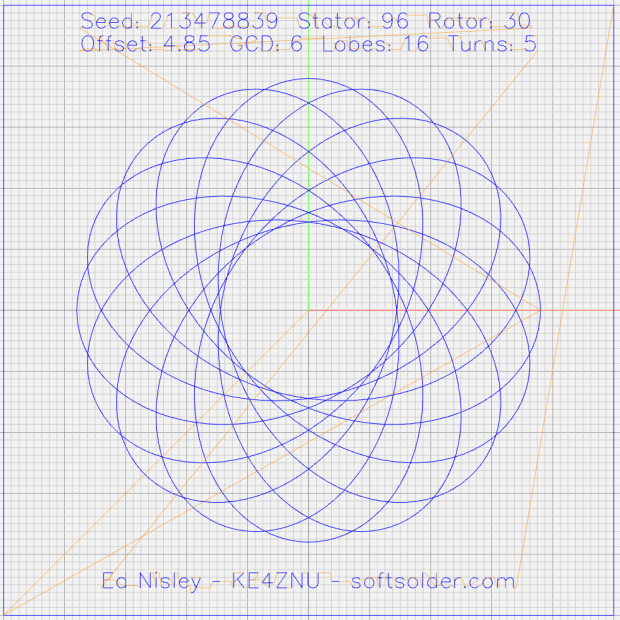
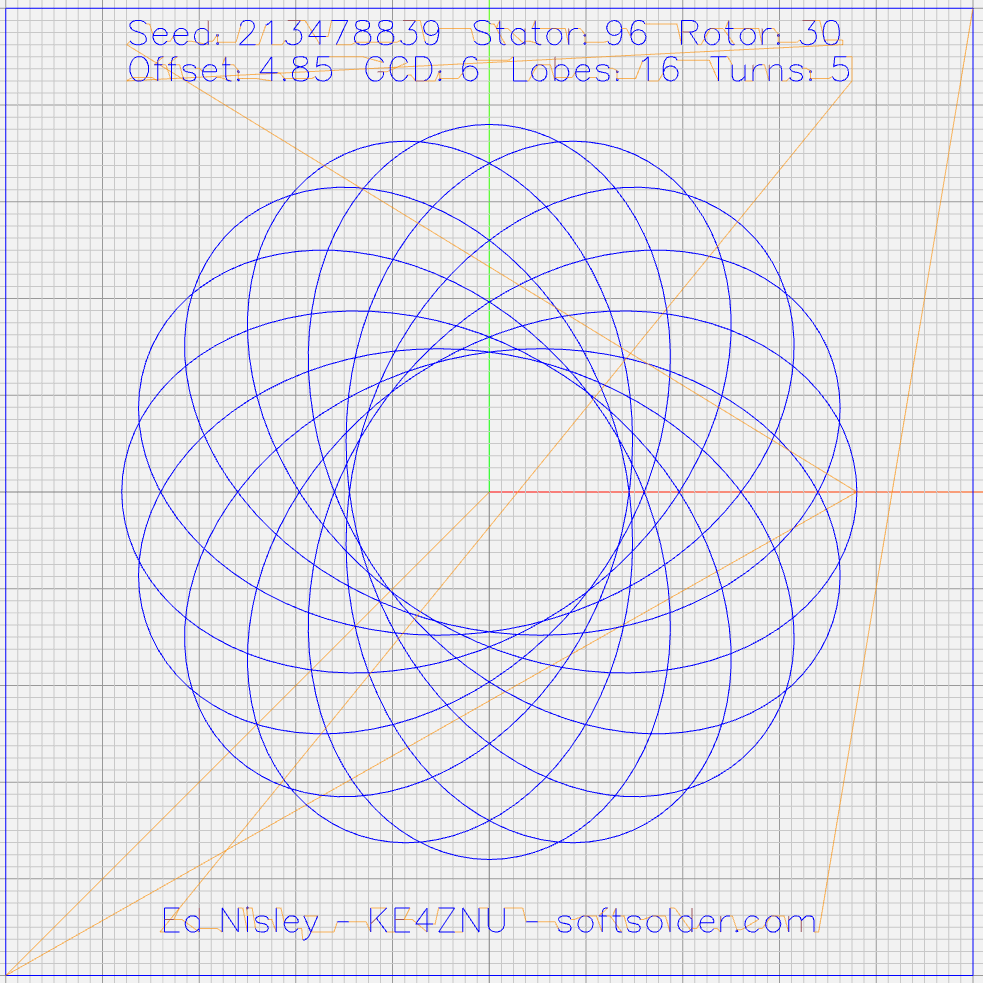
Guilloche 213478839 Given that the plots appear on relentlessly circular CDs and hard drive platters, It Would Be Nice to wrap text around a circular arc, thusly:
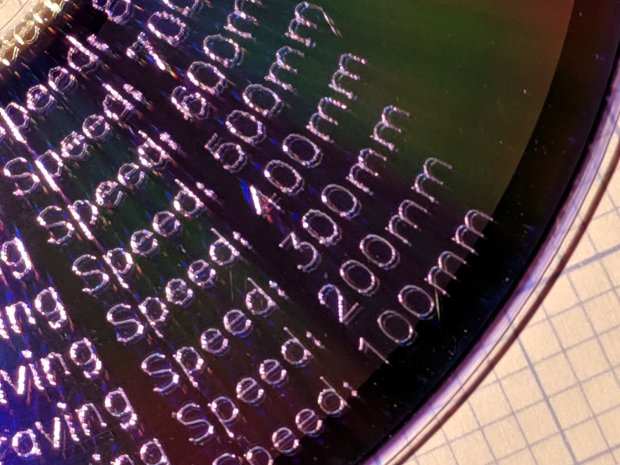
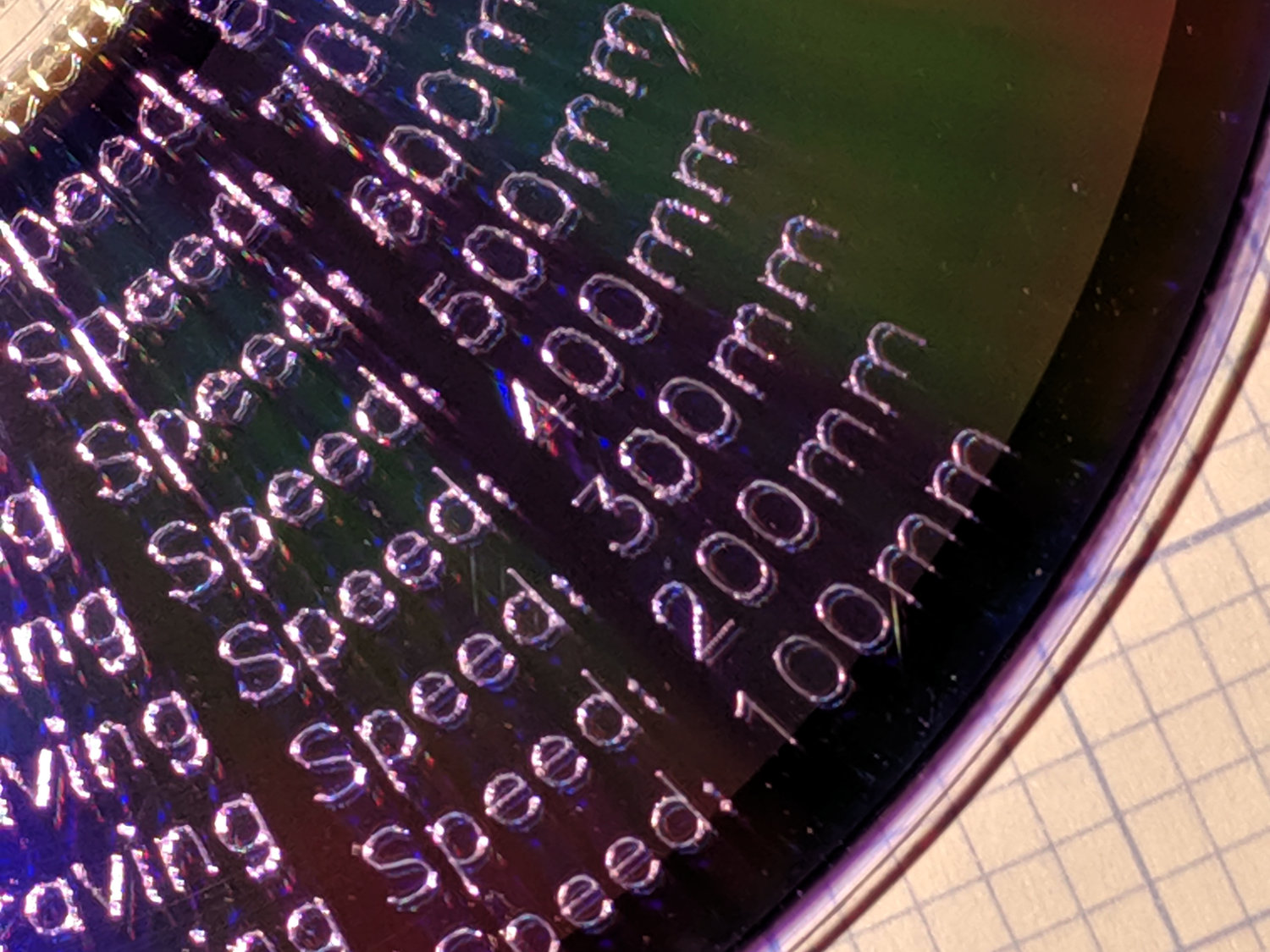
Diamond Scribe – LM3UU – arc text – first light The scaled coordinates cover a distance L along a straight line, so putting them on an arc will cover the same distance. The arc is part of a circle with radius R and a circumference 2πR, so … polar coordinates to the rescue!
The total text length L corresponds to the total angle A along the arc:
A = 360° L / 2πR
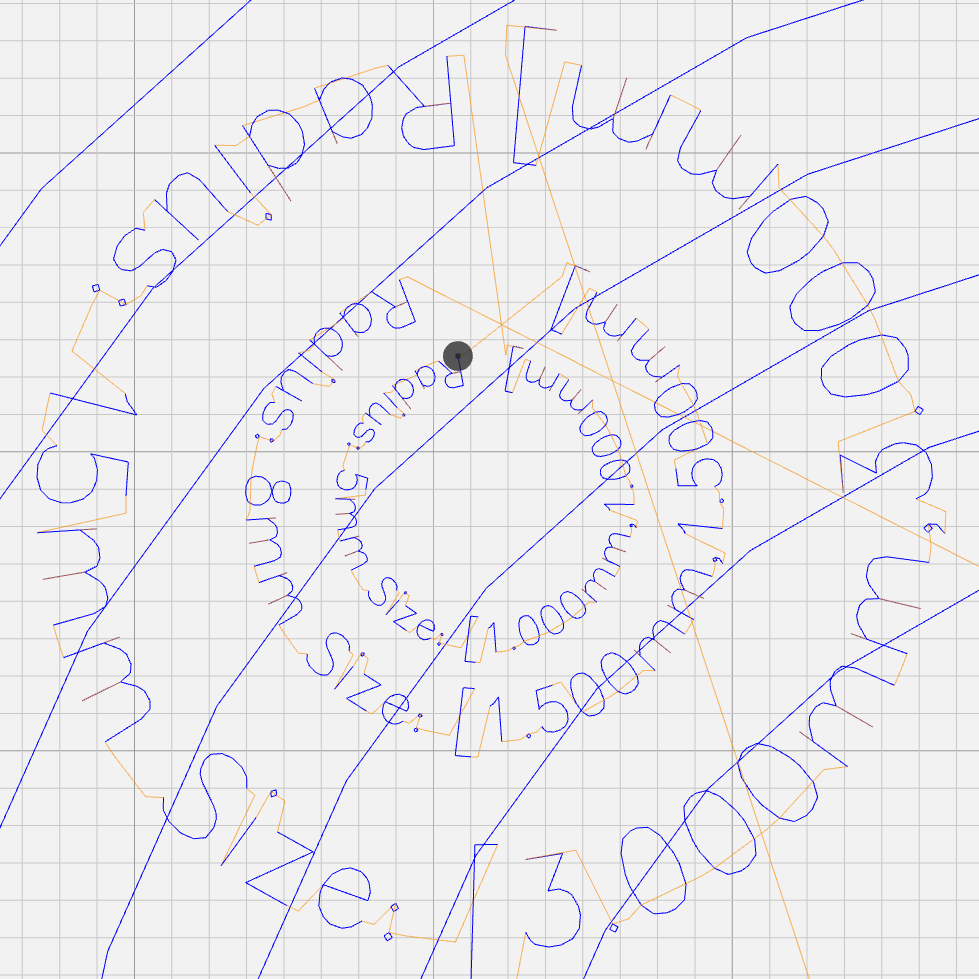
It’s entirely possible to have a text line longer than the entire circumference of the circle, whereupon the right end overlaps the left. Smaller characters fit better on smaller circles:
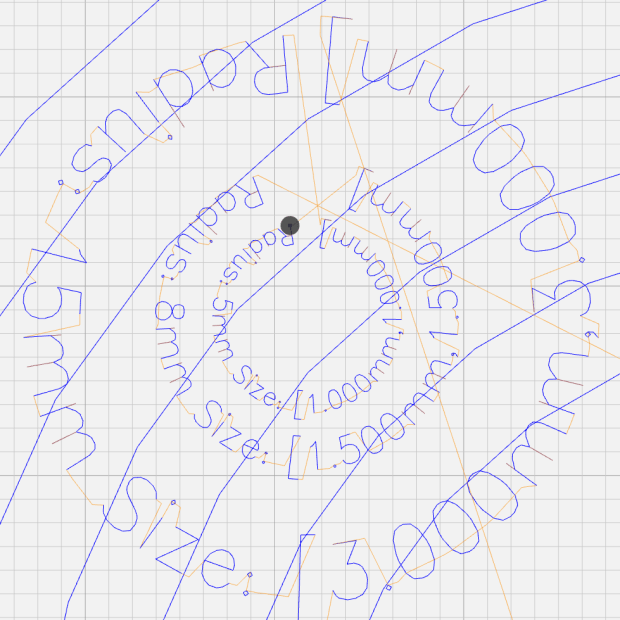
Arc Lettering – Small radius test – NCViewer The X coordinate of each point in the path (always positive from the X origin) in the path gives its angle (positive counterclockwise) from 0°:
a = 360° x / 2πR (say "eks")
You can add a constant angle of either sign to slew the whole text arc around the center point.
The letter baseline Y=0 sits at radius R, so the Y coordinate of each point (positive above and negative below the Y=0 baseline) gives its radius r:
r = R - y
That puts the bottom of the text outward, so it reads properly when you’re facing the center point.
Homework: Tweak the signs so it reads properly when you’re standing inside the circle reading outward.
Converting from polar back to XY:
x = r × cos(a) (say "times")
y = r × sin(a)
You can add an XY offset to the result, thereby plunking the point wherever you want.
This obviously works best for small characters relative to the arc radius, as the lines connecting the points remain resolutely straight. That’s probably what you wanted anyway, but letters like, say, “m” definitely manspread.
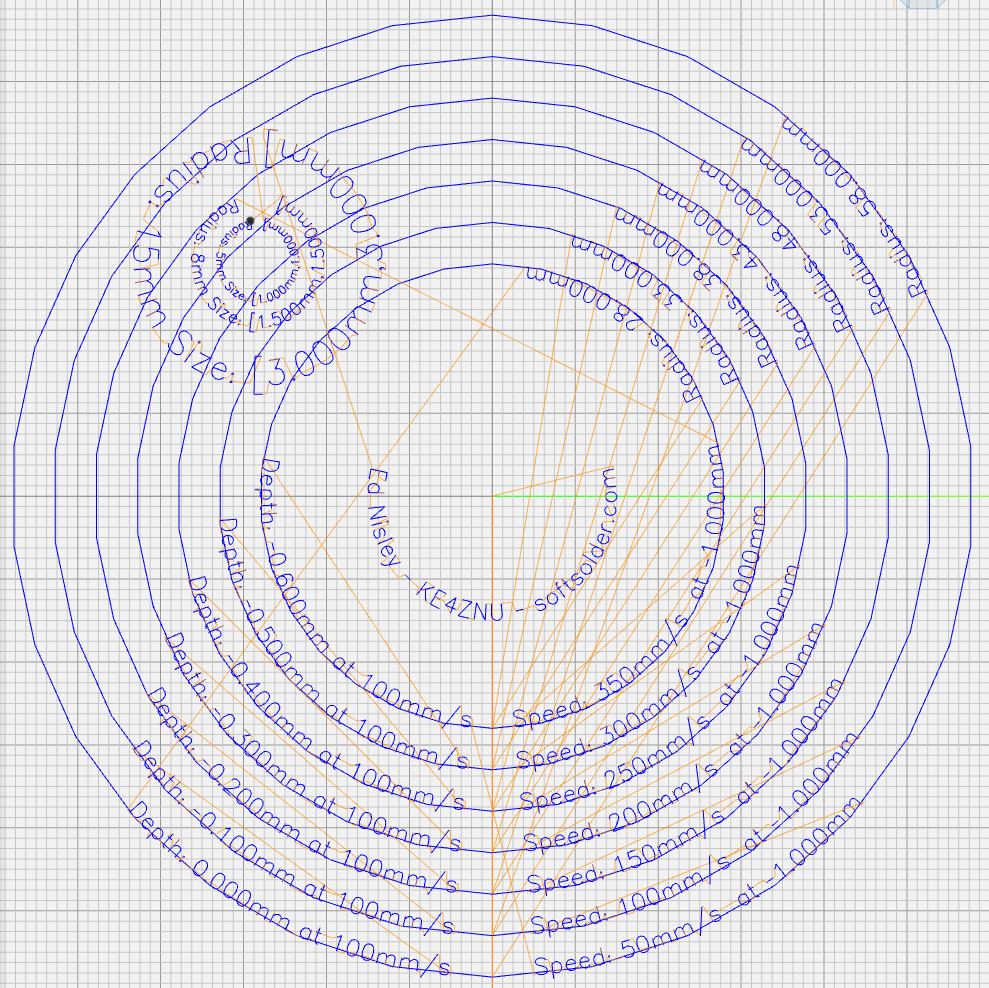
Overall, it looks pretty good:

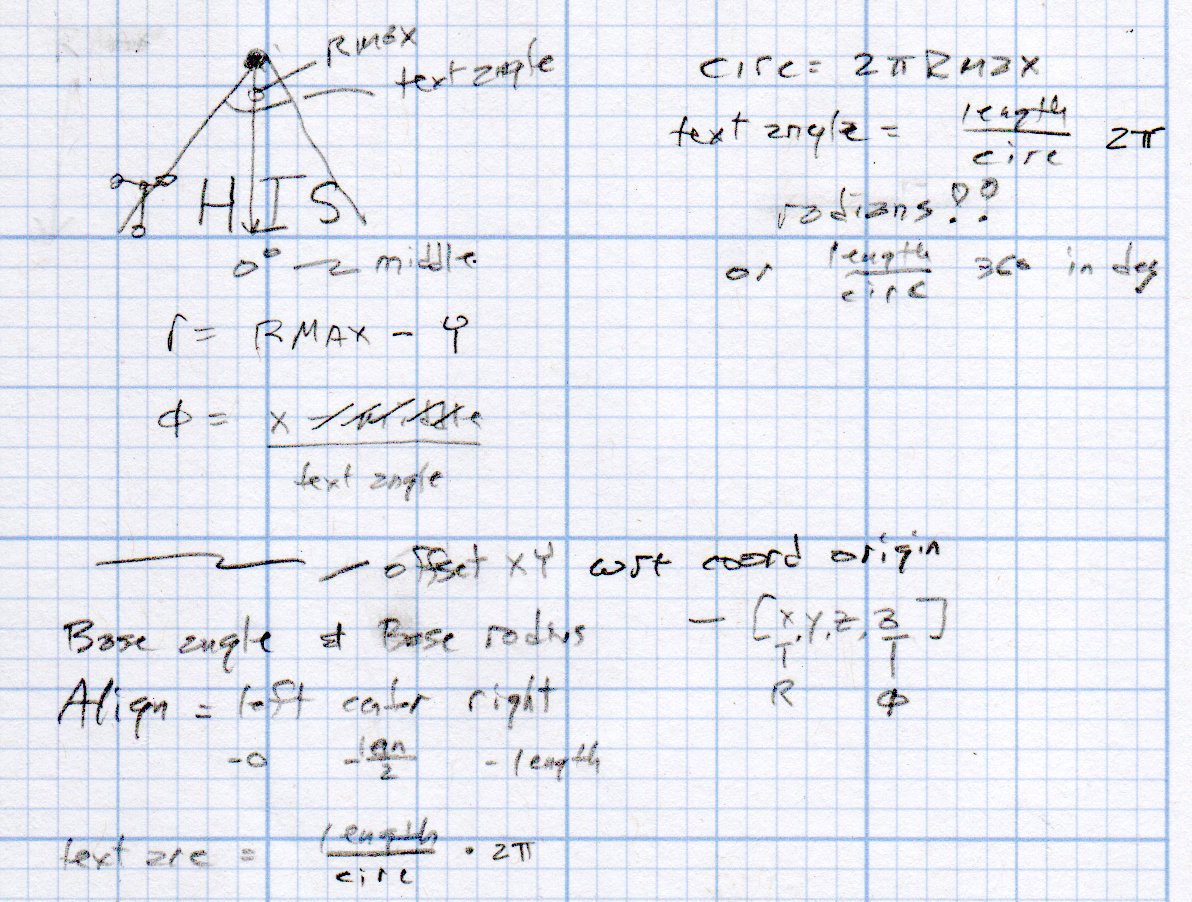
Arc Lettering – test plot overview – NCViewer A doodle helped lay out the geometry:
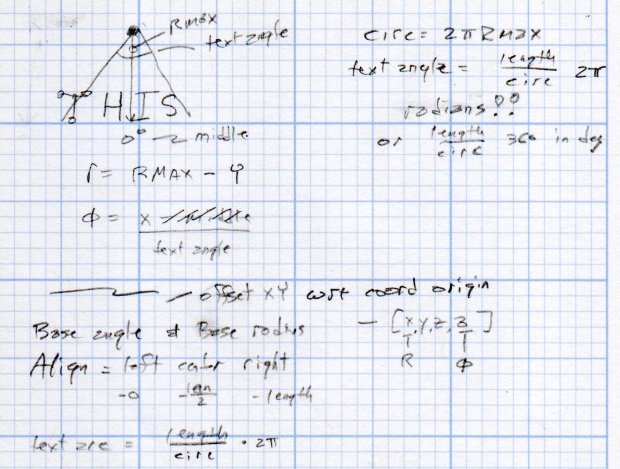
Arc Lettering – geometry doodles The GCMC source code as a GitHub Gist:
This file contains hidden or bidirectional Unicode text that may be interpreted or compiled differently than what appears below. To review, open the file in an editor that reveals hidden Unicode characters. Learn more about bidirectional Unicode characters// Map text to circular arcs // Ed Nisley KE4ZNU – 2019-06 //—– // Command line parameters // -D OuterDia=number if (!isdefined("OuterDia")) { OuterDia = 120mm – 2mm; // CD = 120, 3.5 inch drive = 95 } OuterRad = OuterDia / 2.0; comment("Outer Diameter: ",OuterDia); comment(" Radius: ",OuterRad); //—– // Library routines include("tracepath.inc.gcmc"); include("engrave.inc.gcmc"); //—– // Bend text around an arc function ArcText(TextPath,Center,Radius,BaseAngle,Align) { PathLength = TextPath[-1].x – TextPath[1].x; Circumf = 2*pi()*Radius; TextAngle = to_deg(360 * PathLength / Circumf); AlignAngle = BaseAngle + (Align == "Left" ? 0 : Align == "Center" ? -TextAngle / 2 : Align == "Right" ? -TextAngle : 0); ArcPath = {}; foreach(TextPath; pt) { if (!isundef(pt.x) && !isundef(pt.y) && isundef(pt.z)) { // XY motion, no Z r = Radius – pt.y; a = 360deg * (pt.x / Circumf) + AlignAngle; ArcPath += {[r*cos(a) + Center.x, r*sin(a) + Center.y,-]}; } elif (isundef(pt.x) && isundef(pt.y) && !isundef(pt.z)) { // no XY, Z up/down ArcPath += {pt}; } else { error("Point is not pure XY or pure Z: " + to_string(pt)); } } return ArcPath; } //—– // Set up for drawing TravelZ = 1.0mm; // no clamps above workpiece! PlotZ = -1.0mm; // tune for best results TextSpeed = 100mm; // minimal shaking DrawSpeed = 500mm; // smooth curve drawing TextFont = FONT_HSANS_1_RS; TextSize = [2.0mm,2.0mm]; TextLeading = 5.0mm; // line spacing DiskCenter = [0mm,0mm]; // middle of the platter if (1) { comment("Circles begin"); TextRadius = OuterRad; for (r = OuterRad; r >= 25mm; r -= TextLeading) { feedrate(DrawSpeed); goto([-,-,TravelZ]); goto([r,0,-]); move([-,-,PlotZ]); circle_cw([0,0]); goto([-,-,TravelZ]); tp = scale(typeset("Radius: " + to_string(r),TextFont),TextSize); tpa = ArcText(tp,DiskCenter,r,115deg,"Left"); feedrate(TextSpeed); engrave(tpa,TravelZ,PlotZ); } } if (1) { comment("Depth variations begin"); TextRadius = OuterRad; feedrate(TextSpeed); for (pz = 0.0mm; pz >= -0.6mm; pz -= 0.10mm) { comment(" depth: " + to_string(pz)); ts = "Depth: " + to_string(pz) + " at " + to_string(TextSpeed) + "/s"; tp = scale(typeset(ts,TextFont),TextSize); tpa = ArcText(tp,DiskCenter,TextRadius,-5deg,"Right"); engrave(tpa,TravelZ,pz); TextRadius -= TextLeading; } } if (1) { comment("Feedrate variations begin"); TextRadius = OuterRad; for (ps = 50mm; ps <= 350mm; ps += 50mm) { feedrate(ps); comment(" speed: " + to_string(ps) + "/s"); ts = "Speed: " + to_string(ps) + "/s at " + to_string(PlotZ); tp = scale(typeset(ts,TextFont),TextSize); tpa = ArcText(tp,DiskCenter,TextRadius,5deg,"Left"); engrave(tpa,TravelZ,PlotZ); TextRadius -= TextLeading; } } if (1) { comment("Off-center text arcs begin"); feedrate(TextSpeed); tc = [-40mm/sqrt(2),-40mm/sqrt(2)]; // center point r = 8mm; s = [1.5mm,1.5mm]; ts = "Radius: " + to_string(r) + " Size: " + to_string(s); tp = scale(typeset(ts,TextFont),s); tpa = ArcText(tp,tc,r,0deg,"Center"); engrave(tpa,TravelZ,PlotZ); r = 5mm; s = [1.0mm,1.0mm]; ts = "Radius: " + to_string(r) + " Size: " + to_string(s); tp = scale(typeset(ts,TextFont),s); tpa = ArcText(tp,tc,r,0deg,"Center"); engrave(tpa,TravelZ,PlotZ); r = 15mm; s = [3.0mm,3.0mm]; ts = "Radius: " + to_string(r) + " Size: " + to_string(s); tp = scale(typeset(ts,TextFont),s); tpa = ArcText(tp,tc,r,0deg,"Center"); engrave(tpa,TravelZ,PlotZ); } if (1) { comment("Attribution begins"); tp = scale(typeset("Ed Nisley – KE4ZNU – softsolder.com",TextFont),TextSize); tpa = ArcText(tp,DiskCenter,15mm,0deg,"Center"); feedrate(TextSpeed); engrave(tpa,TravelZ,PlotZ); } goto([-,-,10mm]); goto([0mm,0mm,-]); comment("Done!"); This file contains hidden or bidirectional Unicode text that may be interpreted or compiled differently than what appears below. To review, open the file in an editor that reveals hidden Unicode characters. Learn more about bidirectional Unicode characters#!/bin/bash # Arc Lettering Generator # Ed Nisley KE4ZNU – 2019-06 Diameter='OuterDia=116mm' Flags='-P 3 –pedantic' # Set these to match your file layout LibPath='/opt/gcmc/library' Prolog='/mnt/bulkdata/Project Files/Mostly Printed CNC/Firmware/gcmc/prolog.gcmc' Epilog='/mnt/bulkdata/Project Files/Mostly Printed CNC/Firmware/gcmc/epilog.gcmc' Script='/mnt/bulkdata/Project Files/Mostly Printed CNC/Patterns/Arc Lettering/ArcLetter.gcmc' ts=$(date +%Y%m%d-%H%M%S) fn='ArcLetter_'${ts}'.ngc' echo Output: $fn rm -f $fn echo "(File: "$fn")" > $fn gcmc -D $Diameter $Flags \ –include "$LibPath" –prologue "$Prolog" –epilogue "$Epilog" \ "$Script" >> $fn
-
Subscribe
Subscribed
Have a WordPress.com account? Log in now.

