-
CNC 3018-Pro: CAMTool Modification for MBI-style Home Switches
The Protonteer board I used on the MPCNC required a few additional pins for power to Makerbot-style home switches, so it’s no surprise the CAMTool V3.3 board on the CNC 3018-Pro gantry mill requires a similar hack:

3018 CNC CAMTool – Endstop power mod The white jumper plugs into the single +5 V pin in the row and is soldered to a straight wire running along the entire row of header pins. I pushed the black plastic strip to the bottom, soldered the wire along the pins atop it, then clipped off the pins so they’re about the right height when flush against the PCB.
Use a two-row socket to hold the new row in alignment with the existing header:
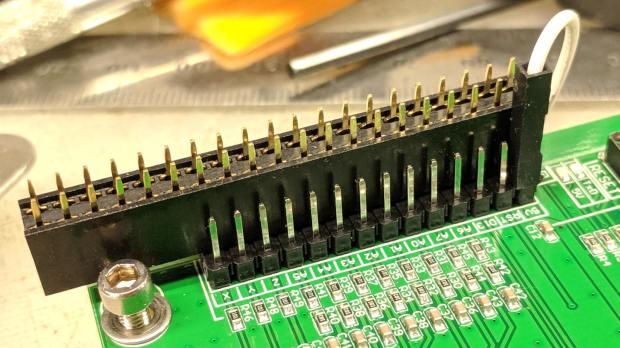
3018 CNC CAMTool – Endstop power mod – alignment Slobber on some epoxy and let it cure:

3018 CNC CAMTool – Endstop power mod – epoxy curing And then It Just Works™:

3018 CNC CAMTool – Endstop power mod – installed Well, after you install the switches and tell GRBL to use them …
Reminder: If you intend to put limit switches on both ends of the axis travel, you must clip the NC lead from both MBI switches. One switch per axis will work the way you expect and that’s how I’m using them here.
-
Subscribe
Subscribed
Have a WordPress.com account? Log in now.

