-
Tek Circuit Computer: Cursor Milling Toolpath
Unlike the adhesive fixture, this setup requires a pause while milling the cursor outline to reclamp it from the front:

Tek CC Cursor Fixture – outline rear clamp The trick is applying the front clamp before releasing the rear clamp:
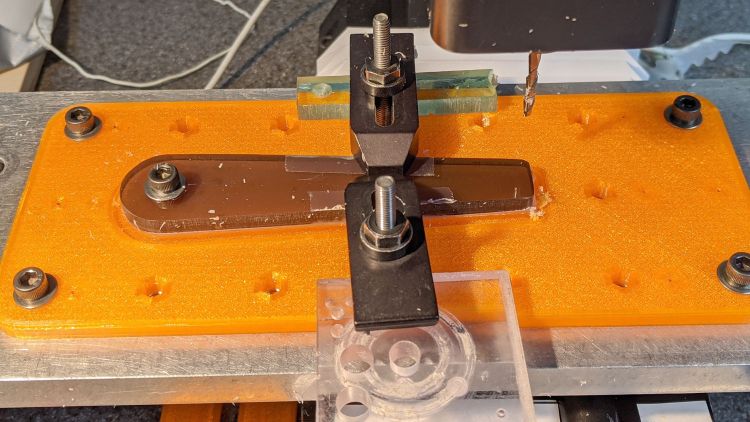
Tek CC Cursor Fixture – outline both clamp Then continue the mission:
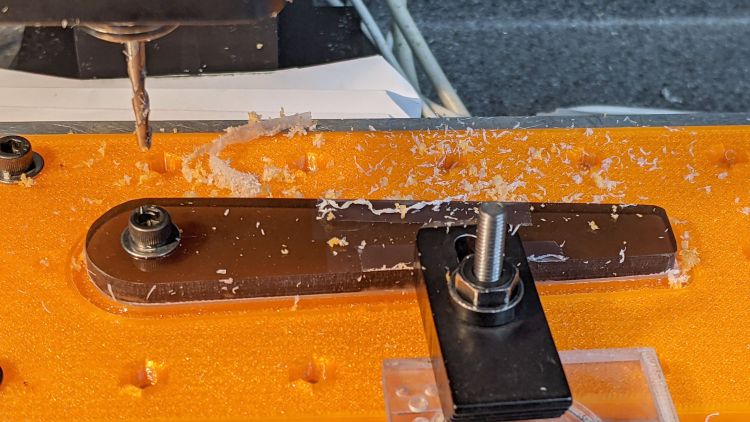
Tek CC Cursor Fixture – outline front clamp Because the tool path includes cutter compensation, GCMC adds entry and exit arcs to ensure a smooth transition:
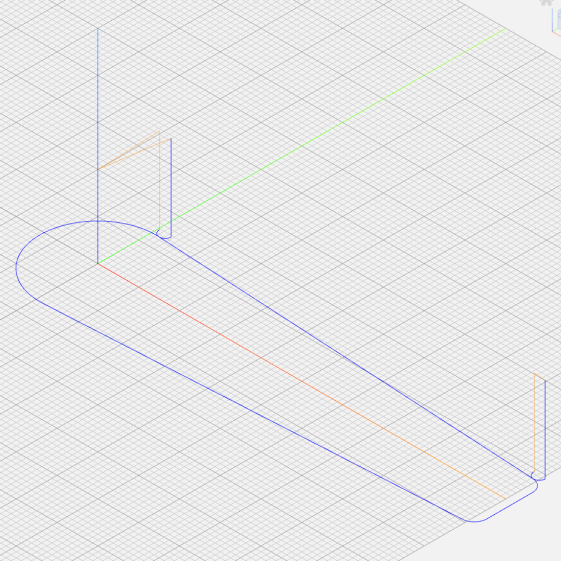
Tek CC Cursor – Milling path The pix show a single cursor in the fixture while verifying the setup worked the way it should. Obviously, milling a stack of cursors eliminates a whole bunch of fiddling.
The tweaked
MillCursorfunction from the mostly otherwise unchanged GCMC code:comment("Clamp on rear half of cursor!"); local cp = {p0}; // enter at hub tangent point cp += varc_ccw([0mm,-2*p0.y,-],-hr,0,0.2mm,5deg) + p0; // arc to tangent at hub bottom cp += {[p1.x,-p1.y,-]}; // lower tip entry point cp += varc_ccw([p2.x-p1.x,-(p2.y-p1.y),-],CursorTipRadius,0,0.2mm,5deg) + [p1.x,-p1.y,-]; // arc to tip exit at p2 cp += varc_ccw([p1.x-p2.x,p1.y-p2.y,-],CursorTipRadius,0,0.2mm,5deg) + p2; // arc to tip exit at p1 goto([-,-,CursorSafeZ]); goto([0,0,-]); feedrate(MillSpeed); tracepath_comp(cp,CutterOD/2,TPC_OLDZ + TPC_RIGHT + TPC_ARCIN + TPC_ARCOUT); comment("Clamp on front half of cursor!"); pause(); // wait for reclamping p1.z = MillZ; // ... set milling depth cp = {p1}; cp += {p0}; // exit at hub tangent tracepath_comp(cp,CutterOD/2,TPC_OLDZ + TPC_RIGHT + TPC_ARCIN + TPC_ARCOUT); <<< snippage >>> goto([-,-,CursorSafeZ]); goto([0,0,-]);Next, scribing a nice hairline with the new fixture.
-
Subscribe
Subscribed
Have a WordPress.com account? Log in now.

