Ed Nisley's Blog: Shop notes, electronics, firmware, machinery, 3D printing, laser cuttery, and curiosities. Contents: 100% human thinking, 0% AI slop.
Category: Science
If you measure something often enough, it becomes science
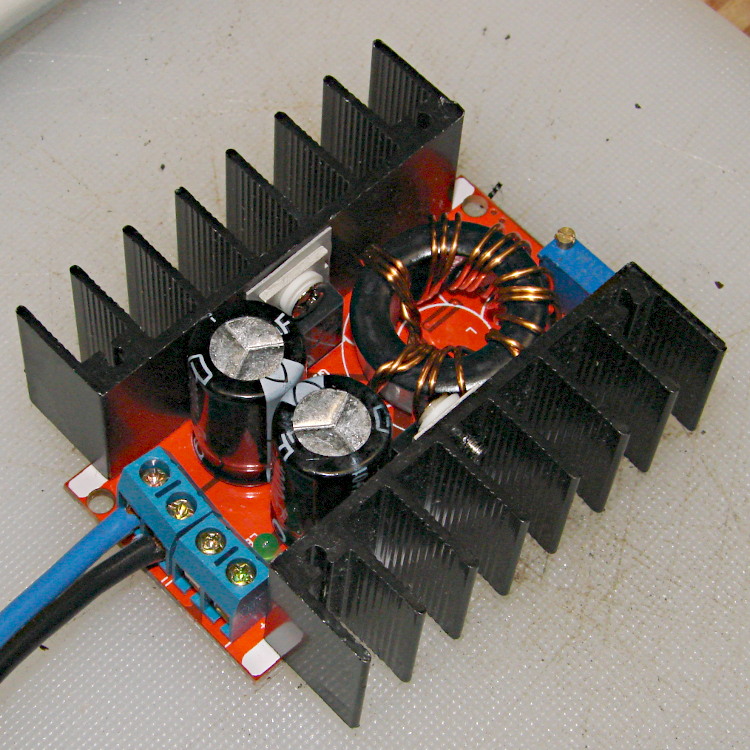
For reasons that will become apparent in a while, I got a pair (*) of boost power supplies from the usual eBay source, allegedly capable of boosting a 10-to-32 VDC input to a 12-to-35 VDC output, up to 10 A and 150 W:
Boost power supply
After establishing that it would not produce 30 V into a 5.9 Ω load (5.1 A, but 152 W), I got systematic.
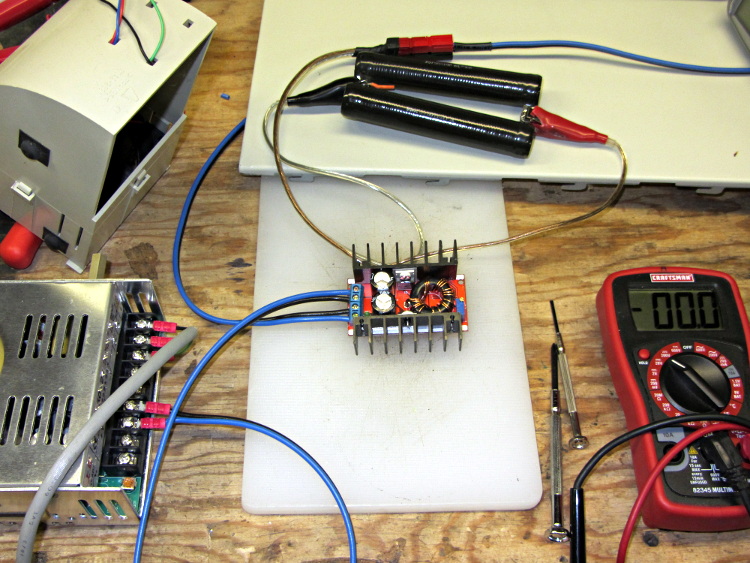
A 100 Ω resistor drew 1/4 A while I set the output to 28 V. Doubling up the resistors showed that it worked OK at half an amp:
Boost supply – 50 ohm load
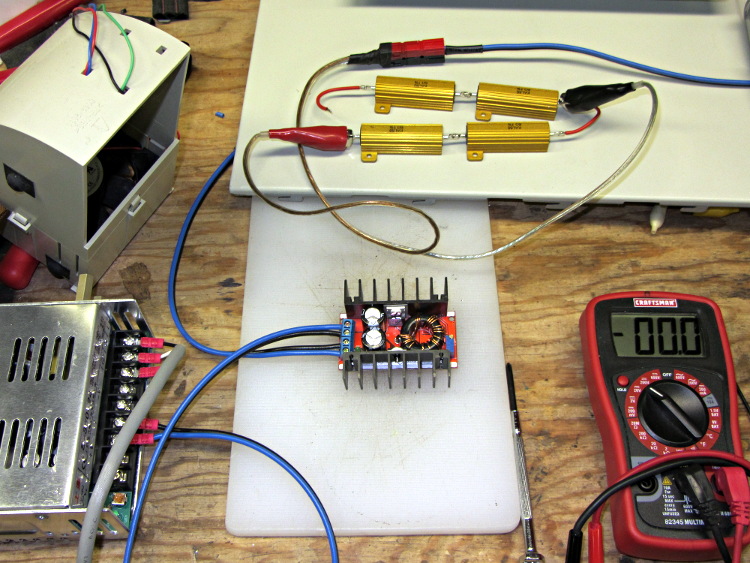
Four 6 Ω resistors in series draw 1.2 A, then (channeling the true spirit of DIY 3D printing) two in series drew 2.3 A:
Boost supply – 12 ohm load
That’s 32 W each and, yes, they did get toasty, but, no, I didn’t leave them turned on all that long.
But a 6 Ω resistance still didn’t work, so the supply can’t provide 4.7 A at 130 W. In case you were wondering, that’s two 6 Ω resistors in series and a pair of those strings in parallel, so each resistor still sees 32 W.
In terms of driving the actual load, these supplies aren’t going to light it up.
Ah, well, whaddaya want for five buck from halfway around the planet?
(*) Davy’s Aphorism: Never buy only one of any surplus item, because you’ll never find another. Get at least two, maybe three if it’s something you might actually use.
A month ago I tossed a new bag of silica gel into the basement safe and put the used one on the workbench to see how much more water it would adsorb. The numbers worked out like this:
Bag + staples: about 8 g
Dry weight: 500 g of silica gel beads
At 24%RH: 575 g = +67 g water
At basement ambient, about 50%RH: 652 g = +144 g water
At upstairs ambient, about 65%RH: 673 g = +165 g water
At 50%RH, the capacity is about 27% = 135 g of water, which is close to the measured 144 g. The logger recording groundwater temperature says the average humidity hovers just under 55%RH, in which case 28% capacity = 140 g of water: as close as you could possibly hope for.
At 65%RH, the capacity is about 32% = 160 g of water, which is very close to the measured 165 g.
The safe humidity remains flatlined at the logger’s 15%RH minimum level, with one blip when I installed the door gasket strips:
Basement_Safe – 2013-08-28
After I accumulate a few more used bags, we’ll see how well they regenerate.
A bit of rummaging in the Big Box o’ Weatherstripping produced the stub end of a spool bearing 1/4 x 1/8 foam tape that exactly fills the gap between the Basement Safe’s door and liner:
Basement Safe – Foam door seal – latch side
The hinge side of the door has tape between the door liner and the safe wall, because that closes in compression rather than shear:
Basement Safe – Foam door seal – hinge side
There should be a big bump in the humidity record marking that installation, but I don’t expect any immediate difference. If the silica gel lasts more than two months, I’ll consider it a win.
A bag of 50 cheap Hall effect sensors arrived from the usual eBay vendor, who was different from all previous eBay vendors (if in name only). Passing 124 mA through the armored FT50 toroid with 25 turns of 26 AWG wire, we find this distribution of bias points, measured as the offset from the actual VCC/2:
eBay 49E Hall Effect Sensor Bias Histogram
The bias point is actually referenced to the negative terminal (usually ground) with a ±0.25 V variation around the nominal. SS49 sensors run about 0.5 V below VCC/2 (2.25 V with a 5 V supply), SS49E sensors at 2.5 V with a tighter VCC limit that suggests you better stay pretty close to 5.0 V.
Allowing for the fact that I really don’t have good control over the actual magnetic field, the gain distribution seems tight:
eBay 49E Hall Effect Sensor Sensitivity Histogram
You’ll recall the Genuine Honeywell sensor specs:
SS49 – nominal 0.9 mV/G, limits 0.6 to 1.25 mV/G
SS49E – nominal 1.4 mV/G, limits 1.0 to 1.75 mV/G
The gain is roughly half that of the previous “49E” sensors, confirmed by sticking one of them this field. I don’t know which is more accurate, but these have a much prettier distribution.
So this lot resembles 49E sensors in both bias and gain.
Given the bias variation, though, it’s obvious that a DC application must measure the zero-field output and apply an analog offset to the amplifier, because a twiddlepot setting won’t suffice. Most likely, you’d want to update the offset every now and again to compensate for temperature variation, too.
Tossing the outliers gives an average gain of 1.17, which would give results within 10% over the lot. Given that you don’t care about the actual magnetic field, you could calibrate the output voltage for a known input current and get really nice results.
If you were doing position sensing from a known magnet, you’d want better control of the magnetic field gradient.
The collection of LEDs that I’ve been abusing with 100 mA pulses at 20% duty cycle got lined up in parallel, with three LEDs in series, driven from a bench power supply set to limit the current to about 180 mA:
Series-parallel LED test fixture
I sweetened the mix by adding a few other LEDs that had served their time in hell, then took some data by clipping the Tek Hall effect current probe around each of the white wires in turn:
Color
LED1
LED2
LED3
Divisions
Current – mA
Total voltage
Red
1.98
1.98
1.94
4.7
23.5
5.90
Red
1.95
1.95
2.00
3.4
17.0
5.90
Red
1.97
1.97
1.97
5.1
25.5
5.91
Yellow
1.97
1.97
1.96
4.5
22.5
5.90
Yellow
1.97
1.96
1.97
4.6
23.0
5.90
Red
1.98
1.98
1.94
4.6
23.0
5.90
Red
1.95
1.95
2.00
3.3
16.5
5.90
Red (new!)
1.99
1.96
1.94
6.4
32.0
5.89
Despite the decimals, don’t trust anything beyond the first two digits.
The LEDs started out with 6.03 V across them at that current, then settled down to 5.92 V after a few minutes of warming up.
The “new” Red string replaces a trio of old LEDs incinerated by a DVM probe fumble. They have a much higher current at the same voltage; the older LEDs have been abused enough to pass a lower current.
As an experiment, I swapped the LED with the 2.00 V drop in the string with the lowest current (line 7) and the LED with the 1.94 V drop in a string with higher current (line 6), only to find that the current followed the LEDs. Evidently, those LEDs were the limiting factor, even though their forward drops weren’t the same in their new strings.
So it seems binning based on forward drop doesn’t help much. Perhaps just line up a bunch of three-LED strings (forcing all of them to see the same forward drop), measure their current, and reject the highest and lowest strings to get a decent match among the remainder?
A brace of “Fashion” USB video cameras arrived from halfway around the planet. According to the eBay description and the legend around the lens, they’re “5.0 Megapixel”:
Fashion USB camera – case front
The reality, of course, is that for five bucks delivered you get 640×480 VGA resolution at the hardware level and their Windows driver interpolates the other 4.7 megapixels. VGA resolution will be good enough for my simple needs, particularly because the lens has a mechanical focus adjustment; the double-headed arrow symbolizes the focus action.
But the case seemed entirely too bulky and awkward. A few minutes with a #0 Philips screwdriver extracted the actual camera hardware, which turns out to be a double-sided PCB with a lens assembly on the front:
Fashion USB video – case vs camera
The PCB has asymmetric tabs that ensure correct orientation in the case:
Fashion USB camera – wired PCB rear
In order to build an OpenSCAD model for a more compact case, we need the dimensions of that PCB and those tabs…
Start with a picture of the back of the PCB against white paper, taken from a few feet to flatten the perspective:
img_3300 – Camera PCB on white paper
Load it into The GIMP, zoom in, and pull a horizontal guide line down to about the middle of the image:
Camera PCB – horizontal guide – scaled
Rotate to align the two screws horizontally (they need not be centered on the guide, just lined up horizontally):
Camera PCB – rotated to match horizontal guide – scaled
Use the Magic Scissors to select the PCB border (it’s the nearly invisible ragged dotted outline):
Camera PCB – scissors selection – scaled
Flip to Quick Mask mode and clean up the selection as needed:
Camera PCB – quick mask cleanup – scaled
Flip back to normal view, invert the selection (to select the background, not the PCB), and delete the background to isolate the PCB:
Camera PCB – isolated – scaled
Tight-crop the PCB and flatten the image to get a white background:
Camera PCB – isolated – scaled
Fetch some digital graph paper from your favorite online source. The Multi-color (Light Blue / Light Blue / Light Grey) Multi-weight (1.0×0.6×0.3 pt) grid (1 / 2 / 10) works best for me, but do what you like. Get a full Letter / A4 size sheet, because it’ll come in handy for other projects.
Open it up (converting at 300 dpi), turn it into a layer atop the PCB image, use the color-select tool to select the white background between the grid lines, then delete the selection to leave just the grid with transparency:
Camera PCB with grid overlay – unscaled
We want one minor grid square to be 1×1 mm on the PCB image, sooo…
Accurately measure a large feature on the real physical object: 27.2 mm across the tabs
Drag the grid to align a major line with one edge of the PCB
Count the number of minor square across to the other side of the image: 29.5
Scale the grid overlay layer by image/physical size: 1.085 = 29.5/27.2
Drag the grid so it’s neatly centered on the object (or has a major grid intersection somewhere useful)
That produces a calibrated overlay:
Camera PCB with grid overlay
Then it’s just a matter of reading off the coordinates, with each minor grid square representing 1.0 mm in the real world, and writing some OpenSCAD code…