
This gadget appeared on an umbrella we’d left outdoors to dry.
We wonder if the green surface seemed like a leaf…
The Smell of Molten Projects in the Morning
Ed Nisley's Blog: Shop notes, electronics, firmware, machinery, 3D printing, laser cuttery, and curiosities. Contents: 100% human thinking, 0% AI slop.
Taking & making images.
This gadget appeared on an umbrella we’d left outdoors to dry.
We wonder if the green surface seemed like a leaf…
Took some pix of the high school marching band yesterday and the whole lot came out one stop underexposed… exactly as I intended.
Their uniforms are dead black wool with a yellow left-shoulder flap. The camera looks at all that black, desperately attempts to make it neutral gray, and blows out all the highlights. Given that the only highlights are the face and hands, the absolutely critical part of the image looks awful.
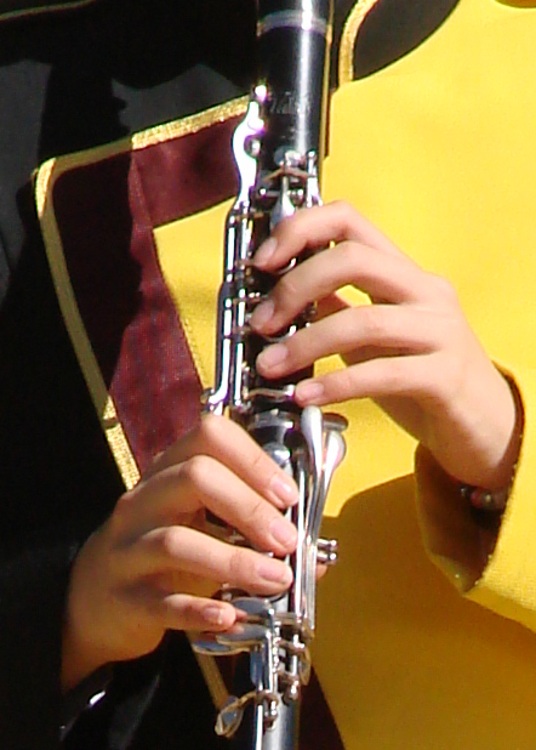
The first picture (a small crop from a much bigger image) shows what the auto-exposure algorithm comes up with:
Exposure Bias : 0
Exposure Mode : Auto
Exposure Program : Auto
Exposure Time : 1/1000 s
FNumber : F4
Flash : No, auto
Focal Length : 60.1 mm
ISO Speed Ratings : 125
Light Source : Daylight
Metering Mode : Center weighted average
Notice the burned-out highlights: the left hand is flat, the clarinet keys reflect retina-burn white, and the yellow shoulder is monochrome.
Under those circumstances, the only thing to do is override the camera’s opinion and force some underexposure. You can either meter each shot manually or just tell it to knock the auto-exposure back a bit. I generally choose the latter, if only because the camera comes up with a reasonable approximation of a good exposure faster than I can. If I don’t lay the center-weighted spot on the black side of a uniform, that is.

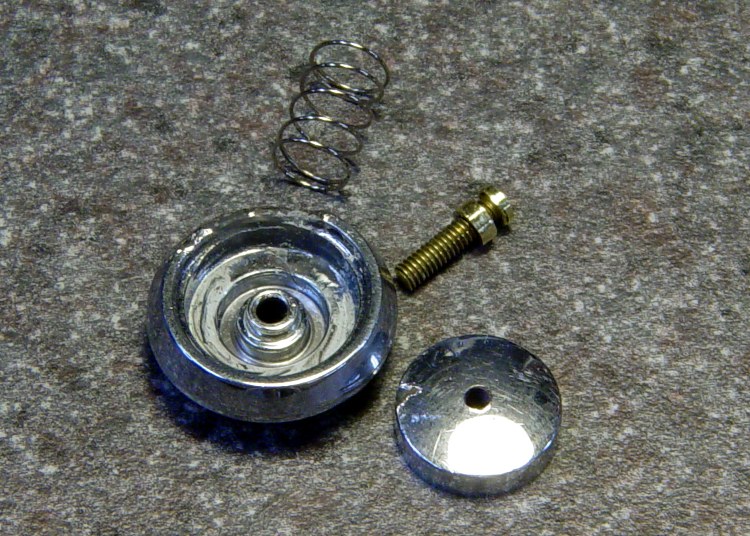
So the second picture (another small crop) is “underexposed” by a stop:
Exposure Bias : -1
Exposure Mode : Manual
Exposure Program : Auto
Exposure Time : 1/1250 s
FNumber : F5.6
Flash : No, auto
Focal Length : 60.1 mm
ISO Speed Ratings : 125
Light Source : Daylight
Metering Mode : Center weighted average
Much better.
We can quibble about the color quality, but at least the highlights aren’t blown out and there’s some texture to the uniform. The black part of the uniform is a dead loss, but that’s pretty much the way it’s got to be: the camera simply doesn’t have enough dynamic range to handle a dead-black uniform and glare-white reflections.
One of the band members has absolutely gorgeous deep-dark-brown skin that I have yet to get right. Either the highlights burn out or her skin blends into the shadows. Twiddling the gamma doesn’t help much.
More on the details of why you want underexposure, even in what look like evenly illuminated scenes is there.
Sometimes, though, you just gotta fix it in the mix, as described there.
Memo to Self: Set the color balance to “daylight”, too, because bright primary colors against black can be confusing.
I recently bought two dozen Tenergy Ready-to-Use NiMH cells, rated at 2.3 Ah, with the intent of making up three 8-cell packs (identified as A, B, and C, for lack of anything smarter) for the amateur radio HTs we use on our bikes. However, one of the packs measured a consistently short runtime and I suspected one weak cell.
So I ran pairs of cells from the weak pack and found these results:

Observations…
These are all measured just after charging, so they’re all the best you can expect from the cells. I haven’t done any self-discharge tests yet.
The overall capacity at 1 A load is roughly 65% of the 2.3 Ah rating.
The red trace falls far short of the others, so that’s the pair with the weak cell. I charged & tested those two cells individually, which are the lower two traces: cell A4 has 58% of nominal capacity. Admittedly, that’s 90% of the capacity of the rest, but, still …
I’ll use the other three pairs of cells through the Sony DSC-H5 camera, for reasons described there. Cell A4 is destined for the shelf…
Now, the question becomes: who should I buy the next batch of cells from?
My Sony DSC-H5 uses a pair of AA NiMh cells and, it seems, drains them rather rapidly. I’ve been cycling a motley assortment of paired cells through the thing and figured some measurements were in order.
Click on the graph to get a bigger image with readable labels:

Some observations…
All of the cells, except for the Tenergy RTUs, have been cycled through the camera many times over the last few years. I charged the cells before testing, so these are hot-from-the-charger values without the usual self-discharge that afflicts all NiMh cells.
I picked a 1 A load for convenience. I think the camera presents a much heavier, although intermittent, load to the cells, as the actual runtime is far less than the 1.5 to 2.3 hours you see on the graph. In round numbers, the camera rejects the weaker cells in about 15 minutes, which means its load is much heavier.
The topmost blue-gray line is from the original pair of Sony Stamina cells that came with the camera, which still deliver decent runtime. Rated at 2.5 Ah and delivering very nearly that much into a 1-A load.
The green line is the same pair of cells loaded at 2.5 A, just to see what happens. They still work pretty well; the lower voltage is to be expected. A mere 0.14 Ω of lead resistance will account for that entire difference and I’m not sure how much the cells contribute.
The red and black lines are from the quartet of 2.2 Ah Energizer cells that came with an Energizer 15-minute (!) charger. They’re rated at “Min 2.05 Ah” and are still well within that spec. However, they deliver a relatively short runtime. I just noticed that the graph legend has the wrong capacity values for the red trace (cells C&D): oops.
The short purple line that dunks down in the middle of the graph is a new pair of the disappointing Tenergy Ready-to-Use cells, with a nominal capacity of 2.3 Ah and delivering barely 1.5 Ah.
The blue line is a pair of Tenergy 2.6 Ah cells with a similarly low actual capacity at a much lower voltage. They give a very brief runtime.
As nearly as I can tell, the only thing that matters for camera runtime is the battery voltage. Large currents cause a correspondingly large voltage drop, so even cells with good open-circuit voltage will fail early.
Internal cell resistance is probably the determining factor, as that increases with age. Even though the Energizers have plenty of capacity, they deliver it with a terminal voltage that’s too low for the camera.
The Tenergy RTU cells have a pitifully small capacity compared to their ratings, but they last much longer in the camera than I expected. Their output voltage stays above 2.3 V until fairly late in their discharge, so the camera remains happy.
I’ll continue using the Sony cells, along with a quartet of the Tenergy RTUs. The rest are destined for flashlights and such…
The story so far: Damage Assessment and Button Milling.
Some key distances:
Some deft work on the bezel installed in the camera, using the blunt end of a transfer punch, a pin vise, and a calculator reveals these protrusions:
So the new stem can stick out about 1.4 mm when the button is released and must not stick out more than 2.4 mm with the button fully depressed: a whopping 1 mm of travel!
Eyeballing the shutter release on my DSC-H5, that seems to be about right. I think it has more travel between “released” and “half pressed” than those measurements indicate, but it’s close. And sloppy, too: the H5’s button has a lot of side-to-side wobble, indicating that the stem is not a close fit in the bezel hole.
The screw head is 3 mm dia after being turned down and that’s about the right size for the nut that will adjust the travel distance, as it must fit into the recess in the bezel. The nut sets the protrusion when the shutter button is released: 1.4 mm.
The distance from the shutter button’s bottom to the bezel sets the travel from “released” to “click”: 1 mm, more or less. They’re held apart by the spring, so that’s the default state.

I re-centered the 3-jaw chuck under the spindle, put a 1-72 nut on the turned-down screw, and applied some gentle manual CNC to convert the nut from a hex to a disk. The trick is to approach the nut from the right side (the +X side) and go clockwise around it (climb milling), so that the cutting force tends to jam the nut against the screw head. Do it the other way and the nut will zip downward away from the cutter
Surprisingly, I got that right the first time.
Using a 2 mm end mill and figuring a 2.9 mm final diameter, the radius of the circle to move the end mill around the nut is:
R = (2.9 + 2.0) / 2
So the G-code for one pass looks like:
#<R>=[[2.9+2.0]/2]
G1 X#<R> F150
G2 I[0-#<R>]
Now, given the fragility of that setup, you don’t cut it all at once. You start from a diameter of maybe 4 mm and go down by 0.2 mm until you hit 3.0, then make a final pass at 2.9 mm. EMC2’s AXIS MDI mode makes this easy enough: type in the commands for a pass at 4.0 mm, then click on the previous command, change 4.0 to 3.8, and then just clickety-click.
Spindle far too slow at 3000 RPM, feed at 150 mm/min seemed fine. Sissy cuts worked out OK.
After the first few passes, my dim consciousness became aware of the fact that this is how I should have turned down the screw head…
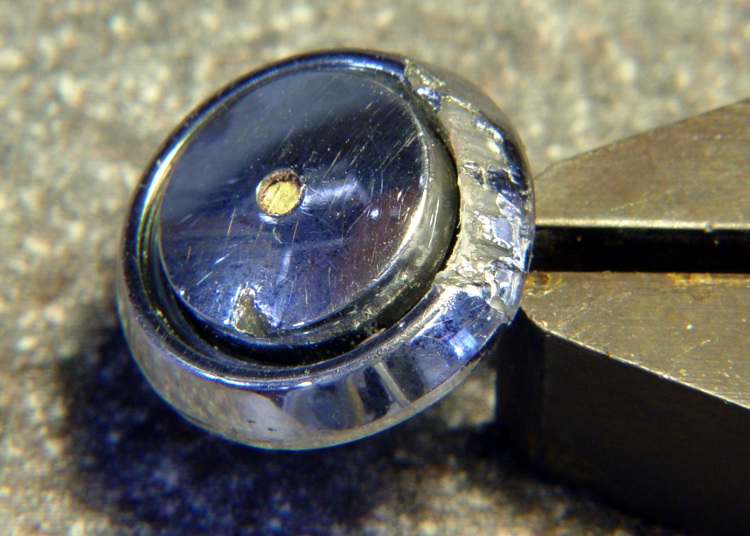
I cleaned up the bezel by putting it in an ultrasonic cleaner to shake the crud off, put it on a warm firewall router overnight to dry it out, then slobbered some Plastruct solvent adhesive into the cracks and clamped it for another night. The bezel was slightly out-of-round from the damage, so I hand-trimmed the bent plastic using a “high speed cutter” (#193, basically an end mill) in a Dremel flexible shaft at about 1/3 max speed until the shutter button bottomed out smoothly within the inner recess. Not a bit of CNC to be seen: hand held all the way.

Then loosen the nut a bit, poke the screw through the bezel, put the spring on, and screw the shutter button in place. Adjust the nut so the screw head is 1.4 – 1.5 mm from the bottom of the bezel with the nut resting in the recess.
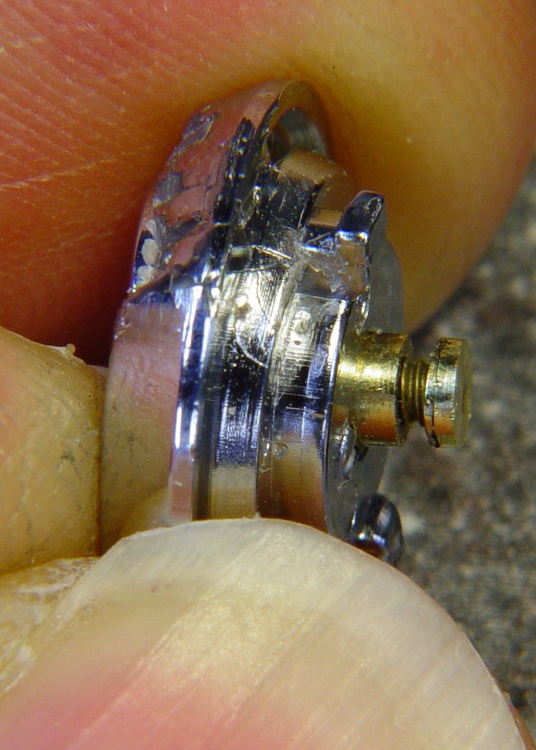
Twiddle the shutter button until the screw head protrudes 2.4 mm from the bezel with the button pressed down.
That’s measured with the hole-depth tang of a caliper, sitting atop the screw head. I don’t believe there’s 0.1 mm accuracy in the measurements, but they’re close enough. I did file off a few mold flash bumps from the shutter button & bezel during this adventure.
Mark the screw threads above the button, unscrew it, chop the screw off with a stout diagonal cutter (it’s brass and not very thick, it’s OK), file the end flat, clean up the threads.
The trick seems to be that the button must rest just below the inner ring of the bezel, so that it bottoms out smoothly when pressed. If it’s above the ring, then one side will hang up. The ring depth thus seems to limit the maximum travel, although I can’t say whether this is the way it’s supposed to work or not.
I iterated & filed until the screw was flush with the top of the button with it screwed down to the proper position. It helped to figure out that one turn of the shutter button on the screw changed the “pressed” protrusion by 1/72″ = 0.35 mm.
Urge some low-strength Loctite under the nut and into the shutter button’s hole, reassemble everything, and you’re done.
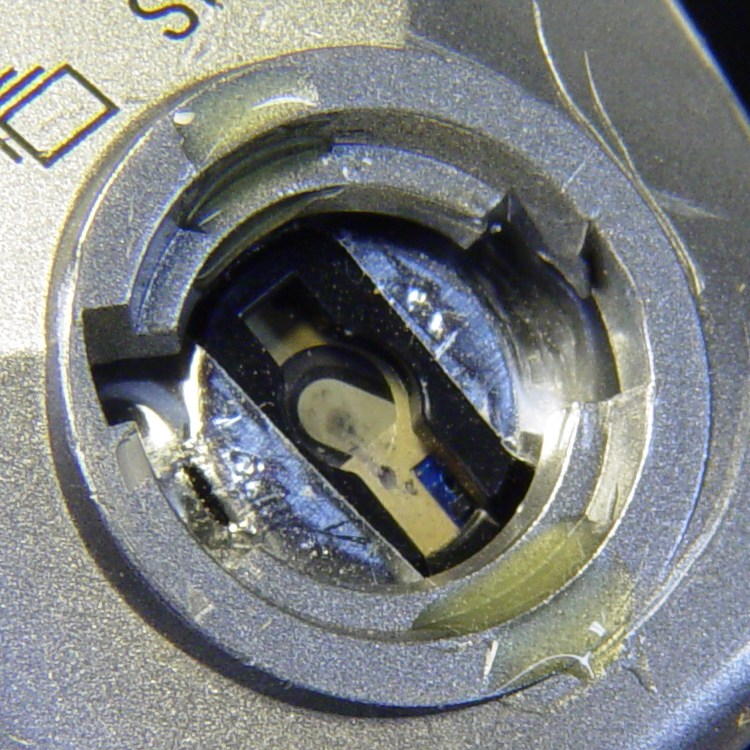
The fall bent the bezel tabs so they no longer latch firmly in the camera body. I put two dabs of urethane adhesive on the socket in the body. The adhesive expands (foams!) as it cures; I hope it will lock the bezel in place while still allowing it to be removed if needed.
I dabbed off most of the adhesive you see in the picture before installing the bezel; it’s not as awful as it looks!
The final result has slightly less travel than the (undamaged, original) shutter button in my DSC-H5, but it works perfectly: half-press to focus, full press to trigger the shutter.

Having figured out what to do, I started with the button, which is chromed plastic, nothing too fancy, and not at all hard to machine.
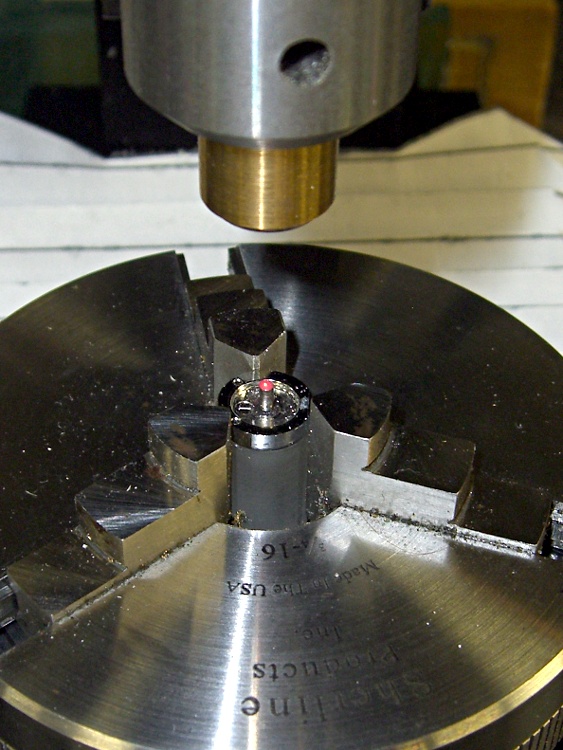
A small post turned from an acrylic rod (the gray cylinder) supports the button in the Sherline 3-jaw chuck attached to the mill table; that was the only way to keep it reasonably level. Laser alignment got eyeballometrically close to the middle; it looks a bit off to the right, but the end result was OK.
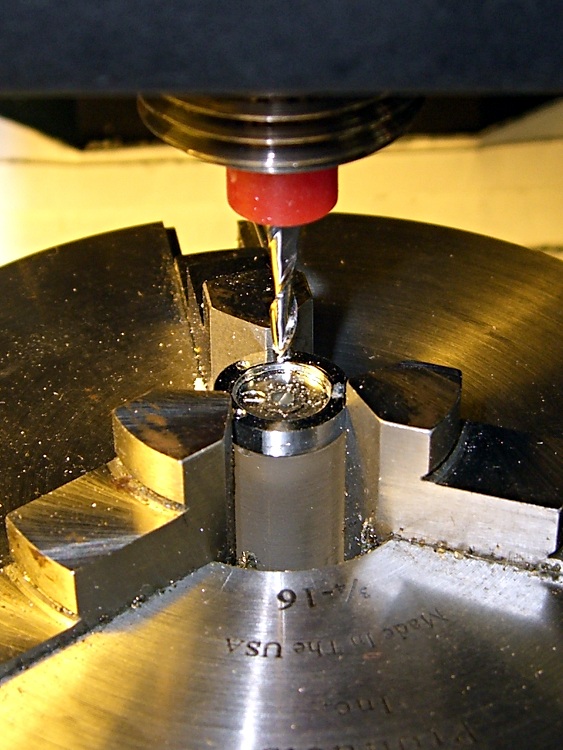
A 2 mm end-cutting bit chewed off the stem in short order; I set the jog speed to about 100 mm/min and just jogged down until the cutter was flush with the button. Spindle at 4000 rpm, for lack of anything smarter.
I decided to go with a 1-72 brass machine screw, which is slightly larger (1.75 mm) than the original 1.5 mm button stem. That means I must drill out the bezel hole, as well, but the 1.5 mm diameter of the next-smaller 0-80 screws in my assortment was a sloppy fit.
A touch of manual CNC for the drilling, #53 with the spindle at 3000 rpm, Z touched off at the button’s surface:
G81 Z-4 R3 F150
The spindle was slow enough and the feed fast enough to keep from melting the button without applying any coolant.
I tapped the hole 1-72 by simply screwing the tap in with my fingers…
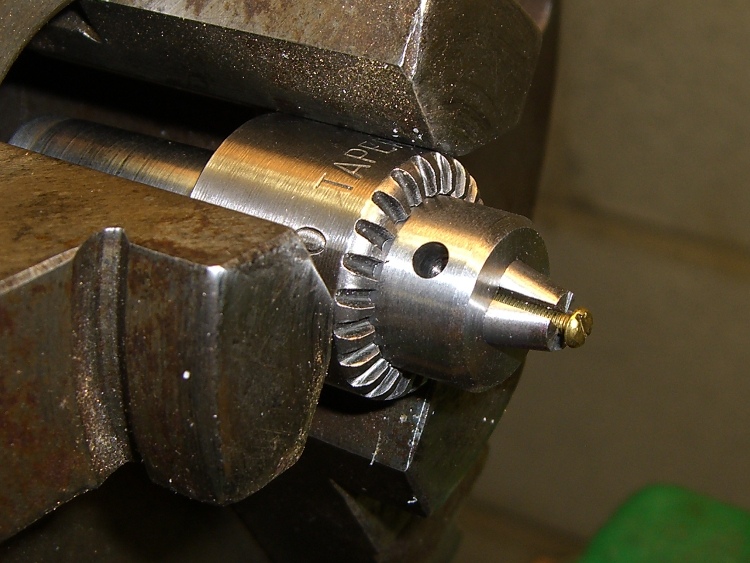
The 3-jaw lathe chuck doesn’t grip a 1-72 screw (no surprise there), so I grabbed the screw in the Sherline’s smallest drill chuck and poked that in the lathe. This doesn’t make for great concentricity, but it was close enough. The right way, as my buddy Eks reminds me, is to slit a nested bunch of brass tubing and use them as collets, but … next time, fer shure.

Anyhow, here’s what the button & screw look like so far. The backside of the screw head looks like it needs some cleanup; there’s nothing like taking a picture to reveal that sort of thing.
The pencil lead is 0.5 mm and the grid in the background has 1 mm squares, just to give you an idea of the scale.

My brother-in-law Tee dropped his Sony DSC-H1 camera, which landed atop its shutter button on the pavement.
Bad news…
Good news…

A bit of browsing reveals that many, many Sony DSC-Hx (where x is an integer from 1 through 9, inclusive) owners have the same problem, minus the inconvenience & embarrassment of first dropping the camera. Turns out that the shutter button stem breaks at that notch in normal use.
It seems the stem snaps while you’re taking pix, whereupon the spring launches itself and the button cap into the nearest river / drain grate / weedy area, never to be seen again. Tee is exceedingly fortunate to have found all the major pieces!

Here’s the broken end of the stem, with the button cap out of focus in the background. The stem is 1.5 mm in diameter, so the snap ring was surrounding, what, 0.75 mm of plastic? In what alternate universe did this design decision make sense?
I think the snap ring contributed to the problem by eroding the stem in the notch; that little white stub isn’t half of the stem diameter; it may have stretched under impact, but surely not all that much.
Yes, you can buy a replacement button for about 30 bucks direct from Sony, but it seems the new stem is subject to the same failure after a short while. They’re standing by the original design, marginal though it may be.
Now, obviously, this stem failed from abuse, no argument there. Everybody else had their stem fail without provocation, though, so it really isn’t adequate to the task at hand.

Anyhow, there’s also some damage at the bezel socket on the camera body, but nothing major. The dented silver areas on either side of the switch membrane are ESD shields, so that any static discharge from your finger will (most likely) dissipate on the external frame of the camera, rather than burrow into its guts via the switch.
The bezel twist-locks into the camera body, which means that you can remove the bezel if you can get a good grip on it. It turns clockwise to remove.

Peering closer at the membrane switch, it looks as though the button stem did some damage on its way out, although Tee admits to using various pointy objects to trigger the shutter while figuring out what to do with the camera.
More good news: the switch still works correctly, including the focus function with the button half-pressed, That means the switch membrane and contacts are in good shape.
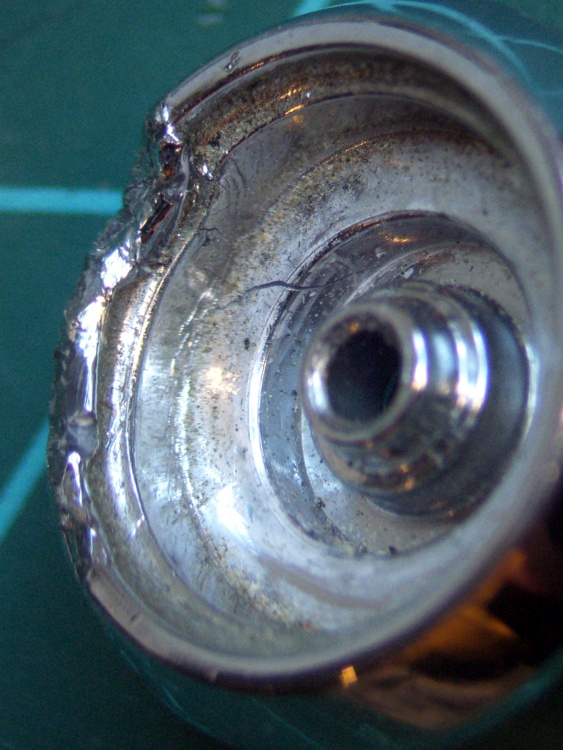
The bezel itself is pretty well graunched, with a nest of cracks underneath that damaged arc to the left of the pictures. I think it’s in good enough condition that I can remove the bent plastic, ooze some solvent adhesive into the damage, and compress it enough to make everything stick together.

Obviously, this calls for some Quality Shop Time!
The overall plan is to remove the remaining stem from the button, drill-and-tap the button head for a miniature brass screw (1-72, I think), reshape the screw head into a membrane-friendly plunger (about 3 mm diameter and flat), then put it all back together with a nut in place of the snap ring.
I should be able to install the bezel (without the button), then insert some drill rod through the hole to figure out how far the screw must protrude to trigger the focus & shutter switches. Perhaps a pin vise will grip the drill rod and bottom out on the bezel’s central ring, so I can do a trial-and-error fitting?
Then I can adjust the screw to that overall length below the bezel with the button pressed, whack off anything that sticks out above the button, adjust the nut to limit the button’s outward travel, slobber Loctite over everything, and put it all together for the last time.
That’s the plan, anyway. As the Yiddish proverb has it, “If you wish to hear G*d laugh, tell him your plans.”
Some useful dimensions…

The rest of the story…
 The Smell of Molten Projects in the Morning