The Smell of Molten Projects in the Morning

Ed Nisley's Blog: Shop notes, electronics, firmware, machinery, 3D printing, laser cuttery, and curiosities. Contents: 100% human thinking, 0% AI slop.

Category: Photography & Images

Taking & making images.

  • Fly6 Video Compression: Blur to Sharpen?

    So I stuck a snippet of ordinary “transparent” (it’s actually translucent) adhesive tape across the top of the Cycliq Fly6 camera lens:

    Cycliq Fly6 Camera - blur tape
    Cycliq Fly6 Camera – blur tape

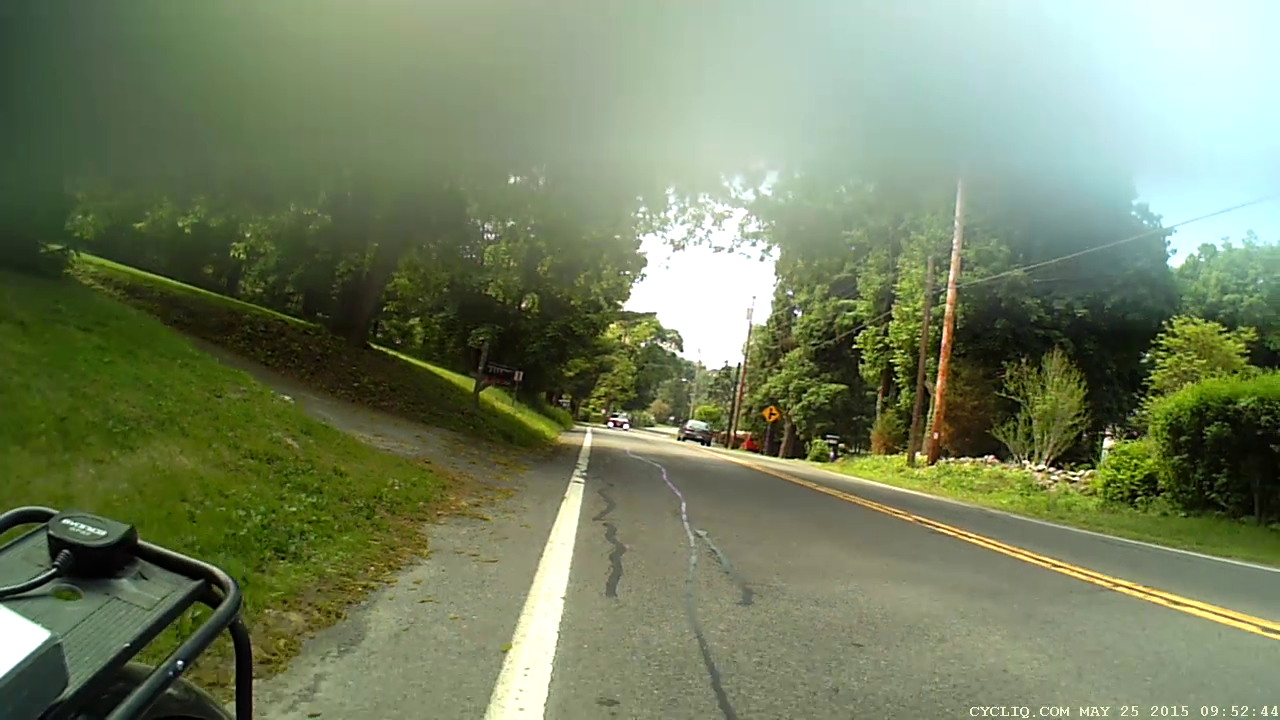
    That smoothly blurs the top third of the frame:

    Fly6 - Tape-blurred frame
    Fly6 – Tape-blurred frame

    The motivation for using translucent tape: it should maintain roughly the same brightness and color balance across the whole image. Opaque tape would burn out the remaining image as the camera desperately tries to maintain an average gray level.

    Fast-forwarding VLC with the video stopped forces it to display the inter-frame compression blocks spanning several seconds of video:

    Fly6 - Forced compression artifacts
    Fly6 – Forced compression artifacts

    The upper third of the frame has big, simple blocks that pegged the files at a uniform 475 MB per ten minute file, somewhat lower than the un-blurred 500 to 700 MB. So the compression definitely isn’t working nearly as hard.

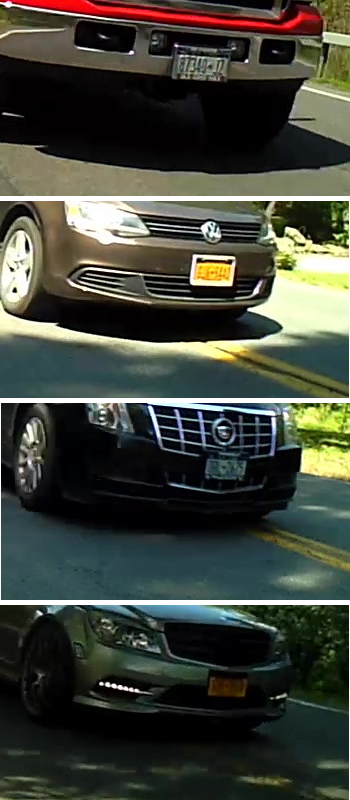
    I hoped that simplifying the uninteresting part of the image would leave more bits for license plates and other interesting details, which might be the case. New York has two main licence plate color schemes (the obsolete high-contrast blue-on-white and the current low-contrast blue-on-orange “Empire Gold”) and both the Fly6 and the Sony AS30V cameras do much better with white plates in full sun.

    Some samples at full size:

    Fly6 - License Plates
    Fly6 – License Plates

    Those were chosen based on:

    • Similar range / angle: just over the center line
    • Same-size crop box: 350 x 197
    • Sun vs. shade

    I think those are somewhat sharper than the plates from un-blurred frames, but it’s not like the camera suddenly woke up smarter and started paying attention to the important stuff.

    Time for more riding, minus the tape…

  • Barred Owl on the Dutchess Rail Trail

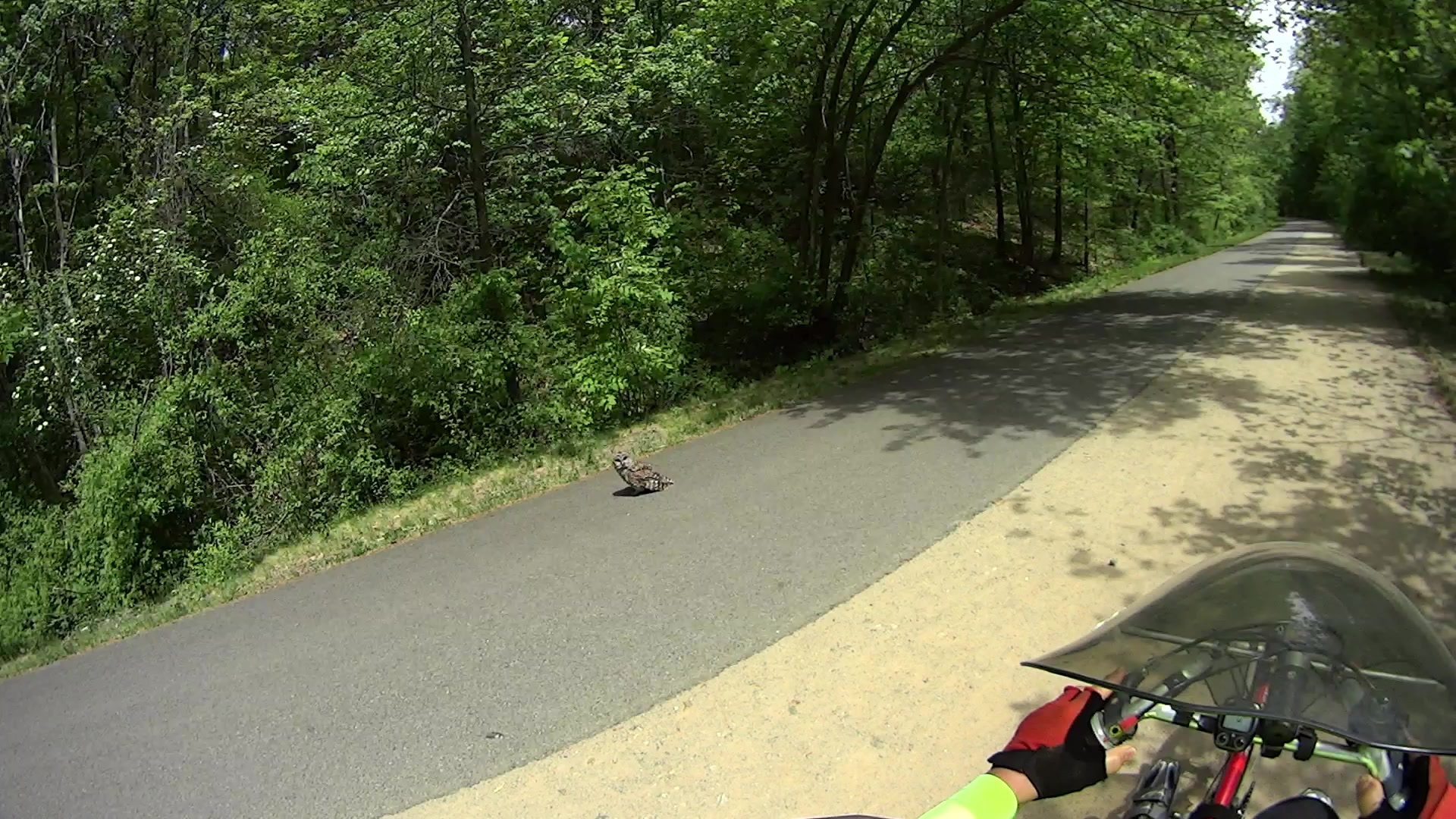
    Just south of Lake Walton on the Dutchess Rail Trail, I encountered a barred owl with wings spread around something yummy in its talons (clicky for more dots):

    MAH00389-0548 - Barred Owl on DCRT - 1
    MAH00389-0548 – Barred Owl on DCRT – 1

    The owl acquired weapons lock on me, just in case I might try to steal its fresh-killed meal:

    MAH00389-0548 - Barred Owl on DCRT - 2
    MAH00389-0548 – Barred Owl on DCRT – 2

    My neck doesn’t turn nearly that far, so I lost the staring contest:

    MAH00389-0548 - Barred Owl on DCRT - 3
    MAH00389-0548 – Barred Owl on DCRT – 3

    Owls being good folks to have around, we wish ’em well: may they raise many owlets!

    The pictures were extracted from the Sony HDR-AS30V helmet camera with this incantation:

    avconv -ss 00:05:30 -i /mnt/video/2015-05-15/MAH00389.MP4 -t 20 -f image2 -q 1 Image-%04d.jpg
    

    The -q 1 parameter should produce an image with the same dots as the original, but that really doesn’t mean much in the face of the camera’s relentless video compression.

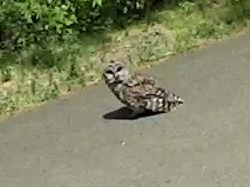
    Here’s a dot-for-dot crop (at 100% JPEG quality = uncompressed) showing the tradeoff between wide field-of-view, detail, and compression:

    MAH00389-0548 - Barred Owl on DCRT - 2 - detail
    MAH00389-0548 – Barred Owl on DCRT – 2 – detail

    Makes me appreciate my eyesight: I spotted that owl when it covered just a few image pixels. Of course, at first I thought somebody dropped a hoodie on the trail, then maybe it was a chunk of debris, so I eased off the asphalt onto the gravel Just In Case.

  • Squirrel Pup Rescue

    We recently watched a gray squirrel drag a completely limp and unresponsive companion across the driveway, stopping every few yards to rest. We often see pairs of squirrels frisking / chasing / tussling in the yard, but this was something new.

    After 100 feet of dragging, with pauses every few yards, the squirrel had hauled her companion to the fence at the far side of the yard. I leaped to the conclusion that the limp squirrel was dead:

    Mother squirrel and pup - 1
    Mother squirrel and pup – 1

    But, after perhaps a minute, the “dead” squirrel gradually awoke and both critters slowly clambered up the fence. The squirrel on the right had been doing the dragging and is unquestionably female, the one on the left is much smaller and likely a new pup:

    Mother squirrel and pup - 2
    Mother squirrel and pup – 2

    So apparently the mother squirrel had hauled one of her pups away from something. Perhaps it was stunned after falling out of a tree or the sole survivor of a hawk attack? We’ll never know The Rest of The Story.

    Forgive the anthropomorphism, but if this isn’t motherly love & comfort, then give me another word for it:

    Mother squirrel and pup - 3
    Mother squirrel and pup – 3

    Taken through two layers of wavy 1955 window glass with the Sony DSC-H5.

  • Action Camera Video Compression vs. License Plates

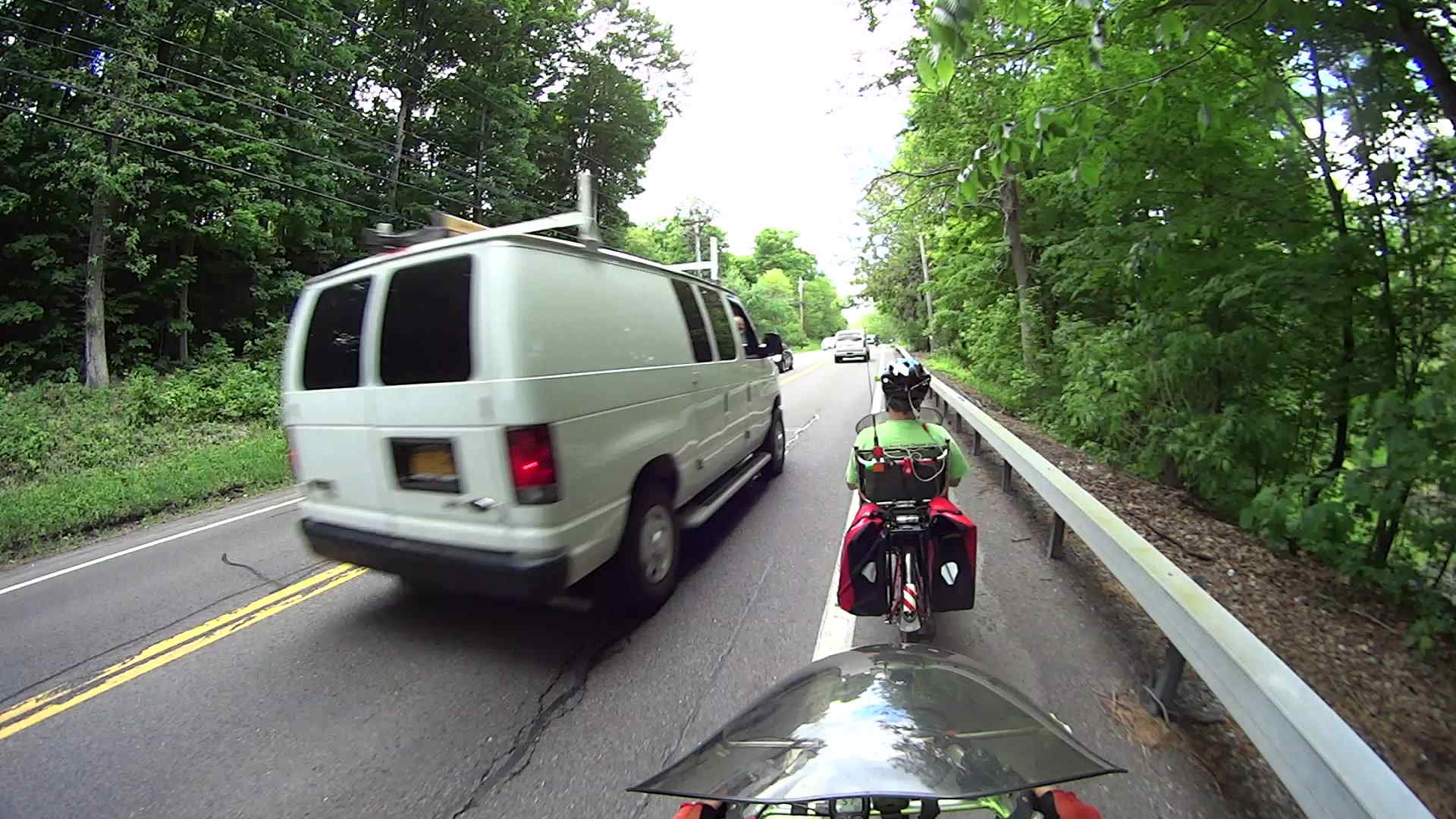
    Having recently mounted a Cycliq Fly6 rear-facing camera (more about this later) on my Tour Easy’s seat, I had high hopes it might produce more legible images than the Sony HDR-AS30V helmet camera. Although these still images have been compressed a bit, that doesn’t affect the conclusions; the video files aren’t any more readable.

    The Fly6 shows where the driver laid on the horn:

    Rt 376 at Cedar Valley - 2015-05-22 13:34 - Seat - 1
    Rt 376 at Cedar Valley – 2015-05-22 13:34 – Seat – 1

    The next two come from the Sony HDR-AS30V helmet camera:

    We couldn’t hear what the passenger said above the horn, but it didn’t sound friendly:

    Rt 376 at Cedar Valley - 2015-05-22 13:34 - Helmet - 1
    Rt 376 at Cedar Valley – 2015-05-22 13:34 – Helmet – 1

    However, the driver gave us about as much clearance as can reasonably be expected with oncoming traffic:

    Rt 376 at Cedar Valley - 2015-05-22 13:34 - Helmet - 2
    Rt 376 at Cedar Valley – 2015-05-22 13:34 – Helmet – 2

    Traffic generally hits the 40 mph = 60 ft/s speed limit on that curve and we’re rolling at 10 mph =  15 ft/s, so the relative motion might be upwards of 45 ft/s. The Fly6 runs at 30 frame/s = 1.5 ft and the AS30V at 60 frame/s = 0.75 ft. Although the exposure time is much shorter than the frame time, you can see plenty of motion blur in all the images.

    The Fly 6 captures 1280×720 video @ 30 frame/s with variable bit rate compression, saving a separate file every 10 minutes on the dot. The files range from 300 MB to 600 MB, more or less.

    The AS30V captures 1920×1080 @ 60 frame/s with constant bit rate compression, plopping a 4 GB file every 22 minutes and 43 seconds.

    The Fly6 seems to preserve more image detail than the AS30V, but it’s probably a factor of the native resolution and compression method. The cameras provide absolutely no control over any image functions or settings; they do what they do and you get what you get.

    The video compression algorithms seem overwhelmed by the number of pixels that change from frame to frame: asphalt and leaves generally have blocky compression artifacts, particularly in low light, and license plate text generally gets compressed into a blur.

    When the camera remains stationary and the image doesn’t change, the compression artifacts largely disappear and the images become crisp and beautiful. Unfortunately, that’s not generally the situation while we’re riding.

    I want to apply “low resolution OK here” masks to parts of the frame, leaving more bits for the critical parts. Perhaps applying thin tape to the top third of the frame would help?

    Meanwhile, back on the road, nearly all drivers understand the rules and act accordingly; this was a rare occurrence.

  • Right Turn On Red: After Stop, After Yield

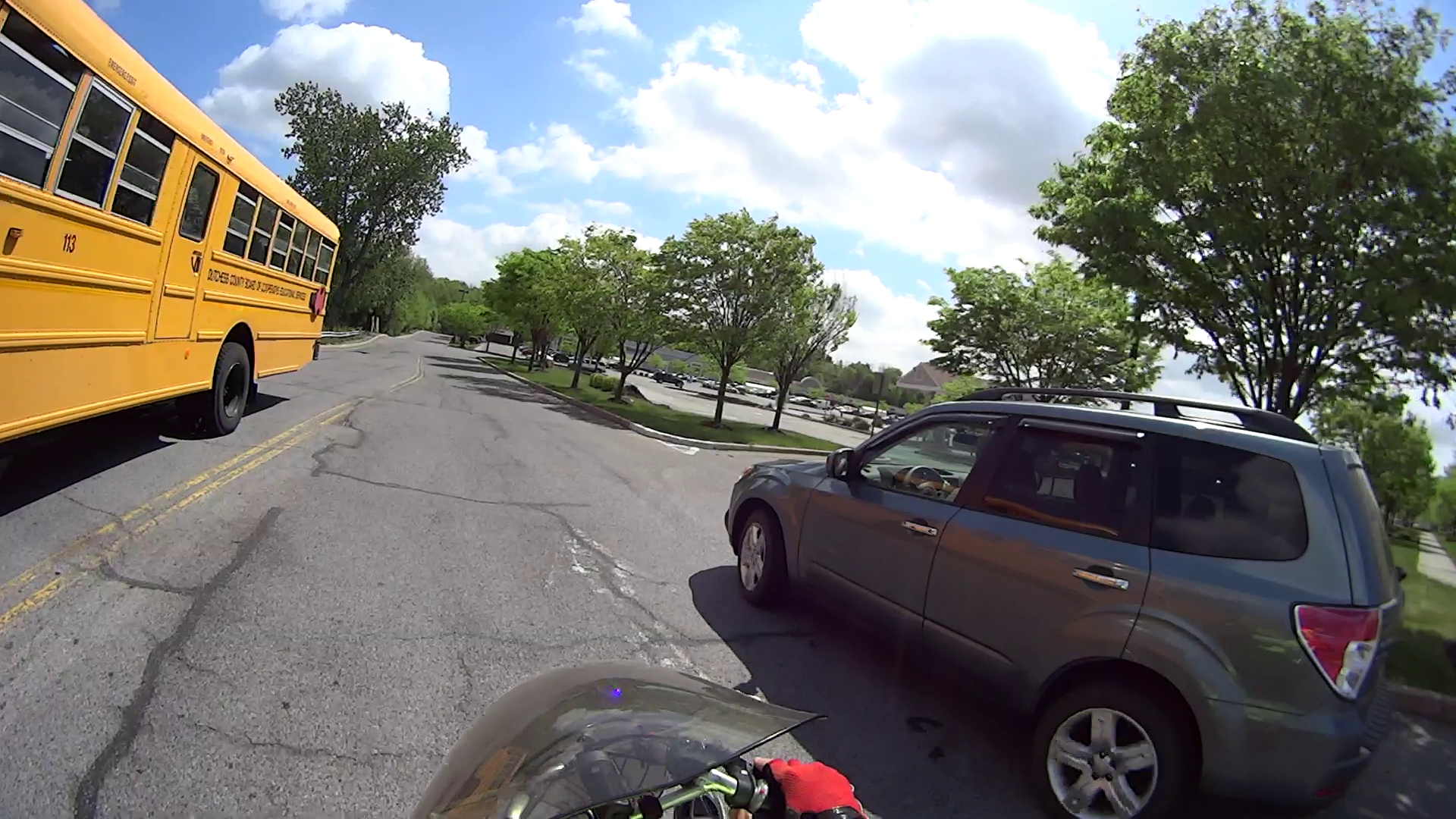
    With the green left-turn arrow indicating red for opposing traffic, everybody’s in the proper position. I’m crossing the stop line and leaning into the turn at about 15 mph:

    Right On Red - Tucker at Friendly - 0 sec
    Right On Red – Tucker at Friendly – 0 sec

    New York State allows a right turn on red, but you’re supposed to stop and yield to other traffic. In that picture, the oncoming car is definitely stopped.

    Three seconds later:

    Right On Red - Tucker at Friendly - 3 sec
    Right On Red – Tucker at Friendly – 3 sec

    She hugged the curb to turn into the gas station entrance just to her right, which was the only thing that saved me. Braking hard in a turn slides you under the oncoming vehicle, ramming a school bus head-on is bad form, and sideswiping a car at speed never ends well.

    I suppose I just don’t look nearly as fast as I am. Which, given the fairing and spinning feet, is hard to imagine.

  • Honkers!

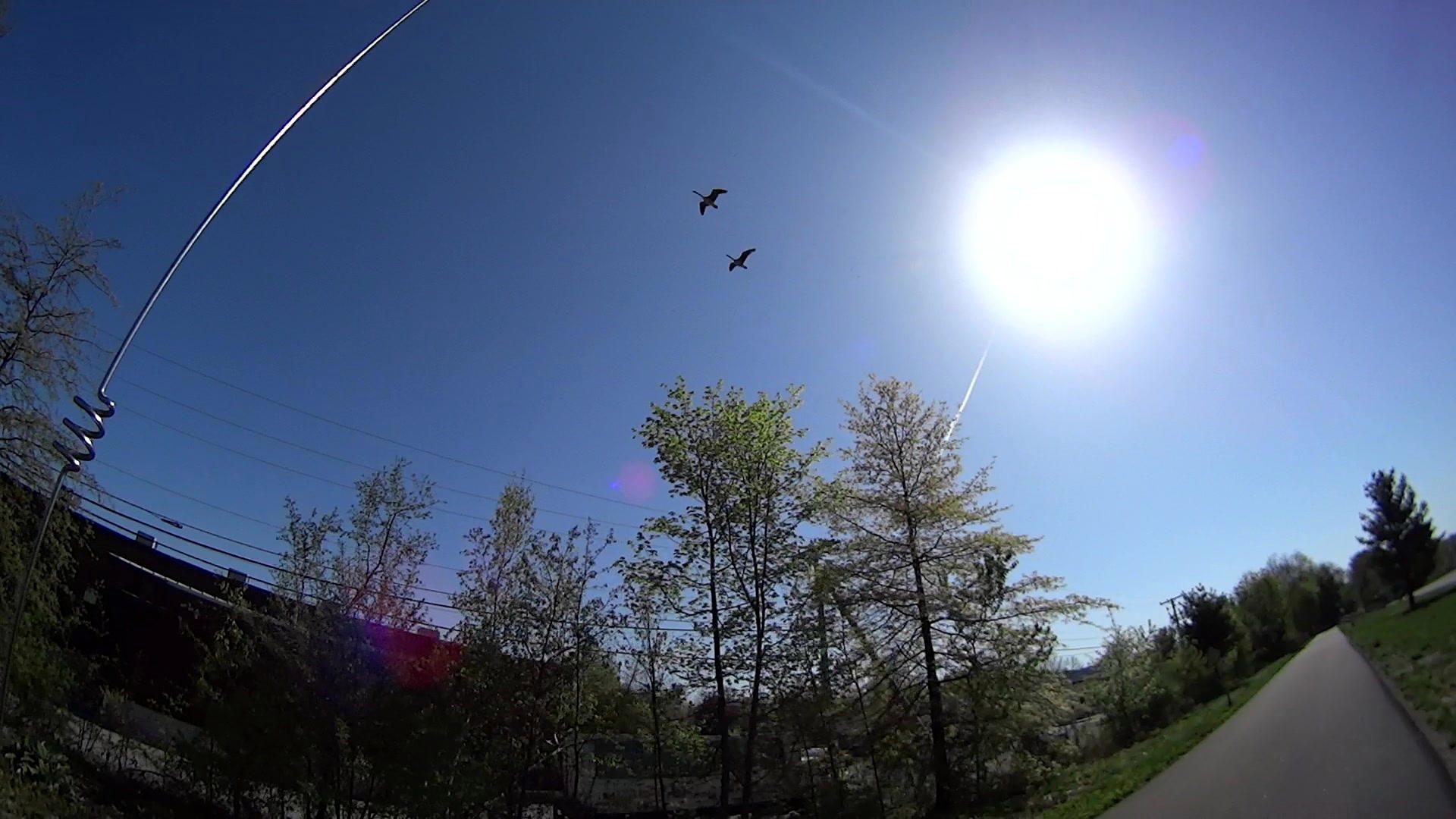
    Spotted these Canada Geese over Page Industrial Park on the Dutchess Rail Trail:

    Canada Geese over DCRT
    Canada Geese over DCRT

    They were discussing current events and seemed to be having a fine time.

    I was, too!

    An image from the HDR-AS30V helmet camera video, with just a touch of contrast adjustment.

  • Random LED Dots: Startup Lamp Test

    I should mention the lamp test in case it comes in useful later on…

    	digitalWrite(PIN_HEARTBEAT,LOW);	// turn off while panel blinks
    	
    	analogWrite(PIN_DIMMING,LEDS_ON);	// enable LED array
    
    	for (byte i=0; i<NUMROWS; i++) {
    		for (byte j=0; j<NUMCOLS; j++) {
    			LEDs[i].ColR = LEDs[i].ColG = LEDs[i].ColB = 0x80 >> j;
    			for (byte k=0; k<NUMROWS; k++) {
    				UpdateLEDs(k);
    				delay(25);
    				if (GeigerTicked) {
    					GeigerTicked = false;
    					TogglePin(PIN_HEARTBEAT);
    				}
    			}
    		LEDs[i].ColR = LEDs[i].ColG = LEDs[i].ColB = 0;
    		}
    	}
    	UpdateLEDs(NUMROWS-1);			// clear the last LED
    

    Updating / multiplexing all the rows inside the inner loop with a 25 ms pause produces distinct flashes and demonstrates that each LED operates separately from all the others:

    Lamp Test
    Lamp Test

    The lamp test ends with all the LEDs turned off, but having the array gradually fill with light looked odd.

    After some tinkering, I added the GeigerTicked conditional to handshake with the Geiger pulse interrupt handler, thus producing a nice random time at the end of the loop. Feed that mostly random time into the hash function, use the hash as the random number seed, then set all the LEDs using random(2) function calls:

    	randomSeed(jenkins_one_at_a_time_hash((char *)GeigerTime,4));
    	
    	for (byte Row=0; Row<NUMROWS; Row++) {
    		for (byte Col=0; Col<NUMCOLS; Col++) {		// Col runs backwards, but we don't care
    			LEDs[Row].ColR |= random(2) << Col;
    			LEDs[Row].ColG |= random(2) << Col;
    			LEDs[Row].ColB |= random(2) << Col;
    		}
    		UpdateLEDs(Row);
    	}
    	
    	GeigerTicks = 0;				// reset counter
    	GeigerTicked = false;			// resume capture
    

    Which produced a more-or-less random fill that looked better:

    Random Preload - bright
    Random Preload – bright

    Underexposed to reduce the burnout (after a few Geiger events):

    Random Preload - dim
    Random Preload – dim

    There should be about eight of each color and, hey, it’s close enough.

    After the preload, it ticks along like it should…