Ed Nisley's Blog: Shop notes, electronics, firmware, machinery, 3D printing, laser cuttery, and curiosities. Contents: 100% human thinking, 0% AI slop.
Mary has been working on the Splendid Sampler project, with 56 completed blocks (*) stacked on her sewing table. We agreed that those blocks would make a nice background for our Christmas Letter, but the labor involved to photograph all the fabric squares and turn them into a page seemed daunting.
Turned out it wasn’t all that hard, at least after we eliminated all the photography and hand-editing.
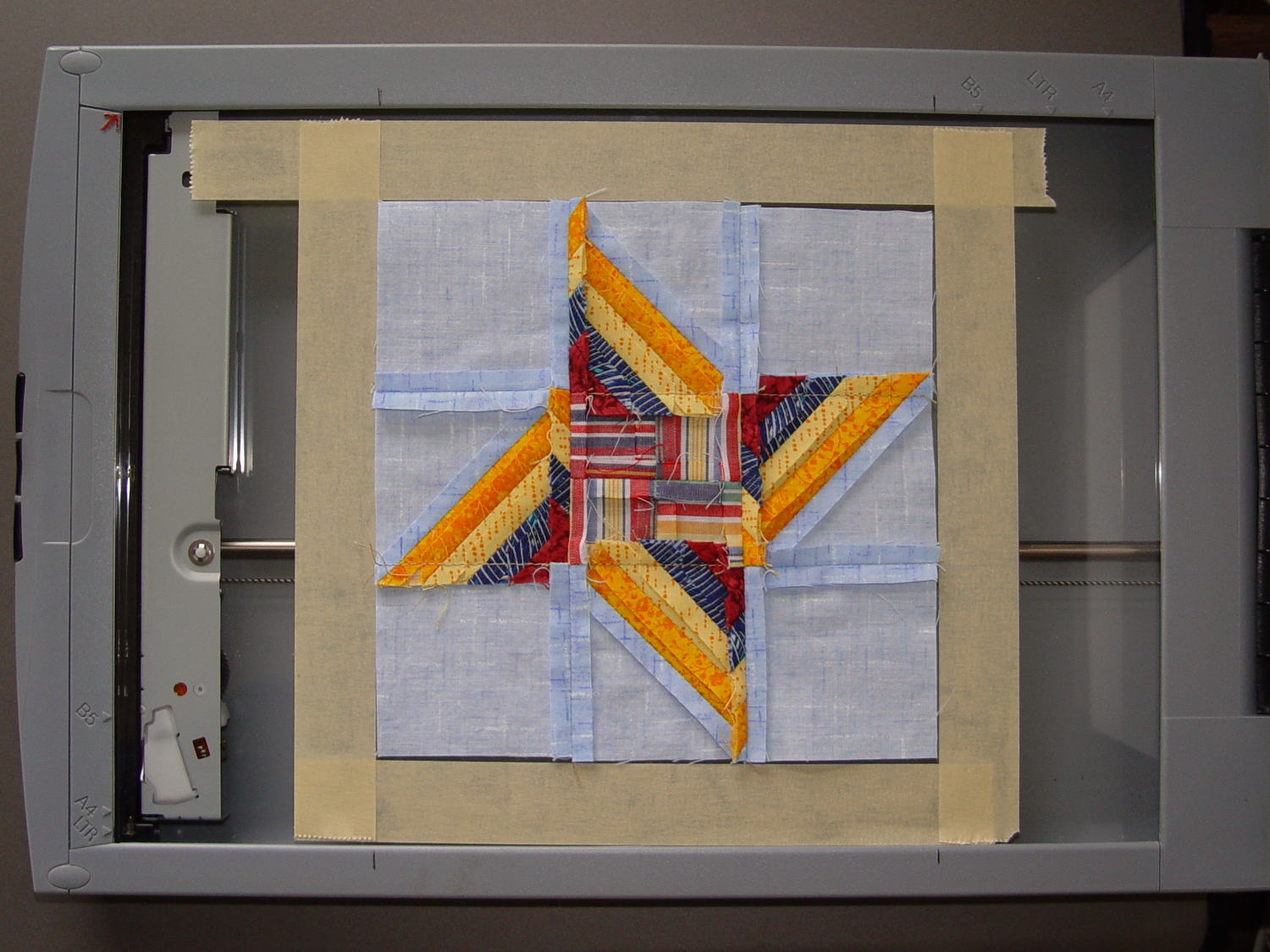
The 6½x6½ inch blocks include a ¼ inch seam allowance on all sides and, Mary being fussy about such things, they’re all just about perfect. I taped a template around one block on the scanner glass:
Quilt block in scanner template
Then set XSane to scan at 150 dpi and save sequentially numbered files, position a square scan area over the middle of the template, and turn off all the image enhancements to preserve a flat color balance.
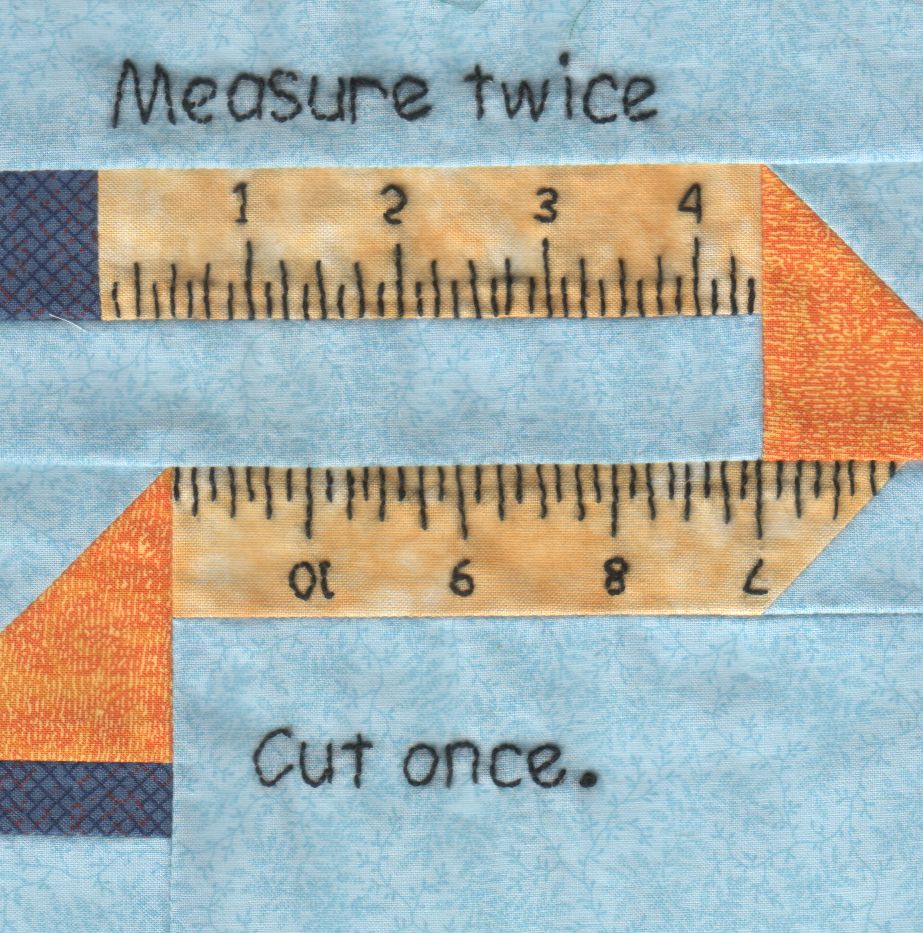
With “picture taking” reduced to laying each square face-down on the glass, closing the lid, and clicking Scan, the scanner’s throughput became the limiting factor. She scanned the blocks in the order of their release, while tinkering the auto-incremented file number across the (few) gaps in her collection, to produce 56 files with unimaginative auto-generated names along the lines of Block 19.jpg, thusly:
Block 19
The “square” images were 923×933 pixels, just slightly larger than the ideal finished size of 6 inch × 150 dpi = 900 pixel you’d expect, because we allowed a wee bit (call it 1/16 inch) on all sides to avoid cutting away the sharp points and, hey, I didn’t get the scan area exactly square.
With the files in hand, turning them into a single page background image requires a single Imagemagick incantation:
I figured the -geometry value to fill the 8 inch page width at 150 dpi, which is good enough for a subdued background image: 8 inch × 150 dpi / 7 images = 171 pixels. Imagemagick preserves the aspect ratio of the incoming images during the resize, so, because these images are slightly higher than they are wide, the height must be slightly larger to avoid thin white borders in the unused space. With all that figured, you get a 1197×1384 output image.
Bumping the contrast makes the colors pop, even if they’re not quite photo-realistic:
Quilt block montage – contrast
I’ll lighten that image to make the Christmas Letter text (in the foreground, atop the “quilt”) readable, which is all in the nature of fine tuning.
She has 40-odd blocks to go before she can piece them together and begin quilting, with a few other projects remaining to be finished:
Mary quilting
(*) She’s a bit behind the block schedule, having had a year of gardening, bicycling, and other quilting projects, plus whatever else happens around here. Not a problem, as we see it.
Those white eye rings help carry off the whole “insufferably cute” thing:
Red squirrel on patio – side
We often see them scampering through the pine treee out back, where they pause to strip the seeds off unopened pine cones and toss the empties on the driveway.
Taken through two layers of wavy 1955-era glass with the Sony DSC-H5.
Earlier versions of the comics graphic novel are on her blog, including several stories that didn’t make the final book cut.
Highly recommended; if you don’t have wet eyes occasionally, you’re entirely too hard-hearted.
You should read Ada’s Analytical Engine Programming Guide; that’s not her title, but that’s what she wrote. If you’ve ever done any assembly language programming, you’ll feel right at home.
Also, get historical documents, commentary, and Analytical Engine emulators (!) at Fourmilab.
Makes me wish I lived in that Pocket Universe, it does:
I rolled the bike around the corner of the garage, saw something move, and spotted an exceedingly agitated Ring-necked Pheasant atop the shredded leaf compost:
Pheasant in compost bin
He ran back and forth on the pile inside the cage, apparently having forgotten he had wings, while I fumbled with the camera. Just after I took the picture, he managed a short-field takeoff and flew away through the trees away from me.
A pair of female pheasants then emerged from the forsythia behind the pile at a dead run, made a hard turn to their left, and ran off in the general direction the male had flown. One of the pair seemed smaller and may have been a chick this year, but it’s hard to say.
We haven’t seen any pheasants in the yard before and hope they return …
Taken with the Canon SX-230HS through a layer of deer netting, alas.
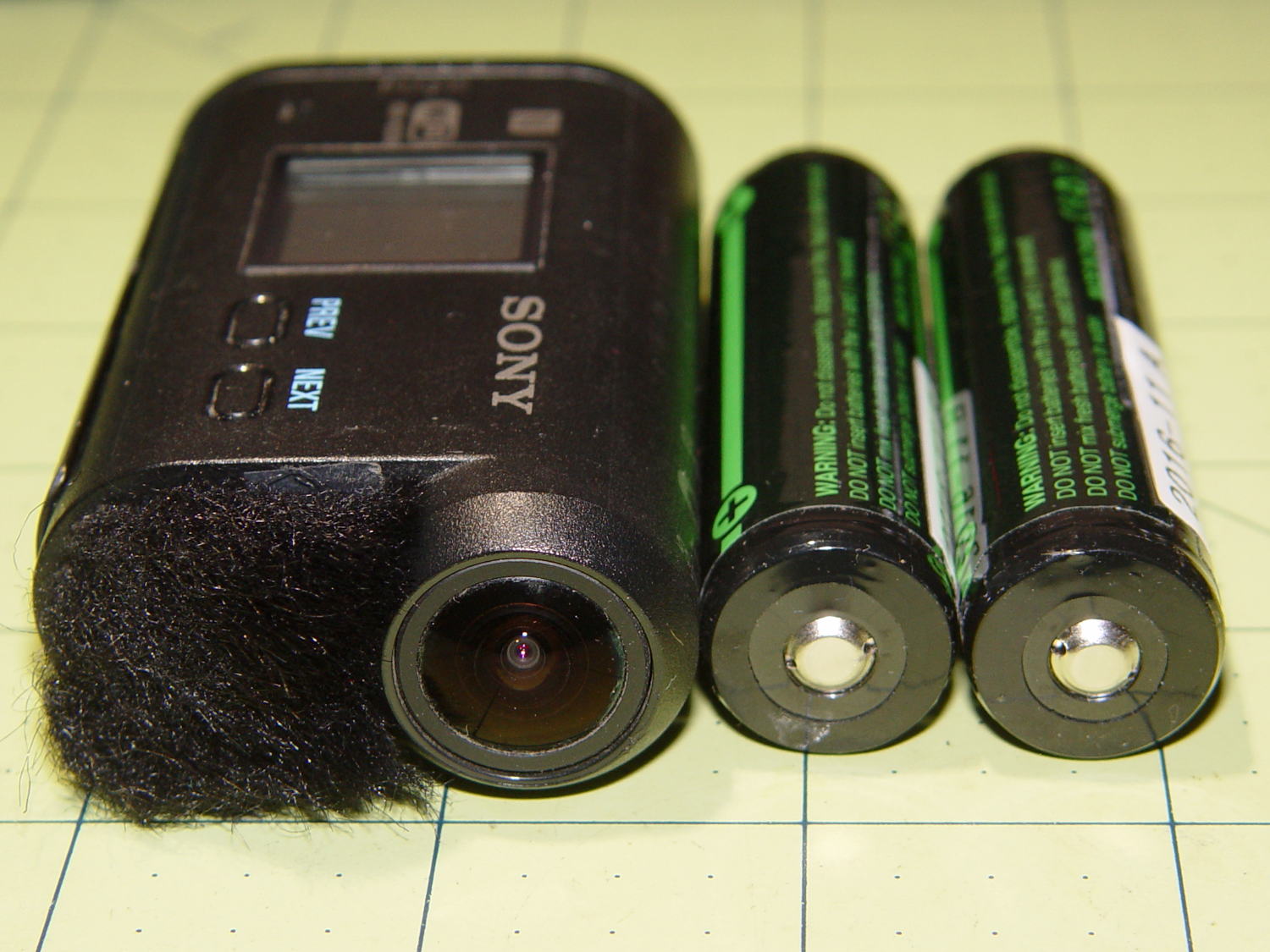
These items came near enough to produce an irresistible force:
Sony HDR-AS30V vs 18650 cells – side view
How can you look at that layout and not jump to the obvious conclusion?
The front view suggests enough room for a stylin’ case:
Sony HDR-AS30V vs 18650 cells – end view
You’d need only one cell for the camera; I happened to have two in my hand when the attractive force hit.
The camera is 24.5 ⌀ x 47 tall x 71.5 overall length (67.8 front-to-door-seating-plane).
The ATK 18650 cells are 19 ⌀ x 69 long, with the overlong length due to the protection PCB stuck on the + end of the cylinder. You can get shorter unprotected cells for a bit less, which makes sense if you’re, say, Telsa Motors and building them into massive batteries; we mere mortals need all the help we can get to prevent what’s euphemistically called “venting with flame“.
Although I like the idea of sliding the cell into a tubular housing with a removable end cap, it might make more sense to park the cell over the camera in a trough with leaf-spring contacts on each end and a lid that snaps over the top. That avoids threaded fittings, figuring out how to get an amp or so out of the removable end cap contact, and similar imponderables.
I think it’s possible to drill a hole through the bottom of the camera at the rear of the battery compartment to pass a cable from a fake internal cell to the external cell. Some delicate probing will be in order.
In round numbers, those 18650 cells allegedly have three times the actual capacity of the camera’s flat battery and cost about as much as the not-so-cheap knockoff camera cells I’ve been using.









 The Smell of Molten Projects in the Morning