The Smell of Molten Projects in the Morning

Ed Nisley's Blog: Shop notes, electronics, firmware, machinery, 3D printing, laser cuttery, and curiosities. Contents: 100% human thinking, 0% AI slop.

Category: Machine Shop

Mechanical widgetry

  • Mysterious Noise in Toyota Sienna Minivan: Fixed!

    For about the last week I’ve noticed a soft clicking-buzzing sound somewhere near the dashboard / center console of our 2000 Toyota Sienna. I tried some on-the-fly isolation, but it wasn’t related to motion, engine on/off, CD or tape player, fan, or anything else. Finally Mary noticed it, too, and we spent half an hour in the garage yanking fuses and wiggling things until we tracked it down to below the passenger seat.

    Now, in the good old days, that was empty space, but in the Sienna it’s where the rear-area heater lives. Shoving the seat forward to the stop exposed the heater and, sure enough, it’s buzzing and clicking. Intermittently, somewhat randomly, but very steadily.

    Rear Temperature Control
    Rear Temperature Control

    With that as a hint, I twisted the rear-area temperature control (on the headliner behind the driver seat) and shazam the noise stopped. The control has detents and when moving the control to each detent the heater makes a faint buzzing. I suspect the control adjusts a valve that regulates engine coolant flow inside the heater.

    It’s not obvious whether the control is a pure-digital rotary encoder or a potentiometer, so I decided to investigate: it’s already sorta busted, what’s to lose? The bezel comes off by prying its door-side edge outward. The white plastic frame has two screws into the metal structure under the roof. The two electrical connectors are, of course, the positive-latching kind that you pull the little tab until you break your fingernail and then realize that you should push it instead.

    Temperature Control - Interior View
    Temperature Control – Interior View

    Taking the control apart reveals that it’s a potentiometer with some switching contacts. The two bifurcated spring-finger contacts on the black plastic disk short the resistive element to the inner metallic track.

    Resistive Element
    Resistive Element

    The metal contacts appeared slightly grody, but with no major corrosion. The resistive track looked just fine.

    The offending control position would be to the left side of the element as shown in the pictures here: there’s nothing obviously wrong at that spot. I think the maximum-heat position is off the resistive element entirely, resting on the far left end of the metal traces, but the control wasn’t quite set to that spot. Perhaps the problem was that the contacts became intermittent at the exact edge of the element.

    I smoothed the collection of anti-oxidation grease over the tracks, covered the contacts with their own blobs, put everything back together, and it works fine.

    We tend to put the control at A/C during the summer and at maximum heat during the winter. I suppose the poor thing got frustrated after we moved it a month or so ago…

    The money saved with this repair might just pay to have the Toyota dealer replace the spark plugs. The shop manual says that task starts by removing the windshield bezel and all the stuff above the engine intake manifold; the job costs upwards of 300 bucks. I can barely see the rear plugs with a looong inspection mirror angled just so while lying on the floor under the van, so it’s truly a nontrivial operation.

    I [delete] all over their [censored]…

  • Maglite Pin Wrench

    Maglite Pin Wrench

    Looking into the front
    Looking into the front

    For reasons that shouldn’t require the least bit of explanation by now, I had to dismantle(*) an old 2-D-cell Maglite. The operative word here is old, because you can find plenty of instructions & pix telling you how to dismantle the newer (post-2001, evidently), cheapnified Maglites. Mine dates back to the early days.

    Unlike new(er) Maglites, the switch assembly in this one comes out through the front. An aluminum retaining nut holds it in place, as shown in the first picture. You’ll find directions telling you to unscrew the nut by jamming a pair of needle-nose pliers into the holes, but that’s not how it’s done.

    The job calls for a pin wrench!

    Measuring the dimensions is no BFD after you’ve got the damned thing apart, but I didn’t have that luxury. Given this was an American product from back in the Olde Days, I assumed everything was denominated in inches, which turned out to be close enough.

    Pin Wrench Dimensions
    Pin Wrench Dimensions

    The “Max” dimensions at the bottom are the actual ID measurements from the housing after disassembly, using telescoping gages. I made the wrench to the dimensions on the line just above and they worked fine.

    Believe it or not, I found a steel cylinder in my scrap heap that was just exactly what I needed, right down to the 7/8″ bore in the middle. Not only that, it was free-machining steel. Whew!

    The inner bore must clear the brass screw head sticking out of the lamp tower in the middle (which rides in a slot as part of the sliding focus mechanism). Once you’ve extricated the switch assembly, you remove that screw with a 2 mm (so much for hard inch dimensions) hex key. If you’re desperate, you can probably worry the screw out by goobering it with the aforementioned needle-nose pliers; it has an ordinary right-hand thread.

    I turned the cylinder down in the lathe, then drilled the pin holes. That’s a mistake: the outside edge of the pins is exactly even with the OD of the wrench nose. If you do this, clean up the stock OD & face the ends to get a nice cylinder, drill the pin holes, then turn down the barrel clearance and nose. It need not be perfectly concentric, so stop worrying.

    Pin Wrench Drill Clamping
    Pin Wrench Drill Clamping

    I did the drilling using manual CNC on the Sherline mill, mostly because that’s the only way I could poke the holes in the right spots. The mill doesn’t have a lot of vertical headroom, so I clamped the wrench directly to the table and touched off the X and Y axes to put the origin in the center.

    I got it all clamped down, removed the right-hand clamp to touch off on the +X side, then re-clamped it.

    Drilling Pin Wrench
    Drilling Pin Wrench

    Center drill to fix the hole location. Drill 1/8″ about 0.250 deep: 3000 rpm, 10 ipm feed, use a little cutting lube. Do those both in sequence at each hole.

    I sliced two overly long stubs from some 1/8″ drill rod with a Dremel cutoff wheel, dabbed JB Weld in the holes, and poked them in. The next morning I sliced them down to about the right length, cleaned up the ends with a file, broke the edges, and the wrench was good to go. The pin length in the drawing was what I’d have used if I could have measured the holes before taking it apart.

    The pins were actually on the long side of 60 mils, just an itsy too much to keep the wrench flat on the nut. The next picture shows some gouging on one of the holes, due entirely to not engaging the wrench quite enough at first.

    Pin Wrench and Maglite Retaining Nut
    Pin Wrench and Maglite Retaining Nut

    I thought about putting flats on the wrench, but simply grabbed it in the bench vise, swallowed it with the flashlight, engaged pins with holes, leaned into the wrench, and unscrewed the ring. It took a lot more force to get those threads turning than I expected, but the ring eventually spun out easily. Right-hand threads, of course; obvious after the fact.

    Before you can remove the switch assembly, you must pry off the rubber switch cover, stick that 2 mm hex wrench down the hole thus revealed, and unscrew the setscrew ‘way down inside there. That backs the setscrew out of a recess in the housing that makes electrical contact with the negative end of the bottom D cell. Do that before you remove the ring, lest you forget.

    Switch Housing and Lamp Tower Parts
    Switch Housing and Lamp Tower Parts

    Surprisingly, the blue plastic switch housing seems to be slightly soluble in potassium hydroxide. Who knew?

    With the switch assembly out, you (well, I) can proceed to beat the corroded cells out by chucking the housing in the lathe (it exactly seats on the three-jaw chuck’s front face!) and ramming a fat dowel up its snout with a two-pound hammer.

    Yeah, genuine Ray-O-Vac Maximum D cells: they all leak if you leave ’em in there long enough. This flashlight worked fine, right up to the point where I checked inside to see how long the cells had been in there. Oops.

    I’m thinking of rebuilding it with some killer LED clusters up front; scrap the reflector, rework the switch assembly. Certainly that’d have better heatsinking than those absurd 3-watt LED bulb-like thingies.

    (*) Yes, Maglite has a lifetime replacement warranty that even covers death due to battery corrosion. Now, I ask you, what’s the fun in that?

  • Toner Transfer PCBs: Alignment Accuracy

    Here’s an example of the dimensional accuracy you can get from toner-transfer PCBs in real life.

    I drill the holes with a CNC-ed Sherline mill, so they’re pretty much spot on. Drilling the holes by hand simply isn’t practical: there’s no way to get both global alignment and local accuracy.

    The toner transfer sheet, printed on a laser printer, gets aligned to the existing holes atop a light table. The paper stretches & shrinks and moves around while printing, but I can generally average out the errors so that the 24-mil holes (the smallest I generally use) across the board have no more than a few mils of error: the pads don’t show more than that inside the drilled holes. In the picture below, you can see a dark rim around the corner alignment hole that looks worse than it really is due to the perspective.

    I put the toner transfer sheet on the light table, toner-side up, lay the PCB atop the paper, and adjust for best overall alignment. I then tape them together along one edge with strips of laser-printer address labels: guaranteed to hold up to high temperatures, which is more than you can say for most tapes.

    PCB alignment and taping
    PCB alignment and taping

    Here’s the board after etching both sides, with the black toner and green sealant film still in place. The toner & film are slightly smeared from the solvent I used to clean off the other side before etching it. The brownish dabs on the green areas come from a brown Sharpie that works fine as a touch-up etching resist.

    WWVB Simulator - Top surface toner mask
    WWVB Simulator – Top surface toner mask

    The narrowest traces are 16 mils, most of the others are 32 mils, and the fat ones down the middle of the chip are 40 mils. Click on the images for bigger versions; you’ll get some JPG compression artifacts, but the resolution is good enough to see what’s going on.

    Here’s the same area with the toner removed and a touch of silver plating applied to make it pretty and more easily solderable. The colors aren’t particularly reliable; in real life, it’s a lot more silvery.

    Top surface copper
    Top surface copper

    Fairly obviously, the alignment isn’t nearly as good as you’d expect from the initial taping. In round numbers, the pads to the left side seem offset by about the diameter of the holes; call it 25 mils. The holes in the DIP pads are off by perhaps 10 mils.

    The bottom surface looks pretty much the same, with similar alignment issues.

    Bottom surface copper
    Bottom surface copper

    The misalignments are not uniform, as you’d expect if the toner transfer sheet moved across the board during fusing. The sheet deforms during the fusing process in a completely unpredictable way, despite my trying all of the usual tricks:

    • Pre-shrinking the transfer paper by running it through the printer with a pure-white image (so no toner gets applied)
    • Fusing quickly after printing to prevent moisture absorption (there’s a limit to how fast I can work)
    • Taping more than one edge to lock the paper in place

    It’s fair to say you (well, I) can get within 25 mils of a board hole for sure, less than that most of the time, and be spot on over much of the board. I use large pads and vias for anything I have control over, as witness the pads surrounding the DIP, and avoid very fine features near holes.

    Anyhow, it’s good enough for what I do, but you shouldn’t get your hopes up that toner-transfer circuit boards come anywhere close to commercial quality. If you’re doing a lot of pure surface-mount work, it’ll probably be good enough because there’s no need for global alignment to holes in the underlying board. Obviously, the smaller the board, the better off you’ll be.

    I etched this board by rubbing ferric chloride on it with a sponge (wearing forearm-length rubber gloves and a shop apron!), renewing the solution as it turned black and gooey. Works like a charm, gives good control of the process, doesn’t erode the Sharpie masking, doesn’t over-etch the traces (much, anyway), and uses less etchant than soaking the board in a bath.

    I have other posts describing the process in more detail. Search for PCB, toner-transfer, and other keywords to unearth those entries.

  • Extended Sewing Machine Quilting Surface

    Extended quilting surface
    Extended quilting surface

    Mary has been quilting up a storm lately and wanted a larger surface to handle a bed-sized quilt. A table in the basement was big enough, but she wanted a larger flat surface around the sewing machine adjacent to the table.

    I converted the typing return (*) from her upstairs desk into a table, then cut a piece of aluminum-clad 1-inch foam insulation board to fit. It’s 4 feet long, a convenient length to cut from the 4×8-foot insulation board, and slightly narrower than the typing return. Cutting it required a long X-Acto knife blade, but a really sharp utility knife would work as well.

    Some stainless-steel tape finished off the edges. The tape itself is lethally sharp-edged, but it’s perfectly harmless if you do a good job of smoothing it against the foam board…

    A pair of closed-cell rigid foam blocks held one end of the board at the proper height around the sewing machine, while a pair of cutoffs from the wood pile were just the right thickness & length to extend under the other end. It turns out that precise height isn’t nearly as vital as we expected; close enough is fine.

    I cannibalized a pair of table-saw feed roller stands for this project; they had just the right height adjustment and shape to support the typing return and the foam board.

    The end result aligns the surface of the sewing machine with both the top of the table and the surface of the foam board. The quilt slides easily over the whole affair and doesn’t bunch up like it did before. Success!

    Foam support blocks
    Foam support blocks

    (*) A “typing return” is the little table that sticks out from a desk, upon which you put a typewriter, back in the day when typewriters ruled the land. Nowadays, she uses it for her sewing machine, which normally lives at her desk, because there’s no practical way to type at right angles to one’s desk.

    That’s the sort of item you can’t do web searches for, because all the terms are so heavily overloaded. Give it a try; you’ll find one or two useful hits. There’s a difference between syntax and semantics; we’re not in the semantic web yet by long yardage.

  • Sherline Z-axis Backlash: Check the Bearing Preload Nut!

    Loose bearing nut
    Loose bearing nut

    I don’t do any fancy 3D milling, so it takes a lot of Z-axis backlash to get my attention. While setting up for some circuit-board drilling, I finally noticed that the backlash far exceeded even my slovenly specs: something like 20 mils.

    The Z-axis backlash adjusting nut on the saddle was as snug as it usually is. Heaving on the saddle, though, pulled it up & down and moved the handwheel on the top of the Z-axis motor.

    Ah-ha! That says the leadscrew itself is moving, which shouldn’t be possible because it’s captured at the bearings in the stepper motor mount.

    Some tedious disassembly later, the top picture shows the Z-axis leadscrew and motor mount, with the nut obviously too far away from the lower ball bearing housing. The nut was finger-loose and I moved it while extracting the leadscrew; it’s supposed to be snug against the bearing in normal operation.

    The solution is a drop of Loctite, which should be applied to the canonical “clean and dry” threads. Hosing this part of the leadscrew down with solvents isn’t a good idea, because you don’t want any inside the lower bearing in the motor mount, so I spent some Quality Shop Time spinning the threads against a (dry) rag, running the nut to the other end (all of a few millimeters), and repeating until most of the oil was gone.

    Properly adjusted nut
    Properly adjusted nut

    Sherline documents how to assemble & install the motor mounts, so there’s not much mystery involved. I loosened the preload nut until the housing spun freely on the shaft, then tightened it a teensy bit; the housing still spun freely and there’s no detectable end play.

    Reinstallation requires putting the motor mount at the same spot on the Z-axis column as before. I moved the saddle to the top of the column, ran the leadscrew into the saddle nut, and then tightened the motor mount screws. That allows the mount to move to suit the saddle nut’s position, rather than going through the tedious saddle alignment process I mentioned as part of the gib adjustment.

    It’s all good… call it 3 mils of backlash on all three axes.

    Memo to Self: It’s possible to run the Z-axis backlash adjusting nut off the top of the leadscrew thread, then re-engage it without removing the motor mount. The trick is to hold the anti-backlash nut firmly against the saddle nut while turning the leadscrew to engage the thread. Remember that it’s a left-hand thread…

  • Clothes Rack Dowel Splicing

    Clothes Rack Dowel Glue
    Clothes Rack Dowel Glue

    Mary picked up a rather well-used wooden-dowel clothes drying rack at a tag sale for essentially nothing; one of the dowels was missing. That’s easy enough to fix, as I have a stash of dowels from what seems to be another rack of the same type on my wood stockpile…

    Of course, those dowels are just an inch or two shorter than needed.

    So…

    • Turn down the ends of two dowels to 0.29″ x 3/4″ to fit the holes in the support struts
    • Sand a small taper on the ends
    • Pull the staples, insert the longer dowel and mash the staple back in place
    • Eyeball the length of the other dowel, hacksaw to fit, install similarly
    • Find a length of brass tubing that slips over the dowels
    • Cut some heat stink shrink tubing to fit
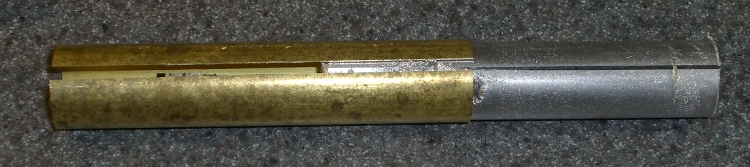
    Spliced dowels
    Spliced dowels

    I used urethane adhesive, because it expands as it cures and will fill the gaps inside the brass tubing. The heat stink tubing is just for nice… although it does make for a rather stunning contrast to the aged wood dowels, I’ll agree.

    And it’s all good!

    (Use it up, wear it out, repair it, wear it out again, then save the pieces because they’ll come in handy for something else.)

  • Bike Lighting: Automotive Specs

    Having recently taken a thorough drubbing on the ‘Bentrider forums for having a rear-facing white light on my bike, I should accelerate my plans for a red / amber taillight.

    This Philips LumiLED app note gives some specs on automotive lighting. The one we bikies all tend to ignore is the surface area: greater than 37.5 square centimeters for rear combination stop-turn fixtures. Call it a scant 4 inches in diameter. You’ve never seen a bike light that large, have you?

    LED combo tail stop light
    LED combo tail stop light

    Maybe the right thing to do is start with a street-legal truck light and build some electronics around it. This is a 4 inch diameter, 44 LED rear light with both taillight and brake light terminals. At 12 V, the taillight draws 10 mA and the brake light is 250 mA. Got it from Gemplers with a recent order, but they’re certainly not the optimum supplier if that’s all you’re buying.

    Obviously, it’s unreasonable to run a 3 watt taillight on a bike, as the most recent crop of single-LED killer headlights are merely a watt or three. Battery life remains a problem.

    At 10% duty cycle the brake LEDs would average 300 mW. That might be roughly comparable to the running lights on some cars these days.

    With the taillight constantly energized and the brake flashing at 4 Hz, it’d be 120 + 0.5 * 300 = 270 mW.

    That’s more reasonable. With a 50% efficient upconverter to 12 V, that’s half a watt. Start with 4 AA cells, triple the voltage, draw 100 mA, runtime is 1500 / 100 = 15 hours. Good enough.

    And it ought to be attention-getting enough for anybody! The only trouble will be fitting the damn thing on the back of the bike; fortunately, ‘bents have plenty of room behind the seat, so maybe attaching it below the top seat rail will work.

    Memo to Self: The rear reflector must be something like 3 inches in diameter, too. We ignore that spec, too.