Ed Nisley's Blog: Shop notes, electronics, firmware, machinery, 3D printing, laser cuttery, and curiosities. Contents: 100% human thinking, 0% AI slop.
Eks loaned me a Tek AM503 Current Probe Amplifier, one of those gorgeous instruments that Just Works: a clamp-on DC to 50 MHz Hall Effect current meter. Because it’s electrically isolated from all the hideous electrical hash that surrounds any stepper motor driver circuit, it doesn’t see much of the garbage that pollutes any current sensor depending on a series resistance and a differential amplifier.
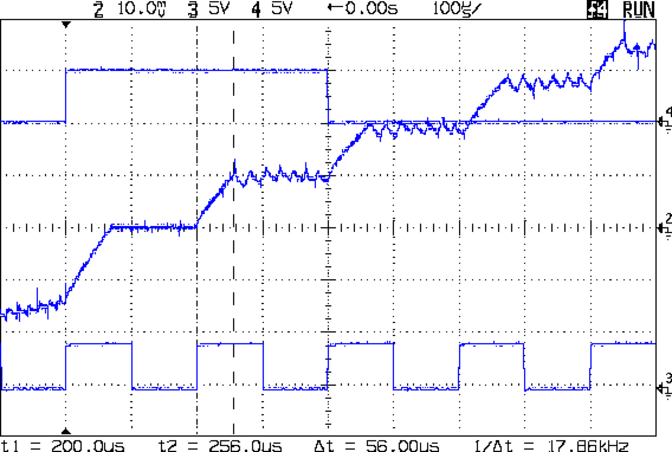
The initial ramp occupying the first third of each step comes from the motor’s L/R time constant coupled with the 9 V supply I was using. Back of the envelope: 2 mH / 2 Ω = 1 ms. With 8 V (9 V less MOSFET drops &c) applied, the initial slope = 8 V / 2 mH = 2500 A/s, so in 75 ms it rises 187 mA: close enough.
The small ripples show the A4988 chopping the current to maintain the proper value for each microstep.
Looks just like the pretty pictures in the datasheet, doesn’t it?
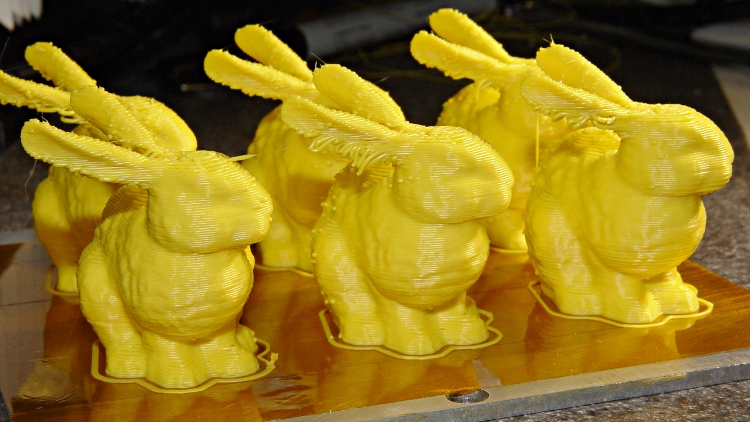
What’s more fun than one Stanford Bunny? A few litters!
These at 50 mm/s feed came out a bit jittery. The ear overhangs were particularly messy:
Small bunnies – ragged edges – 50-100
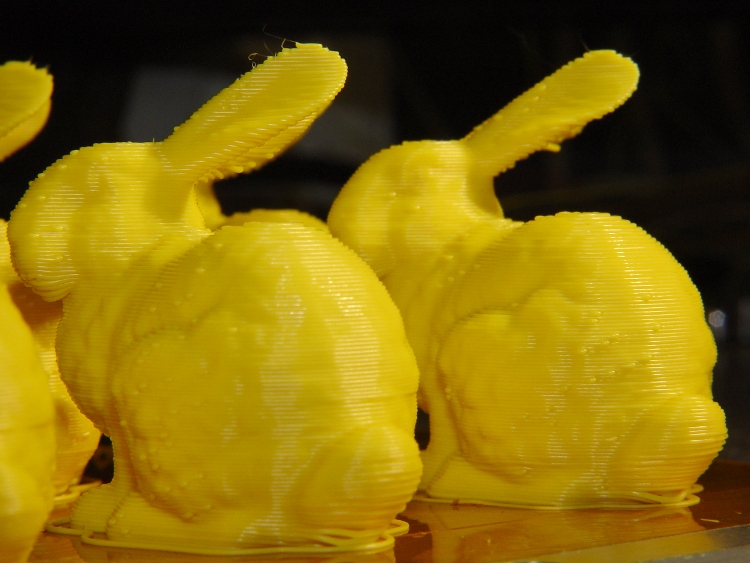
Another litter at 20 mms/s had better ear overhangs and much smoother coats with less overall jitter:
Small bunnies – ragged ears – 20-100
The obvious shear line across their tummies came from my messing around with the HBP cabling, jerking the X stage while preventing the cables from snagging on the Y stage. Moral of the story: don’t mess around with anything inside the box while it’s printing!
They have little droopy tails:
Small bunnies – droopy tails – 20-100
I think 25 or 30 mm/s would be better all around, as it’d move the extruder away from the Z stage’s mechanical resonance at 1.10 rpm.
The Judges at the Trinity College Home Firefighting Robot contest use butane grill igniters to light the candles in the arenas, but the gadgets seem to have terrible reliability problems: very often, they simply don’t work. I brought a few deaders back to the Basement Laboratory this April and finally got around to tearing them apart.
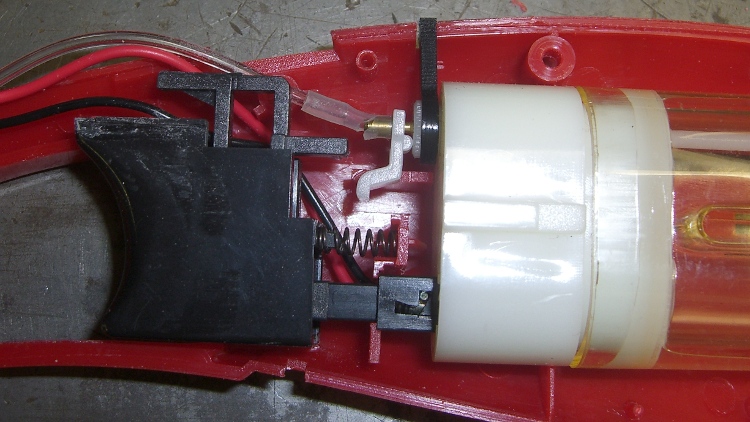
It seems they don’t ignite because the trigger’s safety interlock mechanism shears the plastic gas hose against the fuel tank’s brass outlet tube:
Grill igniter with sheared gas tube
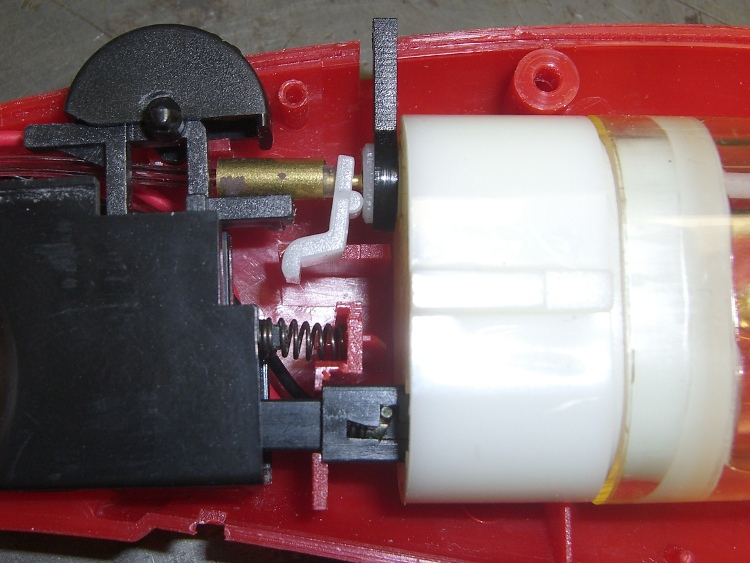
I tried putting a small brass tube around the (shortened and re-seated) hose, but it turns out the trigger interlock slides into that space and depends on the hose bending out of the way:
Grill igniter with brass tubing
So there’s no easy way to fix these things.
It seems to me that a device using flammable gas should not abrade its gas hose, but what do I know?
Those cute little Pololu stepper driver boards using the Allegro A4988 chip have one conspicuous problem: there’s no good way to heatsink the chip. The doc recommends heatsinking for currents around 1 A and some informal testing shows it will trip out on thermal protect around 800 mA, so heatsinking really isn’t optional.
A thermal pad from the chip bonds to vias that conduct heat through the PCB to the bottom surface copper layer: putting a heatsink on the top doesn’t help as much as one on the bottom. What I’m doing here is a first pass at a bulk heatsink that would work with several of the driver chips lined up in a row; this one is ugly and doesn’t work well, but it should let me do some further electrical tests.
The general idea is to clamp the heatsink around the board, with the chip as the top-side pressure point. The catch: no room for an actual heatsink underneath, because that’s where the connector pins live. You could mount the board upside-down, but then there’s no good way to tweak the stepper current trimpot. That may not be a problem after you get things set up, although I’d hate to unplug and replug the board for each adjustment.
So I think a reasonable solution involves a metal strip to conduct the heat out the ends and up to the heatsink. What I’ve done here does not accomplish that; I’m just feeling around the parameter space.
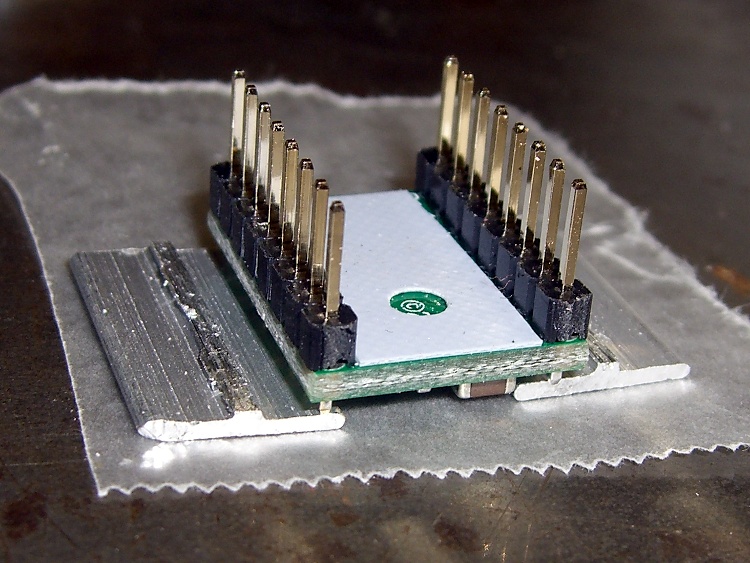
You can’t get too enthusiastic with the clamping force, lest you crush the chip, so moderate pressure is the rule of the day. However, the chip sits low on the board, surrounded by taller components, so I put a drop of epoxy on top and flipped it over to produce a short thermally conductive column that’s higher than everything else:
Pololu stepper board – epoxy curing
The blue sheet comes from a trimmed-down TO-220 transistor heatsink pad; it’s thermally conductive silicone, provides a bit of compliance against the PCB, and insulates the REF trimpot test point from the heatsink.
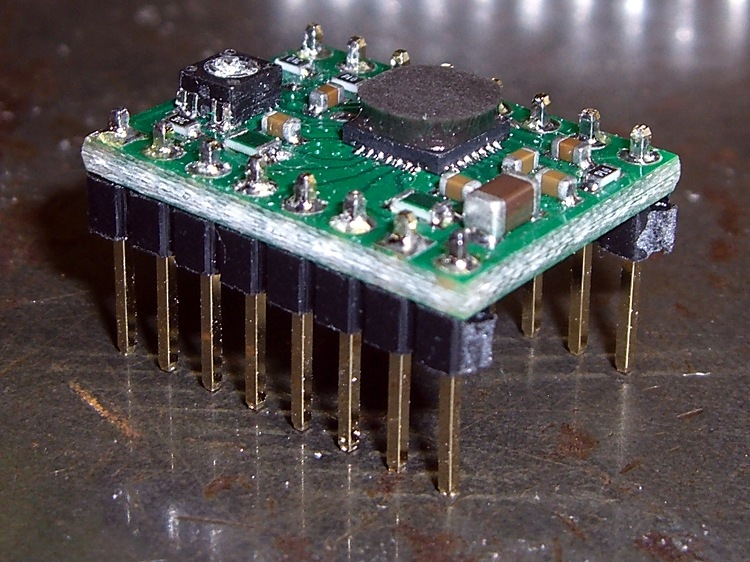
The result looks OK, but it would be better to embed a small metal block between thinner epoxy layers to get better thermal conductivity:
Pololu stepper board – epoxy blob on driver chip
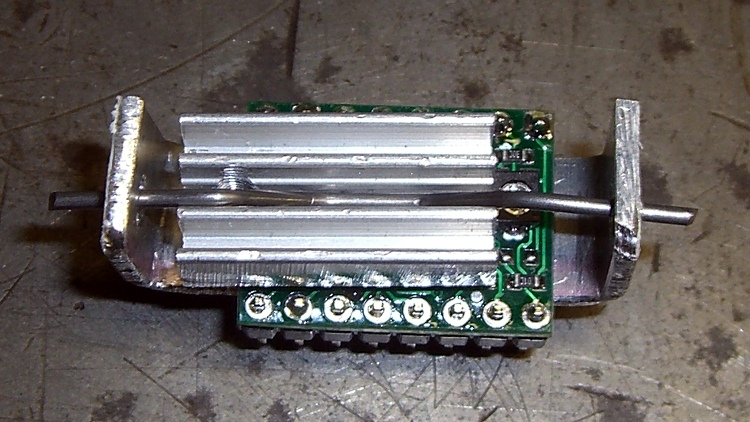
Although most of the heat goes out the bottom, you still need something on the top to take the spring pressure. I trimmed down the TO-220 heatsink that came with that silicone pad; it must mount off-center to permit access to the trimpot but, alas, blocks the voltage monitoring pad and both sense resistors. A length of 45-mil music wire bent into a flat M provides the spring:
Pololu stepper board – heatsink top view
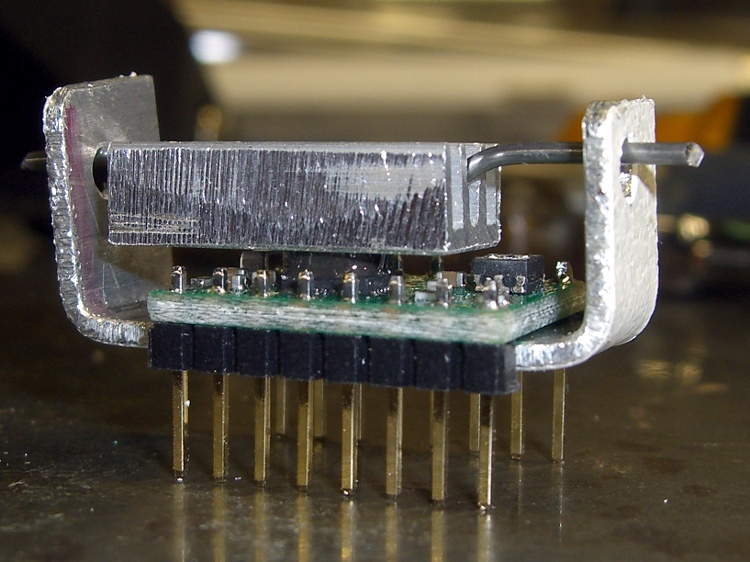
The side view show how the kludge fits together:
Pololu stepper board – crude heatsink
The final result is truly ugly. The epoxy column didn’t turn out nearly as parallel to the PCB as I’d like, so some filing and finishing will be in order.
Now, to find out if it’ll allow the chip to run above 1 A for at least a while.
The switch on that screwdriver failed again, this time by having the internal switch mounting bosses disintegrate:
Cordless screwdriver – broken switch mounts
Not being one to worry about outside appearances, I simply drilled out the bosses to fit a pair of 4-40 screws, put the nuts inside, and it was all good:
Cordless screwdriver – switch with screws
Except that the switch now required an unseemly amount of force to operate in the forward direction. The switch is the cheapest possible collection of bent metal strips and injection molded plastic bits you can imagine, but with some bending and re-staking and general futzing around, it works fine again.
A gust of wind blew Mary’s bike helmet off the seat and, by the conservation of perversity, it landed on the mirror with predictable results:
Broken helmet mirror mount
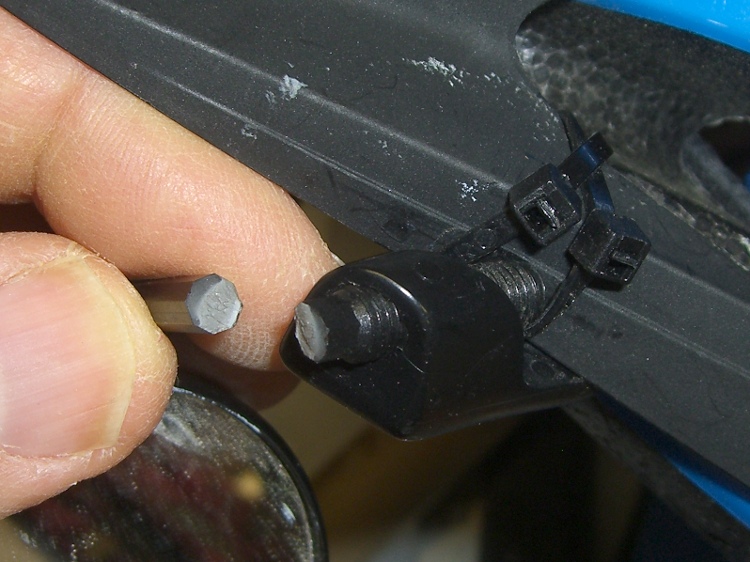
I affixed the two ends with solvent glue, then epoxied a brass tube around them to stiffen it up. While I had the epoxy and brass out, I added a splint over a previous repair near the mirror ball:
Re-repaired mirror mount
After taking that picture, I heated and bent the remaining shaft just slightly to put the ball near the middle of its range. There’s no possible way this can survive this year’s cycling, so I must get cracking on building some durable mirrors. A 3-D printer should come in handy for something in that project!
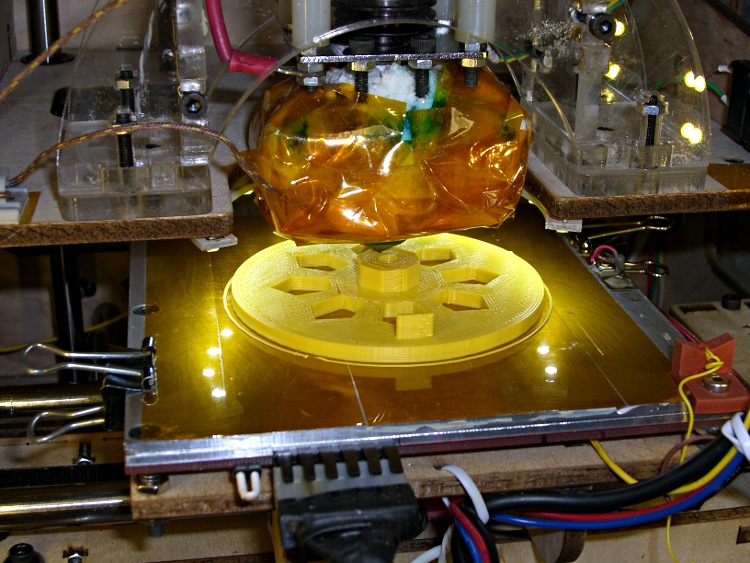
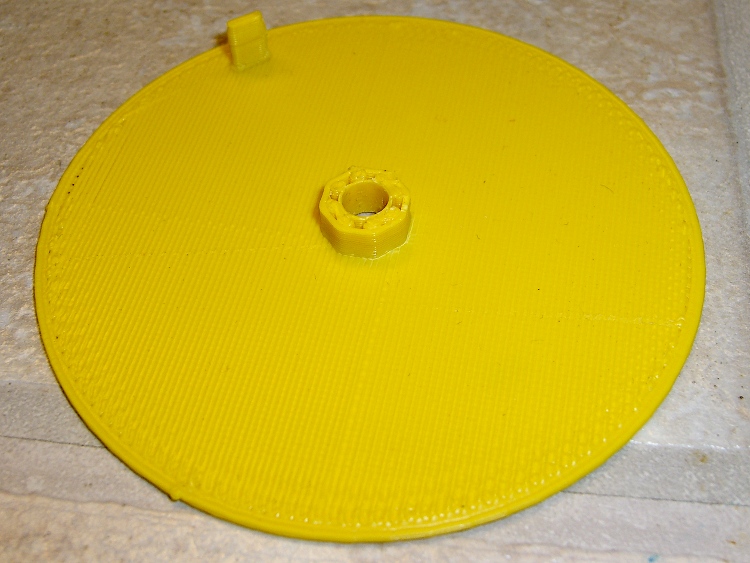
A need for pix of the current waveforms in a stepper motor produced a need to synchronize to the shaft rotation. Rather than cobble something up using random spare parts, I printed a wheel with a tab:
Final rotation sync disk
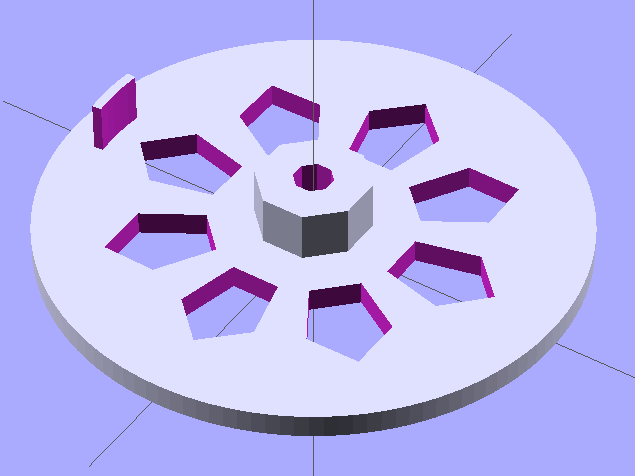
The model looks about like you’d expect:
Synch wheel solid model
Those stretched pentagonal holes give it a vaguely religious aspect, don’t they?
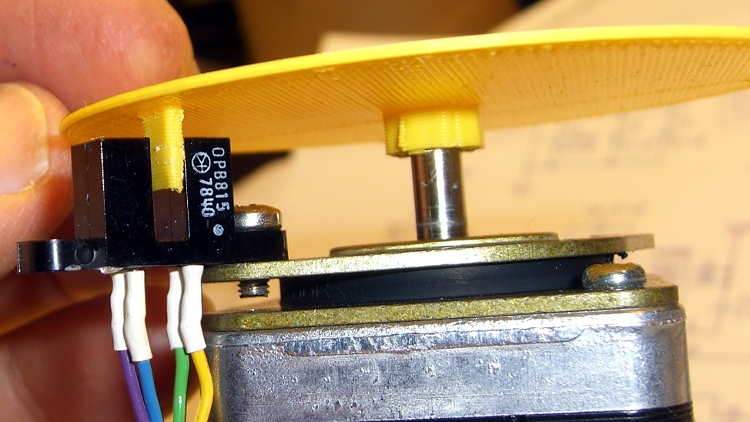
The tab is 2/50 of the circumference, so that the resulting pulse neatly brackets two consecutive groups of four full-step pulses. There’s no way to align the tab with the rotor position, so producing a good scope sync pulse becomes a simple matter of software.
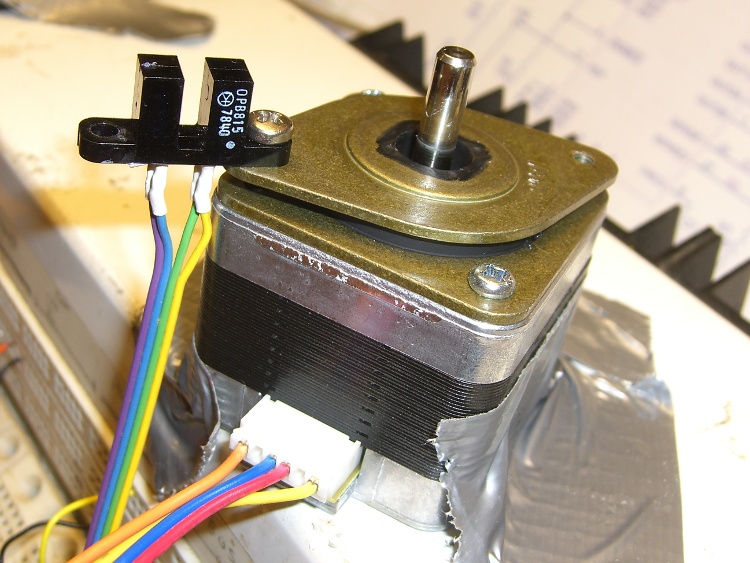
The tab’s length and radial position corresponds to this carefully engineered bit of mayhem:
Optical interrupter on stepper isolator bushing
The shaft hole will be just slightly too small for the motor shaft, which is perfectly fine. Drill the hole to 5 mm using a #9 drill, working your way up from about #12 to keep the hole concentric.
Actually, that was the second version. The first was a quick-and-dirty disk with a tab, but it came out too floppy at only 1 mm thick and utterly boring:
Simple rotation sync disk
But it served as the prototype to settle the tab dimensions and location:
First synch disk with optical interrupter
The OpenSCAD source:
// Optical Interrupter
// Suited for low speed demonstrations!
// Ed Nisley KE4ZNU June 2011

//- Extrusion parameters - must match reality!
//  Print with +2 shells and 3 solid layers

ThreadThick = 0.33;
ThreadWidth = 2.0 * ThreadThick;

//- Plate dimensions

MotorShaftDia = 5.0;
MotorShaftDiaSides = 8;
MotorShaftPolyRadius = (MotorShaftDia/2)/cos(180/MotorShaftDiaSides);

HubDia = MotorShaftDia + 16*ThreadWidth;
HubThick = ceil(10.0/ThreadThick)*ThreadThick;		// total, not added to plate
HubSides = 8;

BladeRadius = 31.5;				// to center of optical switch gap
BladeThick = 2*ThreadWidth;		// measured radially
BladeAngle = (2/50)*360;		// 50 repeats of 4 full step sequences per rev
BladeHeight = 7.0;				// beyond ribs

PlateRadius = BladeRadius + 5.0;
PlateThick = ceil(3.0/ThreadThick) * ThreadThick;

HoleCenterRad = (BladeRadius + HubDia/2)/2;
HoleDia = 0.75 * (3.14159 * 2 * HoleCenterRad)/HubSides;
HoleSides = 5;

//- Convenience items

Protrusion = 0.1;
$fn = 128;						// make large circles very smooth

//- Build it!

difference() {
  union() {
	cylinder(r=PlateRadius,h=PlateThick);			// base plate

	cylinder(r=HubDia/2,h=HubThick,$fn=HubSides);	// hub

	translate([0,0,PlateThick])						// blade
	  difference() {
		cylinder(r=BladeRadius+BladeThick/2,h=BladeHeight);
		cylinder(r=BladeRadius-BladeThick/2,h=BladeHeight + Protrusion);
		rotate([0,0,(180 - BladeAngle/2)])
		  translate([PlateRadius,0,(BladeHeight + Protrusion)/2])
			cube([PlateRadius*2,PlateRadius*2,BladeHeight+Protrusion],center=true);
		rotate([0,0,(BladeAngle/2)])
		  translate([PlateRadius,0,(BladeHeight + Protrusion)/2])
			cube([PlateRadius*2,PlateRadius*2,BladeHeight+Protrusion],center=true);
	  }

  }

  translate([0,0,-Protrusion])						// shaft hole
	cylinder(r=MotorShaftPolyRadius,
			 h=HubThick+2*Protrusion,
			 $fn=MotorShaftDiaSides);

  for (Angle = [0:(HubSides-1)])					// beautification holes
	rotate([0,0,Angle*(360/HubSides)])
	  translate([HoleCenterRad,0,-Protrusion])
		rotate([0,0,180])
		  scale([1.33,1.0,1.0])
			cylinder(r=HoleDia/2,
					 h=(PlateThick + 2*Protrusion),
					 $fn=HoleSides);

}
Yeah, that optical switch really is older than you are…




 The Smell of Molten Projects in the Morning