The Smell of Molten Projects in the Morning

Ed Nisley's Blog: Shop notes, electronics, firmware, machinery, 3D printing, laser cuttery, and curiosities. Contents: 100% human thinking, 0% AI slop.

Category: Machine Shop

Mechanical widgetry

  • HQ Sixteen: Handi Feet Conversion

    HQ Sixteen: Handi Feet Conversion

    Mary wanted a Ruler Foot (a.k.a. Handi Feet Sure Foot) on her Handi Quilter HQ Sixteen sewing machine, which required removing the original foot, installing the Handi Feet Conversion Kit, then adjusting the foot height above the needle plate:

    HQ Sixteen Handi-feet conversion - Sure-foot installed
    HQ Sixteen Handi-feet conversion – Sure-foot installed

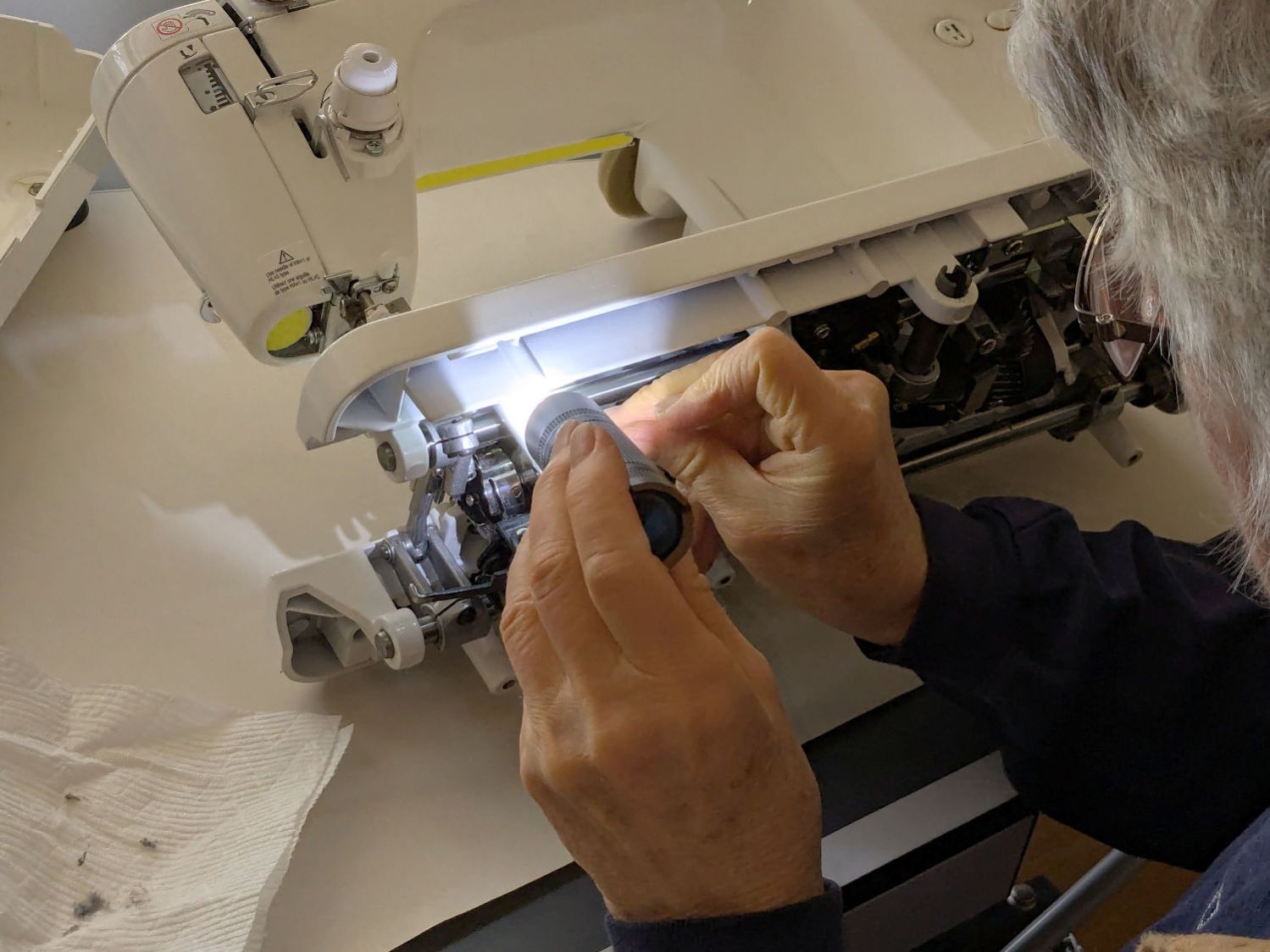
    The Conversion Kit instructions repeatedly recommend hauling the machine to your local Handi Quilter authorized dealer / repair center, which would be an hour’s drive away. Suffice it to say I’m both authorized by a suitable authority and a dab hand with a hex wrench: I can do this thing.

    The original foot is a welded assembly with an M5×0.8 screw thread matching the leftmost (darker) rod on the machine:

    HQ Sixteen Handi-feet conversion - original foot
    HQ Sixteen Handi-feet conversion – original foot

    It’s sitting atop the label of the Sure Foot kit with a picture of the ruler foot.

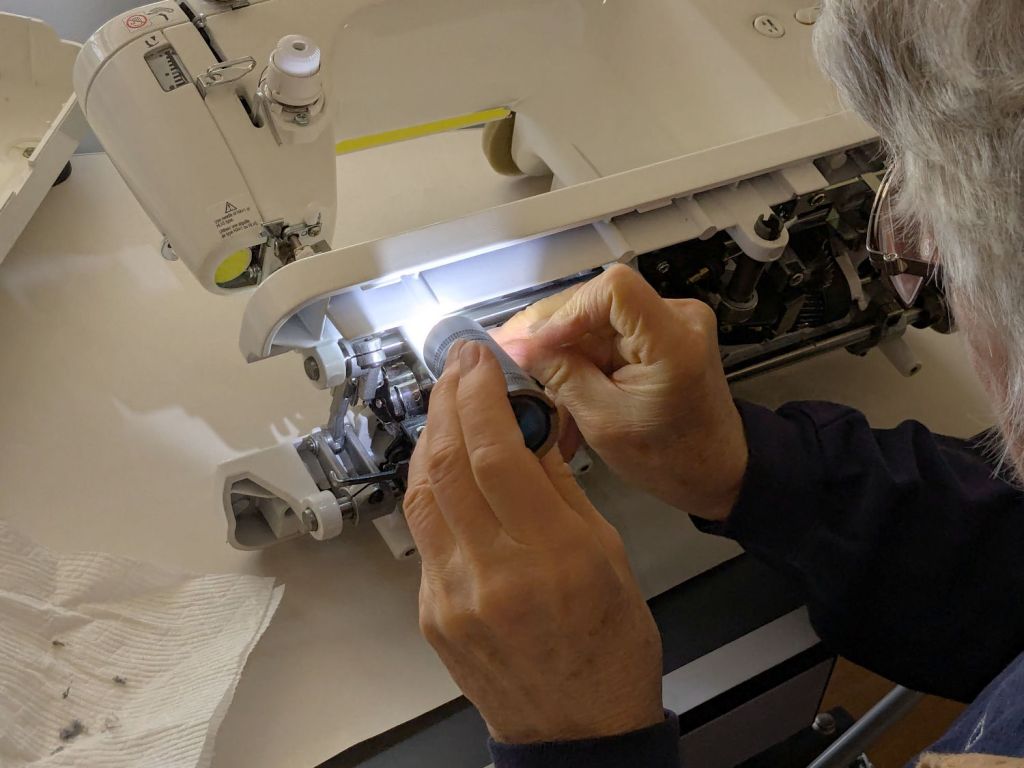
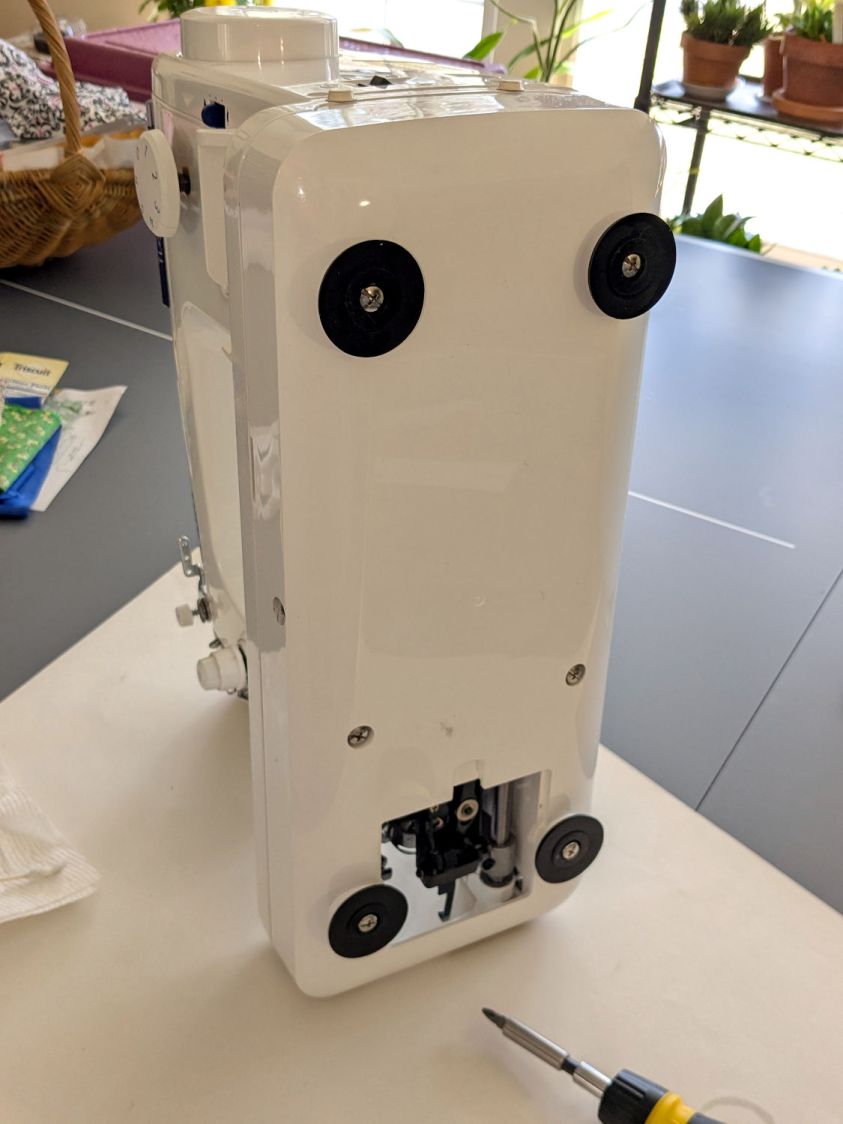
    Although the instructions suggest you can install the conversion kit without removing the machine cover, I wanted to see what was going on in there and verify everything fit properly:

    HQ Sixteen Handi-feet conversion - foot rod clamp
    HQ Sixteen Handi-feet conversion – foot rod clamp

    As above, the foot / adapter screws into the left rod, with the rectangular aluminum clamp attached to the follower riding the cam near the top of the machine. The rod slides on the greasy pin absorbing the torque from the follower.

    I had to loosen the clamp, slide the rod upward, unscrew the original foot, install the adapter, adjust the rod position for the proper 0.5 mm spacing between ruler foot and the needle plate at bottom dead center, then tighten the screw. The disturbed grease above the block reveals I moved the rod upward about 8 mm through that block during the process; it now sits lower, just a few millimeters above where the factory tech assembled it for the original foot.

    The top photo shows half a dozen threads between the top of the adapter and the bottom of the jam nut. Without adjusting the rod position in the clamp, the adapter screw threads are the only way to adjust the foot-to-plate space: each full turn moves the foot 0.8 mm. I screwed the adapter completely into the rod, then backed it out three turns to leave enough adjustment for other feet and fabrics.

    The machine cover has a hole providing access to the clamp screw, so, in principle, you can stick a hex wrench in there to loosen / tighten the clamp while making fine adjustments in the foot position, all without removing the cover. If one full turn of the adapter doesn’t set the right position, I highly recommend removing the machine cover to see what you’re doing.

    We then installed the Ruler Base on the machine, which required removing the preinstalled Medium fuzzy spacer strips, and all’s well that ends well.

  • Laser-Engraved CD Stress Cracking

    Laser-Engraved CD Stress Cracking

    Given the cracking caused by vector patterns on CDs and DVDs, seeing stress cracks open up on large-area engravings came as no surprise:

    Laser engraved CD cracking - D
    Laser engraved CD cracking – D

    They start smaller in the more closely engraved areas:

    Laser engraved CD cracking - A
    Laser engraved CD cracking – A

    But eventually spread over the entire surface:

    Laser engraved CD cracking - C
    Laser engraved CD cracking – C

    They’re not always straight:

    Laser engraved CD cracking - B
    Laser engraved CD cracking – B

    And aren’t aligned with the engraving path:

    Laser engraved CD cracking - B detail
    Laser engraved CD cracking – B detail

    My threat model says those discs are definitely unreadable …

  • HQ Sixteen: Thread Cone Locating Disk

    HQ Sixteen: Thread Cone Locating Disk

    After installing (if that’s not too fancy a term) the horizontal thread spool adapter on the HQ Sixteen, I laser-cut an acrylic disk to keep thread cones centered on the other vertical spool pin:

    HQ Sixteen - thread cone base locator - installed
    HQ Sixteen – thread cone base locator – installed

    It’s trivial: an 11 mm circle to clear the washer and a 55 mm circle to locate the cone.

    However, I cut that disk with a 56 mm OD, because that’s what I measured on half a dozen cones. Come to find out at least some cone bases are juuust slightly oval and they latched onto that disk like they were gonna be best buddies forever.

    Rather than cut another acrylic disk, I laser-cut a friction ring from a scrap of stamp-pad rubber and jammed the disk against the chuck with a live center:

    HQ Sixteen - thread cone base locator - turning
    HQ Sixteen – thread cone base locator – turning

    A few minutes of sissy cuts made the disk nicely round and concentric with the inner hole, with a little file work knocking the edges off the rim.

    Done!

  • HQ Sixteen: Horizontal Thread Spool Adapter

    HQ Sixteen: Horizontal Thread Spool Adapter

    After watching the thread pull off the spool around the vertical spool adapter in an increasingly tight helix, I built a horizontal adapter:

    HQ Sixteen - horizontal thread spool adapter - installed
    HQ Sixteen – horizontal thread spool adapter – installed

    The thread now pulls off perpendicular to the axis, the way we thought it should, and the helix is gone.

    The adapter base plate fits snugly over the vertical pin, with the lip over the edge stabilizing the whole thing. The spool fits on a ¼ inch acrylic rod tightly press-fit into the side wall and, although it’s not shown here, the vertical adapter press-fits onto the end of the rod to keep the spool from wandering off.

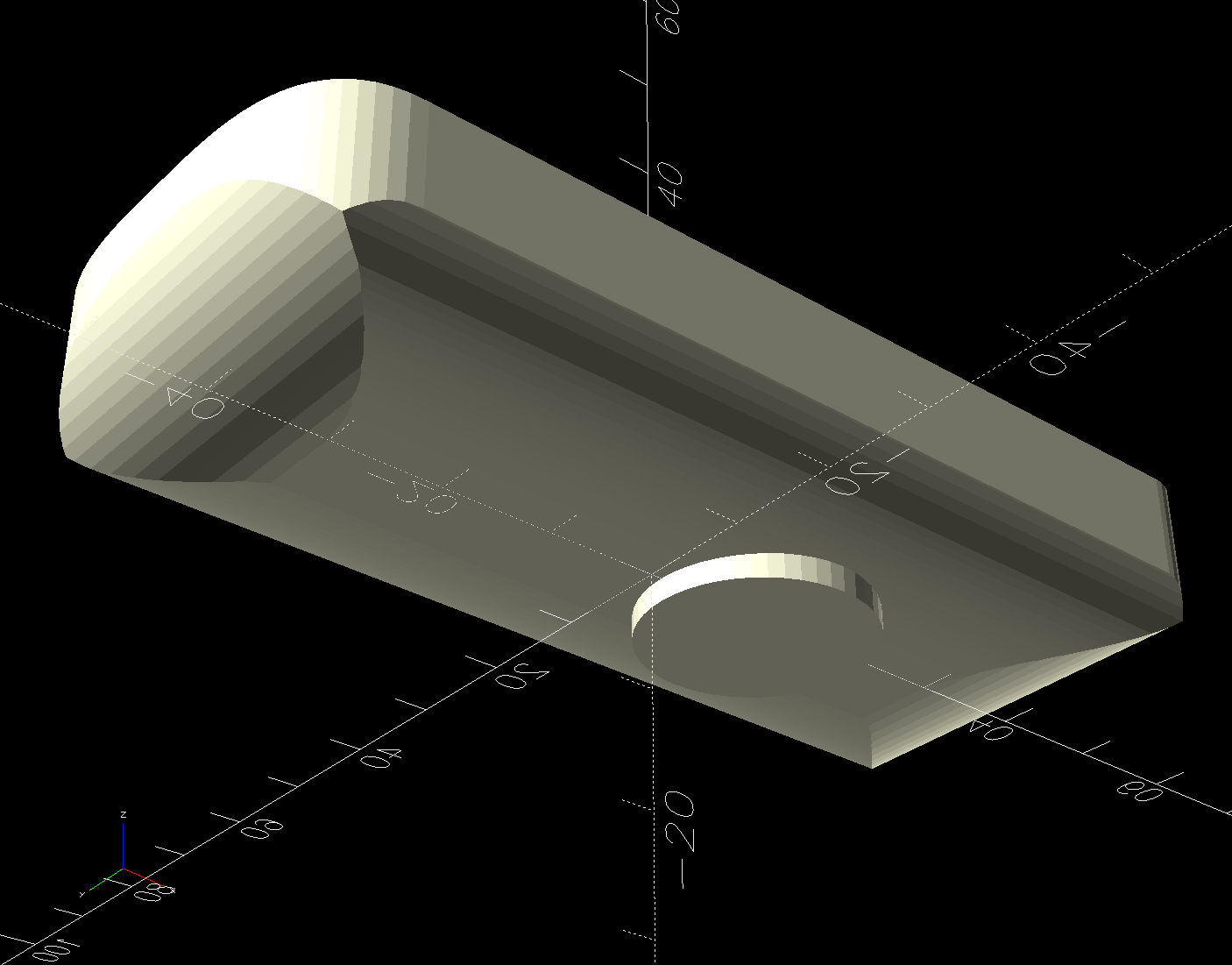
    The solid model shows the arrangement:

    HQ Sixteen - horizontal thread spool adapter - solid model
    HQ Sixteen – horizontal thread spool adapter – solid model

    It builds standing on the wall to prevent any significant overhang:

    HQ Sixteen - horizontal thread spool adapter - PrusaSlicer
    HQ Sixteen – horizontal thread spool adapter – PrusaSlicer

    So we’ve reconfirmed our original knowledge that ordinary thread spools must feed off the side, not over the top. Living in the future with rapid prototyping and simple production is good!

    You can buy a Horizontal Spool Pin Clamp, but what’s the fun in that?

    Fun fact: although the vertical pins on the machine are ¼ inch in diameter, the thread on the end is neither the obvious ¼-20 nor the second-guess 10-32. Instead, it’s M5×0.8, perilously close to the 10-32 thread used in the handlebar setscrews. Don’t apply brute force when this thing doesn’t screw neatly into that hole.

    The OpenSCAD source code as a GitHub Gist:

    // HQ Sixteen – horizontal thread spool adapter
    // Ed Nisley – KE4ZNU
    // 2025-01-26
    include <BOSL2/std.scad>
    Layout = "Show"; // [Show,Build,Base,Wall]
    /* [Hidden] */
    ID = 0;
    OD = 1;
    LENGTH = 2;
    WallThick = 10.0;
    BaseThick = 5.0;
    PinOD = 0.25*INCH; // vertical spool pin
    PinWasher = [PinOD,11.0,2.0]; // pin base washer
    PinOffset = 49.0; // pin center to edge of platform
    Spool = [0.25*INCH,50.0,55.0]; // maximum thread spool
    echo(Spool=Spool);
    SpoolClearance = [5.0,2.0,5.0];
    SpoolOC = [-PinOffset + PinOD/2 + SpoolClearance.x + Spool[OD]/2,
    Spool[LENGTH]/2,
    BaseThick + SpoolClearance.z + Spool[OD]/2];
    BasePlate = [PinWasher[OD] + PinOffset + BaseThick,
    Spool[LENGTH] + SpoolClearance.y + WallThick,
    BaseThick];
    Protrusion = 0.1;
    $fn = 12*3*4; // smooth outer perimeters
    //———-
    // Construct the pieces
    module Base() {
    difference() {
    union() {
    left(BasePlate.x/2 – BaseThick) back((SpoolClearance.y + WallThick)/2)
    cuboid(BasePlate,rounding=BaseThick,edges=[FWD+LEFT,FWD+RIGHT],anchor=BOTTOM);
    back((SpoolClearance.y + WallThick)/2)
    cuboid([BaseThick,BasePlate.y,BaseThick],
    rounding=BaseThick,edges=[FWD+BOTTOM,FWD+RIGHT,BACK+BOTTOM],anchor=LEFT+TOP);
    }
    left(PinOffset) down(Protrusion) {
    cylinder(PinWasher[LENGTH],d=PinWasher[OD]); // washer clearance
    cylinder(2*BaseThick,d=PinOD);
    }
    }
    }
    module Wall() {
    difference() {
    union() {
    hull() {
    right(BaseThick)
    cube([BasePlate.x,BaseThick,WallThick],anchor=FWD+RIGHT+BOTTOM);
    back(SpoolOC.z) right(SpoolOC.x)
    cylinder(d=Spool[OD]/2,h=WallThick);
    }
    back(SpoolOC.z) right(SpoolOC.x)
    cylinder(d=Spool[OD]/2,h=WallThick + SpoolClearance.y);
    }
    back(SpoolOC.z) right(SpoolOC.x) down(Protrusion) zrot(180/8)
    cylinder(d=Spool[ID],h=2*WallThick,$fn=8);
    }
    }
    module Adapter() {
    union() {
    Base();
    back(SpoolOC.y + SpoolClearance.y + WallThick)
    xrot(90)
    Wall();
    }
    }
    //———-
    // Show & build the results
    if (Layout == "Base")
    Base();
    if (Layout == "Wall")
    Wall();
    if (Layout == "Show") {
    Adapter();
    left(PinOffset)
    color("Gray") {
    cylinder(d=PinOD,h=2*SpoolOC.z);
    cylinder(d=PinWasher[OD],h=PinWasher[LENGTH]);
    }
    up(SpoolOC.z) right(SpoolOC.x) back(SpoolOC.y)
    xrot(90)
    color("Green")
    cylinder(d=Spool[ID],h=Spool[LENGTH]);
    }
    if (Layout == "Build")
    up(SpoolOC.y + SpoolClearance.y + WallThick)
    xrot(-90)
    Adapter();

  • Monitor Mount: USB Hub Clamp

    Monitor Mount: USB Hub Clamp

    Along with the Beelink PC, putting the Anker USB hub on the monitor mount pole helped tidy the cables just a little bit:

    Monitor pole clamp - Anker USB hub
    Monitor pole clamp – Anker USB hub

    It’s still jumbled, but at least the cables aren’t wagging the hub.

    This clamp needs only one M6 screw into a square nut:

    Monitor Pole box clamp - solid model
    Monitor Pole box clamp – solid model

    Again better seen in cross-section:

    Monitor Pole clamp - PrusaSlicer preview
    Monitor Pole clamp – PrusaSlicer preview

    The OpenSCAD code extrudes the shape from a 2D arrangement, then punches the screw through the side:

    // Monitor Pole box clamp
    // Ed Nisley - KE4ZNU
    // 2025-01-23
    
    include <BOSL2/std.scad>
    
    /* [Hidden] */
    
    ID = 0;
    OD = 1;
    LENGTH = 2;
    
    Protrusion = 0.1;
    
    Box = [22.5,45.5,25.0];         // Z is clamp height
    BoxGrip = 5.0;                  // on outer side clearing connectors
    
    PoleOD = 30.5;
    
    WallThick = 5.0;
    
    Kerf = 3.0;                     // clamping space
    Clearance = 2*0.2;              // space around objects
    
    Washer = [6.0,12.0,1.5];        // M6 washer
    Nut = [6.0,10.0,5.0];           // M6 square nut
    
    MidSpace = 35.0;                // pole to box spacing
    
    ClampOAL = Box.x + MidSpace + PoleOD + 2*WallThick;
    
    //----------
    // Build it
    
            difference() {
                linear_extrude(height=Box.z,convexity=5)
                    difference() {
                        hull() {
                            right(MidSpace/2 + Box.x/2)
                                rect(Box + 2*[WallThick,WallThick],rounding=WallThick);
                            left(MidSpace/2 + PoleOD/2)
                                circle(d=PoleOD + 2*WallThick);
                        }
                        right(MidSpace/2 + Box.x/2)
                            square(Box + [Clearance,Clearance],center=true);
                        right(MidSpace/2 + Box.x)
                            square([Box.x,Box.y - 2*BoxGrip],center=true);
                        left(MidSpace/2 + PoleOD/2)
                            circle(d=PoleOD + Clearance);
                        square([2*ClampOAL,Kerf],center=true);
                    }
                up(Box.z/2) {
                    xrot(90)
                        cylinder(d=Washer[ID] + Clearance,h=2*Box.y,center=true,$fn=6);
                    fwd(Box.y/2 - Washer[LENGTH])
                        xrot(90) zrot(180/12)
                            cylinder(d=Washer[OD] + Clearance,h=Box.y,center=false,$fn=12);
                    back(Box.y/2 + Nut[LENGTH]/2)
                        xrot(90)
                            cube([Nut[OD],Nut[OD],2*Nut[LENGTH]],center=true);
                }
            }
    

    The alert reader will have noticed I didn’t peel the protective film off the hub, which tells you how fresh this whole lashup is.

  • Monitor Mount: Beelink Clamp

    Monitor Mount: Beelink Clamp

    Clearing the clutter off the top of the laser put the monitors up on mounts clamped to its wings, which required an adapter between the monitor and the mount’s standard VESA bracket:

    Acer monitor VESA adapter
    Acer monitor VESA adapter

    The Beelink PC has an adapter plate intended to put it on that VESA bracket, too, but a quick test showed the power button pointed downward in an inaccessible spot. I eventually realized the Beelink would fit neatly on the monitor mount’s pole:

    Monitor pole Beelink clamp - front
    Monitor pole Beelink clamp – front

    The view from the other side:

    Monitor pole Beelink clamp - rear
    Monitor pole Beelink clamp – rear

    The clamps have recesses for an M6 square nut and an M4 brass insert:

    Monitor Pole BeeLink clamp - solid model
    Monitor Pole BeeLink clamp – solid model

    Which is better seen in a cross-section:

    Monitor Pole Beelink clamp - PrusaSlicer preview
    Monitor Pole Beelink clamp – PrusaSlicer preview

    The M6 screw uses the same hex wrench as the rest of the monitor mount and the M4 screw fits the VESA bracket. Sometimes, you just gotta go with the flow.

    Pondering those pictures will show why the nut and insert must be on opposite sides. I came that close to building one to throw away.

    The OpenSCAD source code extrudes the overall shape upward, then punches the screw holes & fittings horizontally:

    // Monitor Pole Beelink clamp
    // Ed Nisley - KE4ZNU
    // 2025-01-23
    
    include <BOSL2/std.scad>
    
    /* [Hidden] */
    
    ID = 0;
    OD = 1;
    LENGTH = 2;
    
    Protrusion = 0.1;
    
    PoleOD = 30.3;
    
    WallThick = 5.0;
    
    Kerf = 3.0;                     // clamping space
    Clearance = 2*0.2;              // space around objects
    
    Screw = [6.0,10.0,6.0];         // M6 SHCS, LENGTH = head
    Washer = [6.0,12.0,1.5];        // M6 washer
    Nut = [6.0,10.0,5.0];           // M6 square nut
    
    Insert = [4.0,5.8,10.0];        // M4 insert
    
    ScrewSpace = Washer[OD];        // pole edge to screw center spacing
    
    Block = [4*ScrewSpace + PoleOD + 2*WallThick,PoleOD + 2*WallThick,2*Washer[OD]];       // Z = clamp thickness
    
    //----------
    // Build it
    
            difference() {
                linear_extrude(height=Block.z,convexity=5)
                    difference() {
                        rect([Block.x,Block.y],rounding=WallThick);
                        circle(d=PoleOD + Clearance);
                        square([2*Block.x,Kerf],center=true);
                    }
                up(Block.z/2) {
                    right(PoleOD/2 + ScrewSpace){
                        xrot(90)
                            cylinder(d=Washer[ID] + Clearance,h=2*Block.y,center=true,$fn=6);
                        fwd(Block.y/2 - Washer[LENGTH])
                            xrot(90) zrot(180/12)
                                cylinder(d=Washer[OD] + Clearance,h=Block.y,center=false,$fn=12);
                        back(Block.y/2)
                            xrot(90)
                                cube([Nut[OD],Nut[OD],2*Nut[LENGTH]],center=true);
                    }
                    left(PoleOD/2 + ScrewSpace) {
                        xrot(-90)
                            cylinder(d=Insert[ID] + Clearance,h=2*Block.y,center=true,$fn=6);
                        fwd(Block.y/2 - 1.25*Insert[LENGTH])
                            xrot(90)
                                cylinder(d=Insert[OD] + Clearance,h=Block.y,center=false,$fn=6);
                    }
                }
            }
    

    It’s done in PETG-CF, which looks surprisingly good in a chonky sort of way. I’ll find out how well it withstands moderate clamping forces.

  • HQ Sixteen: Thread Spool Adapter

    HQ Sixteen: Thread Spool Adapter

    The HQ Sixteen consumes thread at a prodigious rate, so it’s set up for large thread cones. Mary sometimes uses ordinary thread spools (leftovers from sewing projects) for short practice sessions and wanted an adapter to hold the little things in place:

    Thread spool adapter - installed
    Thread spool adapter – installed

    Those of long memory should recall previous adapters for both sizes and their notes about how thread should peel off spools & cones. I considered an adapter with a horizontal spool axis, but contemporary machines apparently don’t bother with such niceties. We may need a right-angle adapter to let the thread pull off from the side, but we’ll start simple and fix it if needs be.

    Update: It needed fixing.

    The solid model looks about like you’d expect:

    HQ Sixteen - thread spool adapter - solid model
    HQ Sixteen – thread spool adapter – solid model

    The small crosswise hole in the hub gets an M3 setscrew pushing a rubber pellet slightly into the central bore for a friction fit. The OpenSCAD code can distribute any number of such holes, but one seemed entirely adequate.

    The code shrinkwraps a hull() around two cylinders to create the tapered sides, thus giving the thread less surface to drag across. I have PrusaSlicer set to produce scarf joints around the perimeter and the edges came out surprisingly smooth, with only one rough spot requiring deft Xacto knife work. It’s made from white PETG for a smoother finish than PETG-CF.

    The OpenSCAD code consists mostly of constants defining the various physical measurements and a few lines assembling the model:

    // HQ Sixteen - thread spool adapter
    // Ed Nisley - KE4ZNU
    // 2025-01-21
    
    include <BOSL2/std.scad>
    
    /* [Hidden] */
    
    PinOD = 0.25*INCH;
    
    RingOD = 50.0;      // outer perimeter of thread ring
    RingEdge = 3.0;     // height of ring edge & tapers
    RingAngle = 45;     // upper & lower tapers wrt vertical
    
    RingOAH = 3*RingEdge;
    
    ScrewOD = 2.5;      // tap for setscrew compressing rubberdraulic piston
    NumScrews = 1;
    
    HubOD = 25.0;
    HubThick = 2*ScrewOD;
    HubSides = 12;
    
    ScrewCL = RingOAH + HubThick/2;
    
    AdapterOAH = HubThick + RingOAH;
    
    Protrusion = 0.1;
    
    NumSides = 12*3*4;   // smooth outer perimeter
    
    //----------
    // Build it
    
    
    difference() {
        union() {
    
            hull() {
                linear_extrude(RingOAH)
                    circle(r=RingOD/2 - RingEdge*tan(RingAngle),$fn=NumSides);
    
                up(RingEdge)
                    linear_extrude(RingEdge)
                        circle(d=RingOD,$fn=NumSides);
            }
    
            linear_extrude(HubThick + RingOAH)
                rotate(180/HubSides)
                    circle(d=HubOD,$fn=HubSides);
    
        }
    
        down(Protrusion)
            rotate(180/HubSides)
                cylinder(d=PinOD,h=2*AdapterOAH,$fn=HubSides);
    
       for (i=[0:NumScrews-1]) {
            a = i*360/NumScrews;
            zrot(a)
                up(ScrewCL)
                    yrot(90)
                        zrot(180/6)
                            cylinder(d=ScrewOD,h=HubOD,$fn=6);
        }
    
    }
    

    Putting the adapter in the light box revealed the same problem as photographing white dogs in snowstorms:

    Thread spool adapter - white on white
    Thread spool adapter – white on white

    There was no contrast to be enhanced anywhere, although the rubber pellet definitely stands out.