Ed Nisley's Blog: Shop notes, electronics, firmware, machinery, 3D printing, laser cuttery, and curiosities. Contents: 100% human thinking, 0% AI slop.
Although these passed the annual New York State safety inspection, I thought they needed replacing:
HB3 9005 Bulbs – bulged glass
A closer look:
HB3 9005 Bulbs – bulged glass – detail
The bulge was upward, of course.
The Forester’s manual says they’re HB3 bulbs, but the rest of the world knows them as 9005 bulbs. At full power they draw 60 W = 5 A each, although we rarely drive at night and then rarely have the opportunity for much high-beam use. I assume the blackening comes from nine years of running at half-ish power as the Forester’s daytime running lights.
The low beam headlights seem to be in fine shape.
These two went into the tray under the floor of the rear cargo area, because the crappy bulb you have is better than the one that just burned out on the road.
While I was thinking about something else, I added a back shield to our kitchen scale:
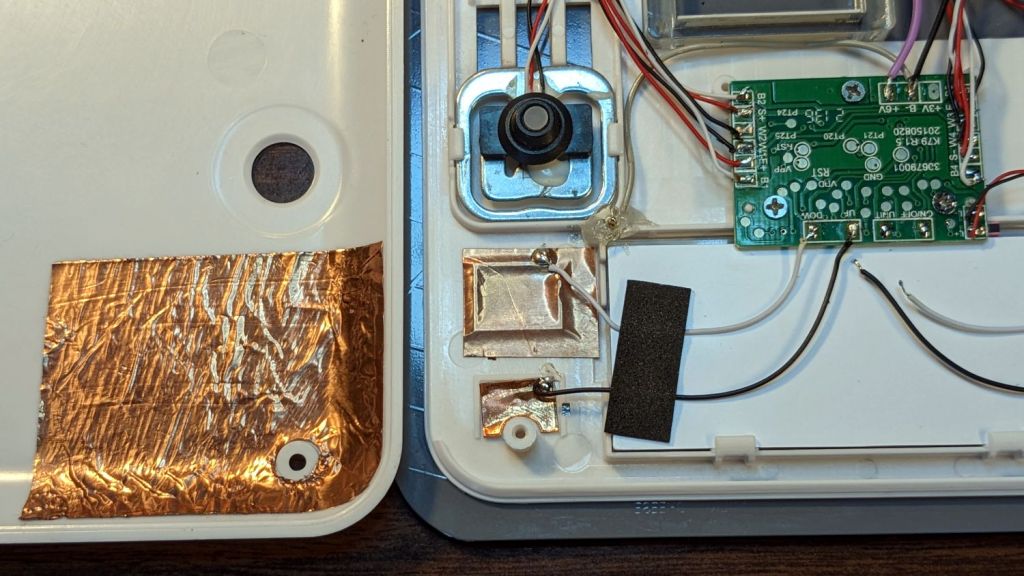
SmartHeart 19-106 Scale – button shield
A pogo pin connected to the circuit common contacts the copper foil when the bottom cover is screwed down:
SmartHeart 19-106 Scale – shield pogo pin – detal
The shield prevents the buttons from responding to fingers on the bottom of the scale, so it no longer wakes up when I extract it from the under-cabinet shelf, and concentrates its attention on the buttons, so it no longer seems quite so willing to lock up due to mysterious influences.
With an absurd amount of rebuilding, this scale is becoming not a complete waste of free money.
The batteries soaked up 240 mA·hr of charge, which means the scale drew about 10 mA/day over the last three weeks. Given that the scale’s original 2032 lithium cells have a total capacity around 220 ma·hr for currents in the microamp range, expecting them to supply a current around 10 mA is was absurd.
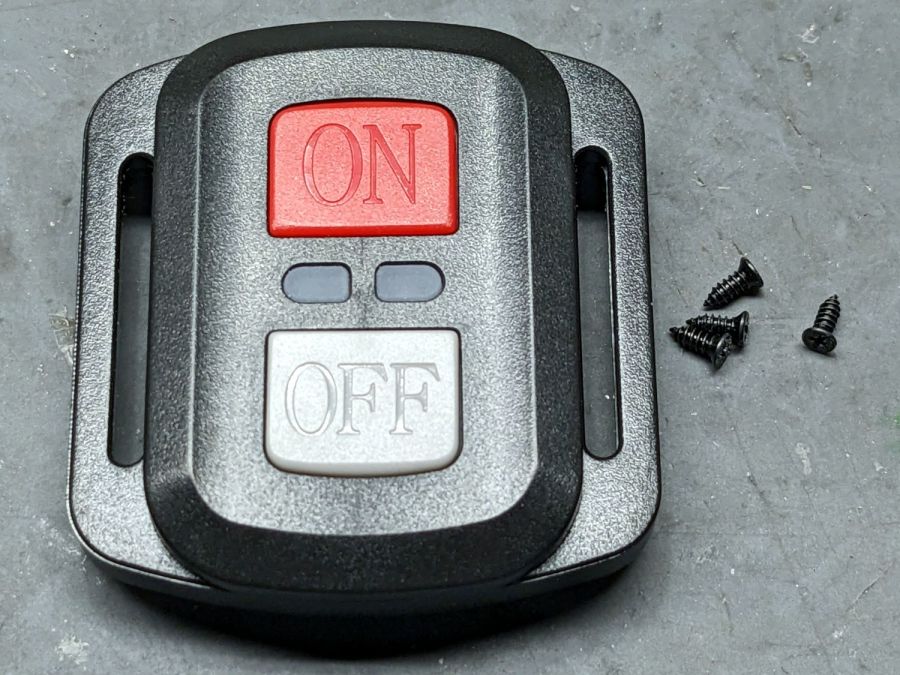
The remote control included with the SJCAM M50 trail camera did absolutely nothing. Not only did it not turn on the camera’s WiFi, the two indicator LEDs between the buttons didn’t blink:
SJCAM M50 remote – front view
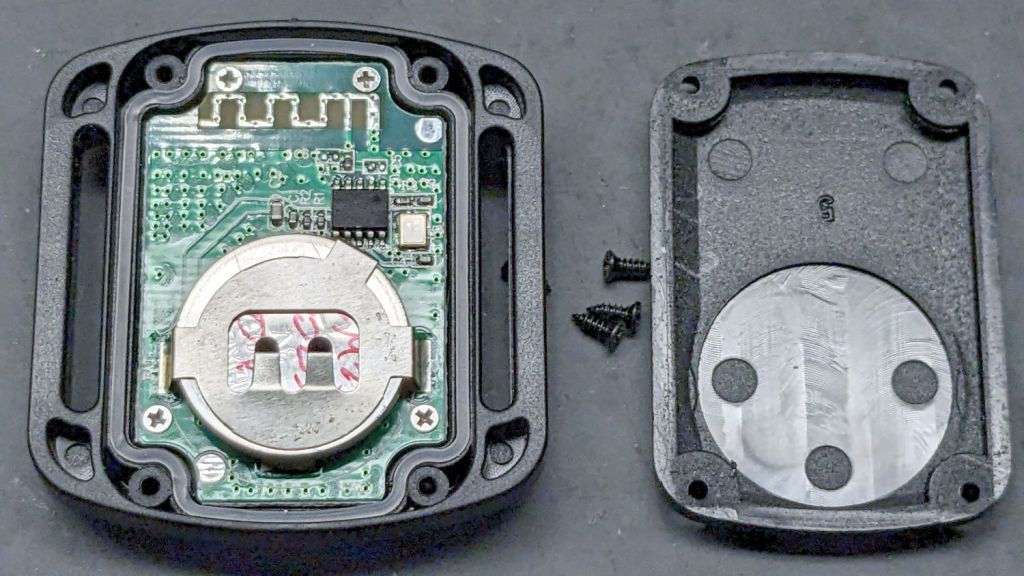
With not much to lose, I removed those four screws and popped the back cover:
SJCAM M50 remote – interior
Yup, the OEM no-name CR2032 lithium cell was dead flat discharged. A new one perked it right up, with blinky LEDs and all.
Now I can check the camera for interesting pix without hauling it into the house:
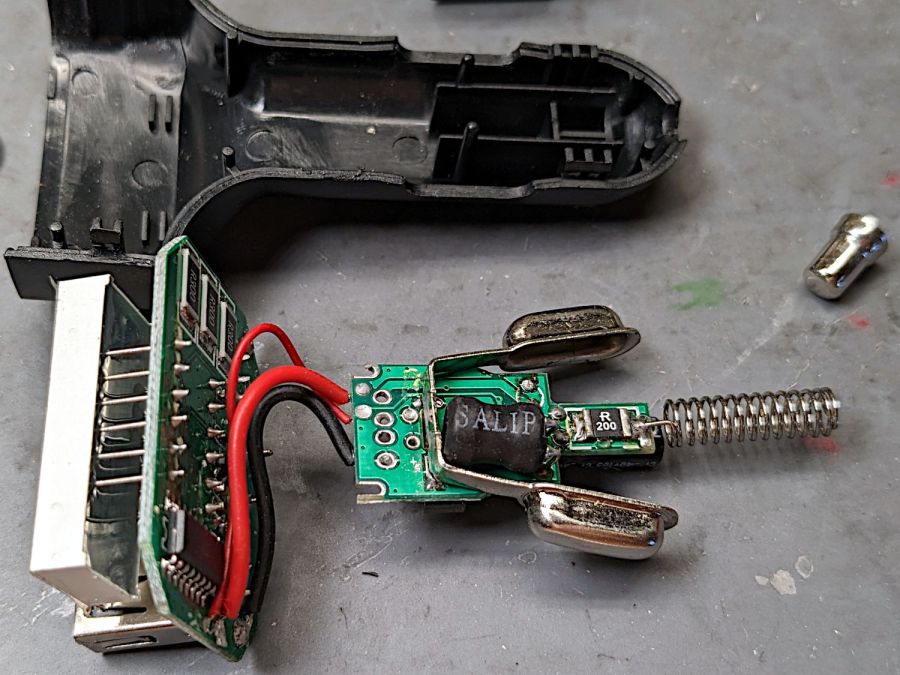
The USB charger plugged into the jack formerly known as a “cigarette lighter” and now called a “power supply socket” in the car woke up dead, with a blank LED display previously showing the battery voltage / USB current / ambient temperature. Cracking the case revealed two small circuit boards:
Car USB charger – innards
You can see where this is going, right?
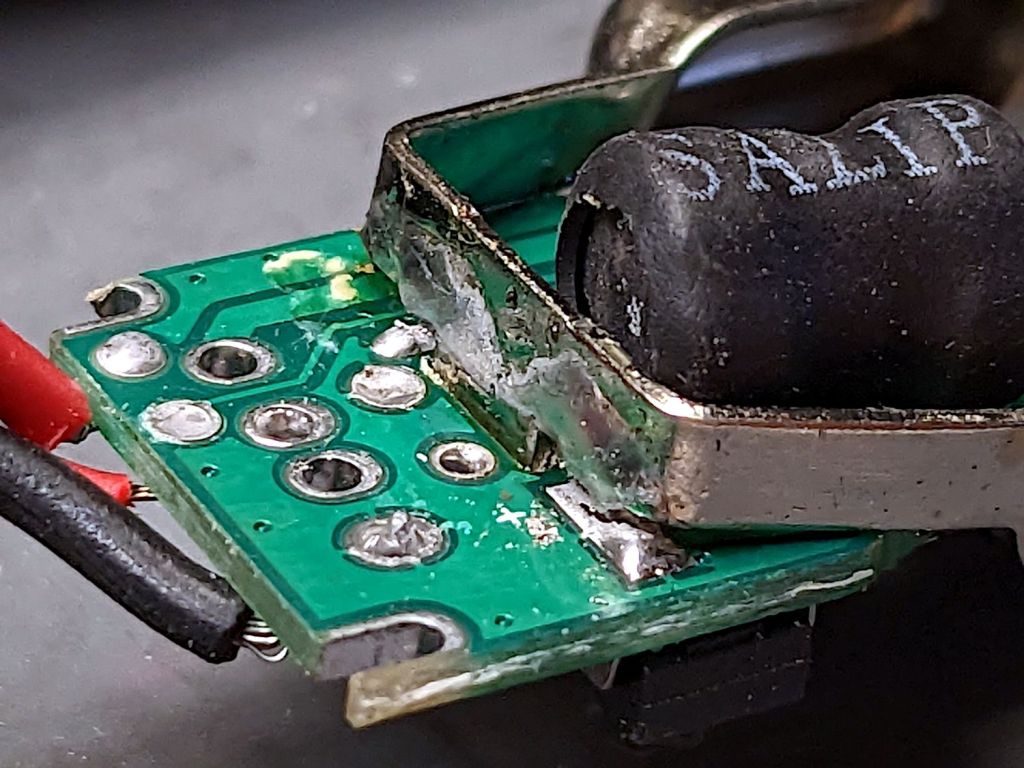
A closer look at the base of the side contacts:
Car USB charger – broken solder
The central tab goes through the PCB and should have been soldered on the other side, leaving the springy arms free to flex. Instead, only the arm over the topside pad had any solder; the other arm just got a solder blob atop the silkscreen over those traces.
I soldered the bottom tab, although I also resoldered the side pad. After all, the structural solder survived for quite a few years, so it might well outlive the car this time.
It’s basically ten identical identical spacers cut from 3 mm plywood, with a side benefit of dramatically reducing my scrap plywood stash, then skewered by a pair of absurdly long 4 mm self-tapping metal screws into holes drilled half an inch into the ¾ inch solid wood cabinet floor.
It clears some clutter atop the microwave and, at least to my deflicted ears, sounds much better. At some point I must screw the Raspberry Pi under the cabinet, too, but that awaits further rearrangement.
Confirming the diagnosis, the cool white LEDs worked fine with the light turned on:
Miroco floor lamp – all-LED mode fail
With nine spare SI2306 transistors in hand from the last time in this rodeo and minus the sticky adhesive foam covering the PCB, replacing the other driver transistor was no big deal, whereupon the lamp once again worked the way it should:
Miroco floor lamp – restored warm LEDs
While I was in there, I spotted a dent in the input filter cap:
Miroco floor lamp – OEM capacitor
Most likely I squished a wire between the cap and the U-shaped steel strut joining the two halves of the pole. I relocated the replacement cap off the circuit board into an open space with a bit more room:
Miroco floor lamp – recapped
The fragile wires running to the lamp head got their own sheet of silicone tape (not shown here) to isolate them from the U-strut:
Miroco floor lamp – LED wiring
Tuck all the wires back inside, snap the housing together, and it should be good for another uhh half year or two.
It’s hard to be sure about such things, but I now have eight spare transistors …
The four control “buttons” on the SmartHeart kitchen scale are copper-foil tabs that sense the presence of your finger though about 5 mm of white plastic and glass:
SmartHeart 19-106 Kitchen Scale – top view
The main failure mode seemed to come from the microcontroller locking up and refusing to recognize any of the buttons, most annoyingly the On/Tare button, while continuing to measure whatever weight was on the scale with whatever zero point it chose. Recovery involved waiting until the thing timed out and shut itself off.
The two buttons on the left select Kilocalories for any of the various foods arrayed around the display. Depending on how it jammed during startup, it might display the Kilocalorie value for, say, sugar, while ignoring all button presses. As the manual does not mention any way to return to weights after activating the Kilocalorie function, other than turning it off, it’s not clear recognizing the other buttons would be much help.
Because we have no use for those functions, I unsoldered the wires to those sensor pads and it no longer jams in that mode:
SmartHeart 19-106 Kitchen Scale – PCB detail
The alert reader will note the PCB legend says I have unsoldered the ON/OFF and UNIT wires. If one believes the silkscreen, the PCB dates back to 2015, so it now carries a reprogrammed microcontroller with functions that no longer match the silkscreen.
The overall soldering quality resembles mine on a bad day.
With those out of the way, the scale still jammed and refused to recognize the remaining two buttons. I wondered if it was somehow sensing ghost fingers over both sensors and waiting for one to vanish, so I added a shield ring around the power tab:
SmartHeart 19-106 Kitchen Scale – shielded sensor
That reduced the sensitivity of both sensors to the point where they pretty much didn’t work, without reducing the number of jams.
So I tried increasing the sensitivity of the power tab by replacing it with a larger copper foil sheet:
SmartHeart 19-106 Kitchen Scale – larger sensor
That definitely got its attention, as it will now respond to a finger hovering half an inch over the glass, as well as a finger on the bottom of the case: it can now turn on and jam while I pick it up.
More tinkering is in order, but it’s at least less awful in its current state than it was originally, so I can fix a few other things of higher priority.