Ed Nisley's Blog: Shop notes, electronics, firmware, machinery, 3D printing, laser cuttery, and curiosities. Contents: 100% human thinking, 0% AI slop.
Although the contacts passing power to the Wouxun HT worked well, they were obviously (in retrospect, as always) in the wrong place. Recently I rode the bike over a major bump and heard the radio reboot (it gives off two low-speed Morse “M” characters), which suggests at least one of the screw heads just barely touches the radio’s spring contacts.
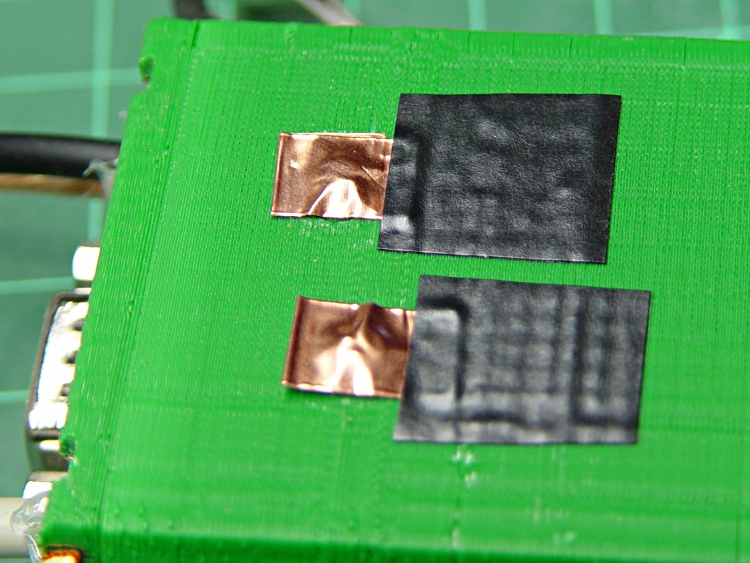
Two folded-under strips of copper tape may work around that problem until I build a whole ‘nother interface:
Copper foil on power contacts
The black tape adds emphasis to the lightly sticky end of the copper tape. The folded-under ends lie to the left in the picture, so there’s a continuous copper sheet connecting the radio battery contacts to the screw heads on the green case. It’s not a huge cross-sectional area, but … it’s better than no area at all.
The last time I tried this fix, I used woven copper mesh tape. This time, the solid copper tape was on top of the TLB (Tape Lookaside Buffer) holding the specialty tapes. Either should work fine.
Back in December 2007 I printed four copies of a picture on various papers with the Canon S630 and hung them on a floor joist over my workbench, directly below a fluorescent shop light. Having just hung those screwdrivers where the pictures used to be, it’s time to see what’s happened.
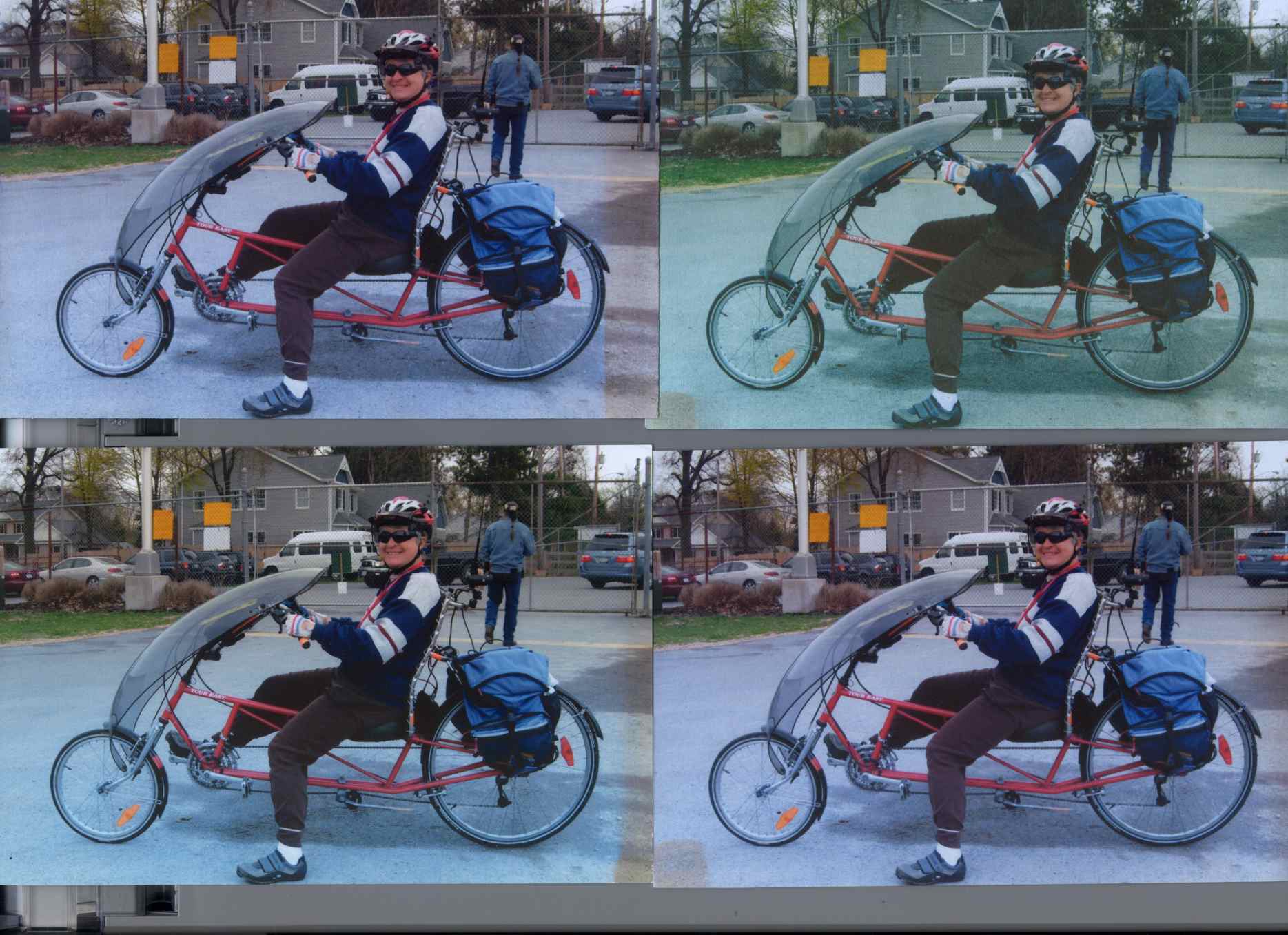
The pictures, scanned on an HP C7670A (aka Scanjet 6300C) against the neutral gray of the ADF platen:
Inkjet Colors vs. Paper vs. Time
The papers, clockwise from lower left:
Glossy
Matte
Plain
Inkjet
While the scanner isn’t renown for its color fidelity, the overall results look about right; the platen really is that shade of gray and the upper-right picture has a sickly green hue.
The faded edges along the right side of the left-hand image show where the adjacent sheet overlapped: the colors didn’t fade nearly as much. The small rectangles on the lower left corners of the right-hand images show where I put clothes pins to keep the sheets from curling.
All of the images have a blue overtone; the magenta dye fades out with exposure to UV from the fluorescent fixture.
As you’d expect, the glossy paper looks best, with very crisp detail. The inkjet paper is next, followed by the matte, and the plain paper in the upper right obviously doesn’t support the ink well at all.
Of course, after five years I no longer have any of those papers and am using entirely different ink…
To show that the scanner really does matter, here’s the same set of images from a Canon LiDE 30:
Inkjet Colors – Canon LiDE30
In both cases. that’s without any color correction / gamma compensation / whatever. I should fish out my scanner calibration targets and go through the whole color calibration dance again; with any luck, the Linux color management infrastructure will be less inadequate by now.
The two packets at 15:50:20 represent two different paths from the WA2YSM-15 digipeater to the APRS database: one through WB2ZII-15 and the other through KC2DHU. The “Rate limited” message indicates that the database regarded the two as different packets, which they are: the position data differs by one character. The database discards identical packets without comment, because the network must handle all the packets generated by a single RF transmission from one GPS tracker to multiple receivers, but rejects what it sees as deliberate (or inadvertent) attempts to overwhelm it.
Decoding the packets provides a bit more information:
2012-10-21 15:49:53 EDT: KE4ZNU-9>T1TP5W,WA2YSM-15,WIDE1*,WIDE2,qAR,WB2ZII-15:`eS$l{1b/"4U}
   type: location
   format: mice
   srccallsign: KE4ZNU-9
   dstcallsign: T1TP5W
   latitude: 41.67616666666667 °
   longitude: -73.91800000000001 °
   course: 121 °
   speed: 16.668 km/h
   altitude: 62 m
   symboltable: /
   symbolcode: b
   mbits: 101
   posresolution: 18.52 m
   posambiguity: 0

2012-10-21 15:50:20 EDT: KE4ZNU-9>T1TP5V,WA2YSM-15,WIDE1,K2PUT-15*,WIDE2,qAR,WB2ZII-15:`eR lzlb/"4V}
   type: location
   format: mice
   srccallsign: KE4ZNU-9
   dstcallsign: T1TP5V
   latitude: 41.676 °
   longitude: -73.90066666666667 °
   course: 80 °
   speed: 16.668 km/h
   altitude: 63 m
   symboltable: /
   symbolcode: b
   mbits: 101
   posresolution: 18.52 m
   posambiguity: 0

2012-10-21 15:50:20 EDT: KE4ZNU-9>T1TP5V,WA2YSM-15,WIDE1,K2PUT-15*,WIDE2,qAR,KC2DHU:`eR<0x7f>lzlb/"4V} [Rate limited (< 5 sec)]
   type: location
   format: mice
   srccallsign: KE4ZNU-9
   dstcallsign: T1TP5V
   latitude: 41.676 °
   longitude: -73.9165 °
   course: 80 °
   speed: 16.668 km/h
   altitude: 63 m
   symboltable: /
   symbolcode: b
   mbits: 101
   posresolution: 18.52 m
   posambiguity: 0

2012-10-21 15:52:31 EDT: KE4ZNU-9>T1TP8T,W2LW-15,W2LV,WIDE2*,qAR,W2GSA:`eR|lz:b/<4T}
   type: location
   format: mice
   srccallsign: KE4ZNU-9
   dstcallsign: T1TP8T
   latitude: 41.68066666666667 °
   longitude: -73.916 °
   course: 30 °
   speed: 16.668 km/h
   altitude: 61 m
   symboltable: /
   symbolcode: b
   mbits: 101
   posresolution: 18.52 m
   posambiguity: 0
Feeding the coordinates into Google Maps shows that the first packet (to WB2ZII-15) at 15:50:20 carries the damaged data. The second (to KC2DHU) has the correct position, but was rejected because it arrived just after the first and wasn’t an exact duplicate.
AX.25 packets carry a checksum and it’s a convolutional code, not a simple XOR, so I think it’s safe to say the packets were received as transmitted; you’ll find an intro to that whole topic, with further references, in the N1VG OpenTracker project. The database doesn’t store complete AX.25 packets, so we can’t run their headers and data through the checksum algorithm to see if they both produce good results. Here’s the raw packet payload:
2012-10-21 15:50:20 EDT KE4ZNU-9: 75 bytes
0x00 K E 4 Z N U - 9 > T 1 T P 5 V , W A 2 Y S M - 1 5 , W I D E 1 ,
     4b45345a4e552d393e5431545035562c57413259534d2d31352c57494445312c
0x20 K 2 P U T - 1 5 * , W I D E 2 , q A R , W B 2 Z I I - 1 5 : ` e
     4b325055542d31352a2c57494445322c7141522c5742325a49492d31353a6065
0x40 R   l z l b / " 4 V }
     52206c7a6c622f2234567d

2012-10-21 15:50:20 EDT KE4ZNU-9: 72 bytes [Rate limited (< 5 sec)]
0x00 K E 4 Z N U - 9 > T 1 T P 5 V , W A 2 Y S M - 1 5 , W I D E 1 ,
     4b45345a4e552d393e5431545035562c57413259534d2d31352c57494445312c
0x20 K 2 P U T - 1 5 * , W I D E 2 , q A R , K C 2 D H U : ` e R 7fl
     4b325055542d31352a2c57494445322c7141522c4b43324448553a6065527f6c
0x40 z l b / " 4 V }
     7a6c622f2234567d
So it seems the TinyTrak3+ sent out a packet containing bad position data, wrapped with a correct checksum.
The NMEA-format 4800 baud 8N1 serial data from the GPS receiver puck to the TT3+ has no parity error detection, so I suspect a character or two got clobbered (by RFI?) and produced a bad position. NMEA messages have a simple XOR checksum that’s susceptible to that kind of error. Note that the Mic-E encoded message shown above is not passed from the GPS receiver to the TT3+; we never see the raw GPS data.
Our TinyTraks use SmartBeaconing to transmit only on significant course changes, so the sequence of events probably went like this:
The TT3+ decodes a damaged NMEA message from the GPS receiver
It notices an abrupt position change and sends that incorrect position
The next NMEA message arrives correctly
The TT3+ sees another abrupt jump and sends that position
The aprs.fi database rejects the message due to rate limiting
The TT3+ remains silent until the next turn
The map doesn’t show all the turns, because that’s a hilly area and not all RF packets make their way from my bike to an APRS receiver.
For what it’s worth, although we were riding at a fairly steady pace, I don’t believe the five-significant-figure accuracy of those speeds, either.
It seems that Wouxun KG-UV3D HTs require nearly 0 V to activate the PTT input, which I discovered after the radio on Mary’s bike began acting intermittently. The TinyTrak3+ would transmit correctly, but the PTT button on the handlebar began to not work at all / work intermittently / work perfectly. The switch and cable were OK, pushing the button produced nearly 0 Ω at the 3.5 mm plug, the connections seemed solid, but the radio didn’t transmit reliably.
I finally got the thing to fail on the bench, which led to the discovery that:
Shorting the PTT input to the GPS+voice adapter PCB to ground didn’t make the radio transmit and
Data bursts from the TinyTrack3 worked perfectly
Gotcha!
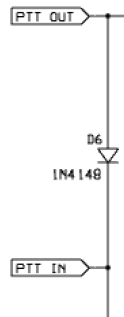
TT3 PTT In-Out
The TT3+ pulls its PTT OUT pin down from +5 V using a 2N2222A NPN transistor (off to the right in the schematic snippet), but, for reasons having to do with ESD, the input from the PTT switch on the handlebars goes through a 100 Ω series resistor, then passes to the TT3 board through PTT IN to D6 before joining the TT3 transistor collector. The low-active diode-ORed signal heads off through PTT OUT to a 10 Ω series resistor, thence to the KG-UV3D PTT input. D6 is an ordinary 1N4148, with the net result that the PTT input voltage at the radio dropped to 630 mV with the PTT button pressed.
Not finding anything else wrong, I replaced D6 with a BAT54 Schottky diode that pulled the PTT voltage down to 300 mV and the radio worked fine.
Of course, a BAT54 is a surface-mount diode, so I clipped off the unused no-connect lead (it’s the only way to be sure it doesn’t do anything) and tacked it down slaunchwise between the PCB thru-hole pads. If I had a BAT54C with common cathodes, I could replace both D5 and D6 in one shot, but D5 just pulls down a PIC input that has an ordinary logic-level threshold voltage.
I don’t know why the KG-UV3D PTT is so fussy, although it may really be a current-driven signal that requires more current than can flow through the 110 Ω + diode forward drop in series with the PTT button. Wouxun presents no specifications that I can find.
The identical circuitry on my bike works fine with the stock D6 diode and a presumably identical KG-UV3D. I should replace that diode before it gives me any trouble, but I’ll wait until I must take the box apart for some other reason.
Most of the dozen or so spam comments I delete every day consist of little more than gibberish. At best, a spam comment will have a poorly worded paragraph or two touting pharmaceuticals, handbags, shoes, or other junk, with absolutely no relation to the post. It’s easy to tell they’re generated by a script: keyword-heavy verbiage, bogus usernames, junk websites, and so forth and so on. Boring, is what they are.
The microphone and radio matching capabilities are terrific. Adjust the wide-range input level for optimum drive to the built-in microphone amplifier […]
Fluent, idiomatic English that started out pretty nearly on-point for the post! The rest of the comment sounded like advertising copy, though. Well written ad copy, but ad copy nonetheless. Feeding a representative chunk into Google produced a link to the description of the W2IHY Two-band Audio Equalizer on the Official Website.
Now, as it turns out, Julius lives up the river from here and I’ve met him several times. I also know he’s not spamming me, because the URL associated with the post points to some weird-ass Angola gold mining fraud that’s all too familiar from previous spammage. Oh, and the IP address resolves to a Tor server.
As I observed there, eventually the spammers will become bright enough to hold an intelligent conversation and then they’ll be provisionally human. Depending on what they want to talk about …
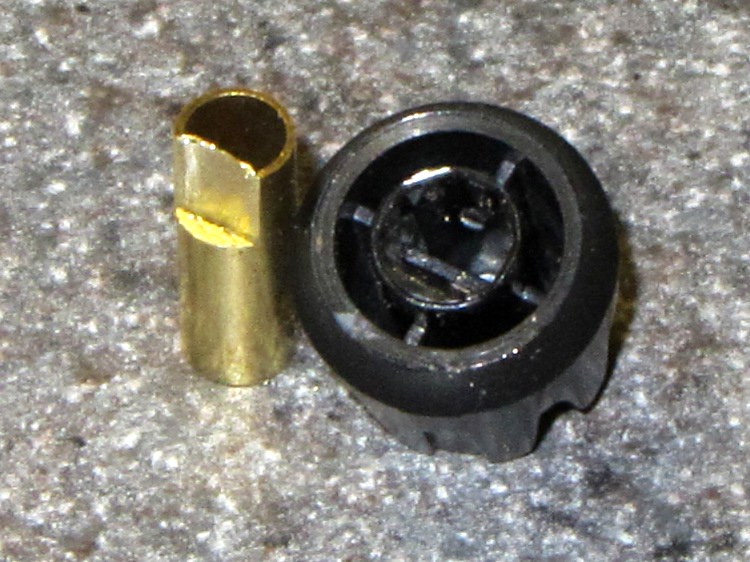
Clamp a cutoff chunk of 3/16 =0.1875 inch diameter brass tubing in the lathe and file down one side to put the flat 0.150 inch from the far side, so that the knob is a tight slip fit. If you happen to have some solid rod, that would work just as well. In this case, the file pushed the paper-thin brass remnant into the tubing and I didn’t bother to clean it out:
KG-UV3D knob with fixture
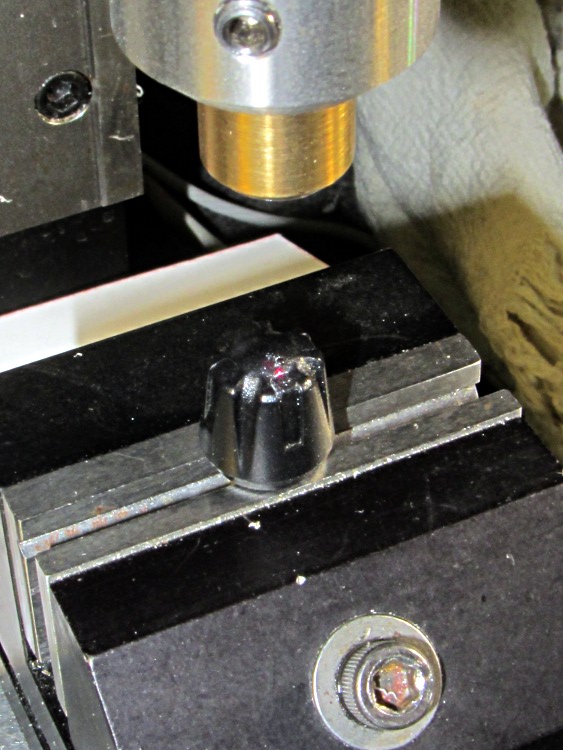
Clean the white glop off the knob, jam the knob on the fixture, clamp the fixture in the Sherline’s vise, use laser targeting to center the spindle on the notch adjacent to the minuscule pip on the knob:
Laser aligning to knob feature
Drill a 2 mm recess that en passant obliterates the pip:
Drilling index recess
Fill it with some light gray paint that just happens to be on the shelf:
Knob with filled index mark
And, by gosh, it really does dress up the radio! [grin]
Wouxun KG-UV3D with improved knob
While I had the Sherline set up, I did the knob for the other radio, too.
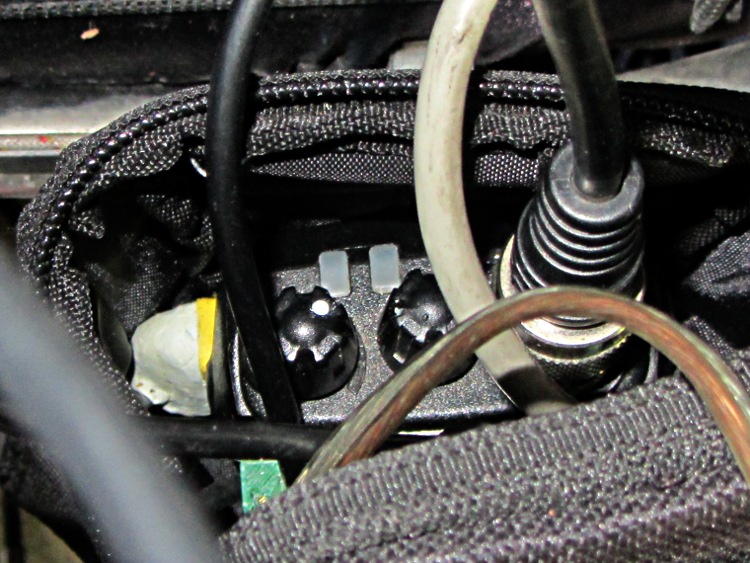
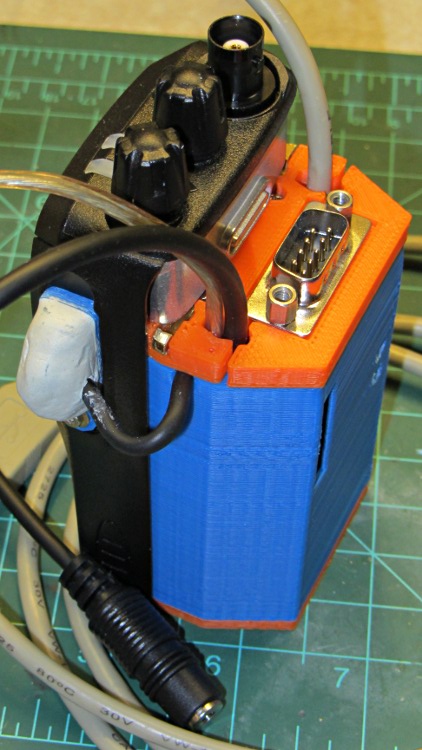
Both of the GPS+voice interfaces for the Wouxun KG-UV3D radios have been working fine for a while, so I should show the whole installation in all its gory detail.
If you haven’t been following the story, the Big Idea boils down to an amateur radio HT wearing a backpack that replaces its battery, combines the audio output of a Byonics TinyTrak3+ GPS encoder with our voice audio for transmission, and routes received audio to an earbud. Setting the radios to the APRS standard frequency (144.39 MHz) routes our GPS position points to the global packet databaseand, with 100 Hz tone squelch, we can use the radios as tactical intercoms without listening to all much of the data traffic.
The local APRS network wizards approved our use of voice on the data channel, seeing as how we’re transmitting brief voice messages using low power through bad antennas from generally terrible locations. This wouldn’t work well in a dense urban environment with more APRS traffic; you’d need one of the newfangled radios that can switch frequencies for packet and voice transmissions.
So, with that in mind, making it work required a lot of parts…
The flat 5 A·h Li-ion battery pack on the rack provides power for the radio; it’s intended for a DVD player and has a 9 V output that’s a trifle hot for the Wouxun radios. Some Genuine Velcro self-adhesive strips hold the packs to the racks and have survived surprisingly well.
Just out of the picture to the left of the battery pack sits a Byonics GPS2 receiver puck atop a fender washer glued to the rack, with a black serial cable passing across the rack and down to the radio bag.
A dual-band mobile antenna screws into the homebrew mount attached to the upper seat rail with another circumferential clamp. It’s on the left side of the rail, just barely out of the way of our helmets, and, yes, the radiating section of the antenna sits too close to our heads. The overly long coax cable has its excess coiled and strapped to the front of the rack; I pretend that’s an inductor to choke RF off the shield braid. The cable terminates in a PL-259 UHF plug, with an adapter to the radio’s reverse-polarity SMA socket.
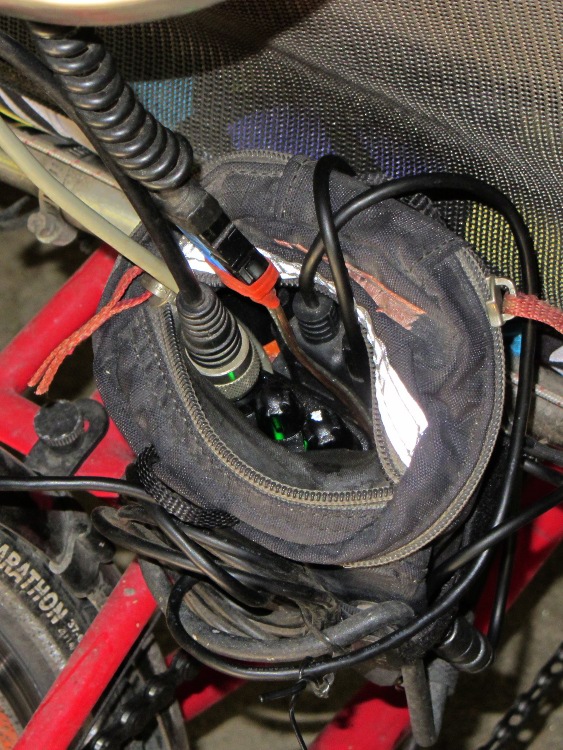
The push-to-talk button on the left handgrip isn’t quite visible in the picture. That cable runs down the handlebar, along the upper frame tube, under the seat, and emerges just in front of the radio bag, where it terminates in a 3.5 mm audio plug.
The white USB cable from the helmet carries the boom mic and earbud audio over the top of the seat, knots around the top frame bar, and continues down to the radio. USB cables aren’t intended for this service and fail every few years, but they’re cheap and work well enough. The USB connector separates easily, which prevents us from being firmly secured to a dropped bike during a crash. I’d like much more supple cables, a trait that’s simply not in the USB cable repertoire. This is not a digital USB connection: I’m just using a cheap & readily available cable.
I long ago lost track of the number of Quality Shop Time hours devoted to all this, which may be the whole point…
In other news, the 3D-printed fairing mounts, blinky light mounts, and helmet mirror mounts continue to work fine; I’m absurdly proud of the mirrors. Mary likes her colorful homebrew seat cover that replaced a worn-out black OEM cover for a minute fraction of the price.






 The Smell of Molten Projects in the Morning