The Smell of Molten Projects in the Morning

Ed Nisley's Blog: Shop notes, electronics, firmware, machinery, 3D printing, laser cuttery, and curiosities. Contents: 100% human thinking, 0% AI slop.

Author: Ed

  • Laser Cutter: Moving Mirror 2

    Laser Cutter: Moving Mirror 2

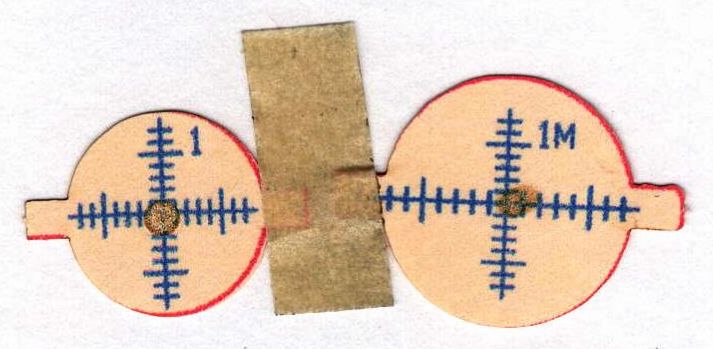
    With Mirror 1 moved 10 mm to the right (as seen from the front of the cabinet), Mirror 2 must move 5 mm to fix the problem that started this whole thing and put the beam in the center of the mirror:
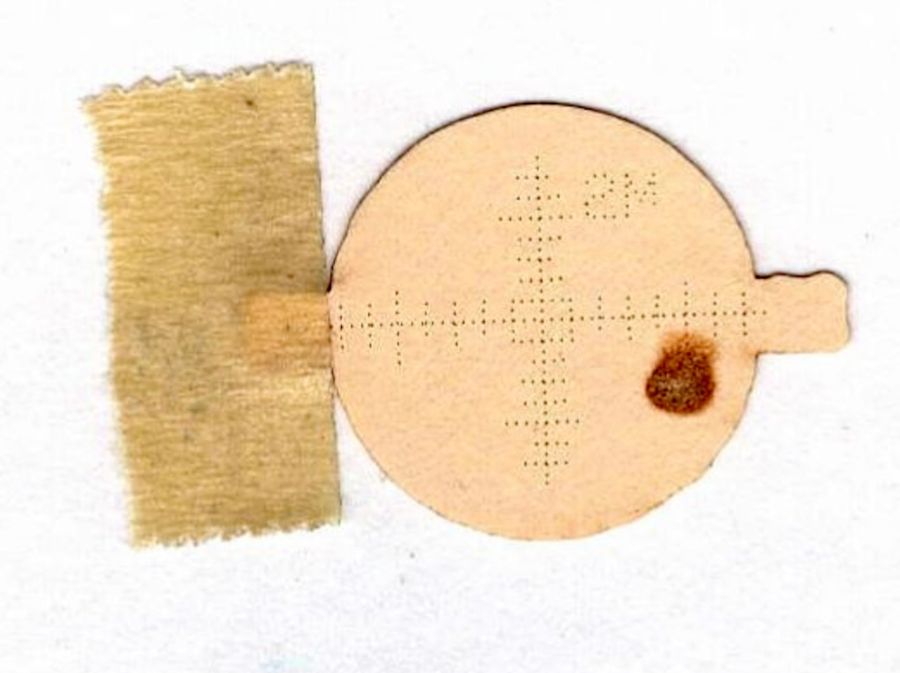
    Beam Alignment - 2M detail - 2023-09-16
    Beam Alignment – 2M detail – 2023-09-16

    This puts the bracket holding Mirror 2 closer to the center of its x axis adjustment range:

    OMTech CO2 Mirror 2 mount - realigned - X screws
    OMTech CO2 Mirror 2 mount – realigned – X screws

    Remember, the flange is fixed to the gantry and the bolts move with the mirror mounting bracket.

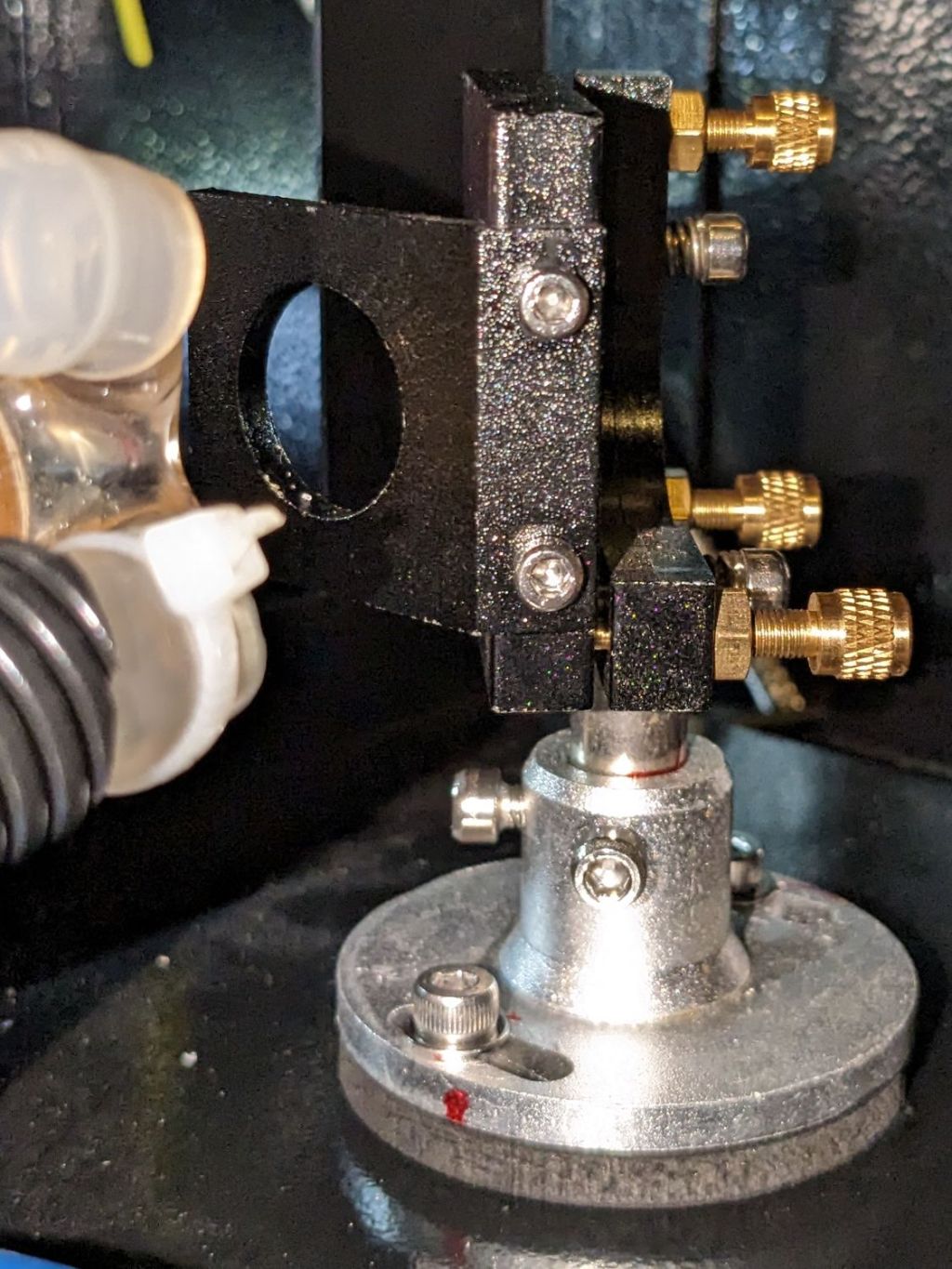
    Raising the laser tube by 5 mm requires Mirror 2 to go upward by a bit to put the beam at the center:
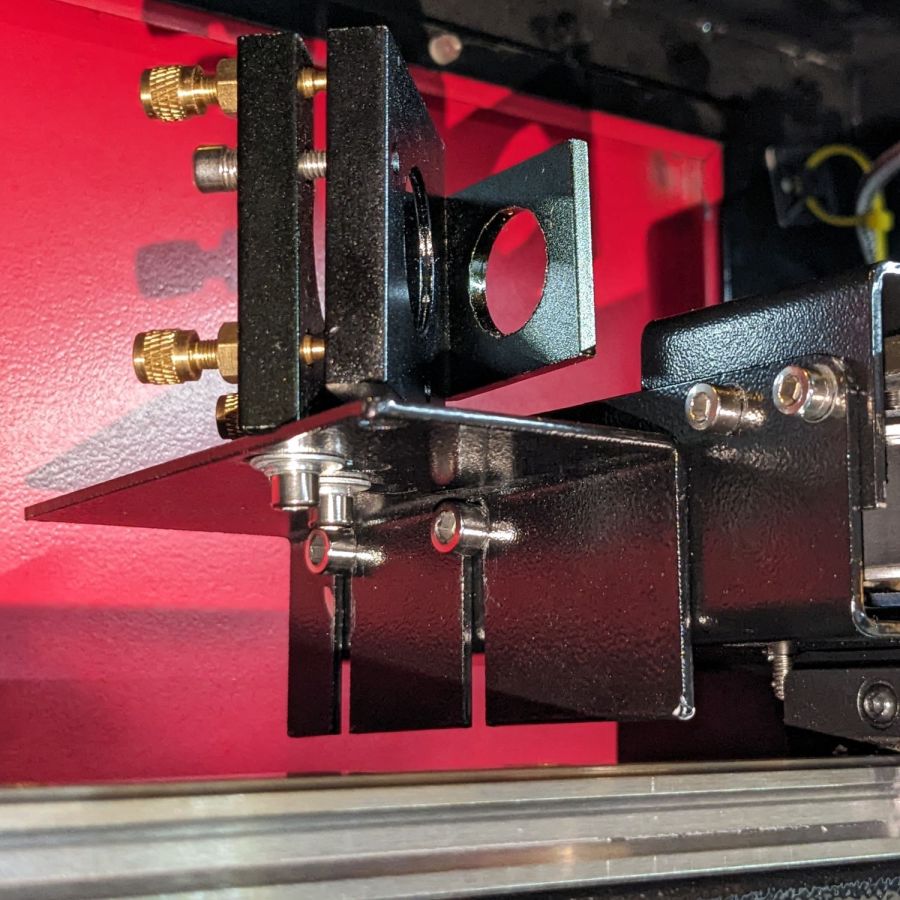
    OMTech CO2 Mirror 2 mount - realigned - YZ screws
    OMTech CO2 Mirror 2 mount – realigned – YZ screws

    The least awful way to make simultaneous X and Z axis adjustments seems to be by feel. Tighten the screws just enough to prevent the bracket from moving easily, then slide it while aligning the top edge with respect to the flange on the gantry.

    When it feels about right, stick a target to the aperture, fire a pulse, check the results, and iterate until it is actually right.

    The two screws holding the mirror mount to the bracket sit in slots allowing some adjustment in the Y axis, as well as a slight amount of rotation. AFAICT, the mount was rotated enough that the test pulses passed through the center of the aperture, but hit the mirror off-center as shown in the top picture. I aligned the aperture parallel with gantry, which should put the holder at 45° to the beamline, and hoped for the best.

    With the pulse mostly centered, twiddle Mirror 1’s alignment to make the beam parallel to the Y axis, which eventually produced these results, with each target getting a pulse at each end of the Y axis travel:
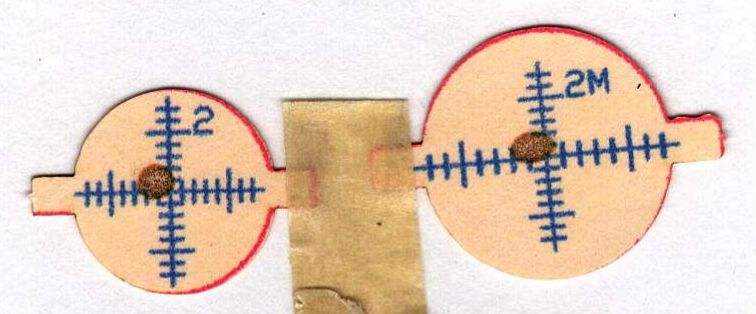
    Beam Alignment - Mirror 2 detail - 2023-09-16
    Beam Alignment – Mirror 2 detail – 2023-09-16

    Not perfect, but much better than where it started.
  • Laser Cutter: Moving Mirror 1

    Laser Cutter: Moving Mirror 1

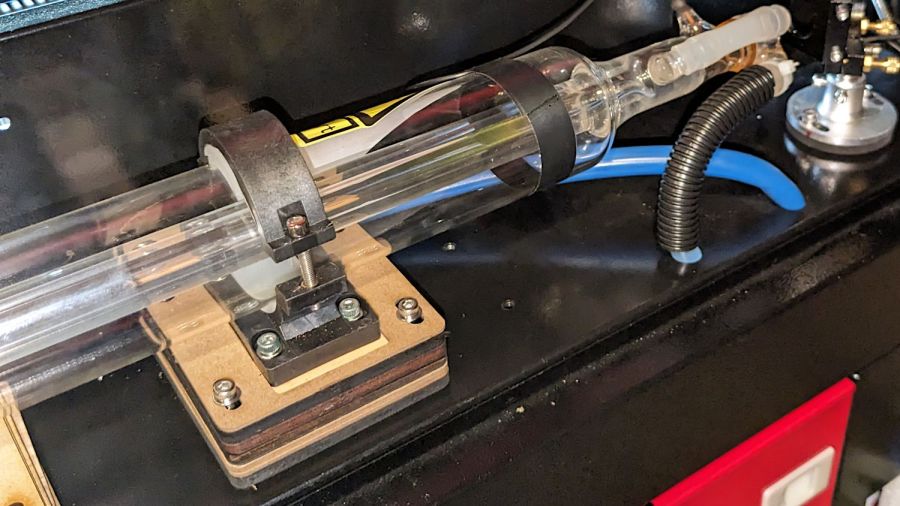
    Raising the laser tube 5 mm required nothing more than cutting and inserting 5 mm spacers and finding slightly longer M4 screws:

    OMTech CO2 laser tube - 5 mm Z supports
    OMTech CO2 laser tube – 5 mm Z supports

    I used an ancient adjustable inside caliper to put the tube the same distance from and aligned parallel to the partition.

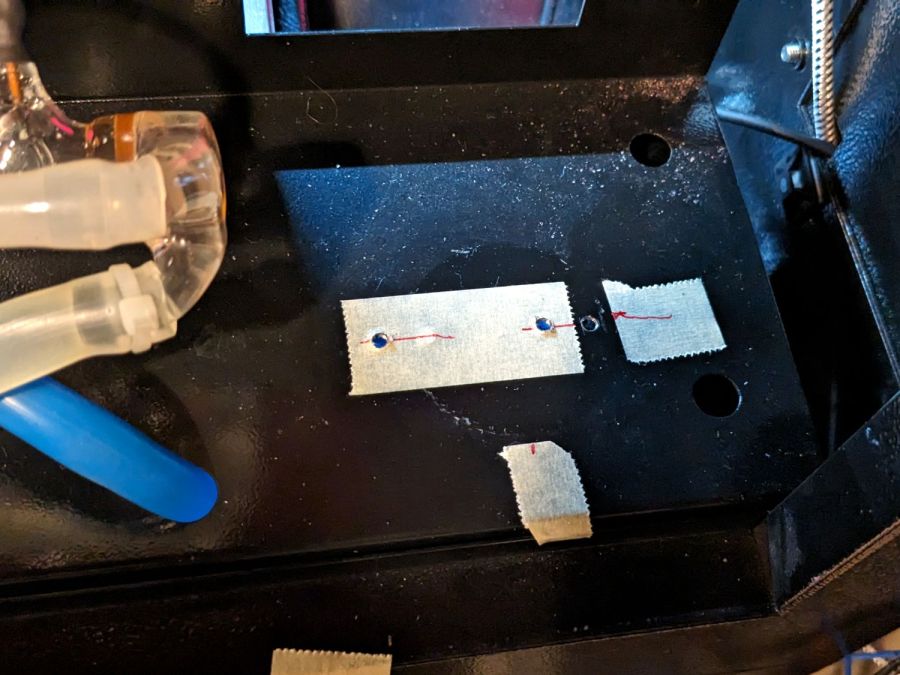
    Sliding the tube an inch to the left provided enough space to drill & tap two new holes for the Mirror 1 mount to move the beamline 10 mm along the X axis:

    OMTech CO2 Mirror 1 mount - redrilled screw holes
    OMTech CO2 Mirror 1 mount – redrilled screw holes

    I briefly considered crunching rivnuts in there, but the mirror mount expects to sit flat on the floor with no room for rivnuts. So it goes.

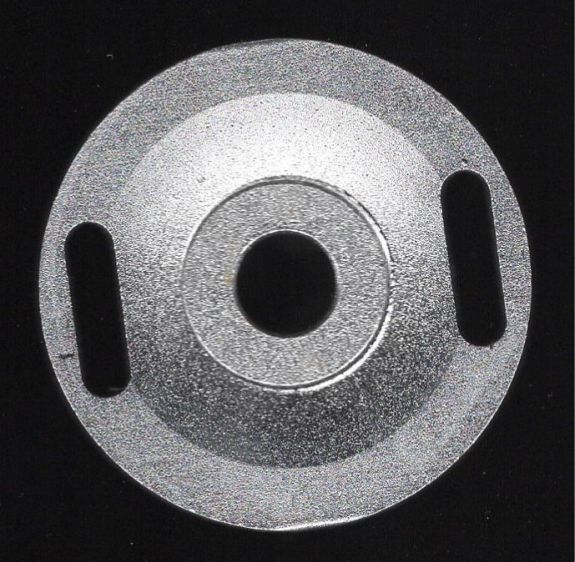
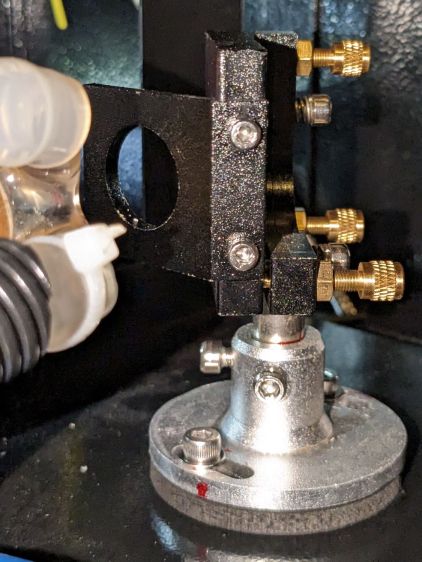
    Although Mirror 1’s mount has some vertical adjustment, the central stem was already close to its maximum extension, so I cut a 5 mm plywood pad to raise the base:

    Laser Mirror 1 - baseplate scan
    Laser Mirror 1 – baseplate scan

    Despite what the lighting suggests, it’s concave. The image was clean and contrasty enough to just trace into vectors with LightBurn, then Fire The Laser to cut the spacer:

    OMTech CO2 Mirror 1 mount - 5 mm Z shim
    OMTech CO2 Mirror 1 mount – 5 mm Z shim

    If you’re wondering how that worked with the tube jacked up, Mirror 1 sitting on the scanner, and the beamline in disarray, there’s considerable benefit in doing things out of the obvious narrative sequence.

    Reassemble the mirror, square the entrance aperture to the partition, fire a couple of test shots to center the mirror on the beamline:

    Beam Alignment - Mirror 1 detail - 2023-09-16
    Beam Alignment – Mirror 1 detail – 2023-09-16

    And that part’s done.

  • Laser Cutter: Beamline Realignment

    Laser Cutter: Beamline Realignment

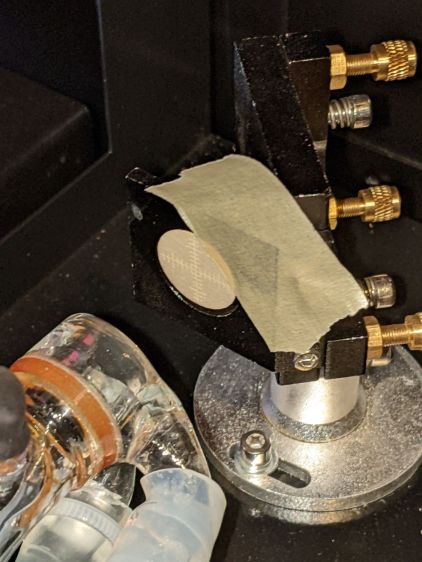
    Although the most recent mirror alignment exercise put the laser beam parallel to the axes and centered in the aperture perpendicular to the beam, a target directly on Mirror 2 showed the beam was badly off-center:

    Beam Alignment - 2M detail - 2023-09-16
    Beam Alignment – 2M detail – 2023-09-16

    Because that target is sitting flat on the mirror, the beam appears wider than it is tall. The horizontal graticule divisions are 1.4 mm apart to allow direct measurements: the spot is really circular and 3 mm in diameter.

    Poking around inside the cabinet reminded me that all of the mirrors sat with their adjustments jammed at one end of their range, rather than being more-or-less centered.

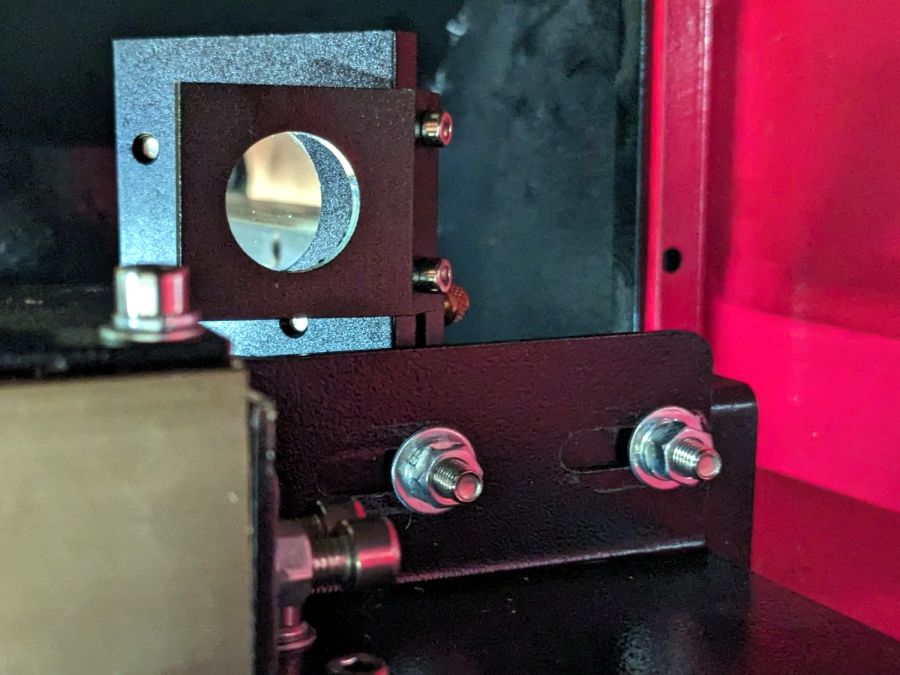
    Mirror 2, in particular, was up against all three limits. The slots behind these two screws allow the mount to slide along the X axis:

    OMTech CO2 Mirror 2 mount - X screws
    OMTech CO2 Mirror 2 mount – X screws

    Seen from the front of the cabinet, those same two screws set the mirror position in the Z axis:

    OMTech CO2 Mirror 2 mount - Y Z screws
    OMTech CO2 Mirror 2 mount – Y Z screws

    As you may imagine, using those two screws to secure the mirror at a specific location in both X and Z at the same time is … challenging.

    The two screws directly under the mirror set its position along the Y axis and allow a slight rotation around Z to fine-tune the alignment of the perpendicular aperture used for mirror alignment; unlike the other two axes, the mirror wasn’t jammed against the end of the slots.

    Moving the laser beam horizontally toward the center of Mirror 2 requires one or more of:

    • Moving Mirror 2 farther away from the center of the cabinet, but it is already at that end of the X axis slots above
    • Moving the laser tube toward the back of the cabinet, which also requires moving Mirror 1, which is almost at the end of its adjustment range.
    • Moving Mirror 1 closer to the laser tube, which its adjustment slots do not permit

    Mirror 1 sits on a pedestal with a slotted base allowing adjustments along the Y axis:

    OMTech 60W laser beam test - mirror 1
    OMTech 60W laser beam test – mirror 1

    The pedestal could move a few millimeters to the rear, but the screw on the far side is even closer to its limit.

    Moving the laser beam spot upward on the mirror requires:

    • Lowering the mirror, which is obviously impossible given the position of the Z axis slots around the adjusting screws
    • Raising the laser tube

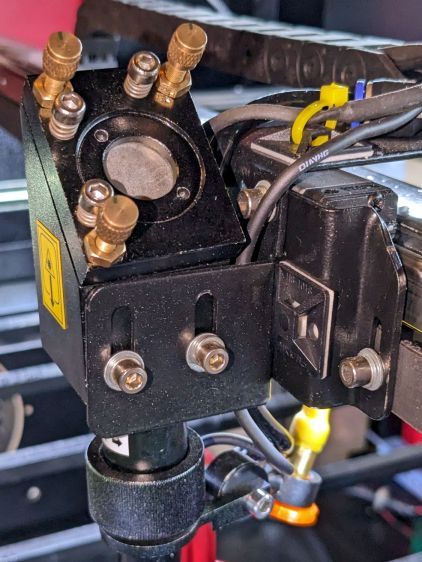
    Mirror 3, inside the laser head on the gantry, was also sitting at the lowest possible point in its adjustment range:

    OMTech CO2 Mirror 3 mount - Z screws
    OMTech CO2 Mirror 3 mount – Z screws

    All of which suggested I should resign myself to adjusting the beamline:

    • Raise the laser tube by 5 mm
    • Move Mirror 1 closer to the laser tube by about 10 mm

    Raising the tube gets both Mirror 2 and Mirror 3 off their Z axis adjustment limit, but requires raising Mirror 1.

    Moving Mirror 1 gets Mirror 2 off its X axis adjustment limit.

    Nothing changes the position of Mirror 2 on its Y axis screws, but that adjustment will help fine-tune the beamline into Mirror 3.

    So I cut some 5 mm plywood spacers and nerved myself.

  • Tour Easy: Another SRAM Grip Shift Indicator

    Tour Easy: Another SRAM Grip Shift Indicator

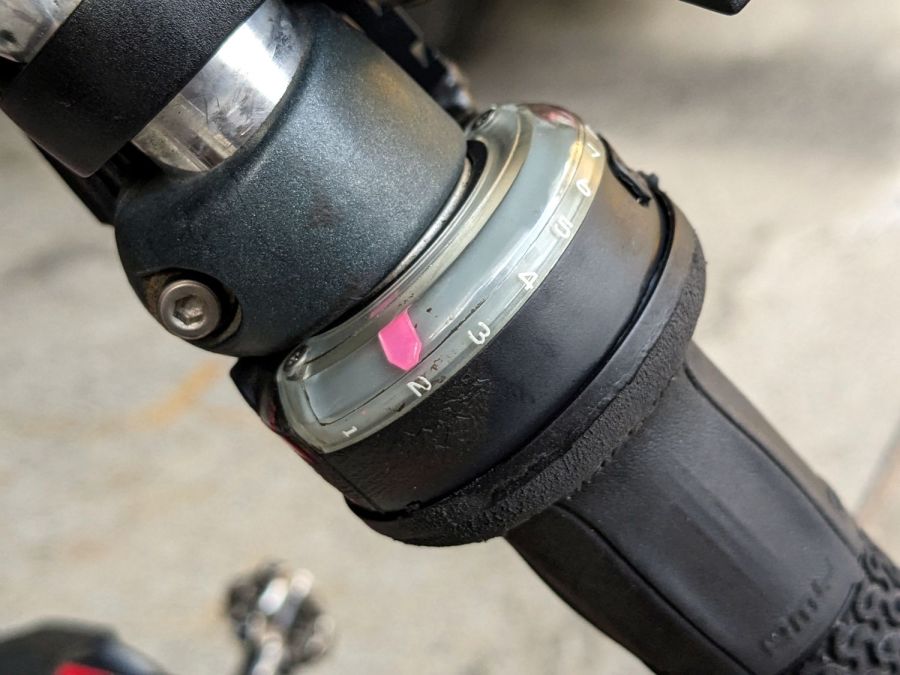
    After about five and a half years, the OEM shift indicator in my rear SRAM Grip Shift failed, so I replaced it with a piece of right-angle polypropylene backed with hot pink vinyl:

    All done by hand, because it’s easy.

    I’d used up my stock of genuine replacement indicators long ago, but they’re now down to two bucks (probably because Grip Shifters are obsolete) and I’ve stocked up in anticipation of future need.

    Let’s see how long this one lasts …

  • Laser Cut Plywood: Flame vs. Assist Air Flow

    Laser Cut Plywood: Flame vs. Assist Air Flow

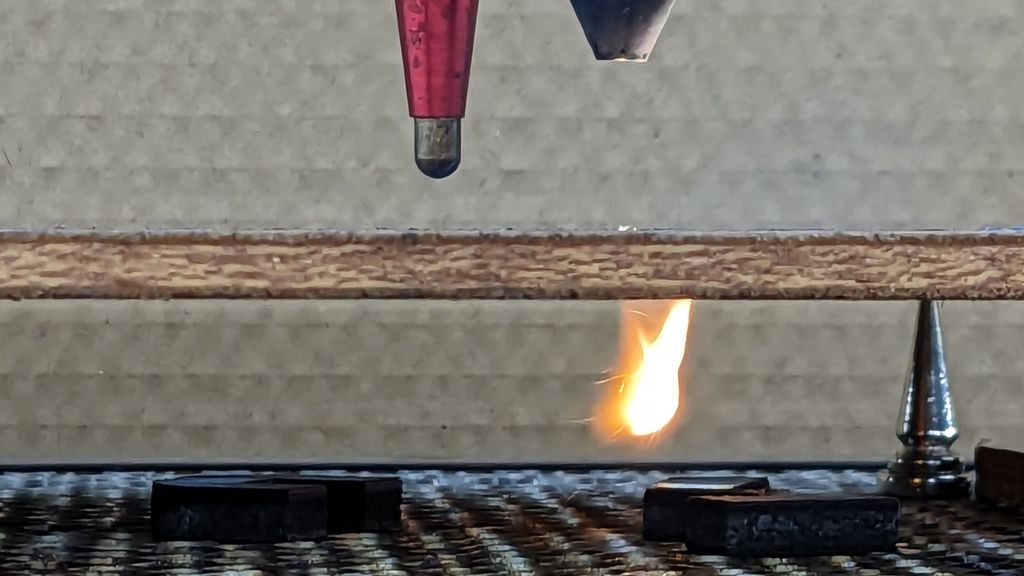
    While cutting some oak plywood, I managed to get some interesting (to me, anyhow) pictures of how the assist air interacts with the laser kerf:

    Laser cut plywood flames - C
    Laser cut plywood flames – C

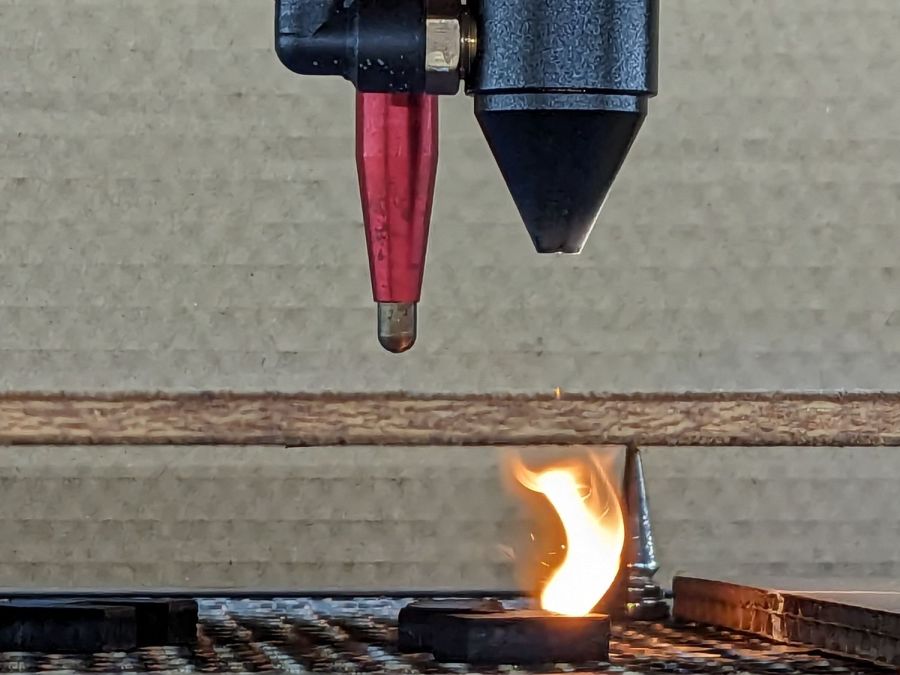
    The air flow is about 12 l/min from the pump in the bottom of the laser cabinet and is pushing most of the fumes through the kerf, where they ignite and burn merrily.

    The plywood is up on magnetic punk spikes to give the fumes plenty of room to disperse without making too much of a mess on the bottom surface. Unfortunately, the flame can blowtorch the cut parts after they fall through onto the honeycomb.

    Another view shows some smoke doesn’t make it through the kerf:

    Laser cut plywood flames - B
    Laser cut plywood flames – B

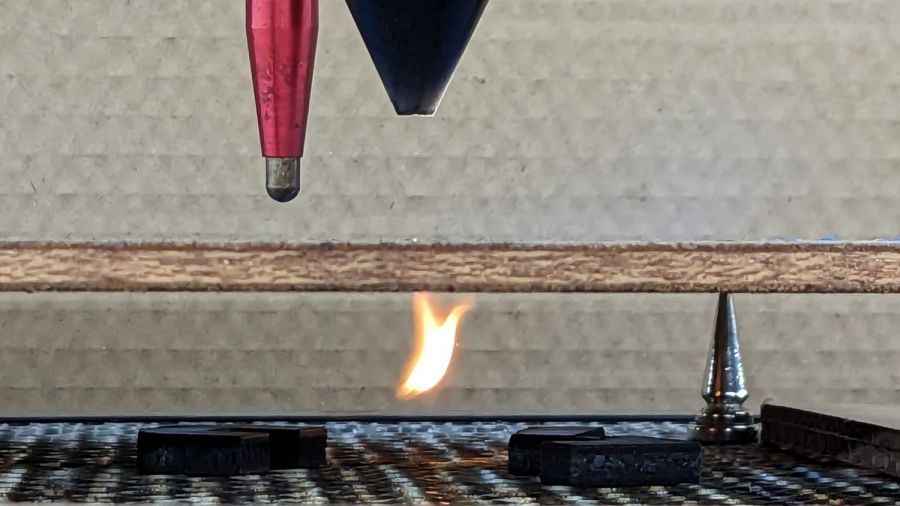
    The bulk of the flame seems to trail behind the beam as it cuts through the wood, which isn’t surprising:

    Laser cut plywood flames - A
    Laser cut plywood flames – A

    Just like acrylic flame, it’s kinda pretty, but should serve as another reminder why you must never, ever run your laser unattended.

  • Garter Snake: Garage Door Refuge

    Garter Snake: Garage Door Refuge

    Opening the garage door to start a morning of errands revealed a garter snake previously tucked neatly into the space below the door seal:

    Garter snake under garage door seal - A
    Garter snake under garage door seal – A

    It’s somewhat smaller than the garter snake under the trash can, although I’m sure they’re closely related.

    It was a cool morning and the snake hadn’t yet reached operating temperature, but it eventually flowed off into the garage and we went on our way.

    A few hours later we returned:

    Garter snake under garage door seal - B
    Garter snake under garage door seal – B

    Apparently that was the best place for a snake.

    Mary lined up a four-cell seedling pot ahead of the critter, encouraged it to flow forward, and much to our surprise it tucked neatly into one of the cells:

    Garter snake under garage door seal - C
    Garter snake under garage door seal – C

    We carried it to the herb garden, wished it well, and a few hours later it had uncoiled and gone about its business.

    Unlike the Shoe Frog, it hasn’t been seen since.

  • Cheap Rechargeable Kitchen Scale: FAIL

    Cheap Rechargeable Kitchen Scale: FAIL

    While pondering what to do with the shattered kitchen scale, I got a bottom-dollar replacement touting its rechargeable lithium battery. After giving it the obligatory charge-before-using, I put it in service. Five days later, its battery was dead flat discharged.

    So I gutted it to extract the battery:

    Cheap digital scale - lithium cell
    Cheap digital scale – lithium cell

    It’s a cute little thing, isn’t it?

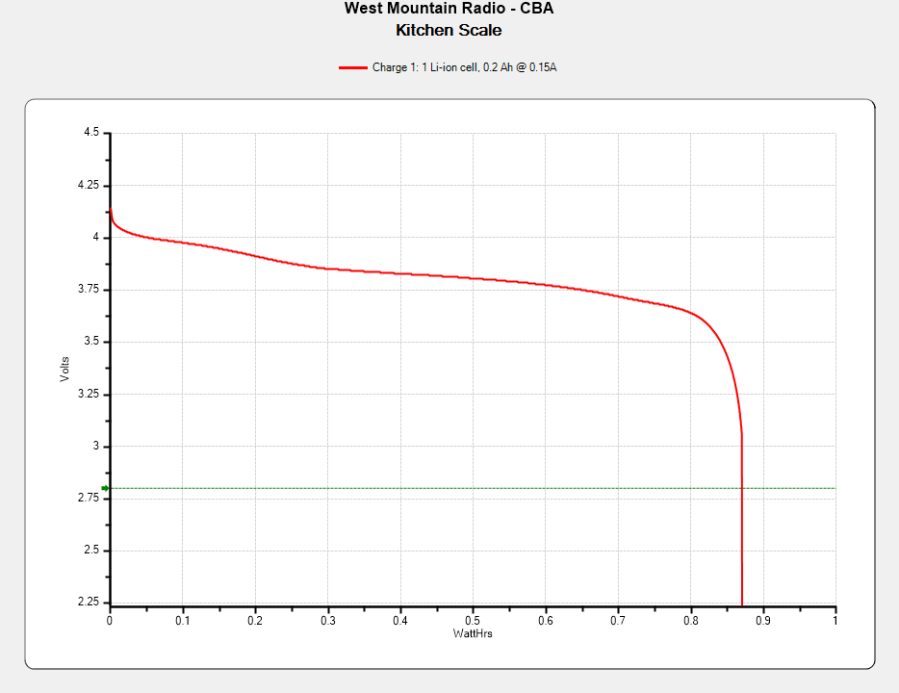
    Much to my surprise, the obligatory battery rundown test showed it matches its 0.74 W·hr label:

    Kitchen Scale - Charge1
    Kitchen Scale – Charge1

    We all know where this is going, right?

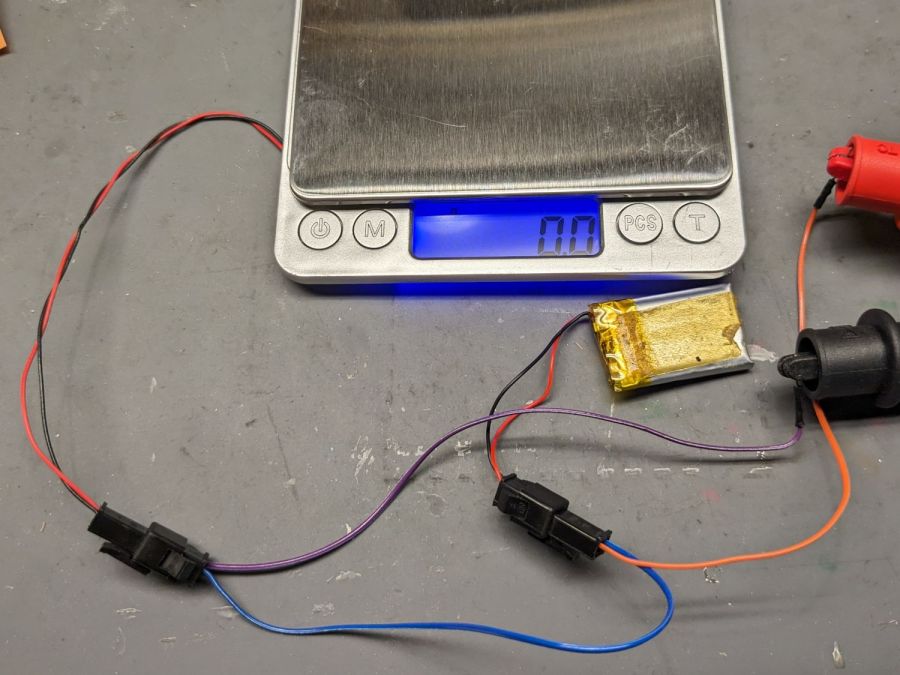
    Crunche a connector on the battery, another on the scale, and make up a suitable current tap for a meter:

    Cheap digital scale - current measurement setup
    Cheap digital scale – current measurement setup

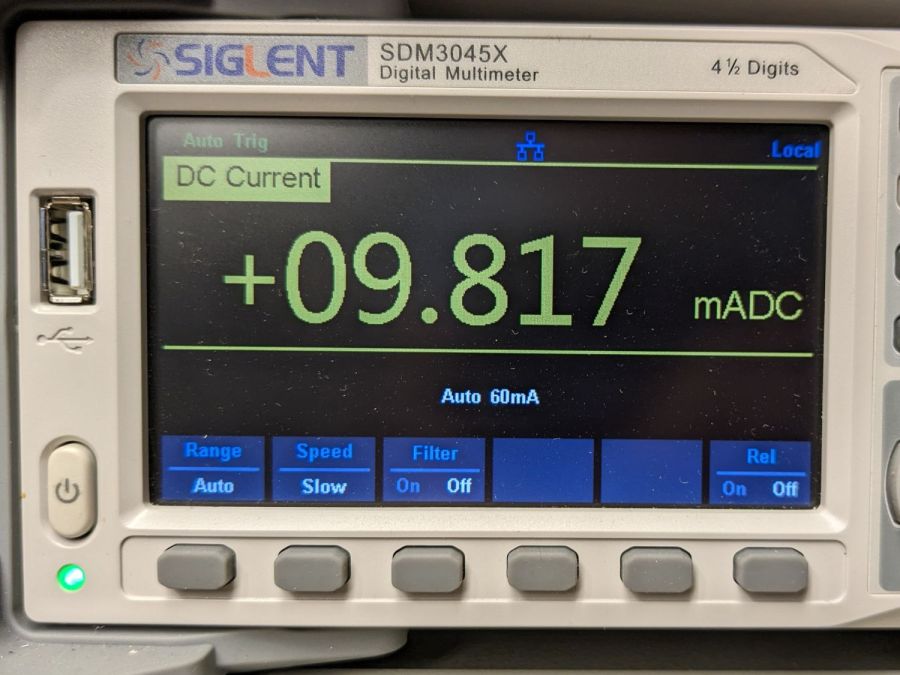
    Which looked like this:

    Cheap digital scale - active current
    Cheap digital scale – active current

    That’s about what I found for the craptastic scale running from a pair of CR2032 primary cells, so it’s not out of line.

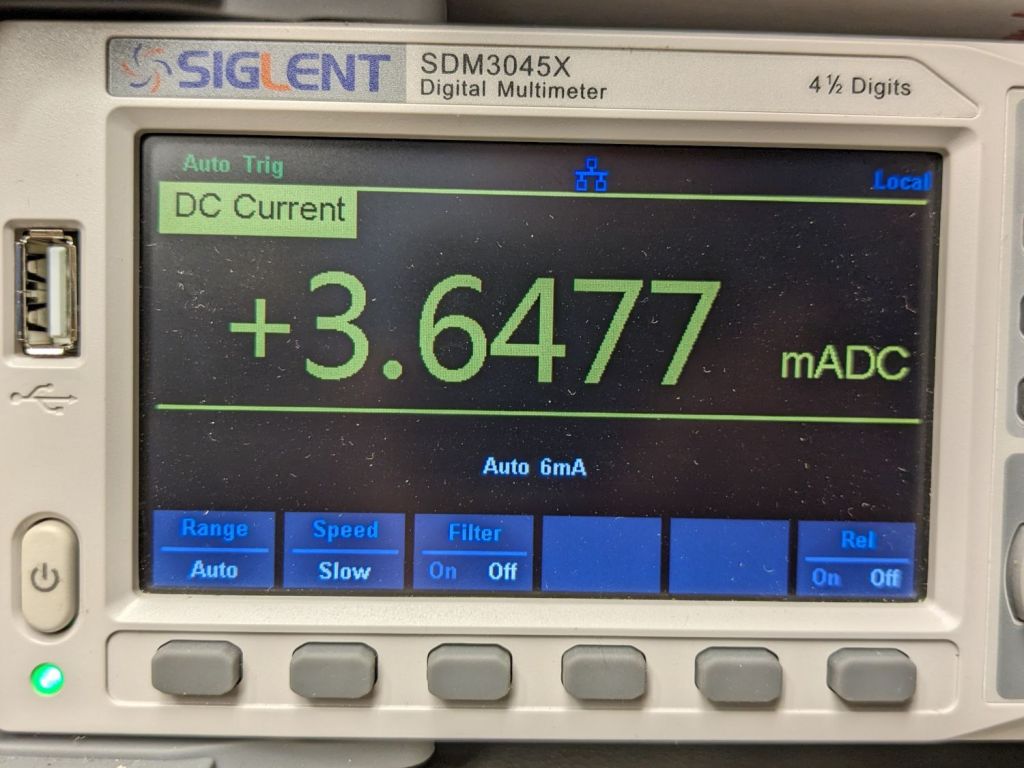
    Turn off the scale and measure the idle current:

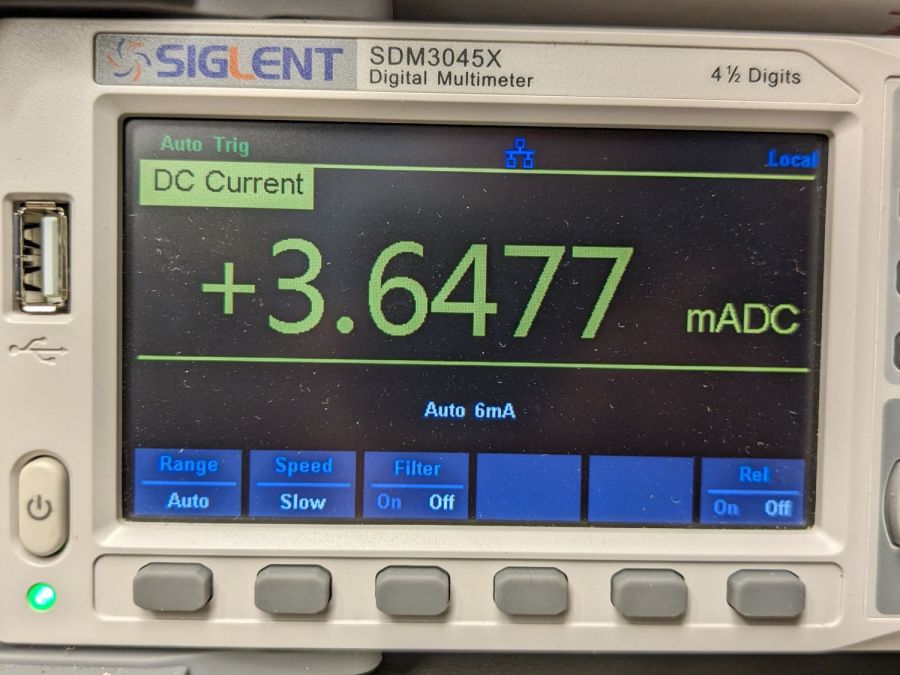
    Cheap digital scale - inactive current
    Cheap digital scale – inactive current

    Do you think I got a dud?

    For all I know, the little microcontroller under the epoxy blob is running a continuous attack on my WiFi network, with the intent of siphoning off all my sensitive bits. Ya never know.

    Dividing the battery’s 200 mA·hr rating by 4 mA says it really should be dead in 50 hours, which is close enough to five days: diagnosis confirmed!

    Rather than fight, I switched to a battery with more capacity:

    Cheap digital scale - NP-BX1 replacement
    Cheap digital scale – NP-BX1 replacement

    It’s long past its prime, but ought to last for a month, which is about as long as the shattered scale survived on a similar battery.

    Sheesh & similar remarks.