The Smell of Molten Projects in the Morning

Ed Nisley's Blog: Shop notes, electronics, firmware, machinery, 3D printing, laser cuttery, and curiosities. Contents: 100% human thinking, 0% AI slop.

Author: Ed

  • Homebrew V-750 Dosimeter Charger Pedestal: Insulator & Light Pipe

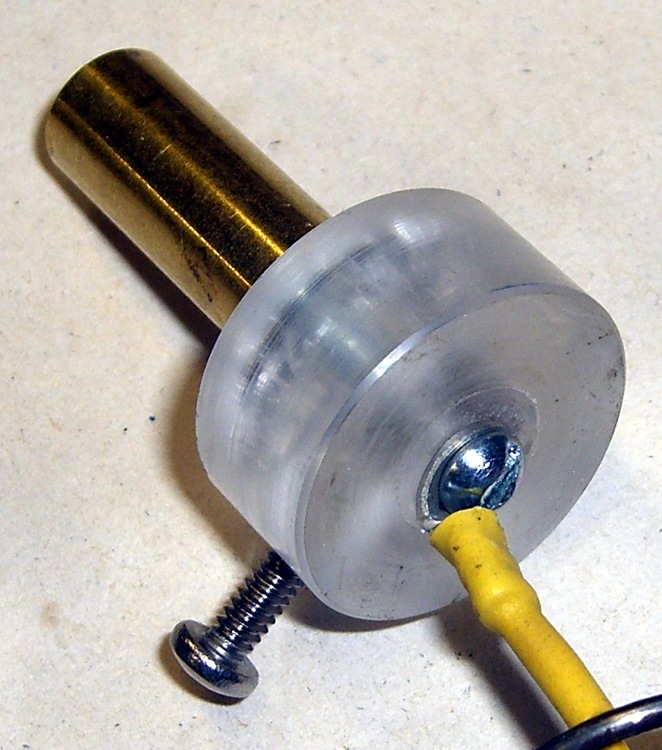
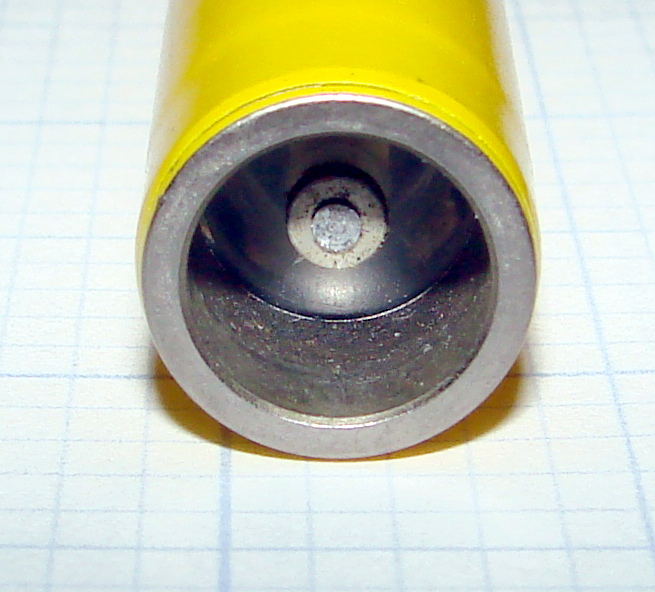
    Contact Detail - Bottom View
    Contact Detail – Bottom View

    The cylindrical center of the pedestal must conduct light into the dosimeter, conduct a positive charge into the contact pin, and push that pin hard enough to make contact inside the dosimeter.

    The general notion is to turn an acrylic rod to a slip fit inside an 11/32″ telescoping brass tube, glue a wider acrylic disk to the bottom to take up the spring pressure, and run a 4-40 machine screw right down the axis to carry the current. There’s also a screw in the side to prevent the shaft from rotating.

    Although the bulk of screw and solderless lug looks like it should block much of the central shaft’s view of the LED in the base, enough light gets around to illuminate the dosimeter’s scale. The acrylic doesn’t need an optically perfect finish, either, as diffuse light works fine.
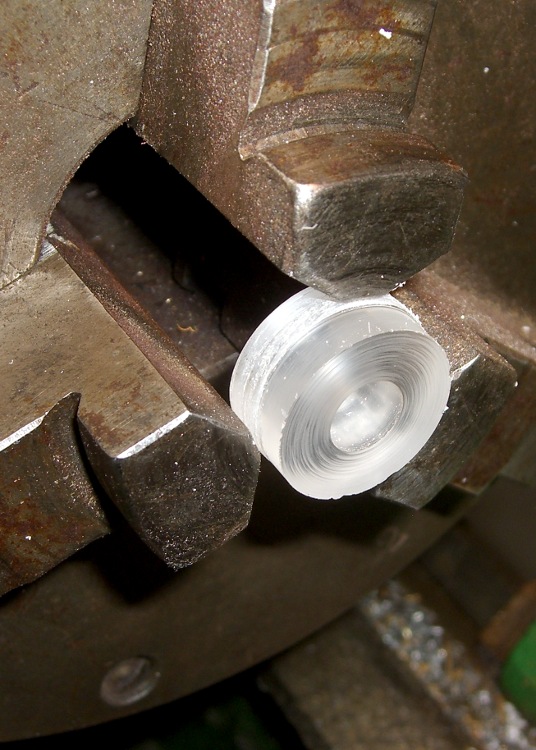
    Turning contact base ring
    Turning contact base ring
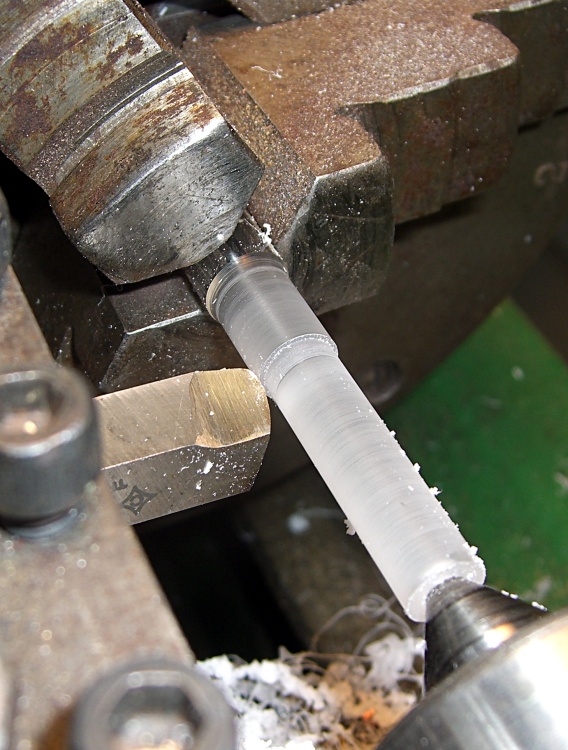
    Turning central contact post
    Turning central contact post

    I used a hole saw to extract a disk from a piece of acrylic that used to contain one of those crappy desk clocks they give out as awards when money’s too tight to mention. The diameter should be a bit larger than the EMT’s ID so you can turn it to a slip fit.

    Chuck the disk up reasonably square and drill out the center to a bit over 11/32″, so the tubing will bear against the rod rather than the base.

    The acrylic rod has two slip fits: into the brass tubing and into the disk. Neither will be particularly fussy, so don’t lose much sleep over perfection here. Apply some good solvent adhesive to the rod’s large end and slide it into the disk. Pause for a day while it cures: it’s a big joint.

    After it’s cured, chuck up the rod and turn the disk so it’s nice & square & neatly finished.

    You’ll need two more disks: one for the pedestal base and another to act as a collet. I made them from 3/8″ polycarbonate sheet, of which I have what may turn out to be a lifetime supply. The base disk will be another slip fit in the EMT, the collet must match the actual OD you just turned on the contact disk. Saw a slot in the collet disk to convert it into a (crude) collet.
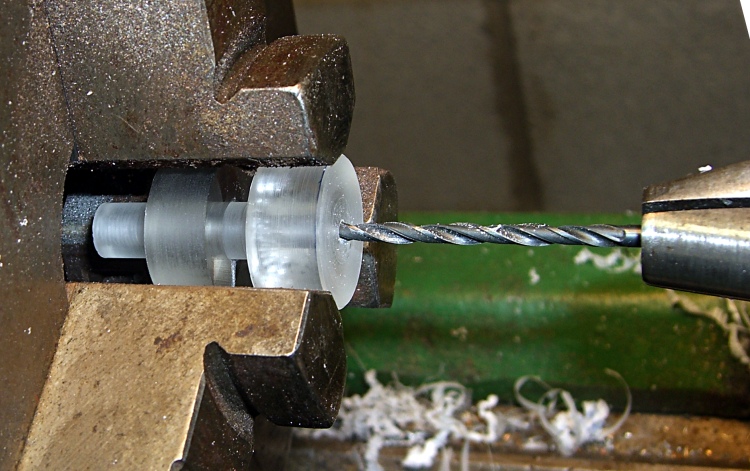
    Drilling 4-40 clearance hole
    Drilling 4-40 clearance hole

    The original V-750 pedestal has a nice stamped rod running the length of the central post, but I figured a long 4-40 screw would work as well. However, there’s no reason to thread the entire length of the post, so drill out a 4-40 clearance hole from the disk to within about 1 cm of the other end. This is where the collet disk comes in handy; you can see the saw slit at the bottom, between two jaws.

    Take the rod out out and thread the end.
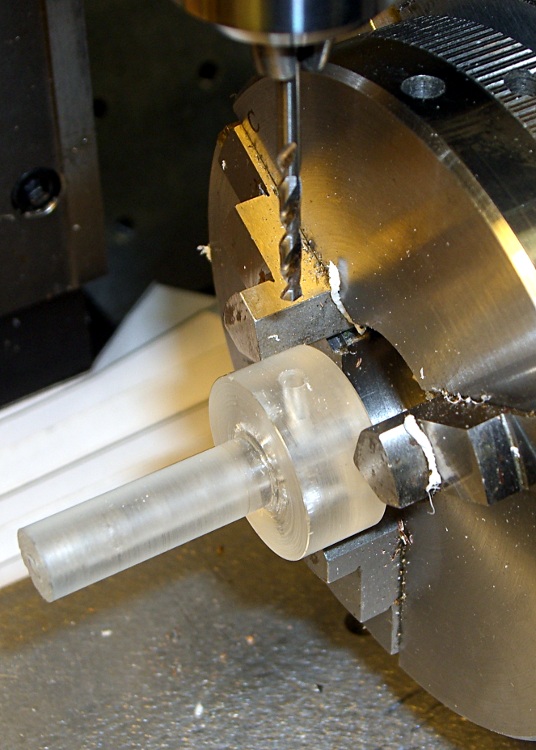
    Drilling rotation stop hole
    Drilling rotation stop hole

    The last step is drilling & tapping a 4-40 hole in the side for the rotation stop screw. This will fit into a corresponding slot in the EMT shell to prevent you from twisting the contact wire off.

    Put everything together, with a dab of cyanoacrylate adhesive to keep the brass tubing in place, and you’re done with this part.
  • Homebrew V-750 Dosimeter Charger Pedestal: Overview

    Although my V-750 dosimeter charger cleaned up reasonably well, I wanted to see if I could build a high-voltage supply from more-or-less contemporary parts to charge the dosimeters. The circuit is easy enough, but the charging pedestal that connects to the dosimeter turned into an interesting shop project.

    V-742 dosimeter charging contact
    V-742 dosimeter charging contact

    Pencil-style electrometer radiation dosimeters, like the V-742 shown here, have a charging contact pin embedded in a transparent plastic (?) end cap recessed in the bottom. Inside the dosimeter a mighty spring (or, perhaps, the plastic cap itself) holds the pin outward so that it does not make electrical contact with the gold-coated quartz fiber in normal use.

    This baffled me at first, because I did not understand why the charge didn’t just leak off the fiber through the charging pin. In order to dump charge onto the fiber, you must first press the pin inward by about 1 mm against the internal spring: no pressure, no contact, no charge.

    Duh…

    The dosimeter’s innards must be kept scrupulously clean and full of dry air. After you pull the pin out to admire it, the dosimeter won’t hold a charge ever again. I yanked the pin out of a dosimeter that simply didn’t work and, after a bit of fiddling, the dosimeter can now be set to zero, but the charge leaks off in a matter of hours rather than days.

    Charging contact pedestal
    Charging contact pedestal

    The V-750 charging pedestal has an outer sleeve (the negative contact) and a central pin (the positive contact) that fit neatly into the end of the dosimeter. The pin stands about 2 mm proud of the plastic insulator that pipes light into the dosimeter to illuminate the scale. The sleeve, insulator, and pin move as a single unit: the dosimeter presses them down into the V-750 against two stacked springs.

    A 1-lb spring holds the insulator in place by pressing the whole cylinder outward against its shoulder. The charger turns on when the dosimeter reaches that spring’s limit of travel at about 1 mm, but it’s not firm enough to press the dosimeter pin into contact with the quartz fiber. That’s the position you use to read the dosimeter: the light is on, but the fiber won’t move yet.

    In order to charge the fiber, the dosimeter must move down an additional 3 mm against an 8-lb leaf spring until it seats against the pedestal’s threaded shell. Holding the dosimeter steady against that pressure while twiddling the voltage knob to adjust the dosimeter fiber to the zero point of the scale is more challenging than you might expect: grab it in your fist and hold on tight. It’s a good idea to wear glasses, as the dosimeter optics provides maybe 5 mm worth of eye relief: you can easily poke yourself in the eye with the fool thing if your grip loosens.

    So, basically, a new charging pedestal must include a shell that meets the dosimeter’s body and a central shaft consisting of a sliding outer sleeve, a transparent insulator, and a central pin. The shaft must be pushed against the dosimeter by a really stiff spring to close the charging contact.

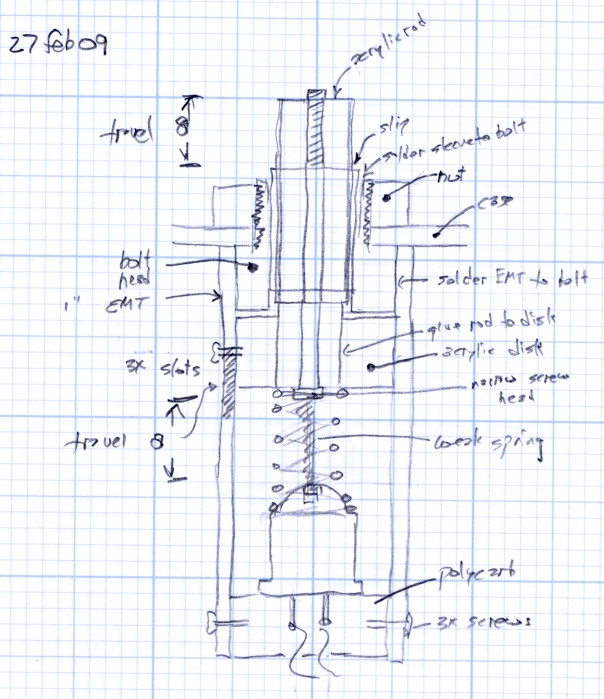
    Not-quite-as-built cross section sketch
    Not-quite-as-built cross section sketch
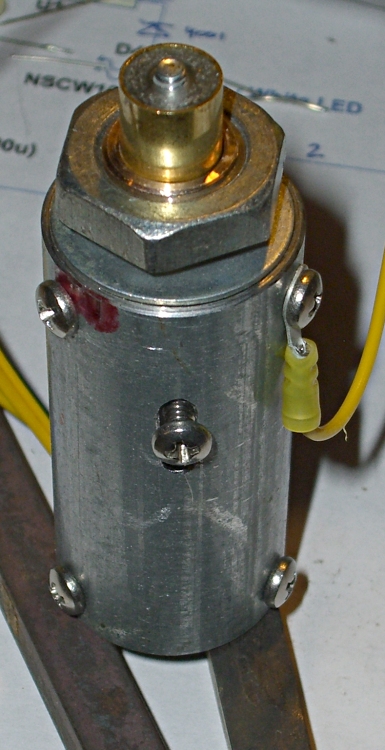
    Finished charging pedestal
    Finished charging pedestal

    The overall plan looked something like this, at least before I started cutting metal…

    What changed:

    • a larger spring surrounds the LED
    • no need for the weak spring
    • no switch: the voltage-adjust knob has one
    • a single slot in the side to prevent rotation
    • screws, not solder, holding bolt to EMT shell
    • no sleeve inside the bolt: it’s a copper bolt

    But, all in all, it worked out OK.

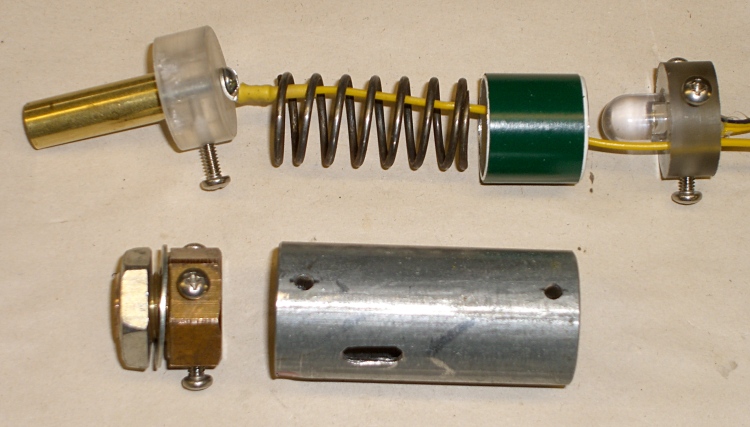
    Charging pedestal components
    Charging pedestal components

    Here’s what the final result looked like, all spread out so you can see the innards…

    The next few posts will show various bits & pieces, with notes & asides.

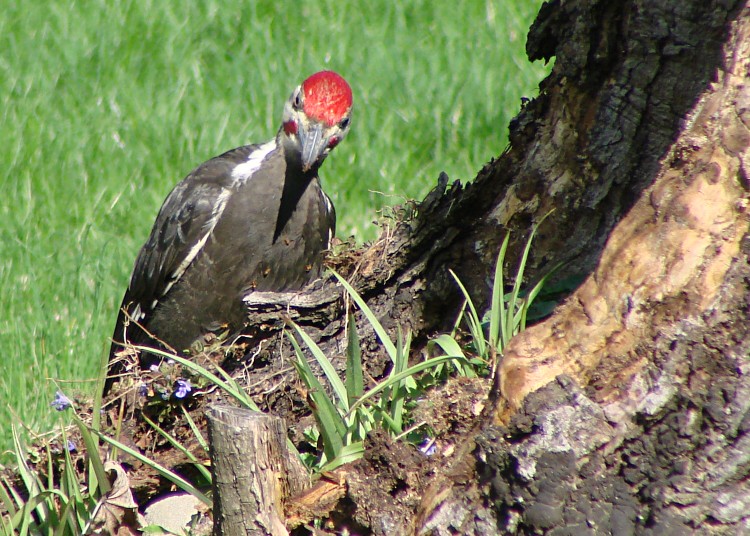
  • Pileated Woodpecker

    This fellow has been helping to remove the stump in the front yard for a quite a while; today he let me peek around the edge of the door and take a few pictures…

    He’s about crow-sized with a much snappier paint job.

    Scary-sharp beak!

    Taken with a Sony DSC-H5 with their VCL-HGD1758 1.7x teleconverter lens at about 50 feet, then ruthlessly cropped. Not as good as an SLR with a real telephoto lens, but good enough for my simple needs. The teleconverter with a macro lens on the back provides some standoff distance for photos of tabletop widgetry.

  • Xubuntu 8.10: Xrandr For Dual Rotated Displays

    Up to this point I’ve been using a hardcoded

    Option "Rotate" "CCW"

    in my /etc/X11/xorg.conf file to get a portrait-mode display on my right-hand monitor, as described in grisly detail there.

    That kills xrandr, which prevented any further display configuration and seemed to sometimes kill off the screensaver. Maybe the screens would blank and then power down, maybe they’d just power down, maybe they’d be on all the time.

    However, simply eliminating the hardcoded Rotate didn’t solve the problem, as xrandr refused to do anything. The appropriate command-line syntax isn’t obvious to the casual observer, but this was alleged to work: xrandr -o left.

    Come to find out, after considerable digging, that one must add this secret incantation to each Display stanza in /etc/X11/xorg.conf:

    Option  "RandRRotation" "on"

    And, perforce, remove the Rotate option.

    That’s evidently due to the fact I’m using the proprietary nVidia driver, which I think everybody does.

    Log out, Ctrl-Alt-Backspace to restart the X server, log back in again, and shazam the cute little Display applet in the Settings Manager actually works. Not only that, but you can specify Left rotation for Display 1 and that actually works, too.

    Update: but, alas, it seems to not be sticky between sessions. Worse, there seems to be no combination of xrandr parameters that can rotate the right-hand screen from a console on the other or, presumably, from a startup script. It is not obvious what this means, either:

    This option selects the X display to use. Note this refers to the X screen abstraction, not the monitor (or output).

    I can’t find anything that works.

    And, FWIW, there’s no Screensaver config applet in the Settings Manager (at least not that I can find), so you fire it up from the command line:

    gnome-screensaver-preferences

    Yes, you use the Gnome screensaver preferences in Xubuntu.

  • How to Plumb a Hot-water Heating System

    My buddy Eks just replaced his host-water furnce with a high-efficiency unit.

    Can you tell that Eks is an engineer?

    The plumber used one of those fancy pipe-compression tools that mashes the mating parts together with an O-ring for sealing. Faster and safer than sweating the joints together, but I want to fast-forward two or three decades to check out the durability.

    As he put it, “You may be able to get a better furnace installation, but you probably can’t pay any more for it…”

  • My Eyeglass Sizes: A Summary

    Having decided to try getting sunglasses from one of those “our lab is in Hong Kong” places, the question arises: what lens & frame size do I need?

    Rummaging through the heap produces this assortment:

    Frame label Lens size Frame width Earpiece Commentary
    53-19 53×40 141 145 Current glasses
    55-16 55×45 142 140 Current sunglasses
    54-16 54×45 133 135 Old sunglasses
    56-16 56×45 137 133 Wire rims, aviators
    52-19 52×39 140 140 Clear, previous daily
    56-16 58×50 135 130 Aviators, too big

    The obvious conclusion is that any lens in the low 50s x 40-ish range will suffice. Pity that the LPS (low-price supplier) doesn’t have anything non-aviator-ish or un-dorky (even by my slack standards) in the 40-ish range, but maybe it’ll work out OK.

    Some general observations.

    I used to wear relatively large aviator-style lenses, as I worked on little parts that occasionally went sproing. Not enough energy to merit safety glasses, but annoying enough to want good eye coverage. These days, alas, I tend to wear a headband magnifier.

    Progressive bifocals require a relatively tall (and, it seems, currently unstylish) lens. Aviators solve that problem, but really are too large for my face. No matter that I wore them for years.

    Anti-reflection coating is wonderful. Pity that the LPS can’t put it on tinted lenses; I’ll see how that works out.

    I wear one pair of glasses all day, every day, and take fanatic care of them; we have an ultrasonic cleaner pretty much dedicated to eyewear. By and large, my lenses last forever. The frames, as you’ve seen there, tend to fail first.

    [Update: It turns out 53×35 lenses really aren’t tall enough for gray 20% transmission sunglasses: the progressive transition is a bit cramped and there’s too much daylight around the top & bottom. I think they’ll be OK for biking, as I wear hideous goggles to keep the dust out of my eyes. A pupillary distance of 62 seems OK. About $63 delivered.]

  • Infra-red Photography: Roosting Turkeys

    The turkeys were discussing their activities yesterday evening while getting ready for bed in the trees out back. This isn’t unusual, but they seemed rather louder than usual.

    We walked out the driveway, me with the Sony DSC-F717 in IR Night Shot mode, and eavesdropped for a while. The two early birds in the trees may have been air bosses for the rest of the flock, as nobody else arrived while we were there.

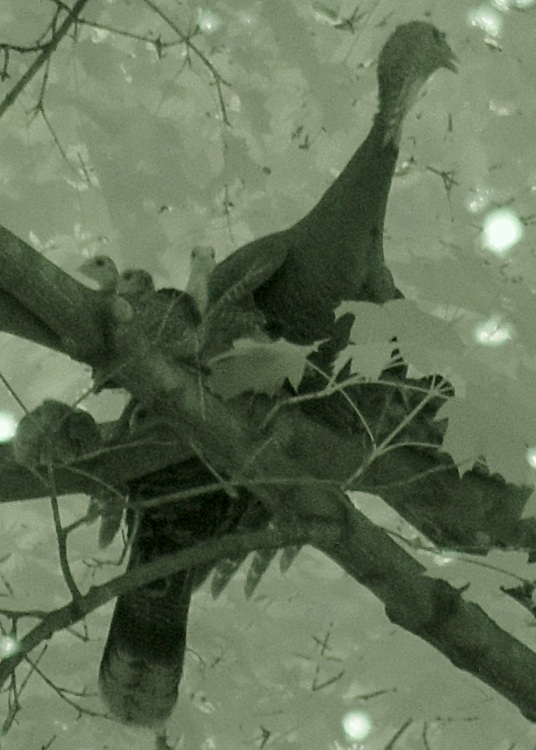
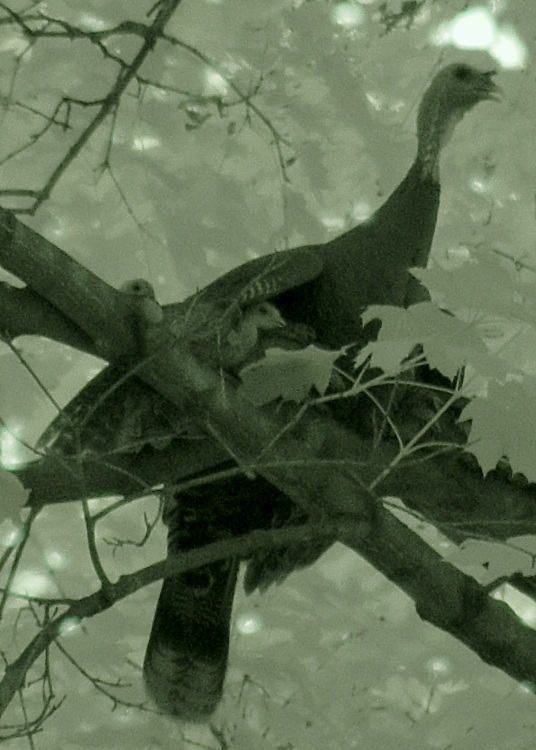
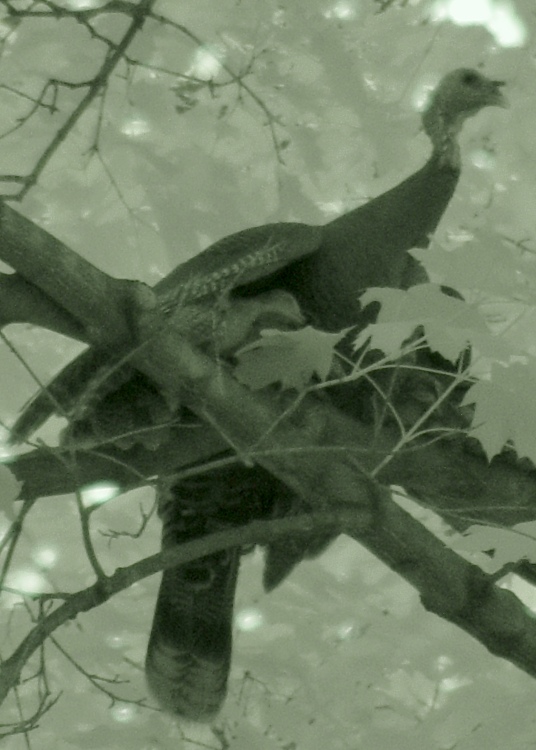
    So I didn’t get any pictures, but it reminded me of some I took a few years ago when a hen with a gaggle of chicks roosted in a maple directly in front of the house.

    Three peeps are easy to see, but she had at least two others snuggled up on her left side!