The Smell of Molten Projects in the Morning

Ed Nisley's Blog: Shop notes, electronics, firmware, machinery, 3D printing, laser cuttery, and curiosities. Contents: 100% human thinking, 0% AI slop.

Author: Ed

  • Magazine Dump: Insuperable Opportunity

    Magazine Dump: Insuperable Opportunity

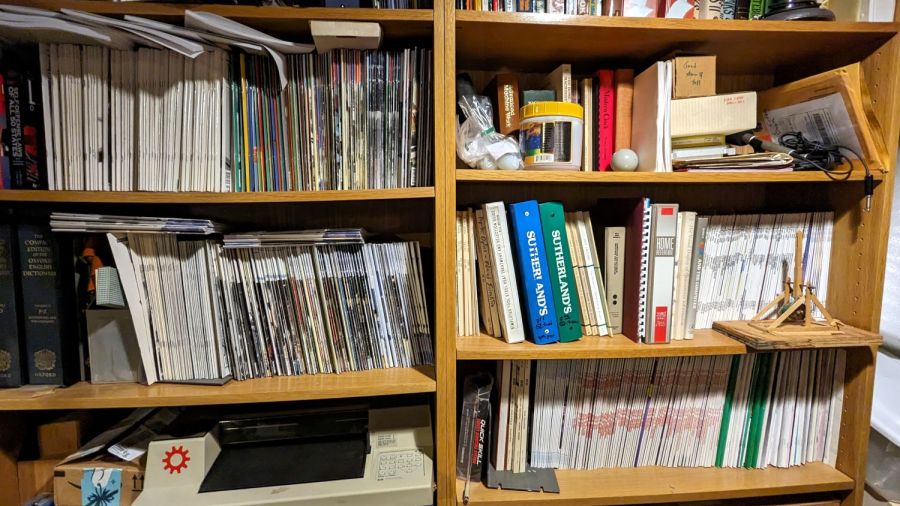
    For reasons that will become relevant later on, I must clear the magazines from about ten feet of shelf space (and a stack of boxes), including this assortment:
    Magazine Dump
    Magazine Dump

    What you see:

    To the best of my knowledge and belief, each collection is complete within those dates, although I’m equally sure an issue or two went walkabout over the course of four decades.

    Having written columns for Digital Machinist, DDJ, and Circuit Cellar, I (still!) have multiple “author’s copies” of those, although I haven’t dug through the boxes for the specifics.

    Here’s the deal:

    • You must take all of any set
    • Any offer ≥ $0.00 is acceptable
    • Shipping from ZIP 12603 is your problem
    • N.B.: Shipping Is Not My Problem (*)

    Best offer on or before 30 November 2023 takes any or all.

    Whatever remains becomes mulch in December 2023.

    (*) A USPS Medium Flat Rate box (11×8.5×5.5 inch) costs $17 within the continental US and holds two or three dozen issues. Obviously, that’s the wrong way to ship an entire shelf of magazines, but gives you an idea of the scale.

    If you want to pick ’em up in person, I’ll help heave ’em into your trunk.

  • CD/DVD Data Destruction: Mariner’s Compass Coasters

    CD/DVD Data Destruction: Mariner’s Compass Coasters

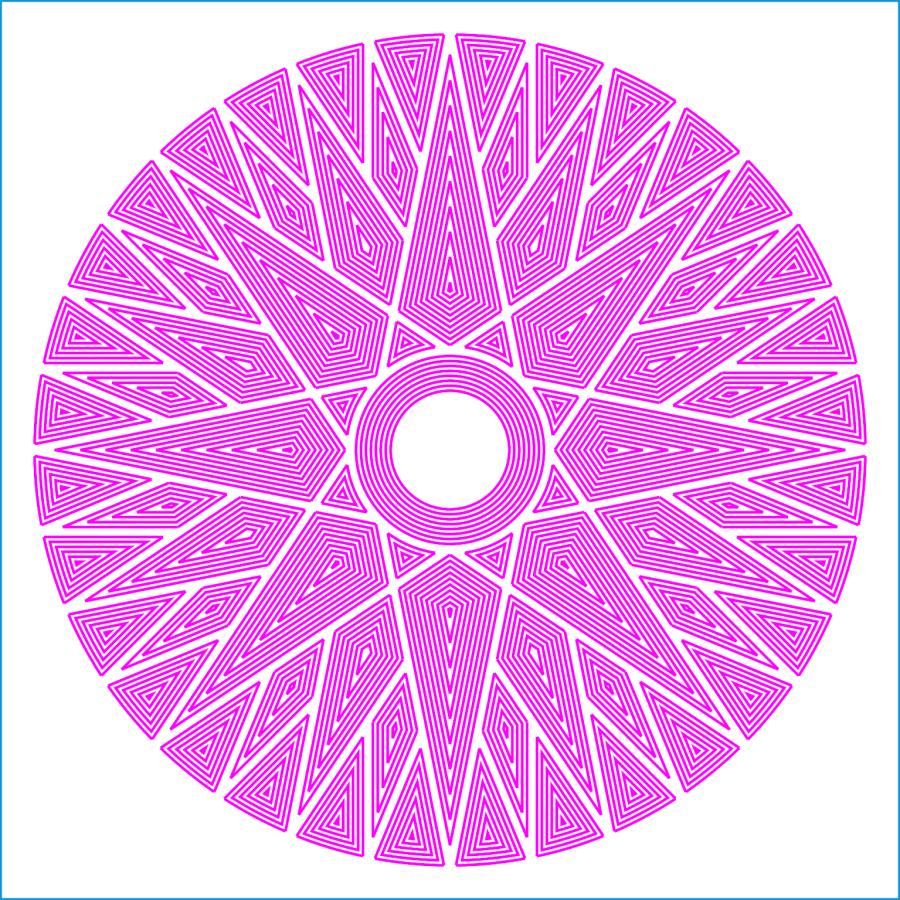
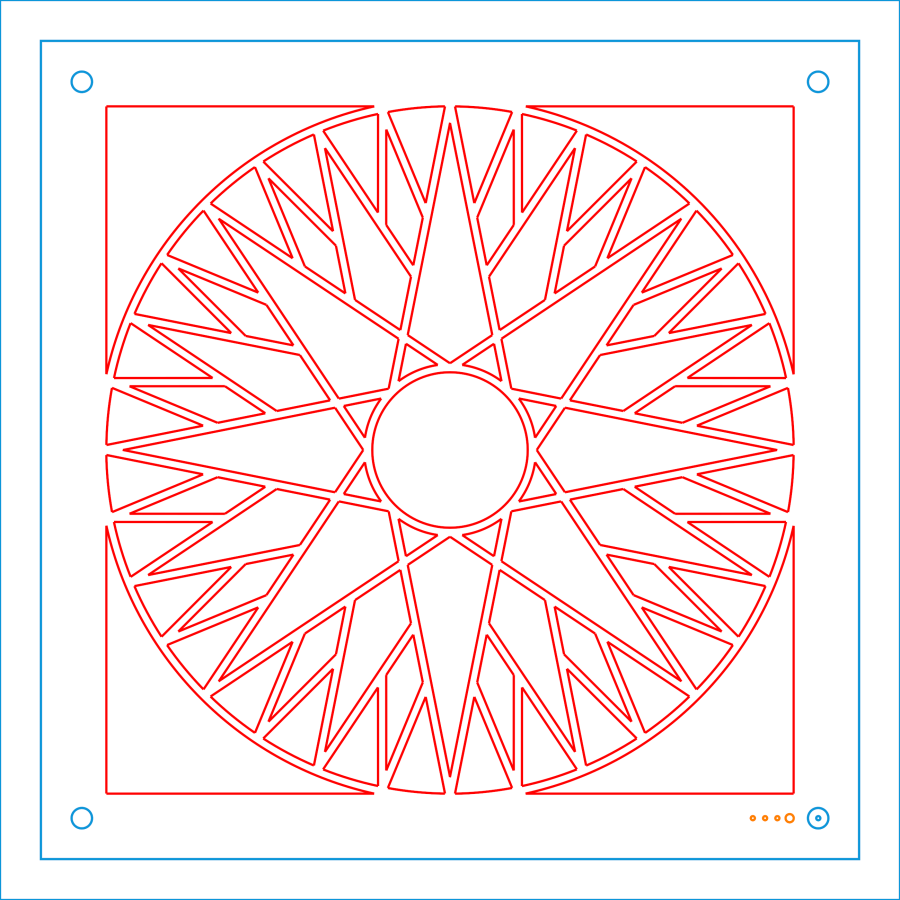
    Snap all the Mariner’s Compass inset layers together into a single LightBurn layout:

    Mariners Compass - stacked insets - LB layout
    Mariners Compass – stacked insets – LB layout

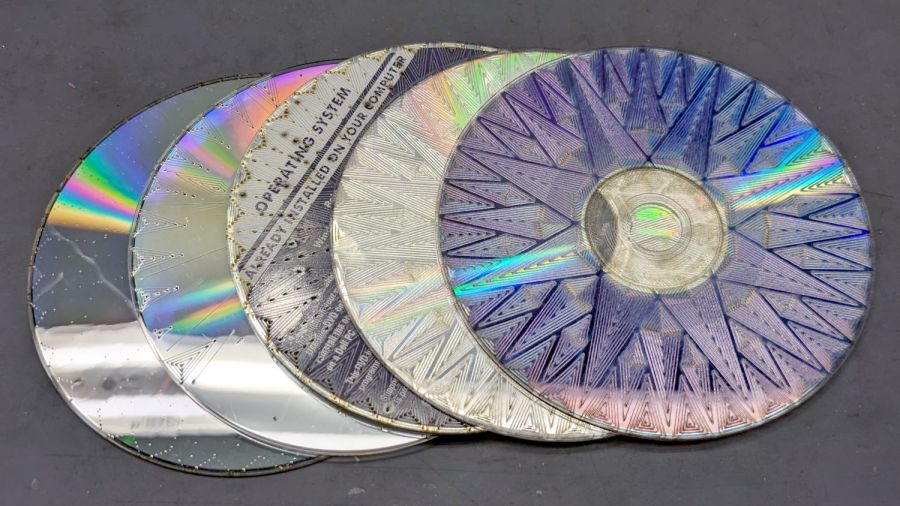
    Scale it to 120 mm OD, delete the innermost circles under 15 mm diameter, then go wreck yourself some CDs and DVDs:

    Mariners Compass Coaster - CD DVD tests
    Mariners Compass Coaster – CD DVD tests

    Those were test pieces to figure out speeds and powers starting from the polycarbonate settings used for the Guilloché DVD now serving as a coaster atop the laser.

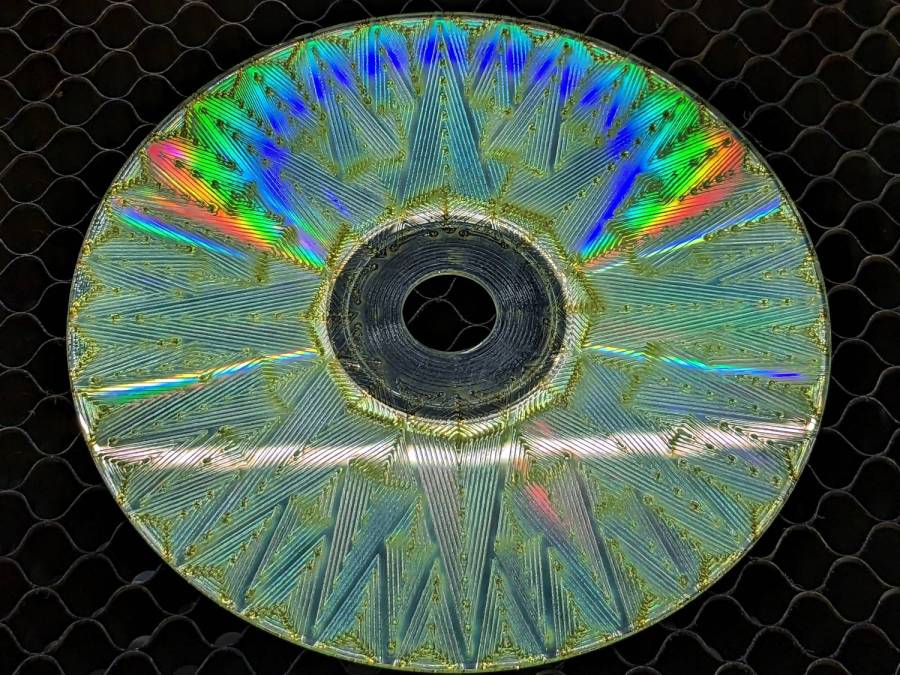
    When you’re looking to destroy the surface, then pretty doesn’t matter, but they come out surprisingly nice in a techie sort of way:

    Mariners Compass Coaster - CD clear side test
    Mariners Compass Coaster – CD clear side test

    That’s burned into the clear side of the CD before I figured out how to control the power at the starting points.

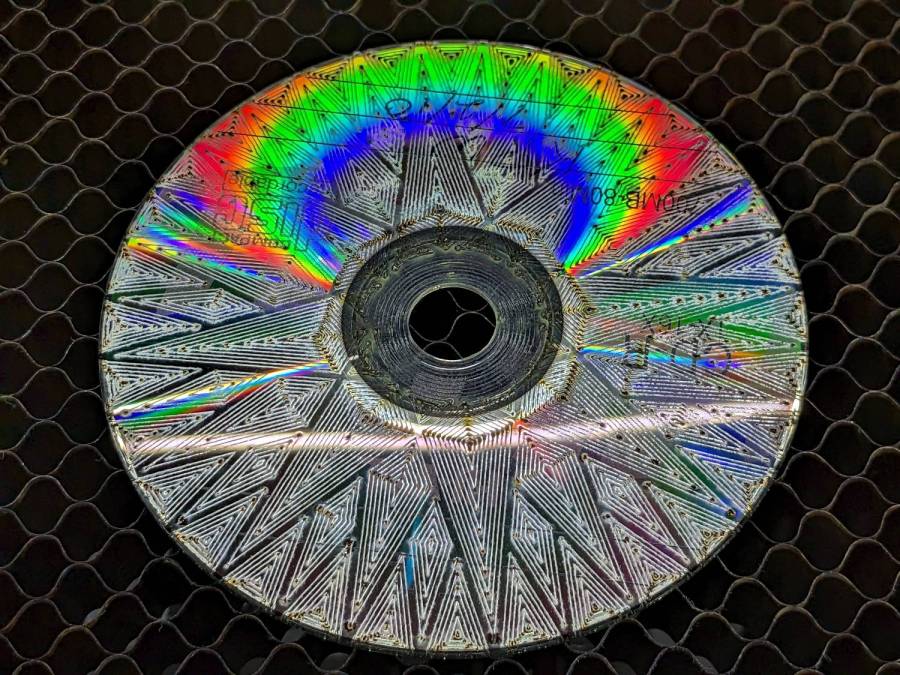
    This CD-R came out a nice silver, with the tracks burned into the data / label side:

    Mariners Compass Coaster - CD-R test
    Mariners Compass Coaster – CD-R test

    The polycarb tends to scorch & discolor at the starting point of each polygon, where the laser dwells momentarily after lighting up. Avoiding that requires setting the minimum layer power 1% below the Ruida controller’s minimum firing power. In this case, running the layer at 7% minimum with the controller set to fire at 8% completely eliminates the scorches.

    The maximum power is about 10% for the clear side. The data side requires only 10% for lightly coated CD-R / CD-RW and maybe 25% for the heavily inked labels of pressed CDs (like the Dell reinstallation CD in the first picture). It helps to start with a vast supply of unwanted discs.

    Suiting action to words:

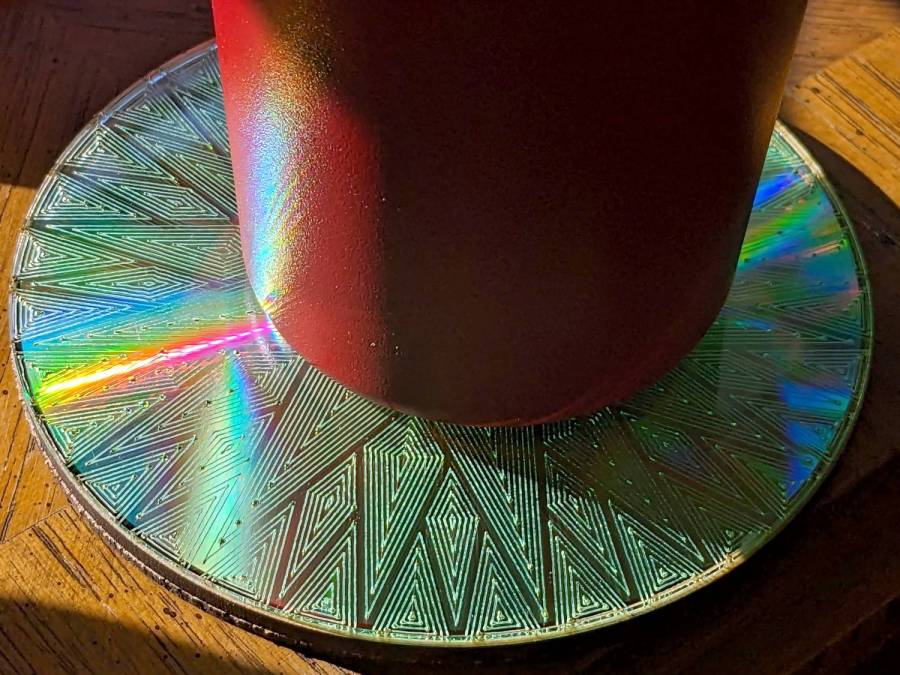
    Mariners Compass Coaster - CD data side finished
    Mariners Compass Coaster – CD data side finished

    That’s a CD-R wrecked on the data side, stuck to an MDF disk with a cheap craft adhesive sheet and a cork disk wood-glued to the bottom. Carefully hidden here, the central hole sports a 15 mm chipboard disk contrasting horribly with the CD; it cannot be more than 1 mm thick to avoid having it stick up beyond the plastic surface and chipboard is what I have in that thickness.

    The advantages of wrecking the data side:

    • Leaving the clear side smooth, so crud won’t accumulate / grow in the grooves
    • Absolutely, positively, utterly destroying the data track

    The advantages of wrecking the clear side:

    • Maybe breaking the seal formed by condensation under the mug / glass / cup
    • Leaving the data side intact, so the coating won’t disintegrate and peel off the adhesive

    In either case, however, I’m sure the data is gone.

  • Under-shelf Kitchen Light Bracket

    Under-shelf Kitchen Light Bracket

    Quite a while ago I’d added another LED strip to the under-cabinet light array, because the little cutting boards & suchlike on a wire shelf blocked the light, but fastened it in place with ugly wire ties.

    Finally I found a Round Tuit on the desk for brackets mounting the strip directly to the shelf:

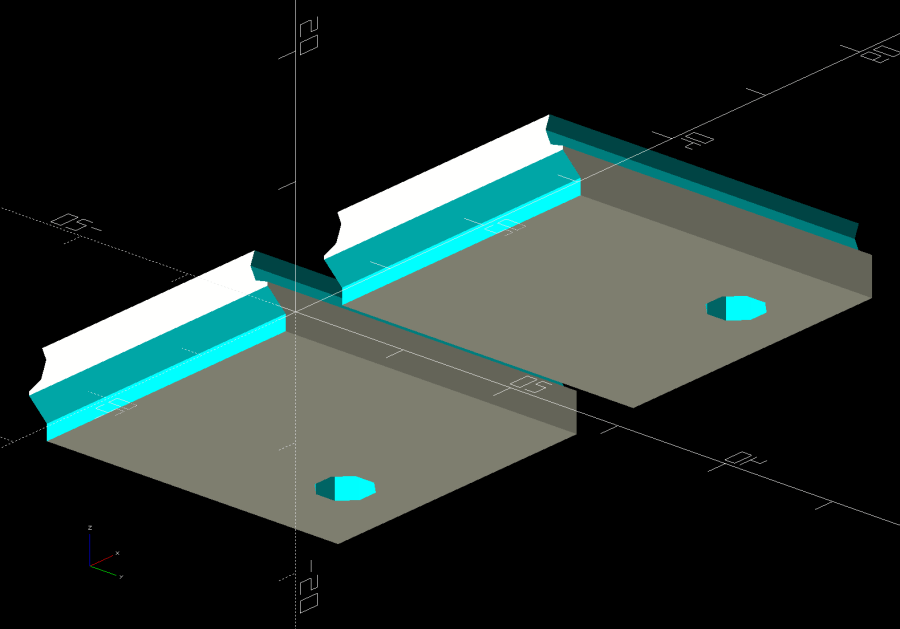
    Kitchen Light Bracket - shelf blocks - solid model
    Kitchen Light Bracket – shelf blocks – solid model

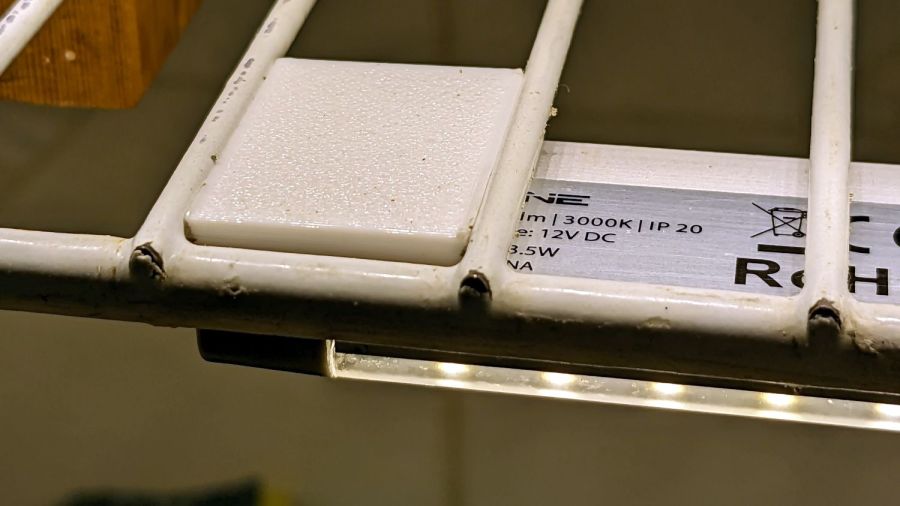
    Ram a pair of brass inserts in the holes, screw the strip in place, snap the brackets between the wires, and it’s much better:

    Kitchen Light Bracket - installed
    Kitchen Light Bracket – installed

    Stipulated: those wire ends look awful. Fortunately, they’re normally hidden by the cutting boards and suchlike on the shelf.

    Although it looks precarious, the rounded sides (seem to) have enough grip on the wires to hold the LED strip in place. We’ll see how well that works in practice, but the idea was to avoid anything sticking up above the wires to collide with the stuff on the shelf.

    The blocks emerge from a chunk of code glommed onto the original OpenSCAD program:

    ShelfWireDia = 3.2;
    ShelfWireOC = 1*inch;
    StrutWireDia = 6.3;
    
    ShelfBlock = [ShelfWireOC,LEDEndBlock.y,(0.8*ShelfWireDia + StrutWireDia/2)/cos(180/8)];
    echo(ShelfBlock=ShelfBlock);
    
    LEDHoleOffset = [ShelfBlock.x/2 - (6.0 + ShelfWireDia/2),6.0];  // from Y+ and X±
    LEDHoleDia = 3.0;
    
    ID = 0;
    OD = 1;
    
    M3Insert = [3.0,4.0,4.2];   // short M3 knurled insert
    
    <<< snippage >>>
    
    module ShelfBlocks(Side=1) {
    
      difference() {
        translate([0,ShelfBlock.y/2,ShelfBlock.z/2])
          cube(ShelfBlock,center=true);
       translate([Side*LEDHoleOffset.x,ShelfBlock.y - LEDHoleOffset.y,-Protrusion])
          rotate(180/8)
            PolyCyl(M3Insert[OD],M3Insert[LENGTH] + 2*ThreadThick,8);
        translate([-2*ShelfBlock.x,-StrutWireDia/4,0])
          rotate([0,90,0]) rotate(180/8)
            PolyCyl(StrutWireDia,4*ShelfBlock.x,8);
        for (i=[-1,1])
          translate([i*ShelfWireOC/2,-ShelfBlock.y,(StrutWireDia/2 + ShelfWireDia/2)/cos(180/8)])
            rotate([-90,0,0]) // rotate(180/8)
              PolyCyl(ShelfWireDia,3*ShelfBlock.y,8);
      }
    }
    
    <<< snippage >>>
    
    if (Layout == "ShelfBlocks")
      for (i=[-1,1])
        translate([i*(ShelfBlock.x/2 + 3.0),0,0])
          ShelfBlocks(i);


    Should’a done that years ago …

  • Laser-Cut Specialty Wipes

    Laser-Cut Specialty Wipes

    For reasons not relevant here, Mary asked for a bunch of small cloth wipes cut to a particular size. A few minutes with LightBurn for rectangle-drawing and array-fiddling produces a useful result:

    Laser-cut wipes - cutting
    Laser-cut wipes – cutting

    The part about peeling away what you don’t want just never gets old:

    Laser-cut wipes - on honeycomb
    Laser-cut wipes – on honeycomb

    It turns out this is even faster than rotary cutter action, because you need not worry about the old T-shirt sliding around while you’re slashing away at it. Bonus: a free 2 mm radius on all the corners!

    Let the pieces air out for a day on the patio and they’re ready for use.

  • Tiled Einstein Coasters

    Tiled Einstein Coasters

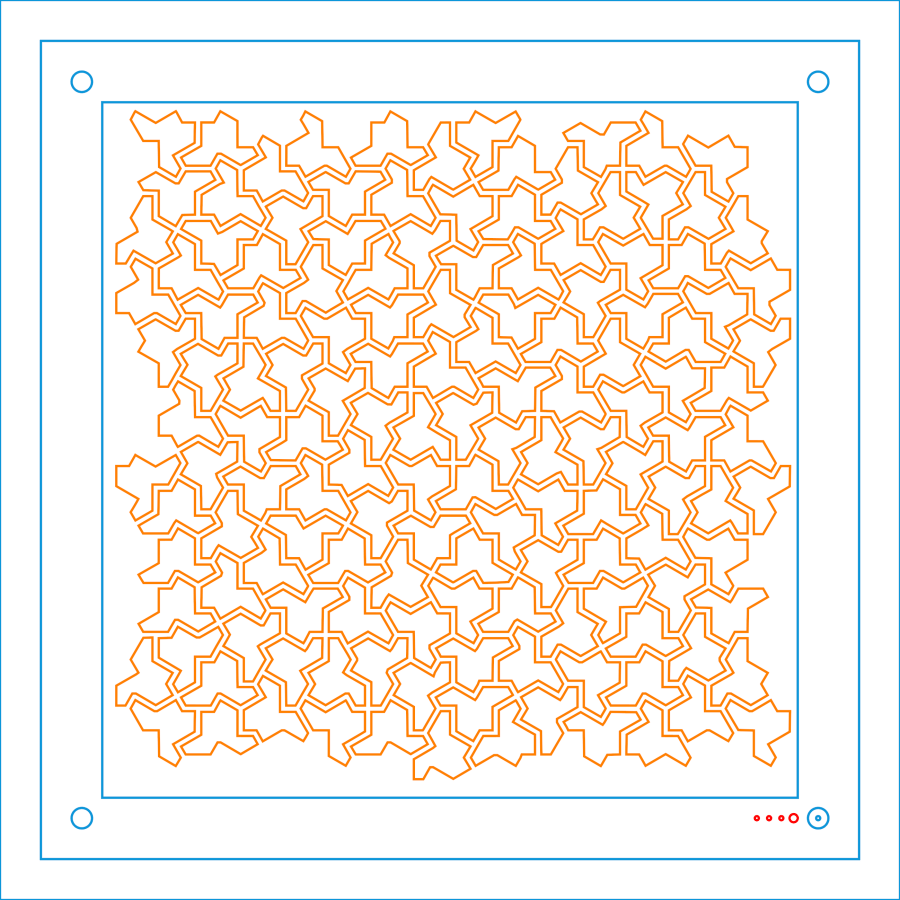
    When life gives you a sheet of tiled einsteins:

    Einstein tiling
    Einstein tiling

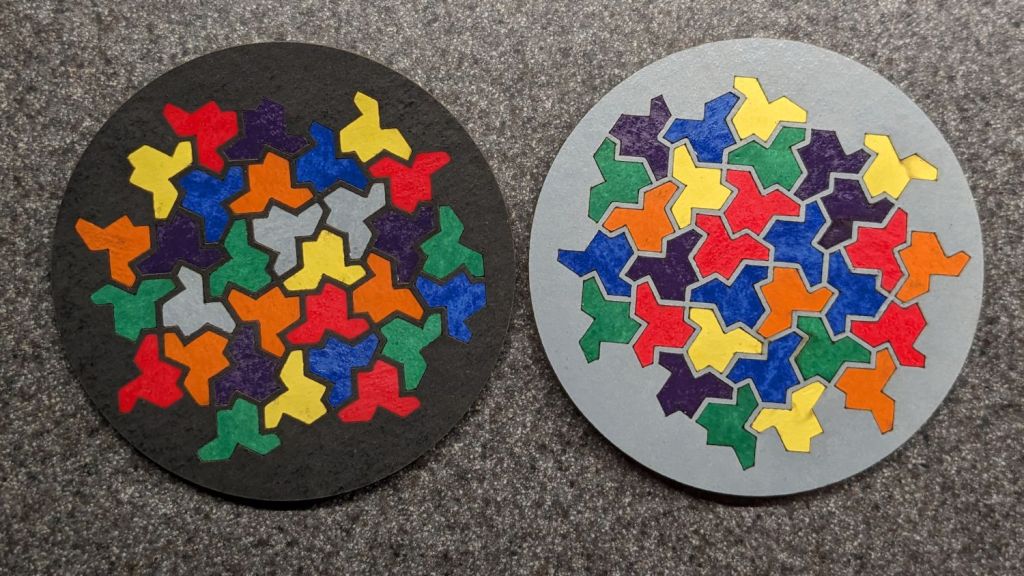
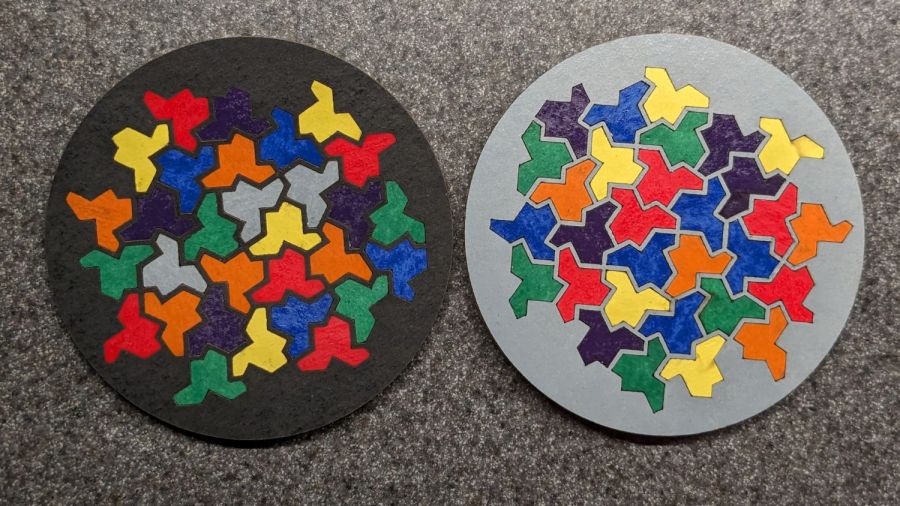
    You can make coasters:

    Einstein tiled coasters
    Einstein tiled coasters

    They’re rattlecan colored chipboard atop MDF atop cork, with the tiles cut from half a dozen sheets of einsteins. The lighter colors suffered from ineffective tape masking during cutting, producing more smudging than I’d like, but overall they look pretty good.

    I was surprised at how dull the black surround turned out and how good the gray appears: rapid prototyping & iteration in full effect.

    Unlike the layered paper version, these require a great deal of fiddly handwork.

    I hope the MDF will prevent the premature warping afflicting the chipboard-on-cork coasters. Perhaps shooting the assembled coasters with a clearcoat would help, although you do want coasters to be a bit absorbent, lest they stick to wet cups / mugs / glasses in humid weather.

  • Layered Paper: Einsteins

    Layered Paper: Einsteins

    Go to the source and bring back a suitable number of tiled einsteins:

    Einstein tiling
    Einstein tiling

    Import the bitmap into LightBurn, fiddle with the tracing until it lays down two lines along each border, apply a 1 mm inset to all the tiles, then scale & crop & delete to fit a 170 mm square:

    Einsteins - LB paper - top layer
    Einsteins – LB paper – top layer

    Cut one of those sheets, tape it to a sheet of white paper, fire up a calculator, generate a random number, write the first digit in the upper-left tile, and iterate to fill in all the tiles.

    Duplicate that layout and delete all the tiles marked with a zero to get the next layer.

    Iterate for all ten layers:

    Einsteins - LB paper cuts
    Einsteins – LB paper cuts

    Set up the fixture, do the Print-and-Cut alignment, then cut all the layers with different colors:

    Layered Paper cutting fixture - in use
    Layered Paper cutting fixture – in use

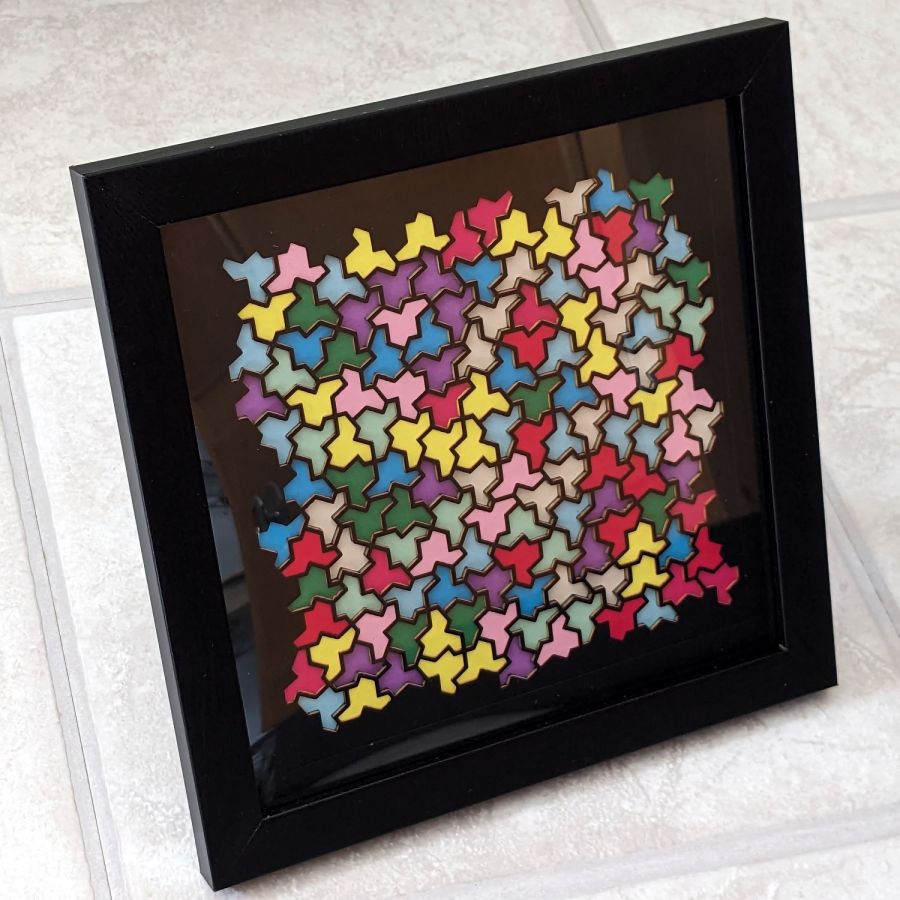
    Assemble the layers with some stick adhesive:

    Layered Paper - Einsteins
    Layered Paper – Einsteins

    Frame it and admire:

    Layered Paper - Einsteins
    Layered Paper – Einsteins

    It’s way busier than the quilt blocks, but I like it.

  • Layered Paper: Mariner’s Compass Insets

    Layered Paper: Mariner’s Compass Insets

    Given the geometry of the Mariner’s Compass block:

    Mariners Compass - top level shapes - LB layout
    Mariners Compass – top level shapes – LB layout

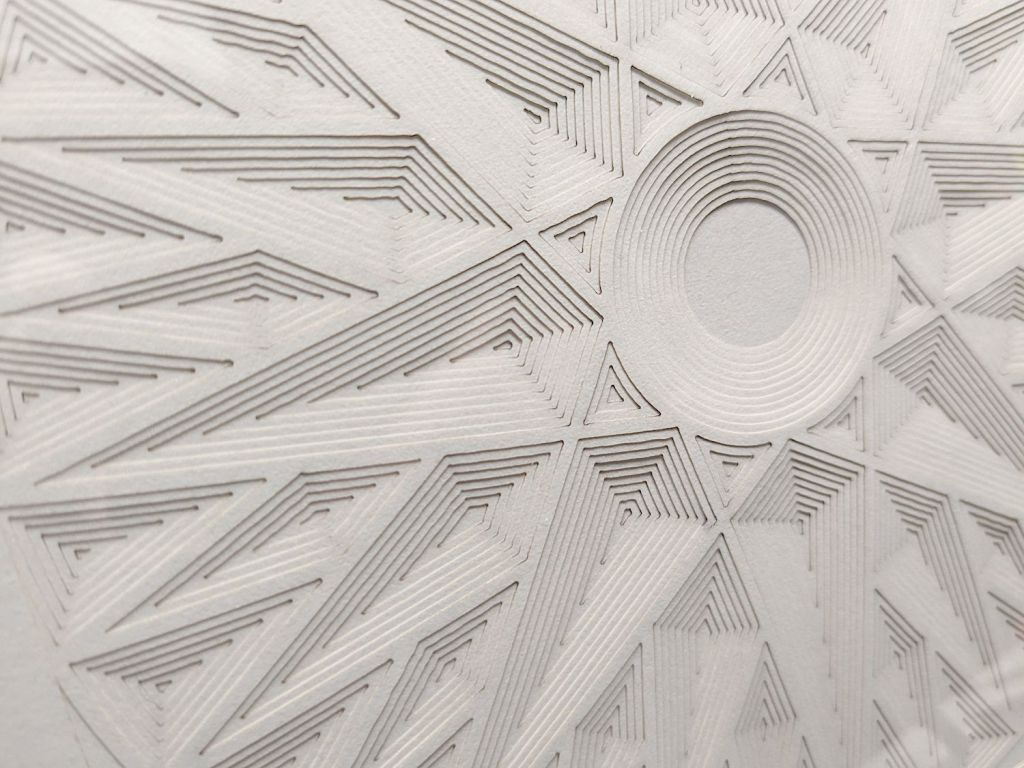
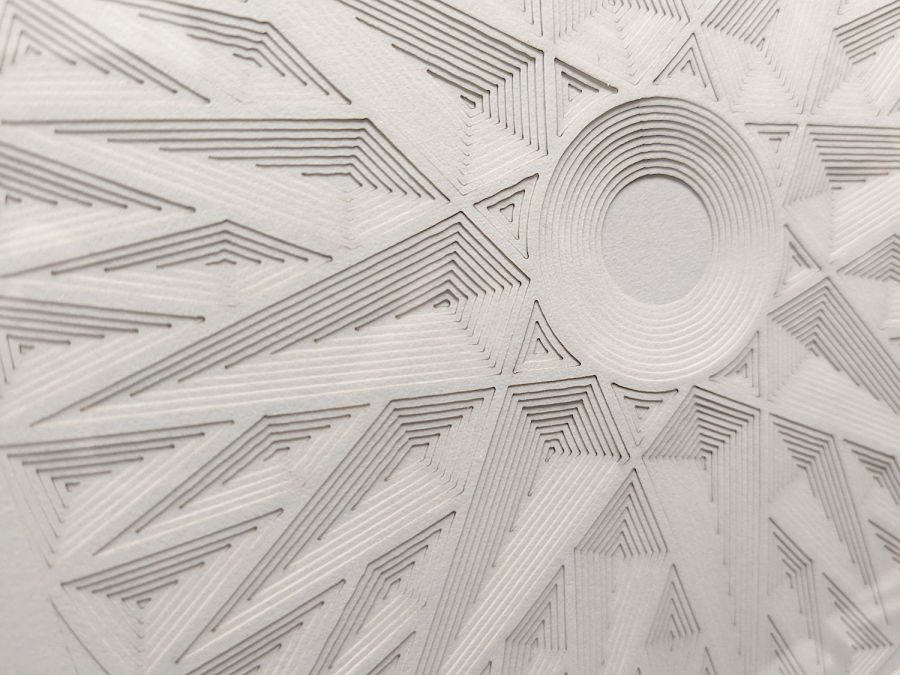
    Applying increasing insets to that top level produces a beveled result:

    Layered Paper - Mariners Compass - offsets - detail
    Layered Paper – Mariners Compass – offsets – detail

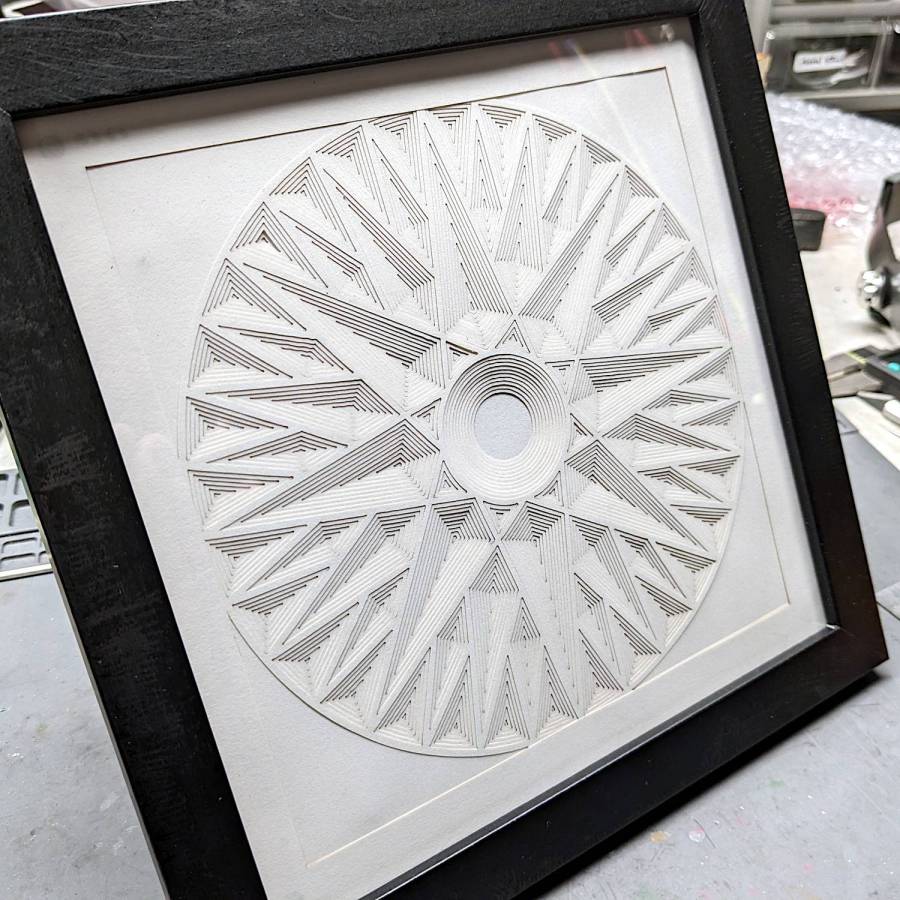
    Seen from a distance, you need oblique light to make any sense of it:

    Layered Paper - Mariners Compass - offsets
    Layered Paper – Mariners Compass – offsets

    It’s made from random sketch paper, rather than cardstock, and we all know how much the paper matters.