The Smell of Molten Projects in the Morning

Ed Nisley's Blog: Shop notes, electronics, firmware, machinery, 3D printing, laser cuttery, and curiosities. Contents: 100% human thinking, 0% AI slop.

Author: Ed

  • Desktop Background From the Deep

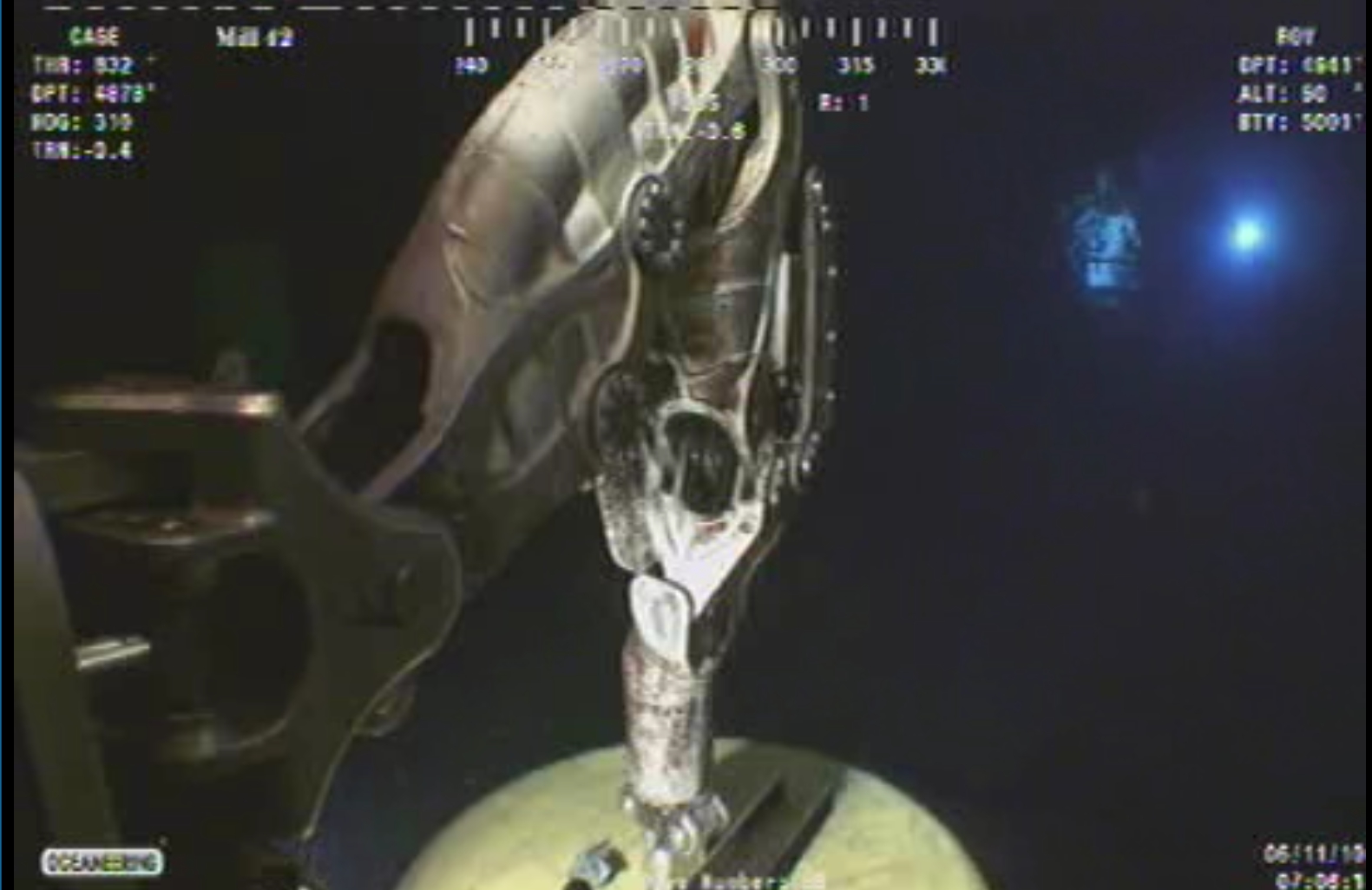
    I snagged this gem from the Deep Horizons spillcam site a while back; it’s a screen grab at 1600×1200 with all the extraneous junk cropped off. Scaling it back to fit a 4:3 screen doesn’t do it a bit of damage: it looks just as weird.

    Something from Alien, perhaps?

    Deepwater Horizon capping - manipulator arm
    Deepwater Horizon capping – manipulator arm

    I’m pretty sure that’s Sweet Babby Jeebus™ floating over there in the background…

    [Update: Some “best of” the ROV video feeds, speeded up by a factor of 7, are there.]

  • DC Motor Speed Control

    Got a question by email, which I discourage, because then nobody else can chime in to add details or correct errors.

    Here’s the transcript:

    Hi,

    I want to control a brushed DC motor (speed and direction) with a PWM driver (L298) controlled by a microcontroller (Arduino), with the following requirements:
    – Motor voltage range: 6 – 12 V dc.
    – Forward / Reverse
    – Power Supply : 12 v battery (No regulator (12 → 6 V)
    – The motor must perform as being supplied at 6 V dc.

    It means to me that the motor should be supplied at 6 V with some kind of PWM magic. I was told that it can be accomplished but not how to do it.

    Yes I can set 50% Duty Cicle (PWM), then I have 6 V in the motor, but it means constant speed (or I just misunderstood PWM) so I cannot increase/decrease speed.

    I have 0 – 127 (0 – 50%) control speed but below motor specs (6 – 12 V) son motor stops.
    And above (127 – 255) I have control too but in the 6 – 12 V range so above 6 V.

    I have searched forums and Google, but I can´t find the way to do it. It´s likely an odd question but I am simply lost.

    Any clue?

    And my reply, which may seem curt, but remember that I really can’t do design work by email…

    > then I have 6 V in the motor,
    > but it means constant speed
    > (or I just misunderstood PWM)
    > so I cannot increase/decrease speed.

    PWM allows you to supply a DC voltage equivalent to

    (PWM duty cycle) x (DC input voltage)

    You can change the speed of the DC motor by changing the PWM duty cycle, thus increasing or decreasing the voltage applied to the motor. But that’s the limit of your control.

    > below motor specs (6 – 12 V) son motor stops.

    That, unfortunately, is the nature of DC motors. Their torque depends strongly on the input voltage and below the rated input, the torque drops off sharply.

    This introduction may help. I found it by searching on

    “dc motor” torque pwm

    and you will find other references using similar searches.

    http://homepages.which.net/~paul.hills/SpeedControl/SpeedControllersBody.html

    Good hunting!

  • New 1.5 TB USB Backup Drive

    Just got a new 1.5 TB USB drive (Western Digital Elements; every manufacturer has produced horror stores) for $85 delivered; I do not understand the economics of that business in the least. Anyway, this will become the external drive onto which the rsnapshot routine dumps the daily changes from the file server; the old 500 GB drive was 99% full, so it’s time to tuck that one in the fireproof safe.

    The NTFS partition had some weird-ass peculiarities that choked cfdisk, so I used parted to blow away the NTFS type=7 partition and create a new Linux type-83 partition. Strangely, the drive came with no shovelware, for which I’m grateful.

    sudo fdisk /dev/sde
    Command (m for help): d
    Selected partition 1
    Command (m for help): n
    Command action
       e   extended
       p   primary partition (1-4)
    p
    Partition number (1-4): 1
    First cylinder (1-182401, default 1):
    Using default value 1
    Last cylinder, +cylinders or +size{K,M,G} (1-182401, default 182401):
    Using default value 182401
    Command (m for help): w
    The partition table has been altered!
    

    Then build an ext3 filesystem:

    sudo mke2fs -j -m 0 -L 'Backup-1.5TB' -O sparse_super /dev/sde1
    

    The sparse_super option seems to make sense; if the drive fails to the point where you must go rummaging for more than one spare superblock, you’re probably not going to find any of them.

    Turns out you really should unplug / replug a USB drive after walloping its partition table. Took me a while to figure that out. Again. You’d think I’d remember.

    Then you find the partitions’s new UUID using any of:

    ll /dev/disk/by-uuid/
    vol_id /dev/sde1
    

    Then plug the UUID into fstab so the rsnapshot routine can mount the drive regardless of which device it wakes up as on any given day:

    UUID=77c75554-26a0-4bbc-a452-201c2150bf1a  /mnt/backup ext2 defaults,noatime,noauto,nodev,noexec,nosuid 0 0
    

    More on that from the last go-round there.

    The first backup took about six hours to copy 430-some-odd GB of data from the internal SATA drive. Call it almost exactly 20 MB/s; such a nice round number surely means a drive-limited data rate.

    Incidentally, if you need a shiny new UUID for some reason, uuidgen is your friend.

    Memo to Self: Just unplug the [mumble] drive.
  • Remembering Which Cells Need Charging

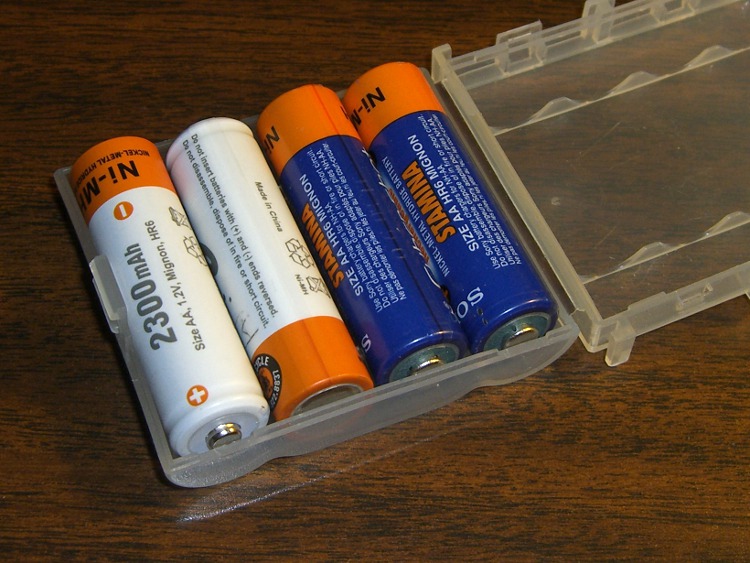
    My Sony DSC-H5 eats NiMH cells like candy, which means I must haul along a pocketful of the things. That means I often wind up with a case containing one charged pair and one uncharged pair.

    Ditto for swapping cells in the blinky lights on our bikes.

    Pop quiz: which pair is which?

    Battery Charge State Reminder
    Battery Charge State Reminder

    It’s pretty easy:

    • Nose-to-tail = as in the camera = charge ’em
    • Nose-to-nose = as in the charger = ready to use

    You could do some remote psychoanalysis based on that sort of behavior, but you’d be completely right.

  • Cleaning Up a Pipe Center

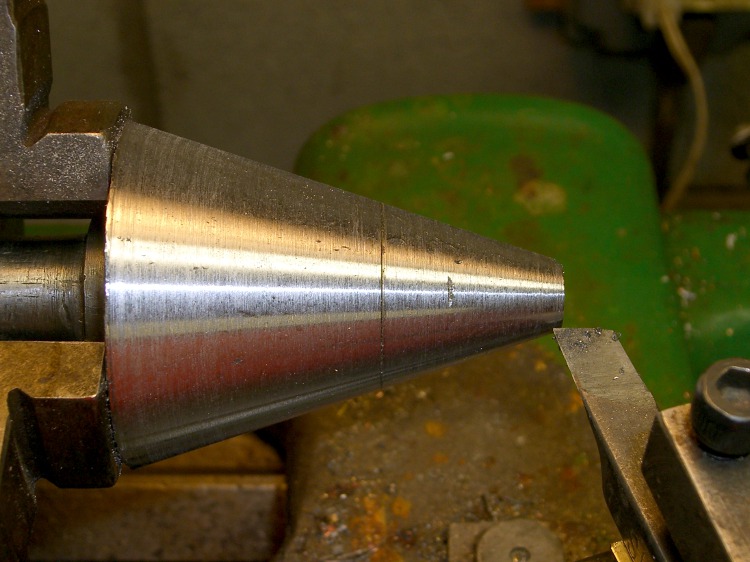
    I need this pipe center maybe twice a year and have hitherto managed to work around some nasty gouges and runout that came with it. But I finally cleaned it up by the simple expedient of dialing the compound to match the average angle (it was badly out of true) and skimming off enough to clear the surface.

    The trick was realizing that the teeny little shoulder between the taper and the cone was concentric with both. I grabbed it tight (yeah, in a three-jaw chuck), took sissy cuts, and hit the end result with a file to smooth things out.

    The remaining gouges are just fine by me.

    Cleaned-up Pipe Center
    Cleaned-up Pipe Center

    It had been center-drilled in the small end, but the opening had taken a real beating at some point. Neither the live nor the dead center sat correctly and I couldn’t figure out how to hold the thing to re-drill the end.

  • Shrinking Heat-shrink Tubing to a Specific Diameter

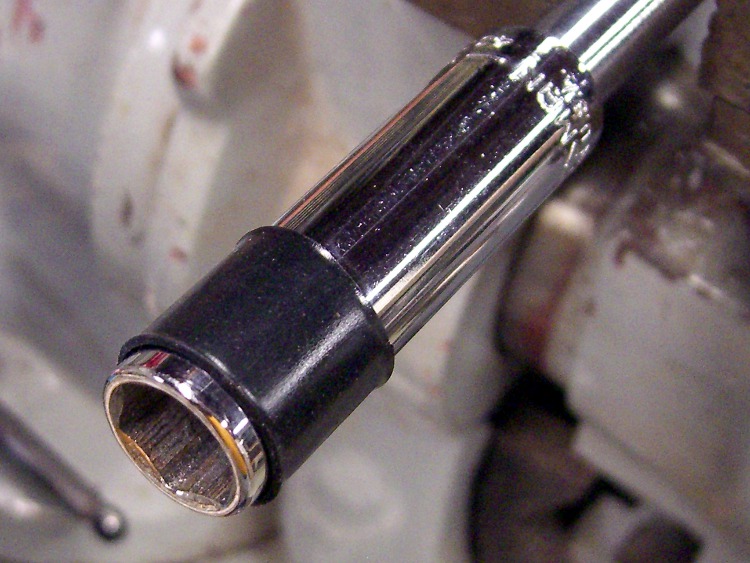
    Shrinking tubing on a mandrel
    Shrinking tubing on a mandrel

    I needed some black plastic tubes with several different IDs, which usually calls for some tedious machining. Then I realized I could just shrink some heat-shrink tubing around mandrels.

    Drill rod worked fine, as did a socket wrench. The only catch was avoiding the engraved lettering, which tends to lock the tubing firmly in place.

    In a pinch, I suppose you could turn a rod to the right OD and make a mandrel. That would likely be faster than machining a tube from solid stock, at least for me.

    Chuck the mandrel in the lathe, lean a box cutter against the tubing, turn it by hand, and cut to the right length with nice flat ends. Pry it off by sliding a fine needle between the tubing and the mandrel.

    You knew that already, right?

  • Aztek Brake Pad Inserts: Glazing Thereof

    Went on a ride around the block and after about 4 miles discovered I had no rear brakes. Well, the brakes were there and doing the right mechanical things, but without much friction.

    Did an expedient repair by squeezing strips of paper between the pads and the rim, then rolling the wheel. Came out black and graphite-looking, not oily, but didn’t improve the braking.

    Rolled the bike into the shop after the ride; 23 miles without a rear brake gets my immediate attention. Wiped a lot of black graphite-looking schmutz off the rim using denatured alcohol, filed the well-glazed pads to a nice finish, and reinstalled.

    These are Aztek pad inserts, which I’m trying out to see how they work. So far, not much; they seem less grippy than the ordinary Aztek pads (on the front and previously on the back) and certainly much more prone to glazing.

    Memo to Self: 7792 on the odometer.