The Smell of Molten Projects in the Morning

Ed Nisley's Blog: Shop notes, electronics, firmware, machinery, 3D printing, laser cuttery, and curiosities. Contents: 100% human thinking, 0% AI slop.

Author: Ed

  • Whirlpool Refrigerator Fan Noise: Solved Again and Again

    Back in 2006, our ancient (19-ish years old) Whirlpool refrigerator started making weird howling noises suggested someone broke into the house and stuffed a dog inside the freezer. Turned out to be the fan behind the rear panel of the freezer compartment that moves air across the cooling coils and down into the refrigerator compartment; evidently the sintered bronze bearings wore just enough to let the shaft oscillate side-to-side while rotating.

    I ordered a replacement, but then decided to try an old fix: put a dollop of STP in the bearings. That added enough damping to kill the resonance and let the old fan turn freely. It worked so well that I put the new fan on the shelf in case it came in handy later on.

    Years passed… and then, as if by magic, the freezer dog reappeared.

    Mary moved the contents to the downstairs chest freezer (she’s much more organized than I and wanted to find things again), I pulled the old fan out, installed the “new” fan, buttoned up the freezer, and it ran fine.
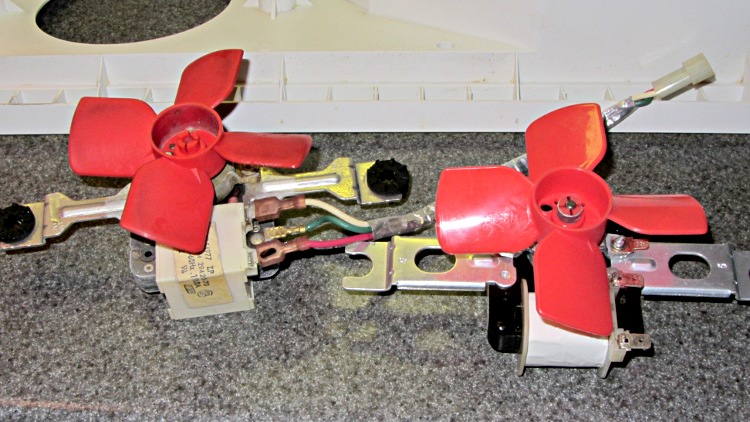
    Whirlpool refrigerator fans
    Whirlpool refrigerator fans

    Until about two in the morning, when the freezer dog began howling again…

    As nearly as I can tell, the new fan’s bearings arrived just slightly oversize; I doubt they’re pre-worn.

    So I applied the STP fix to the new fan:

    • Remove the compression fitting from the fan blade hub
    • Remove the fan blades from the shaft
    • Remove the screws & nuts holding the frame together
    • Remove motor shaft from bearings
    • Put a drop of STP into the rear bearing
    • Slather a ring of STP around the front bearing
    • Deliberately misalign the self-aligning bearings to redistribute the slack
    • Reassemble in reverse order

    It’s been running silently for a day, which suggests it’ll be good for quite a while…

  • Kindle Fire Power Button Protector

    I finally broke down and bought a Kindle Fire last week, with the intent of having my accumulation of datasheets and manuals where I need them when I need them, and it works reasonably well. One ergonomic blunder: the power button stands just slightly proud of the edge:

    Kindle Fire Power Button
    Kindle Fire Power Button

    That’s exactly where my little finger rests when I’m supporting the slab in my left hand. Past experience has also shown that any opening will admit dust that eventually accumulates behind the screen, so a small protector seemed in order:

    Kindle Power Button Protector - solid model
    Kindle Power Button Protector – solid model

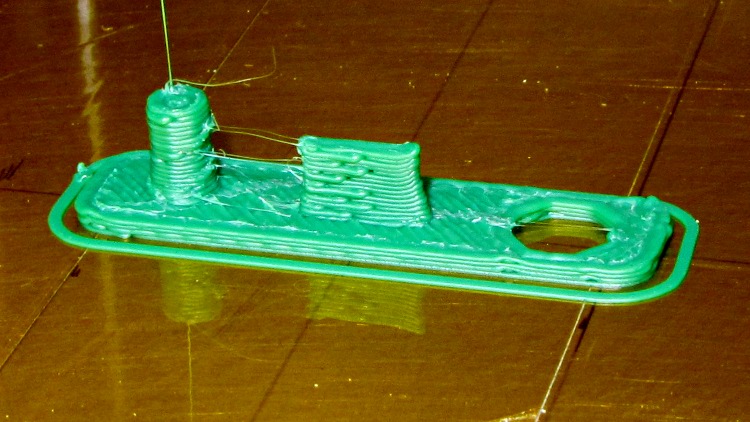
    Printed with zero added shells and 1.0 infill produced a solid block of plastic that required very little cleanup:

    Kindle power button protector - as built
    Kindle power button protector – as built

    The zittage serves to improve the fit: the protector should require a bit of fingernail persuasion to remove.

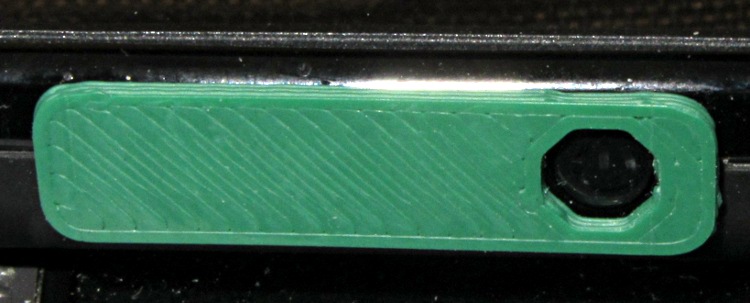
    It took two tries to get the Micro-B USB connector slab offset from the centerline just right, but eventually everything lined up correctly:

    Kindle power button protector - in place
    Kindle power button protector – in place

    My pudgy finger squeezes into that opening just enough to turn the thing on and off, but pressing on the green plastic bar has no effect. There’s not enough plastic to allow chamfering the edge in the solid model, but a bit of riffler file action worked wonders on those sharp edges.

    The OpenSCAD source code:

    // Kindle Fire Power Button Protector
    // Ed Nisley KE4ZNU April 2012
    
    include </home/ed/Thing-O-Matic/lib/MCAD/boxes.scad>
    
    //- Extrusion parameters must match reality!
    //  Print with +0 shells and 3 solid layers
    
    ThreadThick = 0.25;
    ThreadWidth = 2.0 * ThreadThick;
    
    HoleWindage = 0.2;
    
    function IntegerMultiple(Size,Unit) = Unit * ceil(Size / Unit);
    
    Protrusion = 0.1;			// make holes end cleanly
    
    //----------------------
    //- Dimensions
    
    PlugDia = 3.5;					// audio jack
    PlugLength = 5.0;
    PlugOffset = -10;
    
    USBThick = 1.0;					// Micro-B USB jack
    USBWidth = 6.8;
    USBLength = 4.0;
    USBOffset = -0.25;
    
    ButtonDia = 5.2;				// power button
    ButtonOffset = 10.0;
    
    PlateWidth = 7.5;
    PlateLength = 30.0;
    PlateThick = 1.0;
    PlateRadius = 2.0;
    
    //----------------------
    // Useful routines
    
    module PolyCyl(Dia,Height,ForceSides=0) {			// based on nophead's polyholes
    
      Sides = (ForceSides != 0) ? ForceSides : (ceil(Dia) + 2);
    
      FixDia = Dia / cos(180/Sides);
    
      cylinder(r=(FixDia + HoleWindage)/2,
               h=Height,
    	   $fn=Sides);
    }
    
    module ShowPegGrid(Space = 10.0,Size = 1.0) {
    
      Range = floor(50 / Space);
    
    	for (x=[-Range:Range])
    	  for (y=[-Range:Range])
    		translate([x*Space,y*Space,Size/2])
    		  %cube(Size,center=true);
    
    }
    
    //-------------------
    // Component parts
    
    //-------------------
    // Build things...
    
    ShowPegGrid();
    
    union() {
      translate([PlugOffset,0,0])
    	cylinder(r=PlugDia/2,h=(PlugLength + PlateThick),$fn=8);
      translate([0,USBOffset,(PlateThick + USBLength)/2])
    	cube([USBWidth,USBThick,(PlateThick + USBLength)],center=true);
      difference() {
    	translate([0,0,PlateThick/2])
    	  roundedBox([PlateLength,PlateWidth,PlateThick],PlateRadius,true,$fn=4*4);
    	translate([ButtonOffset,0,-Protrusion])
    	  rotate(360/(2*8))
    		PolyCyl(ButtonDia,(PlateThick + 2*Protrusion));
      }
    }
    

    I loves me my 3D printer…

  • Bald Cardinal: Continuing Feather Loss

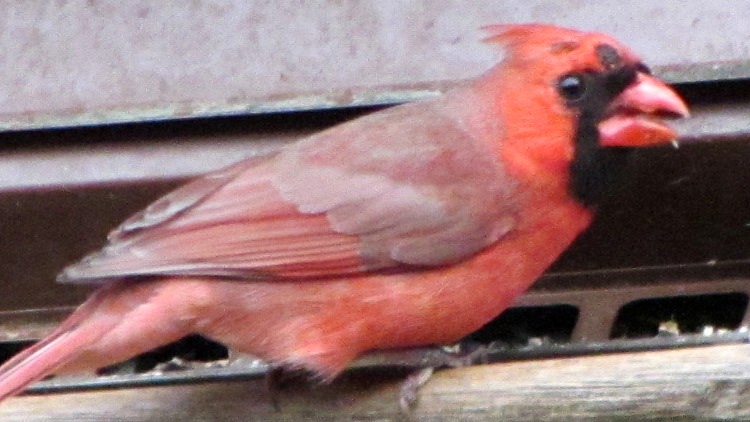
    Bald Cardinal - left side
    Bald Cardinal – left side

    The bald cardinal still stops by the feeder in the evening. He’s now losing the smaller red feathers around his eye and above his beak. The black feathers bordering his beak seem unaffected, although it’s hard to tell through the window glass blur.

    This image is a tight crop from the Sony DSC-H5, which has a lens about two stops faster than my Canon SX230HS pocket camera and is much better suited for evening photography. I’ll add the tele adapter to the stack and try to get a better picture from the door; I think the autofocus assist light spooks the poor bird.

  • Colgate-to-Crest Toothpaste Cap Adapter

    I’ve always liked flip-top toothpaste tube caps, which Colgate tubes have and Crest tubes don’t. I’m sure there’s a reason why they use different threads; perhaps there’s a standard for toothpaste tube threads that encompasses both?

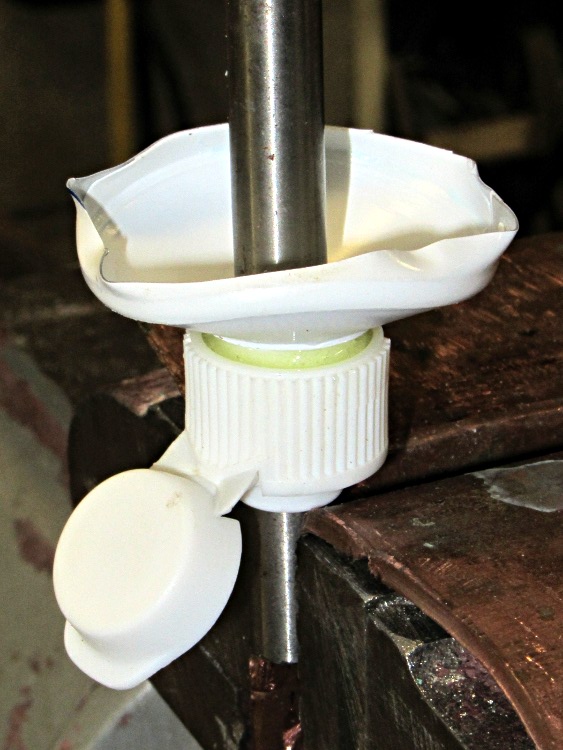
    Anyhow, after years of pondering this dilemma, I jammed a Colgate cap and the top of a Crest tube onto a length of 5/16″ drill rod and eased some epoxy into the joint:

    Colgate-Crest adapter - gluing
    Colgate-Crest adapter – gluing

    It turns out that the minor diameter of the Colgate cap is just slightly smaller than the major diameter of the Crest tube, so they don’t quite slide together. The epoxy makes for a perfect, zero-clearance fit that’s so tight you must crunch the tube to unscrew it:

    Colgate-Crest adapter - thread form
    Colgate-Crest adapter – thread form

    For what it’s worth, that buttress thread form provides a leakproof seal in the original tube.

    I have no idea whether this will actually work, because the closet has a three-pack of Colgate that should last for quite a while. Yes, we tend to buy whatever toothpaste seems cheapest on a per unit basis when we’re restocking the closet…

  • Northern Cardinal With Tumor

    That missing leg surely involves an accident, those missing feathers may be mites, but now we have a male Northern Cardinal with what looks like a tumor on his head:

    Cardinal with tumor
    Cardinal with tumor

    It’s not obvious in that picture, but the black patch seems to be the rubbed-raw top of a growth.

    Prior to these birds, in all the years we’ve been birdwatching we’ve never seen any damaged cardinals…

  • KG-UV3D GPS+Voice: Quasi-Extruded Case

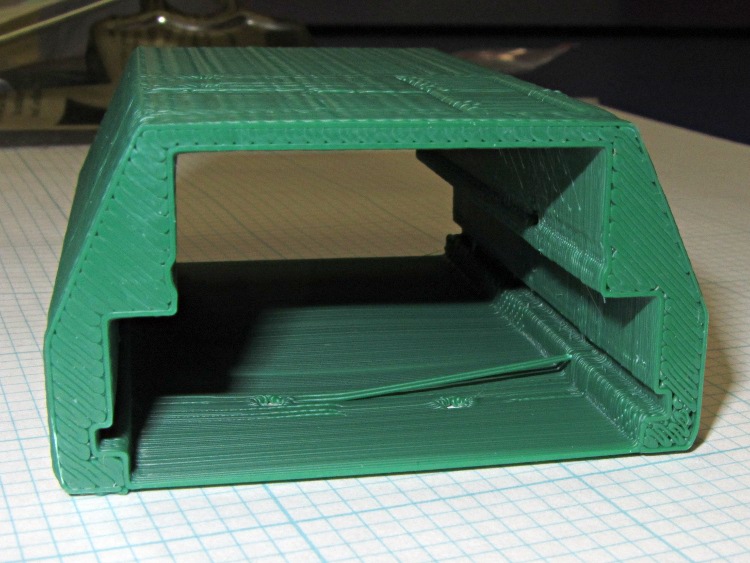
    Unlike the previous kludge, this GPS interface case resembles an extrusion with the PCBs sliding into place, held by setscrews along the edges of the slots:

    HT-GPS Adapter Case - end view
    HT-GPS Adapter Case – end view

    Those errant threads seem to arise from not quite bonding to the corner. The battery side of the case (bottom in this view) is one thread wide, which isn’t quite enough. Adding another thread makes it 1 mm wide, which seems excessive.

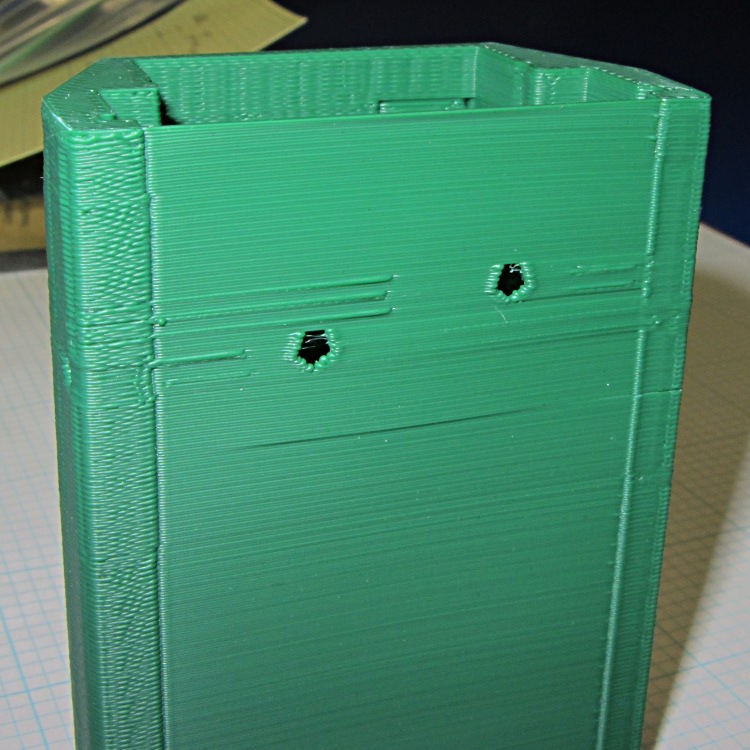
    The idea was to glue the battery interface plate on that side, but printing the case vertically puts various flaws along that surface:

    HT-GPS Adapter Case - bottom view
    HT-GPS Adapter Case – bottom view

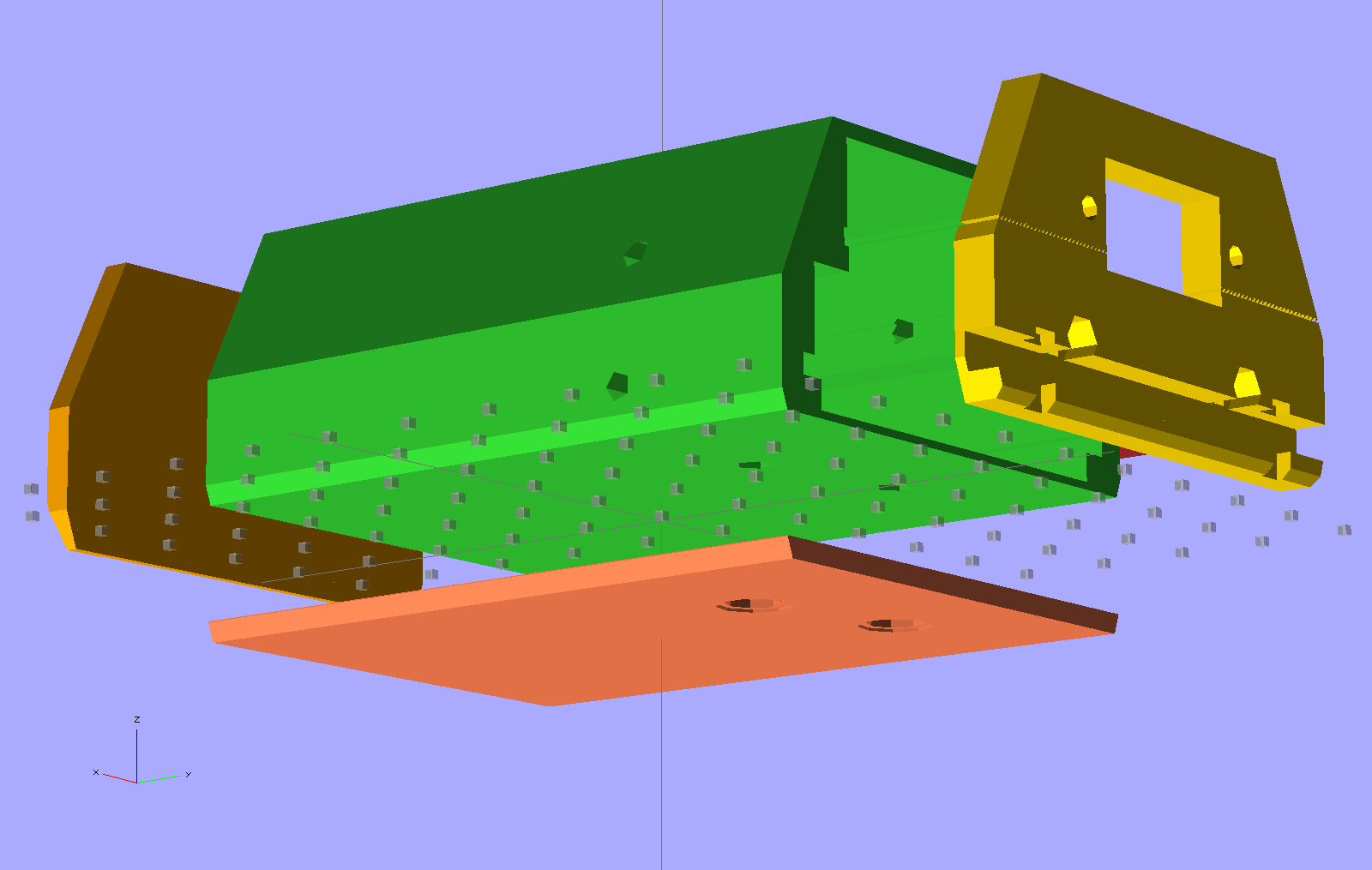
    So the next iteration will merge the battery plate with the case and print the whole affair in one shot. This view shows all the parts separately:

    HT-GPS Adapter Case - exploded bottom view
    HT-GPS Adapter Case – exploded bottom view

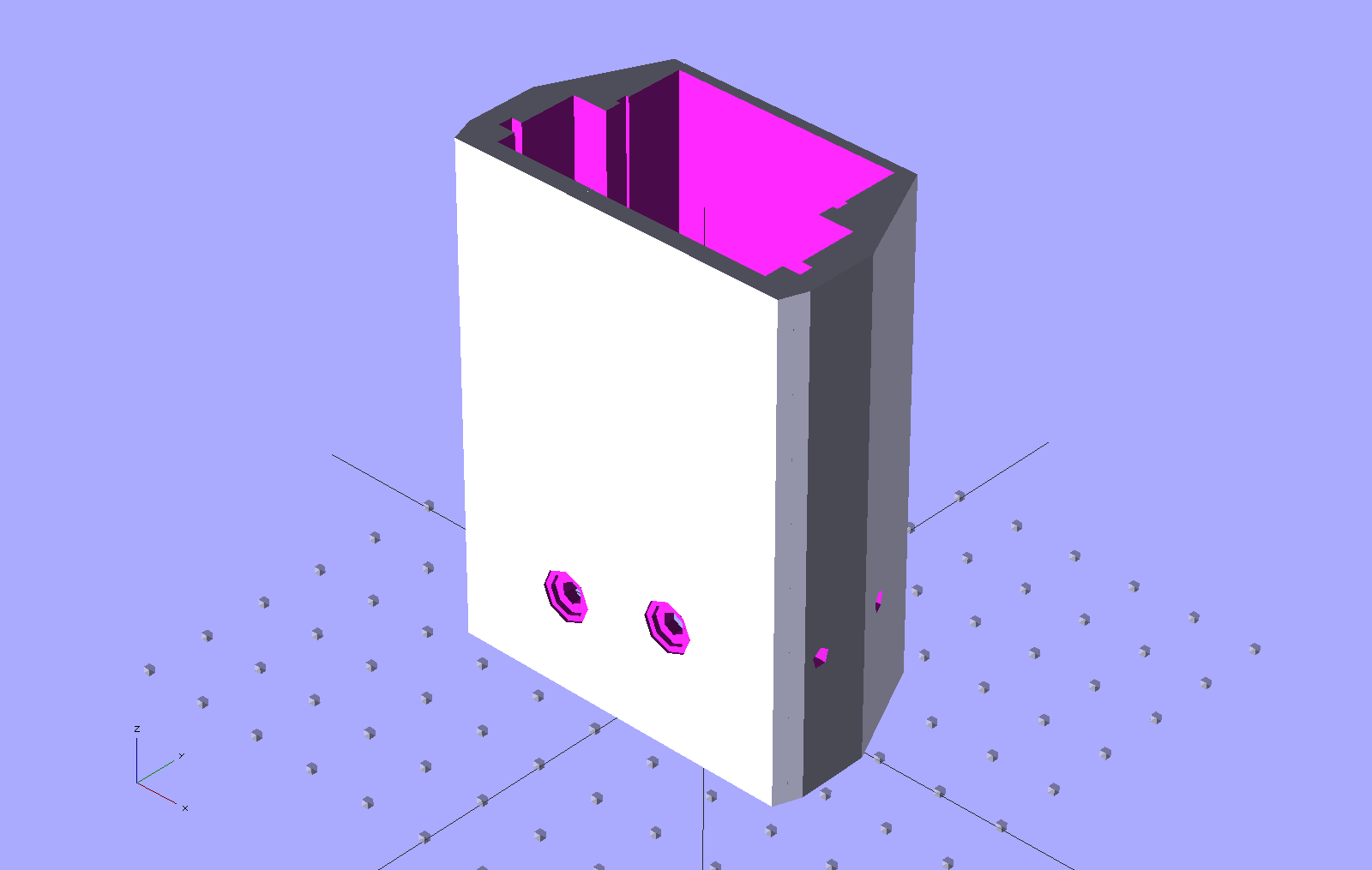
    This shows the case joined with the battery plate, neatly aligned for printing:

    HT-GPS Adapter Case - combined battery interface
    HT-GPS Adapter Case – combined battery interface

    The battery plate has a 0.1 mm extension into the case to avoid problems from objects with coincident planes. Unfortunately, however, that means the intersection between the base plate and the shell forms a line with three planes extending from it: the two outside walls (which are co-planar) and the plate extension inside the case. Skeinforge sometimes complains mightily about that, despite my having applied a union() to fuse the plate with the case: obviously I don’t quite understand how union() works.

    I think the battery contact holes will come out close enough to being right; they all have points on the top edge to reduce the overhang problem.

    One gotcha: the actual metallic contact studs for the battery. The contacts for the ICOM IC-Z1A case came from carefully shaped brass screws secured by nuts above the PCB and that’s what I’ve been designing around for this case. Unfortunately, the PCB must slide in before installing the studs, which means reaching into the depths of the case, with all the wiring in the way, to turn those nuts. Fortunately, the PCB has plenty of clearance in that direction, but … it’ll be awkward at best.

    The studs also need a slot / socket / dingus to prevent rotation while tightening the nuts; right now the contact plate is circular-ish, but maybe I should rethink that.

  • KG-UV3D GPS+Voice: Battery Pack Alignment Lugs

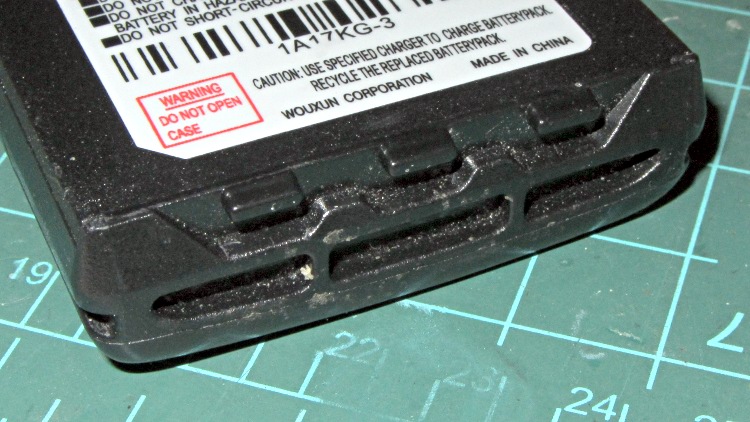
    The bottom end of Wouxun KG-UV3D battery packs have an intricate set of lugs and ramps:

    Wouxun KG-UV3D - battery base
    Wouxun KG-UV3D – battery base

    Those features mate with this set of holes and planes on the bottom of the radio:

    Wouxun KB-UV3D - base features
    Wouxun KB-UV3D – base features

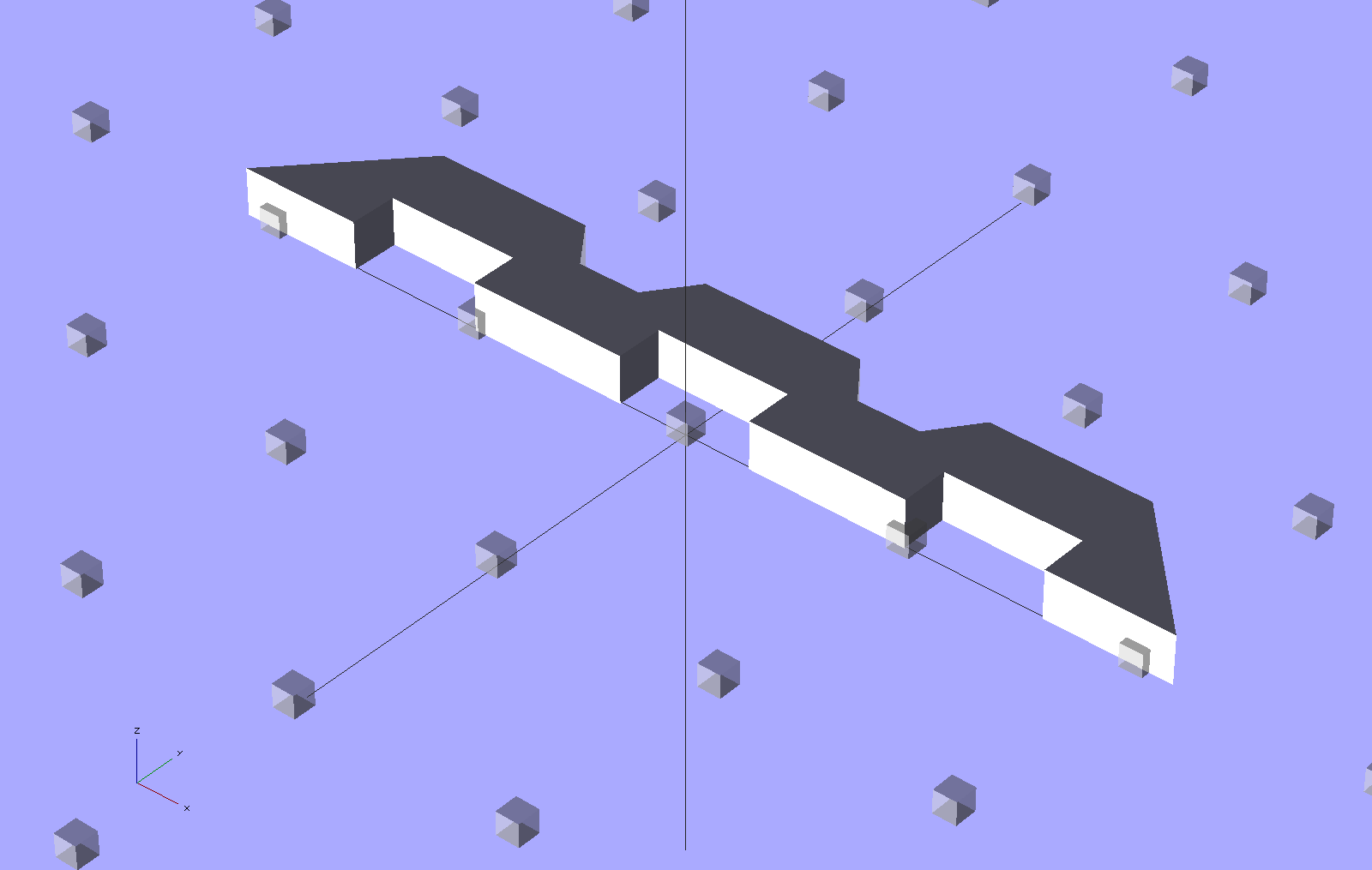
    Which requires making something like this:

    HT-GPS Case - base plate
    HT-GPS Case – base plate

    Which attaches to the base of the GPS+Voice case:

    HT-GPS Adapter Case - Base view
    HT-GPS Adapter Case – Base view

    Which came out quite nicely:

    HT-GPS Case - base plate
    HT-GPS Case – base plate

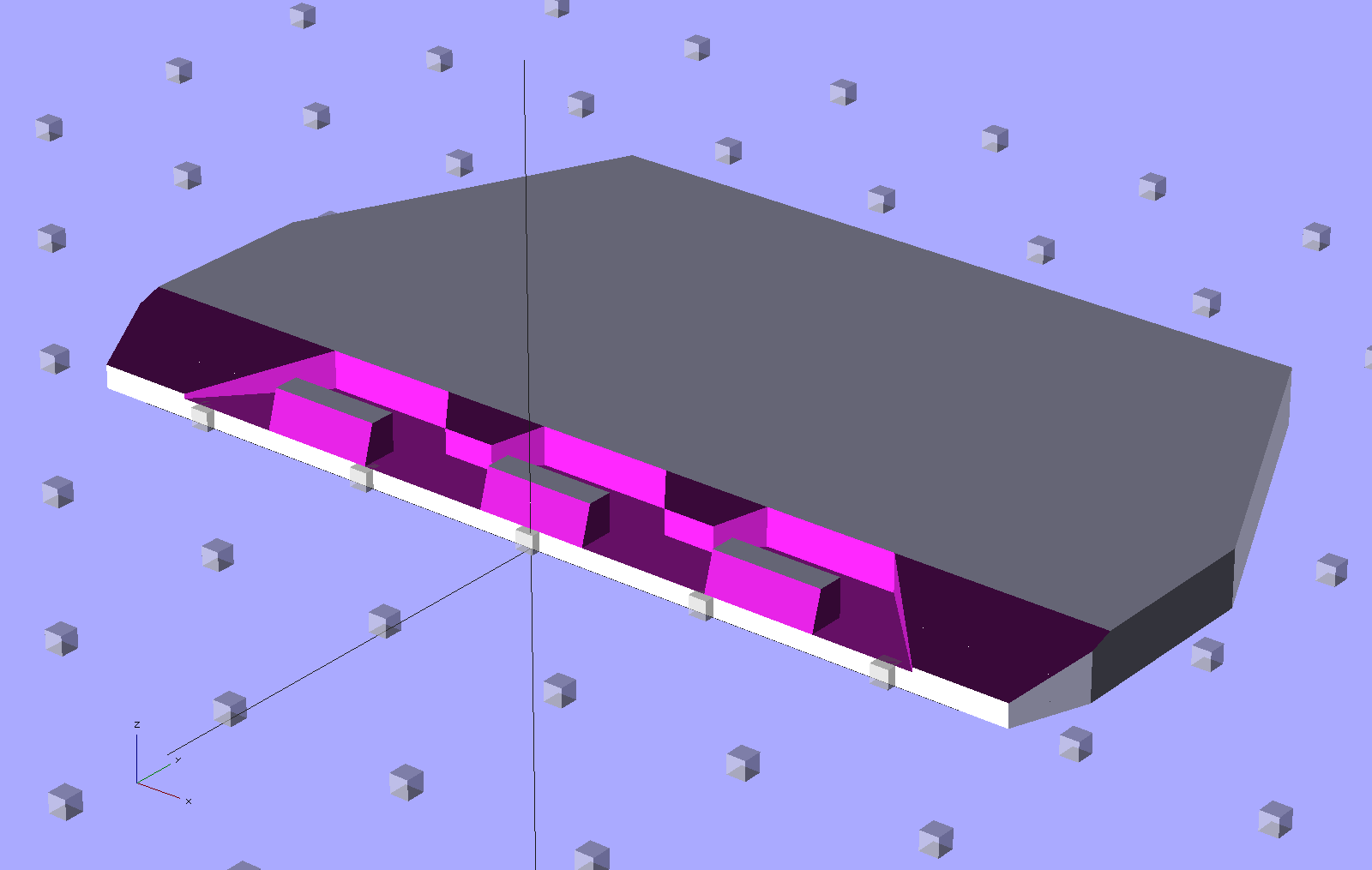
    The trick is to extrude a chunk of the main case shape, then subtract this angular doodad:

    HT-GPS Case - radio base shape
    HT-GPS Case – radio base shape

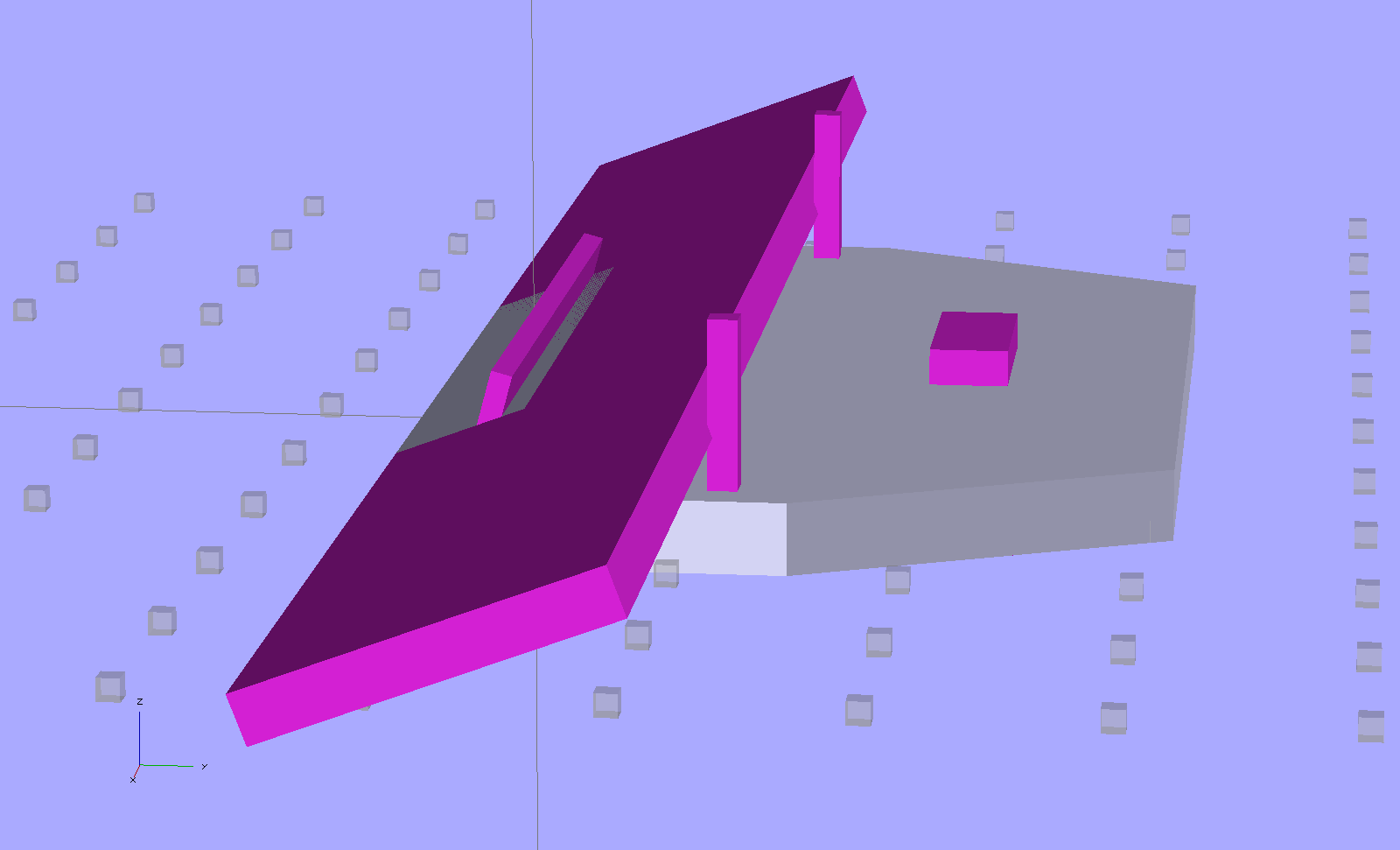
    Then slice off the angular parts to suit (the purple objects represent volumes that will be subtracted from the gray part):

    HT-GPS Case - base plate - construction
    HT-GPS Case – base plate – construction

    Most of the heavy lifting happened with that version, but this one fits better…