Ed Nisley's Blog: Shop notes, electronics, firmware, machinery, 3D printing, laser cuttery, and curiosities. Contents: 100% human thinking, 0% AI slop.
After that rebuild, the first five recharges went like this: 21, 21, 21, 23, and 20 days. The last interval included seven days of vacation, during which the battery suffered just the usual self-discharge common to NiMH cells.
That’s about what the OEM battery delivered, back when it was new, so the new 600 mA·h cells seem to be about the right capacity. Obviously, the end of the OEM battery wasn’t nearly so pretty.
In round numbers, the wireless charger requires one hour to restore the energy drawn by one two-minute brushing: the thing charges for about 21 hours. There’s additional loss from three weeks of self-discharge in there: if 7 days of non-use = 1 brushing, then the usual 21 days = 3 brushings -> 14% loss due to self-discharge.
I’d take a large grain of salt with those numbers…
I’ve been doing some amateur surveying in preparation for the long-awaited driveway paving project, just to see where the property boundaries might be, and this Bosch GLR225 laser rangefinder makes it wonderfully easy to measure distances:
Bosch GLR225 Laser Rangefinder
It’s good up to 230 feet = 70 meters, which means you can measure a sizable chunk of property in one shot. It reads down to 2 inches with 1/16 inch accuracy / resolution (call it 50 mm and 1.5 mm), so one could use it for setups in the shop. It can solve right triangles, which means you can measure distances with an obstruction in the middle, and has a few other tricks. Other rangefinders evidently have more tricks, but I favor writing direct measurements on paper and making computations based those values, rather than using mysterious results direct from the field that can’t be easily verified at the desk.
I tried measuring the nominal 212 foot distance to the Hudson River from the center of the Walkway, but it reported an error. Most likely, specular reflections from water don’t work well, at least not at that distance.
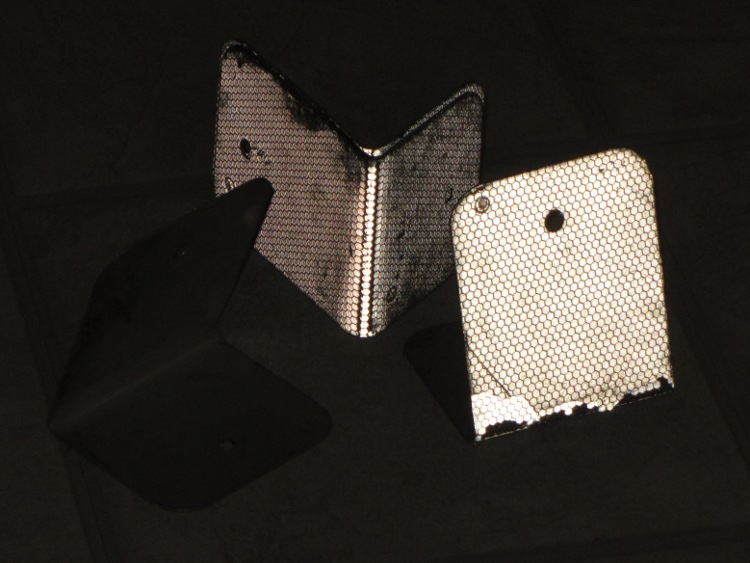
You can buy retroreflective targets, but the Basement Laboratory Warehouse Wing disgorged what looks like roadside border markers, pre-bent into a useful shape:
Laser targets – normal
Seen by reflected light, they’re much more impressive:
Laser targets – flash
They came with the house, so I don’t know their provenance. What I do know is that I can’t hold the rangefinder steady enough to keep the spot on the target at much more than 100 feet. If I get around to doing much more surveying, I must conjure up a tripod mount; the base has a 1/4-20 socket in an awkward location and can measure relative to the screw centerline. Perhaps a rifle stock with a spotting scope would be handy, too, although I’d certainly acquire another black spot on my record.
If you were going to use it in the shop, you’d want a rotating pivot aligned at the intersection of the tripod socket and sensor port to get a known center point.
You can get one on eBay at a substantial discount, of course…
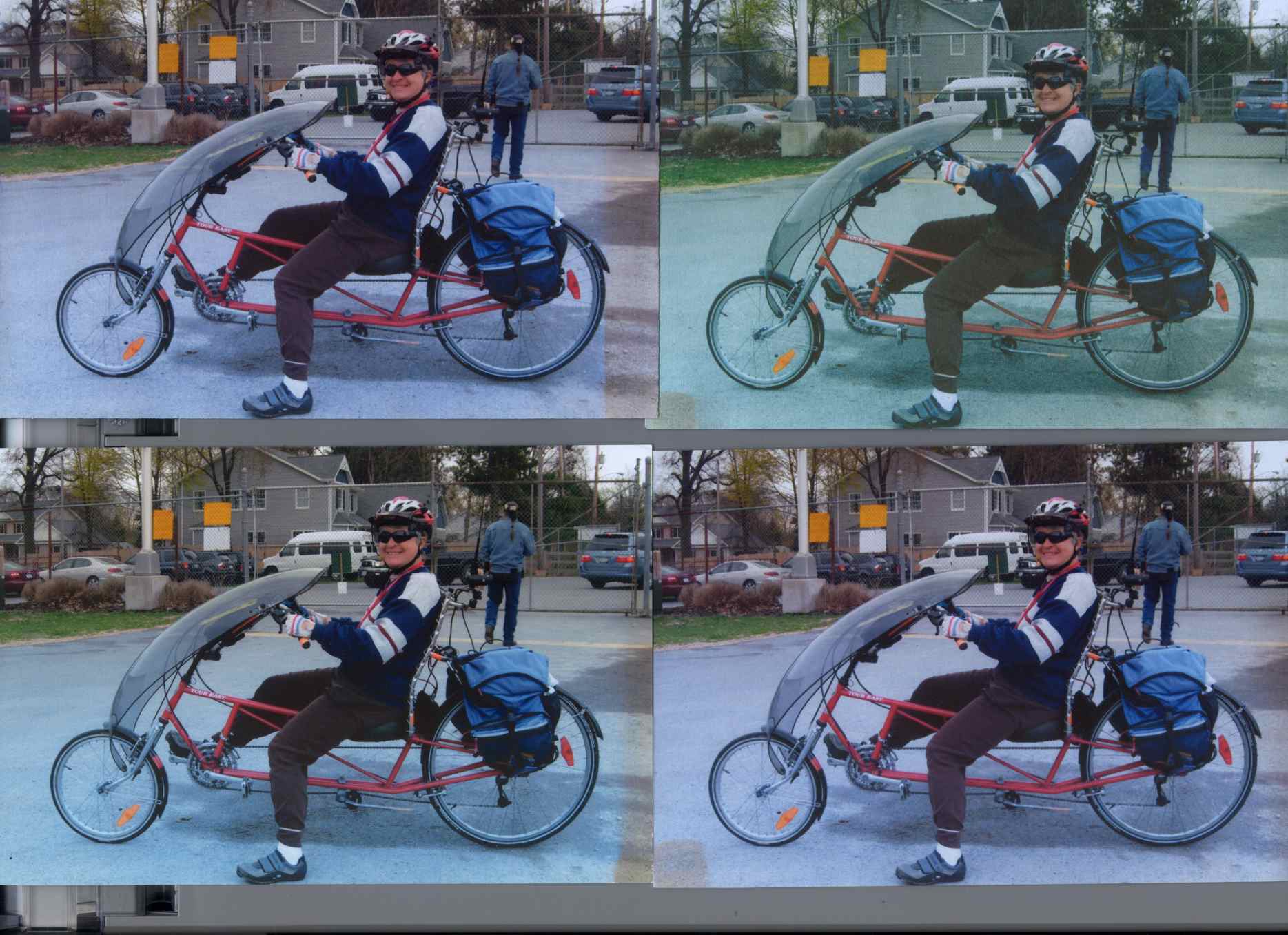
Back in December 2007 I printed four copies of a picture on various papers with the Canon S630 and hung them on a floor joist over my workbench, directly below a fluorescent shop light. Having just hung those screwdrivers where the pictures used to be, it’s time to see what’s happened.
The pictures, scanned on an HP C7670A (aka Scanjet 6300C) against the neutral gray of the ADF platen:
Inkjet Colors vs. Paper vs. Time
The papers, clockwise from lower left:
Glossy
Matte
Plain
Inkjet
While the scanner isn’t renown for its color fidelity, the overall results look about right; the platen really is that shade of gray and the upper-right picture has a sickly green hue.
The faded edges along the right side of the left-hand image show where the adjacent sheet overlapped: the colors didn’t fade nearly as much. The small rectangles on the lower left corners of the right-hand images show where I put clothes pins to keep the sheets from curling.
All of the images have a blue overtone; the magenta dye fades out with exposure to UV from the fluorescent fixture.
As you’d expect, the glossy paper looks best, with very crisp detail. The inkjet paper is next, followed by the matte, and the plain paper in the upper right obviously doesn’t support the ink well at all.
Of course, after five years I no longer have any of those papers and am using entirely different ink…
To show that the scanner really does matter, here’s the same set of images from a Canon LiDE 30:
Inkjet Colors – Canon LiDE30
In both cases. that’s without any color correction / gamma compensation / whatever. I should fish out my scanner calibration targets and go through the whole color calibration dance again; with any luck, the Linux color management infrastructure will be less inadequate by now.
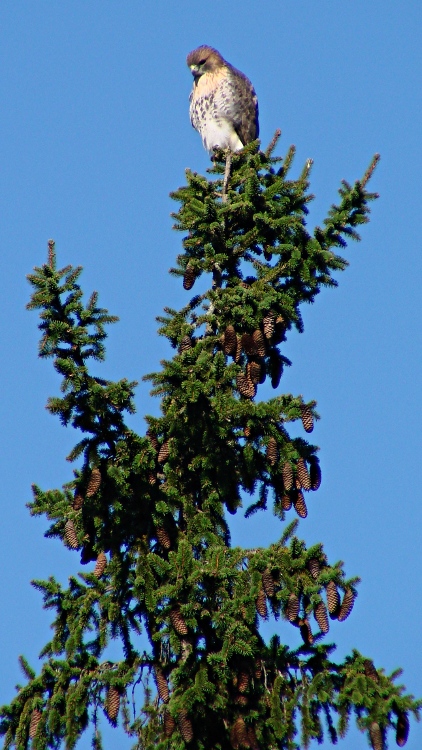
This looks like a juvenile Cooper’s Hawk, perched high atop that tree. It seems the pair we spotted last year had a successful hatching!
We always wish “our” hawks, whatever and wherever they may be, good hunting…
This came from the first set of real pictures using the repaired Sony DSC-H5 zoomed to 12× with the 1.7× tele conversion lens, cropped down a bit: plenty of artifacts to choose from.
Our Larval Engineer may have a commission to fit her Speed-Sensing Ground Effect Lighting controller to another longboard. To that end, the case now sports mouse ears to spread the force from the cooling ABS over more of the Kapton tape, in the hope the plastic won’t pull the tape off the aluminum build platform:
Longboard Case Solid Model – mouse ears
That view shows the bottom slice that will hold the battery, but the ears appear on all three layers.
For quite some time, the Canon S630 printer connected to the file server downstairs has been printing some documents in what looks like garbled reverse video: all of the text areas render as white characters on a black background, with peculiar graphic gibberish filling the space to the right margin. I’d provide a picture, but it wouldn’t be too informative; suffice it to say that if I wasn’t using bulk ink the pages would cost about a buck each.
Printing documents with two-up pages (two document pages on one paper sheet) generally resulted in the first sheet coming out garbled with the remainder emerging unscathed, but sometimes I found an entire stack of black paper. Ouch!
This usually affected documents printed from Web pages, but sometimes clobbered pure PDF documents. Given that Linux printing involves multiple transformations between Postscript / Ghostscript / PDF / PNG / what-have-you, it’s impossible to pin down a common cause.
Searching for the obvious keywords showed other folks had similar problems with different printers and different drivers. None of the threads had any resolution.
Printing the same document on the Epson R380 worked perfectly.
One recent morning I had four out of six documents fail, so I tried some of this and a little of that, before it occurred to me that I should switch the driver. I had chosen the default recommended printer driver during installation: the oddly named bj8xxyyz.upp file produced by the Ghostscript folks. Switching to the Gutenprint 5.2.7 driver seems to have solved the problem; all four failing documents printed perfectly and the problem hasn’t returned in a week of printing.
The R380 was already using the Gutenprint driver, which (in retrospect) should have been a big, fat hint.
I’d file a bug report, but to which project about what? [sigh]
The two packets at 15:50:20 represent two different paths from the WA2YSM-15 digipeater to the APRS database: one through WB2ZII-15 and the other through KC2DHU. The “Rate limited” message indicates that the database regarded the two as different packets, which they are: the position data differs by one character. The database discards identical packets without comment, because the network must handle all the packets generated by a single RF transmission from one GPS tracker to multiple receivers, but rejects what it sees as deliberate (or inadvertent) attempts to overwhelm it.
Decoding the packets provides a bit more information:
2012-10-21 15:49:53 EDT: KE4ZNU-9>T1TP5W,WA2YSM-15,WIDE1*,WIDE2,qAR,WB2ZII-15:`eS$l{1b/"4U}
   type: location
   format: mice
   srccallsign: KE4ZNU-9
   dstcallsign: T1TP5W
   latitude: 41.67616666666667 °
   longitude: -73.91800000000001 °
   course: 121 °
   speed: 16.668 km/h
   altitude: 62 m
   symboltable: /
   symbolcode: b
   mbits: 101
   posresolution: 18.52 m
   posambiguity: 0

2012-10-21 15:50:20 EDT: KE4ZNU-9>T1TP5V,WA2YSM-15,WIDE1,K2PUT-15*,WIDE2,qAR,WB2ZII-15:`eR lzlb/"4V}
   type: location
   format: mice
   srccallsign: KE4ZNU-9
   dstcallsign: T1TP5V
   latitude: 41.676 °
   longitude: -73.90066666666667 °
   course: 80 °
   speed: 16.668 km/h
   altitude: 63 m
   symboltable: /
   symbolcode: b
   mbits: 101
   posresolution: 18.52 m
   posambiguity: 0

2012-10-21 15:50:20 EDT: KE4ZNU-9>T1TP5V,WA2YSM-15,WIDE1,K2PUT-15*,WIDE2,qAR,KC2DHU:`eR<0x7f>lzlb/"4V} [Rate limited (< 5 sec)]
   type: location
   format: mice
   srccallsign: KE4ZNU-9
   dstcallsign: T1TP5V
   latitude: 41.676 °
   longitude: -73.9165 °
   course: 80 °
   speed: 16.668 km/h
   altitude: 63 m
   symboltable: /
   symbolcode: b
   mbits: 101
   posresolution: 18.52 m
   posambiguity: 0

2012-10-21 15:52:31 EDT: KE4ZNU-9>T1TP8T,W2LW-15,W2LV,WIDE2*,qAR,W2GSA:`eR|lz:b/<4T}
   type: location
   format: mice
   srccallsign: KE4ZNU-9
   dstcallsign: T1TP8T
   latitude: 41.68066666666667 °
   longitude: -73.916 °
   course: 30 °
   speed: 16.668 km/h
   altitude: 61 m
   symboltable: /
   symbolcode: b
   mbits: 101
   posresolution: 18.52 m
   posambiguity: 0
Feeding the coordinates into Google Maps shows that the first packet (to WB2ZII-15) at 15:50:20 carries the damaged data. The second (to KC2DHU) has the correct position, but was rejected because it arrived just after the first and wasn’t an exact duplicate.
AX.25 packets carry a checksum and it’s a convolutional code, not a simple XOR, so I think it’s safe to say the packets were received as transmitted; you’ll find an intro to that whole topic, with further references, in the N1VG OpenTracker project. The database doesn’t store complete AX.25 packets, so we can’t run their headers and data through the checksum algorithm to see if they both produce good results. Here’s the raw packet payload:
2012-10-21 15:50:20 EDT KE4ZNU-9: 75 bytes
0x00 K E 4 Z N U - 9 > T 1 T P 5 V , W A 2 Y S M - 1 5 , W I D E 1 ,
     4b45345a4e552d393e5431545035562c57413259534d2d31352c57494445312c
0x20 K 2 P U T - 1 5 * , W I D E 2 , q A R , W B 2 Z I I - 1 5 : ` e
     4b325055542d31352a2c57494445322c7141522c5742325a49492d31353a6065
0x40 R   l z l b / " 4 V }
     52206c7a6c622f2234567d

2012-10-21 15:50:20 EDT KE4ZNU-9: 72 bytes [Rate limited (< 5 sec)]
0x00 K E 4 Z N U - 9 > T 1 T P 5 V , W A 2 Y S M - 1 5 , W I D E 1 ,
     4b45345a4e552d393e5431545035562c57413259534d2d31352c57494445312c
0x20 K 2 P U T - 1 5 * , W I D E 2 , q A R , K C 2 D H U : ` e R 7fl
     4b325055542d31352a2c57494445322c7141522c4b43324448553a6065527f6c
0x40 z l b / " 4 V }
     7a6c622f2234567d
So it seems the TinyTrak3+ sent out a packet containing bad position data, wrapped with a correct checksum.
The NMEA-format 4800 baud 8N1 serial data from the GPS receiver puck to the TT3+ has no parity error detection, so I suspect a character or two got clobbered (by RFI?) and produced a bad position. NMEA messages have a simple XOR checksum that’s susceptible to that kind of error. Note that the Mic-E encoded message shown above is not passed from the GPS receiver to the TT3+; we never see the raw GPS data.
Our TinyTraks use SmartBeaconing to transmit only on significant course changes, so the sequence of events probably went like this:
The TT3+ decodes a damaged NMEA message from the GPS receiver
It notices an abrupt position change and sends that incorrect position
The next NMEA message arrives correctly
The TT3+ sees another abrupt jump and sends that position
The aprs.fi database rejects the message due to rate limiting
The TT3+ remains silent until the next turn
The map doesn’t show all the turns, because that’s a hilly area and not all RF packets make their way from my bike to an APRS receiver.
For what it’s worth, although we were riding at a fairly steady pace, I don’t believe the five-significant-figure accuracy of those speeds, either.





 The Smell of Molten Projects in the Morning