The Smell of Molten Projects in the Morning

Ed Nisley's Blog: Shop notes, electronics, firmware, machinery, 3D printing, laser cuttery, and curiosities. Contents: 100% human thinking, 0% AI slop.

Author: Ed

  • Powers of Two: The List

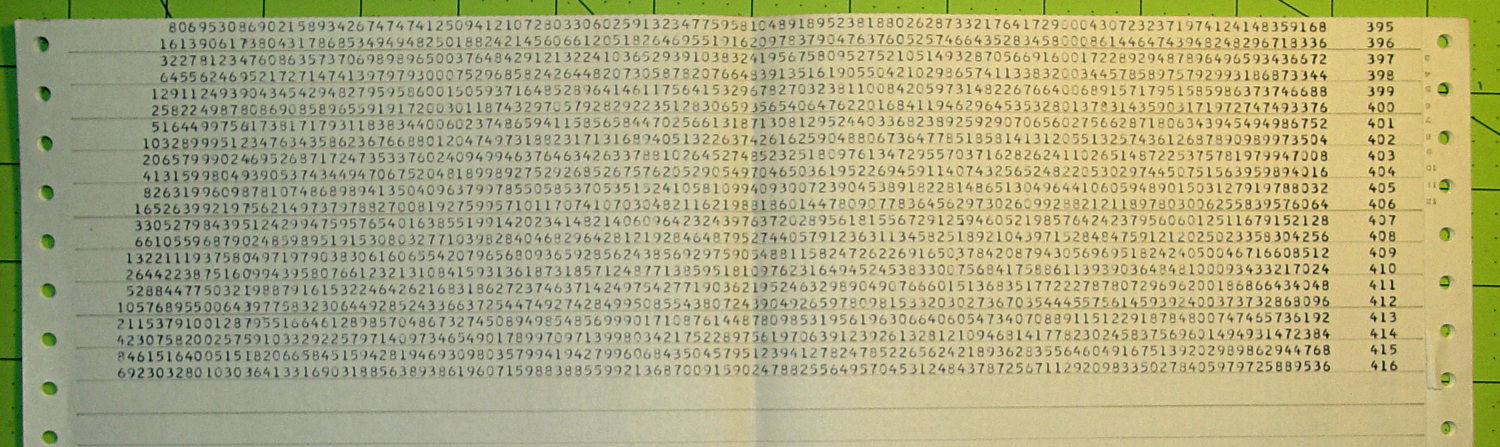
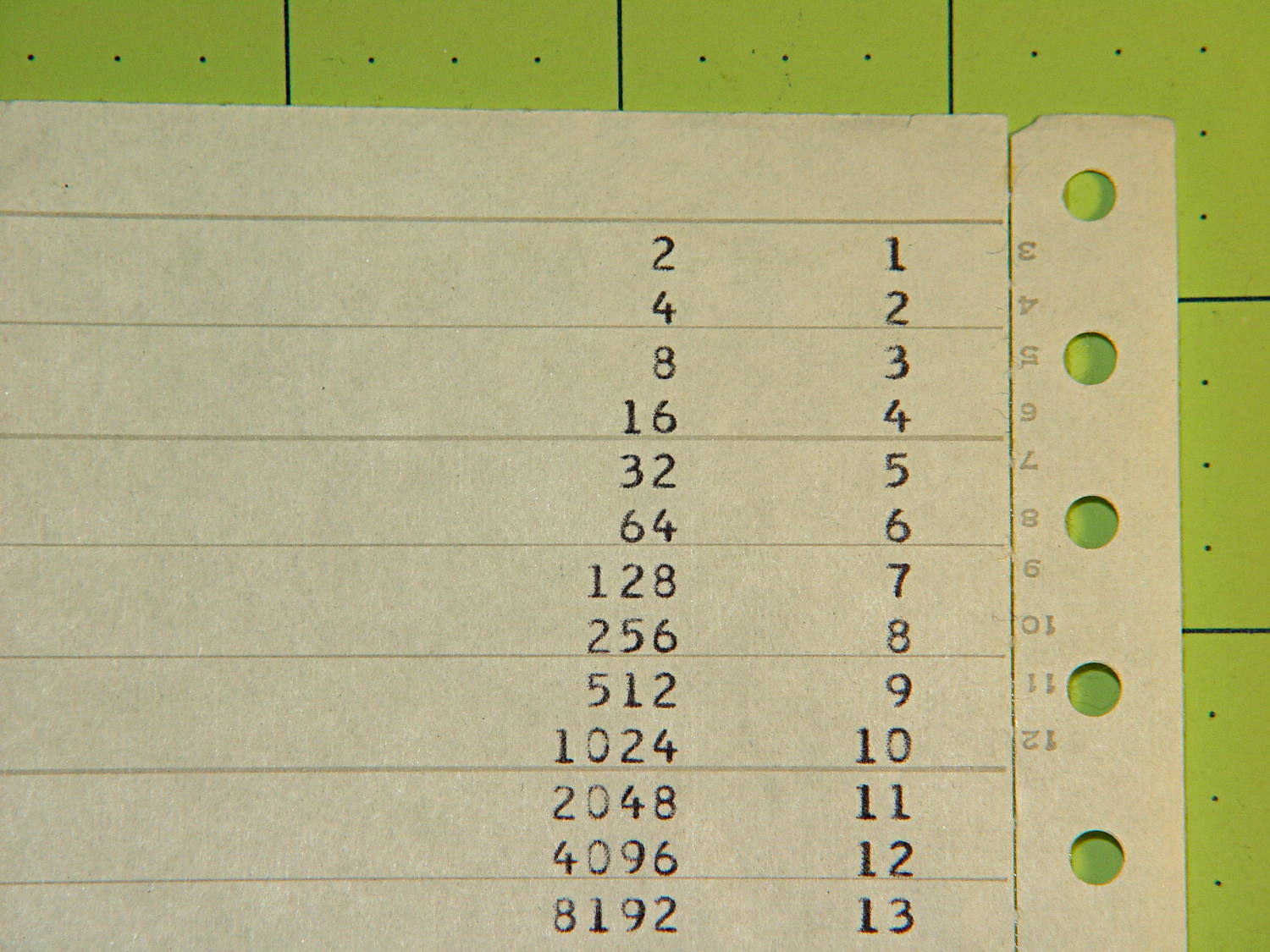
    A few sheets of fanfold “computer paper” emerged while tossing stuff out. The first page suggests somebody was trying out some simple programming:

    Powers of 2 Listing - top
    Powers of 2 Listing – top

    Seven pages later, you can tell an extended-precision library was hard at work:

    Powers of 2 Listing - bottom
    Powers of 2 Listing – bottom

    This being mainframe line printer paper, somebody must have donated it to my heap; I have no memory of ever doing (or needing to do) extended-precision math. That’s my story and I’m sticking with it.

    More than you care to know about Powers of Two.

  • HRECOS Display: Forecast Calls For Continued Condensation

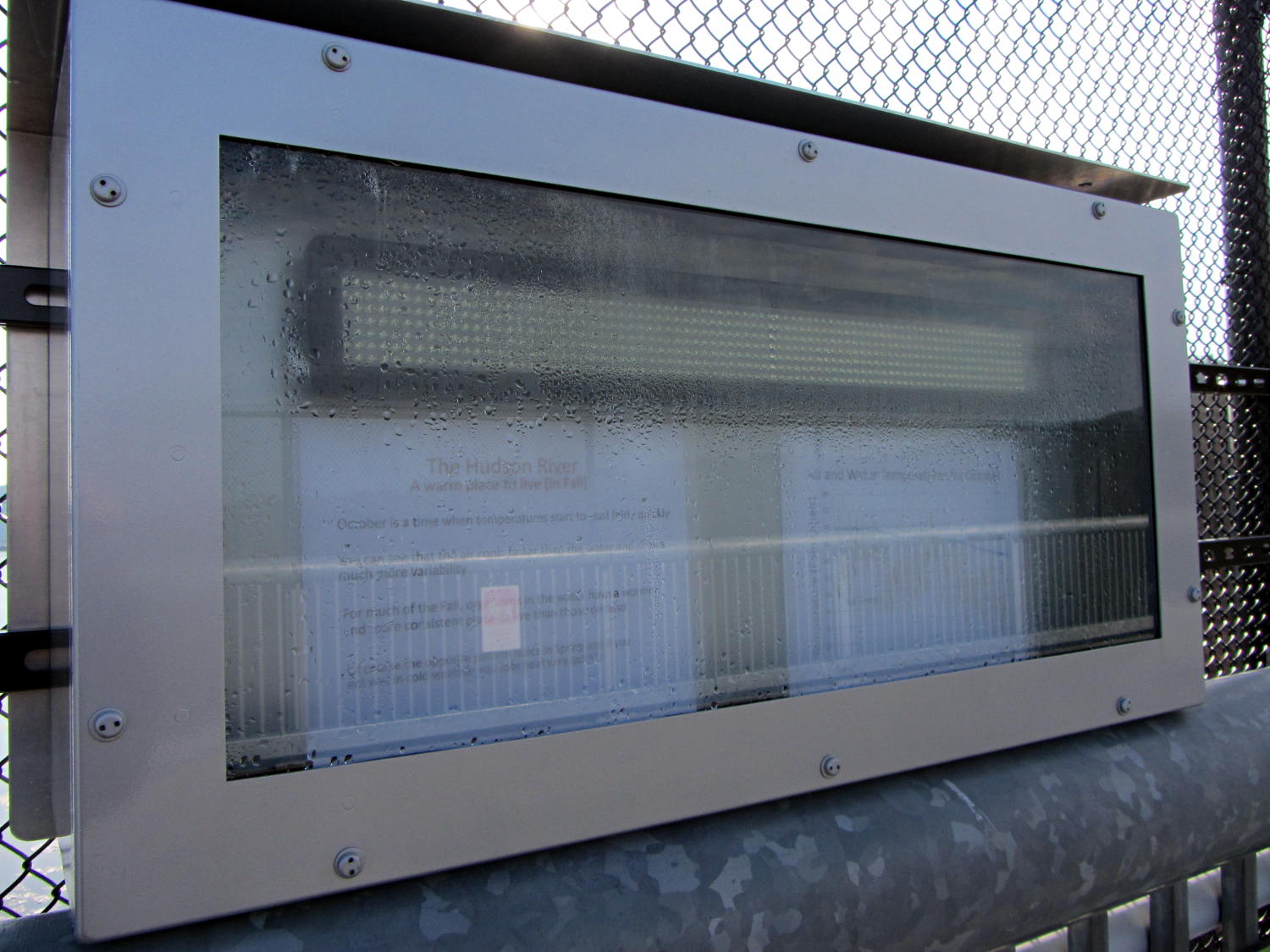
    They may have added a block heater since I took that picture, but warm moist air will always condense on cold metal and glass:

    HRECOS display - condensation
    HRECOS display – condensation

    It really needs a dehumidifier…

  • Renaming Files With Sequential Numbers, Plus Moviemaking Therefrom

    The avconv (formerly ffmpeg) image-to-video programs expect sequentially numbered files, with the numbers in a fixed-width part of the file name, thusly: dsc00001.jpg.

    Given a set of files (previously normalized to lowercase) like this:

    ll | head
    total 286576
    -rwxr-xr-x 1 ed ed 595708 Jan 23 19:14 dsc00940.jpg
    -rwxr-xr-x 1 ed ed 515561 Jan 23 19:14 dsc00941.jpg
    -rwxr-xr-x 1 ed ed 580190 Jan 23 19:14 dsc00942.jpg
    -rwxr-xr-x 1 ed ed 571387 Jan 23 19:14 dsc00943.jpg
    -rwxr-xr-x 1 ed ed 573207 Jan 23 19:14 dsc00944.jpg
    -rwxr-xr-x 1 ed ed 571086 Jan 23 19:14 dsc00945.jpg
    -rwxr-xr-x 1 ed ed 571600 Jan 23 19:14 dsc00946.jpg
    -rwxr-xr-x 1 ed ed 571547 Jan 23 19:14 dsc00947.jpg
    -rwxr-xr-x 1 ed ed 565706 Jan 23 19:15 dsc00948.jpg
    

    A Bash one-liner loop does the renumbering:

    sn=1 ; for f in *jpg ; do printf -v dn 'dsc%05d.jpg' "$(( sn++ ))" ; mv $f $dn ; done
    

    The results look pretty much like you’d expect:

    ll | head
    total 286556
    -rwxr-xr-x 1 ed ed 595708 Jan 23 19:14 dsc00001.jpg
    -rwxr-xr-x 1 ed ed 515561 Jan 23 19:14 dsc00002.jpg
    -rwxr-xr-x 1 ed ed 580190 Jan 23 19:14 dsc00003.jpg
    -rwxr-xr-x 1 ed ed 571387 Jan 23 19:14 dsc00004.jpg
    -rwxr-xr-x 1 ed ed 573207 Jan 23 19:14 dsc00005.jpg
    -rwxr-xr-x 1 ed ed 571086 Jan 23 19:14 dsc00006.jpg
    -rwxr-xr-x 1 ed ed 571600 Jan 23 19:14 dsc00007.jpg
    -rwxr-xr-x 1 ed ed 571547 Jan 23 19:14 dsc00008.jpg
    -rwxr-xr-x 1 ed ed 565706 Jan 23 19:15 dsc00009.jpg
    

    Because you’re renaming the files anyway, don’t bother to normalize ’em:

    sn=1 ; for f in *JPG ; do printf -v dn 'dsc%05d.jpg' "$(( sn++ ))" ; mv $f $dn ; done
    

    And, of course, you can fetch ’em from the camera while doing that:

    sn=1 ; for f in /mnt/part/DCIM/100MSDCF/*JPG ; do printf -v dn 'dsc%05d.jpg' "$(( sn++ ))" ; cp -a $f $dn ; done
    

    That leaves the DSC*JPG original files on the camera, where you can delete all of them in one operation when you’re happy with the results.

    If you don’t need the full resolution, reserialize and resize each picture on the fly:

    sn=1 ; for f in /mnt/part/DCIM/100MSDCF/*JPG ; do printf -v dn 'dsc%05d.jpg' "$(( sn++ ))" ; convert $f -resize 50% $dn ; done
    

    That’s based on combining several hints turned up by the usual Google search.

    To assemble a quick-and-simple movie from the images:

    avconv -r 30 -i dsc%05d.jpg -q 5 movie.mp4
    

    The image quality certainly isn’t up to what you (well, I) would expect from a 1920×1080 “HD” file, but the Sony HDR-AS30V Zeiss camera lens seems to be a fisheye pinhole (170° view angle, 2.5 mm f/2.8) backed with relentless image compression:

    Sony HDR-AS30V Action Camera
    Sony HDR-AS30V Action Camera

    Memo to Self: It’s not worth creating and remembering Yet Another Script.

  • Can Opener Drive Gear: FAIL

    The fancy OXO can opener doesn’t work well on #10 cans, so we bought a not-bottom-dollar can opener with comfy handles to replace the one that convinced us to get the OXO. After maybe a year, tops, it gradually stopped working well, too, which prompted a trip to the Basement Shop Workbench.

    The symptoms:

    • The handle wouldn’t move the cutter during maybe 1/4 of its revolution
    • It pushed the handles apart during another quarter turn

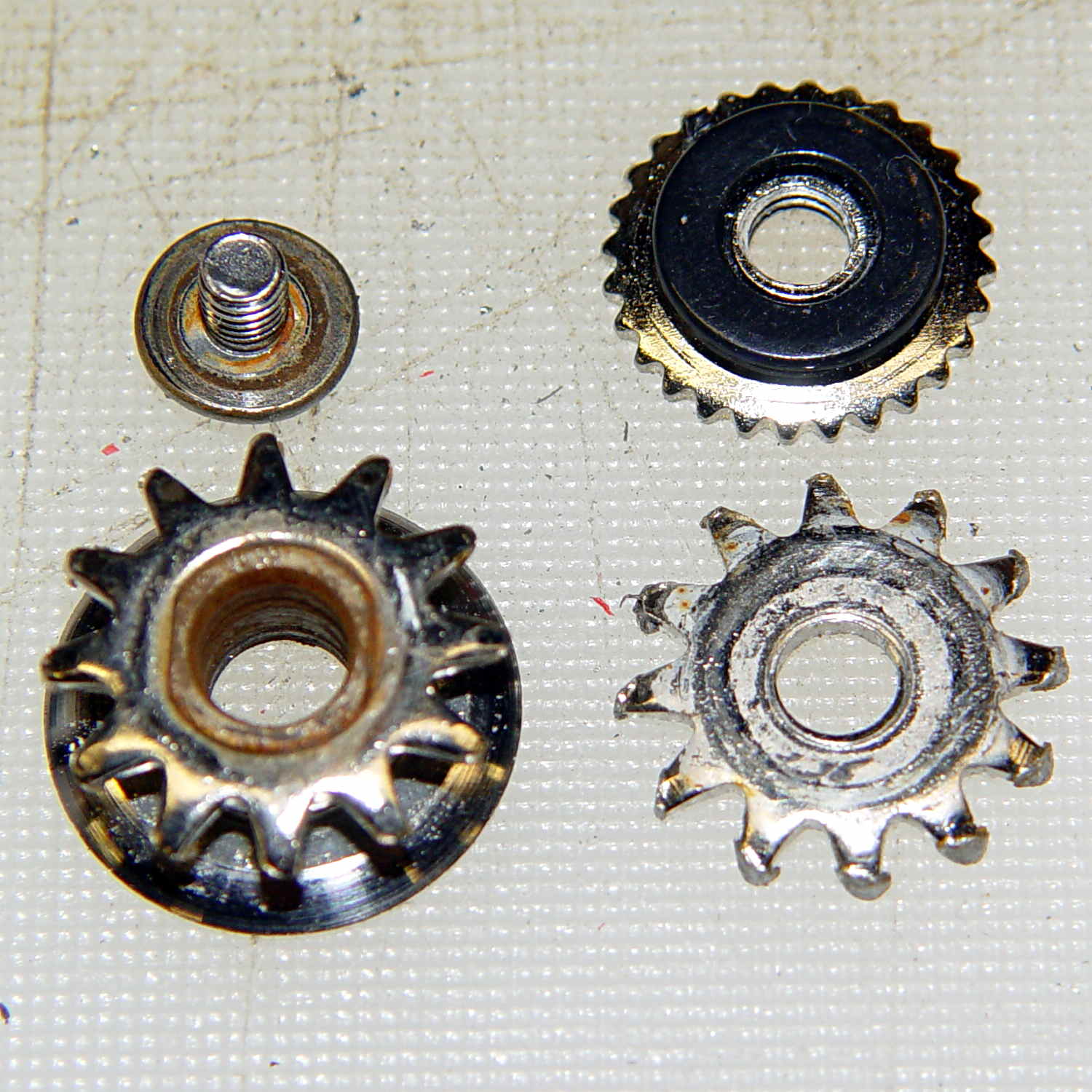
    Look carefully and you’ll see the teeth sticking out slightly more on the right side of the drive wheel:

    Can opener - drive gear misalignment
    Can opener – drive gear misalignment

    When those protruding teeth line up with the gear behind the cutter wheel, the handles open and the drive wheel loses its grip. When the low side lines up with the cutter gear, the gears very nearly disengage.

    Taking it apart shows that both “gears” (which is using the term loosely) have been pretty well chewed up:

    Can opener - gears and cutters
    Can opener – gears and cutters

    Destroying those gears should require a lot more strength than either of us can deploy on a regular basis, which suggests they used mighty soft steel. It’s not obvious, but the drive gear hole is just slightly larger than the screw thread OD; it doesn’t ride on an unthreaded part of the screw shaft.

    I’m not in the mood for gear cutting right now, so I filed down the wrecked teeth and buttoned them up with some attention to centering the gear. The can opener works, but sheesh this is getting tedious…

  • Changing the Case of a FAT File Name

    While converting a stop-action series of images from the HDR-AS30V into a movie, I wanted change all the image files on a USB Flash drive from DSC00008.JPG to dsc00008.jpg, so as to simplify typing their names.

    Alas, because the camera’s exFAT filesystem cares not one whit about case, the obvious command doesn’t work:

    rename 's/JPG/jpg/' /mnt/part/*
    /mnt/part/DSC00008.JPG not renamed: /mnt/part/DSC00008.jpg already exists
    

    So you must do each piece in two steps:

    rename 's/JPG/jpgx/' /mnt/part/*
    rename 's/jpgx/jpg/' /mnt/part/*
    rename 's/DSC/dscx/' /mnt/part/*
    rename 's/dscx/dsc/' /mnt/part/*
    

    Obvious once you see it, I suppose…

    See the comments for a better way:

    rename 'y/A-Z/a-z/' *JPG
    
  • Sony NP-BX1 Battery Test Fixture

    The Sony HDR-AS30V “action camera” uses NP-BX1 lithium batteries (3.7 V @ 1.24 A·h = 4.6 W·h) that are, of course, a completely different size and shape than any other lithium battery on the planet.

    So.

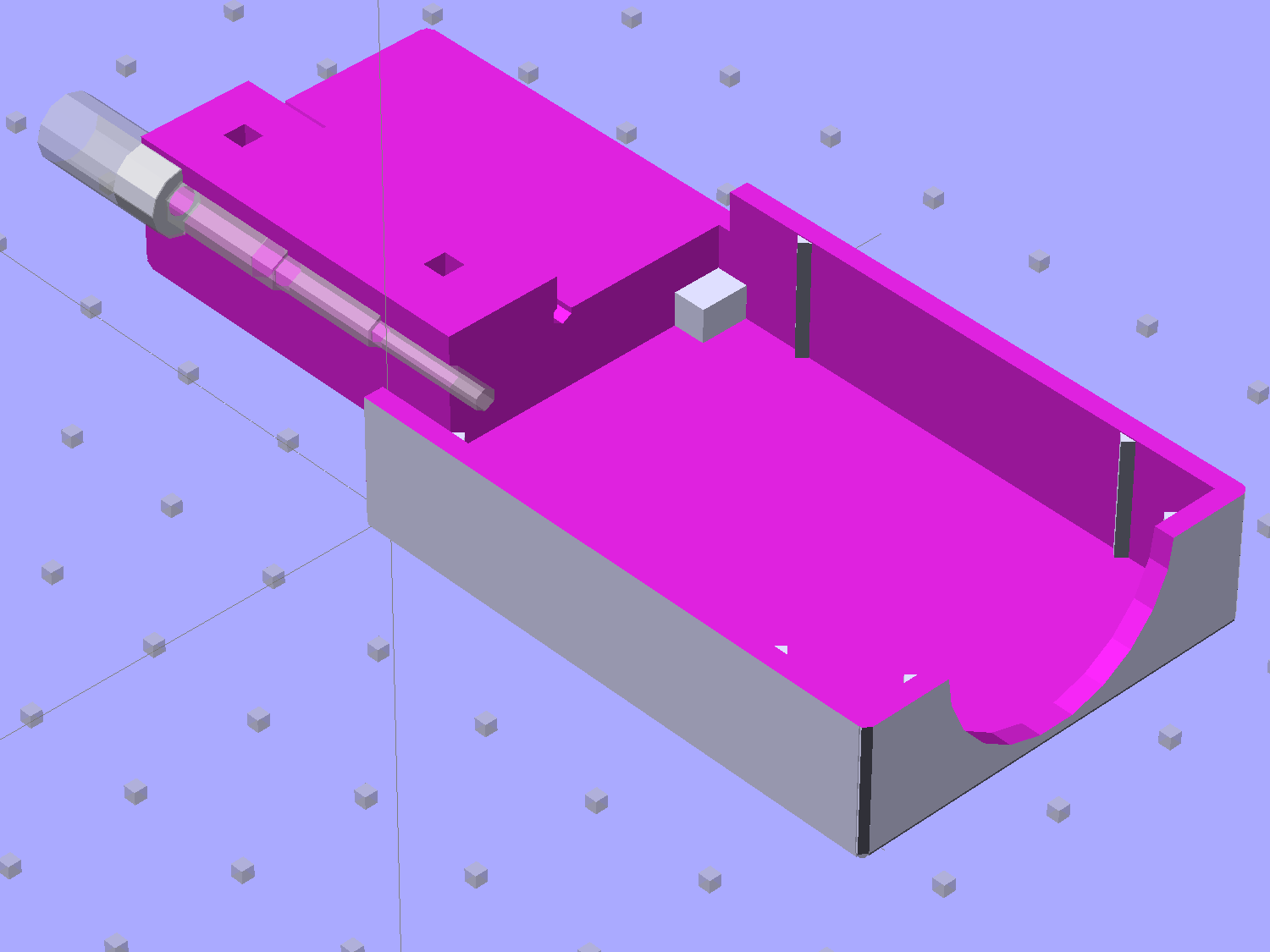
    Tweaking a few dimensions in the Canon NB-6L source code, tinkering with the layout of the contact pins, and shazam Yet Another 3D Printed Battery Test Fixture:

    NP-BX1 Holder - show layout
    NP-BX1 Holder – show layout

    It builds nicely, although the contact pin tunnels are a bit too close to the top of the case:

    Sony NP-BX1 Holder - on platform
    Sony NP-BX1 Holder – on platform

    After reaming out the contact pin holes to the proper diameters & depths, then gluing the plugs in place, it works just as you’d expect:

    Sony NP-BX1 battery holder
    Sony NP-BX1 battery holder

    It’s worth noting that the Wasabi charger accepts the batteries upside-down, with the conspicuous chevron against the charger body. It’s definitely not the way all the other chargers work. The keying recesses on the battery (corresponding to the blocks in the solid model) lie along the bottom edge of the contact surface, so flipping the battery over means they’ll hold it in place, but … oh, well.

    That grotty Powerpole connector last saw use in some random benchtop lashup. At some point I’ll be forced to start making more of those.

    The OpenSCAD source code:

    // Holder for Sony NP-BX1 Li-Ion battery
    // Ed Nisley KE4ZNU January 2013
    
    include <MCAD/boxes.scad>
    
    // Layout options
    
    Layout = "Show";					//  Show Build Fit Case Lid Pins Plugs AlignPins
    
    //- Extrusion parameters - must match reality!
    //  Print with +2 shells and 3 solid layers
    
    ThreadThick = 0.20;
    ThreadWidth = 0.40;
    
    HoleWindage = 0.2;
    
    function IntegerMultiple(Size,Unit) = Unit * ceil(Size / Unit);
    
    Protrusion = 0.1;			// make holes end cleanly
    
    inch = 25.4;
    
    BuildOffset = 3.0;			// clearance for build layout
    
    Gap = 8.0;					// separation for Fit parts
    
    //- Battery dimensions - rationalized from several samples
    //  Coordinate origin at battery corner by contact plates on bottom surface
    
    BatteryLength = 43.0;
    BatteryWidth = 30.0;
    BatteryThick =  9.5;
    
    ContactWidth = 2.90;
    ContactLength = 4.30;
    ContactRecess = 0.90;
    
    ContactOC = 10.0;			// center-to-center across contact face
    ContactOffset = 6.20;		// offset from battery edge
    ContactHeight = 6.30;		// offset from battery bottom plane
    
    AlignThick = 2.75;			// alignment recesses on contact face
    AlignDepth = 1.70;			// into face
    AlignWidth1 = 3.70;			// across face at contacts
    AlignWidth2 = 3.60;			//  ... other edge
    
    //- Pin dimensions
    
    PinTipDia = 1.6;
    PinTipLength = 10.0;
    
    PinTaperLength = 2.3;
    
    PinShaftDia = 2.4;
    PinShaftLength = 6.8;
    
    PinFerruleDia = 3.1;
    PinFerruleLength = 2.0;
    
    PinLength = PinTipLength + PinTaperLength + PinShaftLength + PinFerruleLength;
    
    ExtendRelax = 1.5 + ContactRecess;		// pin extension when no battery is present
    ExtendOvertravel = 1.0;					//  ... beyond engaged position
    
    //- Spring dimensions
    
    SpringDia = 3.1;						// coil OD
    SpringMax = 9.3;
    SpringLength = SpringMax - 0.5;			// slightly compressed
    SpringMin = 4.5;
    
    SpringPlugOD = IntegerMultiple(5.0,ThreadWidth);		// plug retaining the spring
    SpringPlugID = 2.0;
    SpringPlugLength = IntegerMultiple(4.0,ThreadWidth);
    SpringPlugSides = 3*4;
    
    SpringTravel = ExtendRelax + ExtendOvertravel;
    
    //- Holder dimensions
    
    GuideRadius = ThreadWidth;			// friction fit ridges
    GuideOffset = 7;					// from compartment corners
    WallThick = 4*ThreadWidth;			// holder sidewalls
    
    BaseThick = 6*ThreadThick;			// bottom of holder to bottom of battery
    TopThick = 6*ThreadThick;			// top of battery to top of holder
    
    ThumbRadius = 10.0;			// thumb opening at end of battery
    
    CornerRadius = 3*ThreadThick;			// nice corner rounding
    
    CaseLength = SpringPlugLength + SpringLength + PinLength - ExtendRelax
    			+ BatteryLength + GuideRadius + WallThick;
    CaseWidth = 2*WallThick + 2*GuideRadius + BatteryWidth;
    CaseThick = BaseThick + BatteryThick + TopThick;
    
    AlignPinOD = 1.75;			// lid alignment pins - filament snippets
    AlignPinLength = 5.0;
    AlignPinInset = 7.0;
    AlignPinOffset = -3.75;		//  from centerline - choose to miss contact pins
    
    //- XY origin at front left battery corner, Z on platform below that
    
    CaseLengthOffset = -(SpringPlugLength + SpringLength + PinLength - ExtendRelax);
    CaseWidthOffset = -(WallThick + GuideRadius);
    CaseThickOffset = BaseThick;
    
    LidLength = ExtendRelax - CaseLengthOffset;
    
    echo(str("Contact pin tip dia: ",PinTipDia));
    echo(str("Drill depth to taper end: ",
    		 (SpringPlugLength + SpringLength + PinFerruleLength + PinShaftLength + PinTaperLength),
    		 " -- Dia: ",PinShaftDia));
    echo(str("            to ferrule end: ",
    		  (SpringPlugLength + SpringLength + PinFerruleLength),
    		 " -- Dia: ",PinFerruleDia));
    echo(str("            to plug end: ",SpringPlugLength,
    		 " -- Dia: ",SpringPlugOD));
    
    //----------------------
    // Useful routines
    
    module PolyCyl(Dia,Height,ForceSides=0) {			// based on nophead's polyholes
    
      Sides = (ForceSides != 0) ? ForceSides : (ceil(Dia) + 2);
    
      FixDia = Dia / cos(180/Sides);
    
      cylinder(r=(FixDia + HoleWindage)/2,
               h=Height,
    	   $fn=Sides);
    }
    
    module ShowPegGrid(Space = 10.0,Size = 1.0) {
    
      Range = floor(50 / Space);
    
    	for (x=[-Range:Range])
    	  for (y=[-Range:Range])
    		translate([x*Space,y*Space,Size/2])
    		  %cube(Size,center=true);
    
    }
    
    //-------------------
    
    //-- Guides for tighter friction fit
    
    module Guides() {
      	  translate([GuideOffset,-GuideRadius,CaseThickOffset])
    		PolyCyl(2*GuideRadius,(BatteryThick - Protrusion),4);
    	  translate([GuideOffset,(BatteryWidth + GuideRadius),CaseThickOffset])
    		PolyCyl(2*GuideRadius,(BatteryThick - Protrusion),4);
    	  translate([(BatteryLength - GuideOffset),-GuideRadius,CaseThickOffset])
    		PolyCyl(2*GuideRadius,(BatteryThick - Protrusion),4);
    	  translate([(BatteryLength - GuideOffset),(BatteryWidth + GuideRadius),CaseThickOffset])
    		PolyCyl(2*GuideRadius,(BatteryThick - Protrusion),4);
    	  translate([(BatteryLength + GuideRadius),GuideOffset/2,CaseThickOffset])
    		PolyCyl(2*GuideRadius,(BatteryThick - Protrusion),4);
    	  translate([(BatteryLength + GuideRadius),(BatteryWidth - GuideOffset/2),CaseThickOffset])
    		PolyCyl(2*GuideRadius,(BatteryThick - Protrusion),4);
    
    }
    
    //-- Contact pins (holes therefore)
    
    module PinShape() {
    
      union() {
    	cylinder(r=(PinTipDia + HoleWindage)/2,h=(PinTipLength + Protrusion),$fn=6);
    
    	translate([0,0,PinTipLength])
    	  cylinder(r=(PinShaftDia + HoleWindage)/2,
    			   h=(PinTaperLength + PinShaftLength + Protrusion),$fn=6);
    
    	translate([0,0,(PinLength - PinFerruleLength)])
    	  cylinder(r=(PinFerruleDia + HoleWindage)/2,
    				h=(PinFerruleLength + Protrusion),$fn=6);
    
    	translate([0,0,(PinLength)])
    	  cylinder(r=(SpringDia + HoleWindage)/2,
    				h=(SpringLength + Protrusion),$fn=6);
    
    	translate([0,0,(PinLength + SpringLength - HoleWindage)])	// windage for hole length
    	  cylinder(r=(SpringPlugOD + HoleWindage)/2,h=3*SpringPlugLength,$fn=SpringPlugSides);
    
    //	  translate([0,0,(PinLength + SpringLength + SpringPlugLength)])
    //	  cylinder(r=(SpringPlugOD + HoleWindage)/2,h=2*SpringPlugLength,$fn=SpringPlugSides);	// extend hole
      }
    
    }
    
    module PinAssembly() {
    
      translate([ExtendRelax,ContactOffset,CaseThickOffset + ContactHeight]) {
    	rotate([0,270,0]) {
    	  PinShape();												// pins
    	  translate([0,(1*ContactOC),0])
    		PinShape();
    	}
      }
    
    }
    
    //-- Alignment pins
    
    module AlignPins() {
    
    	for (x=[-1,1])
    		translate([x*(LidLength - 2*AlignPinInset)/2,AlignPinOffset,0])
    			rotate(45)
    			PolyCyl(AlignPinOD,AlignPinLength);
    }
    
    //-- Case with origin at battery corner
    
    module Case() {
    
      difference() {
    
    	union() {
    
    	  difference() {
    		translate([(CaseLength/2 + CaseLengthOffset),
    				  (CaseWidth/2 + CaseWidthOffset),
    				  (CaseThick/2)])
    		  roundedBox([CaseLength,CaseWidth,CaseThick],CornerRadius); 	// basic case shape
    
    		translate([-ExtendOvertravel,-GuideRadius,CaseThickOffset])
    		  cube([(BatteryLength + GuideRadius + ExtendOvertravel),
    				(BatteryWidth + 2* GuideRadius),
    				(BatteryThick + Protrusion)]);						// battery space
    
    	  }
    
    	  Guides();
    
    	  translate([-ExtendOvertravel,-GuideRadius,BaseThick])
    		cube([(AlignDepth + ExtendOvertravel),
    			  (AlignWidth1 + GuideRadius),
    			  AlignThick]);											// alignment blocks
    	  translate([-ExtendOvertravel,
    				 (BatteryWidth - AlignWidth2),
    				 BaseThick])
    		cube([(AlignDepth + ExtendOvertravel),
    			  (AlignWidth2 + GuideRadius),
    			  AlignThick]);
    
    	}
    
    	translate([(-ExtendOvertravel),
    			   (CaseWidthOffset - Protrusion),
    			   (CaseThickOffset + BatteryThick)])
    	  cube([CaseLength,
    		    (CaseWidth + 2*Protrusion),
    		    (TopThick + Protrusion)]);								// battery access
    
    	translate([(CaseLengthOffset - Protrusion),
    			   (CaseWidthOffset - Protrusion),
    			   (CaseThickOffset + BatteryThick)])
    	  cube([(CaseLength + 2*Protrusion),
    		    (CaseWidth + 2*Protrusion),
    		    (TopThick + Protrusion)]);								// battery insertion allowance
    
    	translate([(BatteryLength - Protrusion),
    			    (CaseWidth/2 + CaseWidthOffset),
    			    (CaseThickOffset + ThumbRadius)])
    	  rotate([90,0,0])
    		rotate([0,90,0])
    		  cylinder(r=ThumbRadius,
    				   h=(WallThick + GuideRadius + 2*Protrusion),
    				   $fn=22);											// remove thumb notch
    
    	PinAssembly();
    
    	translate([-LidLength/2,BatteryWidth/2,CaseThick - TopThick - (AlignPinLength - TopThick/2)])
    		AlignPins();
      }
    
    }
    
    module Lid() {
    
      difference() {
    	translate([0,0,(CaseThick/2 - BaseThick - BatteryThick)])
    	  roundedBox([LidLength,
    				 CaseWidth,CaseThick],CornerRadius);
    
    	translate([0,0,-(CaseThick/2)])
    	  cube([(LidLength + 2*Protrusion),
    		    (CaseWidth + 2*Protrusion),
    		    (CaseThick)],center=true);
    
    	translate([-ExtendRelax,0,-(AlignPinLength - TopThick/2)])
    		AlignPins();
      }
    
    }
    
    module PlugShape() {
    
      difference() {
    	cylinder(r=SpringPlugOD/2,h=SpringPlugLength,$fn=SpringPlugSides);
    	translate([0,0,-Protrusion])
    	  PolyCyl(SpringPlugID,(SpringPlugLength + 2*Protrusion),SpringPlugSides);
      }
    }
    
    module Plugs() {
      translate([0,ContactOC,0])
    	PlugShape();
      translate([0,-ContactOC,0])
    	PlugShape();
    }
    
    //-------------------
    // Build it!
    
    ShowPegGrid();
    
    if (Layout == "Case")
      Case();
    
    if (Layout == "Lid")
      Lid();
    
    if (Layout == "Plugs")
    	for (i=[-1:1])
    		translate([i*1.5*SpringPlugOD,0,0])
    			Plugs();
    
    if (Layout == "Pins")
      PinShape();
    
    if (Layout == "AlignPins")
      AlignPins();
    
    if (Layout == "Show") {								// reveal pin assembly
      difference() {
    	Case();
    
    	translate([(CaseLengthOffset - Protrusion),
    			   (CaseWidthOffset - Protrusion + WallThick + ContactOffset + ContactOC),
    			   (BaseThick + ContactHeight)])
    	  cube([(-CaseLengthOffset + Protrusion),
    			 (CaseWidth + 2*Protrusion),
    			 CaseThick + BaseThick - ContactHeight + Protrusion]);
    
    	translate([(CaseLengthOffset - Protrusion),
    			   (CaseWidthOffset - Protrusion),
    			   -Protrusion])
    	  cube([(-CaseLengthOffset + Protrusion),
    			 (WallThick + GuideRadius + ContactOffset + Protrusion),
    			 CaseThick]);
      }
    
      translate([ExtendRelax,ContactOffset,(CaseThickOffset + ContactHeight)]) {	// pins
    	rotate([0,270,0]) {
    	  %PinShape();
    //	  translate([0,(2*ContactOC),0])
    //		%PinShape();
    	}
      }
    
      translate([CaseLengthOffset,ContactOffset,(CaseThickOffset + ContactHeight)])
    	rotate([0,90,0])
    	  PlugShape();
    }
    
    if (Layout == "Build") {
      translate([-(CaseLength/2 + CaseLengthOffset),-(CaseWidthOffset - BuildOffset),0])
    	Case();
      translate([CaseWidth/2,(CaseLengthOffset/2 - BuildOffset),0])
    	rotate([0,0,90])
    	  Lid();
      for (i=[-1:1])
    	translate([CaseLengthOffset/2 + i*1.5*SpringPlugOD,-CaseWidth/2,0])
    		Plugs();
    }
    
    if (Layout == "Fit") {
      Case();
      translate([(-LidLength/2 + ExtendRelax),
    			(CaseWidth/2 + CaseWidthOffset),
    			(BaseThick + BatteryThick + Gap)])
    	  Lid();
      translate([ExtendRelax,ContactOffset,CaseThickOffset + ContactHeight]) {	// pins
    	rotate([0,270,0]) {
    	  %PinShape();
    	  translate([0,(1*ContactOC),0])
    		%PinShape();
    	}
      }
    
      translate([CaseLengthOffset,
    			(ContactOffset + ContactOC),
    			(CaseThickOffset + ContactHeight)])
      rotate([0,90,0])
    	Plugs();
    
      translate([-LidLength/2,BatteryWidth/2,CaseThick])
    #	AlignPins();
    
    }
    
  • Quilting Pin Caps: More!

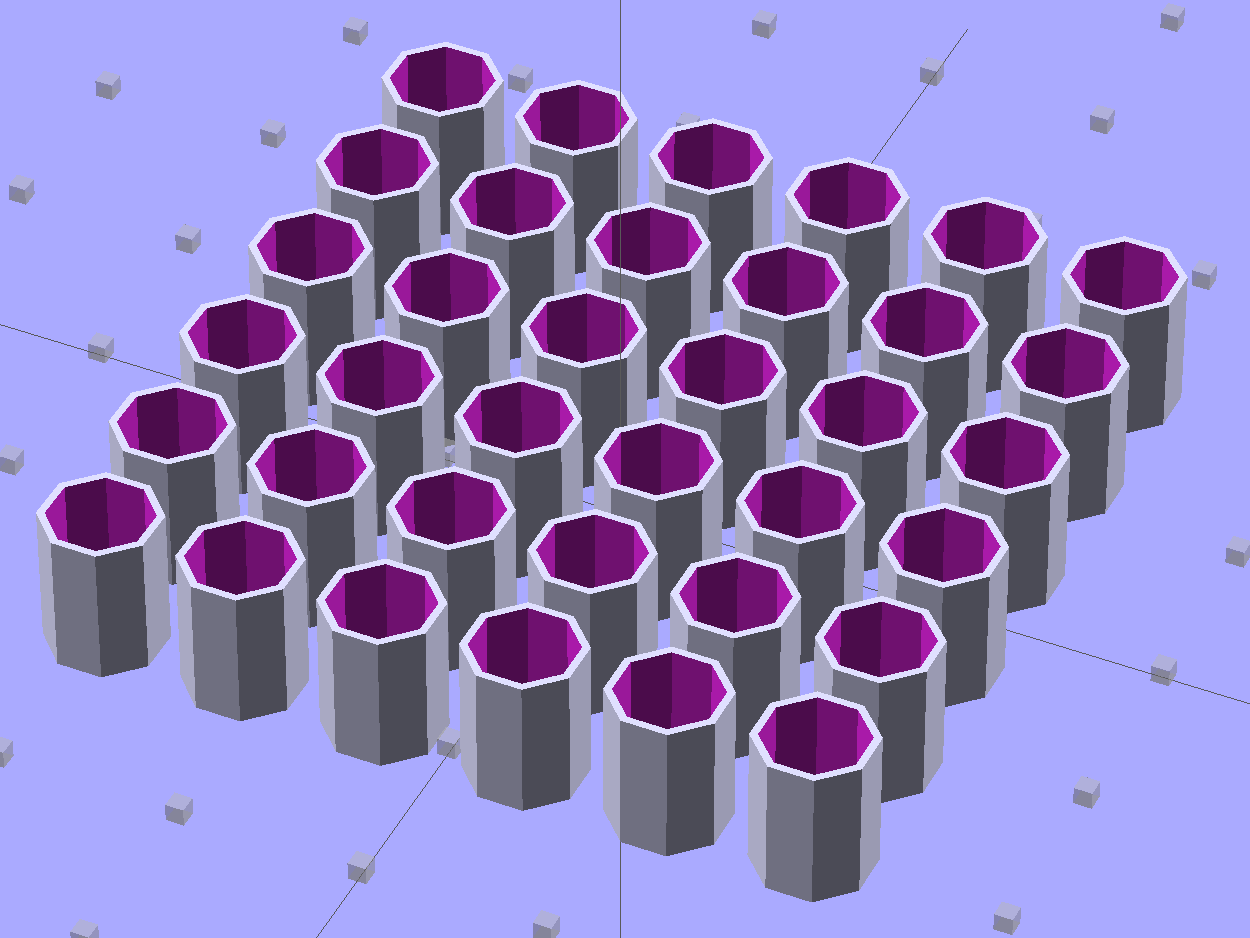
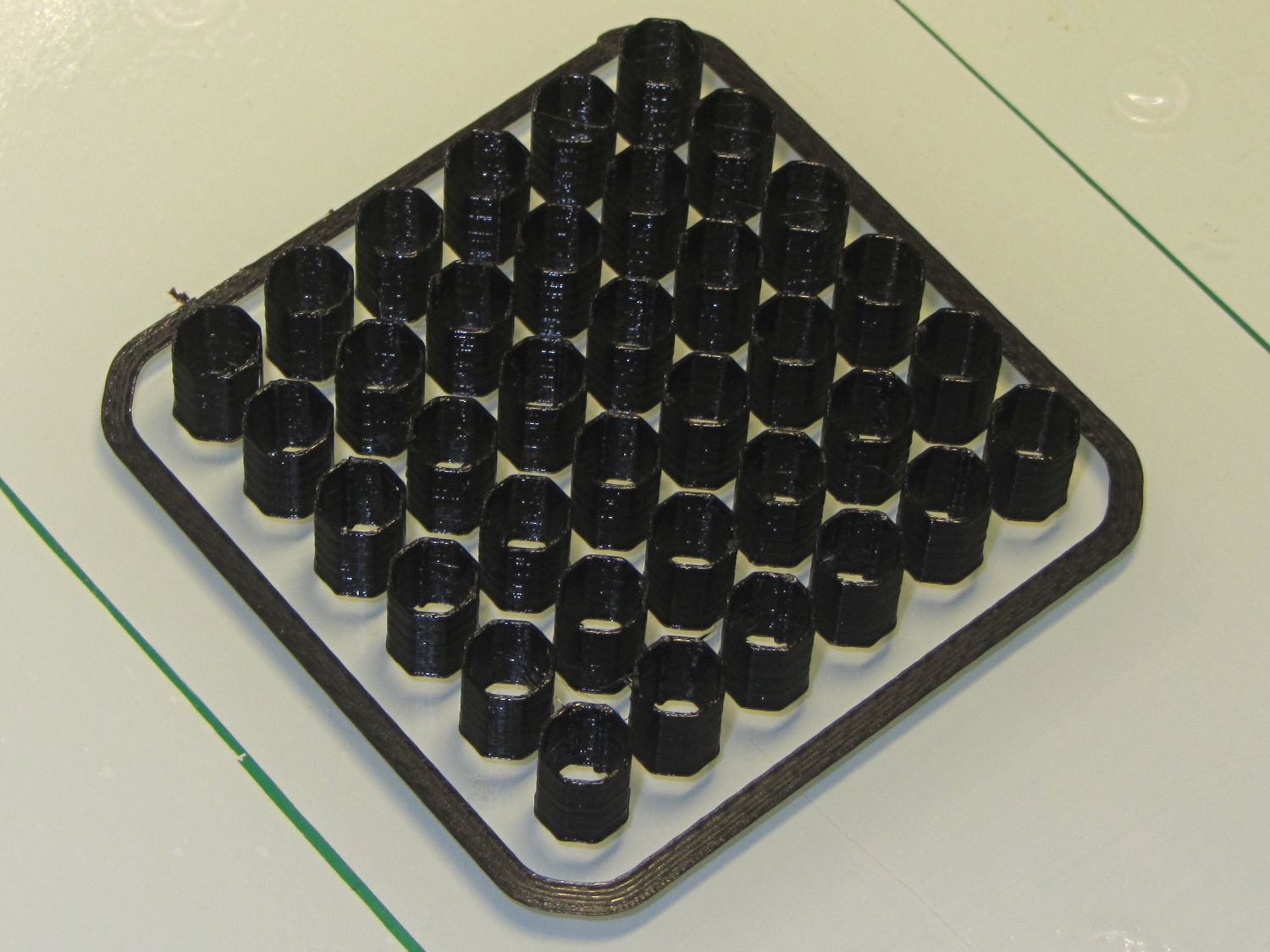
    These quilting pin caps are slightly longer than the previous version and, due to the M2’s smaller nozzle, have slightly thinner single-thread walls. Because Slic3r does a better (although not ideal) job of path planning than Skeinforge, it’s easier to create an array of the caps in the solid model than to manually add duplicates in Slic3r:

    Quilting Pin Cap - array
    Quilting Pin Cap – array

    They look like egg cases from Prometheus:

    Quilting pin cap array - on platform
    Quilting pin cap array – on platform

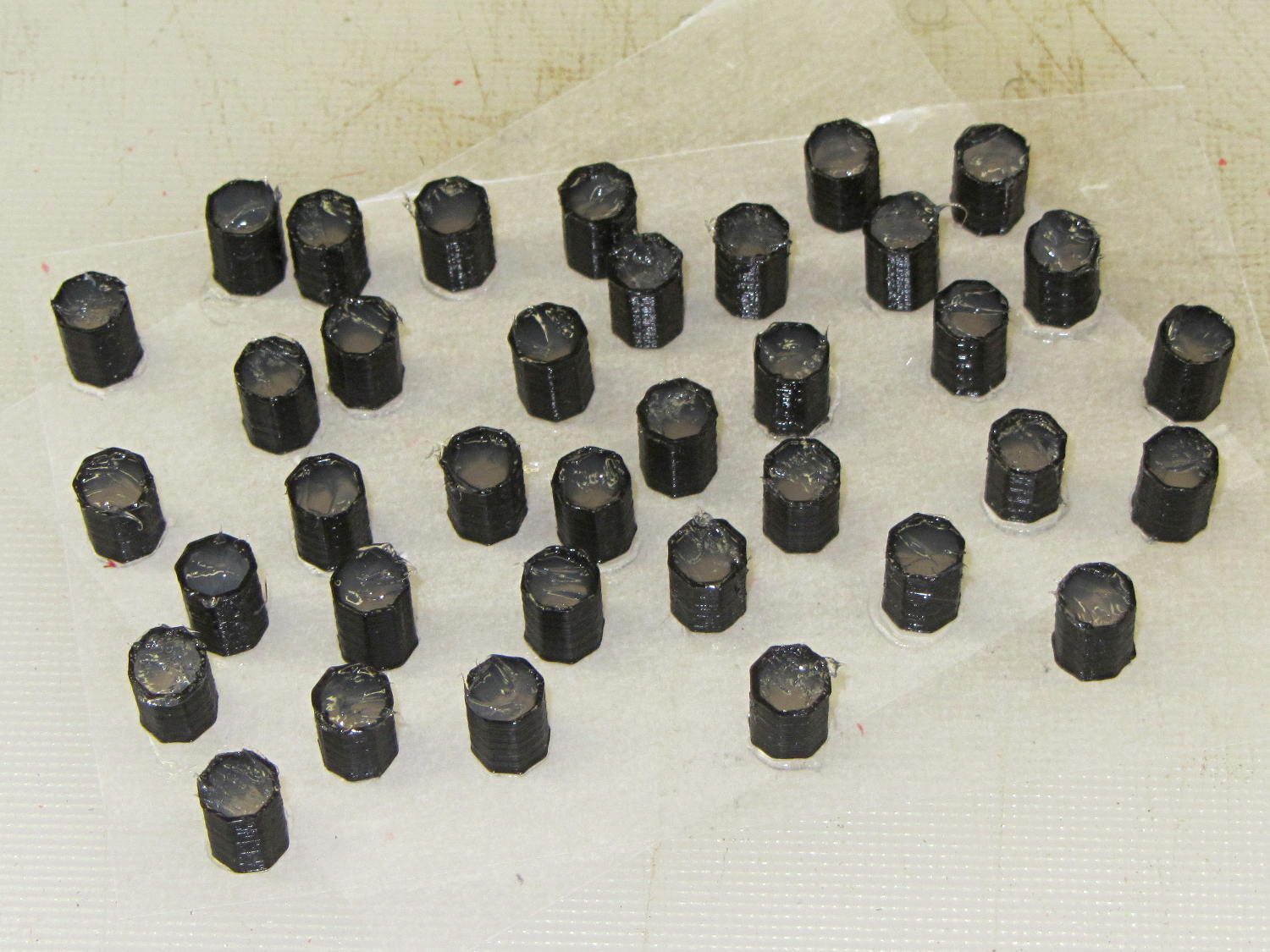
    Fill with silicone caulk on waxed paper and they look even more like that:

    Quilting pin caps - silicone fill
    Quilting pin caps – silicone fill

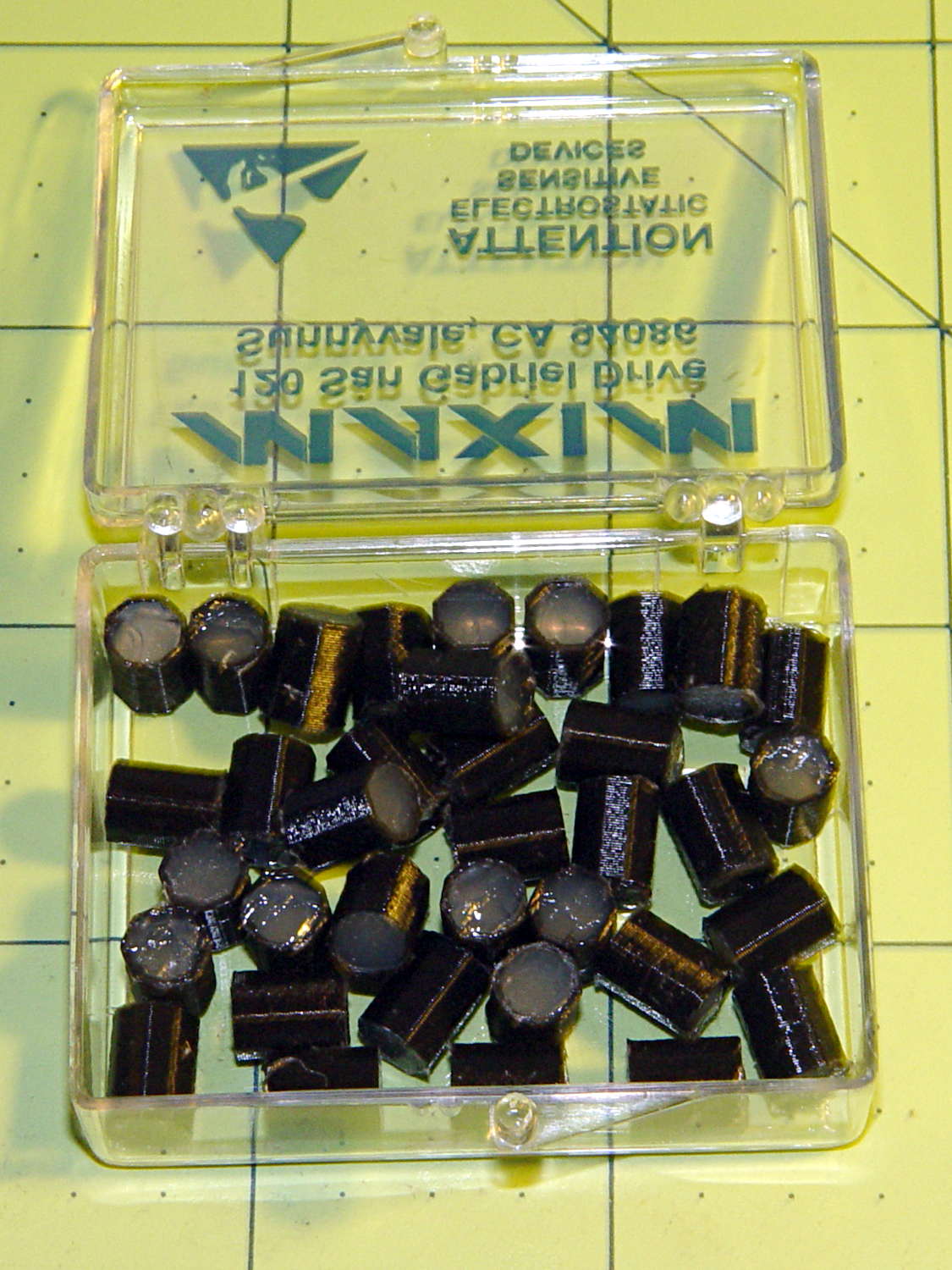
    Fast-forward a few days, rub off the excess caulk, trim off a few blobs, and they’re ready for presentation:

    Quilting pin caps - finished
    Quilting pin caps – finished

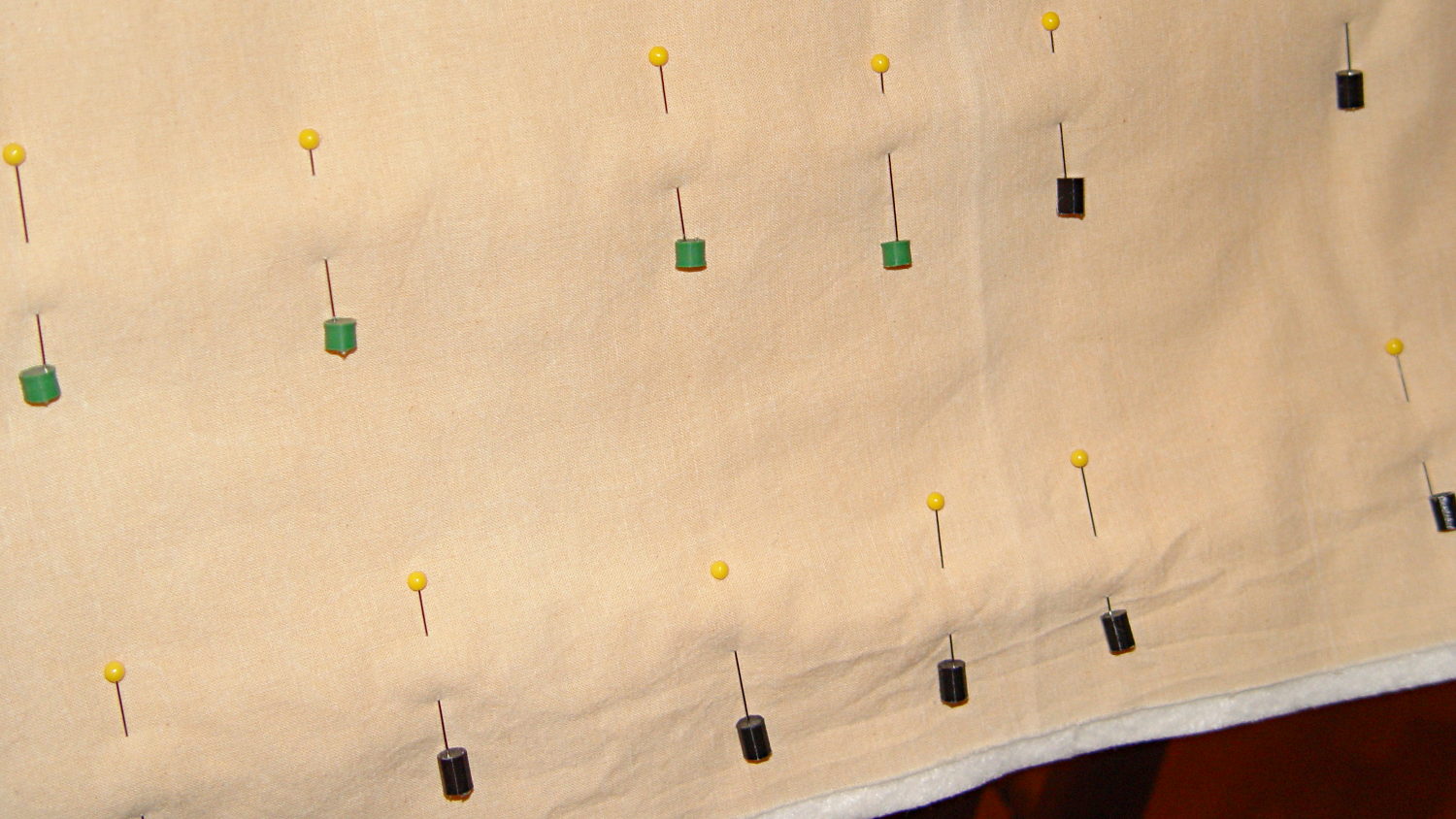
    In use, they look about like you’d expect:

    Quilting pin caps - in use
    Quilting pin caps – in use

    The pin caps I made from a 5 gallon bucket’s O-ring gasket didn’t work out well, as the plastic didn’t like being poked with pins and put up a stiff resistance. Silicone caulk has exactly the right consistency.

    When Mary ramps up a full-scale quilt, we’ll need a few hundred of the things. The commercial version has dropped to 40 cents each, which makes all this worthwhile.

    The OpenSCAD source code:

    // Quilting pin caps
    // Ed Nisley KE4ZNU April 2012
    //	January 2013 - modify for Slic3r and M2
    
    //- Extrusion parameters must match reality!
    //  Print with +1 shells and 3 solid layers
    
    ThreadThick = 0.20;
    ThreadWidth = 0.40;
    
    HoleWindage = 0.2;
    
    function IntegerMultiple(Size,Unit) = Unit * ceil(Size / Unit);
    
    Protrusion = 0.1;			// make holes end cleanly
    
    //----------------------
    // Dimensions
    
    ID = 5.0;
    OD = ID + 2*ThreadWidth;
    Length = 8.0;
    Sides = 8;
    
    CapArray = [6,6];			// XY layout of caps
    CapsOC = OD + 2.0;			// OC spacing
    
    //----------------------
    // Useful routines
    
    module PolyCyl(Dia,Height,ForceSides=0) {			// based on nophead's polyholes
    
      Sides = (ForceSides != 0) ? ForceSides : (ceil(Dia) + 2);
    
      FixDia = Dia / cos(180/Sides);
    
      cylinder(r=(FixDia + HoleWindage)/2,
               h=Height,
    	   $fn=Sides);
    }
    
    module ShowPegGrid(Space = 10.0,Size = 1.0) {
    
      RangeX = floor(100 / Space);
      RangeY = floor(125 / Space);
    
    	for (x=[-RangeX:RangeX])
    	  for (y=[-RangeY:RangeY])
    		translate([x*Space,y*Space,Size/2])
    		  %cube(Size,center=true);
    
    }
    
    module PinCap() {
    	rotate(180/Sides) {
    		difference() {
    		PolyCyl(OD,Length,8);
    		translate([0,0,-Protrusion])
    			PolyCyl(ID,(Length + 2*Protrusion),8);
    		}
    	}
    
    }
    
    //----------------------
    // Build them!
    
    ShowPegGrid();
    
    translate([(-CapsOC*(CapArray[0] - 1)/2),(-CapsOC*(CapArray[1] - 1)/2),0])
    	for (i=[0:(CapArray[0] - 1)],j=[0:(CapArray[1] - 1)])
    		translate([i*CapsOC,j*CapsOC,0])
    			PinCap();
    

    They seem to work pretty well…