The Smell of Molten Projects in the Morning

Ed Nisley's Blog: Shop notes, electronics, firmware, machinery, 3D printing, laser cuttery, and curiosities. Contents: 100% human thinking, 0% AI slop.

Author: Ed

  • Road Conditions: Drain Grates on Vassar Road near Red Oaks Mill

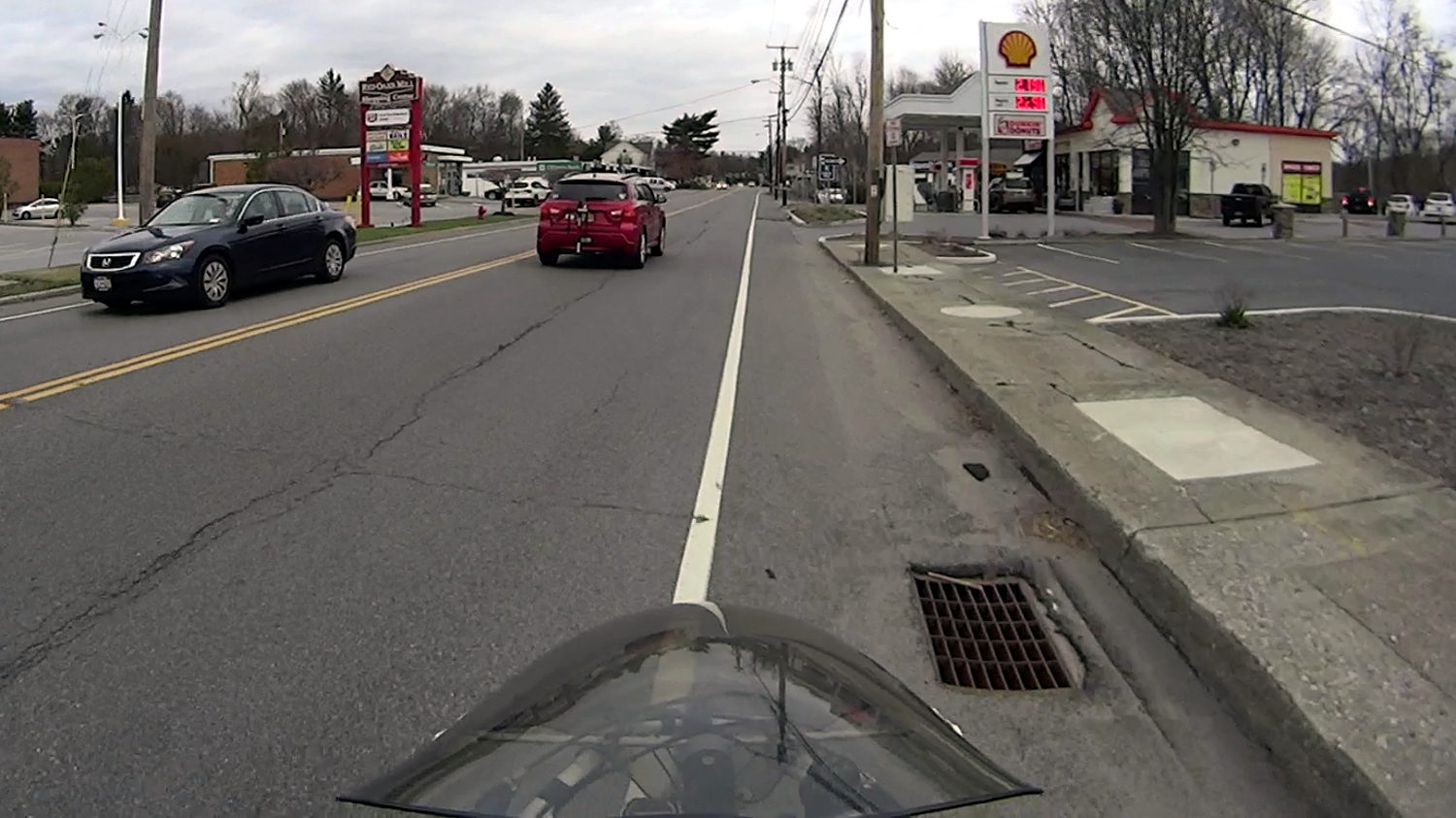
    Apart from having a wheel-catcher grid, this one seems survivable:

    Drain grate 1 - 43 Vassar Rd
    Drain grate 1 – 43 Vassar Rd

    You can avoid it as long as you stay alert.

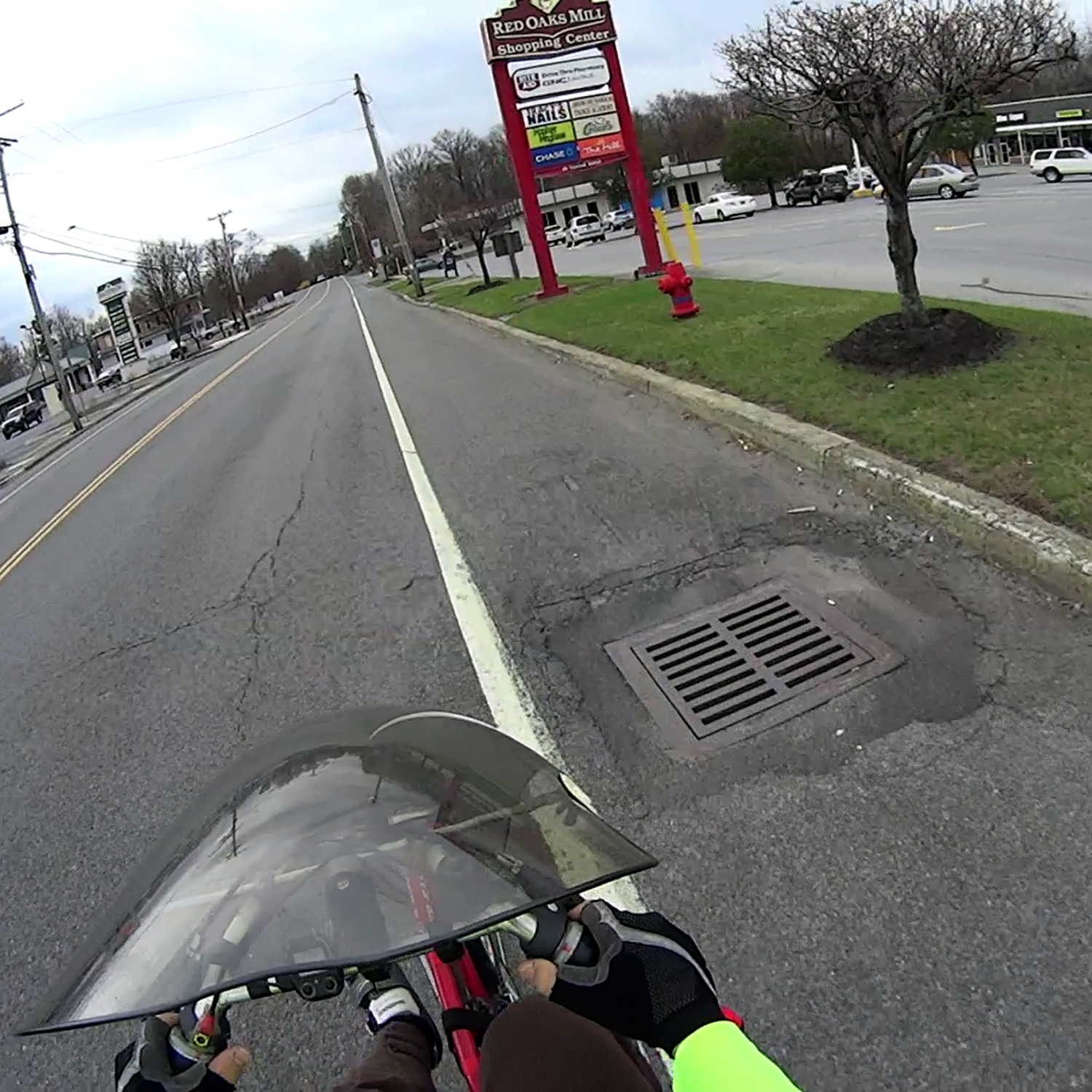
    This beauty, however, stops cars dead in their tracks:

    Drain grate 2 - 35 Vassar Rd
    Drain grate 2 – 35 Vassar Rd

    Drivers who pass cars making a left turn into the strip mall on the other side slam to a stop if they’re lucky enough to see that crater before it claims their right front tire; the grid is about a foot down from grade. The scrapes and scuffs on the far side show that, if it wasn’t for bad luck, some folks wouldn’t have no luck at all.

    Obviously, you can’t bicycle through that one.

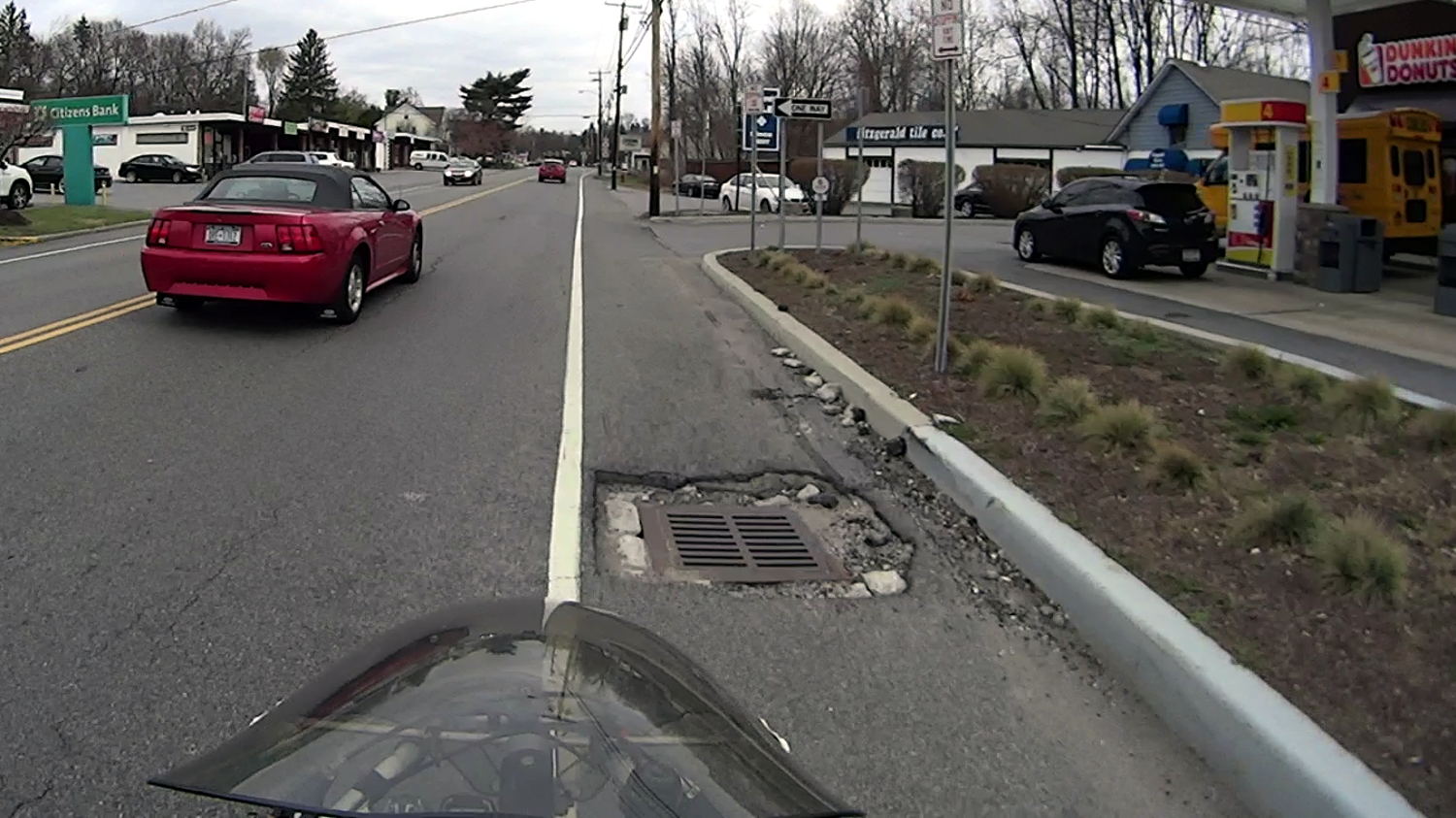
    This grate, directly across Vassar Road, would count as a serious pothole in any other context:

    Drain grate 3 - 40 Vassar Rd
    Drain grate 3 – 40 Vassar Rd

    The pavement remains in better shape, because it’s just to the left of the strip mall entrance, but, again, the grate is about a foot below grade. Those scrapes on the far side suggest some folks didn’t notice that in time.

    If I rode any further to the right, perhaps just on the other side of the fog line, my wheels would be on the steep slope from the fog line down to the grid. It’s survivable as long as you expect it and keep a tight grip on the handlebars.

    Vassar Road, formally known as Dutchess County Route 77, forms part of NYS Bike Route 9.

  • Sony HDR-AS30V Camera: Power Requirement

    A recent ride got rained out after 27 minutes:

    Rain Riding - 2016-03-25
    Rain Riding – 2016-03-25

    We didn’t get much more than damp and planned the ride with a bail-out route home, so it was all good.

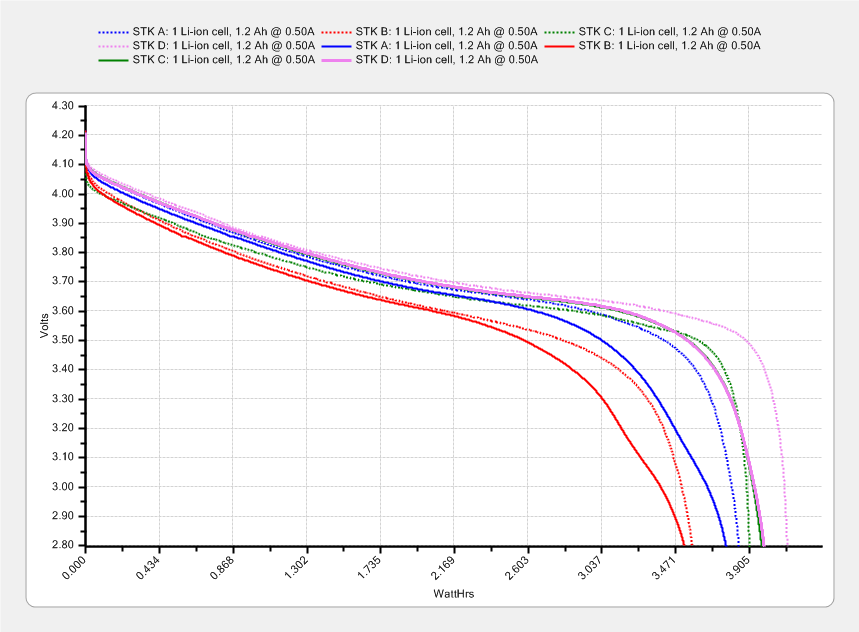
    The camera ran from STK Battery A, which had gone flat 37 minutes into a recent ride, so I popped it in the battery tester and drained the rest of its charge:

    Sony NP-BX1 - STK A 27 min vs full - 2016-03-25
    Sony NP-BX1 – STK A 27 min vs full – 2016-03-25

    The dotted section says it had 0.85 W·h remaining after 27 minutes. Hand-positioning a copy of that curve against the full charge and discharge curve says the camera required 2.8 W·h. Eyeballometrically averaging the voltage over the leading part of the curve as 3.8 V says the battery delivered 0.74 A·h = 2.8 W·h / 3.8 V, then dividing that by 27/60 says the camera draws 1.6 A. That’s less than the 2 A guesstimate from previous data, but I don’t trust any of this for more than about one significant figure.

    Running the camera for 27 minutes requires 2.8 W·h, meaning 37 minutes should require 3.8 W·h. The curve says that’s the capacity at the 2.8 V test cutoff, suggesting the camera also has a 2.8 V cutoff.

    Looking at the discharge curves from yesterday’s post:

    Sony NP-BX1 - STK ABCD - 2015-11-03 vs 2016-03-24
    Sony NP-BX1 – STK ABCD – 2015-11-03 vs 2016-03-24

    If all that hangs together, the C and D batteries should run the camera for just slightly longer than the A battery, but that doesn’t seem to be the actual result: they’re much better than that.

    More rides are indicated …

  • Monthly Science: Five Months of Lithium Cell Wear

    I’ve marched the four STK NP-BX1 lithium batteries through the Sony HDR-AS30V camera in constant rotation since last November. The A battery drained 35 minutes into an ordinary ride on a pleasant day, so charging and measuring the entire set seemed in order:

    Sony NP-BX1 - STK ABCD - 2015-11-03 vs 2016-03-24
    Sony NP-BX1 – STK ABCD – 2015-11-03 vs 2016-03-24

    The dotted curves come from early November 2015, when the batteries were fresh & new, and the solid curves represent their current performance.

    It’s been a mild winter, so we’ve done perhaps 75 rides during the last 150-ish days. That means each battery has experienced under 20 discharge cycles, which ought not make much difference.

    The B battery started out weak and hasn’t gotten any better; I routinely change that one halfway into our longer rides.

    The A battery started marginally weaker than C and D, but has definitely lost its edge: the voltage depression at the knee of the curve might account for the early shutdown.

    Figuring that the camera dissipates 2.2 W, a battery that fails after 35 minutes has a capacity of 1.3 W·h. That suggests a cutoff voltage around 3.8 V, which makes absolutely no sense whatsoever, because the C and D batteries deliver at least 75 minutes = 2.8 W·h along similar voltage curves.

    The B battery goes in the recycle heap and we’ll see how the A battery behaves on another ride…

  • Kenmore 158.17032: Mystery Spring

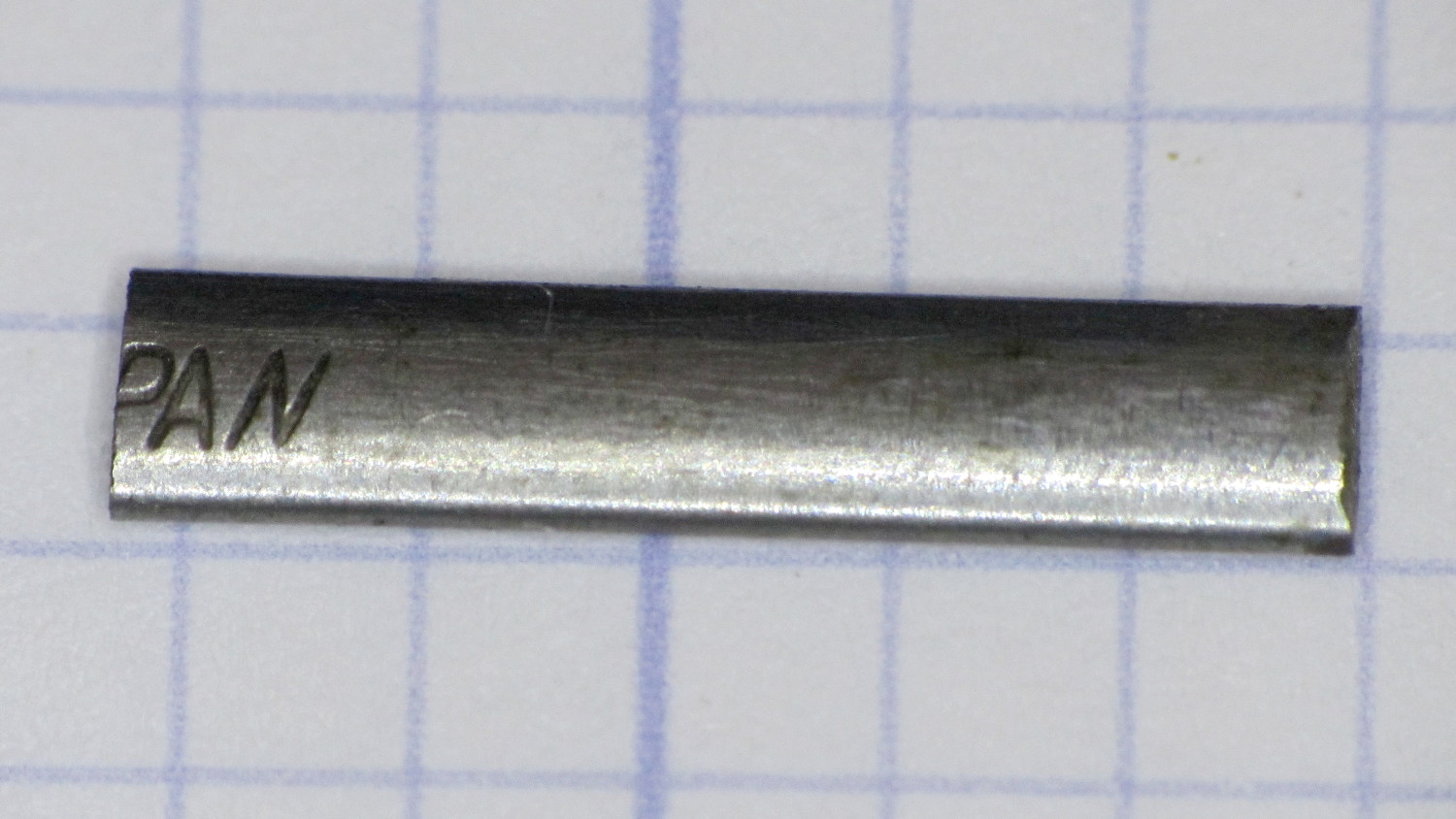
    This steel strip emerged from inside the arm of the Kenmore 158.17032 sewing machine that we’ve been reconditioning for one of Mary’s friends:

    Kenmore 158.17032 - mystery spring
    Kenmore 158.17032 – mystery spring

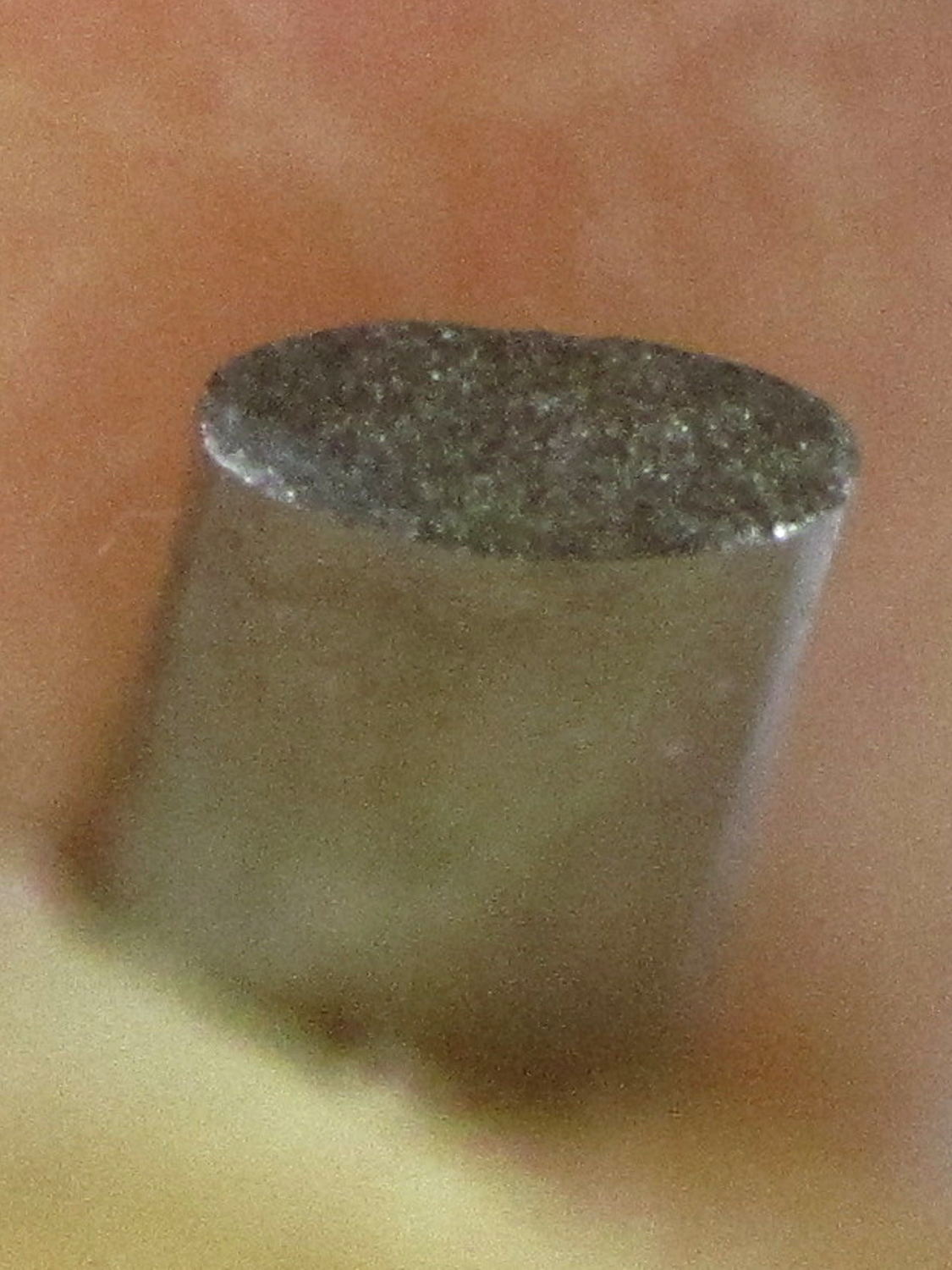
    The ends show the granular fracture of hard steel:

    Kenmore 158.17032 - mystery spring - end view
    Kenmore 158.17032 – mystery spring – end view

    It’s 13.3 mm long, 1.0 mm thick, tapers slightly from 2.8 mm on the end that once said “Japan” to 2.76 mm on the other, and that’s all we know about it.

    The sewing machine seems to work well enough without it (after some clean-and-lube action) and we haven’t found where the piece came from, but circumstantial evidence suggests it’s part of a spring somewhere inside the arm. It’s in a little bag with all the other random sewing machine parts I’ve collected along the way; perhaps some day we’ll know more and I can fabricate a replacement.

  • Square Chain Mail Armor: Back From The Abyss

    After a Slic3r commit fixed the bridging regression, I ran off chain mail patches to celebrate:

    Square Chain Mail Armor - 3.3 3.5 4.0 thread bars
    Square Chain Mail Armor – 3.3 3.5 4.0 thread bars

    Two more Scli3r improvements calculate thin-wall and gap infill based on the available space, then vary the extrusion width to make the answers come out right for a given nozzle diameter. As a result, infill between close-set perimeter walls works much better than before; some of my long-held assumptions became invalid.

    The only differences between the sheets: tweaking the BarWidth and SheetSize parameters. The links recalculate themselves around those values.

    The OpenSCAD source code as a GitHub gist:

    // Chain Mail Armor Buttons
    // Ed Nisley KE4ZNU – December 2014
    Layout = "Build"; // Link Button LB Joiner Joiners Build PillarMod
    //——-
    //- Extrusion parameters must match reality!
    // Print with 1 shell and 2+2 solid layers
    ThreadThick = 0.25;
    ThreadWidth = 0.40;
    HoleWindage = 0.2;
    Protrusion = 0.1; // make holes end cleanly
    function IntegerMultiple(Size,Unit) = Unit * ceil(Size / Unit);
    //——-
    // Dimensions
    //- Set maximum sheet size
    SheetSizeX = 125; // 170 for full sheet on M2
    SheetSizeY = 125; // 230 …
    //- Diamond or rectangular sheet?
    Diamond = false; // true = rotate 45 degrees, false = 0 degrees for square
    BendAround = "X"; // X or Y = maximum flexibility *around* designated axis
    Cap = true; // true = build bridge layers over links
    CapThick = 4 * ThreadThick; // flat cap on link: >= 3 layers for solid bridging
    Armor = true && Cap; // true = build armor button atop (required) cap
    ArmorThick = IntegerMultiple(2.0,ThreadThick); // height above cap surface
    ArmorSides = 4;
    ArmorAngle = true ? 180/ArmorSides : 0; // true -> rotate half a side for best alignment
    //- Link bar sizes
    BarThick = 3 * ThreadThick;
    BarWidth = 3.3 * ThreadWidth;
    BarClearance = 3 * ThreadThick; // vertical clearance above & below bars
    VertexHack = false; // true to slightly reduce openings to avoid coincident vertices
    //- Compute link sizes from those values
    //- Absolute minimum base link: bar width + corner angle + build clearance around bars
    // rounded up to multiple of thread width to ensure clean filling
    BaseSide = IntegerMultiple((4*BarWidth + 2*BarWidth/sqrt(2) + 3*(2*ThreadWidth)),ThreadWidth);
    BaseHeight = 2*BarThick + BarClearance; // both bars + clearance
    echo(str("BaseSide: ",BaseSide," BaseHeight: ",BaseHeight));
    //echo(str(" Base elements: ",4*BarWidth,", ",2*BarWidth/sqrt(2),", ",3*(2*ThreadWidth)));
    //echo(str(" total: ",(4*BarWidth + 2*BarWidth/sqrt(2) + 3*(2*ThreadWidth))));
    BaseOutDiagonal = BaseSide*sqrt(2) – BarWidth;
    BaseInDiagonal = BaseSide*sqrt(2) – 2*(BarWidth/2 + BarWidth*sqrt(2));
    echo(str("Outside diagonal: ",BaseOutDiagonal));
    //- On-center distance measured along coordinate axis
    // the links are interlaced, so this is half of what you think it should be…
    LinkOC = BaseSide/2 + ThreadWidth;
    LinkSpacing = Diamond ? (sqrt(2)*LinkOC) : LinkOC;
    echo(str("Base spacing: ",LinkSpacing));
    //- Compute how many links fit in sheet
    MinLinksX = ceil((SheetSizeX – (Diamond ? BaseOutDiagonal : BaseSide)) / LinkSpacing);
    MinLinksY = ceil((SheetSizeY – (Diamond ? BaseOutDiagonal : BaseSide)) / LinkSpacing);
    echo(str("MinLinks X: ",MinLinksX," Y: ",MinLinksY));
    NumLinksX = ((0 == (MinLinksX % 2)) && !Diamond) ? MinLinksX + 1 : MinLinksX;
    NumLinksY = ((0 == (MinLinksY % 2) && !Diamond)) ? MinLinksY + 1 : MinLinksY;
    echo(str("Links X: ",NumLinksX," Y: ",NumLinksY));
    //- Armor button base
    ButtonHeight = BaseHeight + BarClearance + CapThick;
    echo(str("ButtonHeight: ",ButtonHeight));
    //- Armor ornament size & shape
    // Fine-tune OD & ID to suit the number of sides…
    TotalHeight = ButtonHeight + ArmorThick;
    echo(str("Overall Armor Height: ",TotalHeight));
    ArmorOD = 1.0 * BaseSide; // tune for best base fit
    ArmorID = 10 * ThreadWidth; // make the tip blunt & strong
    //——-
    module ShowPegGrid(Space = 10.0,Size = 1.0) {
    RangeX = floor(95 / Space);
    RangeY = floor(125 / Space);
    for (x=[-RangeX:RangeX])
    for (y=[-RangeY:RangeY])
    translate([x*Space,y*Space,Size/2])
    %cube(Size,center=true);
    }
    //——-
    // Create link with armor button as needed
    module Link(Topping = false) {
    LinkHeight = (Topping && Cap) ? ButtonHeight : BaseHeight;
    render(convexity=3)
    rotate((BendAround == "X") ? 90 : 0)
    rotate(Diamond ? 45 : 0)
    union() {
    difference() {
    translate([0,0,LinkHeight/2]) // outside shape
    intersection() {
    cube([BaseSide,BaseSide,LinkHeight],center=true);
    rotate(45)
    cube([BaseOutDiagonal,BaseOutDiagonal,(LinkHeight + 2*Protrusion)],center=true);
    }
    translate([0,0,(BaseHeight + BarClearance + 0*ThreadThick – Protrusion)/2])
    intersection() { // inside shape
    cube([(BaseSide – 2*BarWidth),
    (BaseSide – 2*BarWidth),
    (BaseHeight + BarClearance + 0*ThreadThick + (VertexHack ? Protrusion/2 : 0))],
    center=true);
    rotate(45)
    cube([BaseInDiagonal,
    BaseInDiagonal,
    (BaseHeight + BarClearance + 0*ThreadThick + (VertexHack ? Protrusion/2 : 0))],
    center=true);
    }
    translate([0,0,((BarThick + 2*BarClearance)/2 + BarThick)]) // openings for bars
    cube([(BaseSide – 2*BarWidth – 2*BarWidth/sqrt(2) – (VertexHack ? Protrusion/2 : 0)),
    (2*BaseSide),
    BarThick + 2*BarClearance – Protrusion],
    center=true);
    translate([0,0,(BaseHeight/2 – BarThick)])
    cube([(2*BaseSide),
    (BaseSide – 2*BarWidth – 2*BarWidth/sqrt(2) – (VertexHack ? Protrusion/2 : 0)),
    BaseHeight],
    center=true);
    }
    if (Topping && Armor)
    translate([0,0,(ButtonHeight – Protrusion)]) // sink slightly into the cap
    rotate(ArmorAngle)
    cylinder(d1=ArmorOD,d2=ArmorID,h=(ArmorThick + Protrusion), $fn=ArmorSides);
    }
    }
    //——-
    // Create split buttons to join sheets
    module Joiner() {
    translate([-LinkSpacing,0,0])
    difference() {
    Link(false);
    translate([0,0,BarThick + BarClearance + TotalHeight/2 – Protrusion])
    cube([2*LinkSpacing,2*LinkSpacing,TotalHeight],center=true);
    }
    translate([LinkSpacing,0,0])
    intersection() {
    translate([0,0,-(BarThick + BarClearance)])
    Link(true);
    translate([0,0,TotalHeight/2])
    cube([2*LinkSpacing,2*LinkSpacing,TotalHeight],center=true);
    }
    }
    //——-
    // Build it!
    //ShowPegGrid();
    if (Layout == "Link") {
    Link(false);
    }
    if (Layout == "Button") {
    Link(true);
    }
    if (Layout == "LB") {
    color("Brown") Link(true);
    translate([LinkSpacing,LinkSpacing,0])
    color("Orange") Link(false);
    }
    if (Layout == "Build")
    for (ix = [0:(NumLinksX – 1)],
    iy = [0:(NumLinksY – 1)]) {
    x = (ix – (NumLinksX – 1)/2)*LinkSpacing;
    y = (iy – (NumLinksY – 1)/2)*LinkSpacing;
    translate([x,y,0])
    color([(ix/(NumLinksX – 1)),(iy/(NumLinksY – 1)),1.0])
    if (Diamond)
    Link((ix + iy) % 2); // armor at odd,odd & even,even points
    else
    if ((iy % 2) && (ix % 2)) // armor at odd,odd points
    Link(true);
    else if (!(iy % 2) && !(ix % 2)) // connectors at even,even points
    Link(false);
    }
    if (Layout == "Joiner")
    Joiner();
    if (Layout == "Joiners") {
    NumJoiners = max(MinLinksX,MinLinksY)/2;
    for (iy = [0:(NumJoiners – 1)]) {
    y = (iy – (NumJoiners – 1)/2)*2*LinkSpacing + LinkSpacing/2;
    translate([0,y,0])
    color([0.5,(iy/(NumJoiners – 1)),1.0])
    Joiner();
    }
    }
    if (Layout == "PillarMod") // Slic3r modification volume to eliminate pillar infill
    translate([0,0,(BaseHeight + BarClearance)/2])
    cube([1.5*SheetSizeX,1.5*SheetSizeY,BaseHeight + BarClearance],center=true);
  • Raspberry Pi Power Heartbeat LED

    While looking for something else, I found a reference to the /boot/overlays/README file, wherein it is written:

            act_led_trigger         Choose which activity the LED tracks.
                                    Use "heartbeat" for a nice load indicator.
                                    (default "mmc")
    
            act_led_activelow       Set to "on" to invert the sense of the LED
                                    (default "off")
    
            act_led_gpio            Set which GPIO to use for the activity LED
                                    (in case you want to connect it to an external
                                    device)
                                    (default "16" on a non-Plus board, "47" on a
                                    Plus or Pi 2)
    
    ... snippage ...
    
            pwr_led_trigger
            pwr_led_activelow
            pwr_led_gpio
                                    As for act_led_*, but using the PWR LED.
                                    Not available on Model A/B boards.
    

    Although the power LED isn’t (easily) visible through the Canakit cases I’m using (it’s under the barely visible hole in front of the small hole near the hacked RUN connector), turning it into a heartbeat pulse distinguishes the CPU’s “running” and “halted” states; whether it will also distinguish “crashed” is up for grabs.

    It’s not at all clear what other choices you have.

    To enable heartbeating, add this to /boot/config.txt:

    # turn power LED into heartbeat
    dtparam=pwr_led_trigger=heartbeat
    #
    

    I expected a simple 50% duty cycle heartbeat, but it’s an annoying double blink: long off / on / off / on / long off. Fortunately, it still isn’t (easily) visible …

    While you have that file open, reduce the GPU memory to the absolute minimum for headless operation:

    # minimal GPU memory for headless operation
    gpu_mem=16
    #
    

    Some further ideas, including a way to turn off the HDMI interface.

  • Road Conditions: 695 Rt 44 Squeeze Play

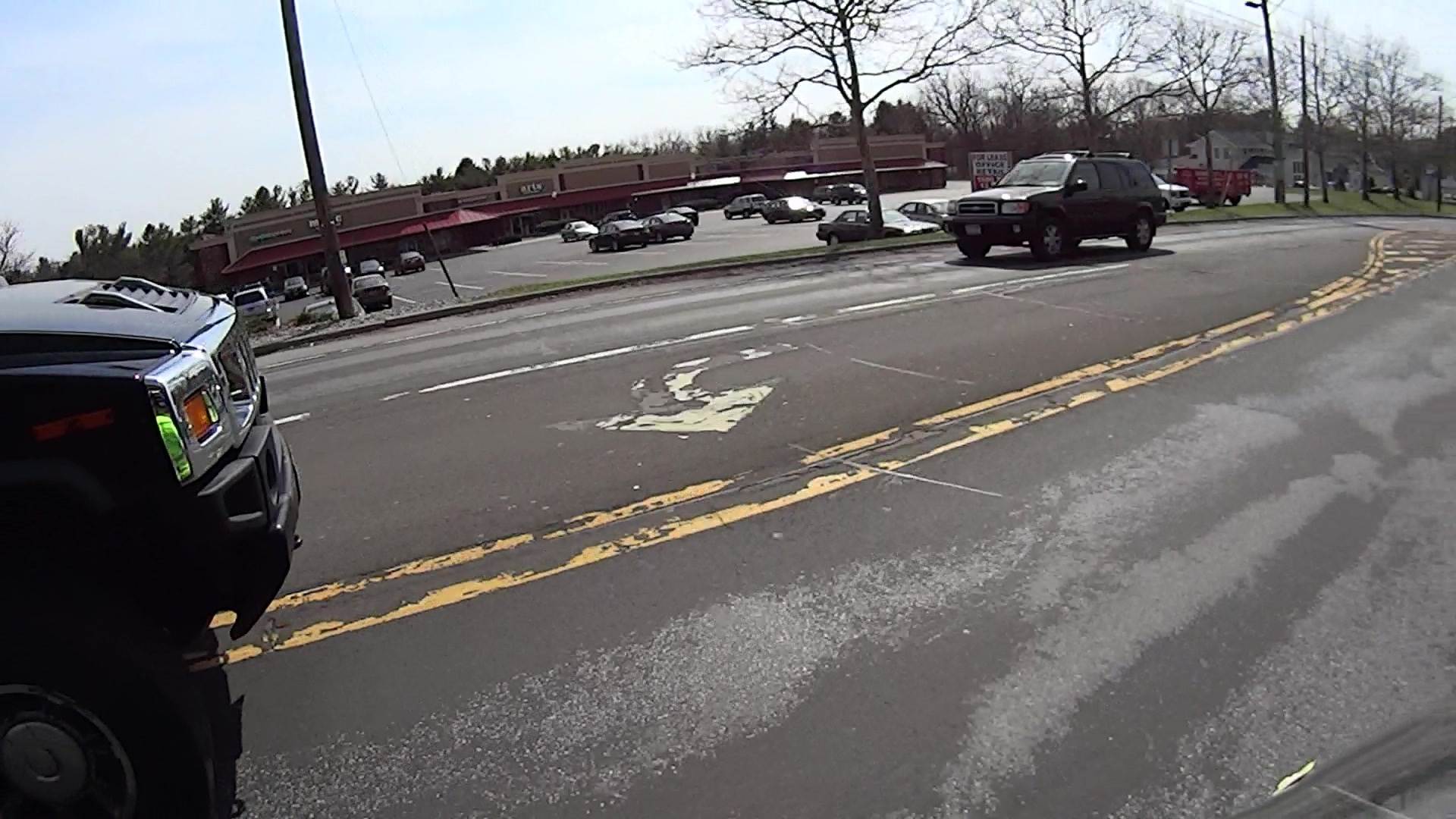
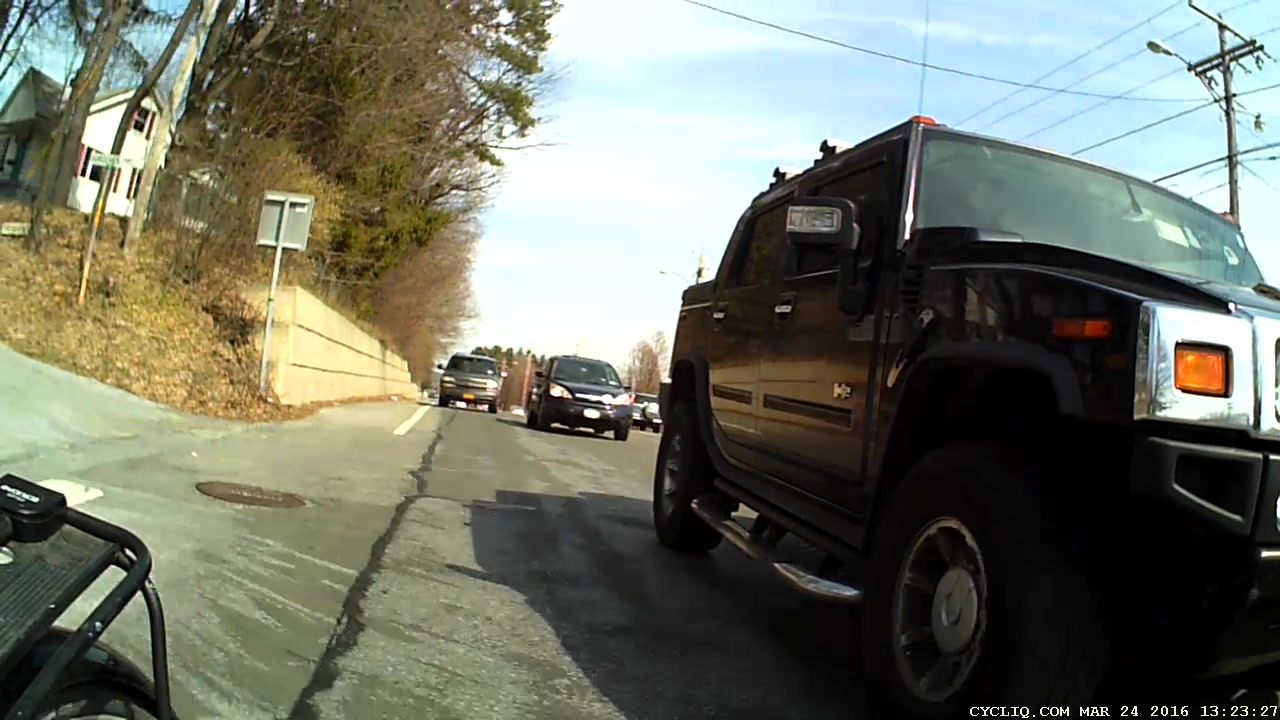
    You can’t hear the horn that’s been honking for the last few seconds (sequence numbers = 1/60 s) as we approach 695 Dutchess Turnpike (a.k.a. Rt 44, a.k.a. NYS Bike Route 44):

    Rt 44 at 695 - H2 Overtaking - front camera - 0113
    Rt 44 at 695 – H2 Overtaking – front camera – 0113

    You’ll note my fluorescent green shirt reflected in all that chrome. You can’t see the groceries tucked into the two under-seat bags; I’m not towing the trailer.

    He gave us a surprising amount of clearance, given the aggressive honking:

    Rt 44 at 695 - H2 Overtaking - front camera - 0186
    Rt 44 at 695 – H2 Overtaking – front camera – 0186

    That’s one reason I ride a bit to the left of Mary’s track.

    We’re riding to the left of the fog line along that stretch of Rt 44, because the upcoming shoulder and right edge aren’t usable. Despite that, the honking pushed Mary over the decaying fog line:

    Rt 44 at 695 - H2 Overtaking - front camera - 0369
    Rt 44 at 695 – H2 Overtaking – front camera – 0369

    She crossed back before the worst part, although the camera doesn’t do justice to the 3D aspect of the crumbling asphalt:

    Rt 44 at 695 - H2 Overtaking - front camera - 0489
    Rt 44 at 695 – H2 Overtaking – front camera – 0489

    If you think that pavement doesn’t seem all that bad, let’s go for a ride, OK?

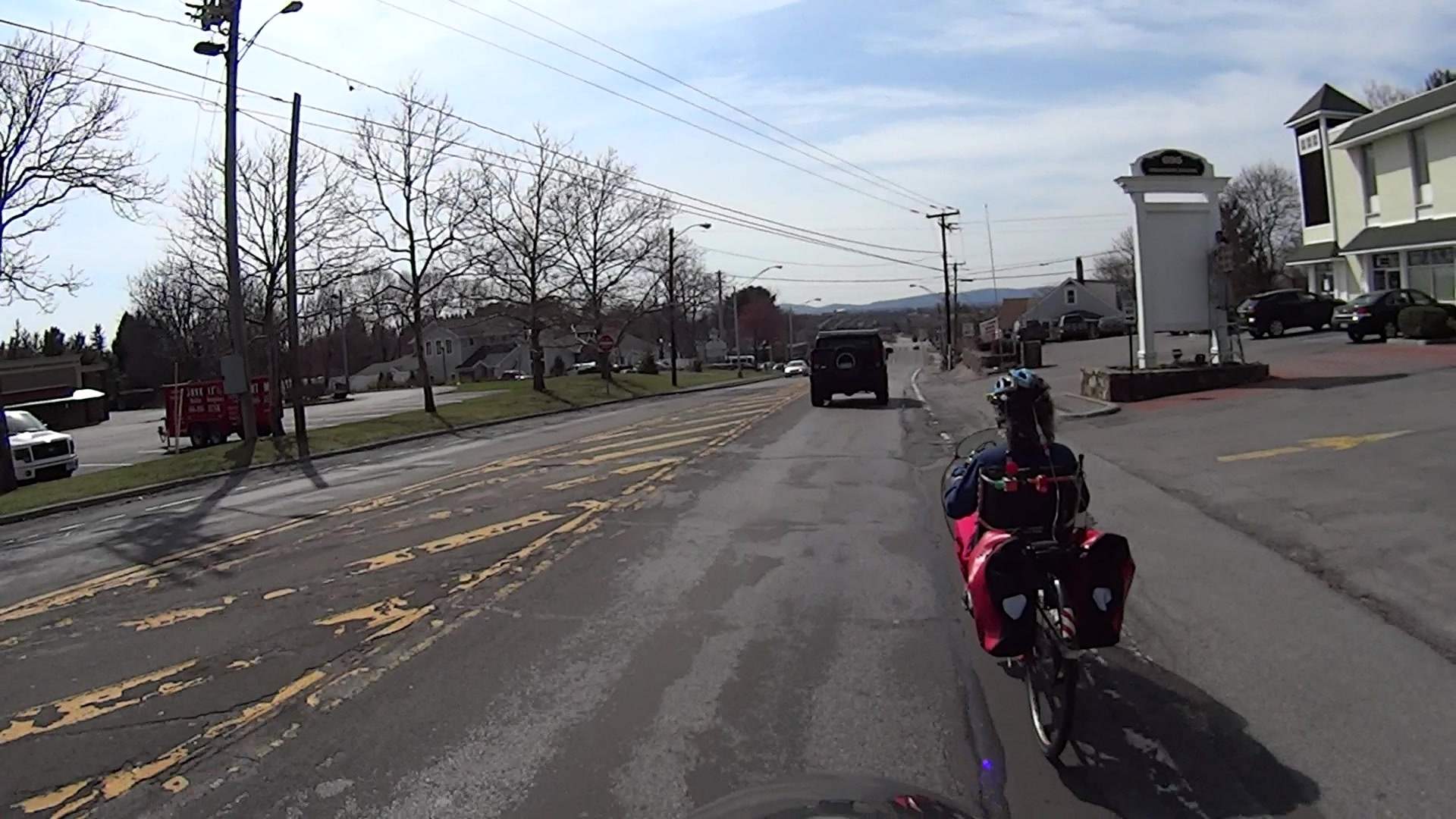
    The events behind us show what happens when somebody in a really big vehicle really wants to squeeze past a bicyclist in a constricted lane.

    Looks like he’s easing over enough to get by (sequence numbers = 1/30 s):

    Rt 44 at 695 - H2 Overtaking - rear camera - 0155
    Rt 44 at 695 – H2 Overtaking – rear camera – 0155

    Looks snug, but I’ve seen worse:

    Rt 44 at 695 - H2 Overtaking - rear camera - 0185
    Rt 44 at 695 – H2 Overtaking – rear camera – 0185

    That was close, but perhaps not atypical for Hummer drivers:

    Rt 44 at 695 - H2 Overtaking - rear camera - 0257
    Rt 44 at 695 – H2 Overtaking – rear camera – 0257

    Now he can rev up and cross the double-yellow line:

    Rt 44 at 695 - H2 Overtaking - rear camera - 0305
    Rt 44 at 695 – H2 Overtaking – rear camera – 0305

    Total elapsed time from first honk to when I finished shouting out the license plate: 16 s.

    At the next traffic signal and the better part of 70 s from the first honk, he turned left and we turned right, pretty much simultaneously:

    Rt 44 at 695 - H2 Overtaking - rear camera - 2274
    Rt 44 at 695 – H2 Overtaking – rear camera – 2274

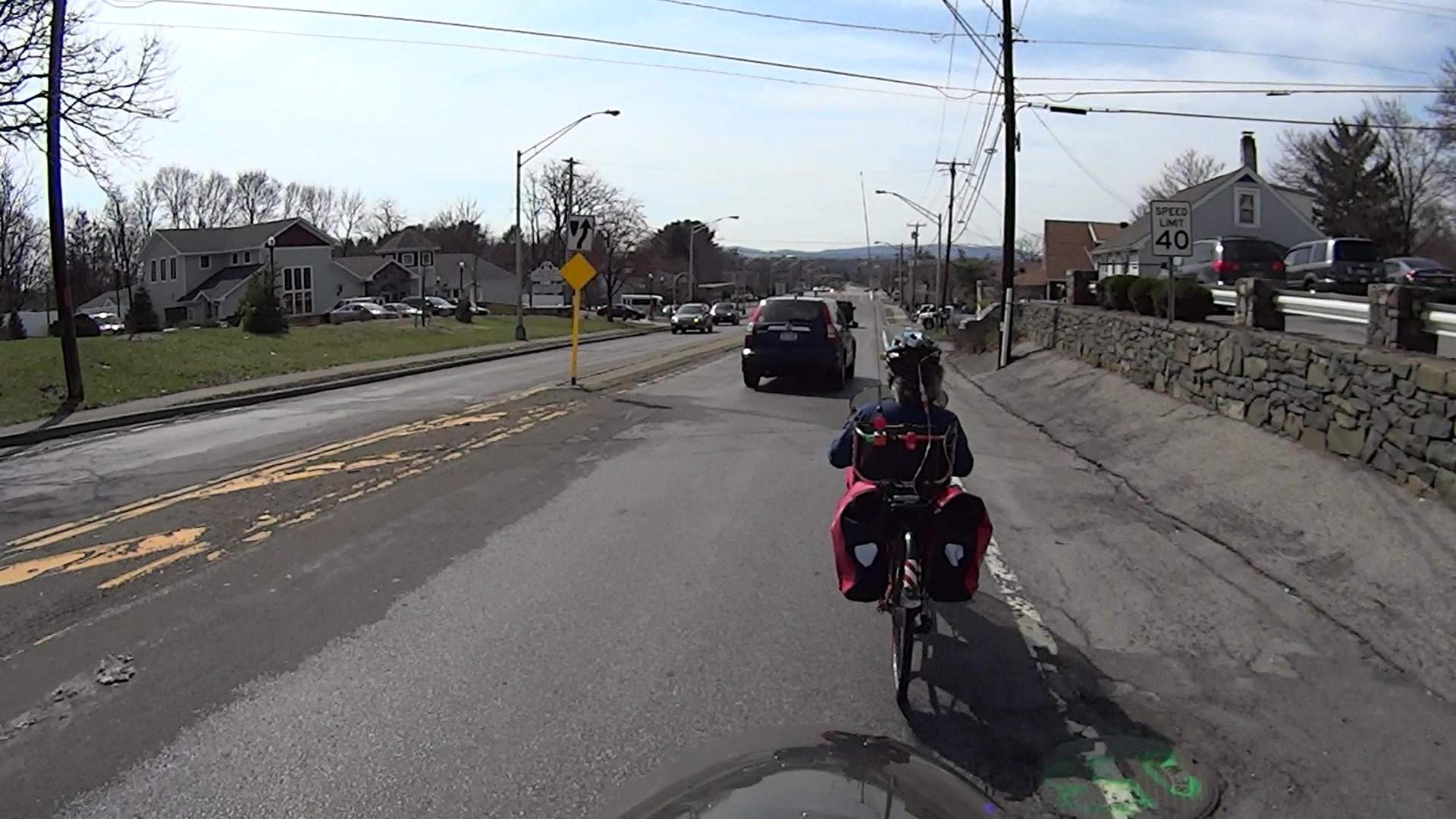
    In lighter news, the green-painted manhole cover suggests some construction may be in-plan:

    Rt 44 at 695 - H2 Overtaking - front camera - 0697
    Rt 44 at 695 – H2 Overtaking – front camera – 0697

    I’m not holding my breath for an improvement over the status quo, though.

    Part of the problem may be that Hummers aren’t nearly the fashion statement they used to be; that failed Chinese deal didn’t help their image in the least.

    FWIW and much to my surprise, H2s have chickenshit horns …