The Smell of Molten Projects in the Morning

Ed Nisley's Blog: Shop notes, electronics, firmware, machinery, 3D printing, laser cuttery, and curiosities. Contents: 100% human thinking, 0% AI slop.

Author: Ed

  • S-100 Bus Computer: Capacitor Reforming

    S-100 Bus Computer: Capacitor Reforming

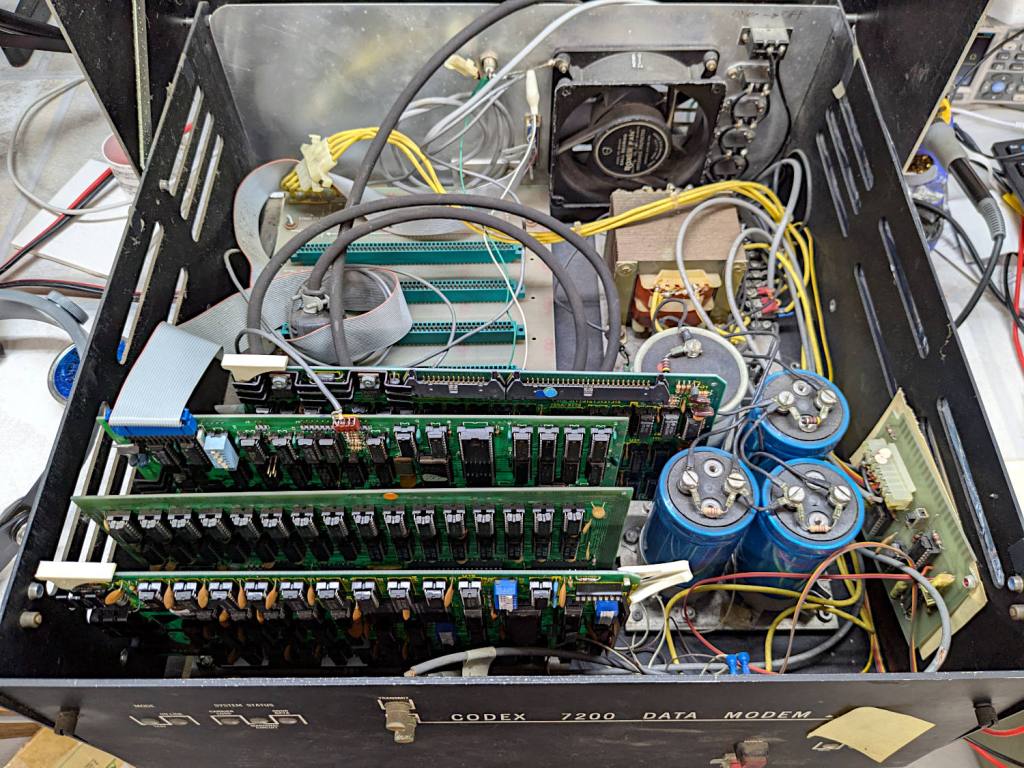
    I volunteered to reform the hulking electrolytic capacitors in a long-unused S-100 Bus computer:

    S-100 Bus Cap Reforming - Codex 7200 Modem case
    S-100 Bus Cap Reforming – Codex 7200 Modem case

    Yes, it’s built into a recycled modem case. No, they don’t make modems like they used to, either. Regrettably, the five status indicators on the left were not set up as Der Blinkenlichten.

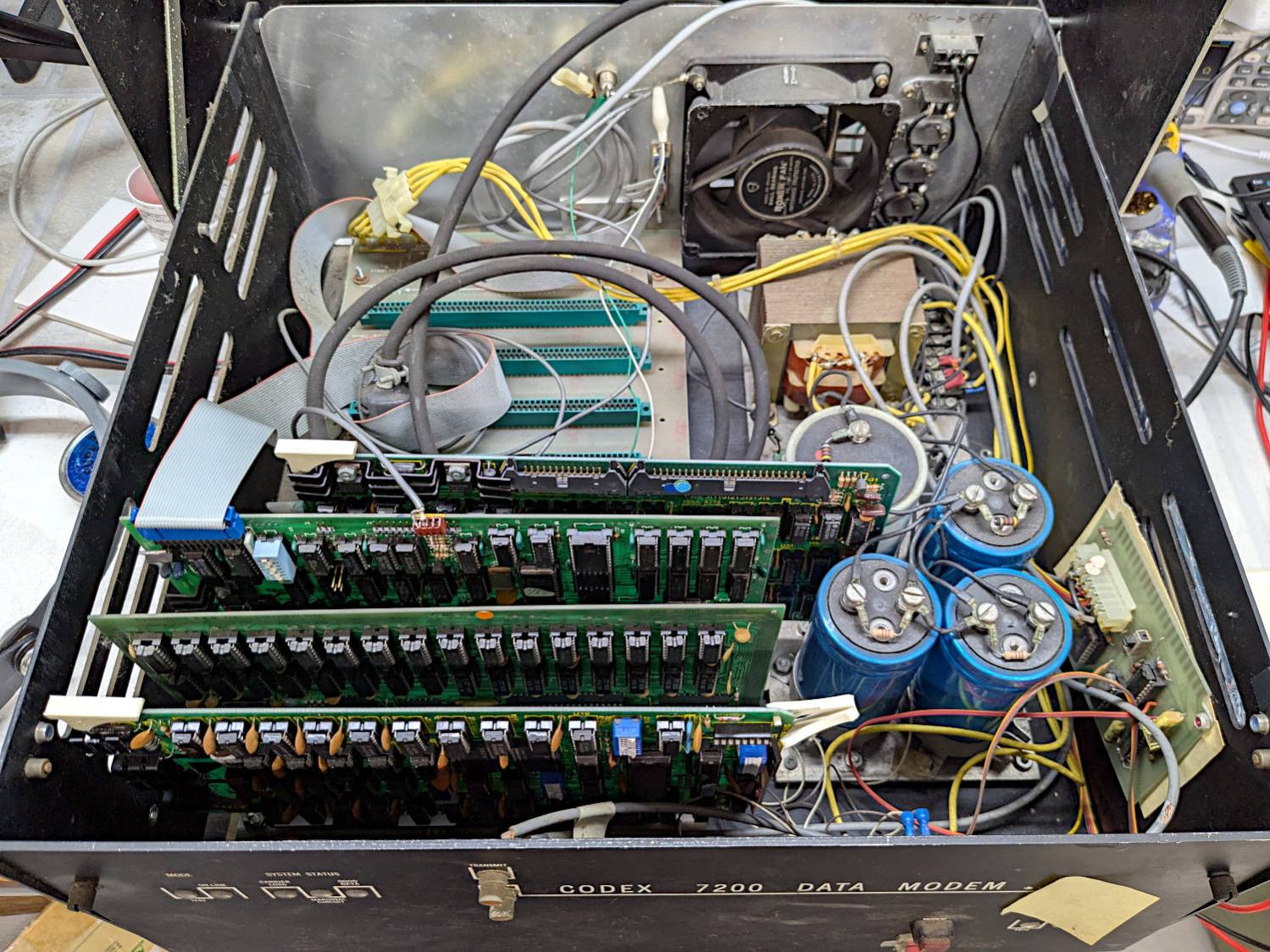
    The inside view:
    S-100 Bus Cap Reforming - inside view
    S-100 Bus Cap Reforming – inside view

    The multi-winding transformer in the back feeds bridge rectifiers (out of sight behind the caps) producing bulk DC:

    S-100 Bus Cap Reforming - bulk supply caps
    S-100 Bus Cap Reforming – bulk supply caps

    The gray cap is 52 mF = 52000 µF 15 V for the +5 V regulators supplying the TTL logic on each board.

    Two of the three blue caps (each 9 mF = 9000 µF 50 V) are for the +12 V and -12 V supplies. I think the third cap is a separate supply for a different purpose, but I did not trace out the wiring.

    The on-board regulators seem to use solid electrolyte caps that should still be in fine shape you should replace on principle, per ericlscott’s experience. You’d want to bring up each board separately while probing the voltages; the box of stuff accompanying the system has an extender card that should make probing easier.

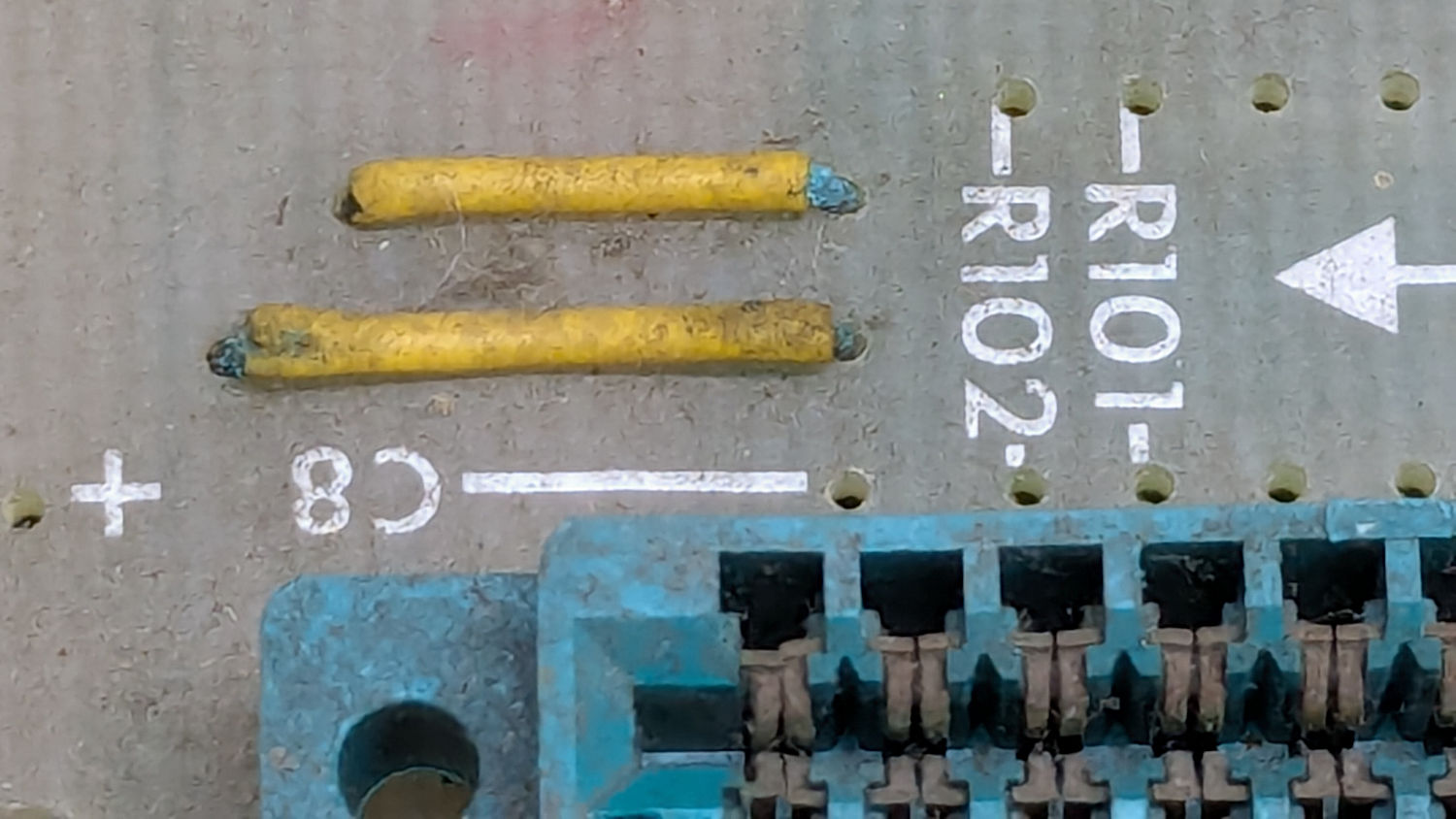
    I hoped to boot the thing after restoring the caps, but a casual inspection showed wire corrosion:
    S-100 Bus backplane - jumper wire corrosion
    S-100 Bus backplane – jumper wire corrosion

    You’d want to pull the backplane out and replace those jumpers, as well as clean the bus contacts, before applying power.

    The system has two 8 inch floppy drives in a separate case with its own power supply:

    S-100 Bus floppy drives - overview
    S-100 Bus floppy drives – overview

    There was some corrosion in there, too:

    S-100 Bus Floppy Drive - optical sensor corrosion
    S-100 Bus Floppy Drive – optical sensor corrosion

    So I confined myself to reforming the caps and must let someone with more powerful motivation restore the rest of the system before trying to connect everything and booting CP/M.

    The general idea behind “reforming” an electrolytic capacitor is to regrow the oxide layer separating the anode and cathode electrodes, which involves passing a current of about 1 mA for as long as it takes to bring the terminal voltage up to the cap’s maximum rated voltage:

    S-100 Bus Cap Reforming - 52mF 15V
    S-100 Bus Cap Reforming – 52mF 15V

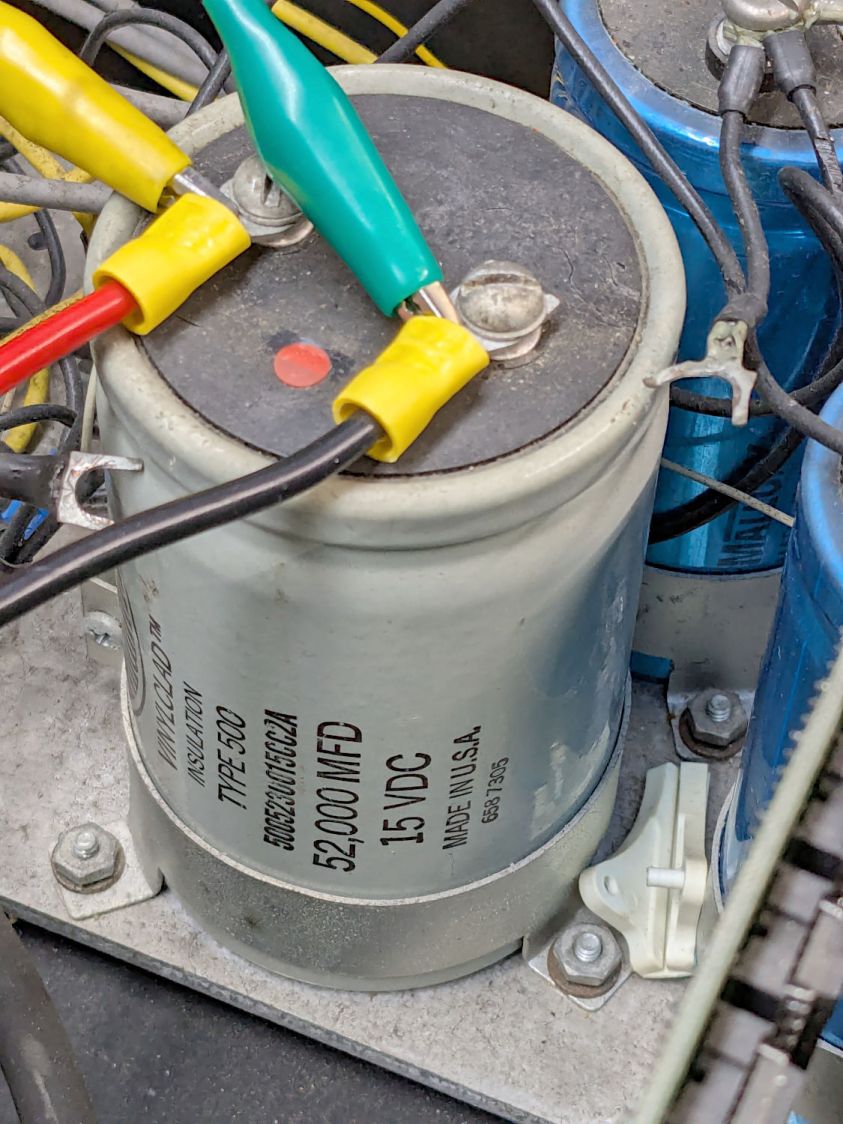
    That setup consists of an absurd number of PowerPole adapters putting the meter in series with a fuseholder repurposed to hold resistors to limit the current, with leads eventually ending up on the capacitor:
    S-100 Bus Cap Reforming - 52 mF 15 V cap connection
    S-100 Bus Cap Reforming – 52 mF 15 V cap connection

    The red dot is the overpressure vent, not a polarity marker.

    Apparently the Greek mu symbol wasn’t in the font available for the labels, as all the capacitors use m in its place: that capacitor is 52 mF = 52000 µF.

    The white plastic ejection handle belongs on the right end of the CPU board seen in the second picture, which was not plugged into its slot when I opened the case. I snapped the handle in place and plugged the board in just to keep it out of trouble. The case does not have board guide slots along the edges that would let the handle eject the board, but all that was definitely in the nature of fine tuning back then.

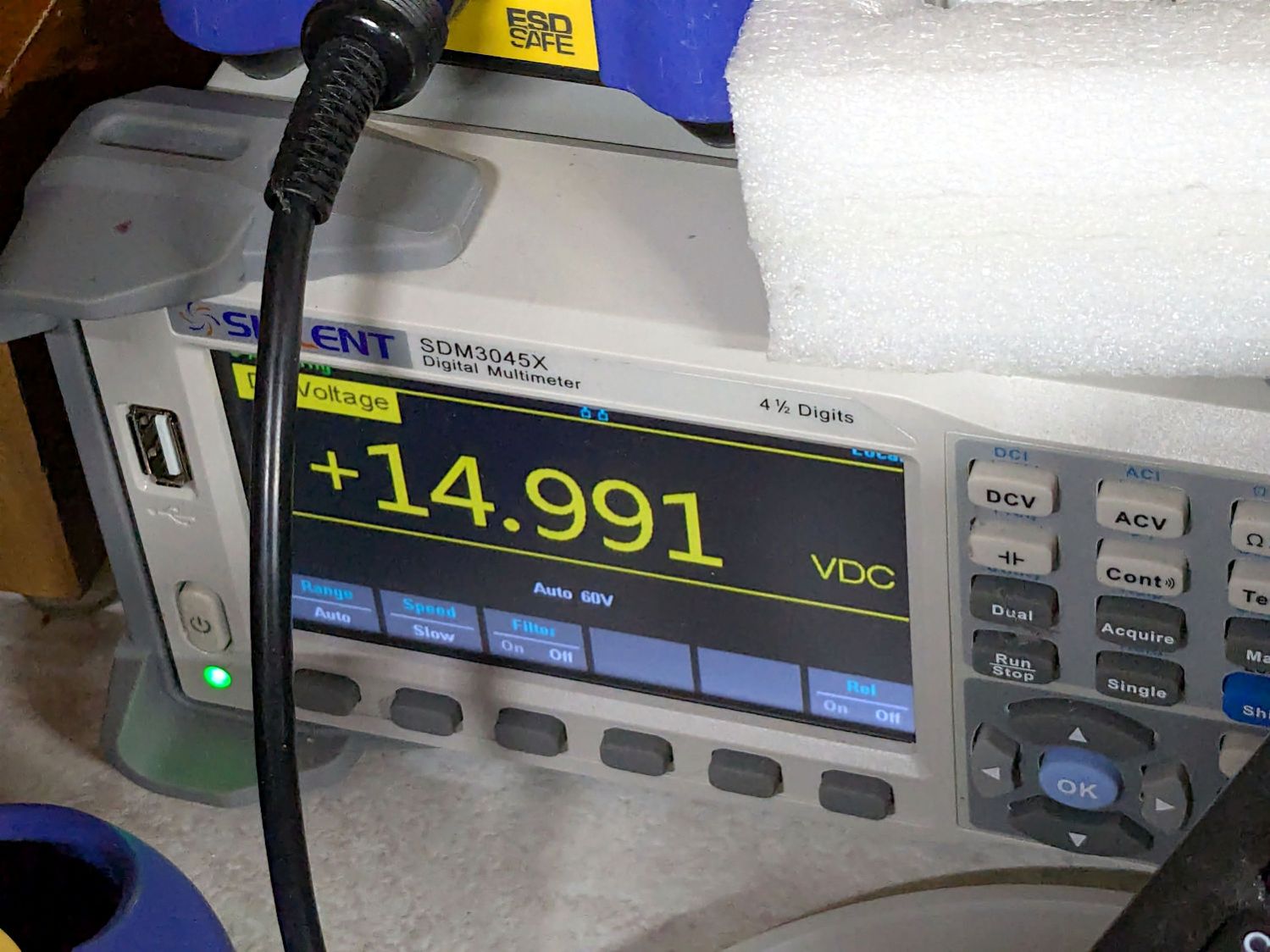
    I started with +15 V through a 16.9 kΩ resistor and swapped in 3.3 kΩ, 1 kΩ, and 220 Ω resistors as the cap voltage crept upward over the course of two days and eventually settled to a steady state:
    S-100 Bus Cap Reforming - 52mF 15V final voltage
    S-100 Bus Cap Reforming – 52mF 15V final voltage

    After discharging, the cap measured 59.5 mF with a 0.3 Ω ESR, which definitely seemed Good Enough.

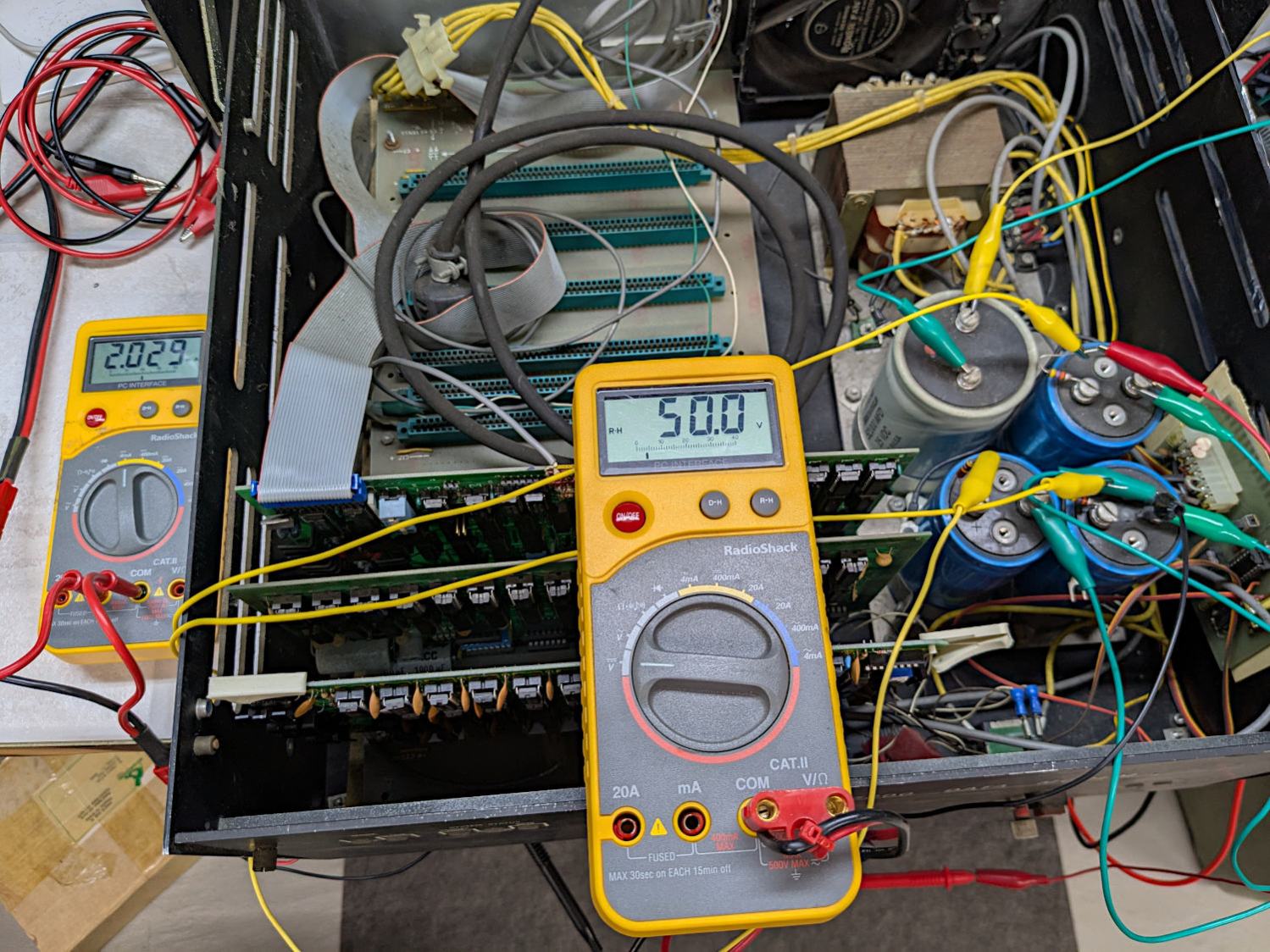
    I reformed the three 9 mF 50 V caps at the same time by applying 50 V to three resistors captured on their screw terminals, changing the resistors as the voltages rose:
    S-100 Bus Cap Reforming - 50 V caps
    S-100 Bus Cap Reforming – 50 V caps

    Those three caps eventually measured (clockwise from upper right):

    • 9.66 mF, 1.0 Ω ESR
    • 9.76 mF, 2.6 Ω ESR
    • 10.46 mF, 3.4 Ω ESR

    The ESRs suggest they’re somewhat dried out, but I’d be tempted to run them anyway, because the on-board regulators should knock down the ripple.

    All of the reformed caps had leakage currents of a few hundred microamps. They’re not new capacitors and never will be, but they may be Good Enough.

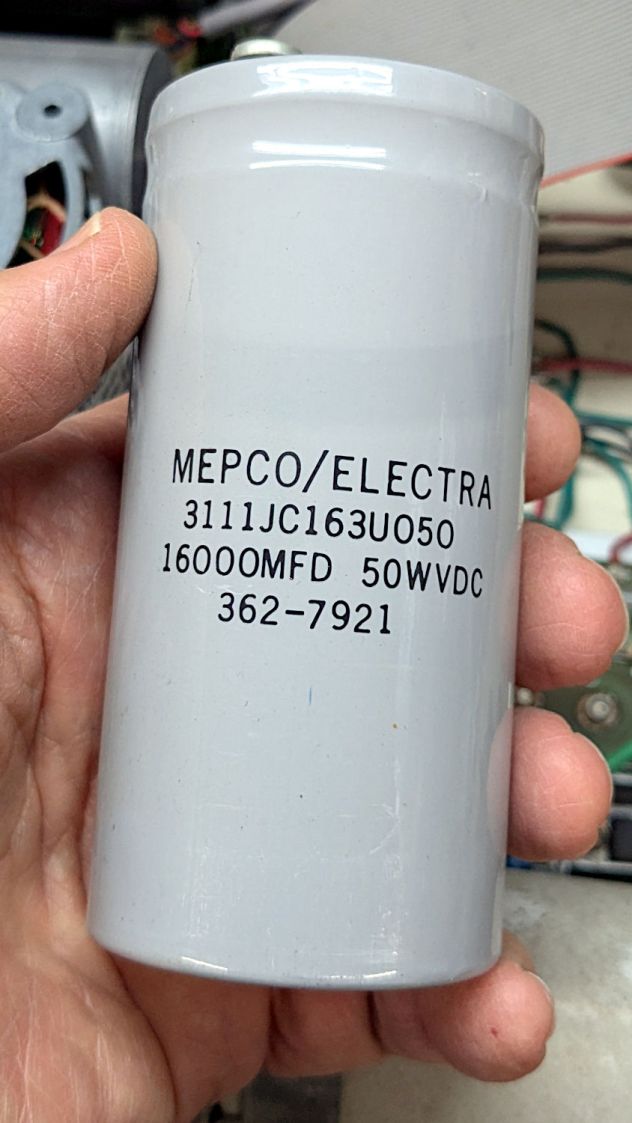
    Getting the caps out of the diskette drive power supply required easing the entire supply frame / heatsink out of the case before unscrewing the capacitor clamps:
    S-100 Bus Cap Reforming - 16 mF 50V
    S-100 Bus Cap Reforming – 16 mF 50V

    That one eventually measured 22.1 mF with 0.14 Ω ESR. Its sibling, nominally 38 mF at 15 V, came in at 48.9 mF with 0.95 Ω ESR.

    The power supply PCB carries a handful of smaller aluminum electrolytic caps that are impossible to remove without unsoldering all the TO-3 transistor leads coming through the aluminum heatsink / frame, then completely dismantling the power supply:

    S-100 Bus floppy drives - power supply PCB
    S-100 Bus floppy drives – power supply PCB

    Although I reformed the big caps, I think a better plan would be to replace the whole thing with a contemporary switching supply. AFAICT it has 24 V and 5 V outputs; because we live in the future, dual-output switchers are cheap & readily available.

    And then I closed the cases to get them ready for the next part of their adventure …

  • Sandisk 64 GB High Endurance MicroSD Card: End of Life

    Sandisk 64 GB High Endurance MicroSD Card: End of Life

    After about 7.5 years (!) the 64 GB card in my Sony HDR-AS30V helmet camera breathed its last:

    SanDisk 64 GB MicroSD card - end of life
    SanDisk 64 GB MicroSD card – end of life

    Over the course of several rides I noticed many video files ended prematurely or would not play. I gave up attempting to reformat the card in overwrite mode using the Official SD Card formatter after four hours, which says the wear leveler in the card has no spare capacity.

    In round numbers, I ride 1700 miles a year at 12 mph, so the card recorded 1000 hours of 1920×1080 video at 60 frame/s, storing one 4.3 GB file every 22.75 minutes for a grand total of 12 TB of data.

    Although that’s 188 times the capacity of the card, it rarely held more than an hour or two of data at any one time, because I copy the camera video files to a 3 TB USB hard drive after each ride. I don’t know how the exFAT file system interacts with the card’s wear leveling, but overall it’s much better than the non-high-endurance cards I’d been using way back when.

    A new Sandisk 128 GB High Endurance card cost a third of what the 64 GB card did and, after setting the partition label to AS30V, it’s off to a good start:

    Street Lamp Pole - Rombout House Ln - 2025-05-07
    Street Lamp Pole – Rombout House Ln – 2025-05-07

    That’s the street lamp pole installed on the replaced base at the corner of Rt 376 and Rombout House Lane, with the barrels gradually being pushed closer and closer to the pole by turning traffic on the newly paved lane.

    That pole is not going to see the end of this year.

    Update: The barrels vanished this morning:

    Street Lamp Pole - Rombout House Ln - 2025-05-08
    Street Lamp Pole – Rombout House Ln – 2025-05-08

    Definitely the triumph of hope over experience.

  • Medicare Advantage Mail Merge: FAIL

    Medicare Advantage Mail Merge: FAIL

    A postcard arrived last week telling me to call a special number for special deals on Medicare Advantage plans. Being that type of guy, I managed to read the microscopic Fine Print and found this amusing blooper amid the disclaimers weasel wording:

    Medicare Advantage mail spam
    Medicare Advantage mail spam

    Inserting insurance carrier names should have happened before printing the card, so [CarrierA] and [CarrierB] are either placeholders or mail-merge variables.

    Also, you’re seeing the contrast-blown and magnified version of the postcard. The original Fine Print had faint orange ink on light green cardstock: colors having different hues with the same saturation and value to minimize legibility. In general, folks eligible for Medicare Advantage plans have trouble reading Fine Print, so the choice was not accidental.

    Not a compelling value proposition, as they say.

  • 7 mm Tactile Switch Pinout

    7 mm Tactile Switch Pinout

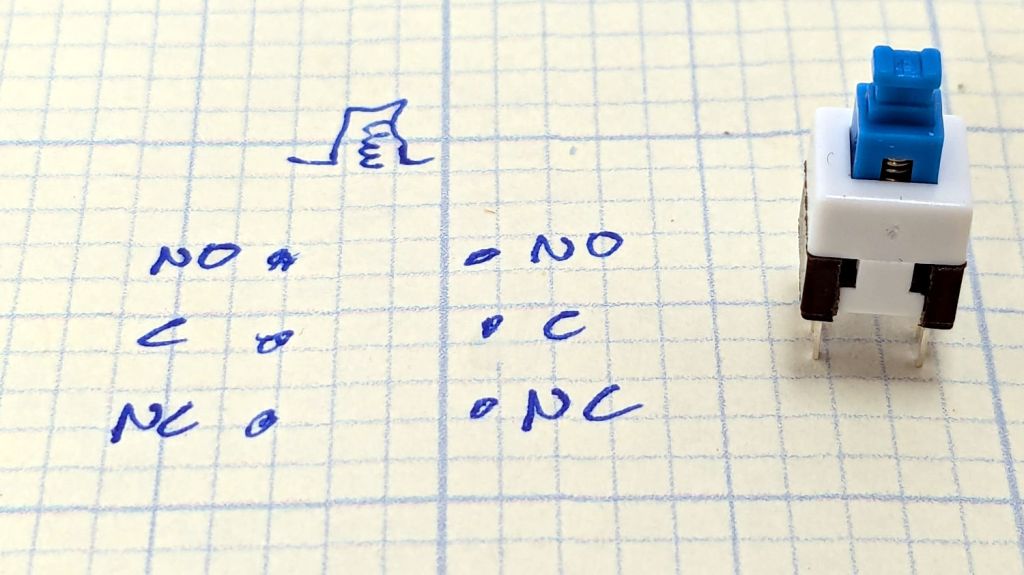
    As is usually the case, the assortment of tiny switches arrived with no pinout documentation. The 6 mm square SMD switches were easy, but the 7 mm through-hole switches posed a puzzle.

    With the switch standing to make the return spring visible as shown, the pinout looks like this:

    7mm Tactile Switch pinout
    7mm Tactile Switch pinout

    TIL, somewhat to my surprise, both the latching and momentary 7 mm switches have DPDT contacts!

    Now I know how to wire the next thing …

  • Delta Shower Head Holder Extension

    Delta Shower Head Holder Extension

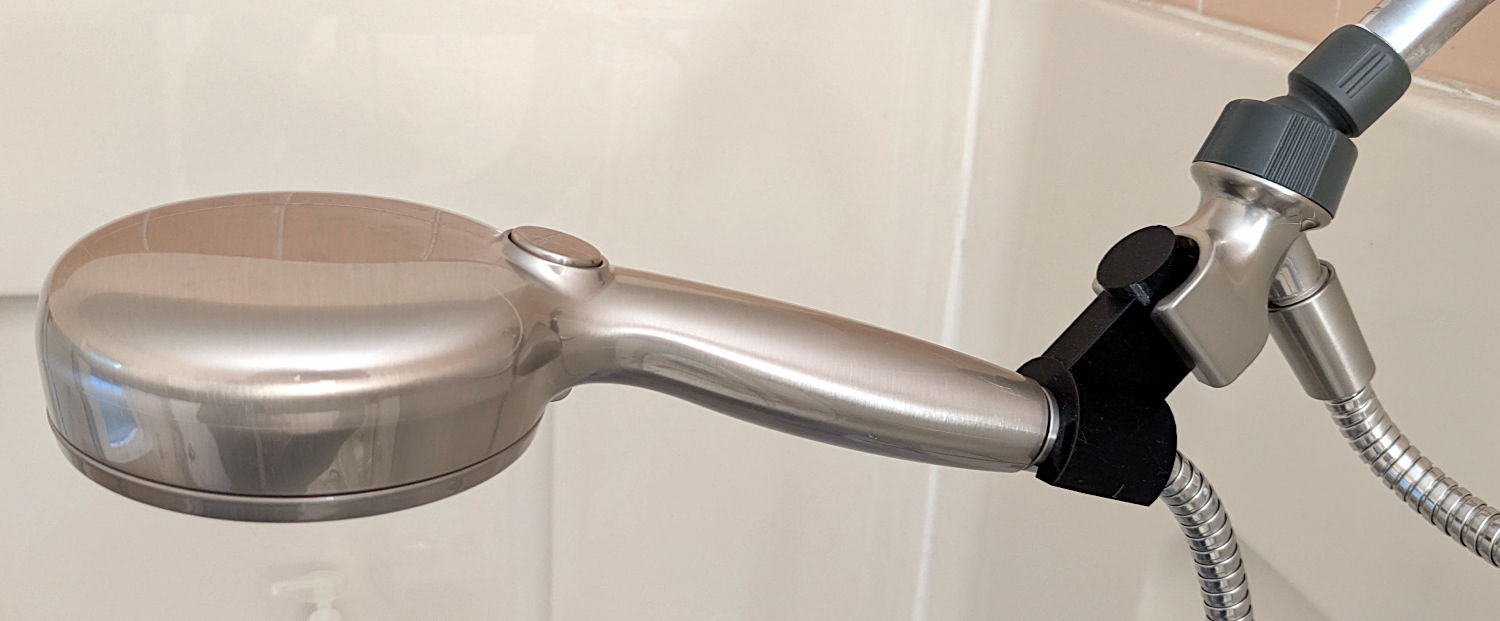
    The original shower head being too far overhead for Mary’s reach, I installed a Delta ProClean Shower Head which would also be too high. It has a hose, which means I can adjust the height:

    Delta shower head holder extension - installed
    Delta shower head holder extension – installed

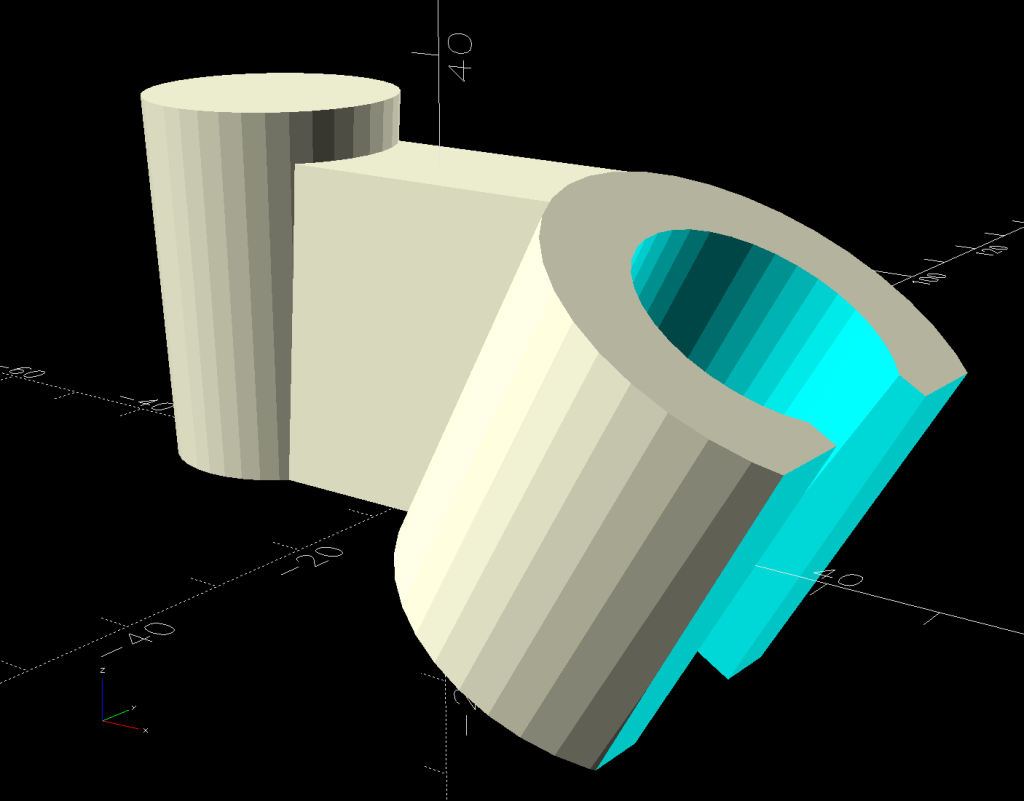
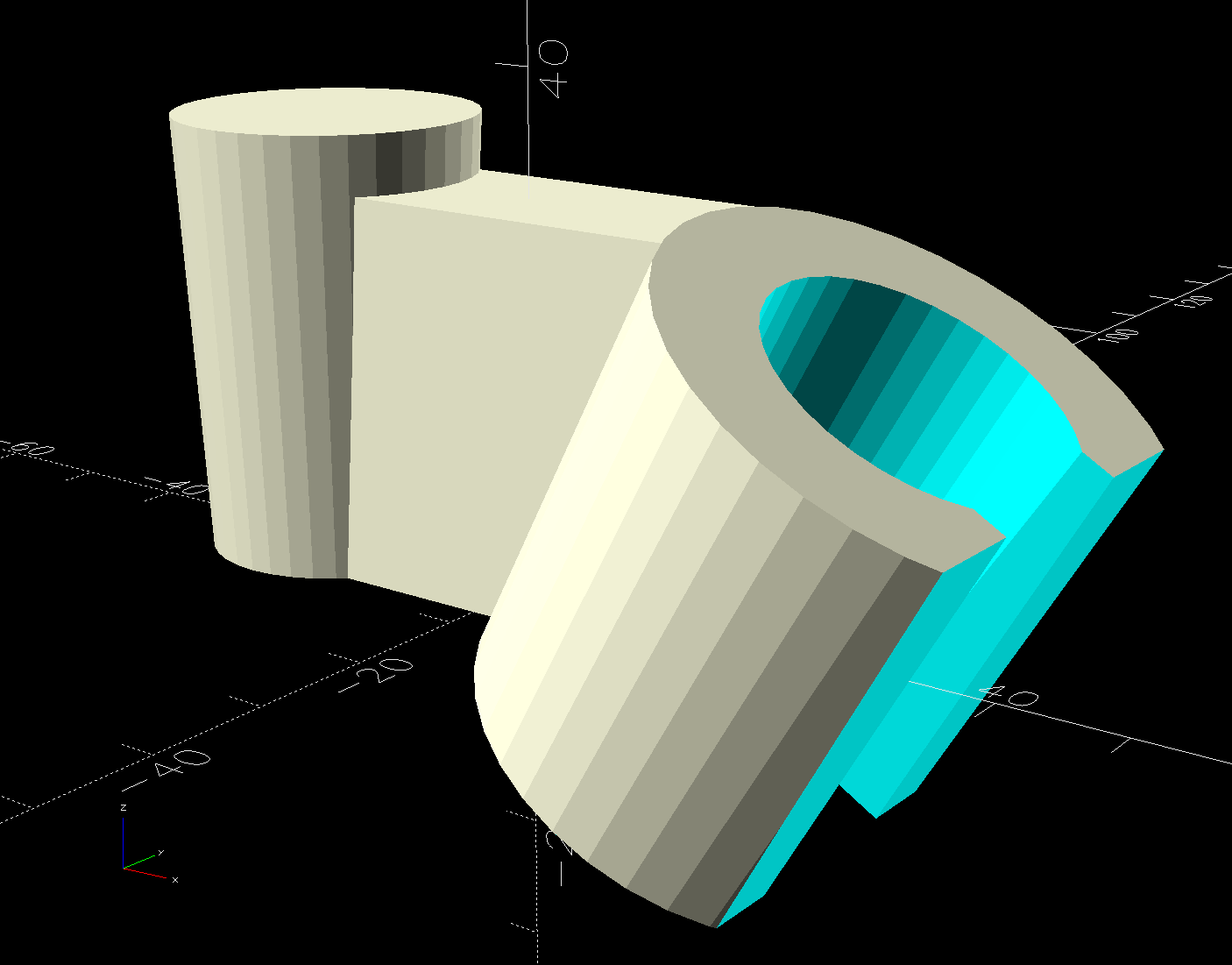
    The InterWebs offer several 3D-printable versions of such a thing, but Delta offers many different shower heads, some of which are visually (to my eyes, anyway) indistinguishable from the 75740SN you see here. The model I tried did not fit the holder I have, so I conjured one from the vasty digital deep:

    Delta shower head holder extension - solid model
    Delta shower head holder extension – solid model

    It builds standing on that tidy cutoff:

    Delta shower head holder extension - PrusaSlicer warning
    Delta shower head holder extension – PrusaSlicer warning

    Despite PrusaSlicer’s kvetching about the “collapsing overhang” inside the socket, it came out fine.

    The shower head is still slightly too high for her, but now I can print another one with a longer offset and a slightly smaller plug to fit deeper in the OEM socket.

    Worst case, there’s a wall-mounted holder to put the shower head at shoulder height.

    The OpenSCAD source code as a GitHub Gist:

    // Delta shower head holder extension
    // Ed Nisley – KE4ZNU
    // 2025-05-02
    include <BOSL2/std.scad>
    Layout = "Show"; // [Show,Build,Plug,Socket,Connector]
    MountAngle = 30; // between OEM and new holder
    MountOffset = 20.0;
    /* [Hidden] */
    HoleWindage = 0.2;
    Protrusion = 0.1;
    NumSides = 3*3*4;
    ID = 0;
    OD = 1;
    LENGTH = 2;
    Insert = [21.0,24.5,35.0]; // hose connector taper
    PlugSize = Insert + [-0.3,-0.3,0]; // … for better fit in OEM holder
    Slot = [Insert[OD],14.6,3*Insert[LENGTH]]; // slot on OEM holder, arbitrary length
    WallThick = 8.0; // holder wall thickness
    Radius = 3.0; // shapely rounding
    $fn=NumSides;
    //———-
    // Define Shapes
    module Plug() {
    cyl(l=Insert[LENGTH],d1=PlugSize[ID],d2=PlugSize[OD],anchor=BOTTOM);
    }
    module Socket() {
    difference() {
    tube(l=Insert[LENGTH],id1=Insert[ID],id2=Insert[OD],wall=WallThick,anchor=BOTTOM);
    cuboid(Slot + [0,1.0,0],anchor=LEFT+CENTER);
    right(Insert[OD]/2)
    cube([Insert[OD],Insert[OD] + 2*WallThick,3*Insert[LENGTH]],anchor=LEFT+CENTER);
    }
    }
    module Connector() {
    difference() {
    left(MountOffset)
    cuboid([MountOffset + Insert[LENGTH]*sin(MountAngle),Slot.y,Insert[LENGTH]*cos(MountAngle)],
    anchor=LEFT+BOTTOM);
    yrot(MountAngle) right(Insert[ID]/2 + WallThick)
    cyl(l=Insert[LENGTH],d1=Insert[ID] + 2*WallThick,d2=Insert[OD] + 2*WallThick,anchor=BOTTOM);
    }
    }
    module Adapter() {
    union() {
    left(MountOffset)
    Plug();
    yrot(MountAngle) right((Insert[ID] + 2*WallThick)/2)
    Socket();
    Connector();
    }
    }
    //———-
    // Build things
    if (Layout == "Plug")
    Plug();
    if (Layout == "Socket")
    Socket();
    if (Layout == "Connector")
    Connector();
    if (Layout == "Show")
    Adapter();
    if (Layout == "Build")
    up(Insert[ID]/2 + 1*WallThick + Insert[OD]/2)
    yrot(90-MountAngle)
    Adapter();
  • HQ Sixteen: Improved Control Cap Wiring

    HQ Sixteen: Improved Control Cap Wiring

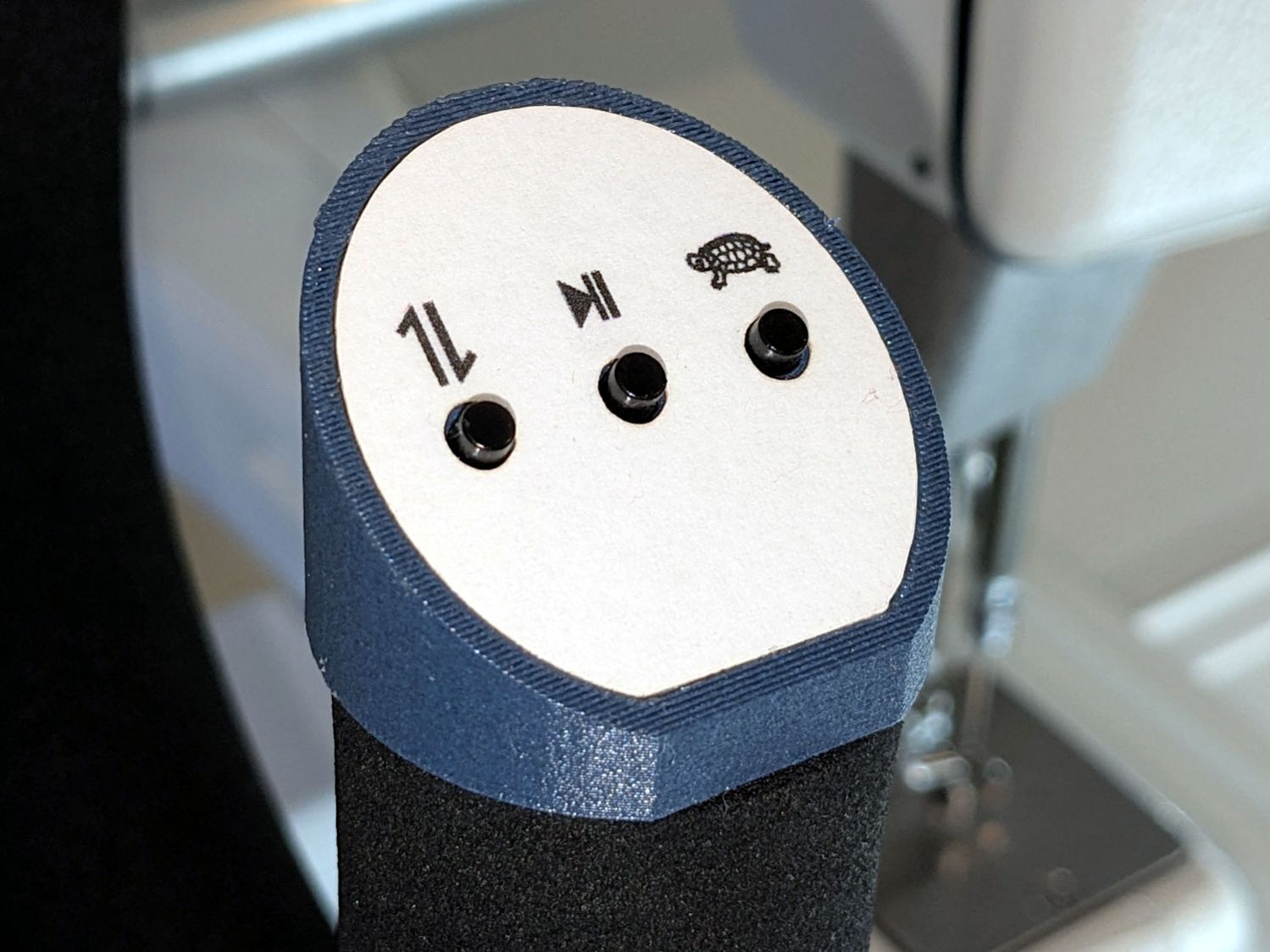
    The new control caps on the HQ Sixteen’s handlebars have three switches apiece:

    HQ Sixteen - grip cap installed - left
    HQ Sixteen – grip cap installed – left

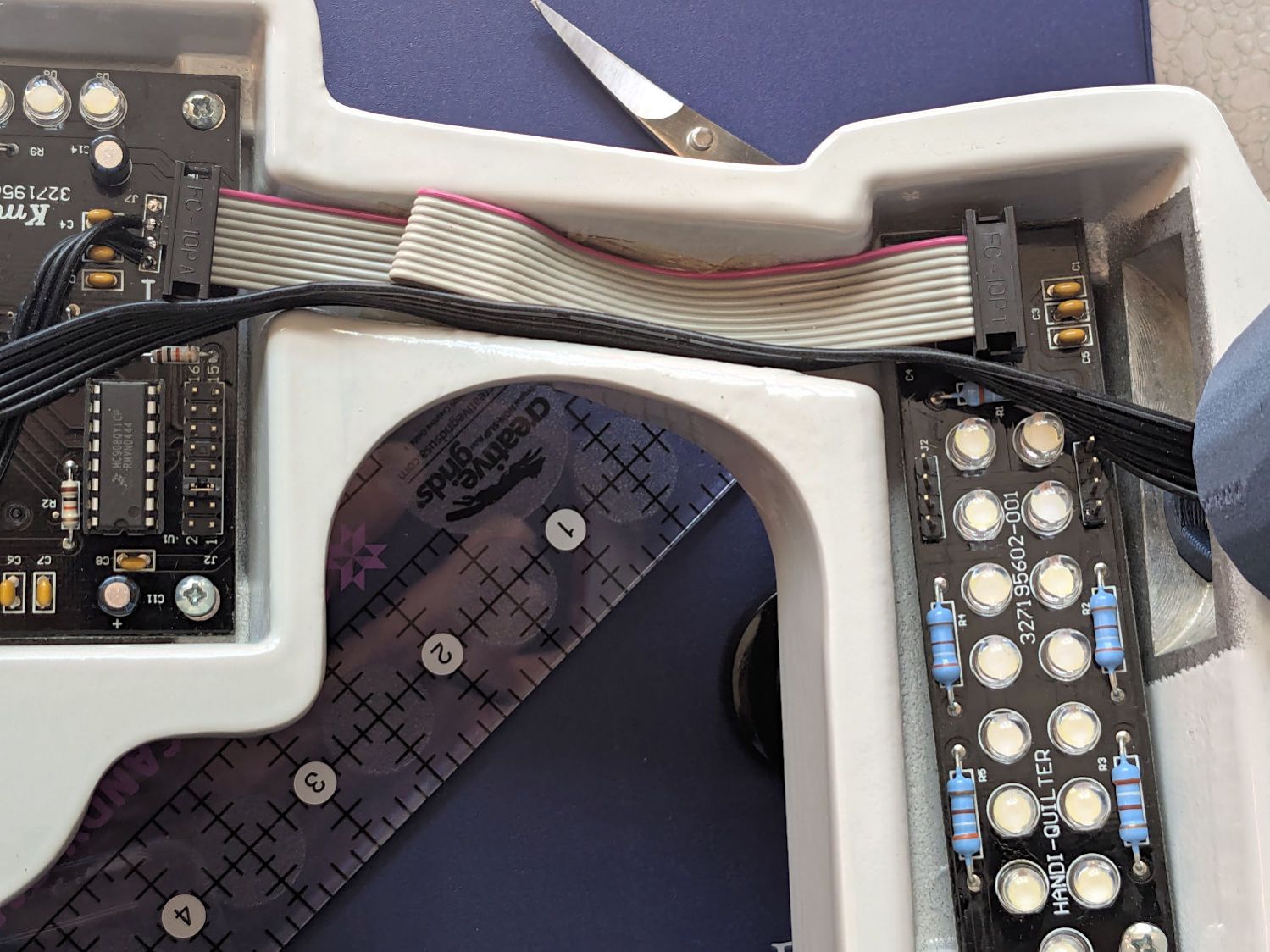
    A six-conductor ribbon cable brings those switch terminal through the handlebars, across the smaller PCBs where the original switches plugged in, and atop the main PCB behind / under the LCD panel where they get wired together:

    HQ Sixteen - Control Button switch cable
    HQ Sixteen – Control Button switch cable

    The gray ribbon cable carries power for the LEDs and returns the original switch signals formerly plugged into one of the four-pin headers on the right PCB. The same PCB is used on the other side and the switches over there plug into the other header.

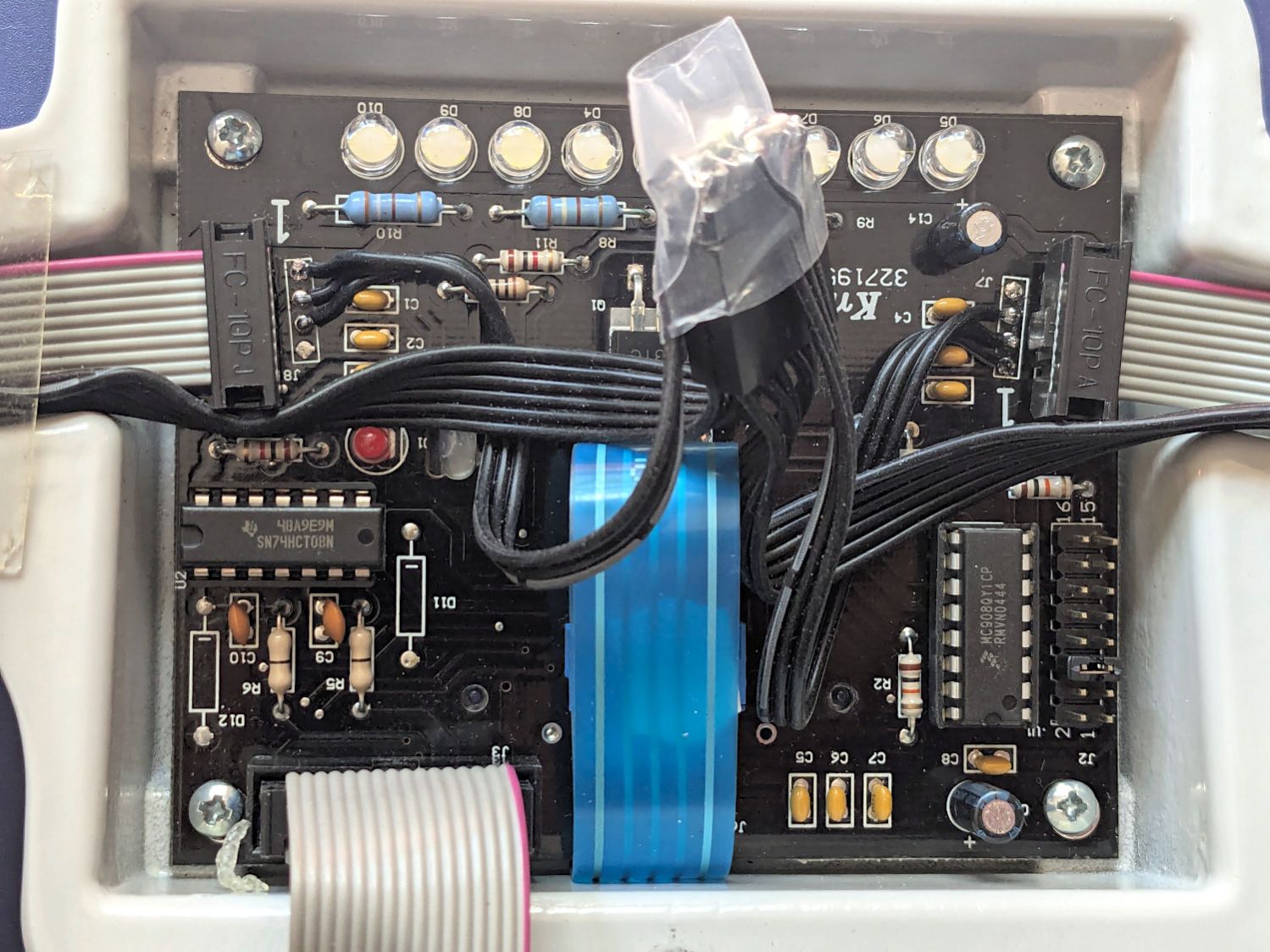
    The central PCB is also used for the rear handlebars, which do not have the smaller PCBs, and those switch cables plug directly into four-pin headers mounted instead of the headers for the gray ribbon cables:

    HQ Sixteen - Control Button central PCB
    HQ Sixteen – Control Button central PCB

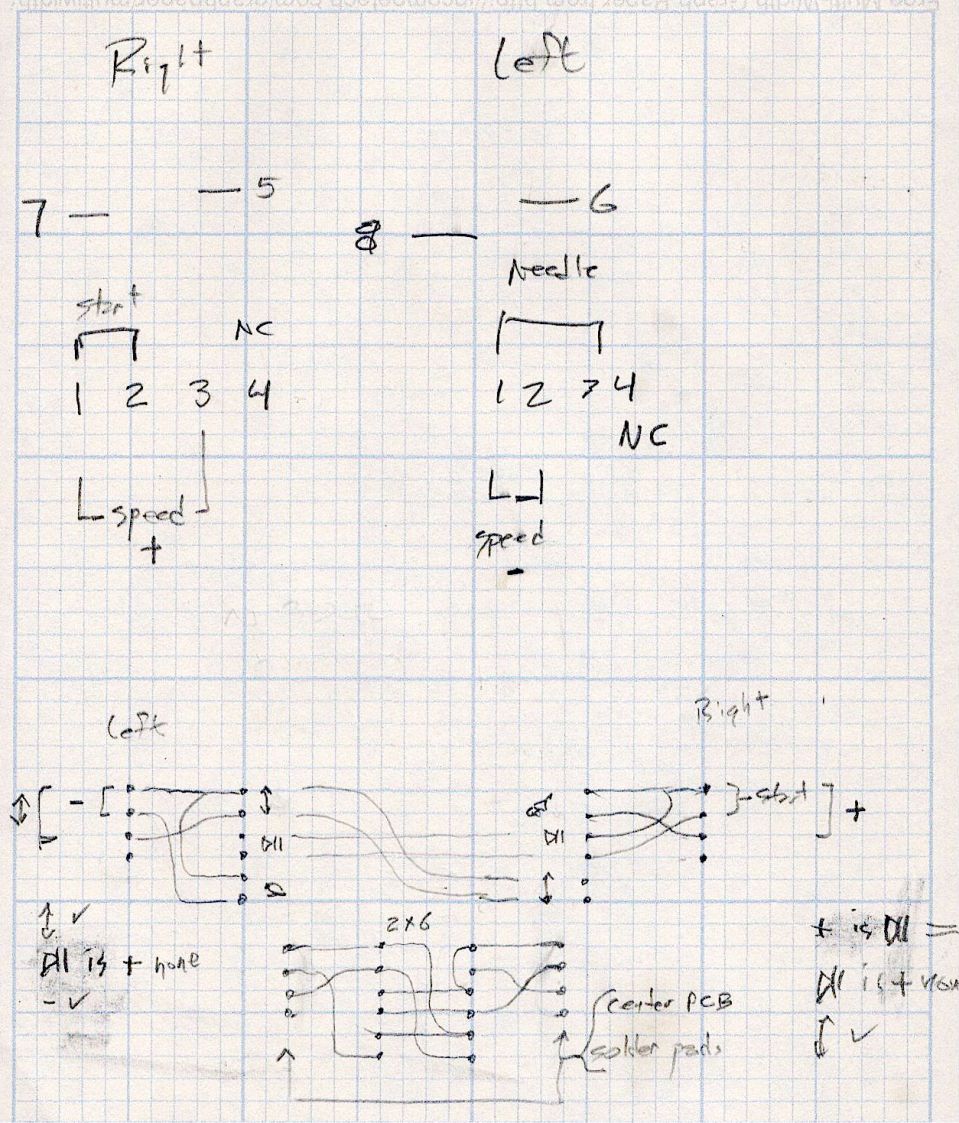
    Some probing and doodling produced a diagram of the switch connections:

    HQ Sixteen - Control Button Wiring
    HQ Sixteen – Control Button Wiring

    Working with the handlebars either inverted or flipped left-for-right on the workbench makes this far more confusing than it really should be.

    In any event, the bottom diagram shows the connections between the two four-pad header positions on the central PCB and the two six-pin headers for the new switches. I used a 2×6 pin header block to plug in the new switches, connected the pins with soldered Wire-Wrap wire, and used three-wire ribbon cable to the PCB pads.

    The general idea was to duplicate the Start-Stop and Needle Up/Down switches on both sides, while maintaining the same relative positions of the Fast / Slow switches. In effect, the two new switches on each side are wired in parallel to the original switch pads on the PCB.

    Surprisingly, I got the three-wire ribbon cables from the four-pad headers right on the second try, which involved flipping it over. The top and bottom pads on those headers are connected together, so the three-wire cable can go on either way to reverse the positions of the other two wires.

    And then the new switches Just Worked™ … whew!

  • HQ Sixteen: Improved Control Cap Final Assembly

    HQ Sixteen: Improved Control Cap Final Assembly

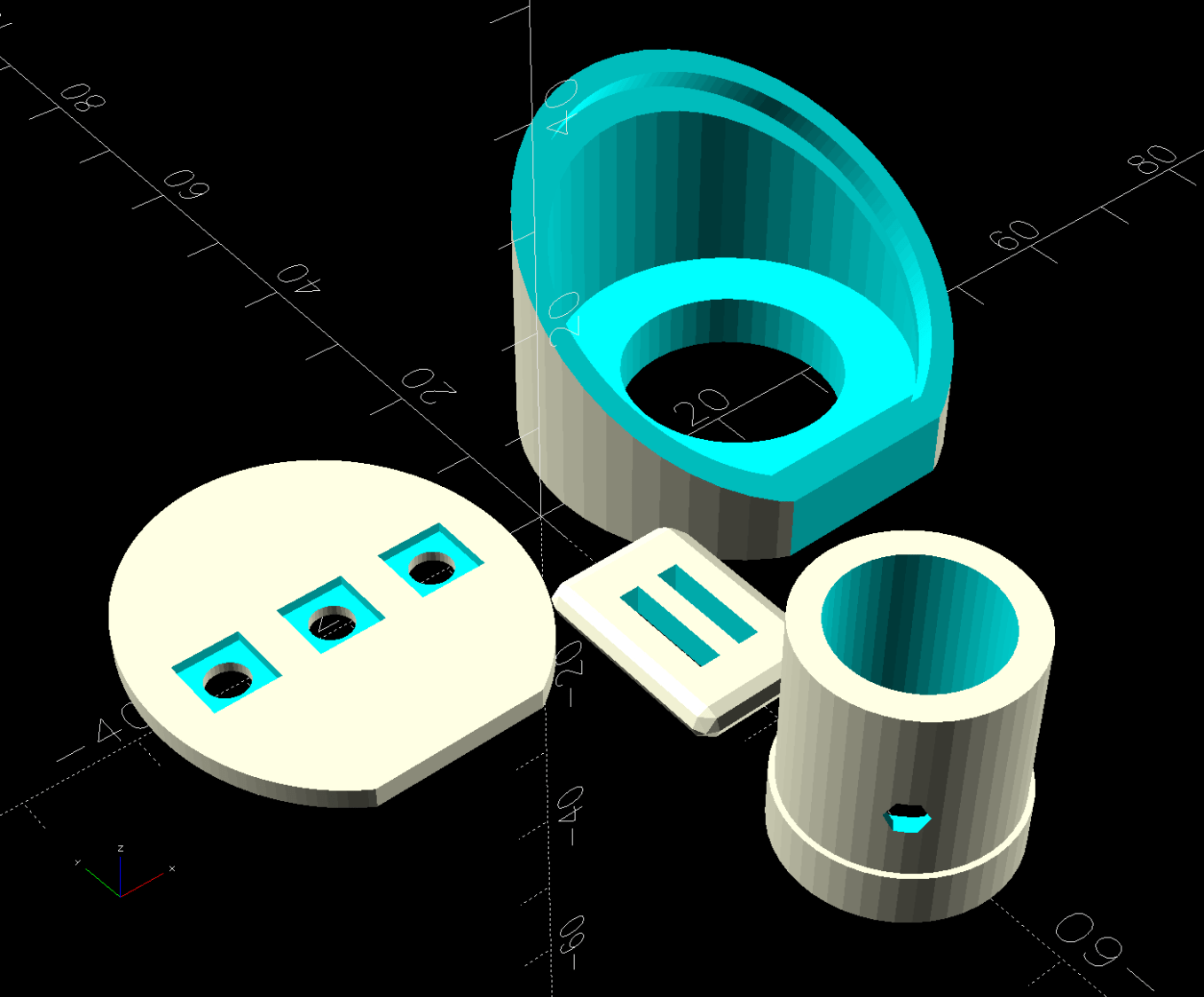
    My version of the Handi-Quilter HQ Sixteen grip control caps requires some assembly:

    Control Button Caps - solid model - build view
    Control Button Caps – solid model – build view

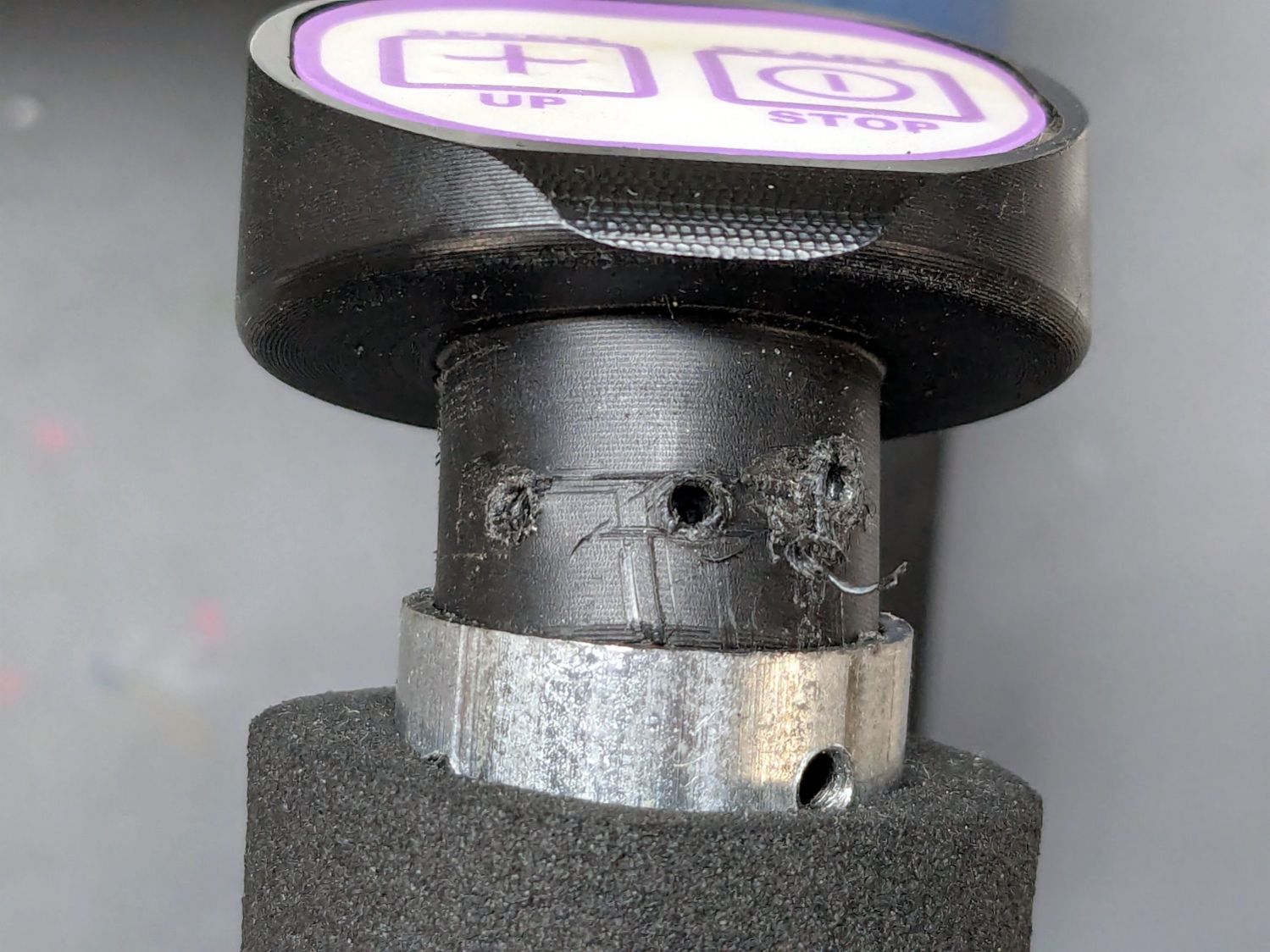
    Getting the OEM caps off the handlebars required carefully applying torque through a strap wrench, but they eventually came free:

    HQ Sixteen - OEM grip cap - screw holes
    HQ Sixteen – OEM grip cap – screw holes

    I don’t know what the unused screw hole between the two gnarly holes was for; perhaps they discovered one hole was inadequate.

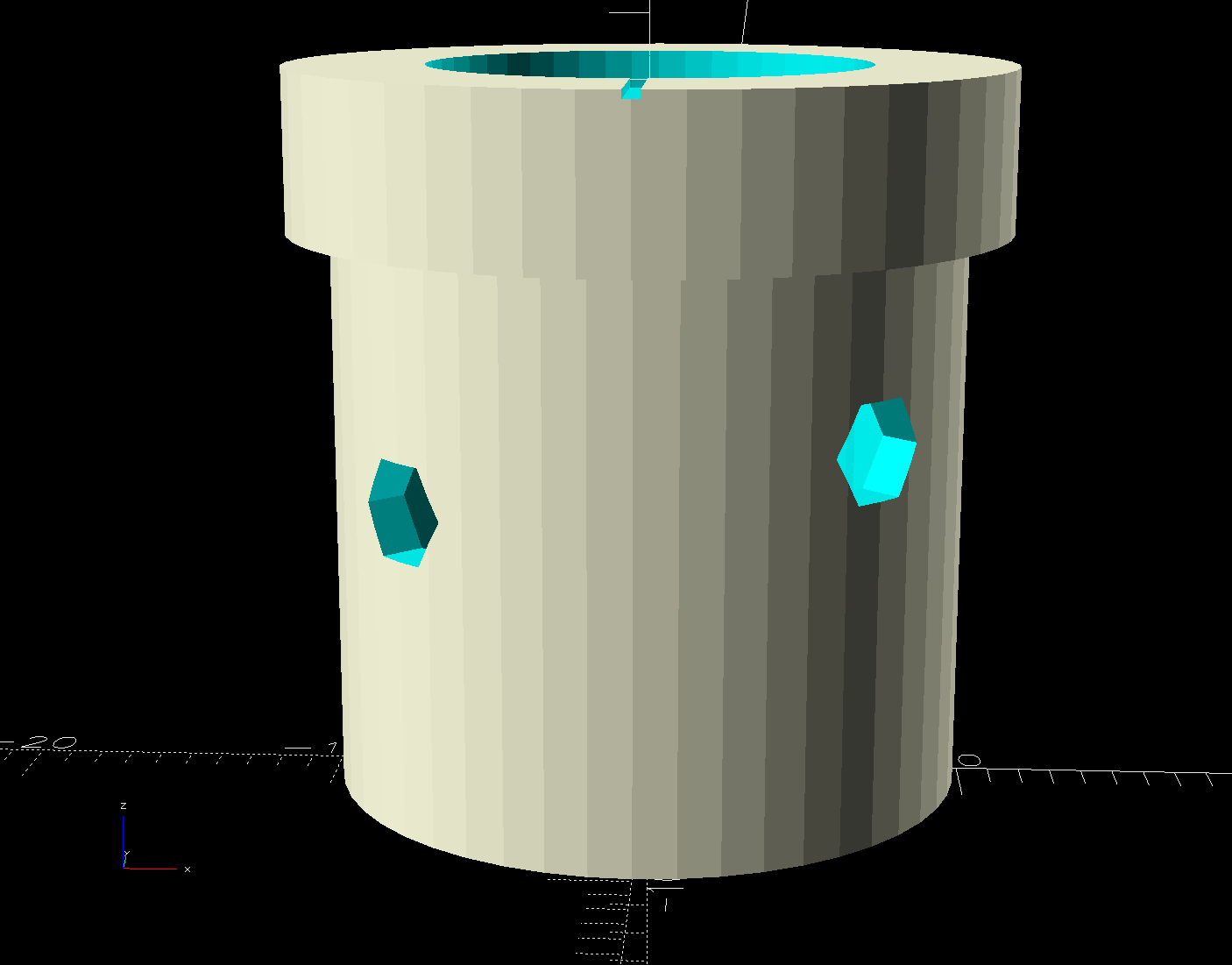
    The alert reader will note the two screw holes are not the same distance from the end of the tube, which required rebuilding the plug model to match:

    Control Button Caps - solid model - plug holes
    Control Button Caps – solid model – plug holes

    Which is why I didn’t glue the plug into the cap before I got the OEM caps off.

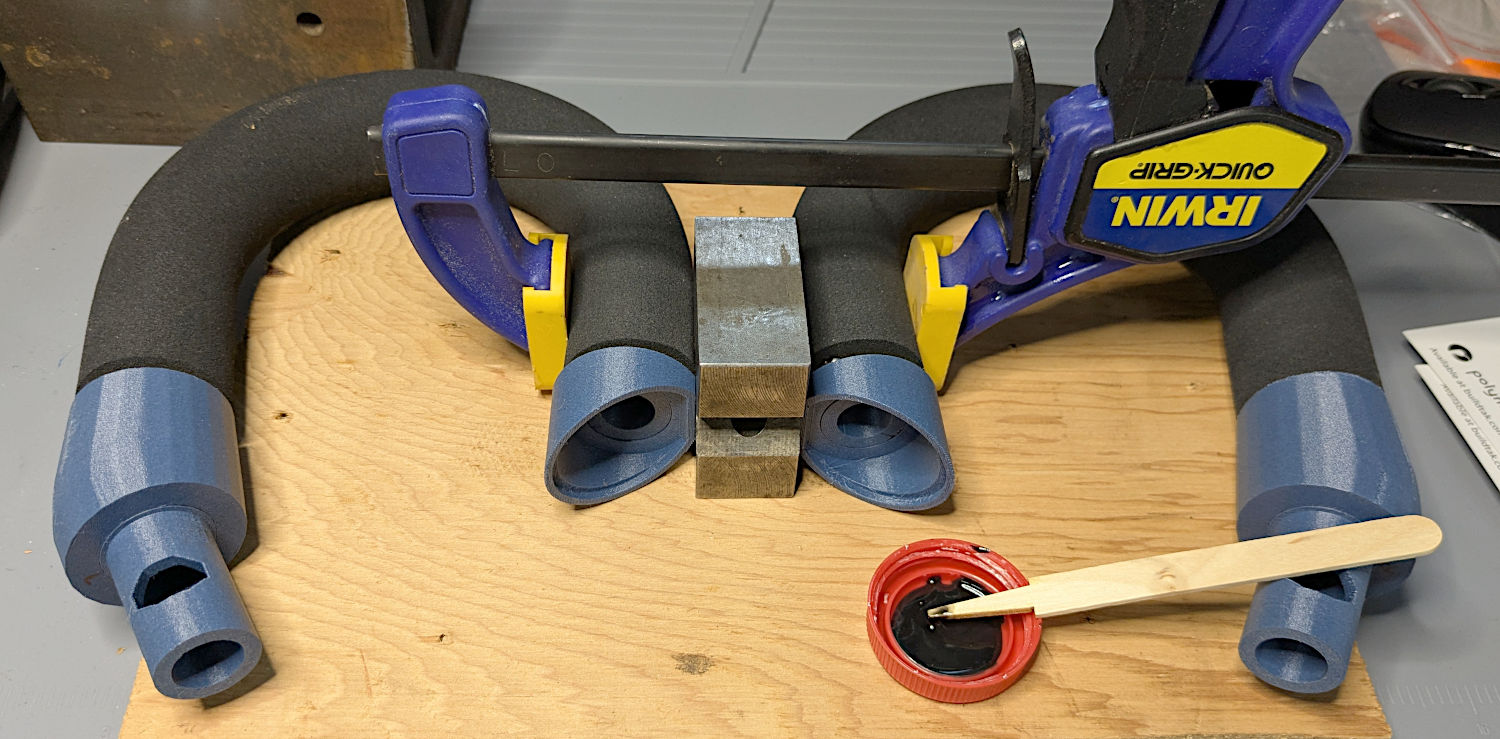
    Redrill the tube holes to 3 mm, file the burrs from both the OEM and my drilling, smooth the edges, and the plug fit perfectly. Then I seated the M3 square nuts behind those hole and, after installing the new plugs in the handlebars, glued the caps in place with a simple fixture to ensure the front faced forward:

    - HQ Sixteen - grip cap faceplate gluingHQ Sixteen - grip cap gluing
    – HQ Sixteen – grip cap faceplate gluingHQ Sixteen – grip cap gluing

    The clamp gently compresses the foam enough to hold the flats against the bench block while the JB Plastic Bonder cures.

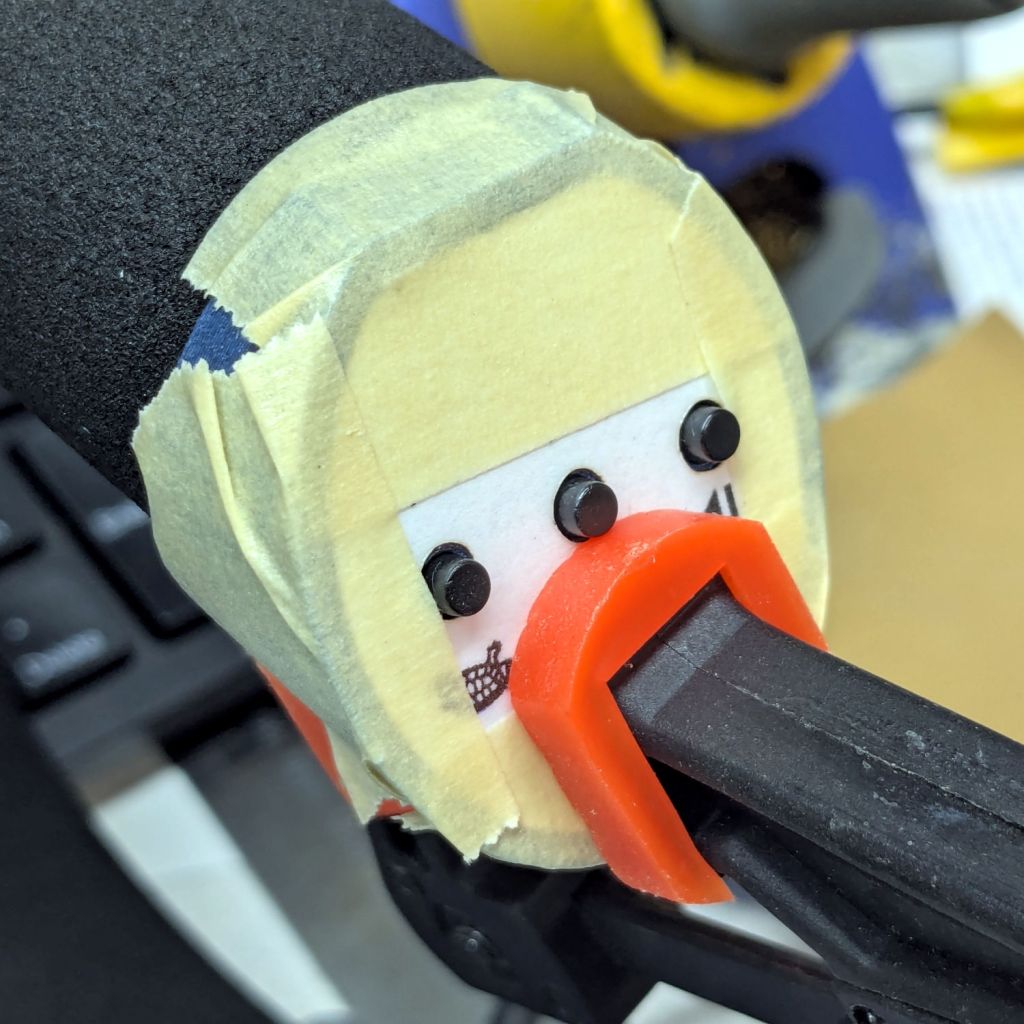
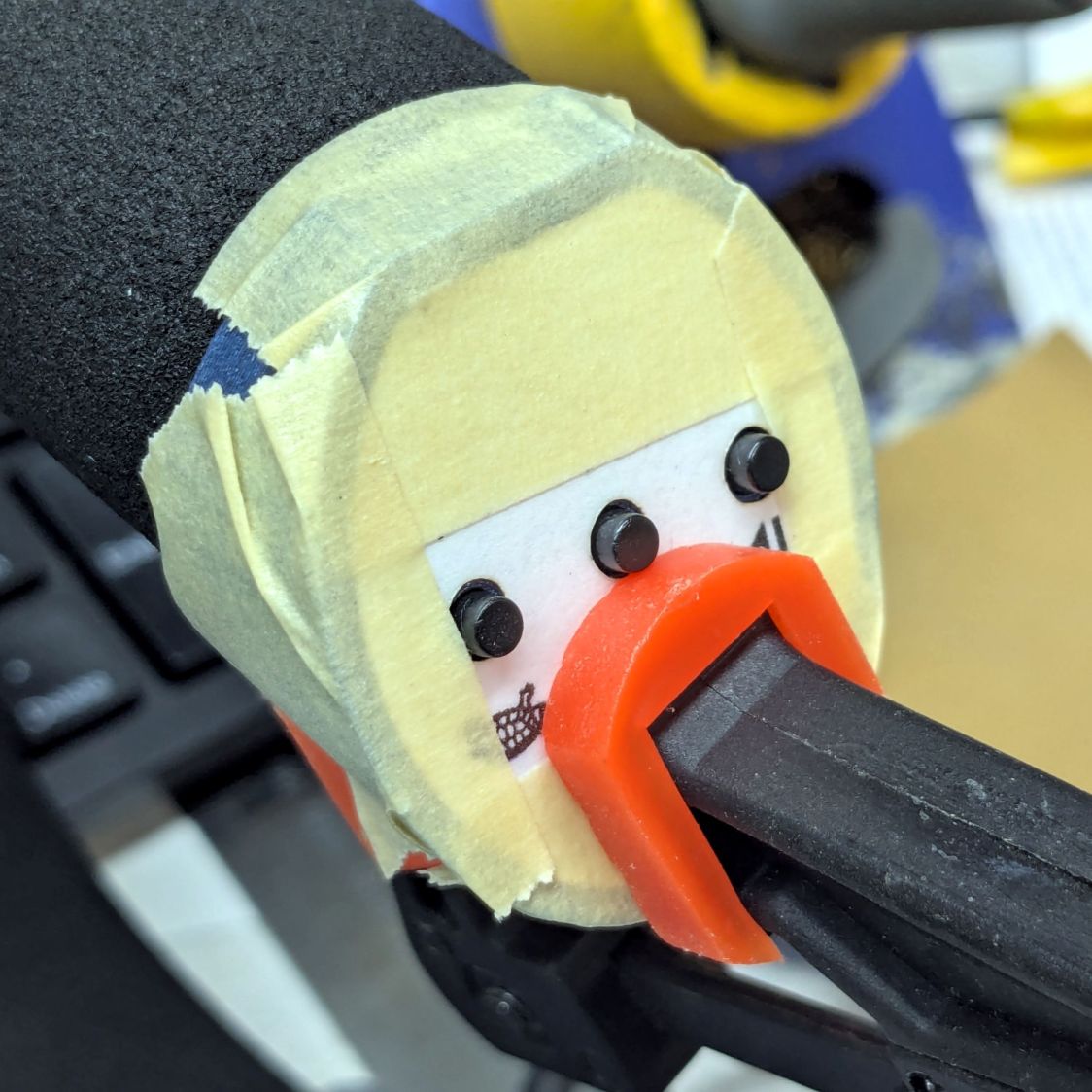
    After verifying all the buttons worked, I glued the faceplates to the cap bodies:

    HQ Sixteen - grip cap faceplate gluing
    HQ Sixteen – grip cap faceplate gluing

    The tape held the faceplate in place while I snugged the clamps.

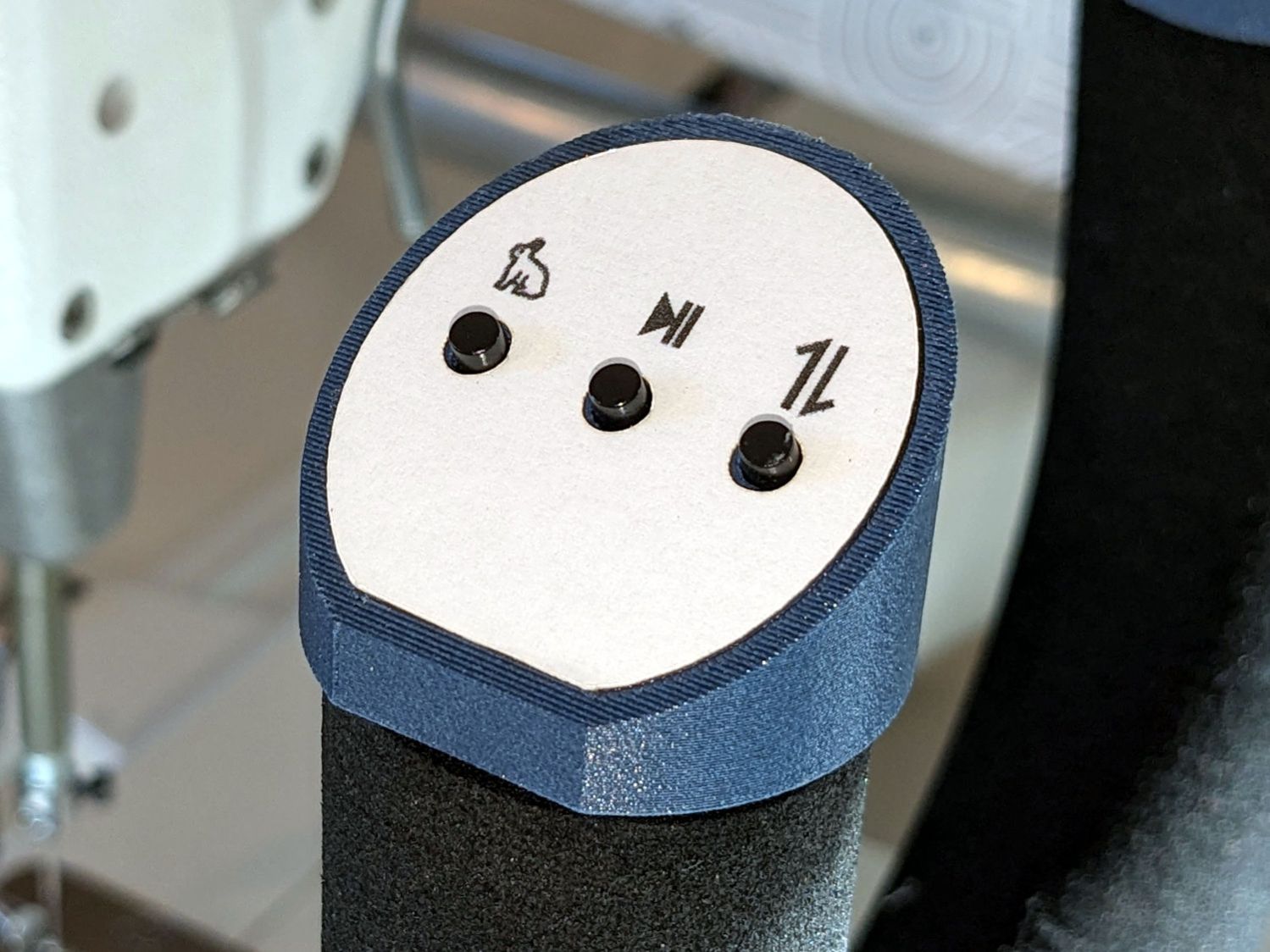
    Modulo my weak graphic design skills, the caps look pretty good:

    HQ Sixteen - grip cap installed - right
    HQ Sixteen – grip cap installed – right

    And, after a bit of wiring yet to be described, the buttons do exactly what their legends suggest:

    HQ Sixteen - grip cap installed - left
    HQ Sixteen – grip cap installed – left

    The white sheet with feeble graphics can be peeled off, so I have another chance to tart it up.

    The overall idea was to replace the failing Start/Stop switch while duplicating that switch on both caps. While I was at it, I also duplicated the Needle Up/Down button, because who wants asymmetric caps?

    Mary is assembling another quilt and the new switches will get plenty of action …