Although Inkscape can lay out simple text in many intricate ways, there seems no way to typeset mathematical equations, even the simple ones involved in the Tektronix Circuit Computer.
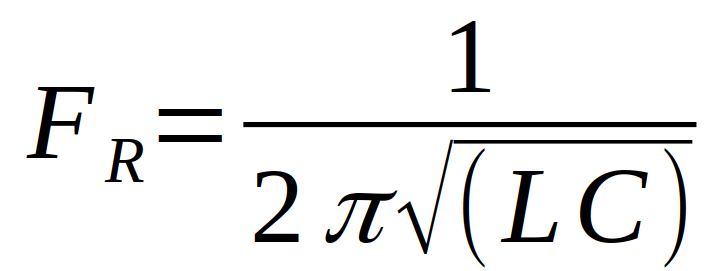
So I entered the equations in LibreOffice’s math editor, zoomed in on each equation to the maximum 600%, whacked the little-used PrntScr key, cropped out everything except the equation, and saved it as a PNG file:
Import the PNG files into Inkscape, fiddle with the line spacing to get enough room, and jockey everything into position:
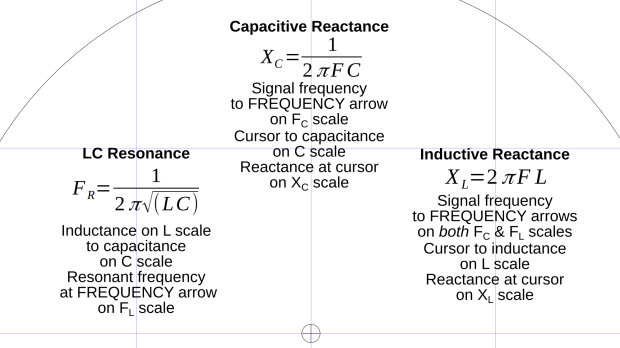
Bit of a kludge, but it looks Good Enough™.
 The Smell of Molten Projects in the Morning
Comments
3 responses to “Tek Circuit Computer: Formula Layout”
Place in eq.tex:
\documentclass{article}
\begin{document}
[F_R = \frac{1}{2\pi\sqrt{(LC)}}]
\end{document}
Run: xelatex eq.tex
Generates a PDF.
Screen shot of result:

WordPress has stripped out the backslashes before start and end square brackets.
Even the LibreOffice equation markup language requires nearly all my eptitude these days. The basic code looks surprisingly similar, though:
F sub R = 1 over { 2 %pi sqrt (L C) }Haven’t tried to use LateX in … years!