Ed Nisley's Blog: Shop notes, electronics, firmware, machinery, 3D printing, laser cuttery, and curiosities. Contents: 100% human thinking, 0% AI slop.
Now that I carry a spare tube on the bike to avoid on-the-road patching, a tangle of tubes has been accumulating in the Basement Laboratory. A protracted patching session shows why you can never have too many clamps:
Repaired bike tubes with clamps
Yes, I know they’re supposed to be ready to ride immediately after slapping the patch in place. Clamping the patch overnight won’t hurt and might actually help eliminate slow leaks, soooo… after this, they’re rolled up and ready for another season of punctures.
Repairing tubes goes much easier in the shop than by the side of the road, though. For what it’s worth, those silicone tape pads didn’t help much at all; the tube still eroded at the liner. Grumble…
Putting that battery into the Dell 8100 laptop produced the dreaded blinky light of doom, so it has been on the shelf for maybe half a year. Having gutted the cells from the case, the next step was to discharge the cells completely, thereby producing the lower four curves in this plot:
Dell 8100 Laptop Battery Cells
I arbitrarily labeled the cell pairs 1 through 4. Pair 1 has the lowest remaining charge and the other three seem very closely matched.
I recharged the four cell pairs one-at-a-time from a bench power supply set to 4.2 V. Each pair started charging at about 2 A, somewhat lower than the pack’s 3.5 A limit, so the supply’s 3 A current limit didn’t come into play. You probably don’t want to do this at home, but …
The usual charge regime for lithium cells terminates when the charging current at 4.2 V drops below 3% of the rated current (other sources say 10%, take your pick). The pack’s dataplate sayeth the charging current = 3.5 A, so the termination current = 100 mA. I picked 3% of the initial 2 A current = 60 mA and stopped the charge there, so I think the cells were about as charged as they were ever going to get.
As nearly as I can tell, increasing the voltage enough to charge at a current-limited 3.5 A (a bit beyond my bench supply’s upper limit, but let’s pretend), then reducing the voltage to 4.2 V as the current drops would be perfectly OK and in accordance with accepted practice, but I’m not that interested in a faster charge.
Unlike the other three pairs, Pair 1 quickly became warm and I stopped the charge. Warming is not a nominal outcome of charging lithium-based cells, so those were most likely the cells that caused the PCB to pull the plug on the pack. The other pairs remained cool during the entire charge cycle, the way they’re supposed to behave.
However, even with that limited charge, Pack 1 had about the same capacity as the (presumably) fully charged Pack 2, showing that the cells get most of their charge early in the cycle. Pairs 3 and 4 had more capacity, but they’re not in the best of health.
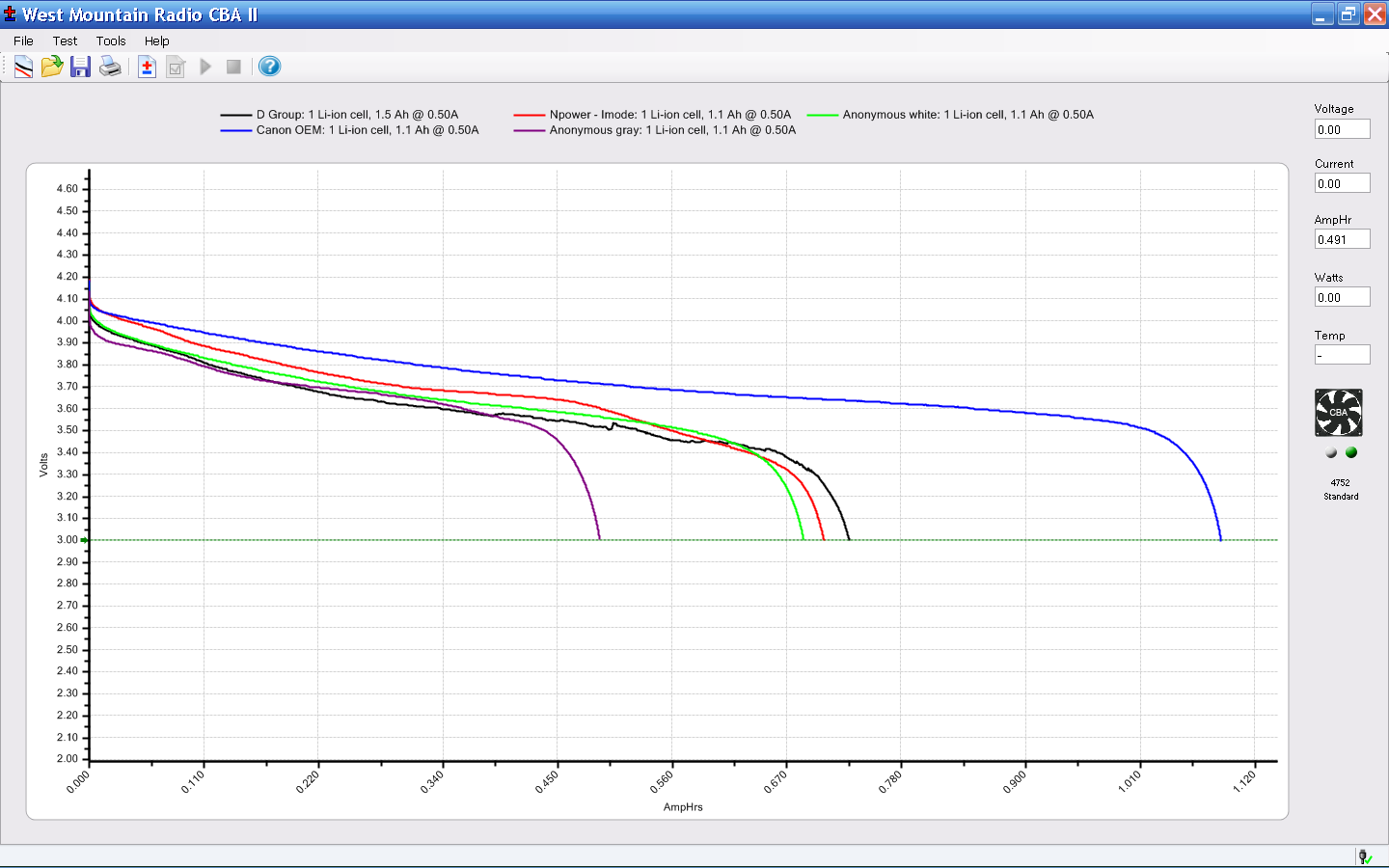
The blue curve in this graph shows the discharge curve for the 1.1 A·h Canon NB-5L battery (actually, a cell) that came with the SX230HS camera:
Canon NB-5L – first tests
Notice that it remains above 3.4 V until it produces 1.1 A·h at 500 mA, which is roughly its rated capacity. The other traces come from those crap eBay NB-5L batteries.
The two best pairs of Dell cells can each produce about 1.3 A·h at 1 A before dropping below 3.4 V (the cursor & box mark that voltage in the top graph), so they’re in rather bad shape. Strapping the best two pairs together would give a hulking lump with perhaps three times the life of the minuscule NB-5L battery, so I think that’s probably not worth the effort.
Particularly when one can get a prismatic 3.7 V 5 A·h battery for about $30 delivered, complete with protective PCB and pigtail leads…
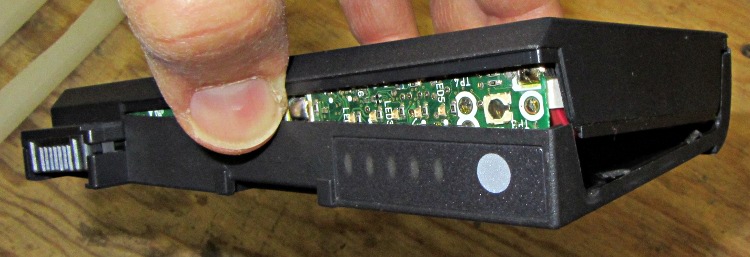
Crunching the battery case in the bench vise, plus a bit of screwdriver prying, did the trick:
Cracked-open Dell 75UYF battery
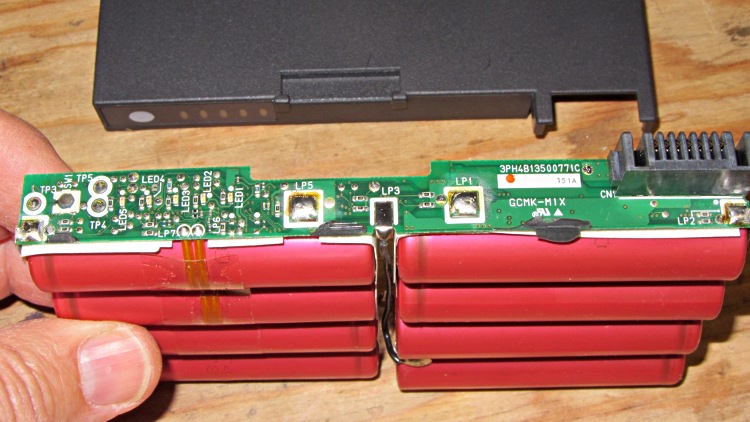
Peeling the case off revealed the eight lithium cells and the protective PCB:
Dell 75UYF battery contents
As you’d expect, each pair of cells has an individual contact to the PCB for monitoring and equalizing, which simplifies connecting the battery tester.
The case emerged from its ordeal with only superficial damage, so it’s now back in the laptop to fill up the slot. I tucked the PCB inside, although I doubt I’ll ever rebuild the battery with new cells.
Our Larval Engineer has begun writing the Arduino code (Baby’s First Real Program!) that will control ground effect lighting on her longboard, with RGB LED colors keyed to the wheel rotation speed. Her back of the envelope says the wheels spin at about 60 rev/s (= 17 ms/rev) at 30 mph, which rules out mechanical / reed switches; some experimentation with a simple mechanical switch showed why the Arduino bounce library is a Good Thing even for pushbuttons.
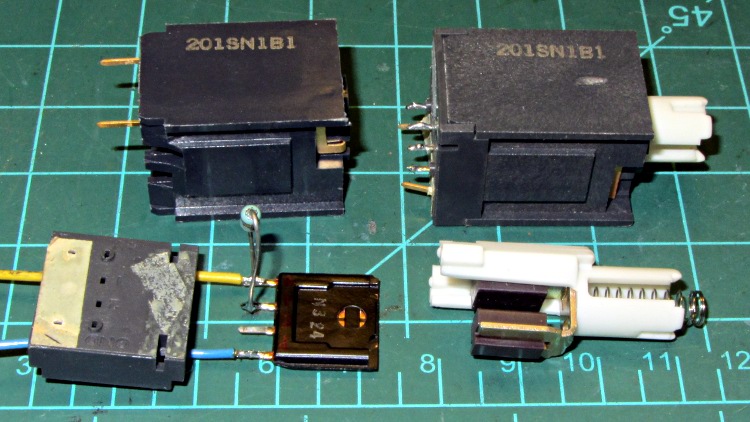
Some rummaging produced a collection of these Hall effect switches:
201SN1B1 Hall Effect Switch Components
I thought they were ordinary keyboard switches, but noooo… Honeywell 201SN1B1 switches turn out to be Mil-Spec items, with brethren serving in B-52 bombers, F-16 fighters, and even long-departed Peacekeeper ICBMs (most likely in the ground support equipment). There are no data sheets at this late date, but this compressed specs burst gives some hints:
General Characteristics Item Description: Switch body 1.060 in. l; 0.740 in. h; 0.740 in. w; hall effect solid state switching; alternate action; 5V dc; 9 ma.; operated at 0.4V dc max.; sinking 4 ma. per output; pulse output; printed circuit terminals
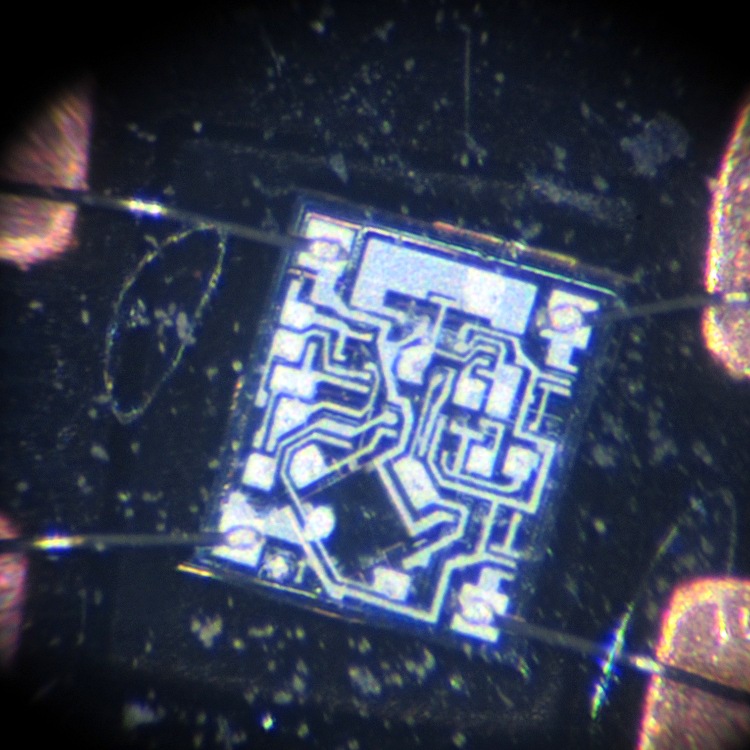
A gentle twist of a small screwdriver under the plastic latches releases the base plate and frees the Hall effect switch module, which is the square black plate above. It contains an IC (downward in the picture) with wire-bonded leads embedded in a flexible silicone seal that has pale gray smudges on its surface:
201SN1B1 IC – Overview
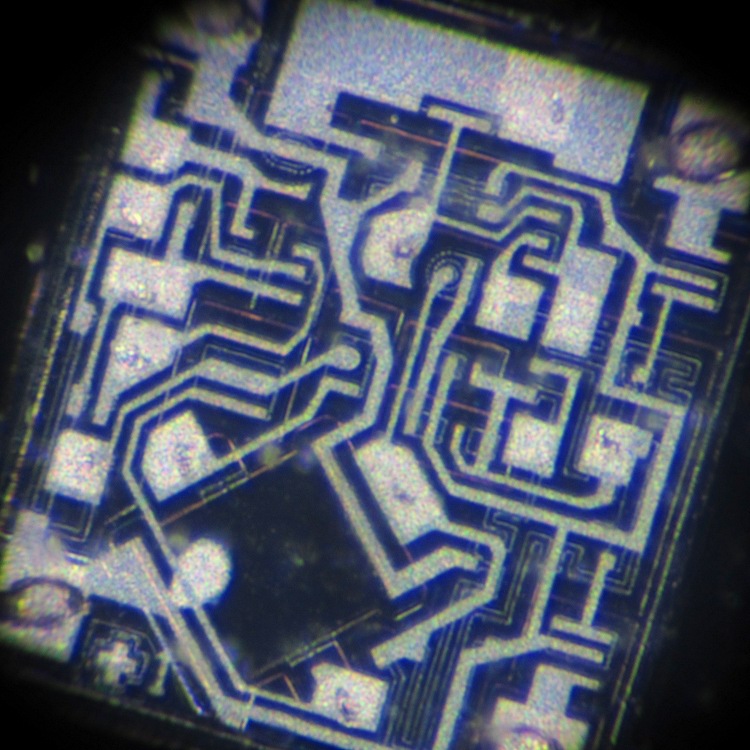
A closer look at the IC shows actual components:
201SN1B1 IC – Detail
That’s from back when you could see components on an IC…
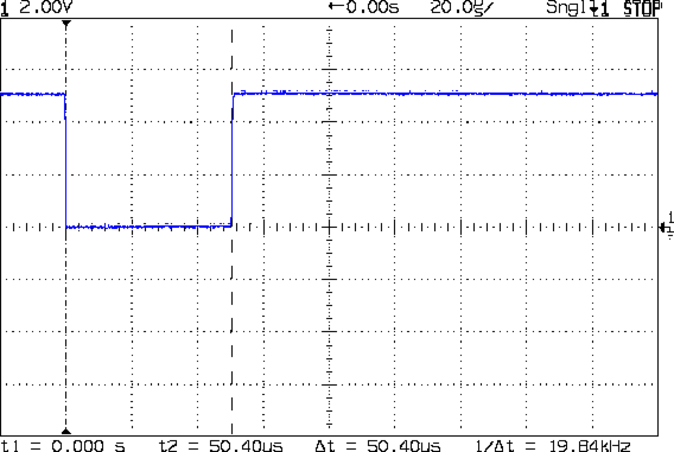
I soldered wires to the +V and Gnd pins, plus a 10 kΩ pullup resistor to one of the two output pins, applied 5 V from the bench supply, then waved a small neodymium magnet nearby:
201SN1B1 Switch Output
The two output pins appear to produce separate-but-equal 50 µs output pulses that are completely independent of the magnet’s proximity, speed, and polarity, which is a Nice Touch. The IC draws about 10 mA when inactive and 12 mA with the magnet nearby.
The form factor seems a bit awkward for a longboard wheel sensor, but it’ll get her closer to the goal. Most likely, it’ll wind up embedded in an epoxy block strapped to one of the wheel trucks.
The Arduino’s Bounce update function / method / whatever has a polled view of the input pin, which means that if you don’t call it during that 50 µs pulse you’ll completely miss that revolution. Sooo, the pulse must go into one of the Arduino’s external interrupt pins, which can catch short pulses with no trouble at all if you write a suitable interrupt handler.
Somewhere I have a handful of Hall effect motor commutation sensors, but they have an internal latch that requires alternating magnetic poles to switch the output, thus requiring two magnets halfway around the wheel circumference. Haven’t figured out how to embed the magnets in the wheels or mount the sensors, but …
A bit over two years ago, those six 9 V 5.4 A·h lithium packs delivered around 4.5 A·h. They’ve been charged and discharged, run down until their undervoltage lockout tripped, severely jounced and bounced, and they still deliver about 4 A·h at 500 mA!
External Li-Ion packs – 2012-05
That’s a Good Thing, because I haven’t seen anything like those packs since then…
Never did get around to installing a cutoff switch, as we ride often enough that the penalty for not pulling the plug gets lost in normal use. The Wouxun KG-UV3D seems perfectly happy with 9 V delivered to its battery terminals, providing little motivation to hack into the battery case for a direct tap to the 7.4 V from the cells.
The relatively low capacity at 100 mA (black) shows that the boost converter isn’t particularly efficient; the discharge time is long enough that power loss in the booster outweighs the cell’s higher capacity at lower loads.
Surprisingly, the voltage drops to 4.5 V at 500 mA, which is what you should get from a typical USB port. If the device you’re charging expects the nominal 5 V at 500 mA, it will be sorely disappointed. Admittedly, that’s only 10% low, but …
The booster produces only 4.0 V at 1 A, with odd bumps as the cell discharges. Huh?
I know for a fact that my 1.8 A @ 5.0 V Kindle Fire doesn’t even notice it’s plugged into the Powermonkey. The voltage is probably too low to trigger the “External Power, Ahoy!” signal.
Bottom line: it’s not clear this thing actually works for contemporary devices. Maybe newer Powermonkey products behave better?
Here’s a great example of painting yourself into a corner…
Back in the day, I made a voice-only interface that adapted a helmet-mounted electret mic and earbud to an ICOM IC-Z1A HT. A pair of those let us talk companionably as we rode along.
Along comes our daughter, with her shiny-new Technician amateur radio license. I took an early version of the Z1A interface board, force-fitted it into an early version of the machined case that lacked a top, acquired an ICOM W32A HT and another TT3+, did some tweakage, and defined the result as Good Enough. Time passes, she’s promoted to Larval Engineer, goes off to college, and leaves the bike behind (a faired Tour Easy is ill-suited to being left out in the rain and is not a dorm-room-friendly bike).
Knowing that the Z1A on my bike is failing, I get a Wouxun KG-UV3D HT and modify the Z1A interface to match. Then I build an interface PCB for the KG-UV3D, conjure up a nice case (which is why I bought a 3D printer), chop the TT3+ out of the W32A lashup, put everything together, and it’s all good.
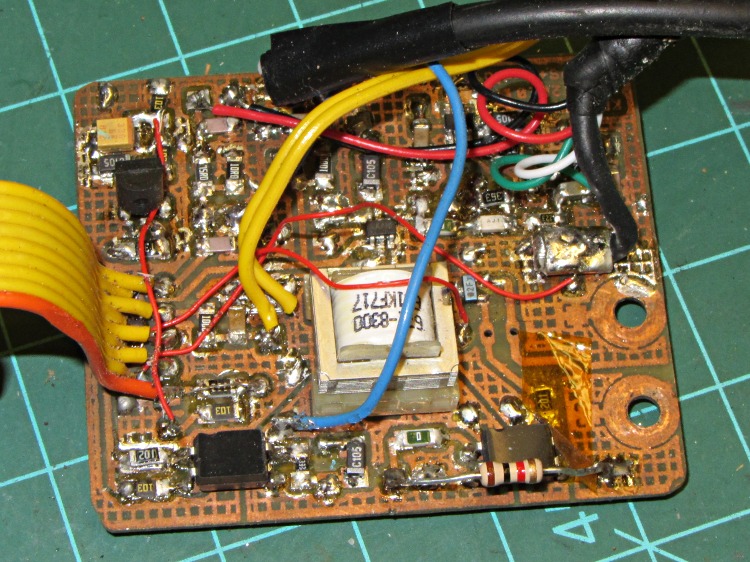
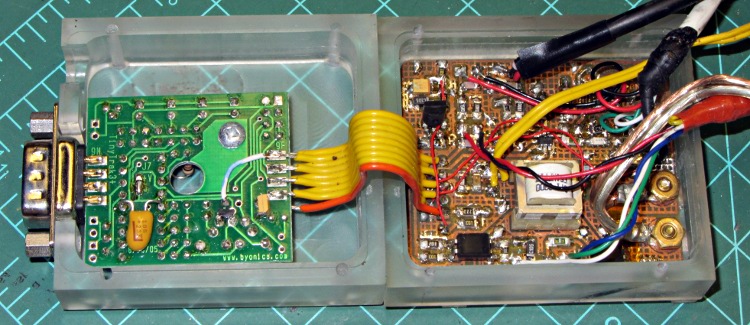
Here’s the carcass of the W32A interface in its half-case:
W32A PCB in case
Whereupon our Larval Engineer returns from college and once again needs a radio for her bike. At that point:
The W32A interface now lacks its TT3+.
The W32A PCB doesn’t fit in the Z1A case
The Z1A interface that would fit the W32A radio has the KG-UV3D modifications.
The Z1A radio has failed completely; it no longer even turns on.
Some alternatives:
Get another KG-UV3D, build another interface PCB + case, make it work
Transplant the TT3+ back to the W32A interface
Undo the KG-UV3D mods from the Z1A interface, put it on the W32A
Given that she’s going to vanish in another three months, tops, Choice 1 is out. Although the transplant in Choice 2 seems straightforward, it requires tedious soldering and produces an interface in a partial case.
So Choice 3 it is…
The Z1A board with the KG-UV3D modifications started out like this:
Z1A PCB modified for Wouxun KG-UV3D
Un-modified again and back in its machined case:
Z1A board minus mods – milled case
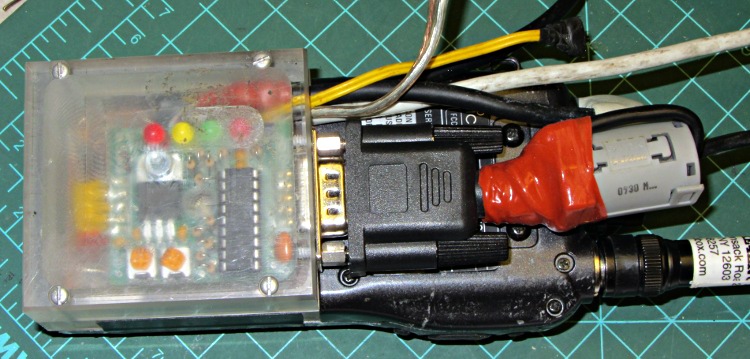
Buttoned up and ready to roll:
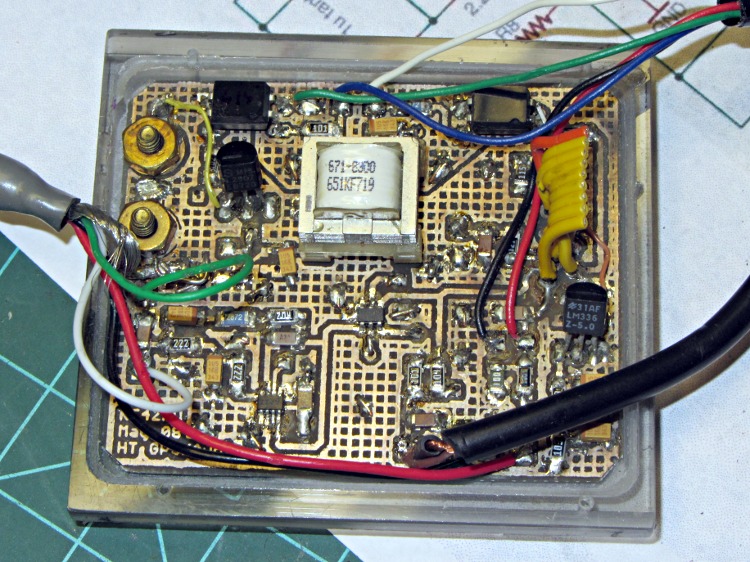
Z1A board on W32A – ferrite core
I put a clamp-on ferrite tumor around the GPS receiver cable to keep RF out of the TT3+, which seems quite sensitive to RFI; the poor thing locked up quite dependably on the bench with 5 W into a long rubber duck antenna, but not into a dummy load. The mobile antenna sits relatively far from the radio on the bike, but I think the TT3+ had problems in the early KG-UV3D lashup.
The TT3 audio level will probably require adjustment, as I’d cranked it up for the KG-UV3D, but that will require some on-the-air testing. Ditto for mic level.
When I get a KG-UV3D for Mary’s bike, I’ll buy two radios and build two interfaces, so as to finally have a working radio + interface on the shelf.
I’m mildly tempted by the new Yaesu VX-8GR, but that’s over $350 for a radio that also requires a new interface board design, a new case design, a new set of adapters, and other odds&ends. Not to mention that the radio’s built-in GPS antenna would live at the bottom of the seat frame beside the wheel and below my shoulder. I suppose I could conjure up an entirely new radio mount, but … the deterrents seem overwhelming.
Various versions of the schematics & PCB layouts for all those boards, plus solid models for the 3D printed case, are scattered here & there on other posts.




 The Smell of Molten Projects in the Morning