Ed Nisley's Blog: Shop notes, electronics, firmware, machinery, 3D printing, laser cuttery, and curiosities. Contents: 100% human thinking, 0% AI slop.
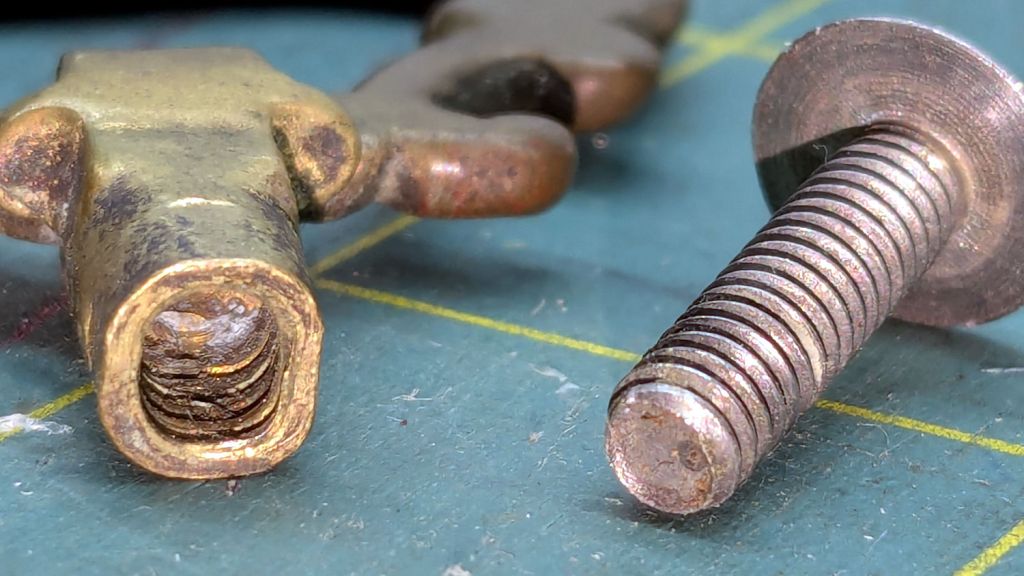
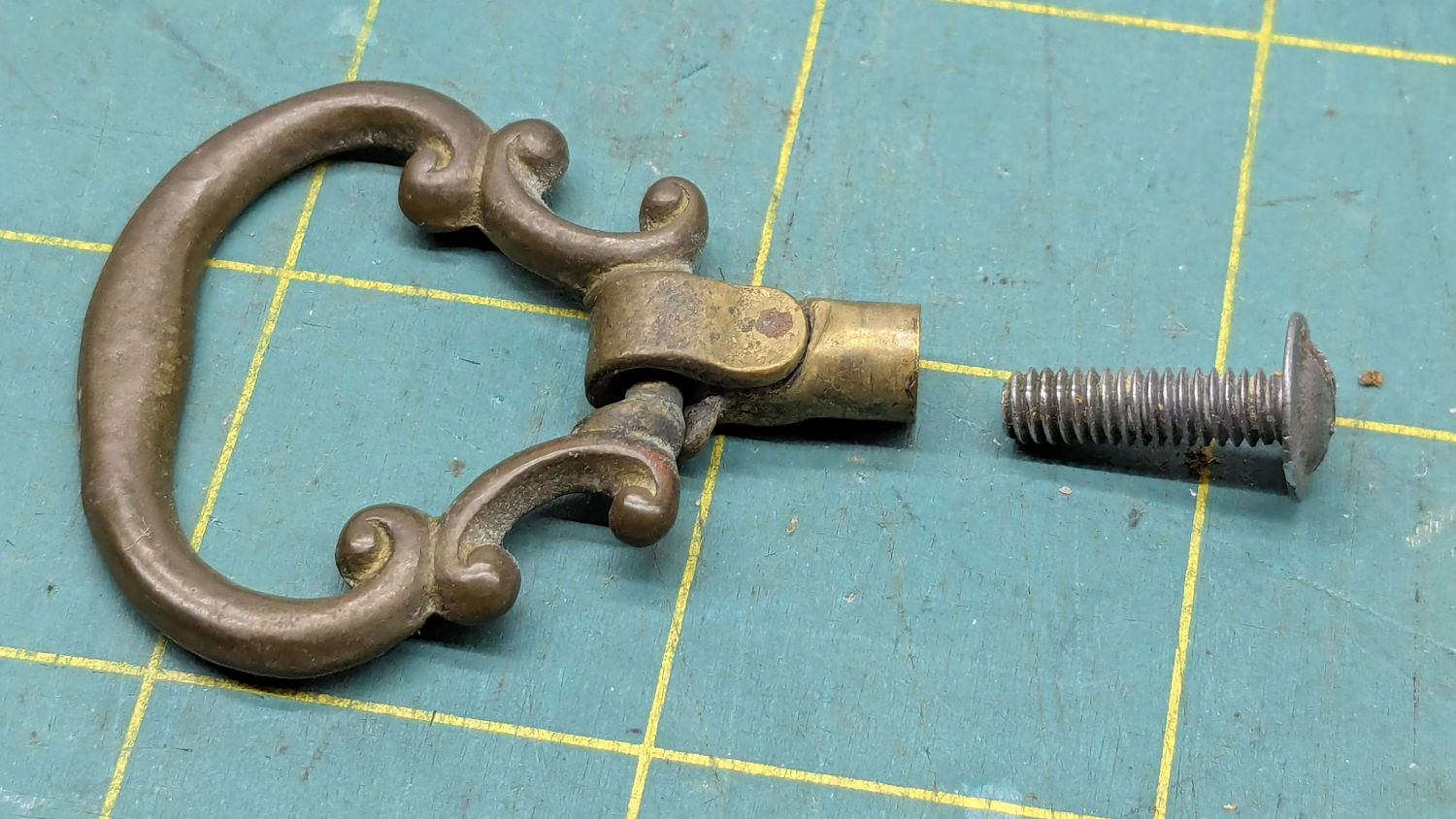
A small sewing notions cabinet, once my mother’s, now holds some of Mary’s supplies and, a few days ago, had one of its drawer pulls fall off. While preemptively tightening all the screws, I found one no longer held onto its pull:
Notions drawer pull – parts
They don’t make drawer pulls like that any more!
As I see things, it can be forgiven for losing its grip after nearly a century.
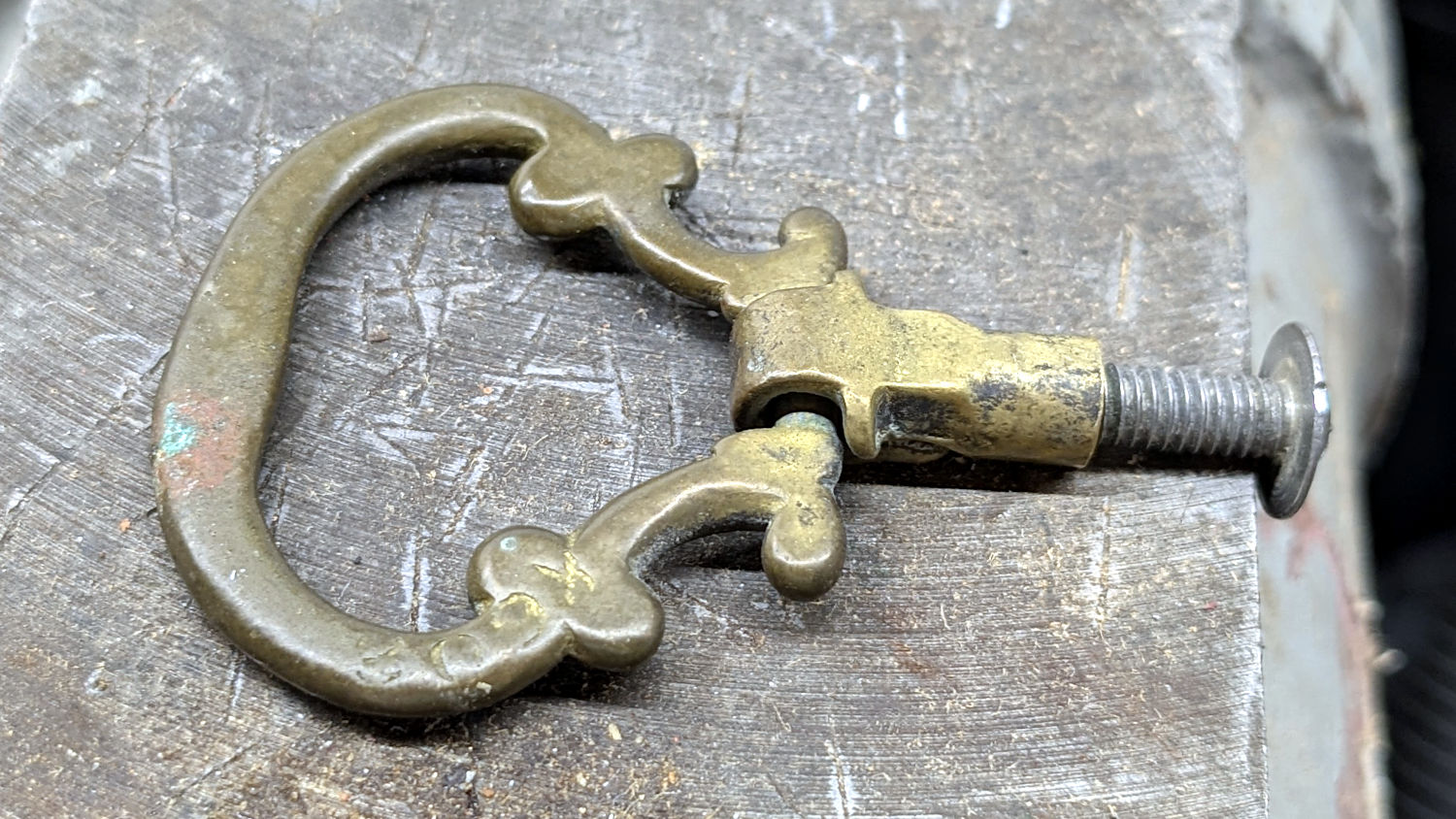
Thread the screw in as far as it will go and lay the pull flat on the bench vise anvil:
Notions drawer pull – hammering setup
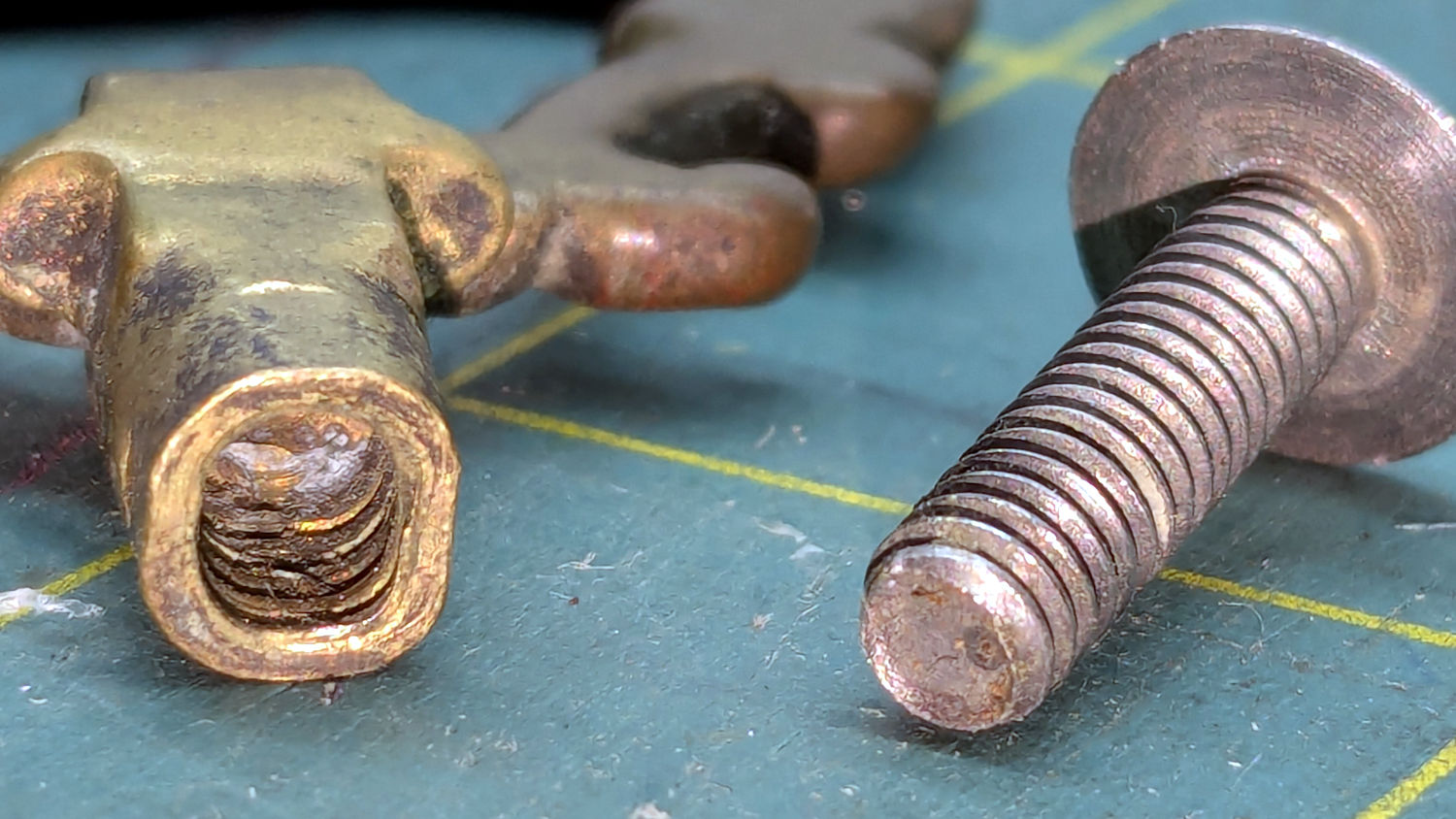
A few gentle whacks with a pin punch on top and bottom, plus a tap on each side, compressed the pull’s remaining threads around & into the screw:
Notions drawer pull – reshaped
Put it back in its drawer, snug the screw, and it’s all good.
That should suffice for at least the remainder of its first century …
The bushes & trees along the Dutchess Rail Trail were reaching out to touch us again, so I took some slow rides with many stops.
Maple Oak trees along Page Park Drive:
DCRT Brush Trimming – oak – 2025-07
Blackthorn encroaching through the fence at Overocker:
DCRT Brush Trimming – blackthorn – 2025-07
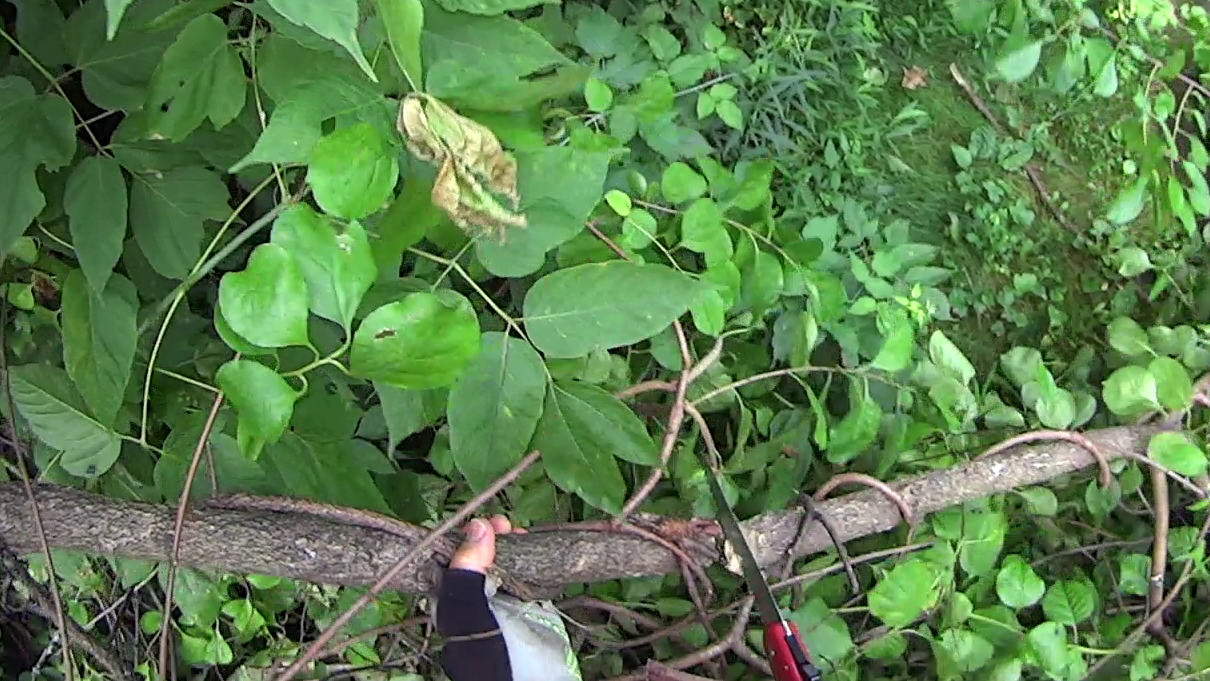
A tree somebody tossed down the trail bank near Morgan Lake:
DCRT Brush Trimming – discarded tree – 2025-07
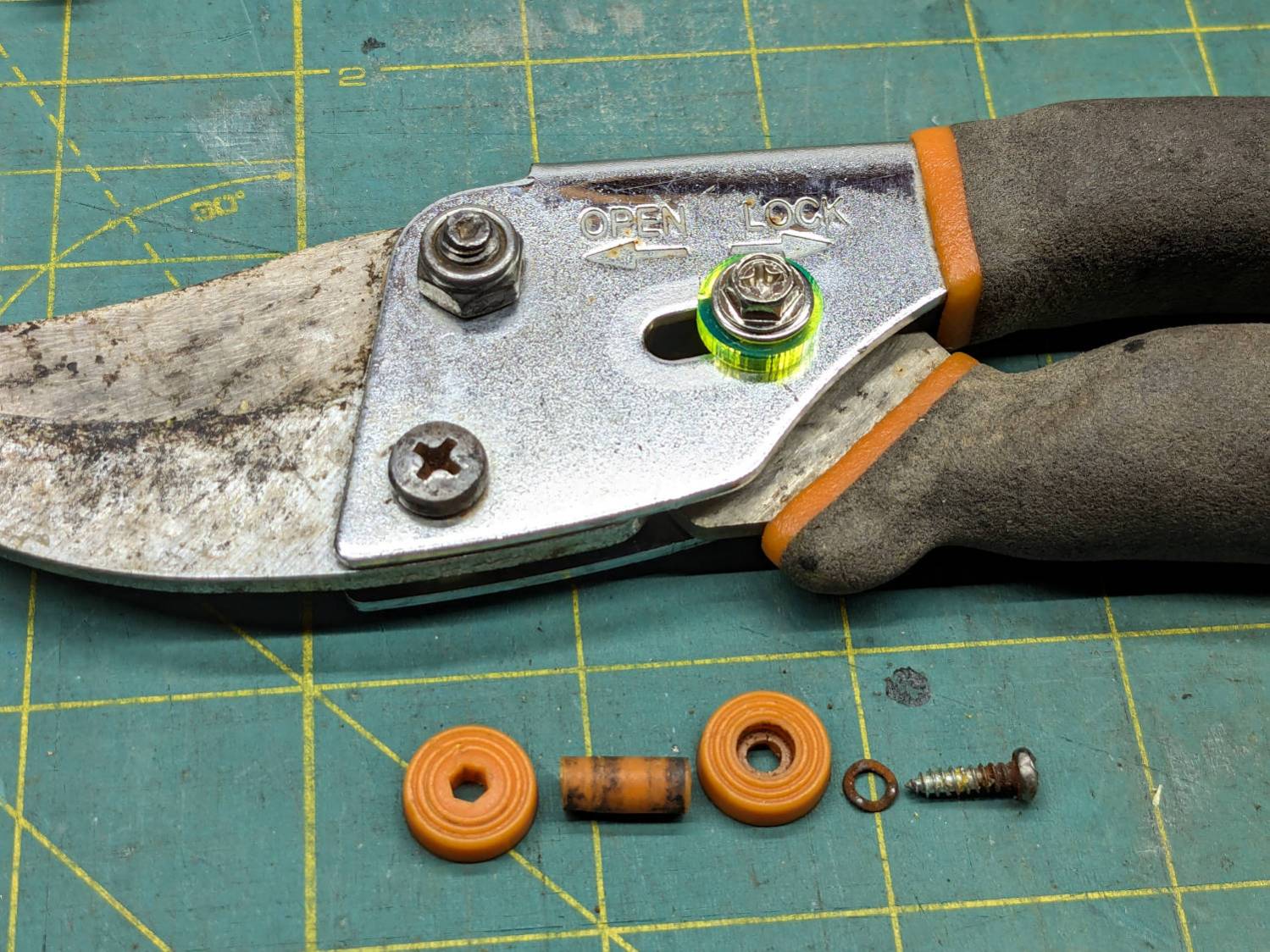
The slide lock on my trusty rehabilitated Fiskars bypass pruner worked loose and began sliding into the LOCK position when held overhead, then fell apart during disassembly:
Fiskars pruner – lock rebuild
The lock now consists of:
An M4 × 12 mm nut from a Chicago Screw that exactly matched the 5 mm OD cylinder passing through the pruner body
A laser-cut fluorescent acrylic disk for thumb grippiness
A washer just because
An M4 hex-head screw
A dab of Loctite bonding screw to nut
Clean the blades with alcohol and it’s ready for the rest of the season.
I should have put a wave washer in the stack for some springiness, but it works surprisingly well for what it is.
Now: discover how long acrylic lasts out there in the wild.
Update: Yeah, the lock needed a wave washer for more friction, which became apparent after the first overhead branch.
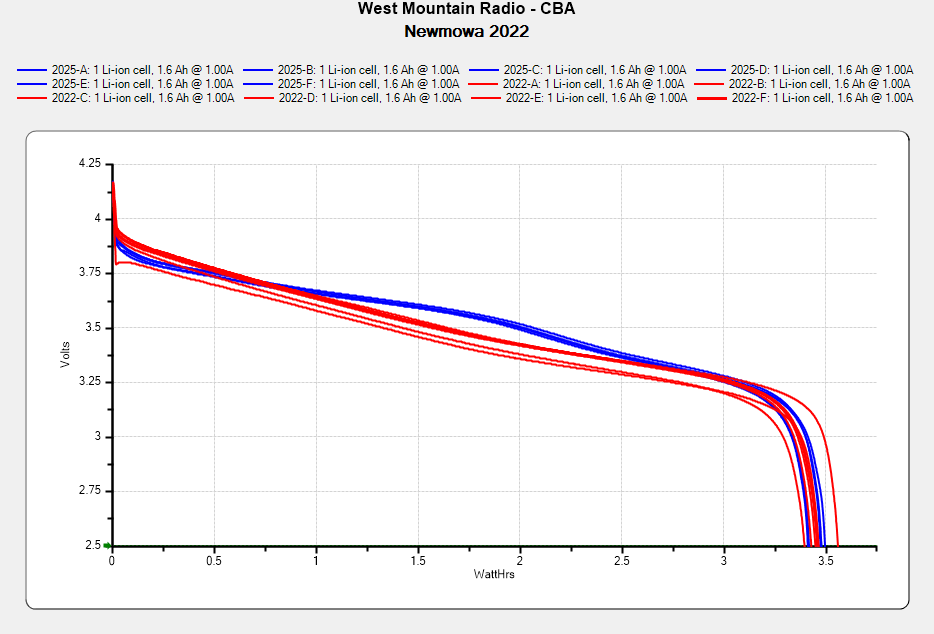
I don’t know what the bump in the middle of the new battery discharge curve means. Something weird in the chemistry, I suppose. Getting good batteries from Amazon surely remains a crapshoot and I now have four chargers.
Recharging all six batteries required 5488 mA·hr, just over 900 mA·hr apiece. Running the camera on a one-hour bike ride burns 600-ish mA·hr, so that’s comforting.
Comparing the new results with the 2022 batteries tested last month:
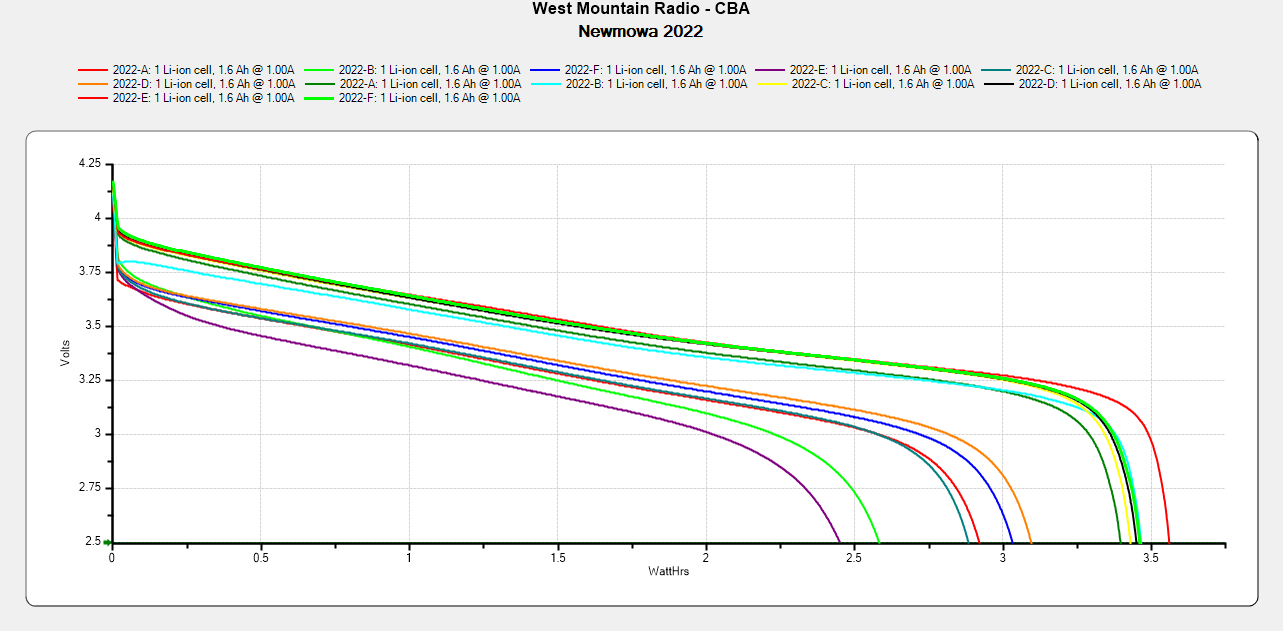
NP-BX1 – Newmowa 2022 in 2025-06
The upper traces appear in red in the first plot, the lower curves come from three years of use.
A recent quilt photo shoot degenerated into me chasing several bright orange clamp jaws across the deck as they popped off their clamps hanging from the photo backdrop scaffold. Most clamps have jaws snapping onto actual rods, but these clamps have molded-in-place “rods” much smaller than the 2 mm expected by the jaws and much more irregular than seems reasonable.
Trace and scan the nose of a clamp:
Large spring clamp nose outline
Curiously, the molded rod is not centered in the nose:
Large spring clamp nose – pin locatIon
Use LightBurn to coerce a scan of the first sketch into a suitable path, laser-cut some MDF, and glue up a drill fixture:
Spring clamp jaw pins – fixture gluing
Align the drill to the center of the off-center hole marked on the bottom layer:
Spring clamp jaw pins – drill alignment
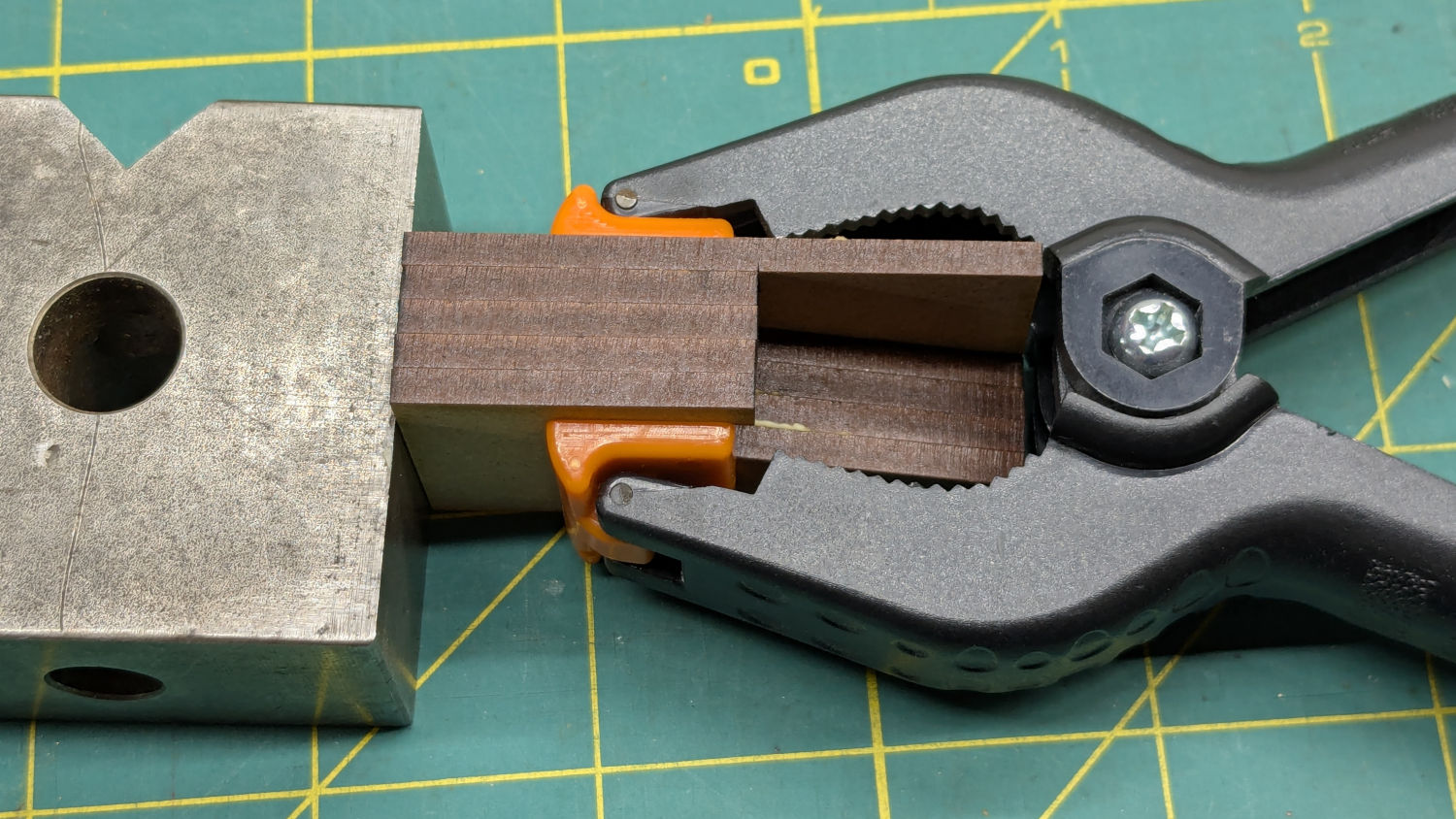
The drilling setup looks casual, but hand-holding the clamps against the rear wall and into the form-fitting nose recess sufficed:
Spring clamp jaw pins – fixture overview
I snipped the plastic “rods” out before drilling the holes, then rammed 2 mm steel rods in place:
Spring clamp jaw pins – steel
They’re really 5/64 inch = 1.98 mm rods from the oil-hardening drill rod stash, but entirely sufficient for the purpose.
With one clamp in hand, though, there was obviously no reason for the rods to be off-center. So I centered the drill in the nose, punctured the rest of the clamps, and pressed 2 mm carbon fiber rods in place:
Spring clamp jaw pins – steel vs carbon fiber
The rods were cut to 20 mm by rolling them across a pad with firm pressure from a utility knife. That was mostly to get some experience cutting carbon fiber, which is obviously overqualified for the job.
Snap the orange jaws in place and I shall never suffer the embarrassment of chasing them again …
A confluence of unrelated events led me to unboxing and setting up the CNC-3018XL most recently used to plot Homage Tek Circuit Computer decks, but the table slid along its rods entirely too easily. A peek at the leadscrew revealed an assortment of parts last seen when I extended the frame:
3018CNC – table drive – as found
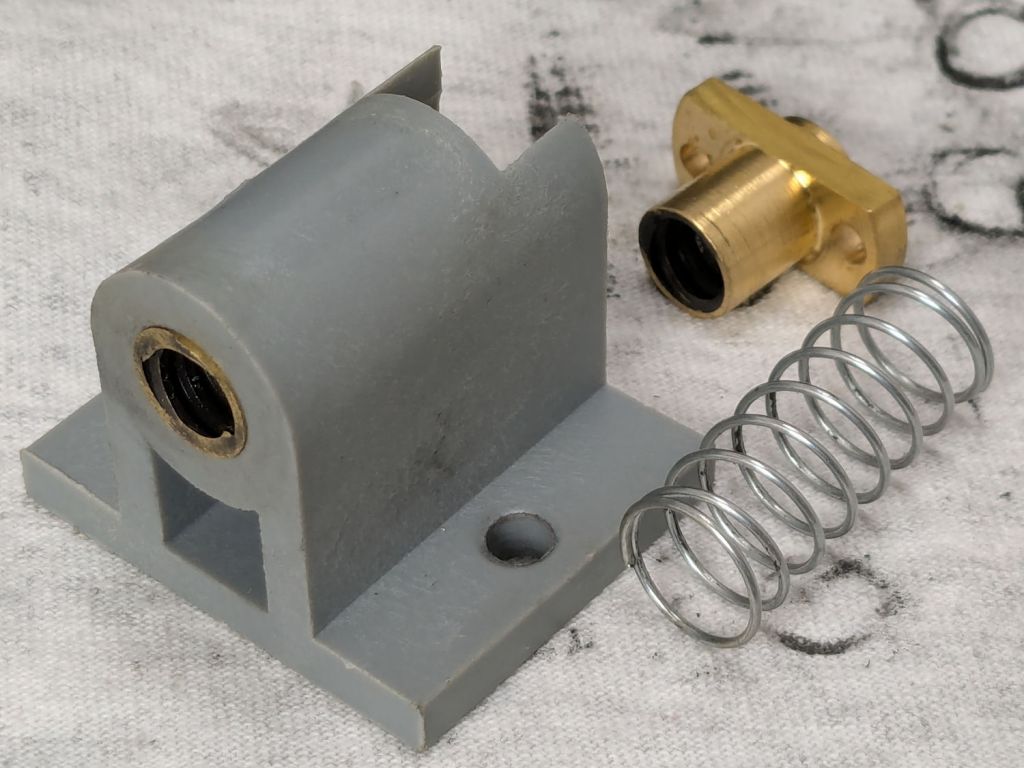
The featureless cylinder is the leadscrew follower nut, which evidently popped out of its proper place in the table drive block:
3018CNC – table drive parts
The crude chamfer suggests that end went into the block first, so that’s what I did:
3018CNC – table drive – follower nut installed
It seems snug enough in there, at least for a machine used solely for plotting and maybe drag knife cuttery, so I’ll assume the box received some rough handling during our move.
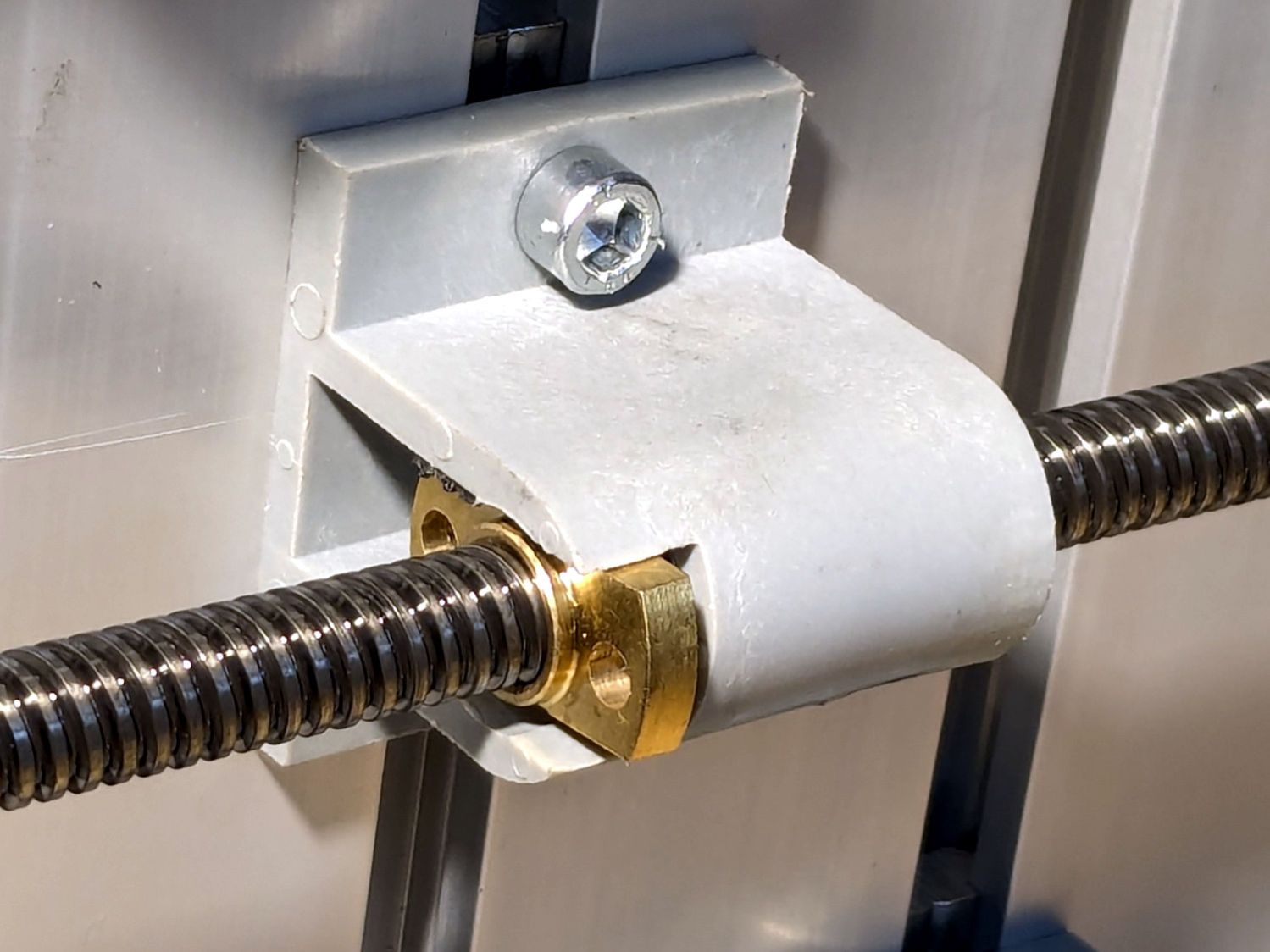
It’s now back in place and seems to work well enough:
3018CNC – table drive – installed
I briefly considered adding some setscrews to hold it in place, but came to my senses. If it pops out again, maybe it’ll be time to rebuild that block with proper retention.
The software side of the thing surely needs TLC, too.
For reasons I do not profess to understand, GIMP 3.0 does not work with plugins written for GIMP 2.0, including the XSane plugin that handles scanning. This seems like an obvious oversight, but after three months it also seems to be one of those things that’s like that and that’s the way it is.
It turns out gimp-xsanecli tells XSane to output the filename it’s using, then expects to find the identifying XSANE_IMAGE_FILENAME string followed by the filename on the first line of whatever it gets back:
if result != 'XSANE_IMAGE_FILENAME: ' + png_out:
  Gimp.message('Unexpected XSane result: ' + result)
  return Gimp.ValueArray.new_from_values([GObject.Value(Gimp.PDBStatusType, Gimp.PDBStatusType.EXECUTION_ERROR)])
The font ligature that may or may not mash != into ≠ is not under my control.
Protracted poking showed the scanner fires a glob of HTML through proc/stdout into gimp-xsaneclibefore XSane produces its output, but after the scan completes:
<!DOCTYPE HTML PUBLIC "-//W3C//DTD HTML 4.01//EN "
"http://www.w3.org/TR/html4/strict.dtd">
<html>
<head>
… snippage …
</head>
<body><noscript>Enable your browser's JavaScript setting.</noscript></body></HTML>XSANE_IMAGE_FILENAME: /tmp/out.png
Complicating the process:
The HTML glob only appears on the first scan, after which XSane produces exactly what gimp-xsanecli expects
There is no newline separating the glob from the expected output on the last line
So …
Insert a while loop into the main loop to strip off the HTML glob line by line by line:
        while True:
                # Wait until XSane prints the name of the scanned file, indicating scanning is finished
                # This blocks Python but that is ok because GIMP UI is not affected

                # discard HTML header added by scanner to first scan
                while True :

                        result = proc.stdout.readline().strip()

                        if r'</body>' in result :
                                result = result.partition(r'</HTML>')[-1]
                        #        Gimp.message('Found end of HTML: ' + result)
                                break

                        elif 'XSANE_IMAGE_FILENAME:' in result :
                        #        Gimp.message('Found filename: ' + result)
                                break

                        else :
                        #        Gimp.message('Discarding: ' + result)
                                continue

                if result == '':
                        # XSane was closed
                        break

                if result != 'XSANE_IMAGE_FILENAME: ' + png_out:
                        Gimp.message('Unexpected XSane result: ' + result)
                        return Gimp.ValueArray.new_from_values([GObject.Value(Gimp.PDBStatusType, Gimp.PDBStatusType.EXECUTION_ERROR)])

                # Open image
                image = Gimp.file_load(Gimp.RunMode.NONINTERACTIVE, Gio.File.new_for_path(png_out))
                Gimp.Display.new(image)

                # Remove temporary files
                os.unlink(png_out)

                if not SCAN_MULTIPLE:
                        proc.terminate()
                        break

        os.rmdir(tempdir)

        return Gimp.ValueArray.new_from_values([GObject.Value(Gimp.PDBStatusType, Gimp.PDBStatusType.SUCCESS), GObject.Value(Gimp.Image.__gtype__, image)])
While it’s tempting to absorb the whole thing in one gulp with proc.stdout.read().strip(), that doesn’t work because nothing arrives until the XSane subprocess terminates, which is not what you want.
A scan to show It Just Works™ :
I expect it doesn’t work under a variety of common conditions, but … so far so good.
The best four have a capacity down 14% from the good old days and the weakest pair are down 29%.
The camera uses 1.9 W, so a battery with 2.5 W·hr capacity should last 78 minutes, but about 400 mV of voltage depression causes the camera to give up before using its full capacity.
So they have a useful lifetime of maybe two years in our regular bike riding schedule and I should have bought replacements last year. I hope the next batch isn’t New Old Stock or recycled cells.