Ed Nisley's Blog: Shop notes, electronics, firmware, machinery, 3D printing, laser cuttery, and curiosities. Contents: 100% human thinking, 0% AI slop.
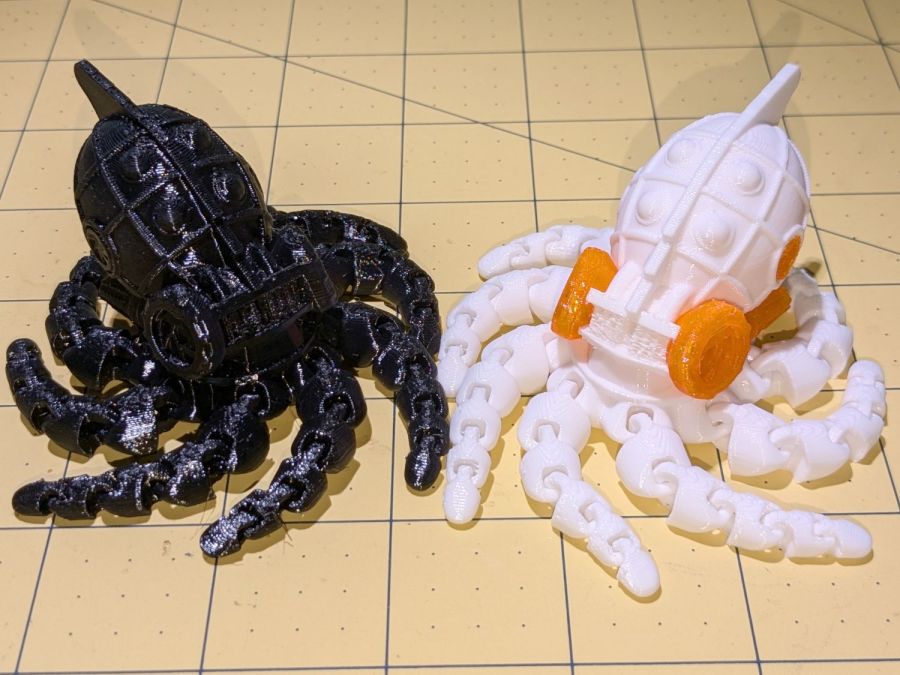
The model is the Steampunk Octopus (in retrospect, the lower-vertex NixFix version should print better with its under-engine braces). The tests were to see how well its articulated tentacles printed and whether I understood how PrusaSlicer’s Multimaterial Painting worked. The answers: “Perfectly” and “Undo is my copilot”.
They’re both in PETG, with the orange eyes & features painted onto the STL model using the Smart Fill tool type to select surface facets joined within a given angle. Getting that right requires some fiddling, because you (well, I) can inadvertently select & flood a nearby area.
With Halloween fast approaching, they should be useful:
Flushed with success after building a Keychain Pill Tube with orange PETG, I tried dark gray carbon-fiber PETG with the same settings:
Pill Tube – first PETG-CF
In real life, it’s a much darker gray.
It’s not only furry, it’s overstuffed: the threads didn’t engage at all.
Running a few single-thread calibration squares suggested an Extrusion Multiplier around 0.6 would produce the proper thread width. Making it so and trying again worked perfectly:
Pill tube – PETG-CF adjustments
Not only did the cap screw on easily enough, the exterior finish improved and most of the stringing went away.
However, the Mighty Dragorn of Kismet (who nerd-sniped me into getting the MK4 in the first place) observed that he’d been running PETG-CF with stock PETG settings and getting good dimensional results without further tuning.
After a few more gyrations, I did what I should have done first:
Eryone PETG-CF Temperature Tower
The label on the spool suggests a 230 °C to 250 °C extrusion temperature and 235 °C seems like the sweet spot between overly stringy and terrible bridging, although I’d never expect PETG to cross that kind of gap without some support. The 35° overhangs on the left look surprisingly good at any temperature.
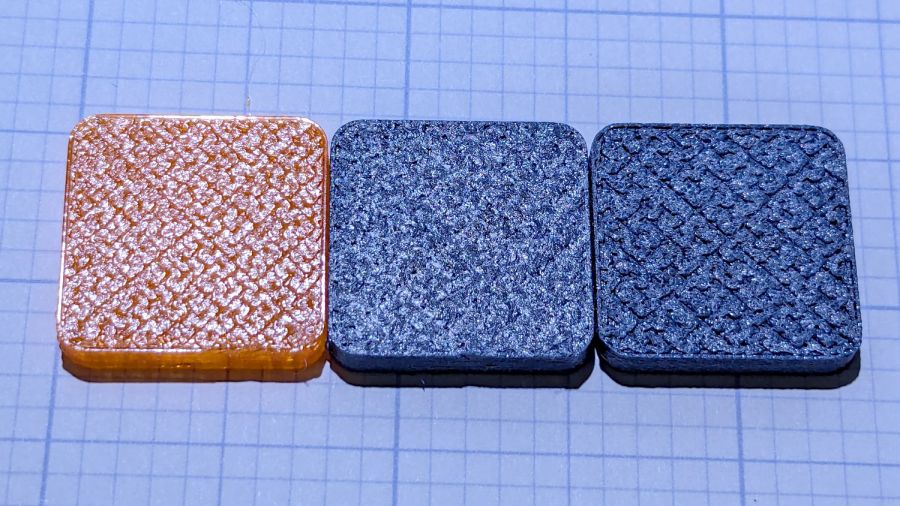
With that set up, running solid calibration squares showed Dragorn was right: 1.0 EM works the way you’d expect and 0.65 EM produces under-filled surfaces:
MK4 Eryone PETG-CF 1.0 0.65 EM – top
The hand-knitted surface is more visible at a more oblique angle:
MK4 Eryone PETG-CF 1.0 0.65 EM – edge
The 0.2 mm layers look about the same on both squares.
Comparing plain PETG at 1.0 EM with those:
MK4 eSun PETG 1.0 EM – Eryone PETG-CF 1.0 0.65 EM
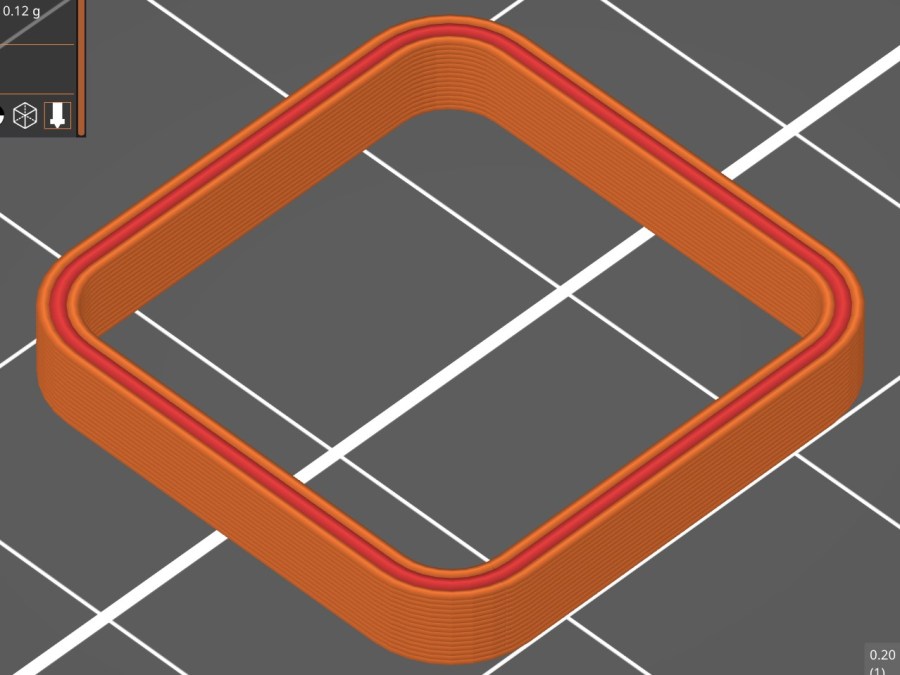
Set up a square with walls three threads thick:
Thinwall box – 3x 0.45 mm – slicer preview
With PrusaSlicer set to produce 0.45 mm thread widths, the walls should measure exactly 1.35 mm = 3×0.45 mm thick:
PETG = 1.30 mm (1.29 to 1.30)
PETG-CF = 1.40 mm (1.37 to 1.40)
While I think you could tweak the EM for both materials, it’s unlikely to make any practical difference on typical objects.
So it looks like a slightly lower temperature with 1.0 EM will produce good outside dimensions for the carbon fiber filaments, while models with precise thin sections will require careful tuning.
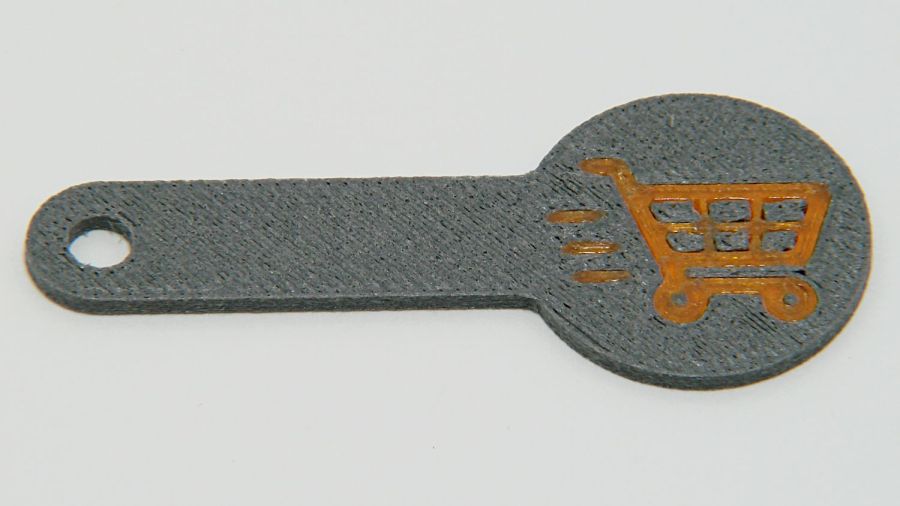
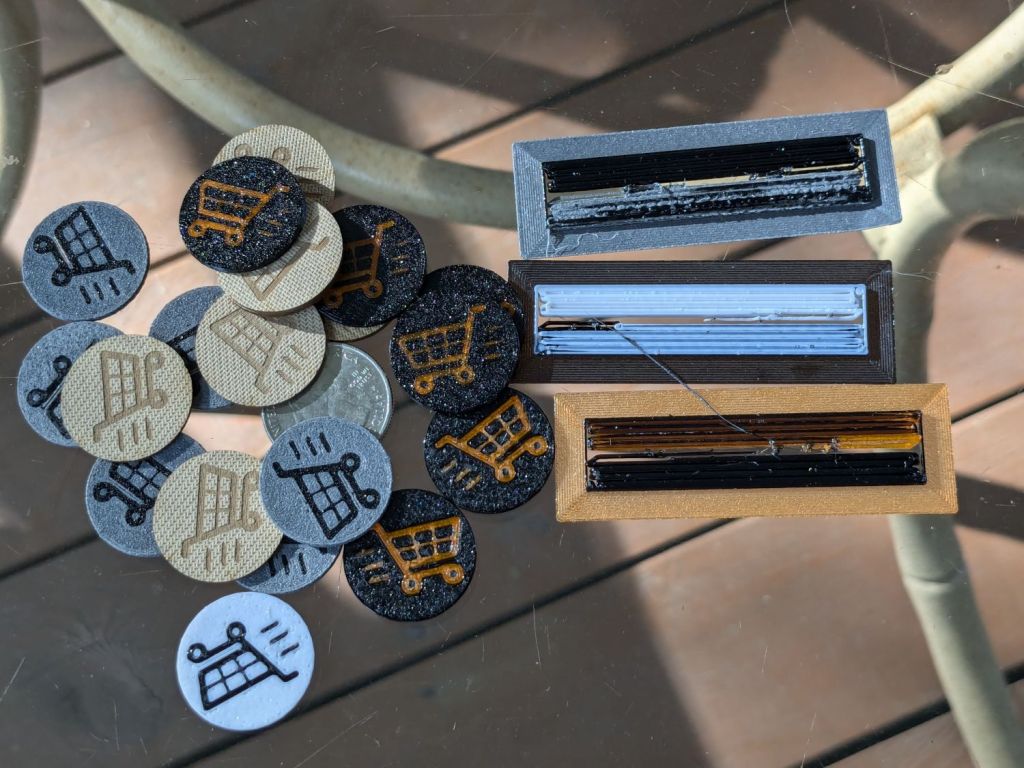
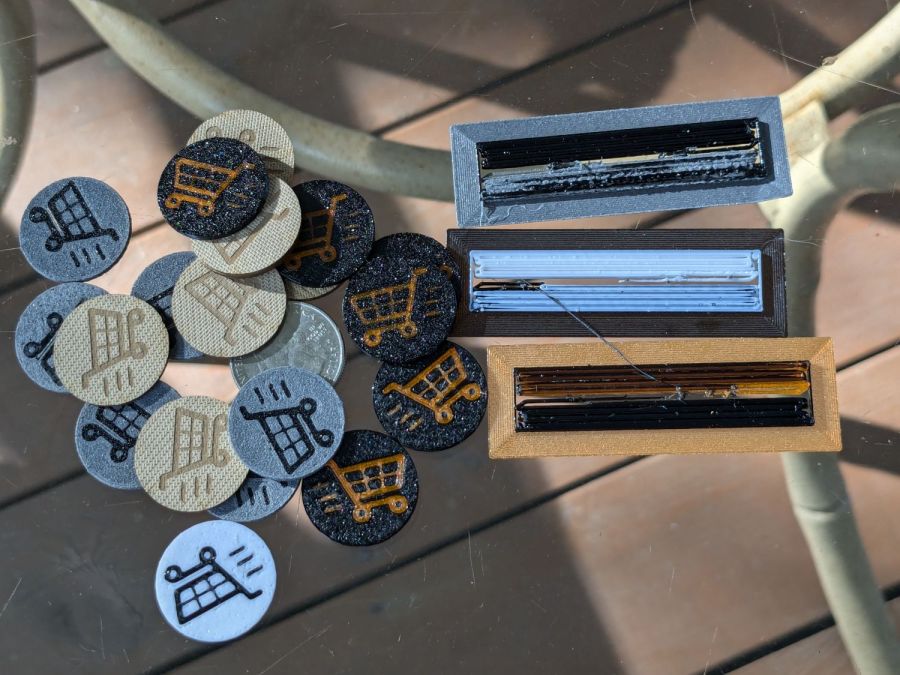
The last time around, I used Cart Coins to verify platform alignment (a.k.a. “leveling”) on the Makergear M2. The Prusa MK4 does mesh probing to ensure accurate alignment, so these new Cart Coins exercised the MMU3 and gave me some giveaways for a recent dinner:
TroCraft Eco is within 0.1 mm of the proper thickness
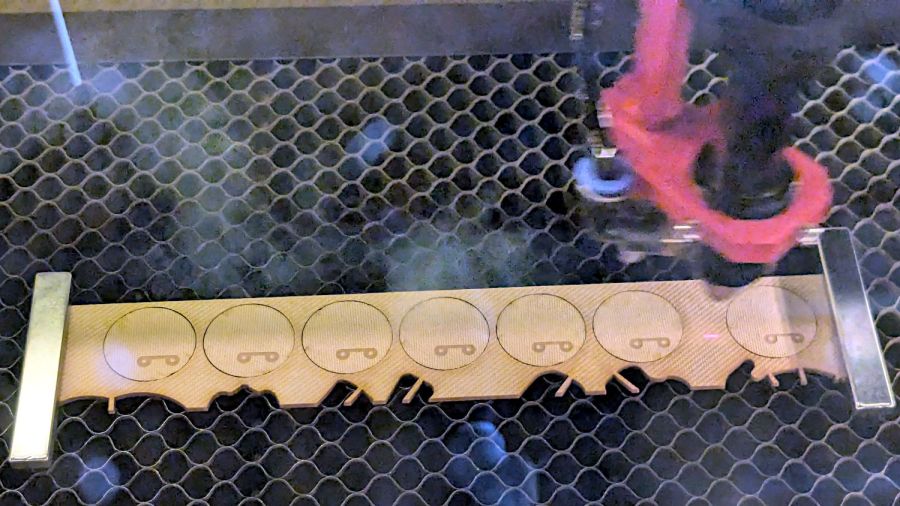
Laser-cut coins proceed with great speed
Normally you’d export the finished layout as an SVG, but OpenSCAD ignores “holes” within shapes, so I exported it as a PNG to serve as a binary height map:
Import the PNG into OpenSCAD using surface()
Resize it to 20 mm wide and 1.7 mm tall
Knock it out of a 24 mm OD × 1.6 mm tall cylinder (which is why the extra 0.1 mm)
Add the PNG again as a separate 1.6 mm object to refill the hole
Whereupon out pops a solid model:
Cart Coin – solid model
Export that as a 3mf file to keep the two objects aligned, import it into PrusaSlicer, then get multi-material on it:
Cart Coin – PrusaSlicer layout
There’s a fourth group with different colors in hiding. I printed 12 identical coins at a time, mostly so I could keep track of what was happening, and it ended well enough.
The black coins with the translucent retina-burn orange cart look surprisingly good.
But this is way faster:
They’re the size of a US quarter, because that’s what unlocks shopping carts around here. Feel free to tweak the parameters for your locale.
One of Mary’s gardening cronies suggested Sting-Kill might reduce her dramatic swelling [^1] after a bee / wasp / insect sting. Because it must be applied immediately after the sting, the swab must be on hand in the garden or on a bike ride, but the glass vial inside seem entirely too fragile to survive amid the usual clutter of a purse / pocketbook / belt pack / bike pack.
Well, I can fix that:
Pill tube – PETG default
It’s a KeyChain Pill Tube from Printables, enlarged 20% in the XY plane to fit the Sting-Kill swab, with the white applicator end fitting neatly into the domed screw-on lid for a bit of cushioning.
The solid model looks about like you’d expect:
Pill Tube – slicer preview
Despite that preview, I printed it with a brim. PETG sticks tenaciously to the Textured PEI steel sheet and a brim wasn’t really needed; just pop the parts off the platform when cool.
Somewhat to my astonishment, the threads screwed together easily, smoothed out after a few on-and-off cycles, and it’s ready for a moment we both hope will never occur.
[^1] Mary did tote an EpiPen back in the day, but a few near misses indicated she’s no longer quite as sensitized. She does swell up something powerful and we’re hoping immediately applying a Sting-Kill will help knock it down.
Yes, it’s laser cut, which trivialized the two little holes for the locating screws in the back.
Given the dimensions, it should take you five minutes, tops, to cut your own from some chipboard:
Prusa MK4 Platform protector sheet doodles
The blobs along the front edge mark the magnets where you could add a bit of steel to snap the protector in place, if you’re inclined to remove the plate. I just let it sit there, which seems entirely sufficient.
Long ago I made a similar corrugated cardboard sheet for the M2 that is still covering its glass platform today.
The slanted layers mean this simple block requires something like 180 filament changes while verifying the Prusa MK4 + MMU3 / filament buffer setup:
Prusa MK4 MMU test piece – finished
Because of all the color changes, the Wipe Tower holding the extruder waste is much much larger than the block:
Prusa MK4 MMU test piece – on platform
The first attempt taught me, once again, the value of cleanliness:
Prusa MK4 MMU test piece – birds nest as found
The extruder head required tedious cleaning:
Prusa MK4 MMU test piece – extruder tangle
Scrubbing the steel plate with dish detergent and wiping it with isopropyl alcohol improved the outcome, but one corner of the Wipe Tower still lifted:
Prusa MK4 MMU test piece – wipe tower corner lifting
All’s well that ends well, but perhaps glue stick / hair spray under future Wipe Towers will ensure they don’t wander off.
The kitchen counter has only two useful places for the cutting board and the spot Mary favors puts a distinct swale under one corner. A bit of measuring and solid modeling produced a simple shim to make the answer come out right:
Cutting Board shim – solid model
The basic shape is union() of a trio of hull() operations forming the three sides, with the text label as a separate object to verify I understood how to build a multi-material object.
Export it as a 3mf file, open it in PrusaSlicer, slice, print:
Cutting Board shim – label
Putting the label on the bottom surface takes advantage of the nubbly finish on the Textured Steel Sheet to make it look like it just grew in there.
The label is just barely visible from the top, despite extending only 1/4 of the way through the 1.6 mm bottom slab:
Cutting Board shim – top
So white PETG needs more than 1.2 mm of thickness to hid a black feature. Today I Learned, etc.
Multi-material printing produces a Wipe Tower to hold all the extruded junk during color changes:
Cutting Board shim – wipe tower
The curl under the nozzle comes from the final ramming used to shape the end of the filament into a point for reliable material / color changing.
Although a shim is something of a nuisance, it works perfectly:
Cutting Board shim – in use
Much easier than installing an L-shaped Corian slab with a sink cutout!
The faded engraving dates back to the early days of the laser …
This file contains hidden or bidirectional Unicode text that may be interpreted or compiled differently than what appears below. To review, open the file in an editor that reveals hidden Unicode characters.
Learn more about bidirectional Unicode characters