Ed Nisley's Blog: Shop notes, electronics, firmware, machinery, 3D printing, laser cuttery, and curiosities. Contents: 100% human thinking, 0% AI slop.
This Tenergy automatic NiMH charger is typical of the breed: pick a charging current to match the cell / pack capacity, then stand back and let it determine full charge.
The instruction sheet reads thusly:
For battery pack between 1100 mah and 2100 mah, please use the low level switch — charging rate: 0.9 A
For battery pack over 2100 mah, please use the high level switch — charging rate: 1.8 A
Pop quiz: what charging current should you use for a battery pack made from nominal 2300 mAh cells?
I thought so, too, but consider this graph (the full post is there):
Tenergy RTU Pack A Tests – Aug 2009
The actual capacity is more like 1600 mAh, not 2300 mAh. Do you set the charge current based on the wildly overoptimistic cell rating or the actual measured capacity?
As you might expect: charge based on the actual measured capacity, because that’s what the battery can handle.
The higher rate actually worked with new cells, but as the packs aged the charger would sometimes grossly overheat them. Bad for the packs, not to mention a bit scary.
The lower rate worked perfectly, although it took me a while to figure that out.
Come to find out that the new cut-n-paste handler in Inkscape 0.47 collides mightily with (among other things) Clipman 1.1.3, the xfce4 clipboard manager, as mentioned in bugs 487653 and 418242.
Seeing as how I depend on Clipman, the least-disruptive course of action seems to be downgrading it to 1.1.1, which required some fiddling with the Arch Build System.
I have a build tree set up in /var/abs/local, so…
cd /var/abs/local
cp -r /var/abs/extra/xfce4-clipman-plugin/ .
cd xfce4-clipman-plugin
The PKGBUILD file tells us that source tarballs are available at
It’s worth nothing that this conflict isn’t unique to Arch Linux: the same problem is affecting other distros, too. What is unique to Arch is that it’ll distribute the fix earlier than anybody else, too, because as soon as the upstream versions change, they’re in the Arch repositories.
Memo to Self: remember to un-wedge Clipman when Inkscape gets its act together. Fortunately, pacman reports which packages it’s ignoring.
This story begins years ago, as mentioned there. I’d retrieved the offending outlet expander / extension cord from my mother’s apartment and tossed it in my big box of Extension Cords.
I recently plugged it in and was rewarded with a flash-bang inside the box. Taking it apart reveals two more blackened outlet compartments (in the lower right), but no more missing contact blades.
It turns out that the black (hot) wire got caught between a stiffening rib on the back plate and the edge of the box supporting the brass plate connecting the white (neutral) wire to the contacts. Here’s reconstructed view after I cut off the extension cord.
Crushed wire
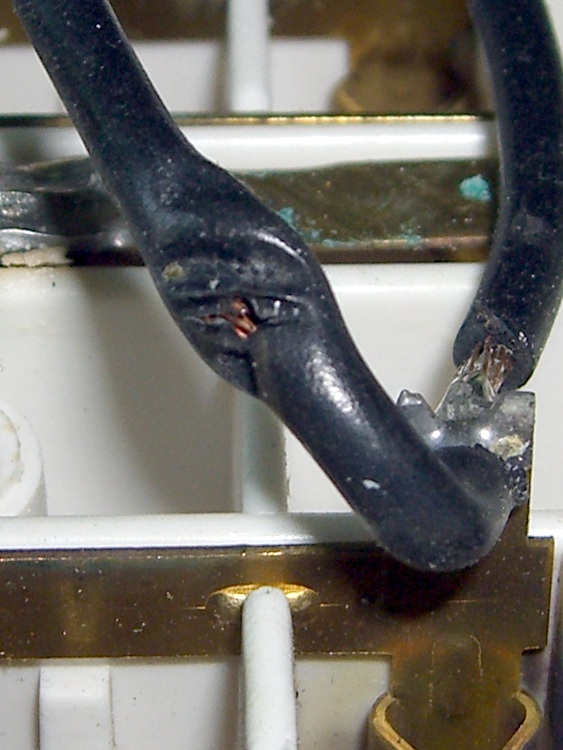
Flipping the wire over shows the spot where the copper conductor eventually poked through the insulation.
Exposed conductor
It touched the sharp corner of the brass strip just to the left of the divider in this view. The notch in the divider channeled the jet of burning debris across the far wall of the right-hand compartment. The left-hand compartment is completely smudged.
Short-circuit point and debris jets
Looks like I get credit for this one… but even seeing how I did it, I’m not sure there’s any way to know none of the wires got crushed while reassembling the box.
It’s safely in the trash and the cord is in my big box of Random Power Cords.
Memo to Self: Make sure the box fits together smoothly?
A comment on yesterday’s post about quartz crystal measurements prompted me to destroy a crystal in the name of science…
The question is, what effect does exposing a crystal to the air have on its performance? I would have sworn it would never work right again, because it’s normally running in an inert atmosphere and maybe a partial vacuum. One measurement being worth a kilo-opinion, here’s what happened.
I picked random crystal from the bottom of the crystal box, based on it having a solder seal that I could dismantle without deploying an abrasive cutoff wheel or writing some G-Code to slice the can off with a slitting saw. The crystal was labeled HCI-1800 18.000 MHz and probably older than most of the folks who will eventually read this… younger than some of us, though.
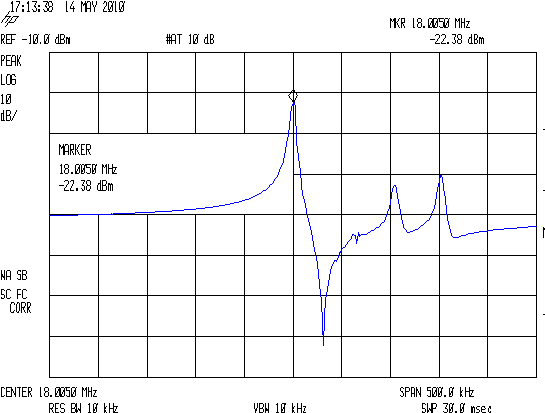
The center frequency is 18.0050 MHz (at this rather broad span) and it has some ugly spurs out there to the right.
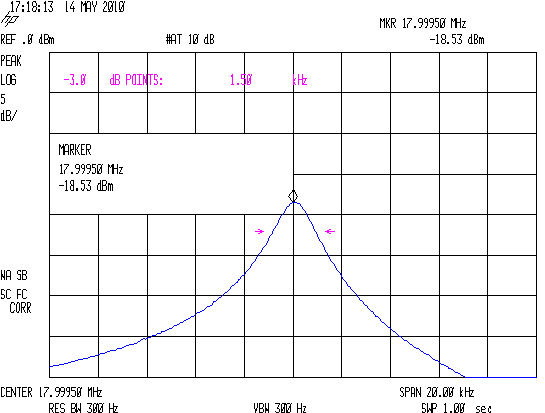
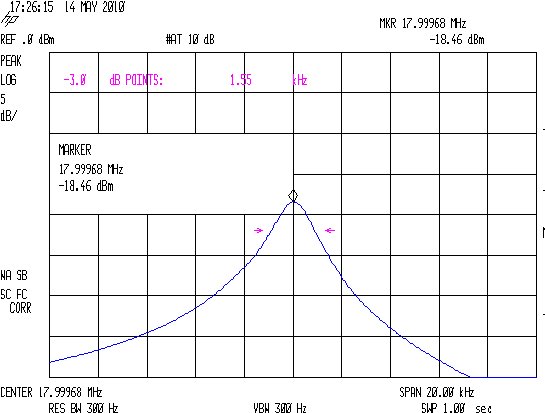
A closeup of the series-resonant peak:
HCI-1800 18 MHz – Baseline BW
The bandwidth is 1.50 kHz at 17.99950 MHz at this span.
Naked HCI-1800 18.0 MHz Crystal
Then I applied a soldering iron around the seal and yanked the case off. I think that didn’t involve whacking the crystal with the case en passant, but I can’t be sure. In any event, it looks undamaged and seems to operate properly.
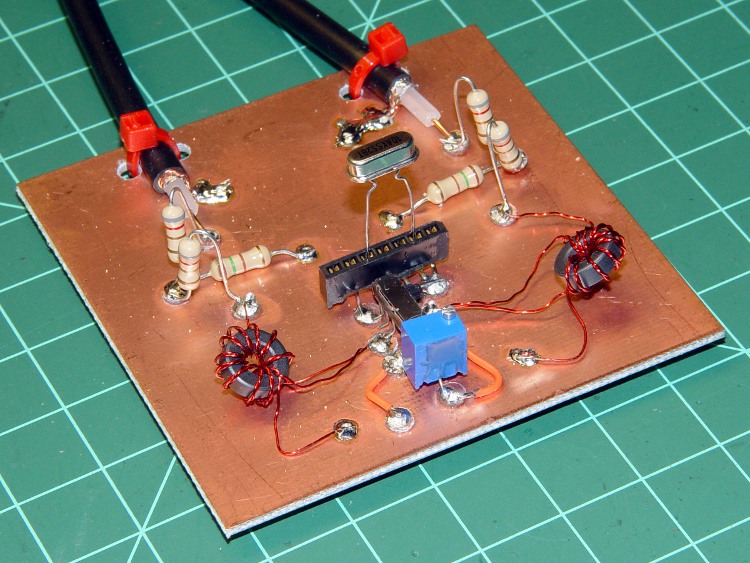
A pair of spring clips attach to the electrodes and hold the quartz disk in position. They’re just the cutest little things and quite unlike the other holders I’ve seen. I think the solder blobs fasten the spring ends together and don’t bond to the electrodes, but what do I know?
HCI-1800 Crystal Overview
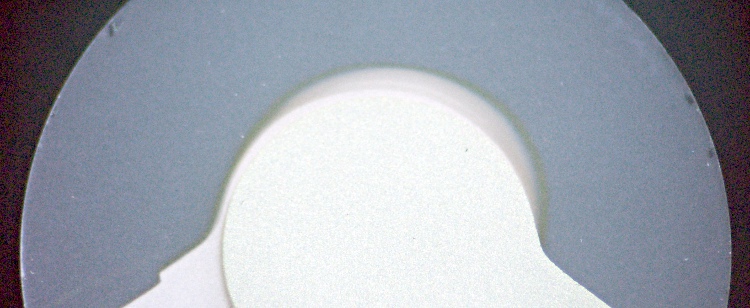
The quartz disk has a few small chips near the edge:
HCI-1800 Crystal Edge Chips
I think those are Inherent Vice… simply because:
They’re not in a position where I could have whacked the disk and
I doubt I could whack it that delicately
Anyhow, with the can off, here’s what the series resonant peak looks like:
HCI-1800 18 MHz – Opened BW
The resonant frequency is now 17.99968, 180 Hz higher, which may be due to instability in the HP8591 spectrum analyzer’s not-stabilized-for-ten-hours ovenized oscillator. The bandwidth is 1.55 kHz, 50 Hz wider, although I think that’s one resolution quantum of difference.
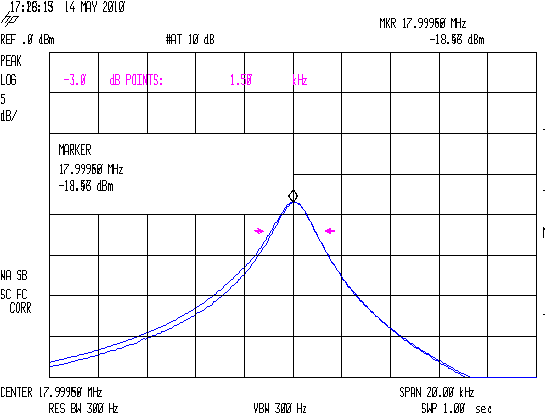
Here are the two bandwidth traces overlaid.
HCI-1800 18 MHz – Overlaid BW
The peak has been centered in both, so you can’t tell they’re slightly different. The interesting point is the difference in the slope to the low-frequency side of the peak, which is slightly higher for the open-case condition. Seeing as how the missing case completely changes the usual stray capacitance situation, I’m not surprised.
Anyhow, I admit to being surprised: there’s not that much difference after opening the case. I’ll put the naked crystal in a small container in a nominally safe place for a while, then retest it to see what’s happening.
Memo to Self: A “safe place” is nowhere near the Electronics Workbench!
Here are some other naked crystals:
Naked Crystals
Notice the tarnished (presumably) silver electrodes on the crystal in the lower left. That one’s been sitting on my monitor and in other hazardous locations for a few years. I can’t find these anywhere right now, but if they turn up I’ll test them, too.
Spent some Quality Shop Time measuring an assortment of crystals, some data from which will make up a Circuit Cellar column.
And the raw numbers will come in handy one of these days, so here they are…
12 MHz Asst
HC-49/U
Co+Cc/2
2Cc
Fs
BW
Rs
ECS
1
4.85
1.47
12.000162
787.5
40.1
ECS
2
4.50
1.42
12.000150
725.0
40.1
ECS
3
4.70
1.42
12.000325
1100.0
50.0
Rs out of range
HC1
4
4.34
1.11
11.999000
600.0
36.0
HC1
5
4.24
1.06
12.000137
537.5
36.9
Sentry
6
5.14
0.96
12.000250
625.0
31.8
many spurs
11.0592 MHz
HC-49/U
1
4.90
1.42
11.059275
562.5
9.3
2
4.99
1.46
11.059112
575.0
14.7
3
4.87
1.42
11.059275
512.5
9.6
4
4.87
1.41
11.059125
550.0
10.0
5
4.29
1.43
11.058935
750.0
18.1
6
4.93
1.47
11.059000
537.5
10.7
7
4.95
1.47
11.059200
525.0
8.1
8
5.03
1.45
11.059037
575.0
11.1
10 MHz
HC-49/U
spur +150 kHz
1
2.57
1.36
9.997888
200.0
14.2
2
2.61
1.30
9.997738
225.0
16.7
3
2.75
1.30
9.997788
225.0
20.0
4
2.67
1.30
9.997750
225.0
16.1
5
2.75
1.26
9.997725
250.0
22.7
6
2.69
1.27
9.997788
225.0
21.0
7
2.69
1.26
9.997825
212.5
16.5
Circuit Cellar example
8
2.69
1.22
9.997832
212.5
18.4
9
2.72
1.24
9.997788
250.0
23.4
10
2.68
1.20
9.997738
225.0
18.0
18.43 MHz
HC-49/US
many spurs +10 +76 kHz
1
3.86
1.33
18.432425
1.56
24.1
2
3.79
1.22
18.432987
1.21
10.9
3
3.93
1.39
18.432050
2.44
46.3
4
3.97
1.40
18.431175
1.90
27.7
5
3.89
1.33
18.431888
2.11
32.2
6
3.92
1.39
18.430888
1.39
16.5
7
3.99
1.35
18.431500
1.36
11.8
8
3.97
1.35
18.431675
2.18
38.4
9
3.95
1.31
18.430512
1.30
10.1
10
4.04
1.50
18.431427
1.36
11.8
The 18.43 MHz crystals are in the short /US cans with surprisingly high stray capacitance. Their bandwidths are in kHz and all over the map, as are the series resistances. Weird. Bad crystals? Bad technique?
Frequency & bandwidth from HP8591 spectrum analyzer with a fixture similar to the K8IQY design; the bandwidths seem to come in 12.5 Hz increments despite a (very narrow) 2 kHz span. The general process is there. Resistance measured from a cermet trimpot using a multimeter good for 0.1 Ω around 10 Ω.
Crystal Test Fixture
Useful equations, with column headings in boldface:
Lead-to-can capacitance for each lead: Cc = 2Cc / 2
Lead-to-lead capacitance: Co = Co+Cc/2 – Cc/2
Circuit Q: Q = Fs/BW
Circuit resistance: R = Rs + 25 (assuming 4:1 transformers)
Straight up: this is about a stainless steel socket head cap screw I installed eight years ago, not the original Easy Racers screw, so this is not their problem.
I rode out for milk-and-eggs at the corner store, a flat one-mile ride, and stopped at the traffic signal. Light goes green, line of cars accelerates, so do I… and there’s a snap and the left side of the seat sags backwards. I am not a powerhouse rider and it’s March, so I’m not doing leg presses while getting up to cruising speed.
I continued the mission by sitting slightly to the right on the seat and pedaling gingerly, then diagnosed the problem in the corner store’s parking lot. If I’d been further away, I’d have done the repair right there, but I figured it’d hold together until I got home. It did.
The problem turned out to be a broken screw holding the left-side seat strut to the threaded eyelet on the rear dropout. The top picture shows the way I have it set up: seat strut clamp outboard, rack strut inboard, with a socket head cap screw extending all the way through, and secured with a pair of stainless nuts that went missing along with the broken screw end.
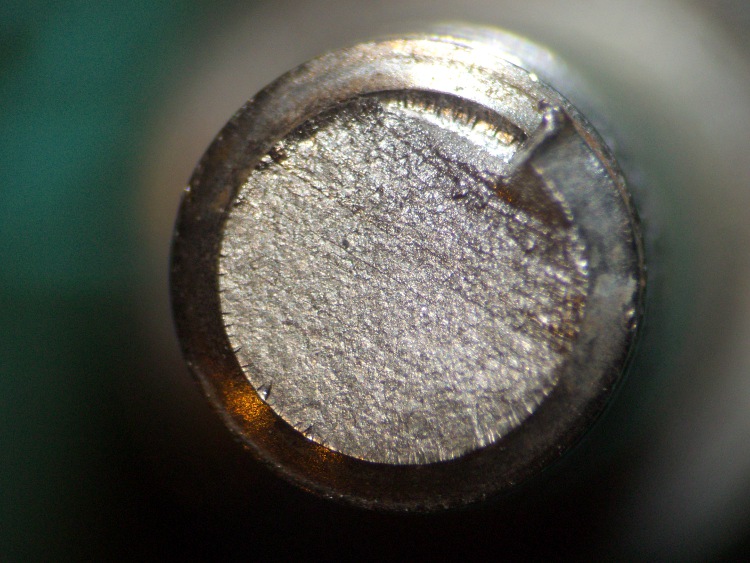
Screw fracture closeup
Here’s the fracture across the end of the screw, which shows no evidence of foul play. As nearly as I can tell, the whole thing snapped off in one event, with none of the crud that would indicate a progressive crack. Compared with that wheel stud, this is in pristine condition.
So it’s time to replace the right-side screw, as well, which means a trip to the Bike Repair Wing of the Basement Laboratory. While I had the bike up in the repair stand, I decided to reshape the head on the right-side screw for better chain clearance.
As nearly as I can tell, the usual practice puts both the seat strut and the rack strut outboard of the threaded eyelet on the dropout, but that seems wrong to me. The seat strut puts a tremendous amount of stress on the screw, so you really want that lever arm as short as possible: put the clamp against the eyelet. While the rack isn’t as heavily loaded, cantilevering it outboard of the clamp just doesn’t look right.
But putting the rack strut inboard of the eyelet means the screw head sticks out rather more than I’d like. Very rarely, the chain will snick against the head and even more rarely it jams between the head and the freewheel. Nothing much happens (it’s a freewheel, after all), but I think reducing the head thickness ought to help.
Reshaped socket head cap screw
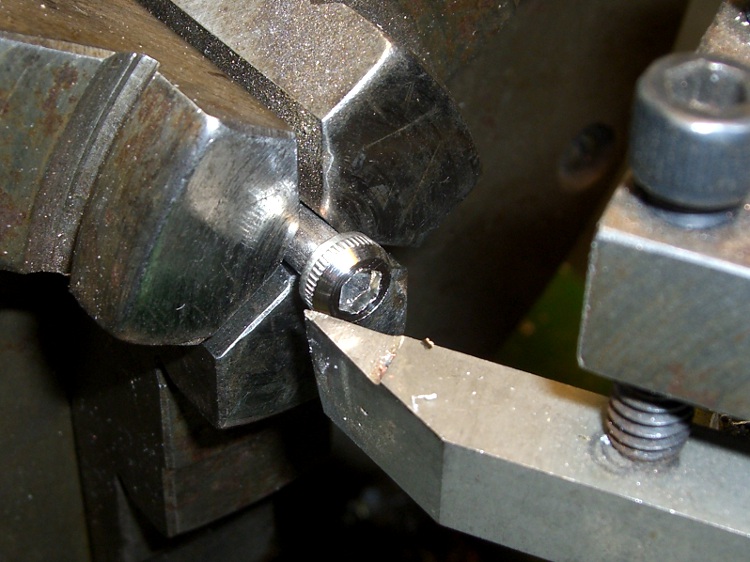
So I chucked the screw in the lathe, shortened the socket by about half, and put a taper on the head. If I had a stock of round-head cap screws, one of those would be even better.
The shortened socket makes it a bit tricky to get enough bite with the hex key, but this isn’t something that requires much attention after it’s installed… and I get to do all that in the shop.
Dabs of Loctite in the eyelet and nuts, for sure!
By a truly rare coincidence, a standard 1-1/2 inch cap screw is exactly the right length.
Right-side mount
Here’s a view of the installed right-side screw, looking rearward along the upper rear triangle tube. Seat strut to the outside, rack strut to the inside, and reshaped head above the cluster.
Took the bike out for a 16 mile spin today and it’s all good.
A note for the weight weenies in the crowd: a rack on the back of the seat adds a redundant support structure. Without that, a failed seat strut can be a real showstopper. Even if you don’t use your bike as a pack mule, maybe you should add a rack.








 The Smell of Molten Projects in the Morning