-
Ruida Controller Home/Limit Switch Configuration
A discussion on the LightBurn forum prompted an investigation of how Ruida laser cutter controllers handle their homing operation. This is a lightly edited version of (some of) my comments with added pix.
There being nothing quite like a good new problem to take one’s mind off all one’s older problems, I just did some tinkering with the X axis settings…
This is on a Ruida-ish KT332N, but the manual’s verbiage is pretty much the same as the 6445G.
Changing the settings requires a controller reset, which will trigger a homing operation if it’s enabled.
Limiter Polarityinverts the sense of the limit switch input signal. My OMTech has Normally Open proximity sensor switches: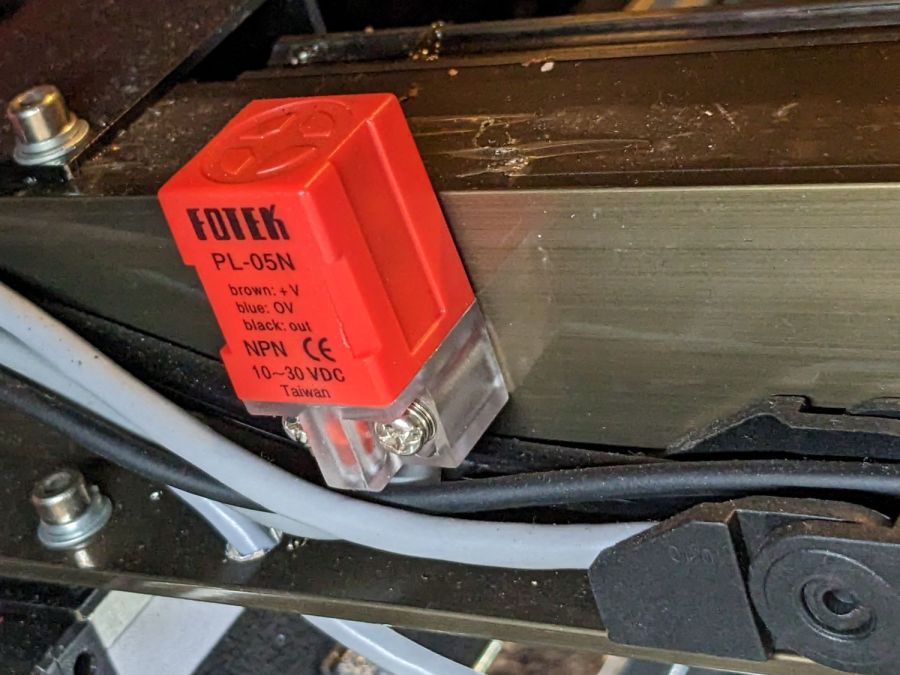
OMTech Fotek PL-05N proximity limit switch So the default setting of False makes it inactive in the middle of the platform.
I set it to
True, which made it active in the middle of the platform: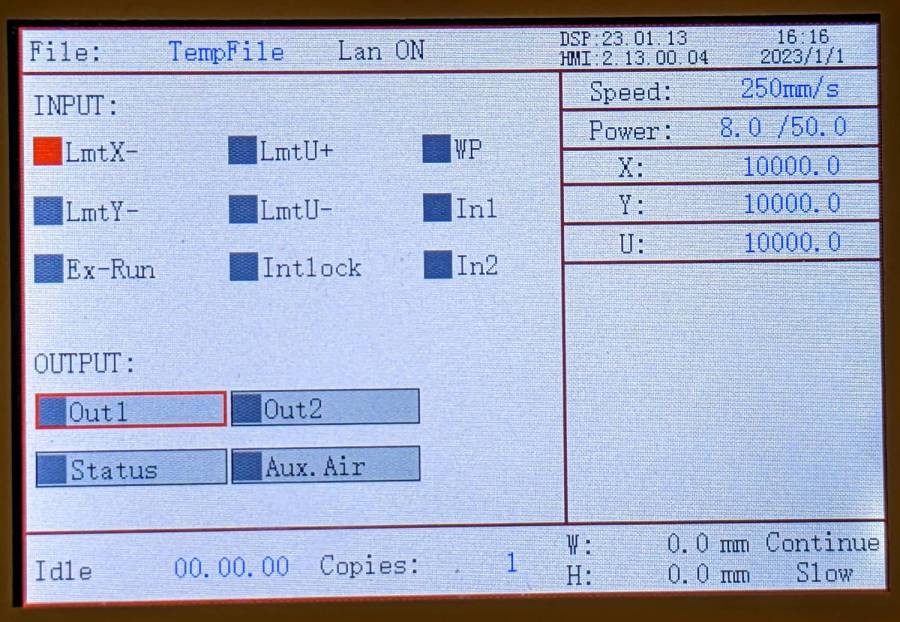
Ruida KT332N Controller – inverted X limit switch So
Truewould be the correct setting for a Normally Closed switch.Direction polaritysets the direction the axis moves during reset, which must be toward the home switch. Mine was set toFalseand it homes toward the right side where the limit switch sits.I set it to
Trueand it started homing toward the left, where the limit switch isn’t. HittingEscon the control panel stopped the homing process and left the head in the middle of its travel, unhomed.Apparently
Direction Polaritydirectly controls theDIRsignal to the stepper motors, because both the control panel keys and LightBurn’s motion buttons then moved “the wrong way”.That does not affect LB’s machine coordinate origin, which remains at the top right of the layout, or the orientation of the X axis, with values increasing toward the left as usual.
Invert keypad directioninverts the motion direction with respect to the homing motion. Mine wasFalse, but flipping it toTruereverses both the keypad and LB directions.I think
Limit Triggerrefers to “hard limits”, which requires a limit switch at each end of the axis, but my controller does not have the+inputs that would allow me to test that. The controller doc says it uses “soft limits” to prevent out-of-bounds motion by using the home position and maximum axis travel value.So the available options allow all possible combinations of:
- NC or NO limit / home switches
- Homing direction
- Keypad / LB motion commands
A reasonable sequence seems to be:
- Set the switch polarity to match the hardware
- Set the homing direction toward the switch
- Set the “keypad” direction to match your expectations
With that in mind, careful experimentation on the actual controller in hand seems prudent …
-
Subscribe
Subscribed
Already have a WordPress.com account? Log in now.
 The Smell of Molten Projects in the Morning