-
Red Filter for White LED Bike Headlight
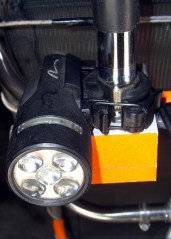
White 5-LED headlight As I mentioned there, we have white LED bike headlights clamped to the amateur radio antennas on our bikes, facing rearward to eliminate the “But, Officer, I didn’t see him” line from the accident investigation. That works fine during daylight hours, but it’s rather blinding after dark and, in any event, taillights are supposed to be red (after 1 Nov 2009, they may also be amber).
The easiest way to get that result, without having to tote along Yet Another Light, is to slip a red filter over the white LED lens. This dramatically reduces the light output, because the yellow phosphor used to get white light out of what’s basically a blue LED doesn’t emit much energy in the red end of the spectrum, but it’s plenty good enough to be seen from the requisite 300 feet.
Amber filters would be a much, much better match to the phosphor and I’ll use them next year when they’re legal.
For what it’s worth, we’ve discovered that the more we look like UFOs after dark, the more clearance we get. The bikes are extensively reflectorized and lighted, plus we have reflective arm and leg bands. If somebody hits us, it’s because they did it intentionally; that’s usually the story with drunks and punks, alas.
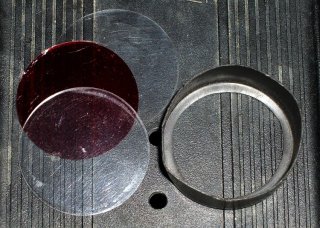
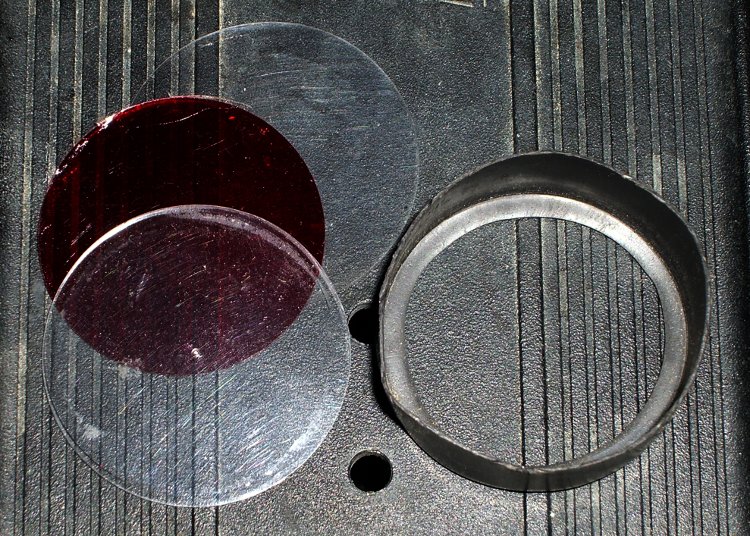
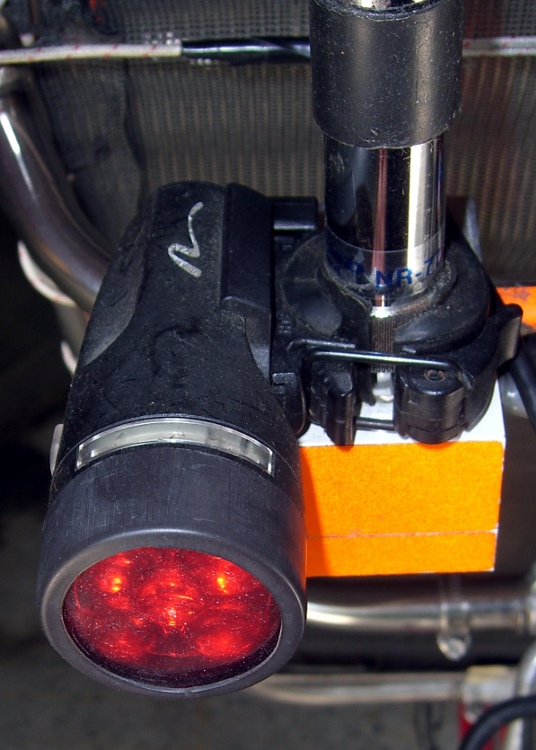
Red filter components I cut two transparent disks from ordinary electronics packaging material, plus a red disk from the Primary Red filter material mentioned there, stacked them on the headlight, and fired some big heat stink shrink tubing around them. The tubing extended maybe 3 mm past the end of the headlight and shrank into a neat lip that matched the bezel around the lens.
The tool to have for this sort of job is an Olfa Compass Circle Cutter. It leaves a pin prick in the center of the circle, but if you’re gentle that won’t be a problem in this application.
The shrunken tubing will be exceedingly difficult to pull off the headlight, so you may want to wrap a layer of tape around the bezel before shrinking. Peel the tape off when you’re done and the tubing will have a few mils more clearance.
No adhesive on earth will stick to both the polypropylene disks and the heatshrink tubing, but you can try silicone snot if you want. I made the disks just slightly larger than the bezel so that the tubing captures them as it shrinks. These things spend much of their lives in a ziplock baggie, so durability isn’t an issue.
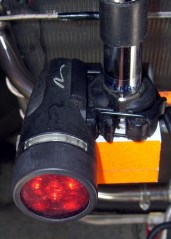
Red filter installed In any event, the filter looks like this when it’s installed. Because of the odd way I mounted the headlights, the side lenses aren’t visible (and they’re white, not red), but we have plenty of other light visible from the side.
For the straight dope on current NYS bicycle laws, go there, click on the “Laws of New York” link, search for “bicycle”, then click on section 1236. It’s New York’s idea of a useful Web interface: get over it.
The bezels on our lights are beginning to crack, so it’s probably time to start thinking about a killer street-legal day/night amber taillight. High intensity LEDs are dirt cheap these days…

-
Subscribe
Subscribed
Already have a WordPress.com account? Log in now.
 The Smell of Molten Projects in the Morning