-
Water Heater Drain & Flush
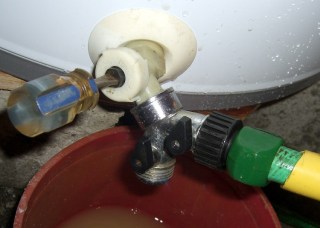
Flushing with Y hose connector For reasons that aren’t germane here, I’m responsible for two water heaters. Having just replaced one of them, I figured I should do a preemptive drain-and-flush on the other and check its anode rod.
In principle, you just hitch a garden hose to the drain valve, turn it on, and flush the sediment right out of the bottom. In practice, it doesn’t work that smoothly, as the valve has a teeny little opening that instantly clogs with grit.
The first step is to shut off the water, open the drain valve, and disconnect both flexible couplings at the top of the heater. You will move the heater a little bit during this operation and that will cause the flexy connectors to leak, maybe just a little bit, but enough to cause Bad Things to occur.
In the past I’ve used a Y hose connector with a homebrew double-female adapter to blow water into the bottom of the heater; the hose runs to a nearby sink with a male hose thread on the cold-water faucet. The two teardrop-shaped black handles on the Y adapter are ball valve handles (crappy valves, but good enough).
It goes like this:
- Close the Y hose valve
- Turn on the water at the sink
- Open the water heater drain valve
- Open the Y drain valve
- Watch a brief piddle of water hit the bucket
- Close the Y drain valve
- Open the Y hose valve to blast water into the tank
- Close it again
- Open the drain
- Repeat as needed
With any luck, you won’t have that much sediment and the drainage will clear after only a few iterations. That didn’t happen here…
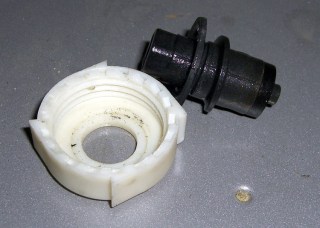
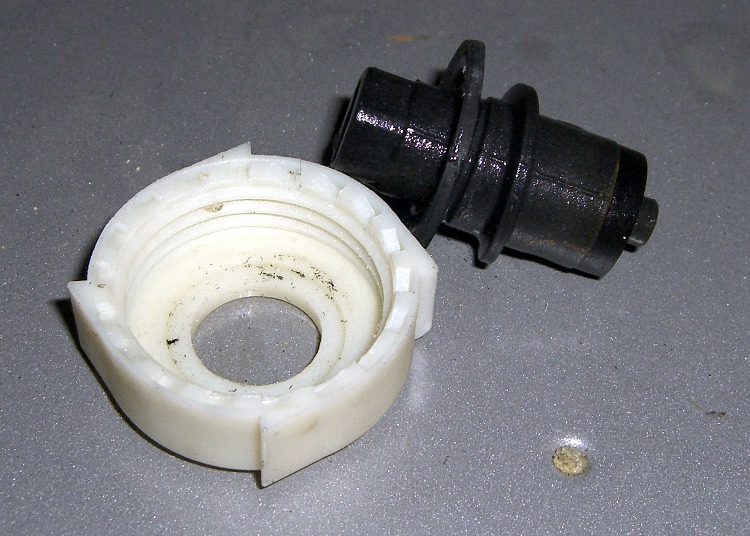
Water heater drain valve parts The next step is to apply a strap wrench to the drain valve, remove the cover and core, and see if the larger opening will produce more flow.
Note that the drain valve, at least on this Whirlpool heater, is basically a coarse-thread plug that depends on a rubber disk to seal against the valve body. I’d really rather have a full-flow ball valve down there instead of this piddly little thing.
it is possible to replace the drain valve entirely, but the last time around I applied far more force than I thought prudent to the plastic valve body and got exactly bupkis in the way of rotation. Not wanting to break the damn thing off, I gave up.
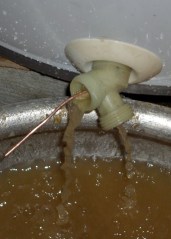
Valve cleanout with copper wire Anyhow, with the guts of the valve out of the way, the flow was still fairly weak. I rammed a copper wire up its snout and dislodged a truly disheartening amount of crud. The opening kept jamming shut, which meant there was a great pile of sediment atop the opening, so I spent quite while wiggling the wire to keep the water flowing and the grit emerging. The pic at at the bottom shows some of the pile; there’s a heaping double handful of sediment on that shovel.
The bottom of the tank is flat, with the valve pretty much flush with the bottom. That means you’ll leave a huge pile of sediment inside unless you swish some water around. That, of course, will clog the valve. Repeat until tired.
When you go to put the valve back together, don’t be surprised if it doesn’t seal. Tighten the cap, put a hose plug on the outlet, and move on.
You can tell by the color of the water that Something Is Not Right inside the tank… more on that tomorrow.
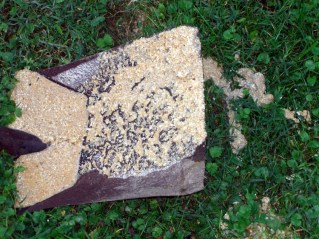
Some of the water heater sediment



-
Subscribe
Subscribed
Already have a WordPress.com account? Log in now.
 The Smell of Molten Projects in the Morning