-
Rolling Bed Stop
The upstairs Sewing Room came with a couch-like bed incorporating a roll-out trundle bed. It doesn’t get a lot of use, but it lacks wheel locks and tends to scoot away unless you get into it rather more carefully than seems reasonable.
So I made a pair of stops to capture the wheels:
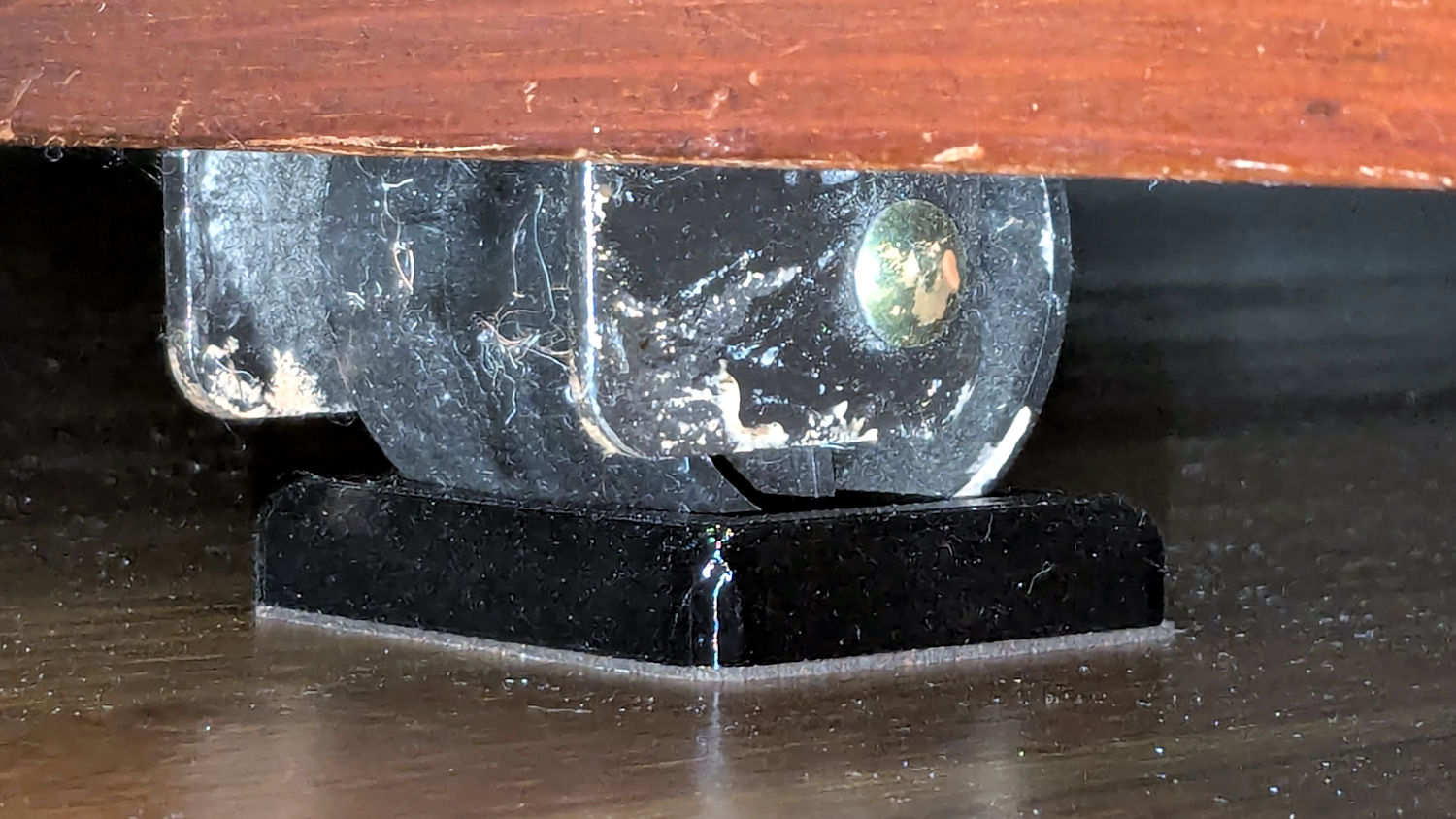
Rolling Bed Stops – installed The solid model shows they’re just plastic blocks minus a model of the roller wheel:
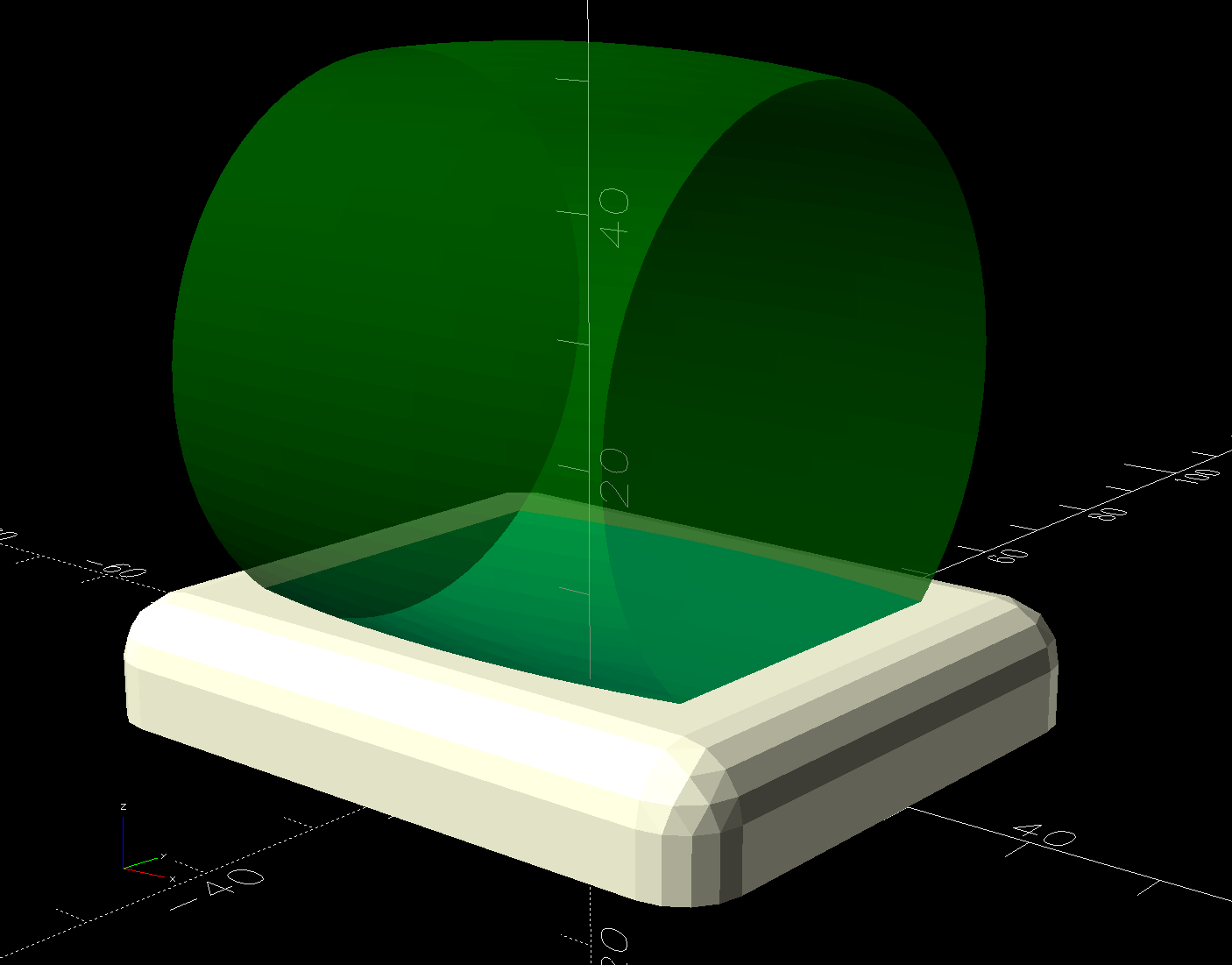
Rolling Bed Stops – solid model – show view I like the wood-grain effect of the doubly curved recess on printed plastic layers, even if nobody will ever see it:

Rolling Bed Stops – PrusaSlicer The OpenSCAD code also exports a projection of the block as an SVG file to laser-cut the cork pad.
Roll the trundle bed into position, push the stops against the wheels, lift and pull forward an inch, let it down, and the wheels snap into those recesses.
These are considerably fancier than some of the other wheel stops / feet around the house, if only because I got to use the Chord Equation to solve for the radius of the circle parallel to the axle for a snug socket.
The OpenSCAD source code as a GitHub Gist:
This file contains hidden or bidirectional Unicode text that may be interpreted or compiled differently than what appears below. To review, open the file in an editor that reveals hidden Unicode characters. Learn more about bidirectional Unicode characters// Rolling Bed roller stops // Ed Nisley – KE4ZNU // 2025-06-16 include <BOSL2/std.scad> Layout = "Show"; // [Show,Build,Roller,Plan] /* [Hidden] */ HoleWindage = 0.2; Protrusion = 0.1; ID = 0; OD = 1; LENGTH = 2; WallThick = 10.0; // default width for things BaseThick = 3.0; // bottom thickness RollerOA = [47.2,49.8,40.0]; // min & max dia, length FrameClearance = 11.0; // max height under bed frame at roller PadOA = [RollerOA[LENGTH] + 2*WallThick,RollerOA[OD],FrameClearance – 1.0]; //———- // Define Shapes module Roller() { m = (RollerOA[OD] – RollerOA[ID])/2; RollerR = (m^2 + (RollerOA[LENGTH]^2)/4) / (2*m); up(RollerOA[OD]/2) yrot(90) rotate_extrude($fa=1) intersection() { left(RollerR – RollerOA[OD]/2) circle(r=RollerR,$fa=1); rect([RollerOA[OD]/2,RollerOA[LENGTH] + 2.0],anchor=LEFT); } } module RollerStop() { difference() { cuboid(PadOA,anchor=BOTTOM,rounding=WallThick/2,except=BOTTOM); up(BaseThick) Roller(); } } //———- // Build things if (Layout == "Plan") { projection(cut=true) RollerStop(); } if (Layout == "Roller") { Roller(); } if (Layout == "Show") { RollerStop(); color("Green",0.5) up(BaseThick) Roller(); } if (Layout == "Build") { RollerStop(); }
-
Subscribe
Subscribed
Have a WordPress.com account? Log in now.

