-
CNC-3018XL: Reversing the Axes
The CNC-3018XL fit into its new home with the
Run/Holdbuttons toward the front: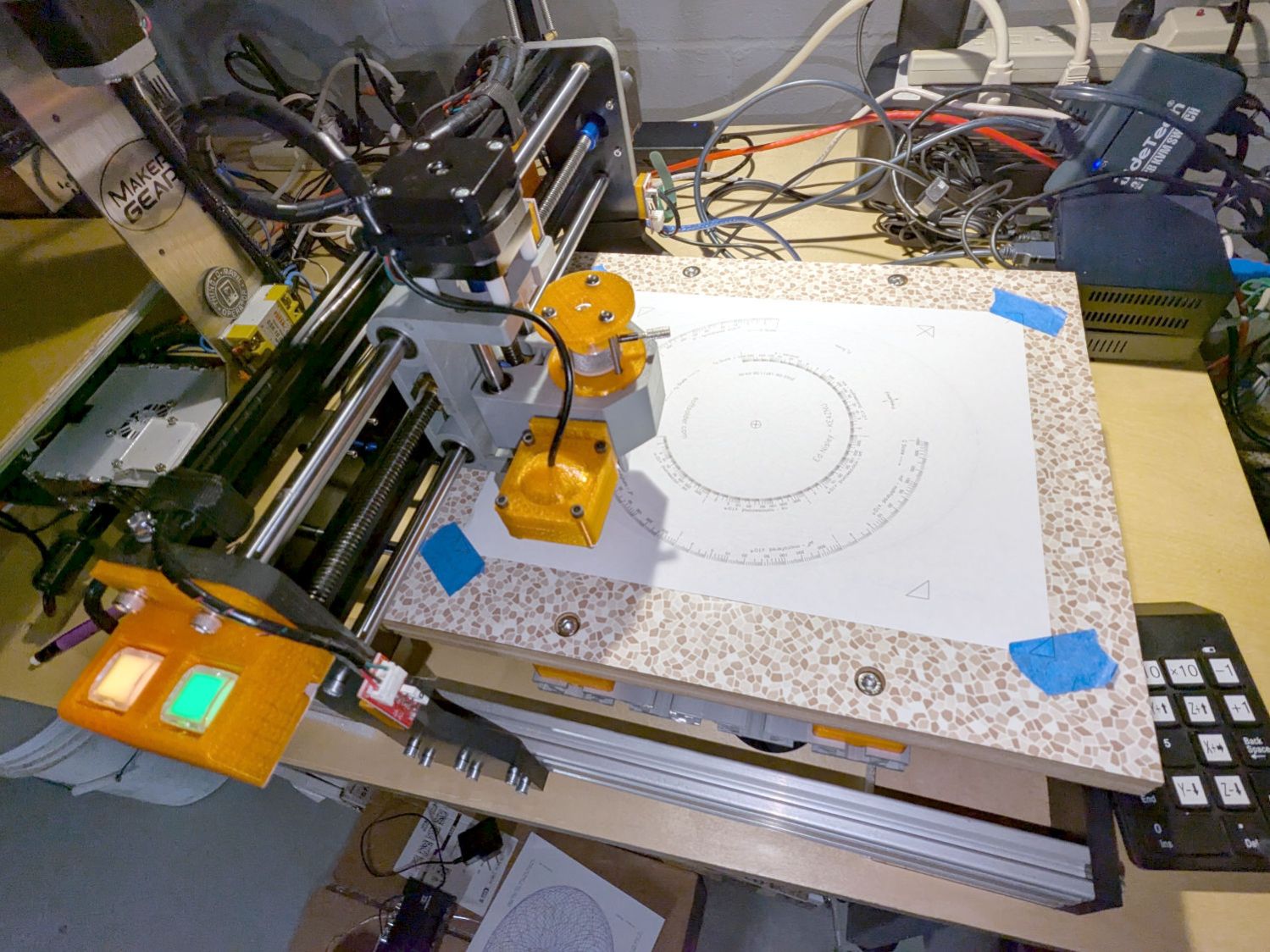
3018CNC – new orientation Which is rotated 180° from its previous orientation, putting Quadrant I and the most-positive coordinates in the left-front corner. Rather than stand on my head while trying to use the jog keypad upside-down, I reversed the axis directions by changing the GRBL
Direction port invertmask value from its previous4:$3=7Because the home switch positions haven’t changed, reverse the
Homing dir invertmask from0:$23=3The XY origin remains in the center of the platform, so the
G54XY offset didn’t change. The Z offset puts the Pilot pen tip 10 mm above the platform, which will change as you (well, I) touch it off on the paper:G10 L2 P1 X-169.0 Y-149.5 Z-44.0Jog to the left rear corner (with Z at the home position) and set the
G28park position:G28.1Jog to the right front corner (also Z homed) where (manual) tool changes take place:
G30.1Configure bCNC for manual tool changes without probing at the
G30position: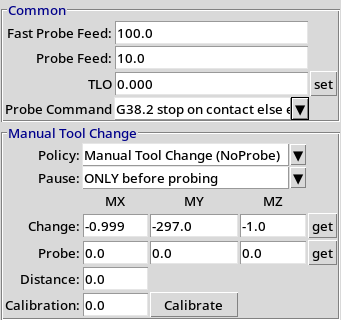
bCNC probe config The machine will move to the tool change position at each
Tn M6, the operator (that would be me) insertstoolpennas needed, pokes theRunbutton, and watches it draw pretty pictures in a resolutely techie manner: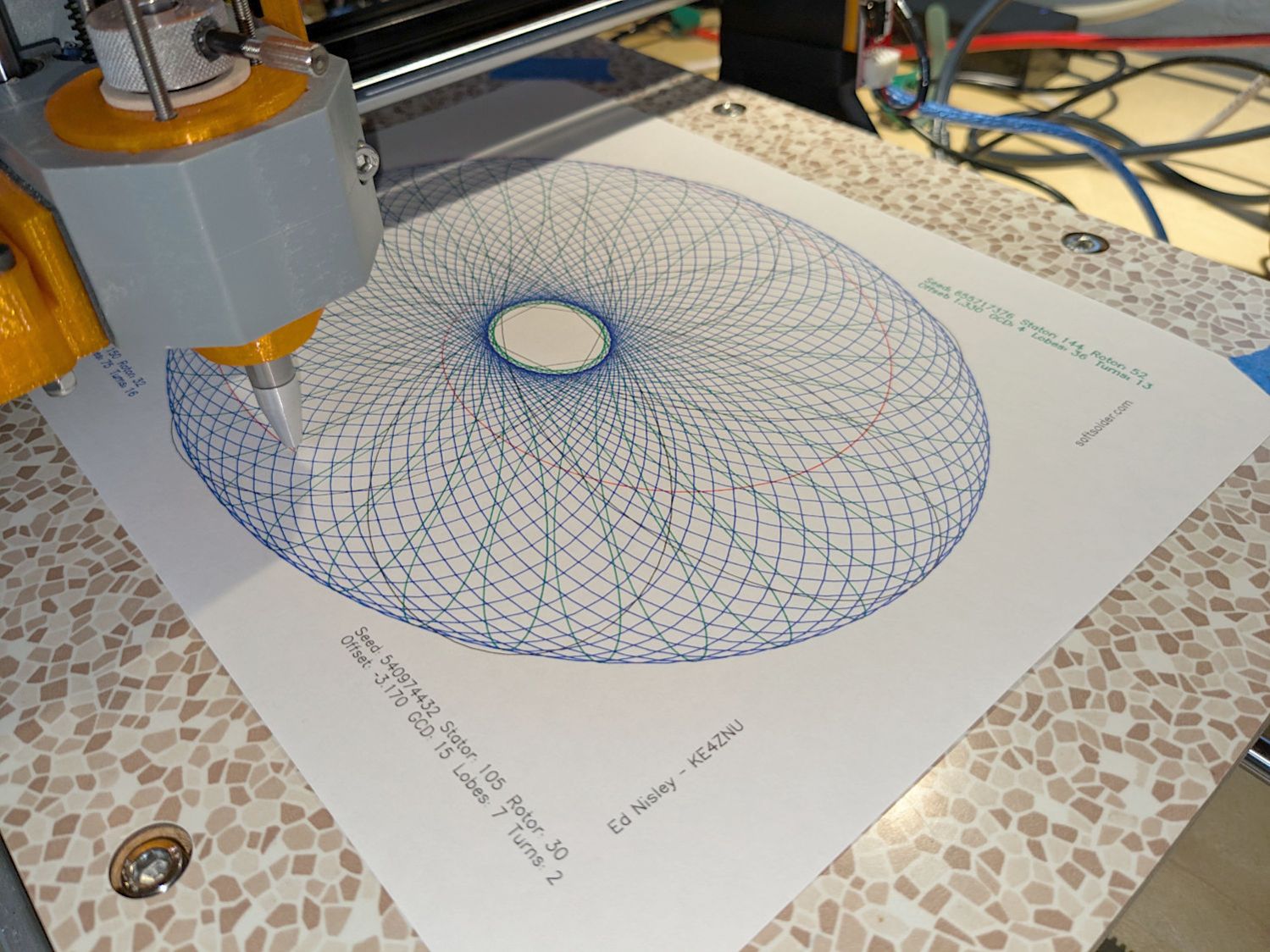
3018CNC – Spirograph test pattern For completeness, the current GRBL settings:
$$
$0=10
$1=100
$2=0
$3=7
$4=0
$5=0
$6=0
$10=1
$11=0.010
$12=0.020
$13=0
$20=1
$21=0
$22=1
$23=3
$24=100.000
$25=2000.000
$26=25
$27=1.250
$30=1000
$31=0
$32=0
$100=401.284
$101=400.000
$102=400.000
$110=3000.000
$111=3000.000
$112=3000.000
$120=1000.000
$121=1000.000
$122=1000.000
$130=338.000
$131=299.000
$132=44.000
$#
[G54:-169.000,-149.500,-34.450]
[G55:0.000,0.000,0.000]
[G56:0.000,0.000,0.000]
[G57:0.000,0.000,0.000]
[G58:0.000,0.000,0.000]
[G59:0.000,0.000,0.000]
[G28:-335.000,-3.310,-3.450]
[G30:-1.000,-297.000,-1.000]
[G92:0.000,0.000,0.000]
[TLO:0.000]
[PRB:0.000,0.000,0.000:0]
The weird
$100X axis step/mm value is correct, because QC escapes are a thing.
-
Subscribe
Subscribed
Have a WordPress.com account? Log in now.

