-
Hard Drive Platter Punch Bushing
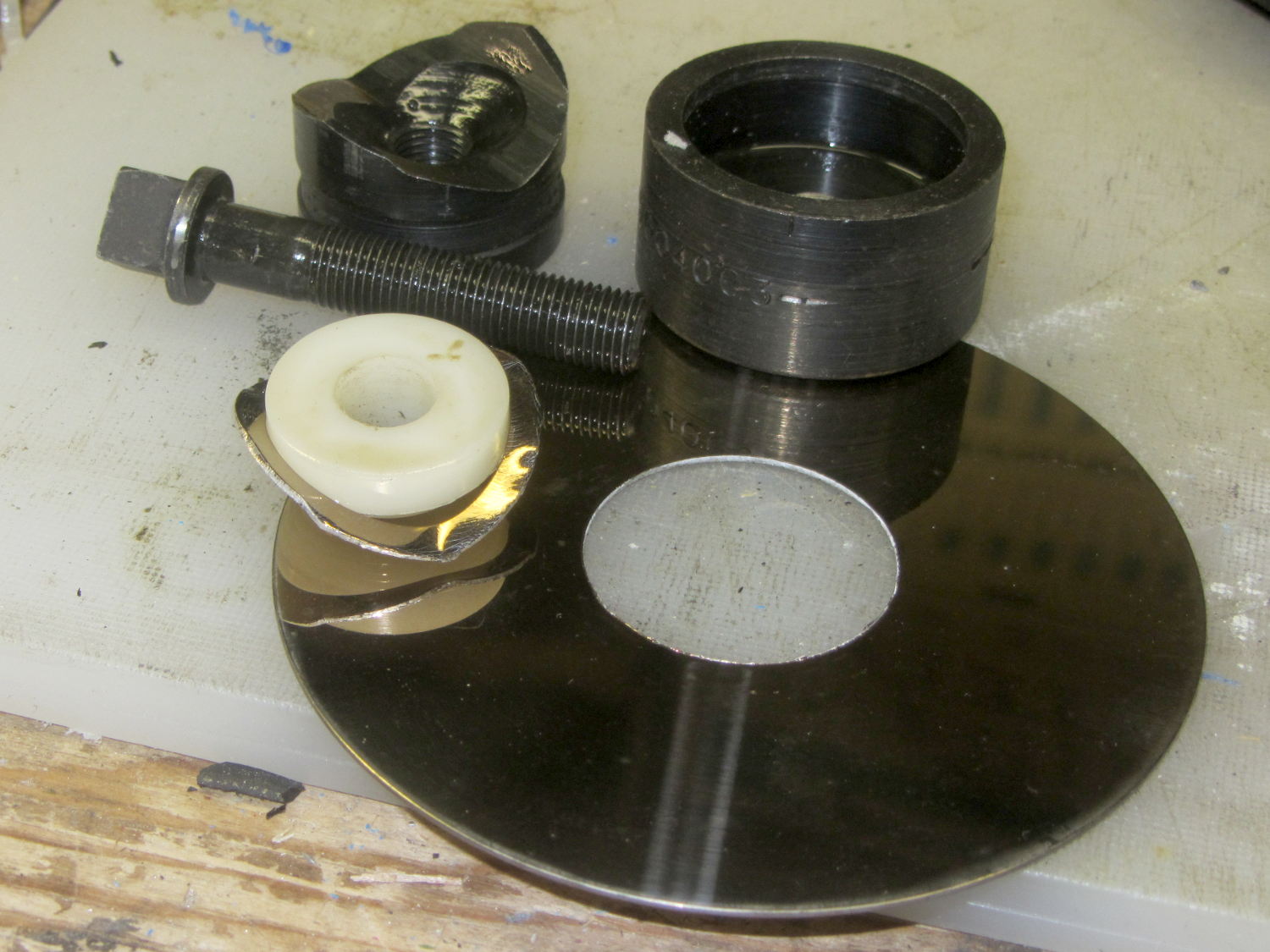
The last time I punched a hard drive platter, I lathe-turned a bushing to center the Greenlee punch:
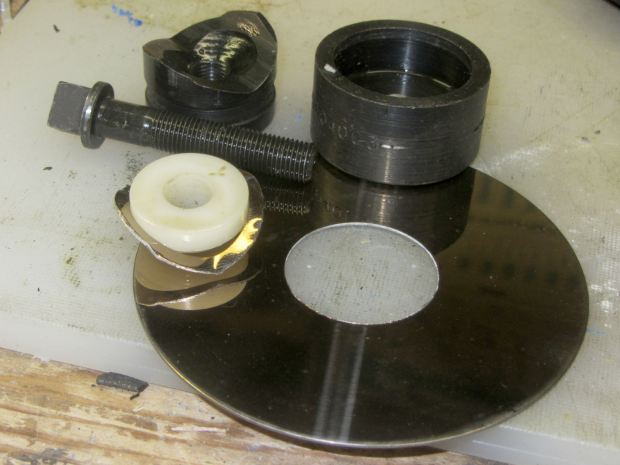
Greenlee punched drive platter This will work better:
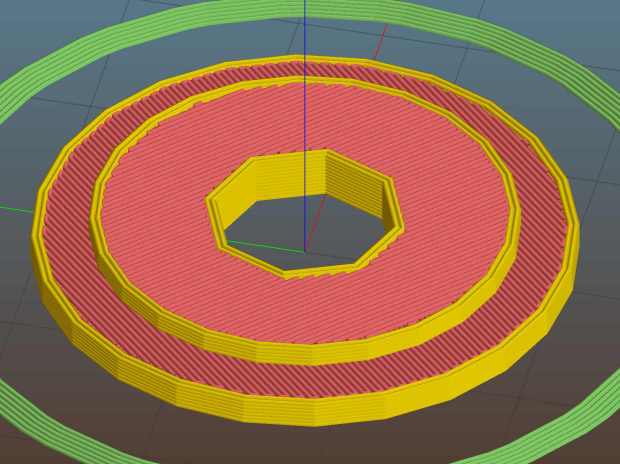
Vacuum Tube Lights – Greenlee punch bushing The OD centers the bushing inside the punch body, the ID captures the screw, and the raised boss captures the platter.
After drilling the platter on the new fixture, it’s ready for punching:
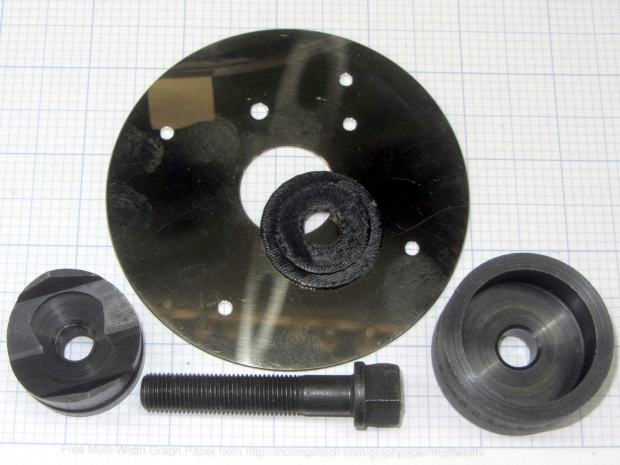
Hard drive platter – Greenlee punch bushing Line everything up, turn the screw, and It Just Works:
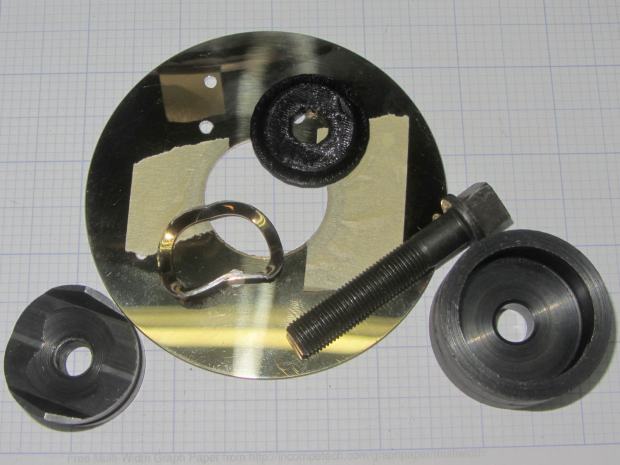
Hard drive platter – punched The masking tape holds the platter to the bushing, eliminating the need for a third hand. The bushing emerges unscathed, ready for another platter. Overall, I think that’s faster and less messy than milling the platter ID on the Sherline.
Printing out a base to fit the Duodecar socket and assembling all the parts:
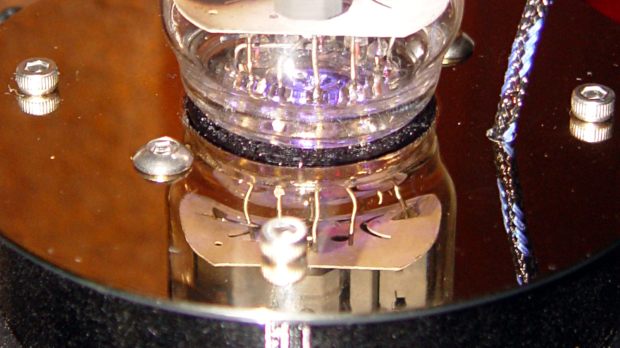
21HB5A in socket on platter – detail The Duodecar pin circle (19.1 BCD + 1.05 pin diameter) will actually fit inside a hard drive platter’s 25 mm unpunched ID. It might look a bit squinched, but the less you see of the socket, the better. I’ll try that on the next one.
The OpenSCAD source code is the same as before; set
Layout = Bushings;and a bushing will pop out.The original bushing doodle with dimensions:
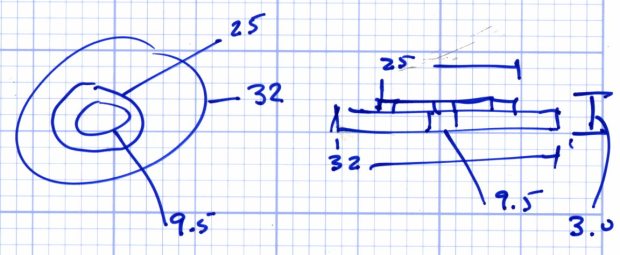
Greenlee 1.25 inch punch bushing for hard drive platter – dimension doodle


-
Subscribe
Subscribed
Have a WordPress.com account? Log in now.

