-
Sena PS410 Serial Server: Configuration
Although I cannot explain why those ferrite beads lit up, it seems connecting the DE-9 shell to the serial device ground is an Extremely Bad Idea. I removed that wire from the HP 8591 spectrum analyzer cable and everything seems to work, so I’ll declare victory:
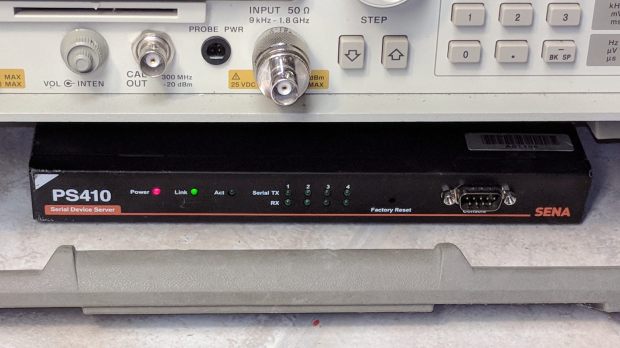
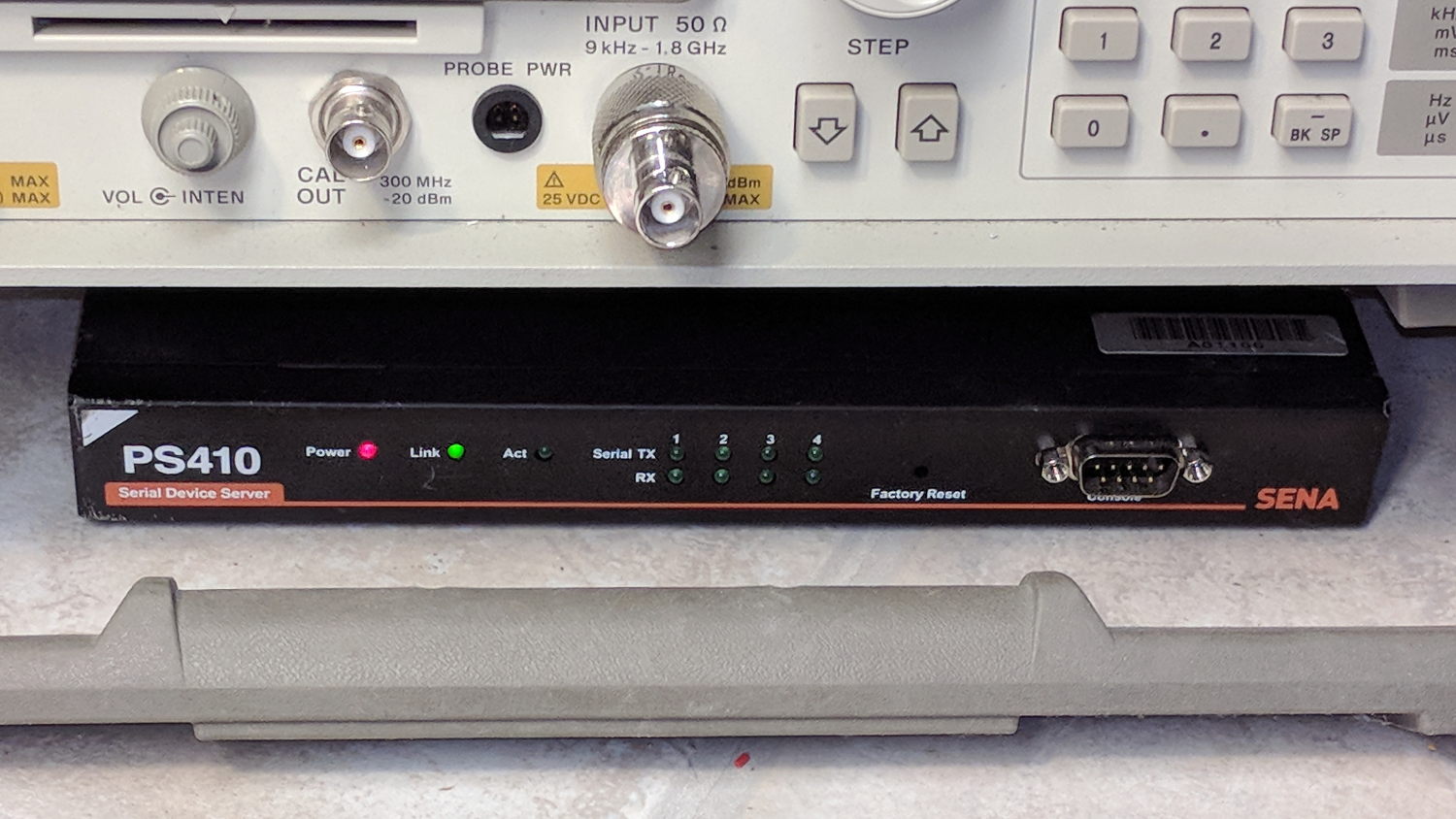
Sena PS410 Serial Server – in action Not shown: the tangle of cables tucked behind that tidy box. You can plug a serial terminal into the DE-9 connector, but it’s much easier to use the PS410’s web interface.
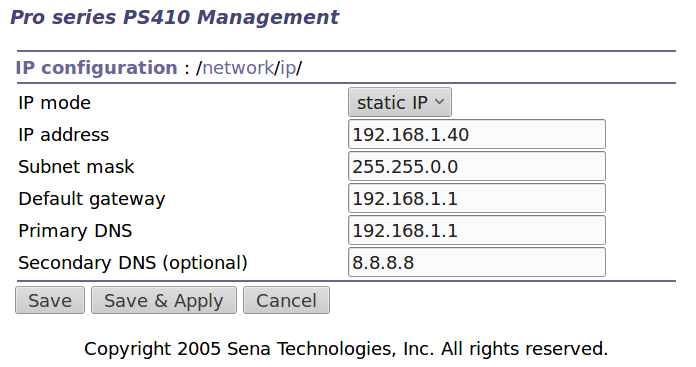
It needs a static IP address to make it findable, although I also told the router to force the same address should it start up in DHCP mode:
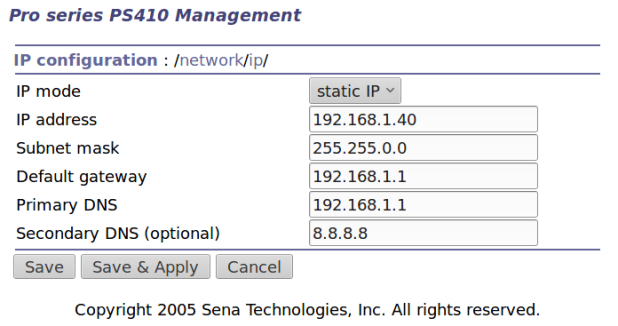
IP Configuration Yeah, Google DNS, if all else fails.
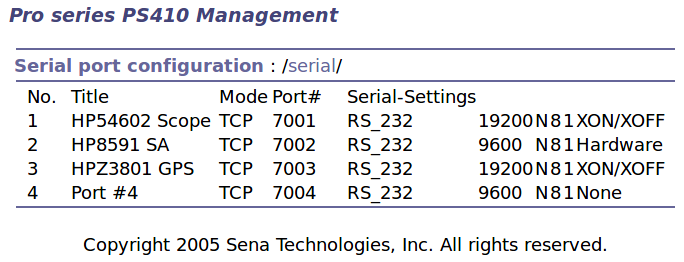
The serial port overview:
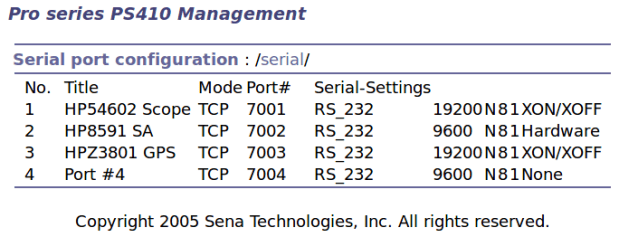
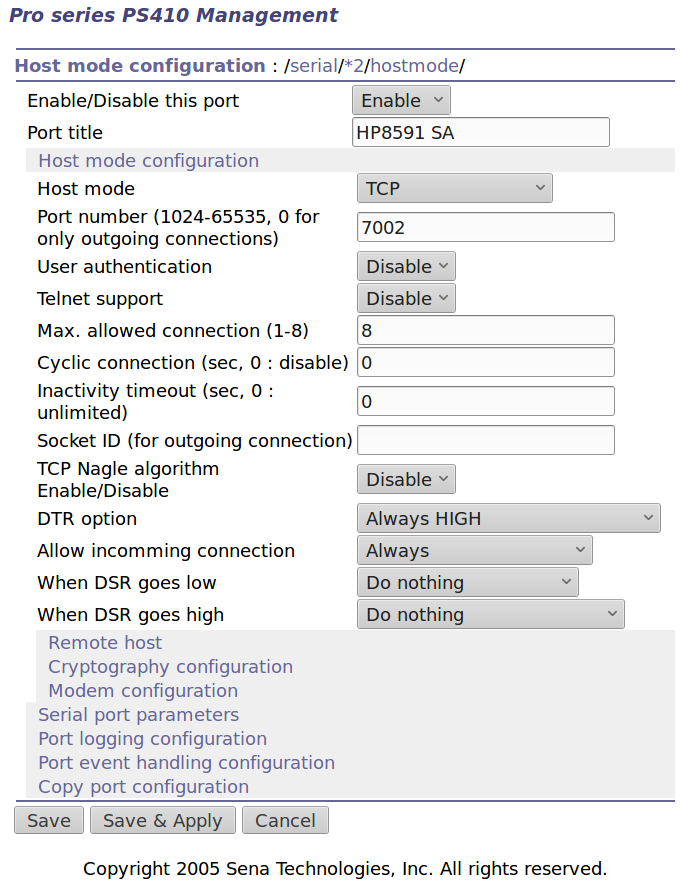
Serial port overview I’ll go into more detail in a while about individual device setups and the scripts slurping screen shots out of them, but giving each one a useful name is a Good Idea, even though it doesn’t appear anywhere else. I changed the default Inactivity Timeout for each port from the default 100 seconds to zero, thereby preventing the PS410 from closing the connection due to inactivity:
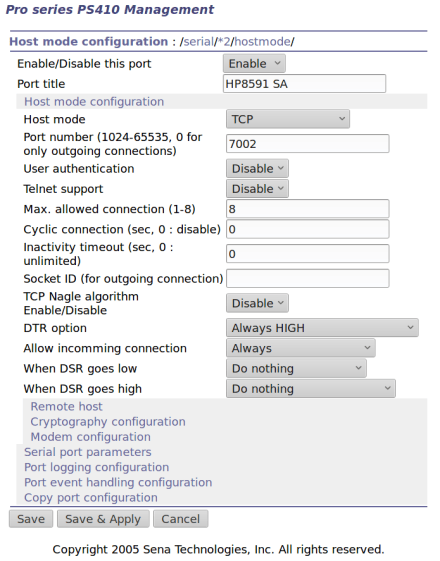
Serial Port 2 – host params The DTR and DSR defaults work out well; the other choices solve problems I don’t have. Indeed, the PS410 has a myriad configuration options best left in their Disabled state.
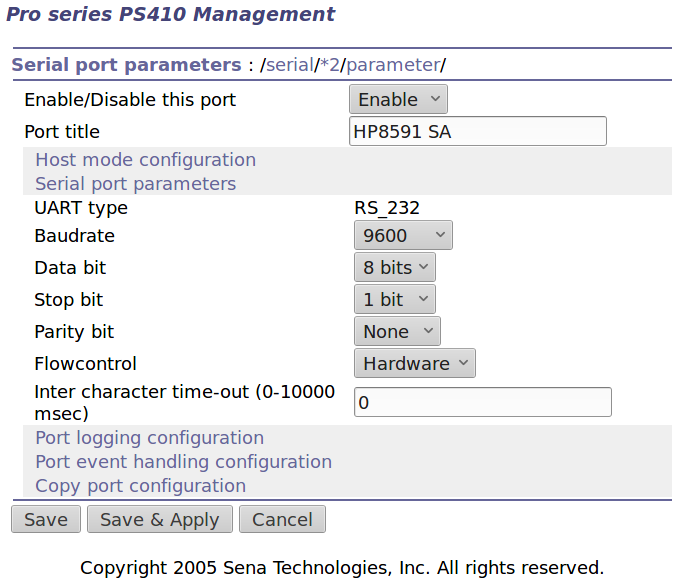
The serial parameters for each port need tweaking to suit the hardware gadget on the other end of the cable:
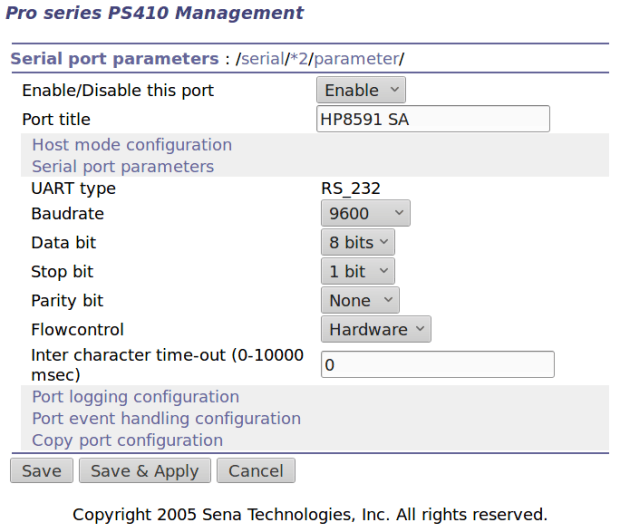
Serial Port 2 – serial params Flow Control applies between the PS410 and the gadget. You can choose:
- Disabled
- XON/XOFF – in-band characters
- RTS/CTS – RS-232 hardware signals
Somewhat to my surprise, It Just Worked despite my blundering.
-
Subscribe
Subscribed
Have a WordPress.com account? Log in now.

