-
Streaming Radio Player: I2C Display
Although I2C on the Raspberry Pi fails with devices using clock stretching, cheap I2C OLED displays seem to work well enough to not generate any problems search-able with the obvious keywords:

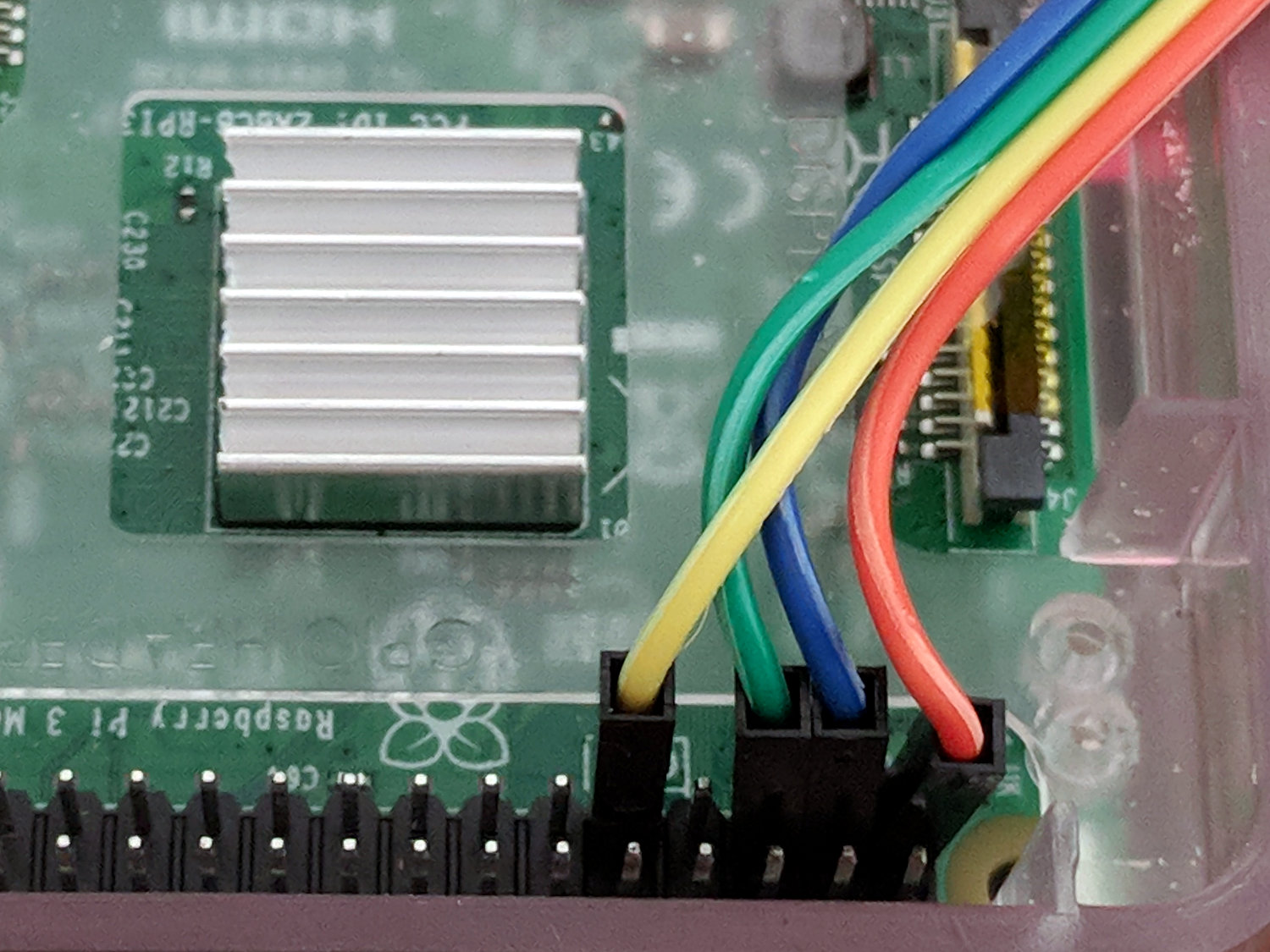
RPi I2C OLED Given a picture of the header pinout, the wiring is trivially easy:
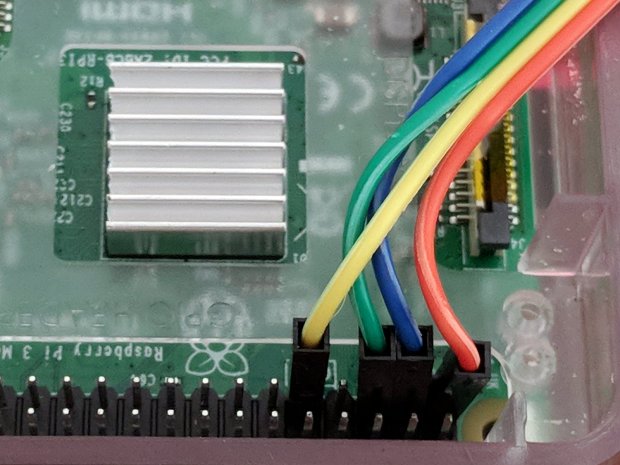
RPi I2C OLED – RPi header detail Using yellow for the ground hurts a bit, but that’s what I get for peeling the SPI cable down to four wires. The pin directly adjacent to the green wire is also ground, should that be easier to reach.
Tweaking the Luma driver to use I2C doesn’t require much:
#from luma.core.interface.serial import spi
from luma.core.interface.serial import i2c

... snippage ...

# reduce SPI bus from default 8 MHz to (maybe) avoid OLED failure-to-start
#serial = spi(device=0,port=0,bus_speed_hz=1000000)

# use I2C bus to avoid SPI timing spec failure
serial = i2c(port=1,address=(0x78 >> 1))     # PCB label = 0x78, low bit = R/W
The OLED PCB lists the I2C address with the R/W bit
And then It Just Works, with one gotcha. Although the Python program shuts itself and the system down, the wall wart continues to supply power and, because the I2C bus doesn’t include a Reset line, the OLED display doesn’t know the RPi has gone away. So you must issue a command to turn it off before shutting down:
device.cleanup()        # ideally, switches to low-power mode
rc = subp.call(['sudo','shutdown','-P','now'])
Now, to discover what works … oddly … with these displays.

-
Subscribe
Subscribed
Have a WordPress.com account? Log in now.

