Ed Nisley's Blog: Shop notes, electronics, firmware, machinery, 3D printing, laser cuttery, and curiosities. Contents: 100% human thinking, 0% AI slop.
Handlebar-mounted hydration pack (fairing removed for visibility)
My esteemed wife returned from a shopping expedition with the crushed remains of a water bottle that fell out of her Tour Easy’s under-handlebar cage. Fortunately, the truck flattened the bottle, not her, but Something Had To Be Done. She also had trouble maneuvering those newfangled long-body bottles around the rear edge of the Zzipper fairing.
My TE has a hydration pack attached behind the seat with the hose passing around my arm to a Velcro (nah, it’s generic hook-and-loop) strip safety-pinned to my shirt. Mary didn’t like that arrangement, because it required some fiddling when she sat down and poked pinholes in her shirt. She wanted an arrangement that Just Worked.
Recycled pack support plate
I removed the under-the-handlebar bottle cages from her bike and bolted a salvaged aluminum plate to the four tapped ferrules. The numbered holes on the plate originally held coaxial cable connectors, but I think they give the plate that snooty, high-tech, drilled-out, weight-weenie look.
A 50-ounce hydration pack (“Styled for women!”) fits neatly atop the plate, below the cables, and between the handlebars. We wrapped a two-inch-wide Velcro bellyband around the pack, Velcroed the bag’s top loop to the handlebar’s crosspiece, and secured the valve with another Velcro strap that doubles as her parking brake. The whole affair looks quite tidy under the fairing.
Now she simply picks up the hose and takes a sip: no acrobatics, no dropped bottles, no hassle. Life is good!
Have you ever done this? You pull up to a rest stop, flip down the kickstand, walk off to snarf some snackage, and crash your ‘bent falls over behind your back. Not only is it tough to look cool when that happens, even a zero-mph drop can scuff up your bike.
A long recumbent leaning heavily on its kickstand will inexorably push that spike right into mowed turf, bike-tour mire, or sun-softened asphalt. The small plywood square shown in the first photo solves that problem: the kickstand fits into a shallow recess and the plate spreads the bike’s weight so it simply can’t penetrate the ground.
The plate is a 3-inch square of 1/2” plywood, painted bright forget-me-not yellow. I used a 3/4” Forstner bit to drill a flat-bottomed recess through the top veneer layer, but you can poke several shallow holes with a 1/4” drill and then carve out the rest with a knife or chisel. The recess captures the end of the kickstand so the bike can’t slide off the block.
The parking brake shown in the second photo will keep your bike firmly in place even when you park on a slope. It’s a hook-and-loop (a.k.a Velcro) strip pulling the brake lever to the handgrip. Your nearby big-box retail store’s computer department mislabels these as “cable organizers” and a single package will provide enough parking brakes for your entire fleet.
Bicycle parking brake strap
Notice that dark extension on the kickstand? Just after I got my Tour Easy, I decided that the kickstand was about an inch too short. Rather than buy a new kickstand, I jammed a few inches of 1/2” copper water pipe on the end, trimmed it to the proper length, and sealed the top with glue-filled heatshrink tubing. Aluminum plus copper equals corrosion, but that lasted for about five years before the entire kickstand failed.
The small plate on the kickstand hinge holds a switch that lights an LED on the handlebars when the kickstand is down. It’s surprising how far you can slide on your forearms along a steep downhill asphalt road when you forget to flip the kickstand up, but that’s a story for another time.
A slightly different version of this note appeared in Recumbent Cyclist News back in early 2006, more or less, but everybody keeps asking me about that little yellow plate when we’re on organized rides.
A recumbent’s comfy seat doesn’t have a seat post, so standard rear racks don’t fit very well. The usual solution involves nylon cable ties and some cursing, but that just didn’t appeal to me. Here’s how I mounted an ordinary JandD rear rack on our Tour Easy ‘bents.
Because both the angle and position of the seat support struts changes change with each seat adjustment, you can’t simply bolt the rack to a plate across the struts. This is a job for spherical washers, as shown in Photo 1, which allow both angular adjustment and rigid mounting.
Photo 2 – Rack Mount Parts
Even if you’ve never heard of a spherical washer before, your bike parts box may already have some: one old brake pad provides the two washers you’ll need for one rack. Each washer has one convex and one concave piece, which you must assemble with the curved surfaces nested together and the flat sides out. You need one washer on each side of the angled plate. The six spherical washers in Photo 2 show the details.
You’ll also need a ¼x½-inch rectangular aluminum bar long enough to span the seat support struts just in front of the rack, three 10-32 or 5-mm stainless-steel machine screws and washers, and a pair of padded tubing clamps. You can get all that from your favorite home-repair store.
Drill a hole in the middle of the bar and a matching hole in the middle of the rack’s front face. I used a 10-32 tap to put threaded holes in the rod, but you can drill clearance holes and use nuts.
Photo 3 – Mounting Screw
Put a spherical washer on a screw, insert the screw through the rack, add another washer, put the screw into the crossbar, align the crossbar on the seat struts, and finger-tighten the screw. Photo 3 shows the screw from the top of the rack.
Slip the tubing clamps on the seat struts as shown in Photo 4, mark the clamp openings on the crossbar, remove the crossbar, and drill the two holes.
Photo 4 – Bottom View
Reassemble everything, apply Loctite to the threads, and tighten the screws. Remember to loosen all three screws before you adjust your seat position!
I wrote this a while back for the late, lamented Recumbent Cyclist News, but it never got into print. I found the files while looking for something else; seems like this might be useful to somebody.
One of Mary’s first investments when she got out of college was a sewing machine and she’s been using it ever since. Of late, it’s gotten a bit sporadic and the foot control seemed to be at fault.
The symptoms were that the foot control required too much travel (equivalently: foot pressure) to get up to speed, it started abruptly (poor speed regulation), and sometimes cut out without warning.
So I took it apart to see what I could do.
Two pins in the side hold the top cover in place and serve as pivots. Loosen the two visible screws in the center of two of the bottom feet, hold the top half of the case down, and slide the pins out.
A wedge on the top half presses down on the middle of the steel bar, pressing it into the rheostat. A dab of silicone lube on the wedge greatly improved that action.
Rheostat graphite wafers and contacts
The speed control itself is brutally simple: a carbon-pile rheostat in series with the 120 VAC 1 A sewing machine motor. The ceramic case and heatsink tab tell you that things get pretty toasty inside that Bakelite case.
Disassembly is obvious, which is one of the nice things about old electrical gadgets: you can puzzle out how they work and how the parts fit together just by looking. A slew of graphite disks slides out from two cylindrical tunnels in the ceramic case, followed by two graphite contact buttons. The brass fittings on the front have carbon dust on their raised surfaces, but are basically just stamped & machined metal parts.
No fancy electronics, no firmware, just a high-power (and utterly non-inductive!) carbon variable resistor.
The rheostat has three modes, in increasing order of pressure:
Off — no pressure on the foot control
Resistive speed control — resistance varies with foot pressure
Full throttle — rheostat resistance shorted by front switch
Rheostat speed control contacts
With no pressure on the foot control, there’s a generous gap between the contact bar on the back surface and the two graphite buttons sticking out of the ceramic case. There’s no way for the contacts to close by shaking or accident.
A bit more foot pressure connects those two buttons through the shorting bar across the back. Light pressure on the graphite disks means a relatively high resistance, on the order of several hundred ohms, and relatively low current to the motor. Of course, that also means the motor has poor starting torque, but … a sewing machine doesn’t need a lot of torque.
Increasing foot pressure squeezes the disks together and decreases the resistance. It drops to a few tens of ohms, perhaps lower, but it’s hard to get a stable measurement. The motor averages all that out and trundles along at a reasonably steady pace.
Rheostat full-speed contacts
Finally, the brass disk in the central case tunnel shorts the tabs on the two brass end contacts and lets the motor run at full speed. Increasing the foot pressure beyond that point doesn’t change anything; the spring-loaded shaft can’t deform the tabs.
The steel shaft and contact disk can short one or the other of the two piles, but that just decreases the already small resistance by about half. That might give the motor a speed boost instantly before jumping to full speed.
As nearly as I can tell, the carbon disks evaporated over the decades, as the piles seems quite loose and required a lot of foot motion to reach the first contact point. I lathe-turned a pair of brass disks about three wafers thick, so that they’d take up the empty space in the piles.
I also filed the brass end fittings flat so that they contact the disks over more of their surface. The first two disks looked like they had hot spots: loose carbon collected in the areas where the contacts didn’t quite touch them. I doubt that actually improved anything, but it’s the thought that counts.
The spacers worked reasonably well, although I wound up removing one graphite disk from each pile to ensure the full-speed contacts would close properly. They’re in a small plastic bag tucked under the aluminum heatsink tab, where they can’t get lost. With any luck, the bag won’t melt around them.
Rheostat with brass spacer button
A few days later, the sewing machine stopped working entirely. The foot control itself seemed to be working correctly, but a bit of poking around showed that the cord had a broken conductor just outside the strain relief. I cut the cord off at the strain relief, hacksawed the strain relief apart, then rewired it. The cord is now four inches shorter and everything works fine again.
I think this would be a nice candidate for a PWM controller, but then I’d have to shoehorn all that circuitry into the base of the sewing machine or add another cord to the foot control. Ptui, this works well enough.
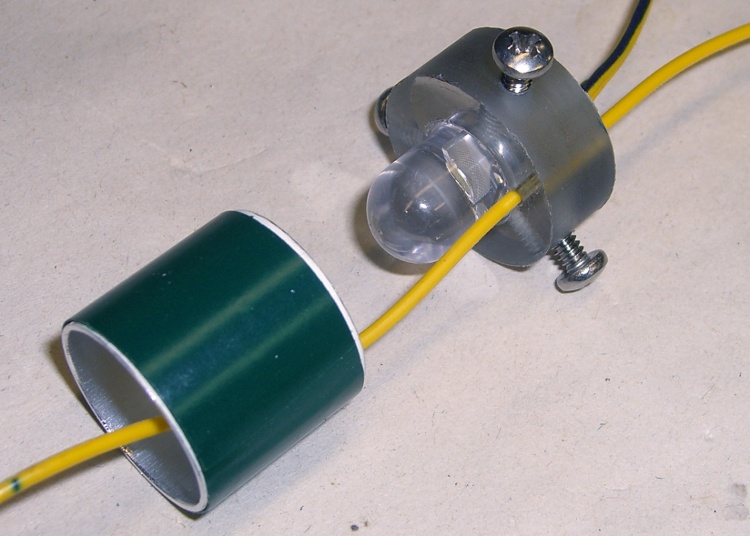
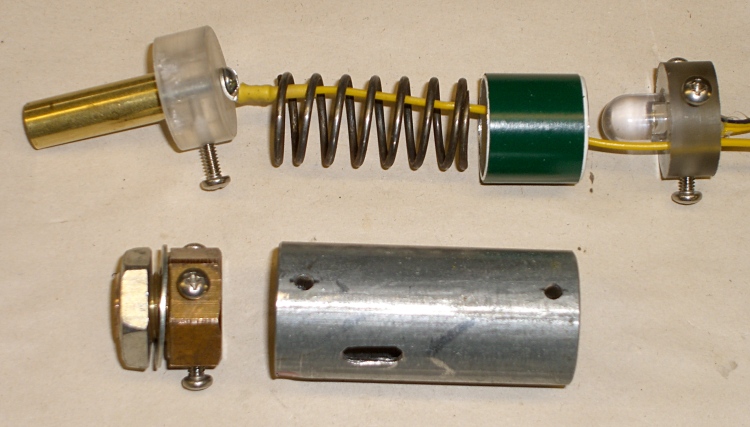
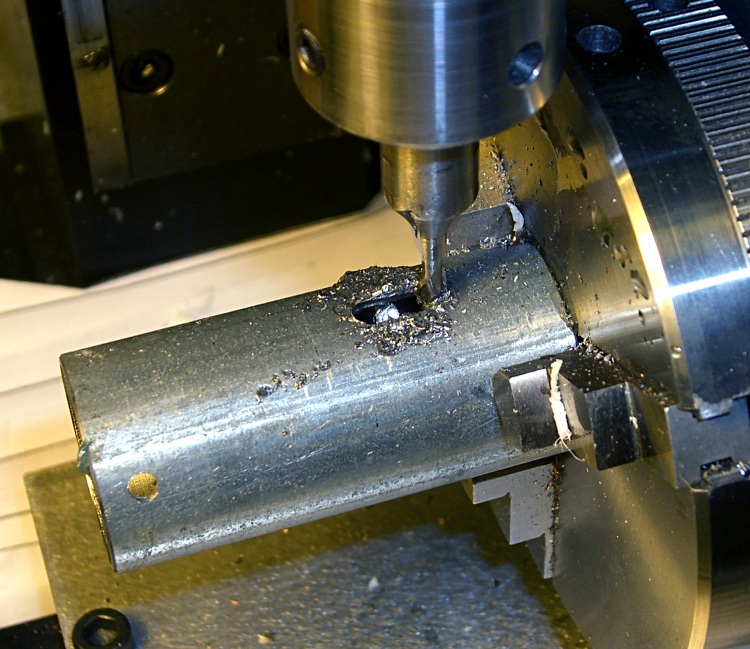
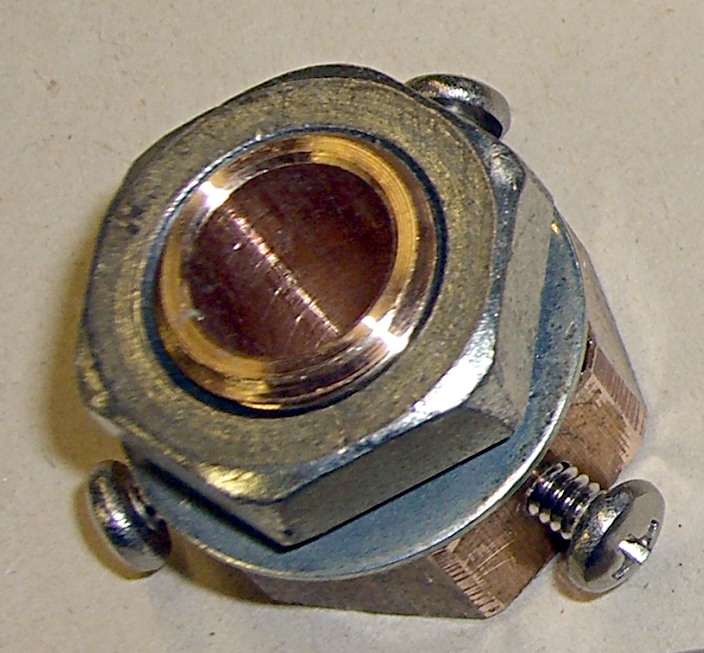
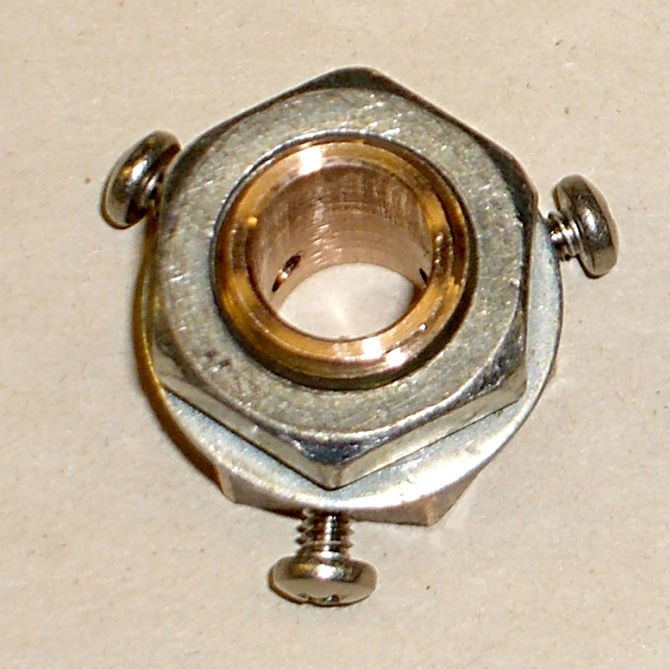
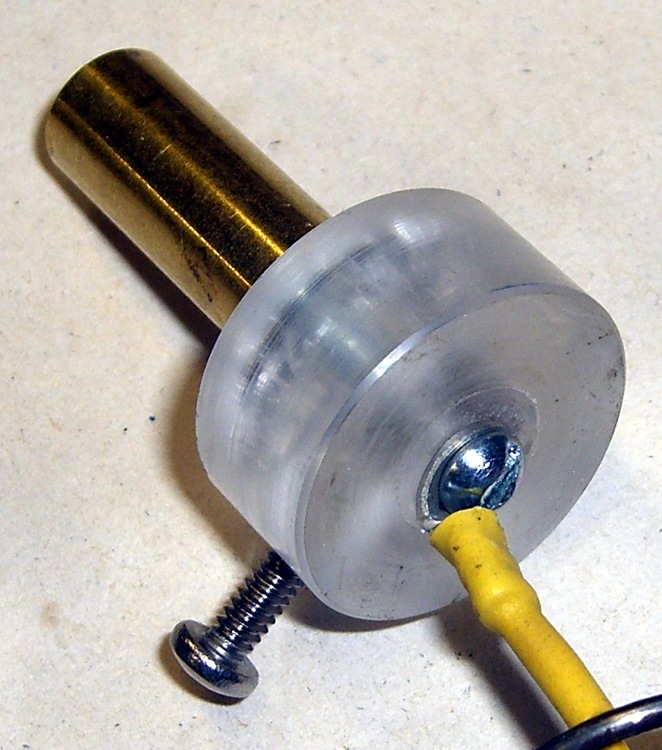
I needed a shoulder around the inside of a hole, upon which to mount a big fat 10-mm white LED. The intent was that the LED leads go through the hole, the edge of its case sits on the shoulder, and a blob of hot-melt glue (epoxy for the final version) holds everything in place.
I was all set for some CNC milling when it occurred to me that there was an easier way.
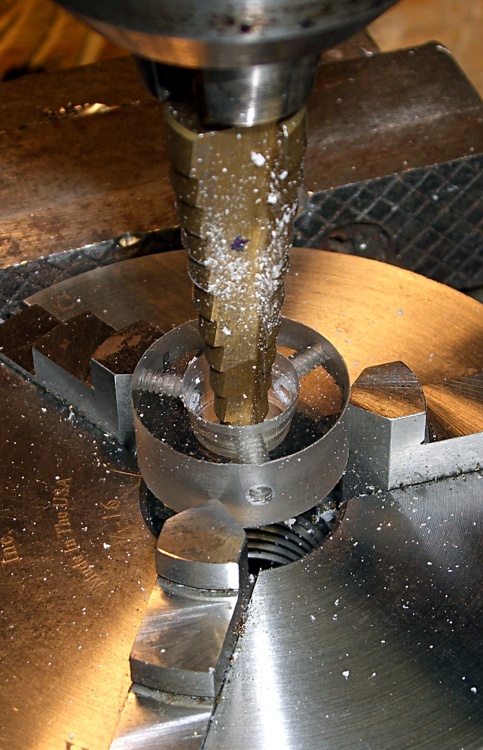
The bottom flange on the LED case was scant of 11 mm, so a 13/32″ bit would be just just slightly too small and a 7/16″ bit would be just slightly too large. One of my step bits has 1/32″ increments in that range, sooo…
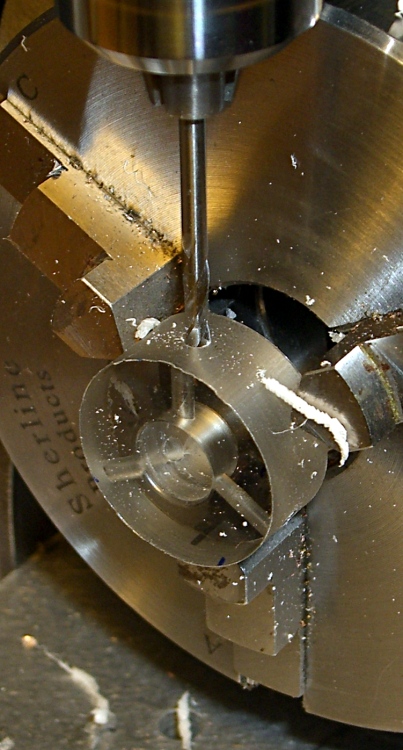
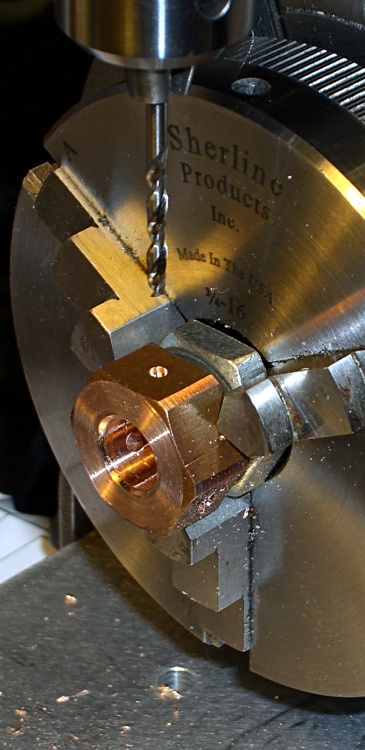
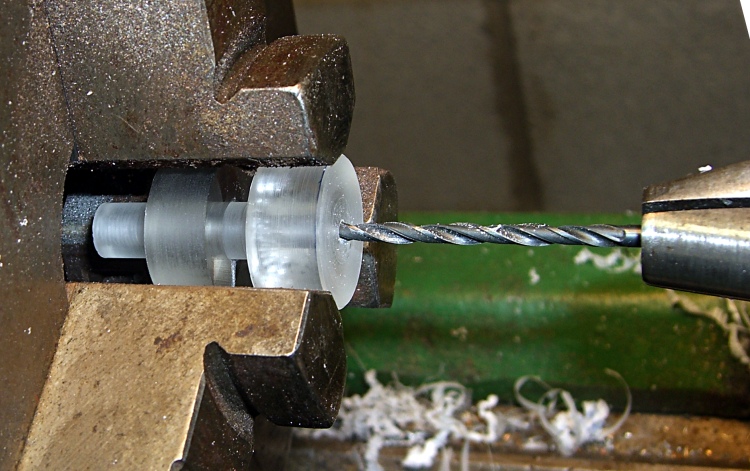
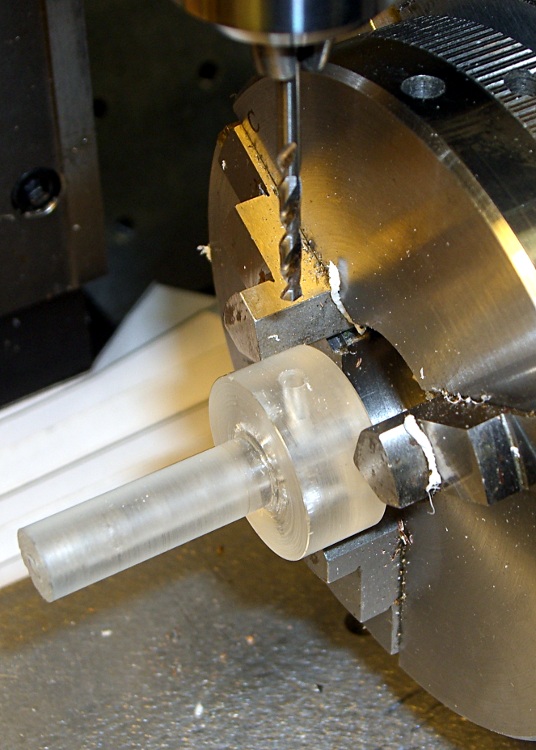
I grabbed the part in a Sherline 3-jaw chuck (I’d just drilled & tapped the three radial holes using that chuck), centered it in the drill press using a 5/16″ drill that just fit the existing center hole, crunched the chuck (lightly!) in the vise with the hole over the gap in the middle of the vise body (thus leaving room for the step bit), and drilled the hole 7/16″ about 1 mm down.
(It’s not that I’ve never drilled right into the vise body, but I try to avoid doing that sort of thing more often than absolutely necessary.)
The LED flange sat on 13/32″ annulus like I’d bored it to the exact measurements, with the leads passing through the hole as if I intended it to be that way.
It doesn’t always work out this neatly…
The Sherline chuck is resting on a pair of 5/16″ lathe bits that hold it up off the vise body, because its threaded hub isn’t quite large enough to make a stable base. Similarly, I used a pair of 1/4″ bits to space that plastic ring up from the chuck and get it level, but removed them lest I chew up the step bit. Yes, I took the drilling slow & easy.
Those little Sherline chucks come in handy around the shop, not just on the Sherline mill, for little jobs like this!
Our old house has storm doors with brass latch bolts and brass strike plates. Brass-on-brass is nicely self-lubricating, unlike the steel-on-steel contraptions available these days, but of late our back door hasn’t been closing smoothly.
I fiddled with the door closer’s tension and release point to no avail, then (re)discovered that a dab of PTFE lubricant on the latch and strike plate makes the storm door close exceedingly smoothly. The base grease is clear and doesn’t make a black mess of things.
Duh.
Maybe everybody knows that and perhaps I knew it at one time.
I wrote about rebuilding the strike pull and shaft cam of these latches as CNC projects in my Digital Machinist column. Naturally, the replacement latches available in the local hardware stores didn’t fit the door, so the simplest course of action was some quality shop time.
The charger had some corrosion on the cast aluminum (?) knobs, but seemed largely unscathed by four decades in its original box. The charging circuitry depends on a few electrical contacts and, as you might expect, those were badly intermittent.
A bit of background…
Charging contact pedestal
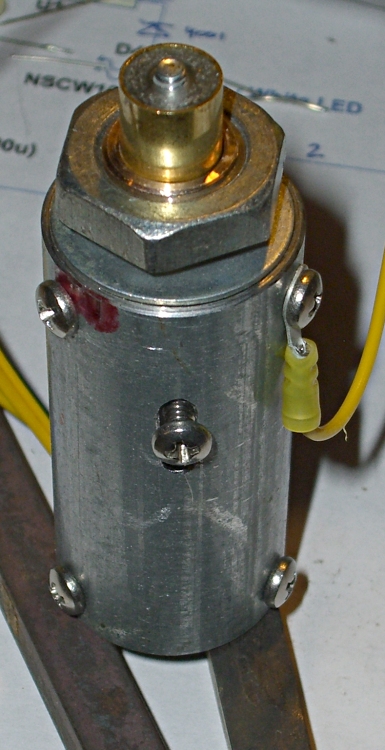
The charging pedestal has two parts visible from the outside: an outer sleeve that’s firmly secured to the case and an inner cylinder that slides within the sleeve, with springs inside the charger pressing it outward. Well, there’s a nut, toothed washer, and the bead-chain cap assembly, but those don’t count.
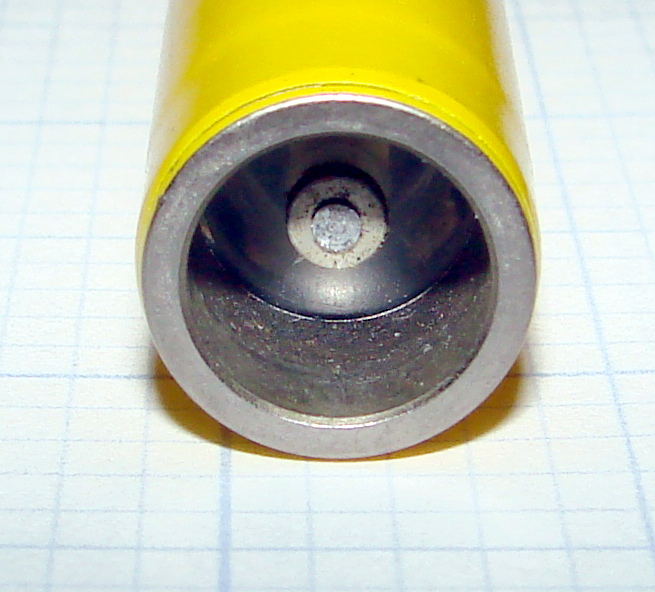
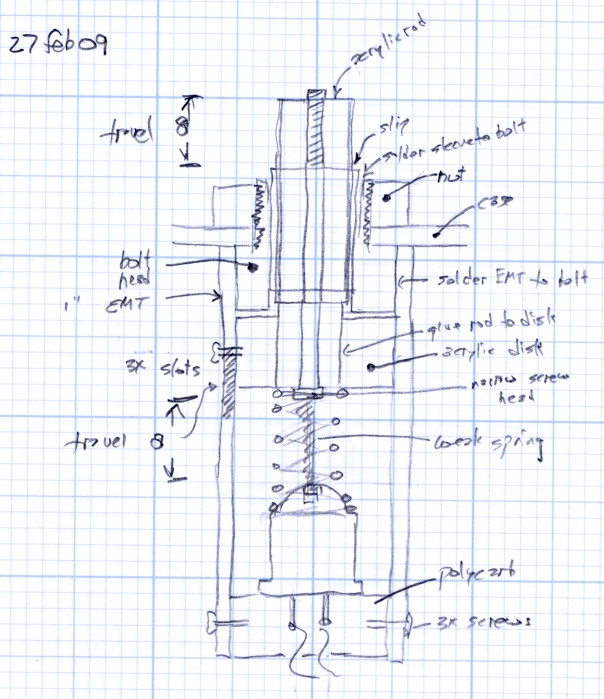
The inner cylinder has a transparent plastic insert crimped in place, with a metal rod protruding about 2 mm from the flat top of the plastic. That rod presses against the middle contact of the dosimeter and connects the charging voltage to the electrostatic fiber. The outer body of the dosimeter fits snugly over the cylinder to make the other electrical contact.
The directions tell you to press the dosimeter down gently to read it. A weak spring holds the cylinder outward with about 1.5 lb of force. After about 1 mm of travel an incandescent bulb (remember those?) turns on, transmits light through the plastic insert, and lights up the dosimeter scale and fiber.
To charge the dosimeter, you press down firmly and twiddle the adjusting knob to position the fiber. Pressing hard enough to force the dosimeter body down to the sleeve, another 3 mm of travel, compresses the dosimeter’s internal bellows (or plastic seal) enough to complete the circuit to the fiber; a sealed dry air gap normally isolates the fiber from the dosimeter’s external contact. A stout leaf spring holds the cylinder outward with (according to one instruction manual) 7.75 lb of force, so it takes more pressure than you’d expect to hold the dosimeter down.
Charging contact inside view
The internal parts of the charging pedestal makes all that stuff work without any formal switch contacts. That, unfortunately, causes the intermittent operation.
The gray “wire” inside the large 7-lb leaf spring is both the 1-lb spring and the high-voltage electrical contact. The purple wire soldered to the end of the wire spring carries the HV charging potential from the circuitry.
The black and red wires connect to the incandescent bulb, which fits into the holder near the top of the circuit board sticking up vertically just to the right of the pedestal base; I removed it to reveal the other parts. For what it’s worth, the bulb holder doesn’t do a good job of securing the bulb; I have some improvements in mind for that, too.
Note the spare bulb just beyond the center bulb contact near the top of the picture. The rubber grommet securing that has turned into black Gummi-bear substance; that sucker is in there forever.
The battery’s positive terminal connects to the case; this is a positive-ground circuit!
The leaf spring hitches over two shoulders on the circuit board and presses it firmly against the other side of the spring. The curved fork fingers pressing against the brown insulating washer are firmly mounted to the circuit board and act as one side of the switch contacts.
Pedestal removed from charger
When you push the dosimeter against the sleeve, the base of the cylinder slides through the ID of the fiber washer and contacts the fork fingers. Bingo, that completes the circuit, lights the lamp, and fires up the HV circuitry. The charging voltage doesn’t reach the dosimeter fiber because the leaf spring hasn’t started pressing the cylinder against the dosimeter’s innards: there’s no connection inside the dosimeter.
With that out of the way, here’s what’s needed to get the pedestal working reliably.
Get the whole pedestal assembly out of the charger, which requires a bit of wiggly jiggly action. This will be easier if you unsolder the three wires, which I didn’t do until I was sure it was absolutely necessary.
Grab the leaf spring on both sides of the bulb circuit board, pull up while pushing down on the spring’s base with some other fingers, and lift the tabs off the circuit board shoulders. This requires a surprising amount of force; don’t let the spring get you by the soft parts!
Leaf spring released
A small crimped metal connector mates the end of the wire spring to the center contact in the cylinder. Pay attention as you maneuver the pedestal out of the leaf spring: you don’t want to deform that connector too much. Or, much worse, lose it under your workbench.
There’s a rubber O-ring inside the outer sleeve that’s barely visible in the picture of the parts. The 1-lb wire spring had trouble forcing the cylinder back out through the O-ring, leaving the switch just barely closed even with the dosimeter removed. A touch of silicone gasket lube on the O-ring made it wonderfully slippery again.
The inner cylinder has wire snap ring in a groove that adds a bit of stability and maybe some contact friction inside the sleeve. You need not remove the snap ring; they’re not called Jesus clips for nothing. It’s outside the O-ring’s protection, exposed to the world.
Basically, clean everything without yielding to the Siren Call of sandpaper. What you want to do is get the oxidized metal off the base material without scarring it.
Pedestal contact components
I applied a tiny drop of Caig DeoxIT Red to the snap ring, worked it around & around, then wiped off the residue.
The actual switch “contacts” are the wide base of the inner cylinder (to the right in the picture) and the rounded end of the fork attached to the lamp base circuit board. The contact area is broad, smooth, plated-steel-on-steel, and utterly unsuited to the job. Wipe both of them clean, add DeoxIT, wipe them clean again.
I applied another minute drop of DeoxIT to the base of the cylinder after putting everything back together, rotated it against the fork, and wiped it off. Most likely that had only psychological benefit, but what the heck.
The parts go back together in the obvious way, again taking care not to let the leaf spring bite you. I routed the wires a bit differently, but I doubt it makes any difference.
Now the charger works perfectly again!
Memo to Self: replace that bulb with nice soldered-in-place LED
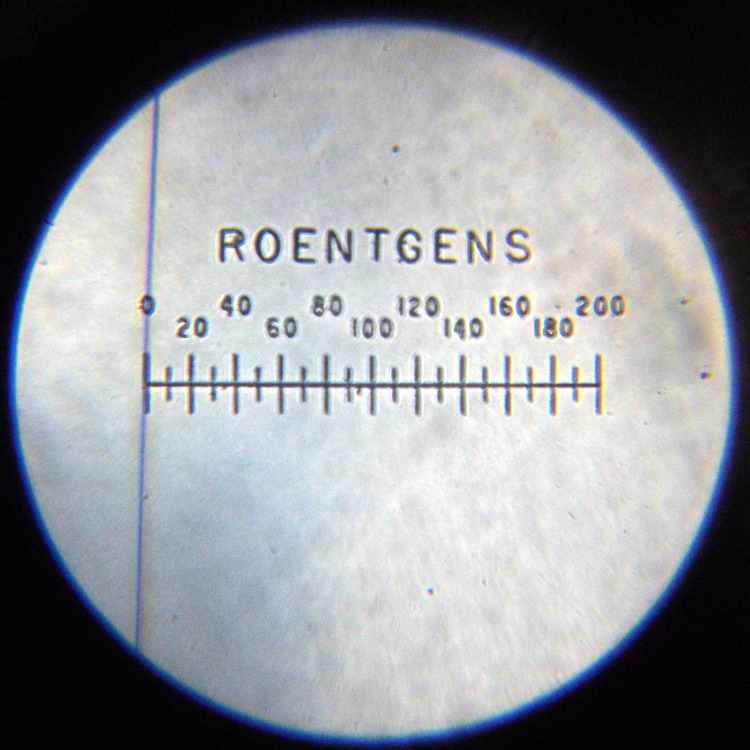
V-742 Dosimeter set to Zero
Update: It seems you can actually buy V-750 dosimeter chargers new from www.securityprousa.com/doch.html. However, eBay is significantly less expensive and you might get some quality shop time out of it. Your choice.