The Smell of Molten Projects in the Morning

Ed Nisley's Blog: Shop notes, electronics, firmware, machinery, 3D printing, laser cuttery, and curiosities. Contents: 100% human thinking, 0% AI slop.

Category: Electronics Workbench

Electrical & Electronic gadgets

  • Lending a Hand

    Lending a Hand

    This being repotting season, Mary trimmed a pair of leaves from a bay tree and wanted to dry them for cooking, so I offered to lend a hand:

    Bay leaves drying in helping hand fixture
    Bay leaves drying in helping hand fixture

    Two hands, in fact.

    The whole affair now sits on a kitchen windowsill, shriveling by the day, and the leaves should be ready in a month or two. Yum!

  • Motor Starting vs. Long Wires

    A recent email conversation may prove relevant to someone else …

    I have a pole barn which has approximately 100′ run of 10 gauge copper supplying power to the building. I … did not care to pay … $12,000 for a new 200′ line from the road … [with] only lights and 2 door openers for demand.

    I … put a 30 gallon air compressor in […]. When I first put it in, it struggled to start @<40 F. They called it a 1.6 running h.p. (whatever that means) motor. Nameplate shows 15/7.5 F.L.A. I switched it to 240v and the problem went away.

    Aren’t I likely to get the same problem as I had before or do 240 volt motors start easier?

    I screwed up when they buried the wire – in retrospect I would have buried 6ga to the barn to lessen the voltage drop.

    After running a few numbers, here’s what I came up with …

    do 240 volt motors start easier?

    The trouble with motors is they draw far more current while starting than they do while running. A factor of ten more is a good rule of thumb.

    So a “1.6 running HP” motor draws 1.2 kW while running at full load:
     – 10 A at 120 V
     –  5 A at 240 V

    The “full load amps” will be higher than that, because the motor isn’t 100% efficient. You can plug the FLA values into the calculation for an even more depressing result.

    During the fraction of a second when it’s starting, however, it will (try to!) draw 100 A or 50 A, depending on which line voltage you’ve wired it for.

    100′ run of 10 gauge copper

    That’s 200 feet of wire out-and-back.

    Look up the resistance per foot in a wire table, finding 10 AWG wire has a (convenient!) resistance of 1 mΩ/ft, so a 200 ft length has 0.2 Ω of resistance:

     – A 10 A load drops 2 V
     – A  5 A load drops 1 V

    Both of which are survivable in normal operation at their respective line voltages.

    However, the motor starting currents will be completely different. A 100 A current will (try to!) drop 20 V, reducing the line voltage to 100 V and stalling the motor. Running the motor from 240 V means the 50 A starting current drops only 10 V and the remaining 230 V can get the motor up to speed.

    Now, 240 V service isn’t a complete solution. The new compressor draws 15 “full load amps”, so it’ll drop 3 V while it’s running and 30 V while starting. It’ll probably start at 210 V, but it may grunt for a bit longer than you like as the speed comes up and the current goes down.

    in retrospect I would have buried 6ga to the barn

    There’s a Pennsylvania Dutch saying: “We grow too soon old and too late smart.” [grin]

  • USB Charger: Abosi Waveforms

    USB Charger: Abosi Waveforms

    For comparison with the Anonymous White Charger of Doom, I bought a trio of Abosi USB chargers:

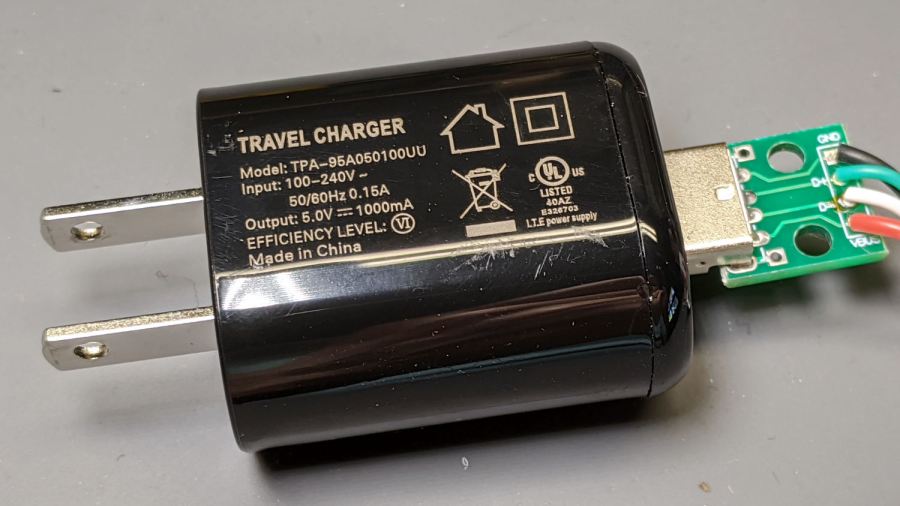
    Abosi charger - dataplate
    Abosi charger – dataplate

    The symbology indicates it’s UL, but not CE, listed. Consumer Reports has a guide to some of the symbols; I can’t find anything more comprehensive.

    Applying the same 8 Ω + 100 µF load as before:

    Abosi charger - 8 ohm 100 uF detail - 100 ma-div
    Abosi charger – 8 ohm 100 uF detail – 100 ma-div

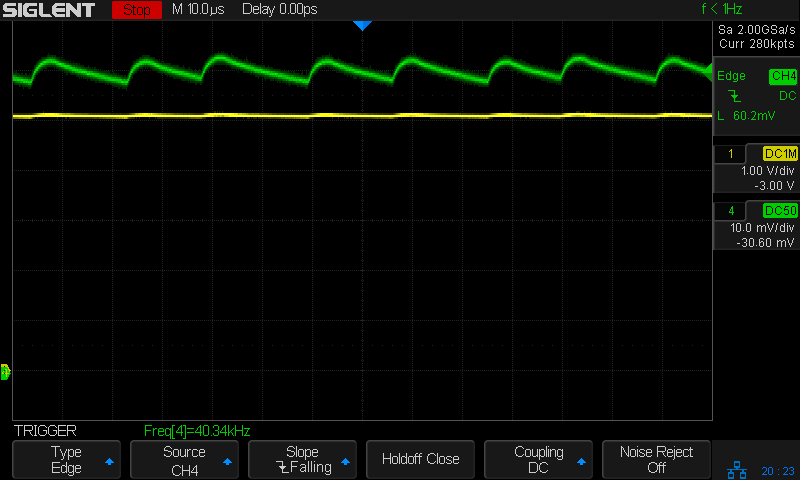
    The voltage (yellow) and current (green, 100 mA/div) waveforms look downright tame compared to some of the other chargers!

    I made a cursory attempt to crack the case open, but gave up before doing any permanent damage. Hey, that UL listing (and, presumably, the interior details) means they’re three times the price of those Anonymous chargers!

  • Dehumidifier Scrapping

    Dehumidifier Scrapping

    Dutchess County has another Household Hazmat / Electronics Disposal Day coming up, so I harvested some useful parts from the three dead dehumidifiers lurking under the bench.

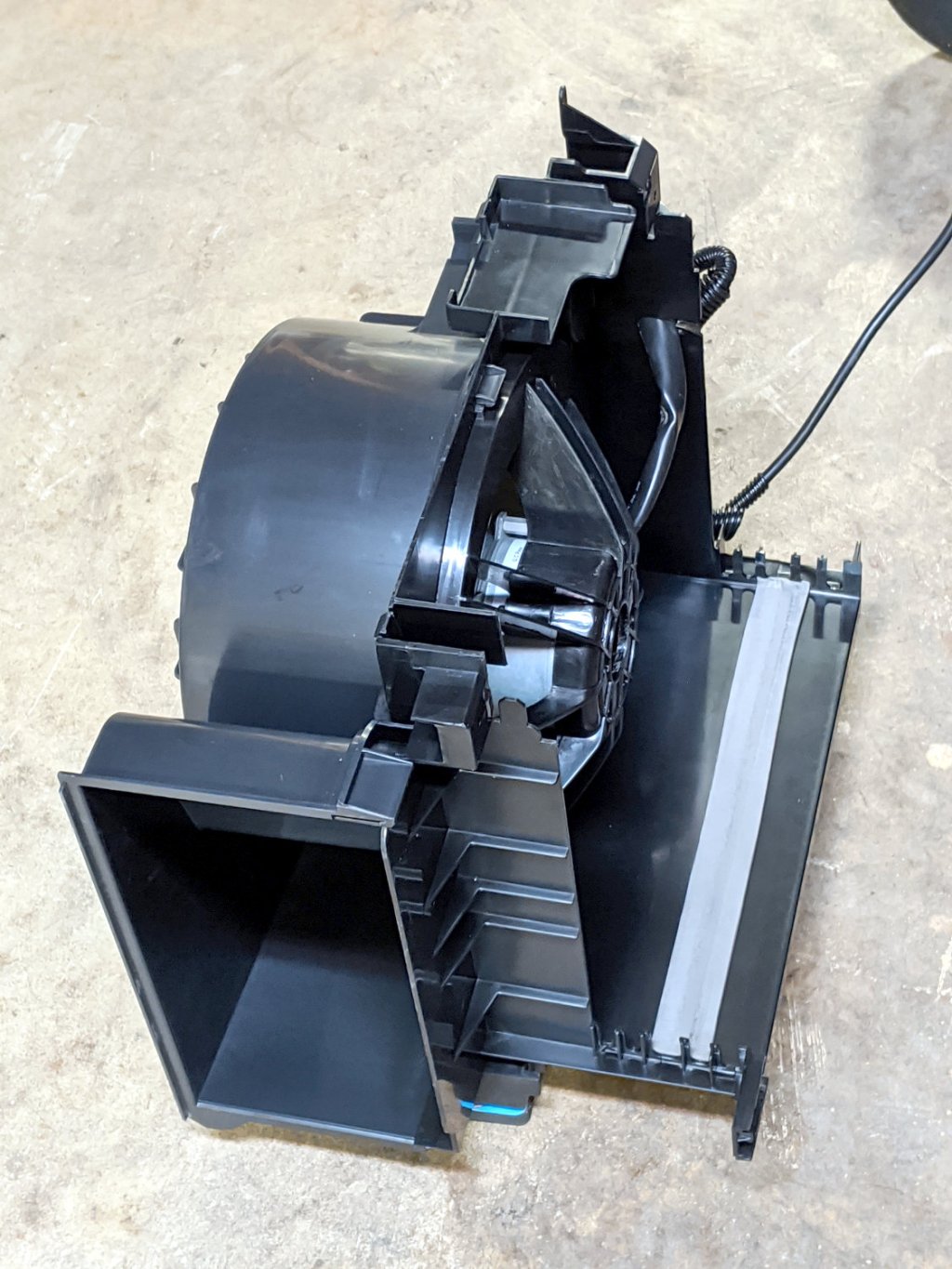
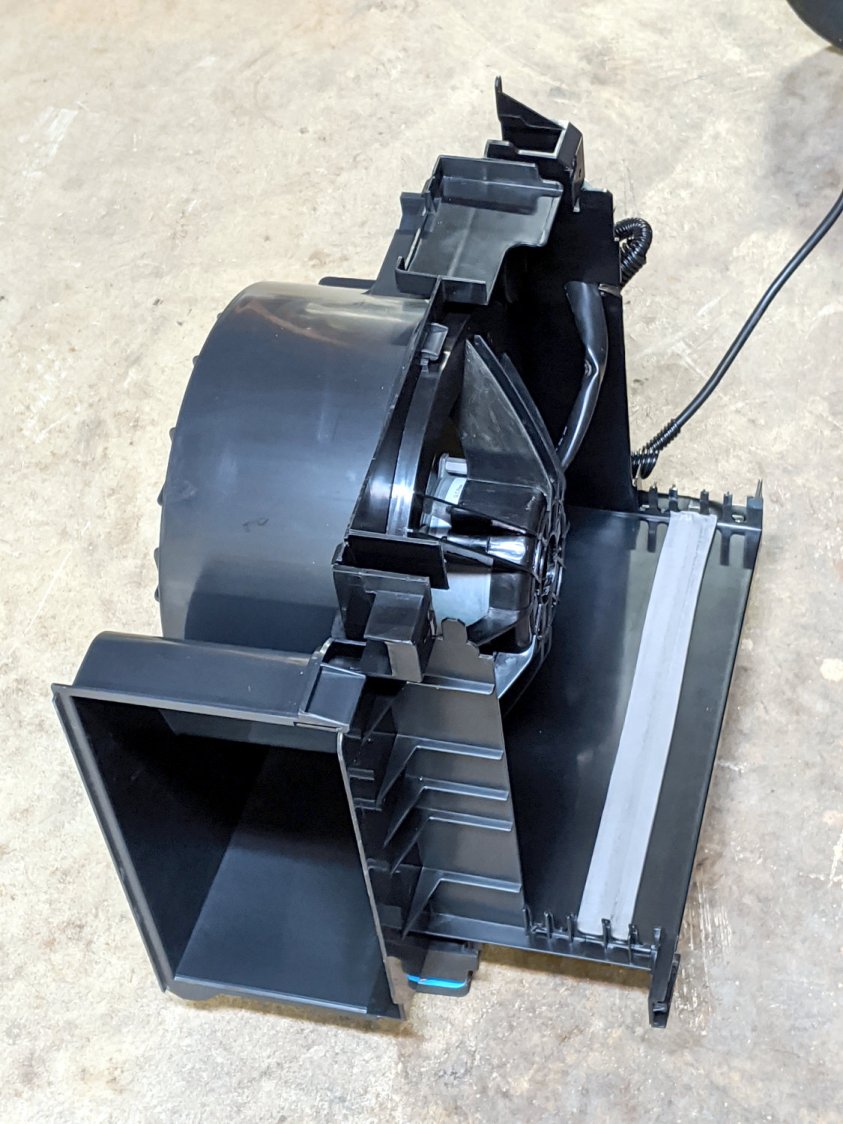
    The (perfectly good) blower motor in one unit lives inside a convenient plastic housing:

    Scrap Dehumidifier Blower Motor - housing
    Scrap Dehumidifier Blower Motor – housing

    It’s sitting on three foam pads hot-melt glued to three wood blocks cut to fit inside three convenient molded features, making it nice & quiet & stable.

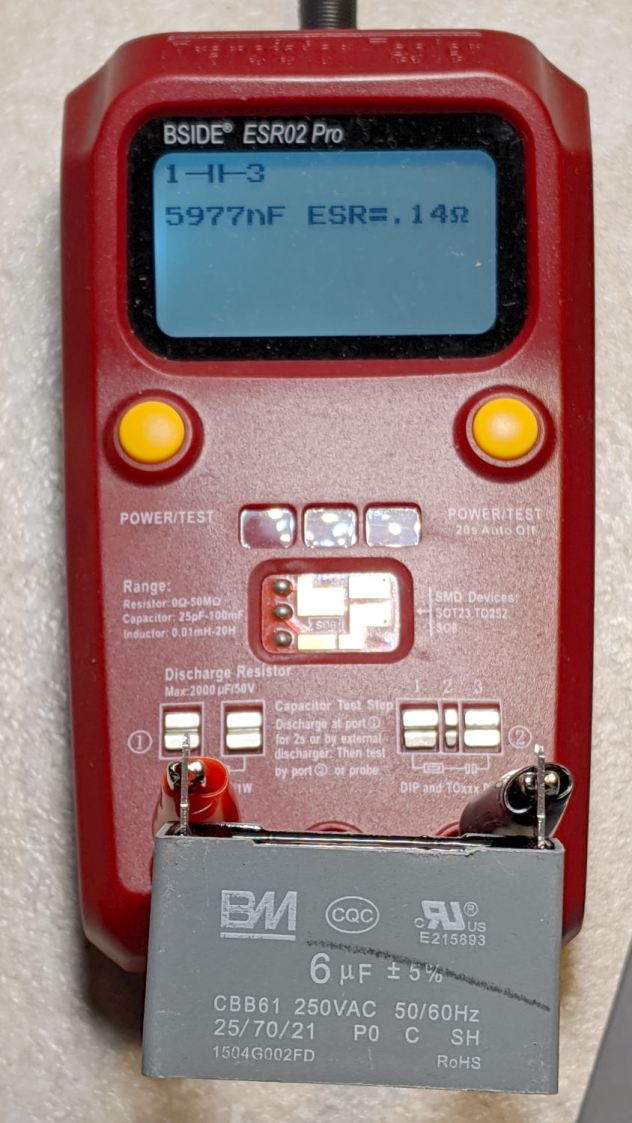
    The motor uses a nice polypropylene run capacitor:

    Scrap Dehumidifier Blower Motor - 6 uF cap
    Scrap Dehumidifier Blower Motor – 6 uF cap

    Which is also perfectly good:

    Scrap Dehumidifier Blower Motor - 6 uF cap test
    Scrap Dehumidifier Blower Motor – 6 uF cap test

    The motor includes a wiring diagram:

    Scrap Dehumidifier Blower Motor - wiring diagram
    Scrap Dehumidifier Blower Motor – wiring diagram

    I lashed it together with a chopped-off IEC cord, because the stock dehumidifier cords are just way too stiff. The motor and blower originally pulled air through the dust filter, the condenser, and the evaporator, before blowing it out the side, so it’s running pretty much unloaded. A quick test shows there’s not much difference between the high and low speeds:

    • High: 1050 RPM, 80 W, 12.5 m/s air flow
    • Low: 1000 RPM, 77 W, 11.7 m/s air flow

    Low speed seems slightly less noisy, but the wiring now has insulated QD connectors just in case I ever want to run it at full speed.

    For whatever it’s worth, the most recent dehumidifier failed one year into a two year warranty, but the company decided it was simpler to just refund the purchase price than to replace the unit. It seems the “sealed system” inside loses its refrigerant after a year and there’s no practical way to seal a small leak and recharge the system; unlike an automotive air conditioner, the tubes are soldered shut after the initial charge.

    They all sport Energy Star badges, but throwing away the whole damned thing every year or two tells me we’re not measuring the right values. Obviously, somebody could make a worthwhile dehumidifier, but as of now Frigidare, GE Appliances (sold to Haier), and Danby are on my shit list. Next year, I expect to add HomeLabs to the list, because the dehumidifier is identical to the Danby unit (and, ah-ha comes with a 2.5 year warranty). They’re all made by Haier (or another Chinese factory) and nobody applies any long-term QC to their products.

  • SJCAM M20 Action Camera: Stuck Battery

    SJCAM M20 Action Camera: Stuck Battery

    The SJCAM M20 action camera has been attached to the back of my Tour Easy for the last 16 months:

    SJCAM M20 Mount - Tour Easy side view
    SJCAM M20 Mount – Tour Easy side view

    The Anker 13 A·h USB power pack on the rack provides juice for a week’s worth of rides, letting the M20’s internal battery keep its clock & settings alive between rides. I recently forgot to turn on the USB pack and discovered the camera shut down just after I cleared the end of the driveway.

    As you should expect, the battery had swollen so much its pull tab … pulled off … when I tried to extract it:

    SJCAM M20 - stuck battery
    SJCAM M20 – stuck battery

    So, we begin.

    Pry off the trim ring around the lens by jamming a small screwdriver in any of the three slots:

    SJCAM M20 - lens ring removed
    SJCAM M20 – lens ring removed

    Then pry off the entire front panel:

    SJCAM M20 - camera front panel
    SJCAM M20 – camera front panel

    Thereby exposing the battery’s rectangular protrusion and three contacts next to the optical block:

    SJCAM M20 - camera interior - battery terminals
    SJCAM M20 – camera interior – battery terminals

    Avoid shorting the brass terminals with, say, a small screwdriver, while shoving the battery out of the camera until you can grab it with your fingers and haul it out the rest of the way:

    SJCAM M20 - swollen battery case - left
    SJCAM M20 – swollen battery case – left

    Yeah, that puppy looks all swoll up:

    SJCAM M20 - swollen battery case - right
    SJCAM M20 – swollen battery case – right

    Remove the all-enclosing label to reveal the bag inside:

    SJCAM M20 - swollen battery bag
    SJCAM M20 – swollen battery bag

    Pull the bag out to reveal the protection PCB:

    SJCAM M20 - battery case interior
    SJCAM M20 – battery case interior

    Snip the wires and salvage the case against future need.

    I bought the camera with three batteries, all three of which are now similarly swollen. I also got two official SJAM batteries with an official SJAM charger; both of those batteries seem to be in fine shape. I expect the codes on the five bags would reveal two different lots, but I’m not going to sacrifice a nominally good battery to find out.

    All three swollen battery bags show the same BEP 782633PL lot code and 1704 date code. I bought everything in January 2018, so those batteries had been sitting on the shelf for the better part of a year. Maybe that’s why they offered a “deal” for two spare batteries along with the camera?

    Installing one of the unswollen batteries, reconfiguring the camera’s settings & clock, and giving it a charge from the Anker USB pack put it back in operation.

  • Anonymous White USB Charger: Teardown

    Anonymous White USB Charger: Teardown

    Prompted by ericscott’s comment, I had to tear down the Anonymous White USB Charger to see what caused the bizarre current waveform when connected to the Arduino in a Glass Tile:

    Tiles 2x2 - anon white charger - pulse detail - 50 mA-div
    Tiles 2×2 – anon white charger – pulse detail – 50 mA-div

    Start by grabbing opposite corners in a small vise and gently cracking the solvent-bonded joint between the sections:

    Anon white charger - case cracking
    Anon white charger – case cracking

    Pull the base past the molded latches:

    Anon white charger - case opened
    Anon white charger – case opened

    Behold: components!

    Anon white charger - PCB top
    Anon white charger – PCB top

    On both sides of both PCBs!

    Anon white charger - PCB bottom
    Anon white charger – PCB bottom

    The top half of both boards, above the isolation cut, handles the line voltage and the lower half handles the 5 V USB output. You’ll note the absence of extra-cost parts like voltage feedback or ahem safety fuses.

    The IC on the right half is labeled DP3773, which doesn’t seem to exist, but is surely similar to the LP3773 Low-Power Off-Line / PSR Controller.

    Treating the whole regulator as a black box simplifies the schematic:

    Anonymous white charger - schematic
    Anonymous white charger – schematic

    The cap bridging the two sides should be a Y capacitor, but it’s an ordinary 1 nF ceramic cap with a generous 1 kV rating. As far as I can tell, having it inject AC line noise directly into the +5 V side of the USB supply is just a bonus.

    The base markings again:

    Anonymous white charger - dataplate
    Anonymous white charger – dataplate

    Whaddaya want for a buck, right?

    Other folks give better teardown pr0n

  • Glass Tiles: USB Charger Current Waveforms

    Glass Tiles: USB Charger Current Waveforms

    Looking at what comes out of various USB chargers, with the Tek current probe monitoring the juice:

    USB Current-Probe Extender - in action
    USB Current-Probe Extender – in action

    First, a known-good bench supply set to 5.0 V:

    Tiles 2x2 - bench supply - 50 mA-div
    Tiles 2×2 – bench supply – 50 mA-div

    The yellow trace is the Glass Tile Heartbeat output, which goes high during the active part of the loop. The purple trace shows the serial data going to the SK6812 RGBW LEDs. The green trace is the USB current at 50 mA/div, with the Glass Tile LED array + Arduino drawing somewhere between 50 and 100 mA; most of that goes to the LEDs.

    The current steps downward by about 10 mA just after the data stream ends, because that’s where the LEDs latch their new PWM values. The code is changing a single LED from one color to another, so the current will increase or decrease by the difference of the two currents.

    A charger from my Google Pixel 3a phone (actually made by Flextronics and, uniquely, UL listed), with Google’s ever-so-trendy and completely unreadable medium gray lettering on a light gray plastic body:

    Google Pixel charger - dataplate
    Google Pixel charger – dataplate

    The current waveform looks only slightly choppy:

    Tiles 2x2 - Google Flextronics charger - 50 mA-div
    Tiles 2×2 – Google Flextronics charger – 50 mA-div

    An AmazonBasics six-port USB charger from tested by Intertek:

    AmazonBasics charger - dataplate
    AmazonBasics charger – dataplate

    The waveform:

    Tiles 2x2 - Amazon Basics Intertek Basics charger - 50 mA-div
    Tiles 2×2 – Amazon Basics Intertek Basics charger – 50 mA-div

    A blackweb (their lack of capitalization) charger, also made tested by Intertek:

    blackweb charger - dataplate
    blackweb charger – dataplate

    The current:

    Tiles 2x2 - blackweb charger - 50 mA-div
    Tiles 2×2 – blackweb charger – 50 mA-div

    Finally, one from a lot of dirt-cheap chargers from eBay:

    Anonymous white charger - dataplate
    Anonymous white charger – dataplate

    Which has the most interesting current waveform of all:

    Tiles 2x2 - anon white charger - 50 mA-div
    Tiles 2×2 – anon white charger – 50 mA-div

    A closer look:

    Tiles 2x2 - anon white charger - pulse detail - 50 mA-div
    Tiles 2×2 – anon white charger – pulse detail – 50 mA-div

    From the 75 mA baseline, the charger is ramming 175 mA pulses at 24 kHz into the filter cap on the Arduino Nano PCB! The green trace has a few seconds of (digital) persistence, so you’re seeing a lot of frequency jitter; the pulses most likely come from a voltage comparator controlling the charger’s PWM cycle.

    It’s about what one should expect for $1.28 apiece, right?

    They’re down to $1.19 today: who knows what the waveform might be?

    Update: Having gotten a clue from a comment posted instantly after I fat-fingered the schedule for this post, I now know Intertek is a testing agency, not a manufacturer.