The Smell of Molten Projects in the Morning

Ed Nisley's Blog: Shop notes, electronics, firmware, machinery, 3D printing, laser cuttery, and curiosities. Contents: 100% human thinking, 0% AI slop.

Category: Electronics Workbench

Electrical & Electronic gadgets

  • Mica Compression Capacitor: Unsolderable Pins

    The mica compression capacitors have a finish on the pins that turned out to be completely un-solderable:

    Mica compression capacitor - solder vs pin
    Mica compression capacitor – solder vs pin

    Some casual searching suggests this is a problem with sulfur contamination of the tin-lead solder layer. I can’t vouch for any of that, as the flat areas forming the capacitor seem to be silver-plated, but …

    After some flailing around, I completely disassembled the capacitor, applied 800 grit sandpaper to remove all of the solder / flux / corrosion / tarnish / surface plating from the pins, dabbed on some RMA flux, then applied a thin layer of solder to both sides. Fortunately, the capacitor could be disassembled; they don’t make ’em like that any more.

    The solder layers must be thin, because the slots in the ceramic base must pass two or three pins apiece: four or six solder layers add too much thickness. Solder-wick is my friend!

    For reference, the 700 pF side looks like this:

    Mica compression capacitor - 700 pF disassembled
    Mica compression capacitor – 700 pF disassembled

    The steel washer does not have a mica washer underneath (as does the washer on the 400 pF right side). The two grayish steel plates go on the top.

  • J5-V2 700 lm Flashlight: QC FAIL, Redux

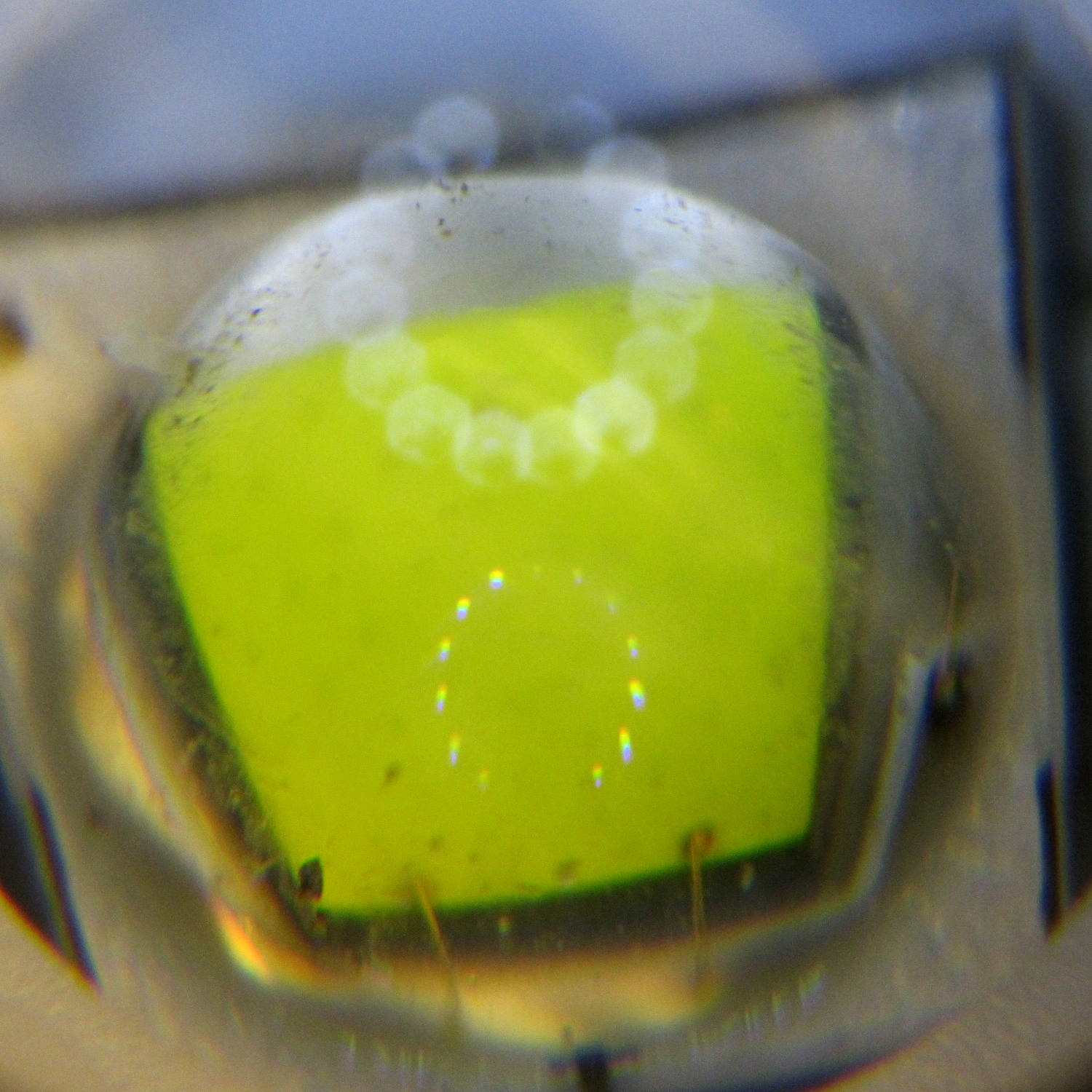
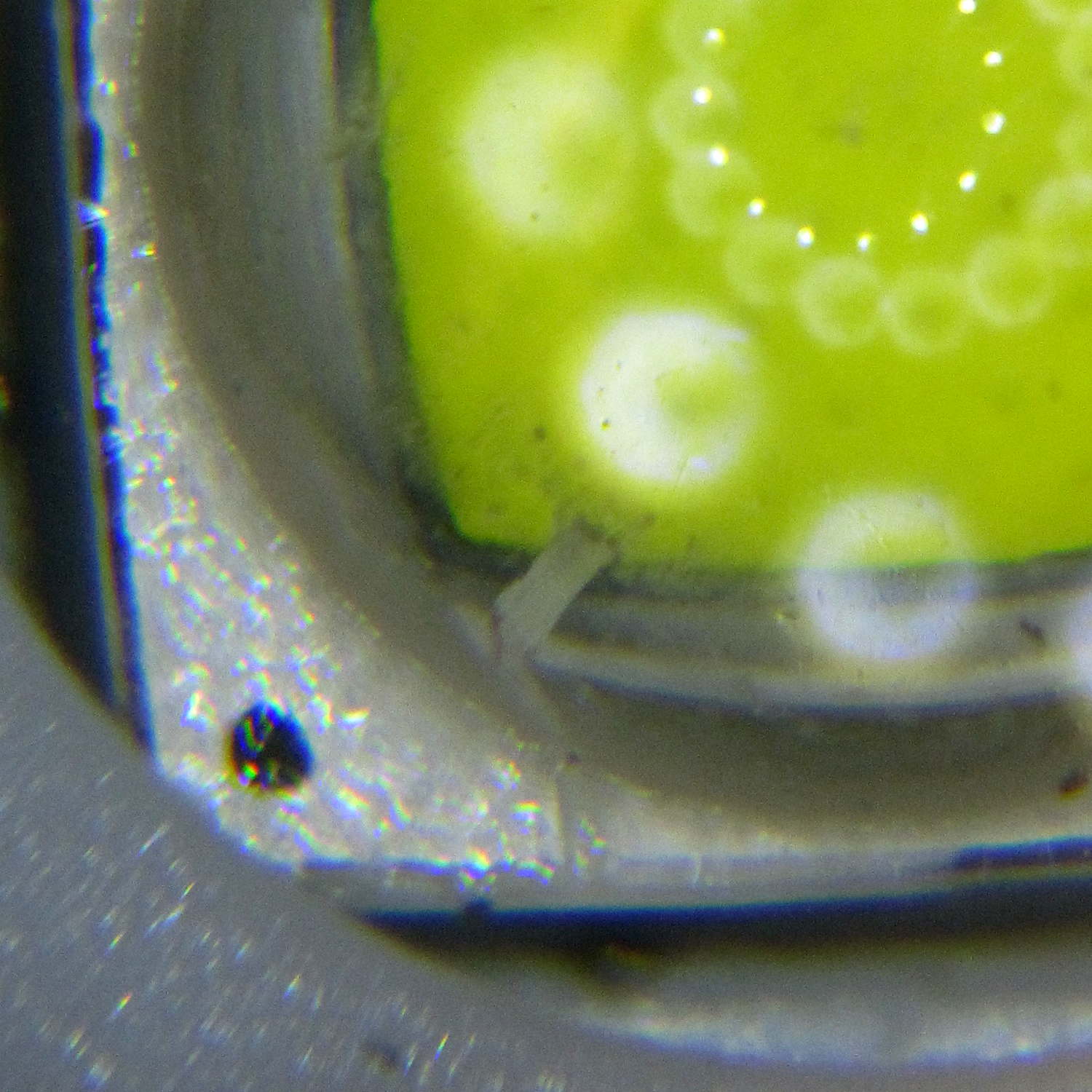
    The inside of the replacement J5 V2 Tactical Flashlight doesn’t have quite as much dirt on the LED emitter, but it’s still pretty bad:

    J5-V2 Flashlight - LED crud - second unit
    J5-V2 Flashlight – LED crud – second unit

    The small white dingus at about 10 o’clock seems to be a plastic shred stuck on end to the emitter lens. Here’s a better look, rotated a quarter-turn counterclockwise:

    J5-V2 Flashlight - LED crud detail - second unit
    J5-V2 Flashlight – LED crud detail – second unit

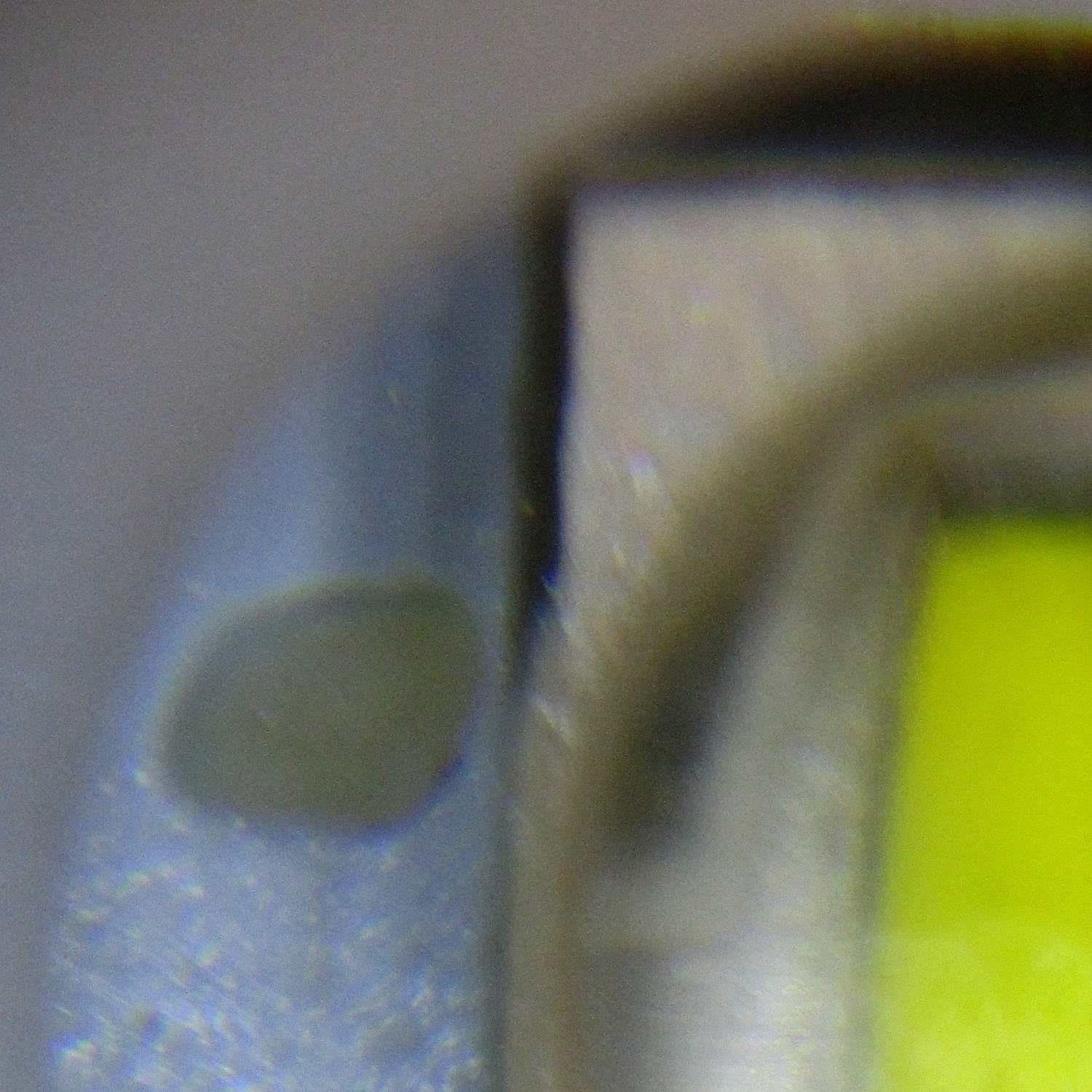
    There’s also an alien egg glued to the heatsink beside the LED:

    J5-V2 Flashlight - random pellet - second unit
    J5-V2 Flashlight – random pellet – second unit

    I’m hoping it’s another random plastic blob.

    There’s no point in returning this one; it’ll suffice for my purposes. However, given two random samples, I’d say the J5 Tactical Flashlight factory, wherever it may be in China, is really filthy.

    I’d hoped that paying a bit more for a “tactical” flashlight, instead of going bottom dollar, would yield a better product. Maybe it did?

  • J5-V2 700 lm Flashlight: QC FAIL

    So I picked up a J5-V2 Tactical Flashlight as a possible bike headlight, on the basis of a 750 (“max output”) lumen LED, zoomable beam, and use of standard 18650 lithium cells (rather than USB charging). The geometry required to stick it on the Tour Easy remains a puzzle, but an az-el dingus replacing an upper fairing mount may work well enough.

    Anyhow, it seems the LED in this flashlight fell on the floor during assembly, where the (silicone?) LED emitter lens picked up a remarkable amount of dirt:

    J5-V2 Flashlight - LED crud
    J5-V2 Flashlight – LED crud

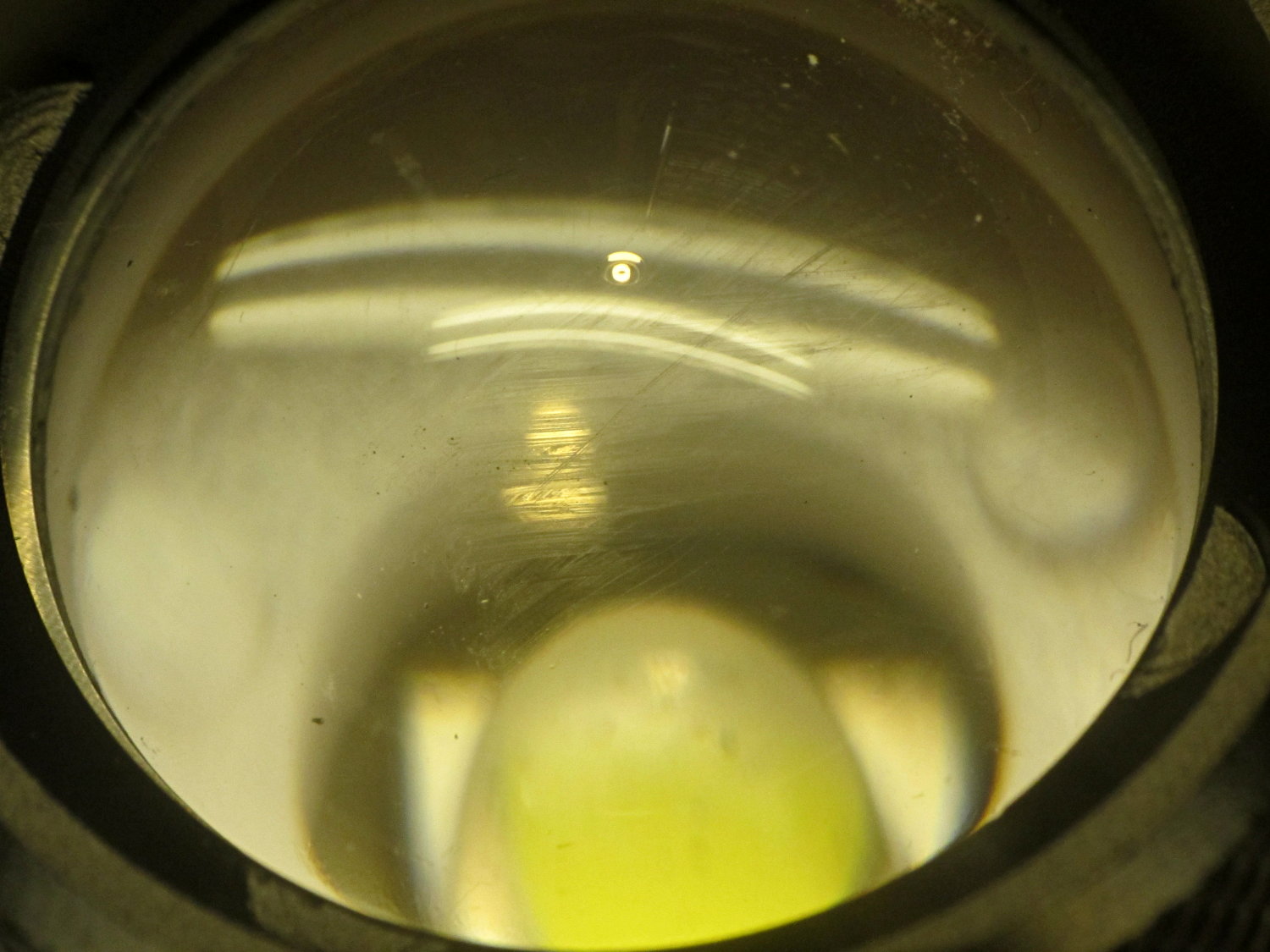
    The inside of the front focusing lens carries an array of scratches or, perhaps, a greasy fingerprint that serves the same purpose:

    J5-V2 Flashlight - internal lens scratches
    J5-V2 Flashlight – internal lens scratches

    All vendors tell you to contact them before posting a critical review, although they often don’t provide much in the way of contact information. I sent a note with photos to J5 through their website’s contact info; having not heard anything after three days, I’ll fire up the Amazon return process …

  • Wearable Electronics: Connections

    Although I’m not the type of guy who thinks twinkly LEDs will enhance his apparel, one of Mary’s quilting thread sources had a closeout deal on their “wearable electronics”, including a large cone of stainless steel thread / yarn:

    Stainless steel thread
    Stainless steel thread

    … CR2032 lithium cells & holders, plus assorted LEDs on small PCBs.

    The usual advice for connecting the thread seems to involve knotting it through the PCB holes, then sewing it to the backing fabric. Alas, I’m bad with knots and the stainless steel yarn isn’t all that cohesive:

    Emerald LED - Stainless steel thread - knotted
    Emerald LED – Stainless steel thread – knotted

    The holder has an even smaller hole, but Mary gave me a needle threader that helped:

    CR2032 - Stainless steel thread - knotted
    CR2032 – Stainless steel thread – knotted

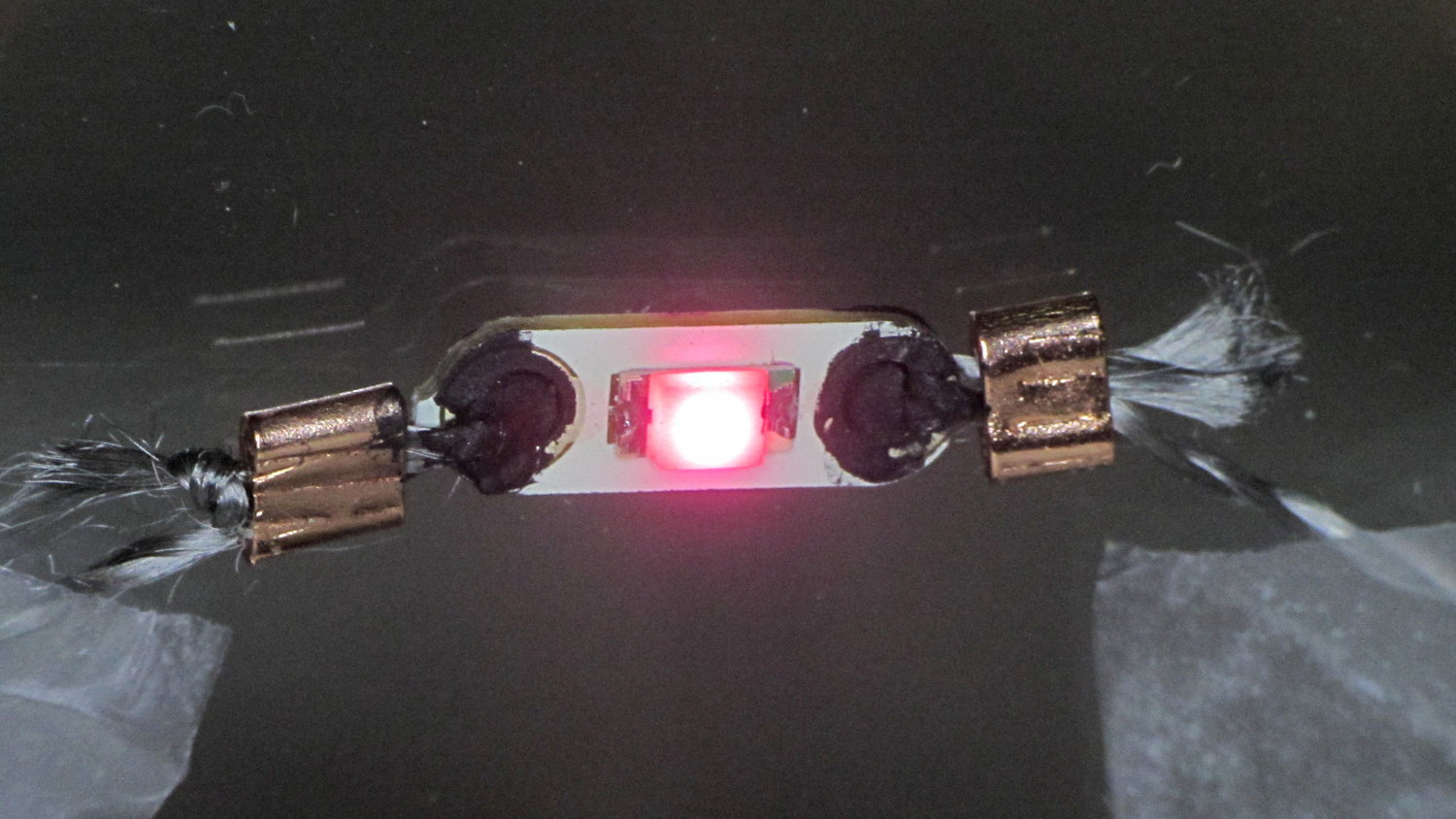
    Some advice found on The InterTubes suggests using copper crimp beads (perhaps with solder) to prevent the thread from completely unraveling and keep the thread loop tight around the PCB hole:

    Rose LED - Stainless steel thread - Crimp bead - Wire Glue
    Rose LED – Stainless steel thread – Crimp bead – Wire Glue

    Beadworkers use crimping pliers that leave a tidy dent; I mashed the beads with a needlenose pliers and called it good.

    The LEDs seem to be white LEDs with filters or, perhaps, blue / violet LEDs with different phosphors: their forward voltages look more blue than red or green. Everybody in this field depends on the minor miracle that lithium cell voltages match blue LED forward drops closely enough that you can get away without a ballast resistor.; the cell’s 20-ish Ω internal resistance doesn’t hurt in the least. An interesting white paper (SWRA349) from TI explores the effect of current on cell capacity and how to size a parallel capacitor that reduces the peak battery current.

    The black gunk is Wire Glue, which costs about five bucks for a lifetime supply in a small jar (or nigh onto 15 bucks via Amazon Prime) and is basically carbon powder in a water-based binder. Apply a dab to the connection and the water evaporates to leave the carbon + binder behind.

    That works better on joints that don’t move, which is precisely what you don’t have in a wearable electronic situation. You can see the crumbling Wire Glue after the trip back from a Squidwrench meeting:

    CR2032 - Stainless steel thread - Crimp bead - Wire Glue
    CR2032 – Stainless steel thread – Crimp bead – Wire Glue

    I also picked up a Permatext Rear Window Defogger repair kit (09117, if you’re looking) that seems to be a staggeringly expensive way to get a tenacious high-current conductive adhesive. More on that later.

    The yarn runs 3.5 Ω/ft, much lower than Adafruit’s three-ply yarn (10 Ω /ft), and suggests itself for flexible connections, EMI gaskets, and suchlike.

    Those LEDs are taped to the kitchen window, where they cast a cool light over the table, with the battery holders sitting on the sash. I’d just replaced some data logger CR2032 cells, so they’re running from nearly dead lithium batteries.

    For future reference: 2.77 V and falling, pushing less than 2 mA through the LEDs.

  • Mica Trimmer Capacitors

    I picked up two sets of mica trimmer capacitors from eBay:

    Mica trimmer capacitors
    Mica trimmer capacitors

    The big cap on the left goes from a bit under 1000 pF to just over 2500 pF, maybe a 50% range. I got four of the things, they can be disassembled, and I could reduce the total capacitance by maybe half; the tuning range would drop by even more, so it may not be worth it.

    The smaller trimmer has different sections: 300-400 pF and 500-700 pF, with about 25% range. As nearly as I can tell, the 700 pF section has one more pair of plates than the 400 pF section.

    Given that compression caps work by mashing a stack of mica sheets, I think more pressure makes them more stable and running near the high end of their range will be a Good Thing.

    Soldering these New Old Stock relics may be challenging, as the stacked flat metal leads aren’t in pristine condition: properly wetting all the leaves will require plenty of flux.

    Resonating the loop antenna requires an external capacitor around 1000 pF. Paralleling a 120 pF fixed cap with both sections of the dual-section cap should do the trick: 900 pF minimum, 1200 pF maximum. Putting the fixed cap on a jumper would reduce the total capacitance, which seems easy & sensible.

  • Vacuum Tube Lights: Poughkeepsie Day School Mini Maker Faire 2016

    Should you be around Poughkeepsie today, drop in on the Poughkeepsie Day School’s Mini Maker Faire, where I’ll be showing off some glowy LED goodness:

    21HB5A on platter - orange green
    21HB5A on platter – orange green

    The 5U4GB side lighted dual rectifier looks pretty good after I increased the phase between the two LEDs:

    5U4GB Full-wave vacuum rectifier - cyan red phase
    5U4GB Full-wave vacuum rectifier – cyan red phase

    A gaggle of glowing vacuum tubes makes for a rather static display, though, so I conjured a color mixer so folks could play with the colors:

    Color mixer - overview
    Color mixer – overview

    Three analog potentiometers set the intensity of the pure RGB colors on the 8 mm Genuine Adafruit Neopixels. A closer look at the circuitry shows it’s assembled following a freehand “the bigger the blob, the better the job” soldering technique:

    Color mixer - controls
    Color mixer – controls

    The blended RGB color from a fourth Neopixel backlights the bulb to project a shadow of the filament on the front surface:

    Color mixer - bulb detail
    Color mixer – bulb detail

    It’s worth noting that the three Genuine Adafruit 8 mm Neopixels have a nonstandard RGB color layout, while the knockoff 5050 SMD Neopixel on the bulb has the usual GRB layout. You can’t mix-n-match layouts in a single Neopixel string, so a few lines of hackage rearrange the R and G values to make the mixed colors come out right.

    An IR proximity sensor lets you invert the colors with the wave of a fingertip to send Morse code in response to (some of) the vacuum tubes on display nearby. The sensor glows brightly in pure IR, with all the other LEDs going dark:

    Color mixer - controls - IR image
    Color mixer – controls – IR image

    The switch sits in a little printed bezel to make it big enough to see. The slight purple glow in the visible-light picture comes from the camera’s IR sensitivity; you can’t see anything with your (well, my) unaided eyes.

    The “chassis” emerged from the wood pile: a slab of laminate flooring and two strips of countertop, with a slab of bronze-tint acrylic from a Genuine IBM PC Printer Stand that had fallen on hard times quite a while ago. Bandsaw to size, belt-sand to smooth; nothing particularly precise, although I did use the Sherline for coordinate drilling:

    Color mixer panel - drill setup
    Color mixer panel – drill setup

    That’s laying it all out by hand to get a feel for what it’ll look like and drilling the holes at actual coordinates to make everything line up neatly.

    Hot melt glue and epoxy hold everything together, with foam tape securing the two PCBs. Those cap screws go into 10-32 brass inserts hammered into the laminate flooring strip.

    There’s no schematic. Connect the pots to A0 through A2, wire the Neopixels in series from D8 with the bulb LED last in the string, wire the prox sensor to D9, and away you go.

    It’s fun to play with colors!

    The Arduino source code as a GitHub Gist:

    // Color mixing demo for Mini Maker Faire
    // Ed Nisley – KE4ANU – November 2016
    #include <Adafruit_NeoPixel.h>
    //———-
    // Pin assignments
    #define PIN_NEO 8 // DO – data out to first Neopixel
    #define PIN_HEARTBEAT 13 // DO – Arduino LED
    #define PIN_FLASH 9 // DI – flash button
    #define PIN_POTRED A0 // AI – red potentiometer
    #define PIN_POTGREEN A1 // AI – green potentiometer
    #define PIN_POTBLUE A2 // AI – blue potentiometer
    //———-
    // Constants
    #define PIXELS 4 // number of pixels
    #define PIXEL_RED 2 // physical channel layout
    #define PIXEL_GREEN 1
    #define PIXEL_BLUE 0
    #define PIXEL_MIX (PIXELS – 1) // pixel with mixed color
    #define PIXEL_FLASH (PIXELS – 1) // pixel that flashes
    // update LEDs only this many ms apart (minus loop() overhead)
    #define UPDATEINTERVAL 25ul
    #define UPDATEMS (UPDATEINTERVAL – 1ul)
    //———-
    // Globals
    // instantiate the Neopixel buffer array
    // color order is RGB for 8 mm diffuse LEDs, GRB for mixed 5050 LED at end
    Adafruit_NeoPixel strip = Adafruit_NeoPixel(PIXELS, PIN_NEO, NEO_RGB + NEO_KHZ800);
    uint32_t FullWhite = strip.Color(255,255,255);
    uint32_t FullOff = strip.Color(0,0,0);
    // colors in each LED
    enum pixcolors {RED, GREEN, BLUE, PIXELSIZE};
    uint32_t PotColors[PIXELSIZE];
    uint32_t UniColor;
    unsigned long MillisNow;
    unsigned long MillisThen;
    //– Helper routine for printf()
    int s_putc(char c, FILE *t) {
    Serial.write(c);
    }
    //——————
    // Set the mood
    void setup() {
    pinMode(PIN_HEARTBEAT,OUTPUT);
    digitalWrite(PIN_HEARTBEAT,LOW); // show we arrived
    Serial.begin(57600);
    fdevopen(&s_putc,0); // set up serial output for printf()
    printf("Color Mixer Demo for Mini Maker Faire\r\nEd Nisley – KE4ZNU – November 2016\r\n");
    // set up pixels
    strip.begin();
    strip.show();
    // lamp test: a brilliant white flash on all pixels
    // pixel color layout doesn't matter for a white flash
    printf("Lamp test: flash white\r\n");
    for (byte i=0; i<5 ; i++) {
    for (int j=0; j < strip.numPixels(); j++) { // fill LEDs with white
    strip.setPixelColor(j,FullWhite);
    }
    strip.show();
    delay(500);
    for (int j=0; j < strip.numPixels(); j++) { // fill LEDs with black
    strip.setPixelColor(j,FullOff);
    }
    strip.show();
    delay(500);
    }
    // lamp test: walk a white flash along the string
    printf("Lamp test: walking white\r\n");
    strip.setPixelColor(0,FullWhite);
    strip.show();
    delay(500);
    for (int i=1; i<strip.numPixels(); i++) {
    digitalWrite(PIN_HEARTBEAT,HIGH);
    strip.setPixelColor(i-1,FullOff);
    strip.setPixelColor(i,FullWhite);
    strip.show();
    digitalWrite(PIN_HEARTBEAT,LOW);
    delay(500);
    }
    strip.setPixelColor(strip.numPixels() – 1,FullOff);
    strip.show();
    delay(500);
    MillisNow = MillisThen = millis();
    }
    //——————
    // Run the mood
    void loop() {
    MillisNow = millis();
    if ((MillisNow – MillisThen) >= UPDATEMS) { // time for color change?
    digitalWrite(PIN_HEARTBEAT,HIGH);
    PotColors[RED] = strip.Color(analogRead(PIN_POTRED) >> 2,0,0);
    PotColors[GREEN] = strip.Color(0,analogRead(PIN_POTGREEN) >> 2,0);
    PotColors[BLUE] = strip.Color(0,0,analogRead(PIN_POTBLUE) >> 2);
    strip.setPixelColor(PIXEL_RED,PotColors[RED]); // load up pot indicators
    strip.setPixelColor(PIXEL_GREEN,PotColors[GREEN]);
    strip.setPixelColor(PIXEL_BLUE,PotColors[BLUE]);
    strip.setPixelColor(PIXEL_MIX,strip.getPixelColor(PIXEL_RED) |
    strip.getPixelColor(PIXEL_GREEN) |
    strip.getPixelColor(PIXEL_BLUE));
    if (PIXEL_FLASH != PIXEL_MIX) {
    strip.setPixelColor(PIXEL_FLASH,strip.getPixelColor(PIXEL_MIX));
    }
    if (LOW == digitalRead(PIN_FLASH)) { // if flash input active, overlay flash
    strip.setPixelColor(PIXEL_FLASH,0x00FFFFFF ^ strip.getPixelColor(PIXEL_FLASH));
    strip.setPixelColor(PIXEL_RED, 0x00FF0000 ^ strip.getPixelColor(PIXEL_RED));
    strip.setPixelColor(PIXEL_GREEN,0x0000FF00 ^ strip.getPixelColor(PIXEL_GREEN));
    strip.setPixelColor(PIXEL_BLUE, 0x000000FF ^ strip.getPixelColor(PIXEL_BLUE));
    }
    UniColor = 0x000000ff & strip.getPixelColor(PIXELS – 1); // hack to rearrange colors for 5050 LED
    UniColor |= 0x00ff0000 & (strip.getPixelColor(PIXELS – 1) << 8);
    UniColor |= 0x0000ff00 & (strip.getPixelColor(PIXELS – 1) >> 8);
    strip.setPixelColor(PIXELS – 1,UniColor);
    strip.show(); // send out colors
    MillisThen = MillisNow;
    digitalWrite(PIN_HEARTBEAT,LOW);
    }
    }
    view raw ColorMixer.ino hosted with ❤ by GitHub
  • Vacuum Tube LEDs: Mogul Socket With Platters

    Adding two hard drive platters draws attention away from the printed puck holding the microcontroller:

    500 W Incandescent - Mogul socket with platters
    500 W Incandescent – Mogul socket with platters

    Granted, it looks odd. I think it’s a step in the right direction, if there is any right direction at all.