Ed Nisley's Blog: Shop notes, electronics, firmware, machinery, 3D printing, laser cuttery, and curiosities. Contents: 100% human thinking, 0% AI slop.
This is a tweak to the previous design, based on some road testing.
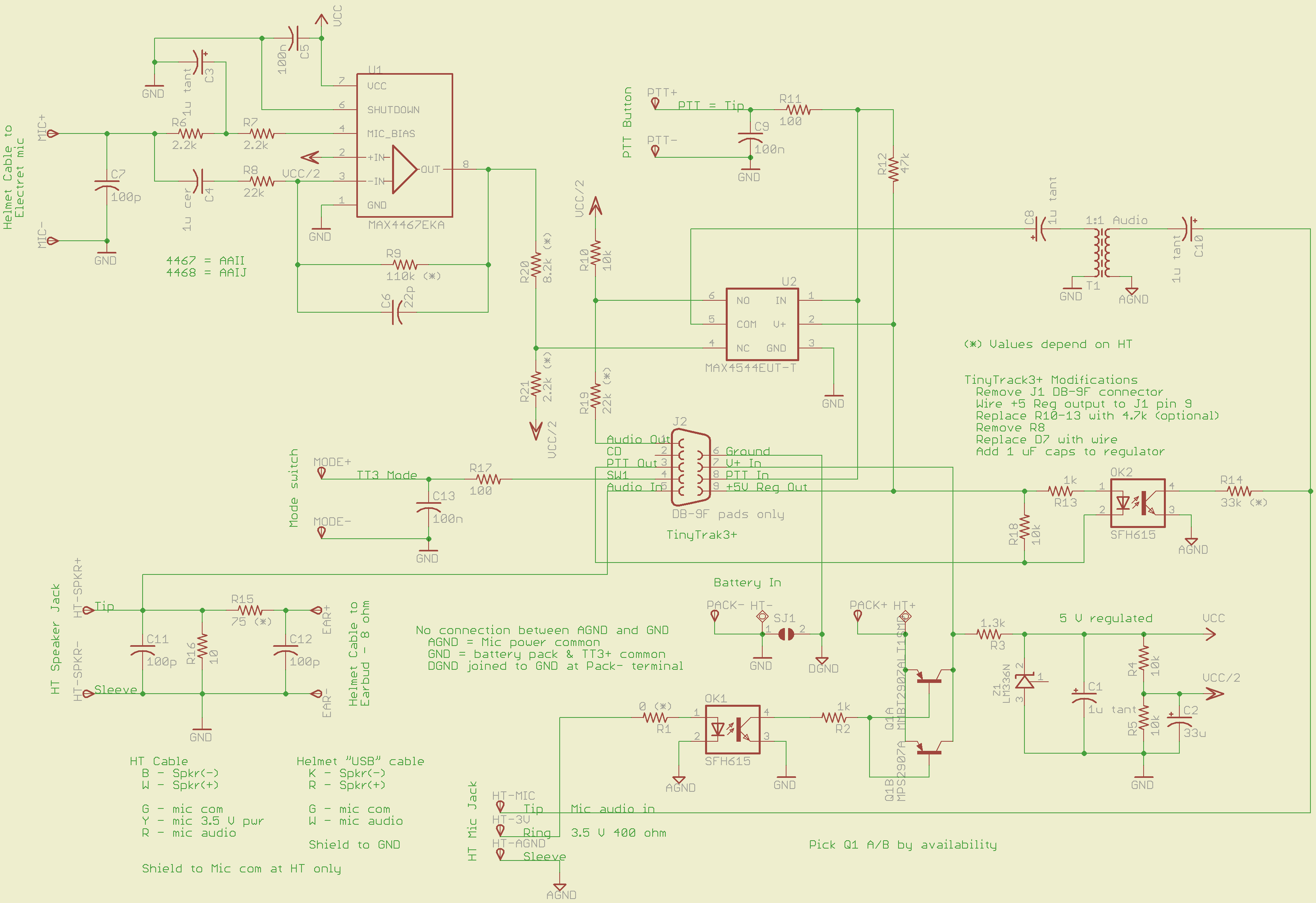
An attenuator on the output of the MAX4467 voice amp allows gains below unity. Right now, the MAX4467 has Av=5 and the attenuator cuts it back by about 1/5, so the overall gain is about unity. I have a bunch of surplus electret mic capsules and some have come through really hot; this allows backing the gain way down with the mic amp set to Av=1.
That requires stiffening the Vcc/2 supply by swapping in a 33 µF cap for the original 1 µF unit. If you don’t do that, the amp turns into a oscillator: the attenuator jerks the Vcc/2 supply around, which feeds back to the non-inverting input of the MAX4467. In principle, the gain should be less than unity, but I wouldn’t bet on it.
The MOSFET relay sometimes didn’t quite turn on from the piddly 4 mA available through the ICOM IC-Z1A’s mic power supply; it was vaguely temperature dependent. I returned to an ordinary optocoupler with a CTR of about 100% driving a 2N2907 PNP transistor, as in the first-pass design that you never saw.
The two 2N2907 devices allow either a through-hole TO-92 or SMD SOT-3 package, depending on what you have and the power dissipation you need. In my situation, the SMD version suffices, with less than 100 mV of VCE saturation.
Let me know if you need the Eagle PCB files or PCB layouts.
[Update: I’m not convinced the Vcc/2 supply is stiff enough. I ripped out the attenuator and cut the amp gain to 1.0. If I get some really hot capsules, I’ll think it over a bit more.]
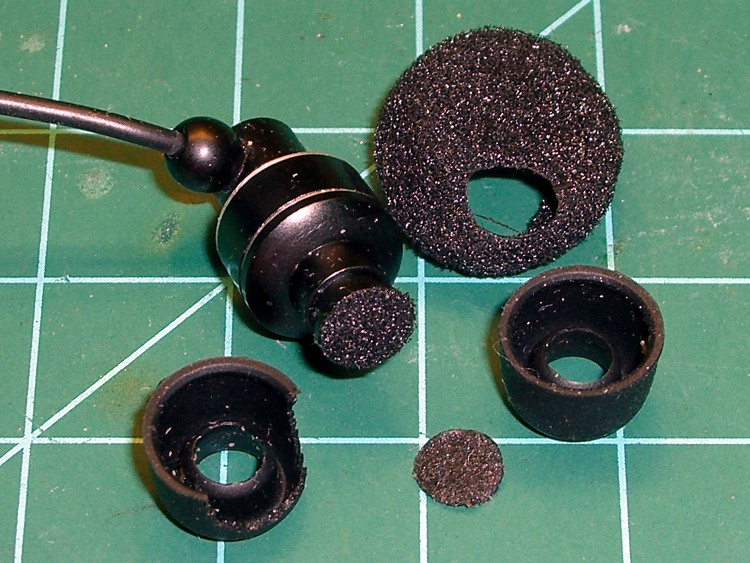
Somehow I managed to shred the silicone cushion of the earbud on my bike radio. As nearly as I can tell, it got caught between the seat and the back; the missing part certainly isn’t inside my ear.
Anyhow, I have a bag of spare cushions from all the other earbuds, so this isn’t a showstopper.
The adhesive snot holding the earwax filter in place also failed, so I figured I should fix that while I had the hood up. The old filter was all ooky with earwax & oil & dried sweat, which meant that any new adhesive wouldn’t stick. I chopped a disk from a random foam earbud cover with a 7/32-inch hollow punch and glued it in place with some acrylic sealant.
Earbud cushion and wax filter replacement
While I had the sealant out, I replaced the tape sealing the vent hole (on the other end of the earbud) with a dot of glop, much as I should have done originally.
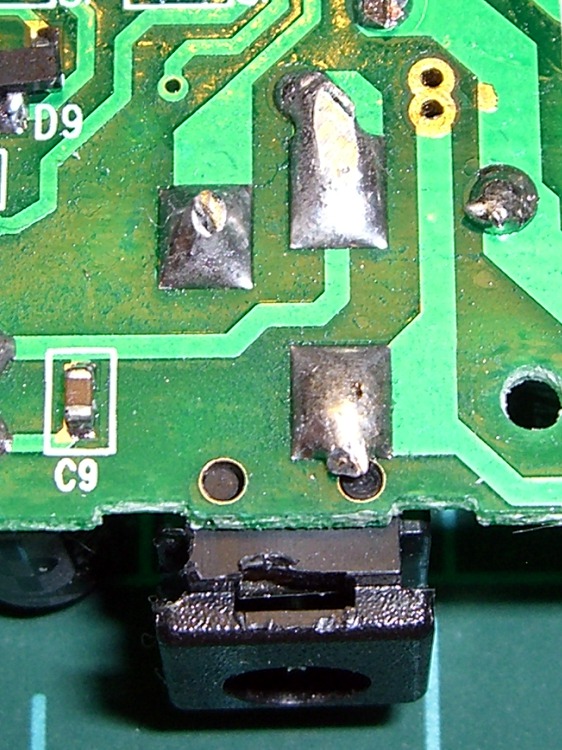
With the jack in hand, I idly poked a coaxial plug into it and realized that the amount the plug stuck out was just about exactly equal to the thickness of the black plastic cap on its tip. Some rummaging turned up one of the six plugs with a missing tip, at which point both the problem and its solution were obvious.
Broken vs original coaxial power tips
A bit of tedious work with a tiny screwdriver and a needle convinced the socket to disgorge the plastic ring from its bowels …
Broken tip extracted from jack
Now, I suppose I could have figured this out without taking the case apart, but actually fixing the problem would still require surgery, soooo there’s no wasted effort. That’s my story and I’m sticking with it.
If you think you could extract that ring from the outside, there’s a joke about that.
I put the case back together with a few dabs of silicone snot adhesive (despite what I know about letting acetic acid loose near electronics) to anchor the circuit board, applied a belly band of tastefully color-coordinated (i.e. silver) duct tape, and it’s all good.
Actually, the pack was stone cold dead until I plugged it into the charger to reset its battery protection circuitry. Evidently, disconnecting and reconnecting the battery tripped the protection logic. I’ve seen that in other Li-Ion packs, so it wasn’t quite so scary as it was the first time around.
As for the coaxial power tip: a dab of solvent glue, an overnight clamping session, and I think it’ll work fine forever more.
I should machine up some stabilizing collars around the sockets to match that obvious shoulder on the plug, shouldn’t I?
The power lead into the Li-Ion pack I’m using for the bike radio became badly intermittent on a recent ride. When I got back I swapped in a different pack and the problem Went Away, but I noticed that the coaxial power plug didn’t seem to seat all the way into the jack on the failed pack. I’d noticed that before, although I attributed it to getting two different sets of the packs; it didn’t seem to make any difference.
Given that I was going to have to either repair or replace the jack, dismantling the offending pack was next on the list. Some preliminary poking showed that there were no screws concealed under the label, so the two halves of the pack were either snapped or bonded together.
The case didn’t respond to the usual wedging and prying by revealing an opening, which suggested that it was bonded. That meant I must saw the thing apart.
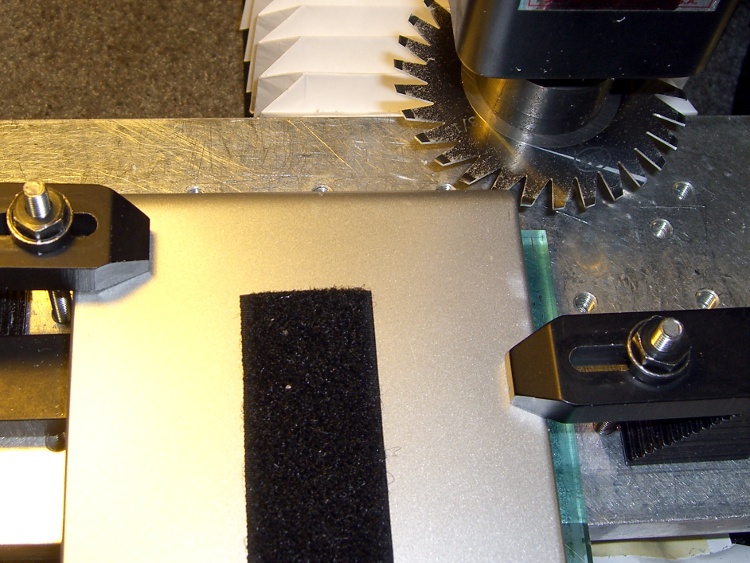
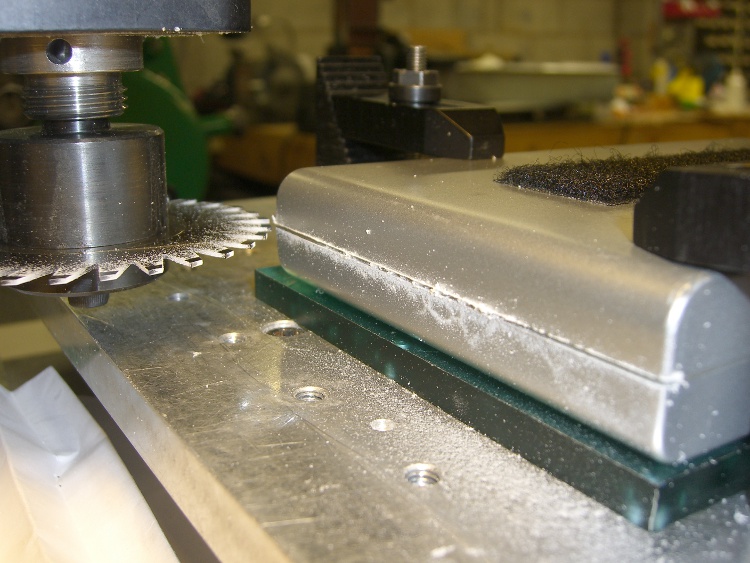
I set up a 31-mil slitting saw on the Sherline and clamped the pack atop a random plastic slab atop the tooling plate. The Sherline’s limited throat depth meant I had to cut the far side of the pack. I aligned the saw to the Z-axis level of the joint along the middle of the pack by eyeballometric guesstimation.
Slitting saw setup
Key point:
You absolutely do not want to saw into a lithium-ion cell, not even a little bit.
Therefore:
The pack must be aligned parallel to the cutter’s travel
The cuts must proceed in tiny increments, and
You must verify that each cut doesn’t reveal any surprises.
In this setup, the pack aligns against a clamp on the left side and to a parallel block (removed while cutting) along the rear edge of the tooling plate. I could then unclamp the pack, rotate it to put the next edge in place, and use the same XYZ origin with the edge parallel to X.
Here’s the view from the back of the table.
Sawing the case
I ran the spindle at 5 k RPM and cut about 15 inch/secminute. I’m sure the pros do it faster, but that was enough to warm up the blade and that’s fast enough for me. [Update: typo on the units. Thanks!]
Cuts were 0.020 inch per pass, which is about 0.5 mm. I expected the case to be some hard-metric dimension and wasn’t disappointed.
After the cuts reached 0.060 inch, I manage to pry the remaining plastic in the joint apart and split the halves apart along the connectors and LEDs at the front where I couldn’t do any sawing.
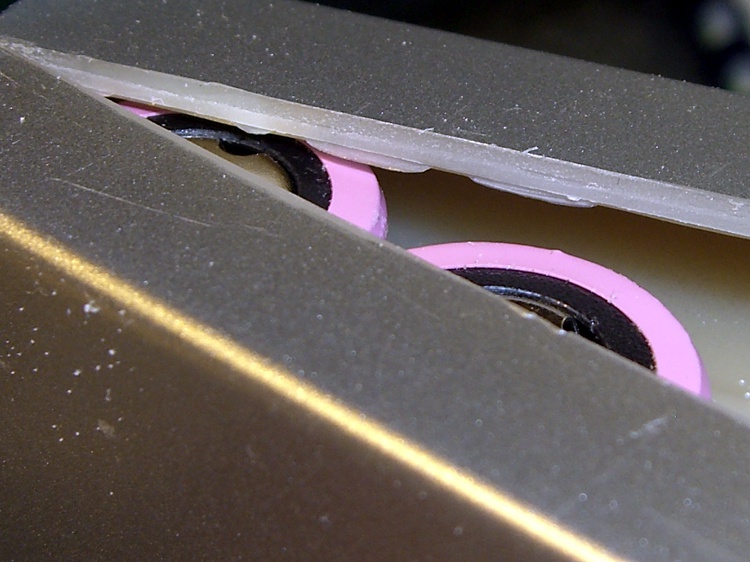
Here’s a close look at the cut, just above the battery terminals. The case turned out to be 2 mm thick, about 0.080 inch, so I was just about all the way through. The cut was perfectly aligned with the case and cracked open neatly along the entire length.
Tight tolerance on the cut depth
An interior view, showing that the cells adhered to the left half of the case and the electronics to the right: of course. I pried the cells loose from the left side, which provided enough access to unsolder the things, as the terminals were against the case. Notice that there’s absolutely nothing between the inside of the case and the outside of the cell, so cutting just slightly too deep would be a Bad Thing™.
First look inside the case
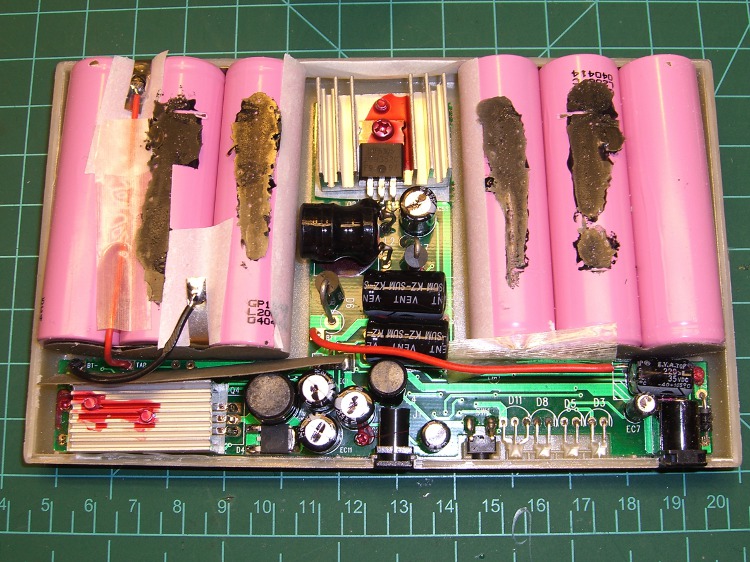
After a bit of work, here’s the entire layout…
Battery pack internal layout
Much to my surprise, the battery consists of two series-connected sets of three cells: 2 x 3.7 V = 7.4 V. I expected three series sets for about 3 x 3.7 = 11.1 V, with a linear regulator down to the 9.0 V output.
As it turns out, they used two switching regulators: the one between the two triplets controls the charging voltage and the one to the lower-left boosts the battery to the pack’s 9.0 V output. I had hoped for a resistor divider that I could tweak to get 9.6 V out, but it certainly wasn’t obvious.
I unsoldered the cells, dismounted the circuit board, and puzzled over it for a bit, after which the problem was obvious.
The story continues tomorrow, with a dramatic denouement…
The PTT switch for the amateur radio on my bike got erratic: pushing the button didn’t seem to be producing reliable RF. I’d have sworn when I bought the switches that they were washable-during-PCB-assembly: at least moderately sealed.
Wrong.
Turns out there’s only the seal you get from snug-fitting mechanical parts. I carved off the square aluminum bezel and found an ordinary dome switch underneath, with contacts that actually looked better than you’d expect after half a decade on a bike. But, yes, I could see why it was erratic.
Lacking anything smarter, I installed another one, just like the other one, with a square of Kapton tape over the button. Not a great seal, but maybe it’ll be Good Enough.
Here’s what the button looked like in happier times…
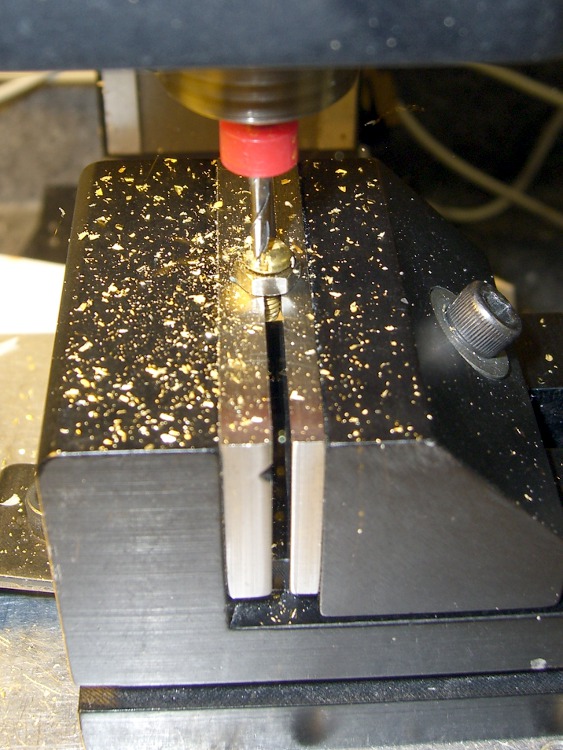
I grabbed the screw in the Sherline vise, touched off XY on the head (close enough to being concentric for this purpose), and touched off Z on the nut supporting the screw. For the next few, I’ll eyeball the Z touchoff at the bottom of the head, rather than the nut, because the heads don’t quite sit flush on the nut.
They dropped right into place, without any filing or fiddling! Well, the second one did. I had to tweak the dimensions slightly to make the answer come out right. But that’s one of the advantage of hammering out simple G-Code like this: change two lines and wham you’re done.
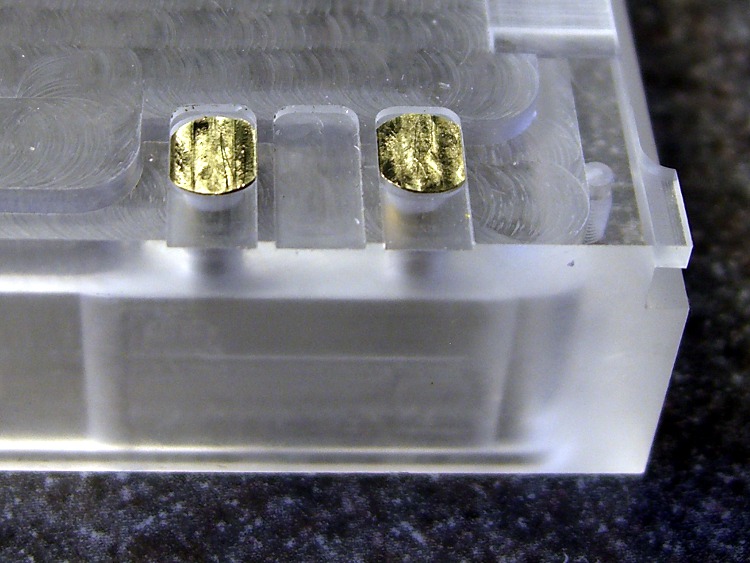
Contacts in place
The heads show some tool marks, but that’ll just make the silver solder stick better. Right?
Herewith, the G-Code…
(ICOM IC-Z1A battery pack shell)
(Battery pack contacts)
(Ed Nisley - KE4ZNU - June 2010)
(Vise clamping on threads, XY orgin on central axis, Z=0 at *bottom* of screw head)
(Tool table used just for Axis previews and to activate "manual" changer via M6)
(Tool change @ G30 position above length probe)

(-- Global dimensions & locations)

#<_Traverse_Z> =        5.0
#<_Cutting_Z> =            0.0

(-- Get started ...)

G40 G49 G54 G80 G90 G92.1 G94 G97 G98        (reset many things)

M5
(msg,Verify XY=0 on screw axis)
M0

(msg,Verify tool touched off at Z=0 on *bottom* of head)
M0

(debug,Verify vise clearance around head)
M0

#<Contact_Width> =        4.1            (X axis metallic contact - minus a smidge)
#<Contact_Head_Dia> =    5.5            (recess for 4-40 head)
#<Contact_Head_Radius> = [#<Contact_Head_Dia> / 2]

#<Contact_Head_Depth> =    0.7            (recess depth - plus  smidge)

#<Mill_Dia> =            1.98            (end mill diameter)
#<Tool_Num> =            20
#<Mill_Radius> =        [#<Mill_Dia> / 2]
#<Mill_RPM> =            5000
#<Mill_Feed> =             50

(debug,Verify #<Mill_Dia> mm end mill)
M0

(debug,Set spindle to #<Mill_RPM>)
M0

F#<Mill_Feed>

(--- Flatten the head)

G0 Z#<_Traverse_Z>

#<X_Step> = [0.5 * #<Mill_Dia>]
#<X_Limit> = [3 * #<Mill_Radius>]
#<Y_Limit> = [#<Contact_Head_Radius> + #<Mill_Radius>]

#<X_Coord> = [0 - #<X_Limit>]

G0 X#<X_Coord> Y[0 - #<Y_Limit>]
G0 Z#<Contact_Head_Depth>

O<Head_Trim> DO

G1 Y#<Y_Limit>
#<X_Coord> = [#<X_Coord> + #<X_Step>]
G1 X#<X_Coord>
G1 Y[0 - #<Y_Limit>]
#<X_Coord> = [#<X_Coord> + #<X_Step>]
G1 X#<X_Coord>

O<Head_Trim> WHILE [#<X_Coord> LT [3 * #<Mill_Radius>]]

G0 Z#<_Traverse_Z>

(--- Trim the sides)

#<Arc_Radius> = [#<Contact_Head_Radius>]
#<Half_Width> = [#<Contact_Width> / 2]
#<Angle> = ACOS [#<Half_Width> / #<Arc_Radius>]
#<Half_Height> = [#<Arc_Radius> * SIN [#<Angle>]]

G0 Z#<_Traverse_Z>

G0 X[0 - #<Half_Width>] Y[0 - #<Contact_Head_Radius> - 3 * #<Mill_Dia>]
G0 Z#<_Cutting_Z>

G41.1 D#<Mill_Dia>
G1 X[0 - #<Half_Width>] Y[0 - #<Half_Height>]

G1 Y#<Half_Height>
G2 X#<Half_Width> I[#<Half_Width>] J[-#<Half_Height>]
G1 Y[0 - #<Half_Height>]
G2 X[0 - #<Half_Width>] I[-#<Half_Width>] J[#<Half_Height>]
G1 Y#<Half_Height>

G0 Z#<_Traverse_Z>

G40

G30                    (back to tool change position)

(msg,Done!)
M2
Having obtained eyeballometric measurements from the case, the next step was to doodle some shapes on graph paper and pencil in the dimensions. My motivation for not using CAD is simple: it’s easier (for me, at least) to doodle using a pencil.
The outside of the case had pretty much the same features.
Pack Layout – External
The inside, of course, bore no resemblance to the battery pack; the shoulder and whatnot will support the circuit board.
Pack Layout – Internal
The original battle plan was to build the case in at least two layers, simply because it had to be so deep the Sherline couldn’t reach to the bottom with any rational end mill. It would probably make more sense to glue up four sides on a machined bottom, but that requires actual skill.
This became the Front layer, with Front and Rear faces. The Rear layer attaches to the back of this one. In this picture, the Front layer is on the bottom, taped to the radio.
ICOM IC-Z1A with GPS+Audio Interface
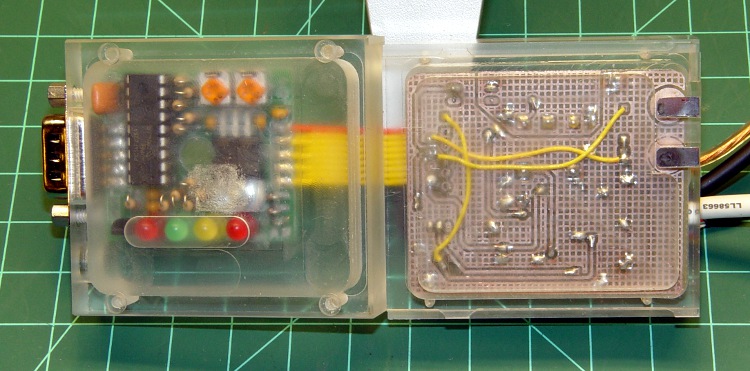
The two layers peeled apart, with the Front layer to the right. You can barely see the internal shoulder and external tabs.







 The Smell of Molten Projects in the Morning