Spotted these signs on the outside wall of a local Big Box home repair store. It’s not as if I’ve never misspelled anything, but this required consistent effort by two of the three folks who wrote up the signs.
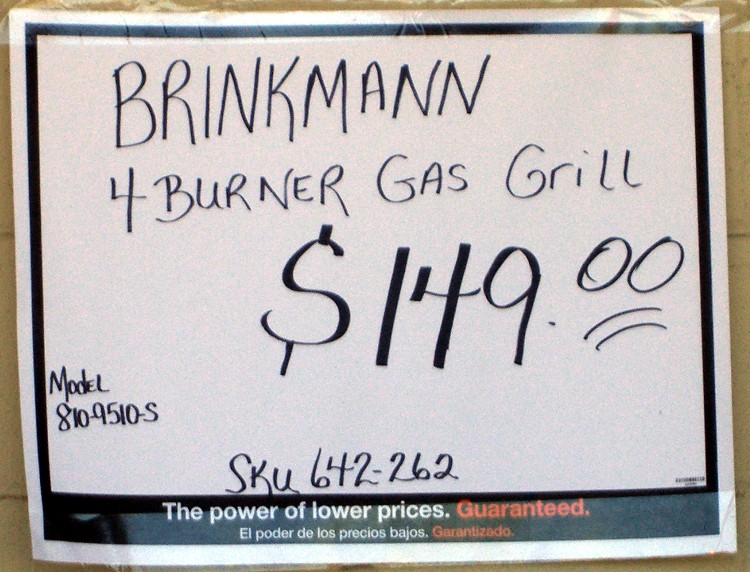
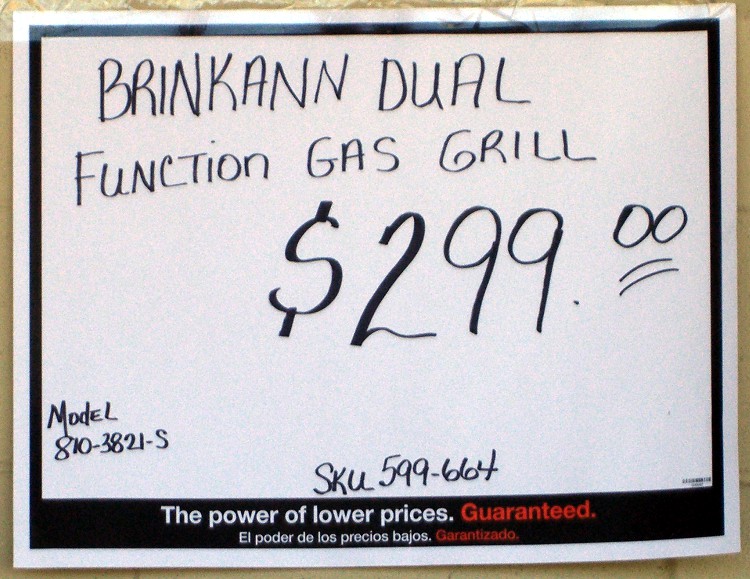
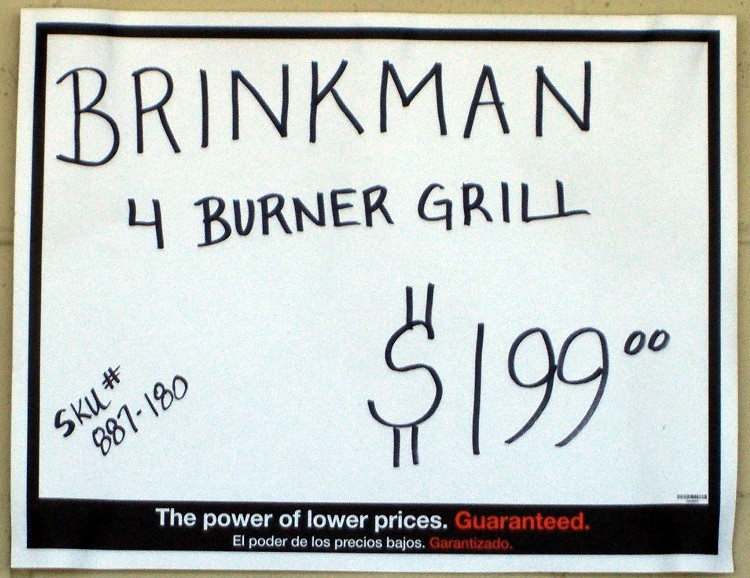
Which one is correct?
The Smell of Molten Projects in the Morning
Ed Nisley's Blog: Shop notes, electronics, firmware, machinery, 3D printing, laser cuttery, and curiosities. Contents: 100% human thinking, 0% AI slop.
Spotted these signs on the outside wall of a local Big Box home repair store. It’s not as if I’ve never misspelled anything, but this required consistent effort by two of the three folks who wrote up the signs.
Which one is correct?
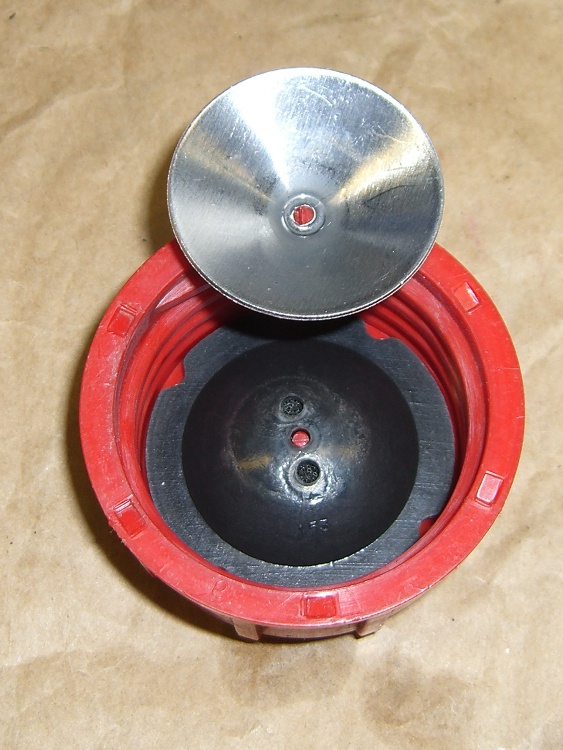
I finally rebuilt the snowblower gas cap, this time before the splash cone worried its way through the plastic stem and dumped all the parts into the tank.
The black rubbery domed thing conceals a chunk of open-cell foam that evidently separates the gasoline from the vent channels under the rim. The plastic stem was quite eroded, but probably had another season or two left in it; now I need not worry about it.
Unlike with the shredder cap, this time I put the screw head on the outside and the jam nuts on the inside; there’s also a jam nut under the cap to keep the screw from walking outward. Just in case, I wrecked the threads to keep the nuts from walking off the end, too; you can see the gouge just above the nut.

For some reason, the default character style automagically applied to URLs uses English… which means the spellchecker doggedly attempts to make sense out of that gibberish.
Solution (at least for OOo 3.2):
There, now, wasn’t that easy?
Oh, yeah, you’ll want to do that to all the templates you use to create blank documents, too.
As part of the Kmail blank email problem, I conjured up a new, shrunken maildir structure with just the most recent 30 days of email. However, I want to keep all the same folders, even if they have no current email messages, so my filters can sort the incoming mail properly.
The sequence of events:
That’s straightforward, at least after you figure it out. Took me a while to get it right, but here ya go…
cd to the directory holding the Mail folder
mv Mail Mail.base
mkdir Mail
cd Mail.base
find . -type d -print0 | cpio --null -dmpv ../Mail
find . -type f -mtime -30 -print0 | cpio --null -apdv ../Mail
cd ../Mail
find . -type f -name ".*index" -print0 | xargs -0 rm
find . -type f -name ".*index.ids" -print0 | xargs -0 rm
Then fire up Kmail and let it rebuild all the index files.
You ought to try that out on a dummy version of your email, as something may have gotten clobbered in the transition from my terminal to your fingertips, OK?
Of late, Kmail has been turning email messages into complete blanks: the Subject, From, Date, and body are all completely blank. This is evidently a problem of long standing with Kmail and has something to do with fumbling the indexes that point to the emails within its maildir directory structure.
The FAQ blandly notes:
You have empty ‘ghost-mails’ in your inbox (or other folder)
Symptom: For some reason, certain messages aren’t accessible in KMail. They show up in the message list window but selecting them there results in a blank message window. I can’t open them or reply to them, etc.
Solution: This problem ist most likely due to corrupted index files, see issue ‘You are loosing mail’ above. So just follow the advice given there.
Well, yeah, except that rebuilding the indexes more than once a day seems excessive… and the problem is, intermittently, much worse than that.
I’m running KMail in XFCE, which introduces some complexity, but other folks with the same problem are running it in bone-stock KDE. Surprisingly the recent 4.x upheavals haven’t changed the problem in the least.
I’ve been keeping the maildir structure on the file server, rather than my local drive, and symlinking to it from my home directory through NFS. That also doesn’t seem to change the symptoms, although putting a heavy load on either the network or the server sometimes increases the number of blank emails.
Over the last few months I’ve tried a number of things, like tweaking NFS buffer sizes & timings, to no avail. Time to start writing this stuff down…
With that as prologue, here’s how to recover those blank emails.
Most important: when you see a blank email, get out of Kmail. Nothing you do within Kmail will help and many things will hurt, so just bail out.
Fire up a terminal window and cd to the directory representing that email folder. First-level folders have the obvious name, but all the second-level folders are in hidden directories. For example, I have a top-level folder called Bulk Stuff, with one sub-folder (among many) being EMC.
The directory structure:
Mail/Bulk Stuff/
Mail/.Bulk Stuff.directory/EMC/
Yeah, embedded blanks. Sue me.
Each of those directories has three subdirectories: cur, new, and tmp.
The problem seems to arise when a new message gets transferred from new to cur, although sometimes existing messages in cur go bad. The index entry seems to point to the wrong place; the actual mail message file is in cur, but the index points off into the bushes somewhere.
The solution is to manually move the file from cur back to new, then rebuild the offending index. Leaving it in cur and just rebuilding the index does not always work, for reasons I do not understand.
The easiest way to find the newest messages:
cd "Mail/.Bulk Stuff.directory/EMC"
ll cur | tail
This will show the most recent few entries, which will look something like this:
-rw-r--r-- 1 ed ed 22256 2010-04-19 20:48 1271724492.2194.DbdZD:2,S
-rw-r--r-- 1 ed ed 23513 2010-04-20 13:09 1271783386.2232.jxmG6:2,S
-rw-r--r-- 1 ed ed 20901 2010-04-20 17:10 1271797805.2232.i6fP3
The last line shows the most recent files hasn’t been read yet, which is a tipoff that something’s wrong. If you have an older message with a rotten index entry, use grep (or some such) to find it.
Move the file back to new and delete the corresponding index files:
mv cur/1271797805.2232.i6fP3 new
cd ..
rm ".Bulk Stuff.index*"
Then fire up Kmail again and it’ll automagically rebuild the indexes. That’ll work fine for a while, then it’ll screw up again.
I suspect that the problem is related to either the number of messages or the index file size for each maildir directory. I have, in round numbers, 3 GB of mail stashed away. As with anything, most of it is useless , but I occasionally need one of those messages ever so urgently.
I set up a new maildir structure with only the last 30 days of email transactions, which should be enough to either eliminate the problem or show that Too Many Messages is just another dead end.
More details on that tomorrow…
This useful comment thread showed up in relation to a post about a chainsaw repair, which would hide it from any rational collection of search terms. Here’s the thread in all its glory, as there doesn’t seem to be a way to move comments from one post to another.
Feel free to continue the topic in the comments to this post…
randomdreams
Offtopic: have you ever used gEDA for schematic or pcb? I’m looking for something with reasonable abilities, and the crippled demo versions of orcad, eagle, and winqcad all look fairly crippled. I’ve zero use for autorouters and autoplacers (because they suck for analog design) but it’d be nice to have something that’s fairly usable for schematic and layout.
Ed
used gEDA for schematic or pcb?
Nope. Every time I’ve looked at it, the status seems to be heartbreakingly close to being useful by someone who really doesn’t want to work around a morass of limitations. That’s becoming less true and maybe by now it’s practical… but I haven’t done a serious examination for maybe a year.
I actually coughed up half a kilobuck for the Standard version of Eagle schematic & layout, as an autorouter doesn’t do much for the little bitty boards I build. Works fine, no complaints, but if I weren’t doing columns and suchlike, it’d be hard to justify.
Neal H.
andomdreams,
I have used it for both a small project and a slightly bigger project,
http://www.instructables.com/file/FPCHBLIG1M2BQTH (schematic)
http://www.instructables.com/file/F6SYDYYG1M2KI8M (render of layout)
It is quite usable, but the version that ships with most linux distros is pretty old, I had much better luck building it from source following the instructions on the gEDA homepage. The hardest part is creating symbols for the PCB tool, that is a little tricky to learn, but there are a lot of them pre-created for you on gedasymbols.org.
randomdreams
Thanks to both of you. I’ll probably give it a run. I currently spend much of my day creating symbols for Cadence, and I consider it impossible for any other part-creation process to be as painful or difficult as that. I’m more worried about general usability. Eagle’s the back-up plan.
John Rehwinkel
I still haven’t found a PCB layout program I like (and I’ve gotten tired of the truly primitive one I wrote 20 years ago). For schematics, I use DesignWorks Lite, which is apparently no longer offered (though DesignWorks Professional is still available).
John Rehwinkel
Ah, it is still offered (only $40), just not at the main Capilano site. The companion PCB layout program is Osmond ($200), which I keep meaning to try out. You can download the trial version at designworks4.com.
The Great Green, another excellent manager from my IBM days, mandated that very simple stockroom rule.
He knew, even if we didn’t, that the next engineer would spend two days figuring out that the part you returned was defective, costing far more in the long run than just tossing the part.
Of course, we never tossed the parts…
 The Smell of Molten Projects in the Morning