Ed Nisley's Blog: Shop notes, electronics, firmware, machinery, 3D printing, laser cuttery, and curiosities. Contents: 100% human thinking, 0% AI slop.
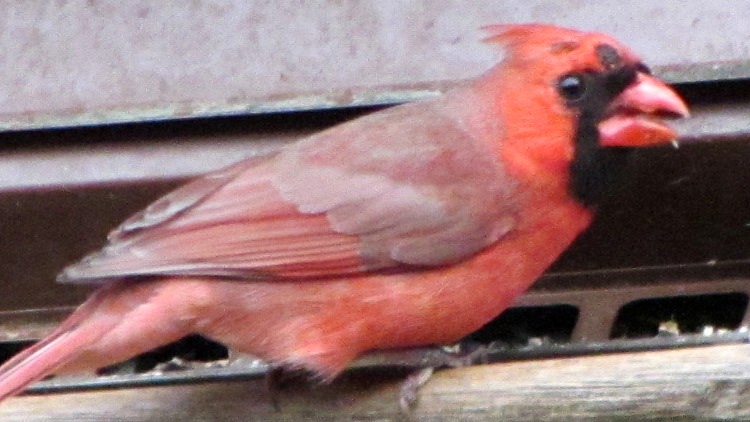
The bald cardinal still stops by the feeder in the evening. He’s now losing the smaller red feathers around his eye and above his beak. The black feathers bordering his beak seem unaffected, although it’s hard to tell through the window glass blur.
This image is a tight crop from the Sony DSC-H5, which has a lens about two stops faster than my Canon SX230HS pocket camera and is much better suited for evening photography. I’ll add the tele adapter to the stack and try to get a better picture from the door; I think the autofocus assist light spooks the poor bird.
I’ve always liked flip-top toothpaste tube caps, which Colgate tubes have and Crest tubes don’t. I’m sure there’s a reason why they use different threads; perhaps there’s a standard for toothpaste tube threads that encompasses both?
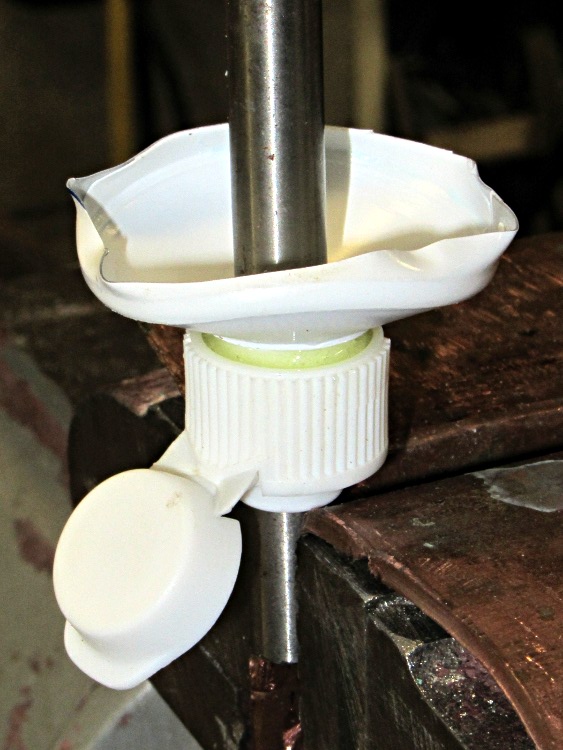
Anyhow, after years of pondering this dilemma, I jammed a Colgate cap and the top of a Crest tube onto a length of 5/16″ drill rod and eased some epoxy into the joint:
Colgate-Crest adapter – gluing
It turns out that the minor diameter of the Colgate cap is just slightly smaller than the major diameter of the Crest tube, so they don’t quite slide together. The epoxy makes for a perfect, zero-clearance fit that’s so tight you must crunch the tube to unscrew it:
Colgate-Crest adapter – thread form
For what it’s worth, that buttress thread form provides a leakproof seal in the original tube.
I have no idea whether this will actually work, because the closet has a three-pack of Colgate that should last for quite a while. Yes, we tend to buy whatever toothpaste seems cheapest on a per unit basis when we’re restocking the closet…
That missing leg surely involves an accident, those missing feathers may be mites, but now we have a male Northern Cardinal with what looks like a tumor on his head:
Cardinal with tumor
It’s not obvious in that picture, but the black patch seems to be the rubbed-raw top of a growth.
Prior to these birds, in all the years we’ve been birdwatching we’ve never seen any damaged cardinals…
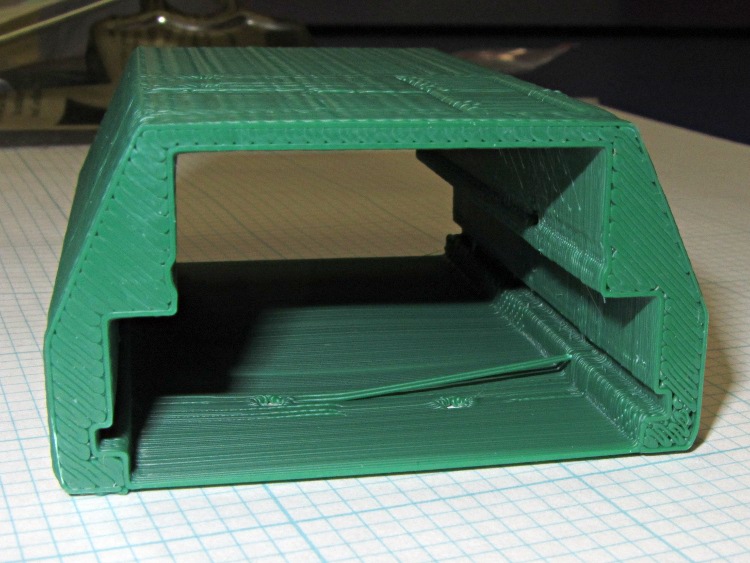
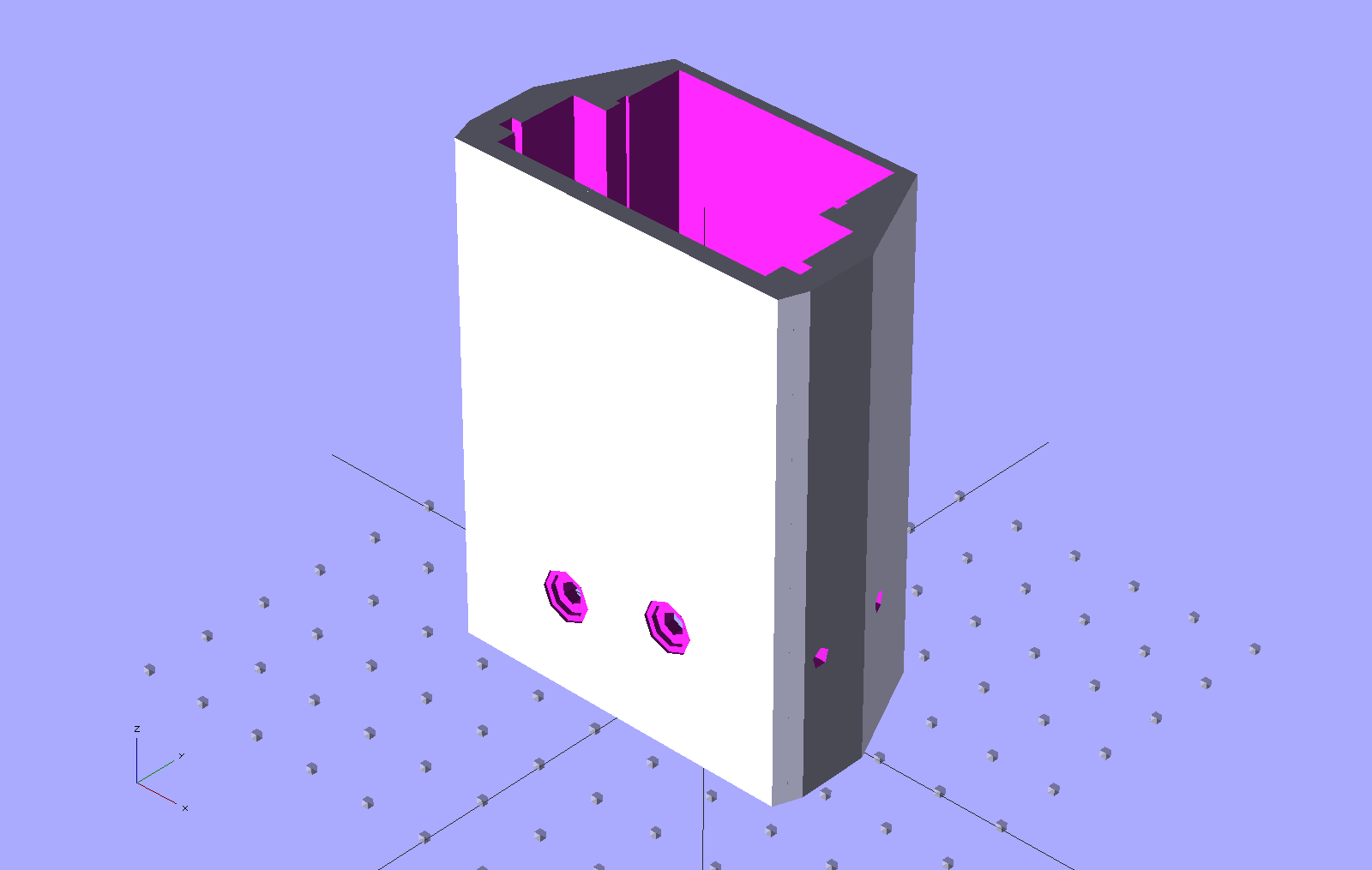
Unlike the previous kludge, this GPS interface case resembles an extrusion with the PCBs sliding into place, held by setscrews along the edges of the slots:
HT-GPS Adapter Case – end view
Those errant threads seem to arise from not quite bonding to the corner. The battery side of the case (bottom in this view) is one thread wide, which isn’t quite enough. Adding another thread makes it 1 mm wide, which seems excessive.
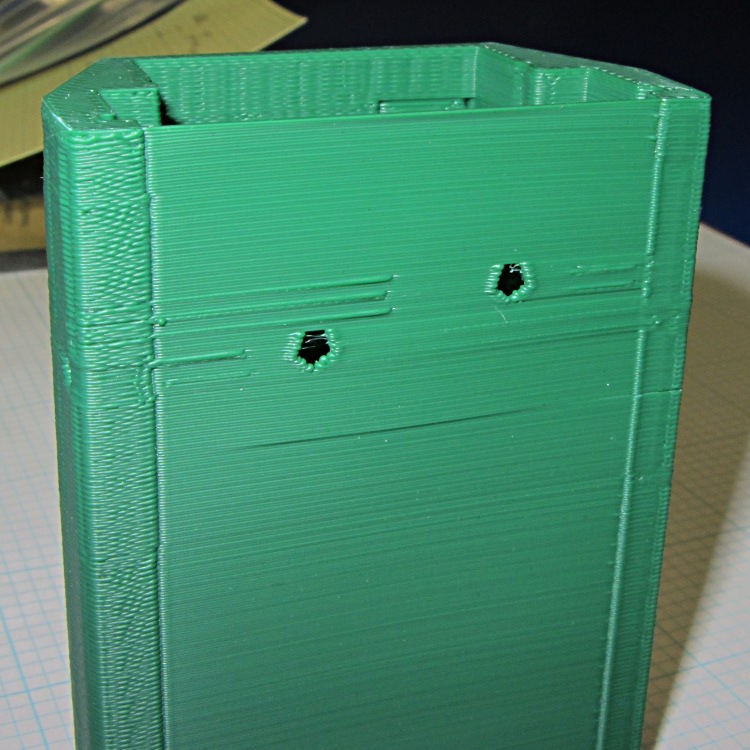
The idea was to glue the battery interface plate on that side, but printing the case vertically puts various flaws along that surface:
HT-GPS Adapter Case – bottom view
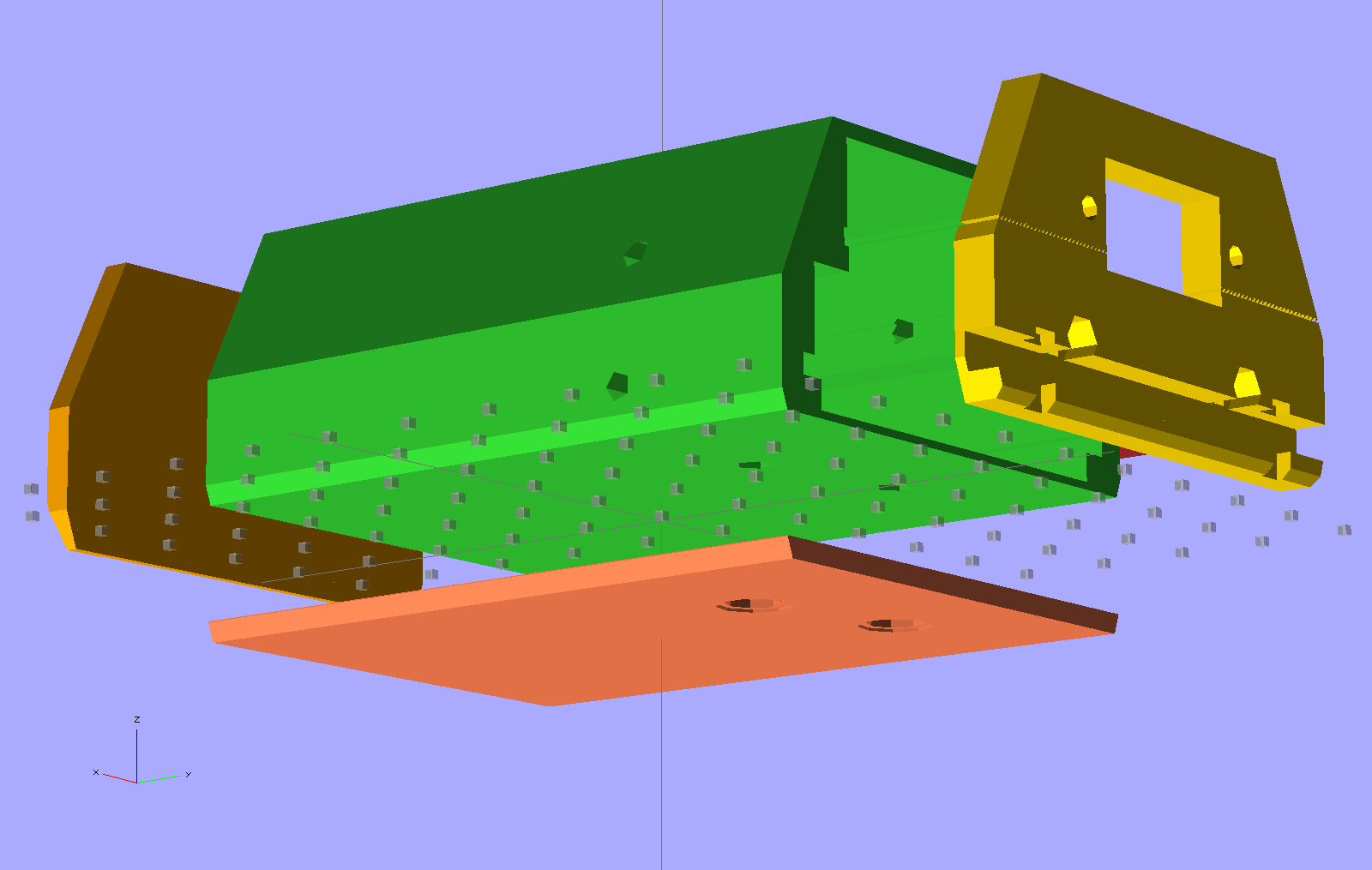
So the next iteration will merge the battery plate with the case and print the whole affair in one shot. This view shows all the parts separately:
HT-GPS Adapter Case – exploded bottom view
This shows the case joined with the battery plate, neatly aligned for printing:
HT-GPS Adapter Case – combined battery interface
The battery plate has a 0.1 mm extension into the case to avoid problems from objects with coincident planes. Unfortunately, however, that means the intersection between the base plate and the shell forms a line with three planes extending from it: the two outside walls (which are co-planar) and the plate extension inside the case. Skeinforge sometimes complains mightily about that, despite my having applied a union() to fuse the plate with the case: obviously I don’t quite understand how union() works.
I think the battery contact holes will come out close enough to being right; they all have points on the top edge to reduce the overhang problem.
One gotcha: the actual metallic contact studs for the battery. The contacts for the ICOM IC-Z1A case came from carefully shaped brass screws secured by nuts above the PCB and that’s what I’ve been designing around for this case. Unfortunately, the PCB must slide in before installing the studs, which means reaching into the depths of the case, with all the wiring in the way, to turn those nuts. Fortunately, the PCB has plenty of clearance in that direction, but … it’ll be awkward at best.
The studs also need a slot / socket / dingus to prevent rotation while tightening the nuts; right now the contact plate is circular-ish, but maybe I should rethink that.
The Wouxun KG-UV3D radio has two lugs inside the battery compartment:
Wouxun KG-UV3D – battery lugs
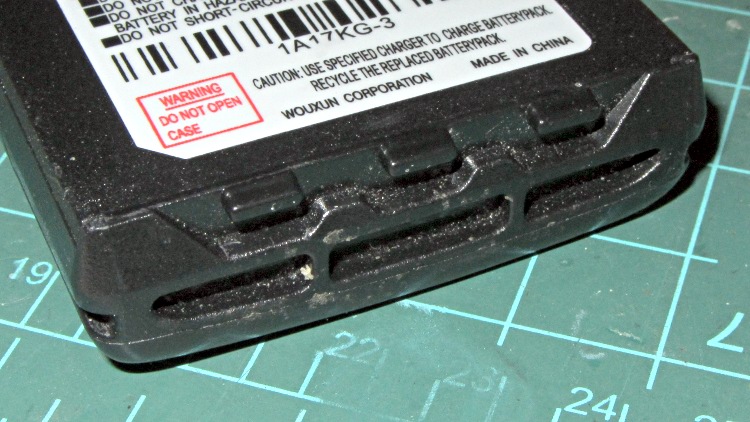
The battery packs and DC adapters all have clever spring-steel latches that engage those lugs, with a pair of sliding buttons that depress the ends of the spring to release the pack:
Wouxun KG-UV3D – battery pack latch
That mechanism may be cheap, straightforward, and easy to build in mass production, but I can’t figure out how to duplicate it for a case to house the GPS+Voice interface circuitry. That box had the dual disadvantages of being plug-ugly and not locking to the radio, but it did help establish some key dimensions, which is not to be sniffed at.
A bit of heads-down effort produced this not-so-hideous printable case:
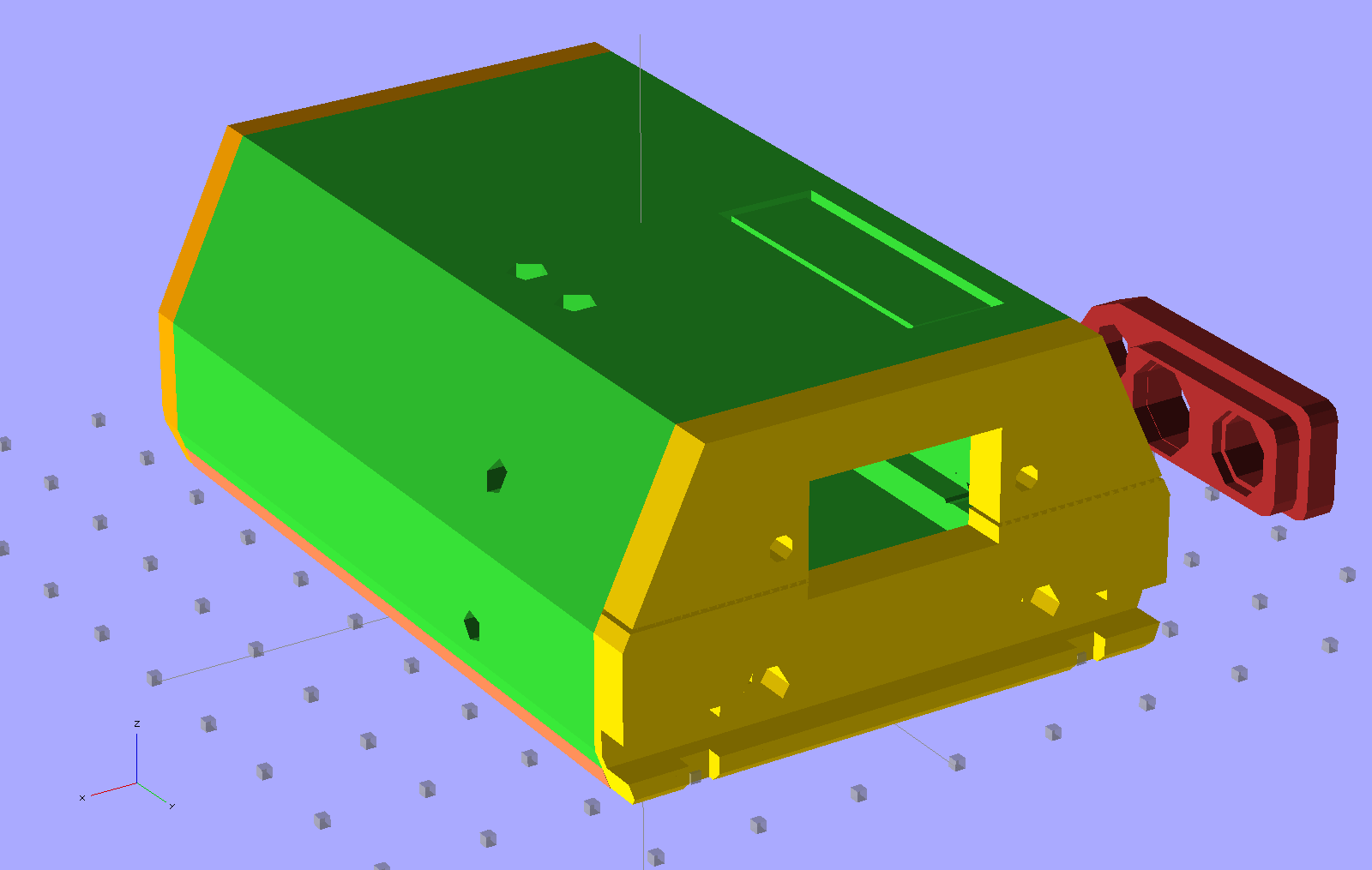
HT-GPS Adapter Case – Overview
The rectangle on the top is a built-in support structure for what will be a window over the four LEDs on the Byonics TinyTrak3+ board. The two holes on the top allow screwdriver access to the TT3 trimpots, although they might not be necessary. The four holes (two visible) along the sides fit 4-40 setscrews that lock the PCBs into slots along the inside of the main case body. The red doodad off to the far side is that plug alignment block for the radio.
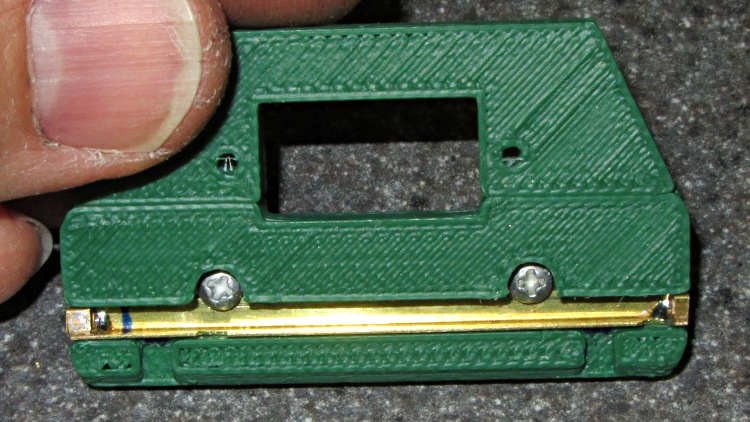
The yellow latch plate on the end engages the lugs with a bar sliding in a slot, which looks like this when it’s locked:
HT-GPS Case Latch – locked
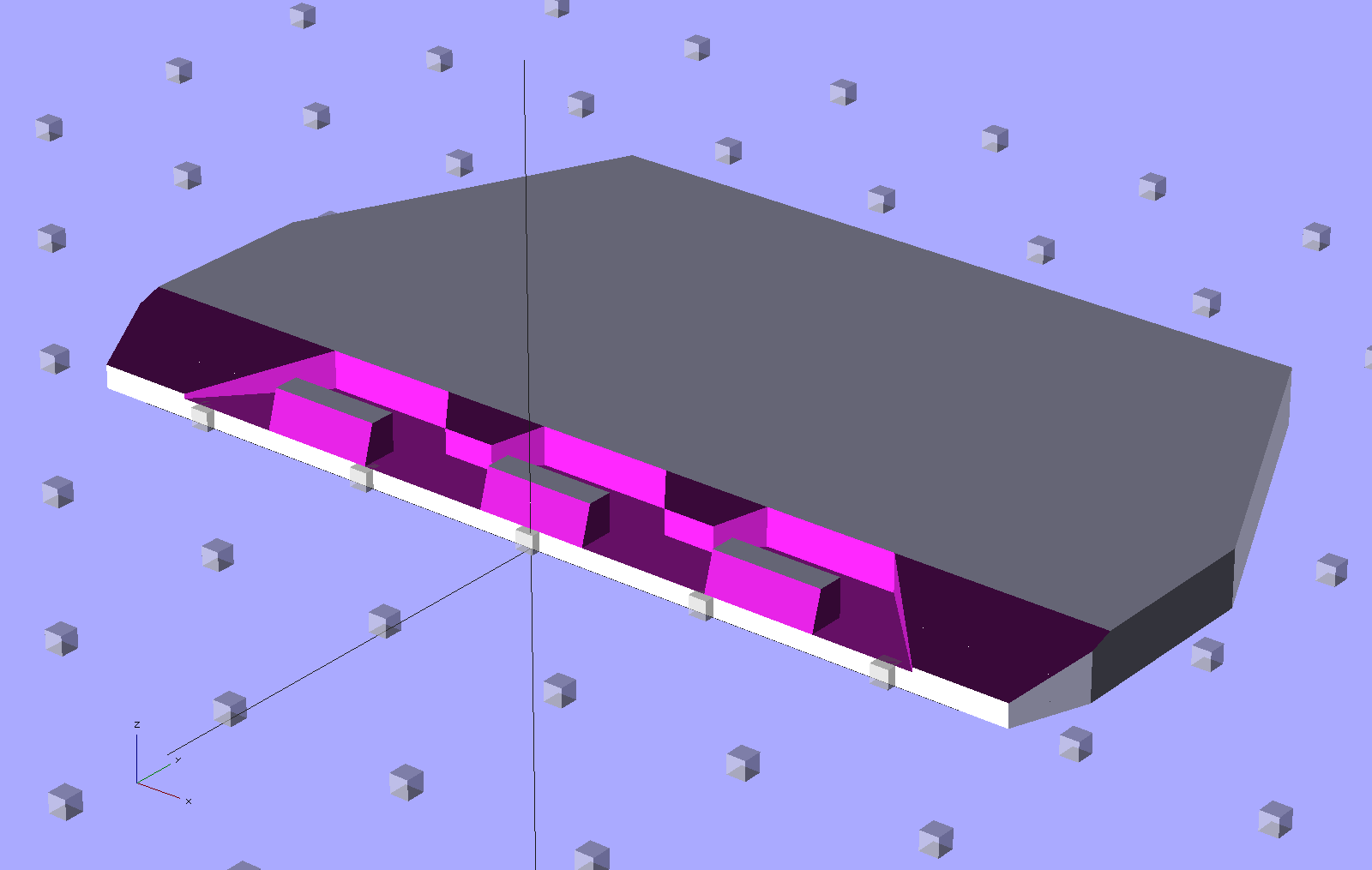
A view from the top side shows the notches that release the lugs:
HT-GPS Case Latch – detail
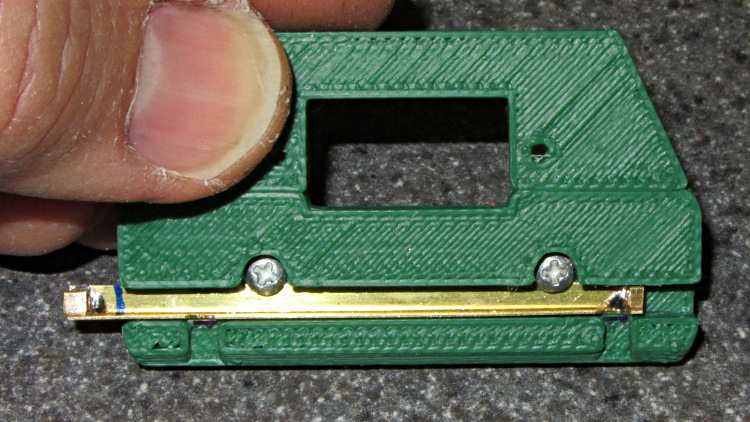
In the unlocked position the notches and lug slots line up:
HT-GPS Case Latch – open
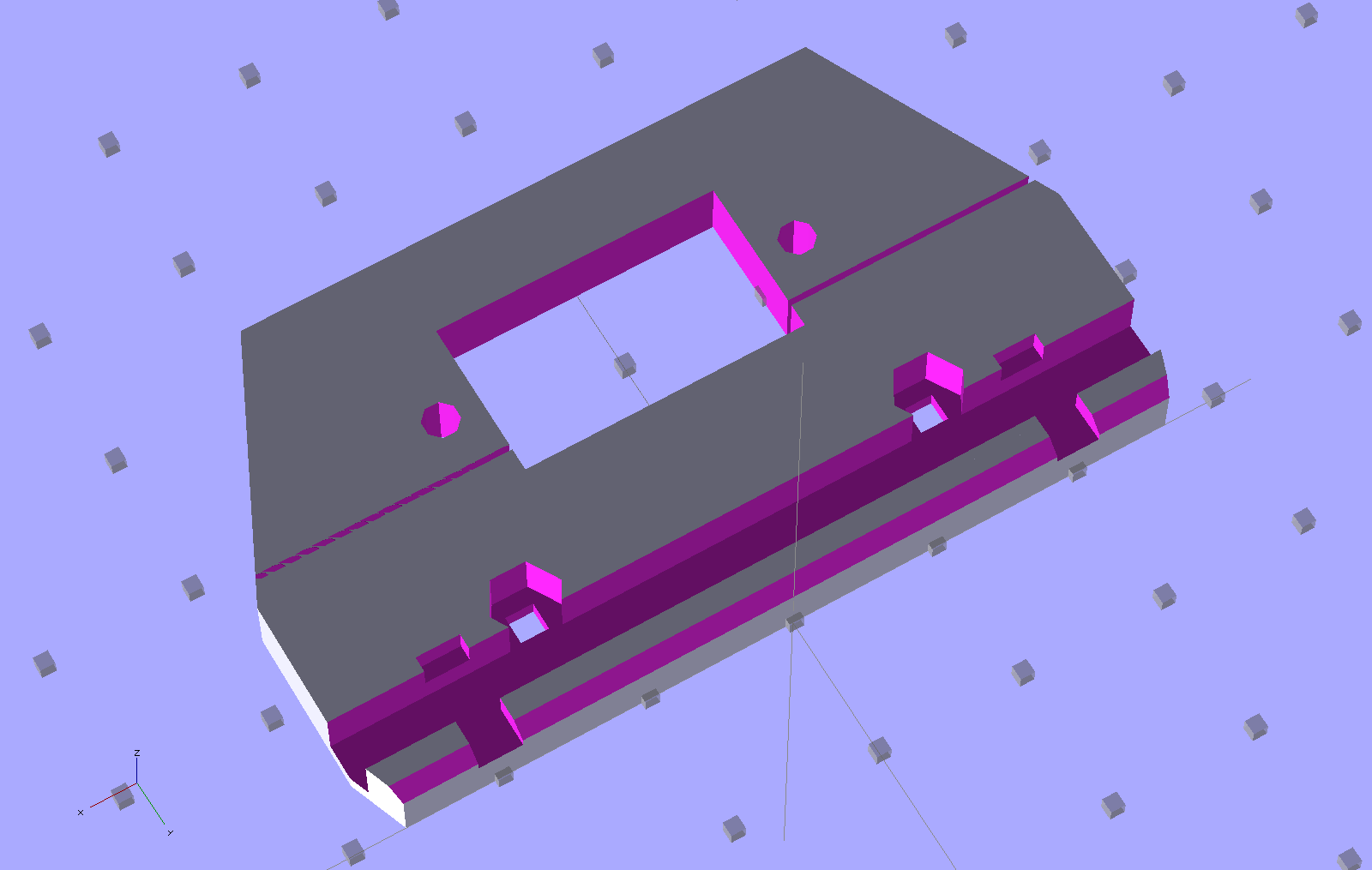
The solid model shows the plastic structure, which is slightly improved from the pictures:
HT-GPS Case – latch and connector plate
The big hole fits around the TinyTrak3+ serial connector to the GPS receiver. The slot across the hole splits the plate so it can fit around the already-soldered connector.
The latch bar consists of a L-shaped brass angle (from the Big Bag o’ Cutoffs) with two snippets of square brass tube soldered to the ends:
HT-GPS Case Latch – bar detail
I cut the angle to length with a Dremel abrasive wheel, soldered two brass tubes, sliced them off with a Dremel cutoff saw, roughed out the slots with the abrasive wheel, and applied some tool-and-die maker’s (aka needle) files to smooth things out. Yup, had to clamp each soldered joint in a toolmaker’s vise to keep from melting it during the nastier parts of that process. A pair of 2-56 screws, with nuts behind the plate, hold the bar in place and provide some friction.
Moving the latch bar requires poking the end with a sharp object (captured by the brass tubing), because I couldn’t figure out how to put finger-friendly buttons on it. This would be completely unusable for an actual battery, but should work OK for a permanently mounted GPS interface.
Conspicuous by their absence:
Holes in the case for the cables (may need more surface area on the ends)
Any way to fasten the latch plate to the main case (I may just drill holes for small pins)
Provision for the TT3 mode switch
A cover for the exposed radio chassis above the latch lugs (may be a separate shell glued to the latch plate)
The whole thing needs a full-up test to verify the serial connector clears the back of the case…
Perhaps this indicates most folks can’t configure network encryption with known parameters, but advising everybody to just turn that pesky WEP stuff off seems, well, misguided:
Disable WEP
Sniffing a guest’s private bits from an unencrypted link doesn’t pose any challenge at all and, given the hotel’s location in Hartford’s hot urban core, I’d expect absolutely no security-by-obscurity whatsoever.
On the other paw, Dragorn of Kismet points out the triviality of a man-in-the-middle WiFi attack no matter what encryption you might (think you) have in effect. So maybe it doesn’t make much difference.
And if you think the wired network is inherently more secure, that should change your mind.











 The Smell of Molten Projects in the Morning