-
Sherline vs. LinuxCNC 2.9.8
Notes on finally getting the Sherline CNC mill operating in its new home, with a suitable
Axisstartup image: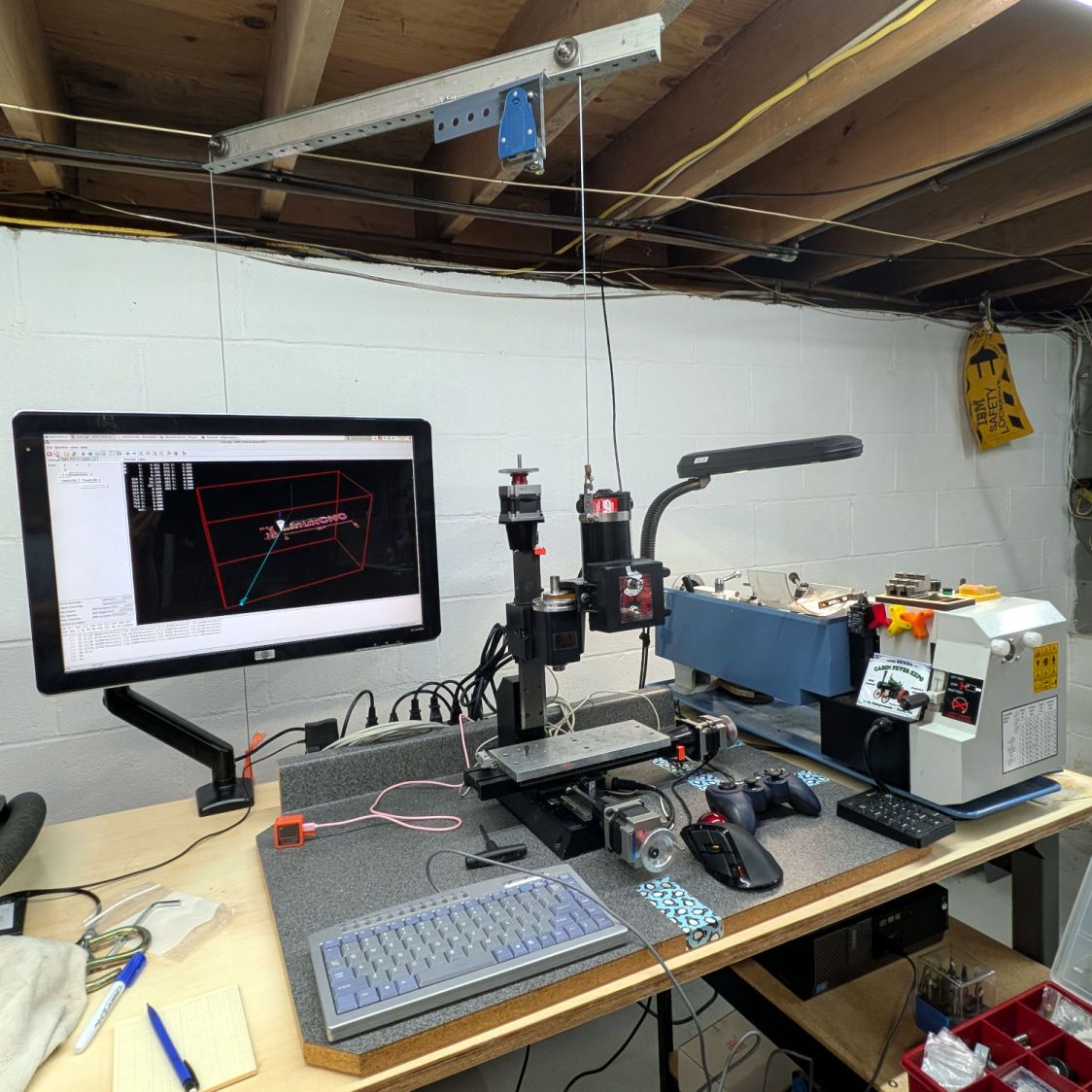
Sherline setup 2026-06 The gray countertop from its former home sits on foam strips soaking up a slight warp with enough isolation to keep things quiet.
The gantry required the usual fiddling to make the cable hoist the Z axis directly upward, with the orange flag on the counterweight barely visible below the monitor.
I recently touched the box of precision XYZ positioners and there might be something useful, albeit grossly overqualified, in there to simplify dropping the laser pointer beam directly through the spindle bore.
A clean installation of LinuxCNC 2.9.8 on an ancient Dell Optiplex 9020 proceeded smoothly. Installing
x11vnclet the rest of the proceedings happen from upstairs in the Comfy Chair. For unknown reasons,vinagreworks better thanReminnaas a VNC client, after recallingF11enters / exits fullscreen mode.The
mesaflashutility accompanying LinuxCNC 2.9.8 did not recognize the Mesa 6i25 card. Fetching & compiling the most recent version (3.5.17) cleared that hump and flashed the bitmap:sudo mesaflash --verbose --device 5i25 --write 5i25/configs/hostmot2/5i25_prob_rfx2.bit
The
6i25wants to be known as a5i25, with its jumpers in their default positions: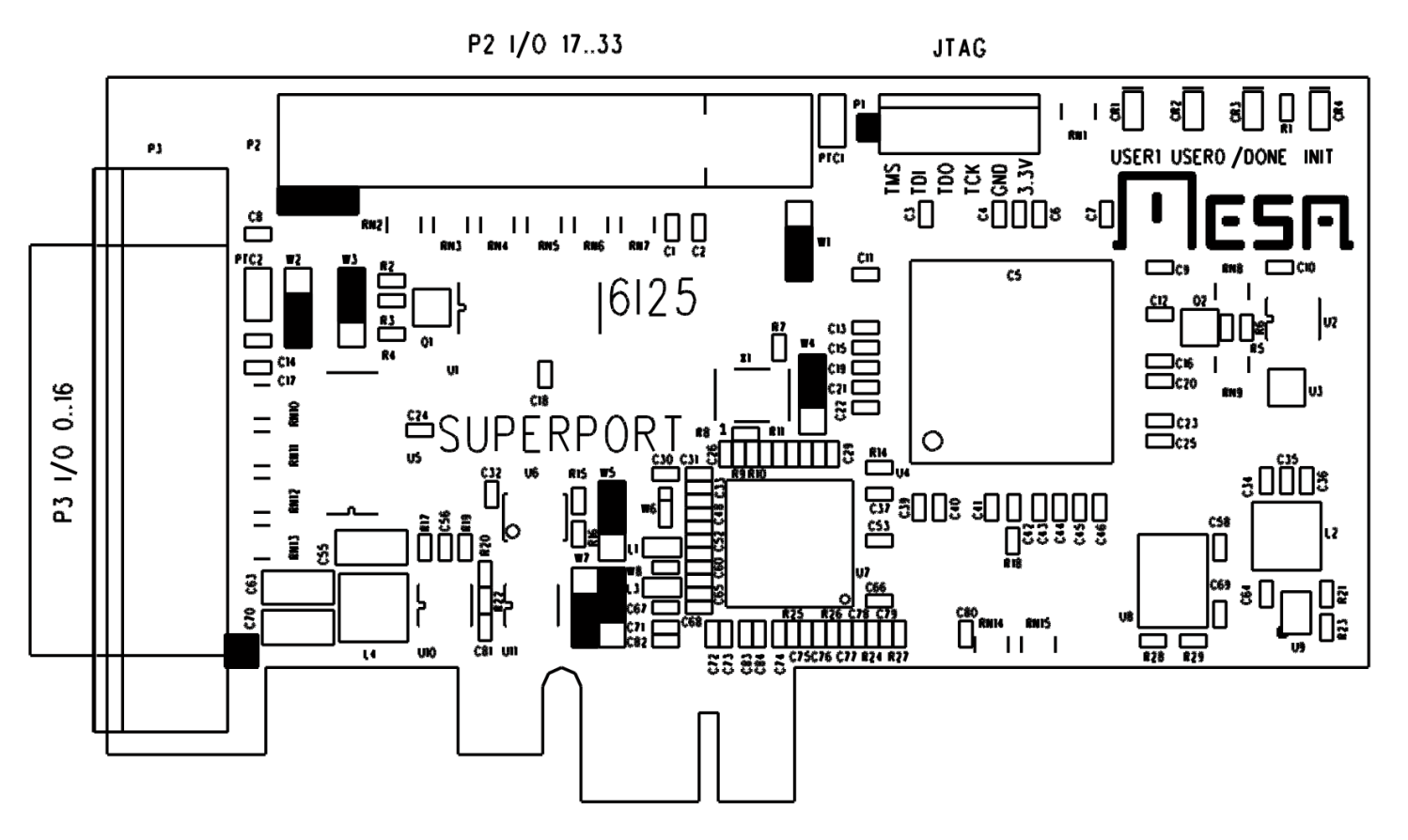
Mesa 6i25 – jumper locations For unknown reasons, the button originally known as
btn-triggerbecamebtn-joystickfor a while and has now reverted tobtn-trigger. It’s labeled1in the four-button cluster: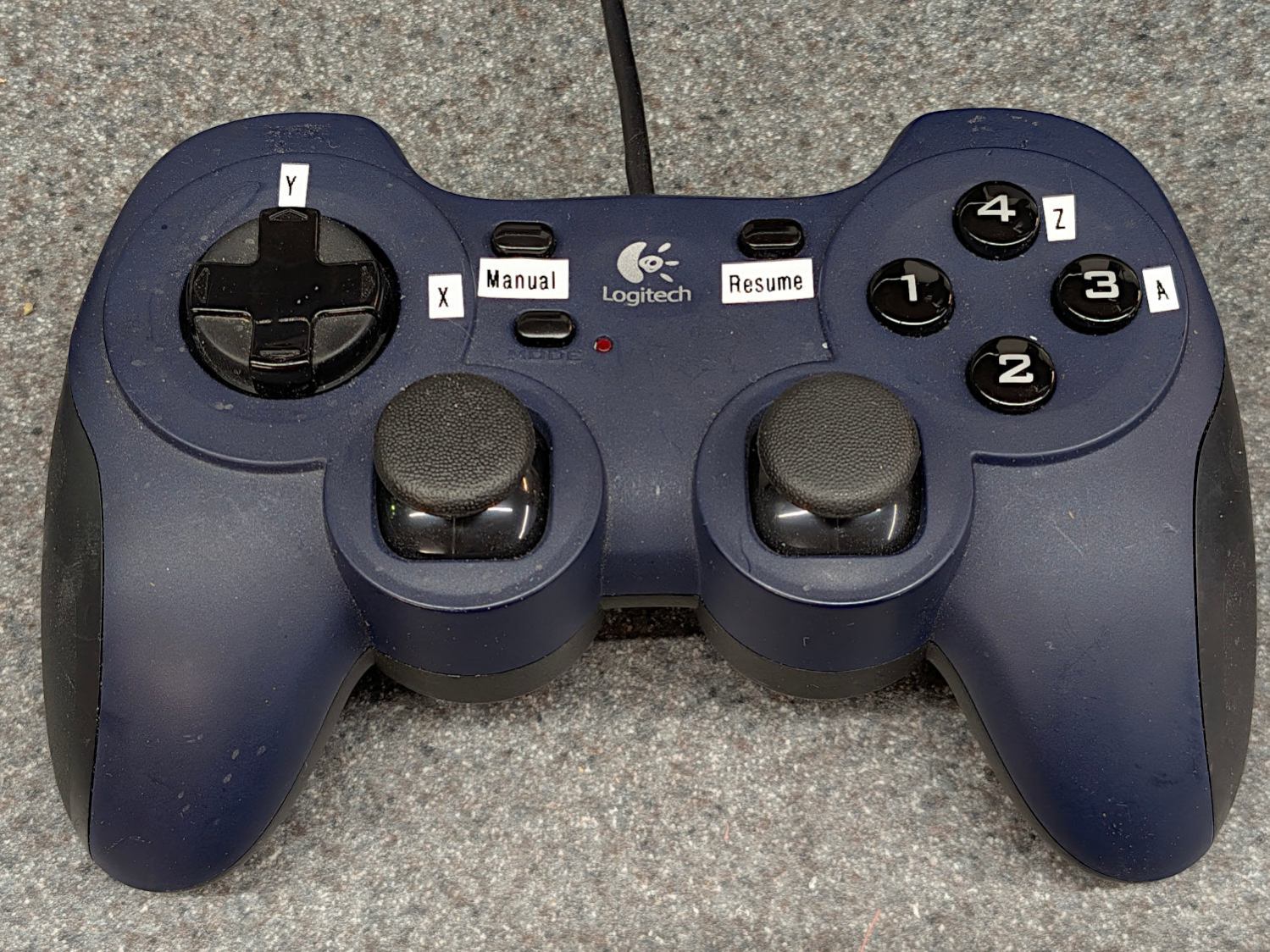
Logitech Dual-Action Gamepad – relabeled Which required changing the pin name in the Kicad library component:

Sherline HAL schematic – Logitech button 1 name Which required converting the old Kicad library format into the new Kicad library format, a completely automatic process without, AFAICT, any unpleasant side effects.
The new name fed into the schematic as expected, after minor fumbling while re-adding the modified component and setting its annotation number:

Sherline HAL schematic – Logitech AZ button logic The X axis home microswitch has (apparently) become more bouncy while it was idle, so I increased the number of samples before HAL sees a change in that GPIO input:
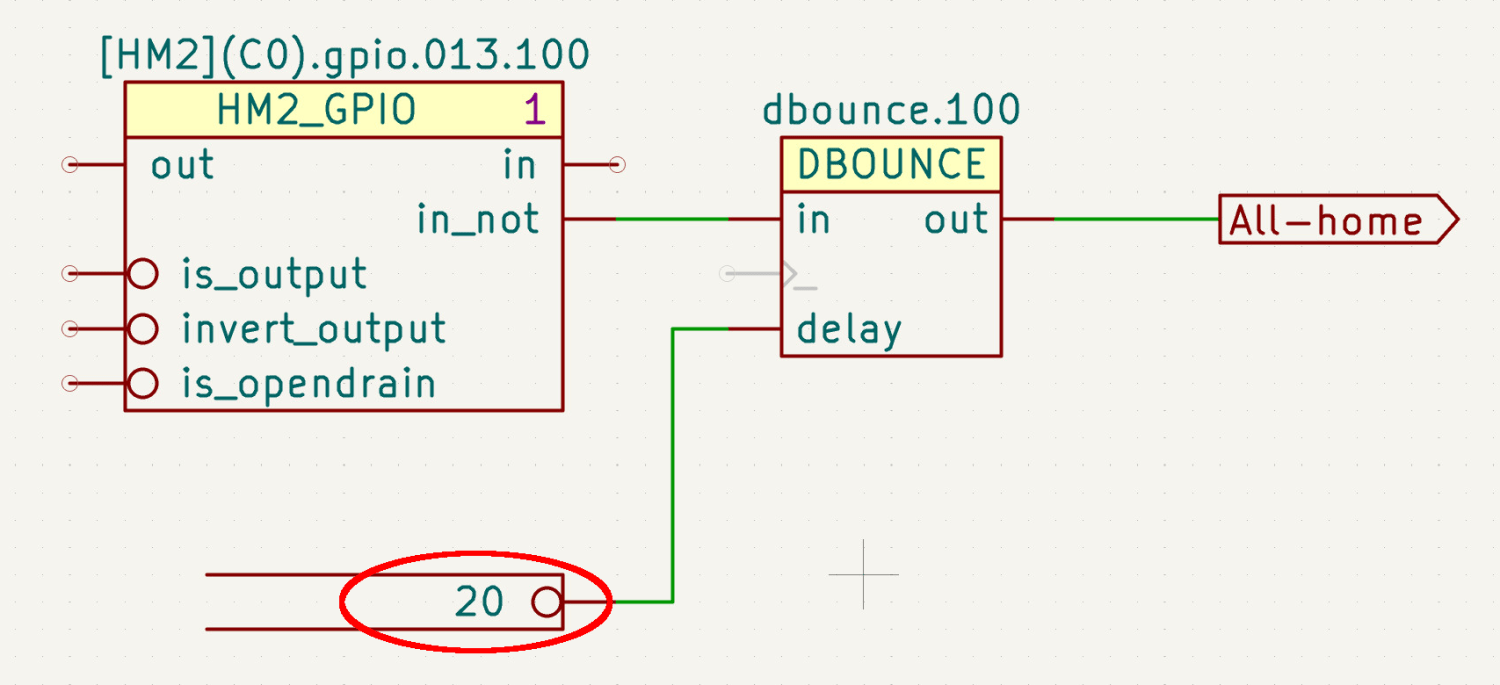
Sherline HAL schematic – home switch debounce The
dbounceblock runs in theservothread at 1 m per tick, so those 20 samples take all of 20 ms while the X axis moves 0.15 mm. At some point I should apply a scope to that switch, but for now It Just Works™.Considerably to my surprise, compiling the modified Kicad schematic into a HAL file proceeded without incident, despite various Python updates in the last five years.
Kicad produces an “intermediate XML file” containing the netlist data intended for a conversion / export program, which is basically what my Kicad-to-HAL lashup does. I told Kicad to use Bash’s
truecommand as a converter: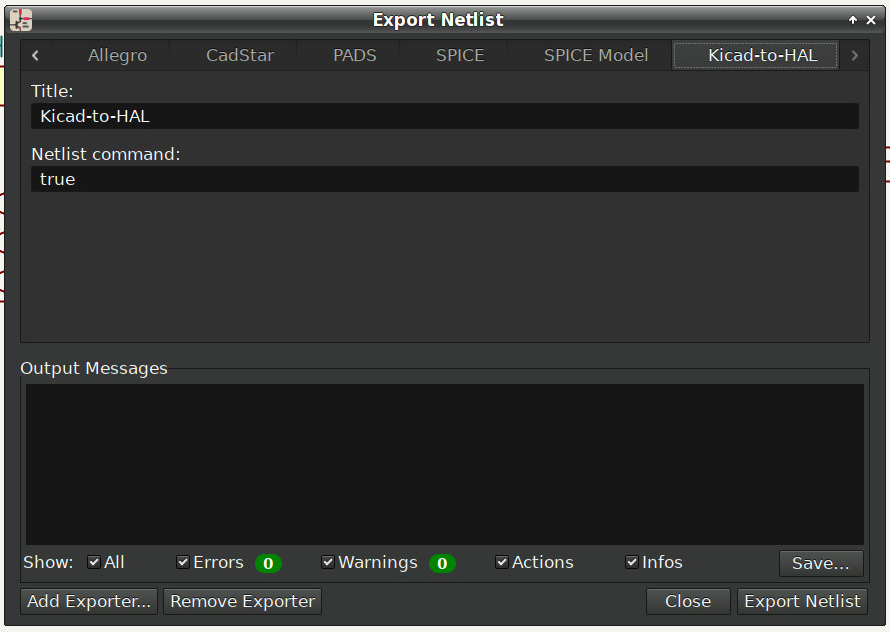
Sherline HAL schematic – netlist export So I can run the Kicad-to-HAL converter manually:
python ../Kicad\ Conversion/Kicad-to-HAL.py Sherline\ HAL\ -\ Logitech\ Gamepad\ jogging.xml Sherline.hal
You could tell Kicad to run it and it would probably Just Work™, but I’m used to peering at the results and dinking with my program.
Which produced a new
Sherline.halfile that Just Worked™ with the existingSherline.inifile containing the configuration constants.The Sherline has cut only air so far, but, as the man said, “E pur si muove.”
-
Subscribe
Subscribed
Have a WordPress.com account? Log in now.

