-
Samsung Dishwasher: Upper Sprayer Disassembly
The Samsung dishwasher has an upper rack with a rotating sprayer that was thoroughly clogged with debris from its damaged screen filter:
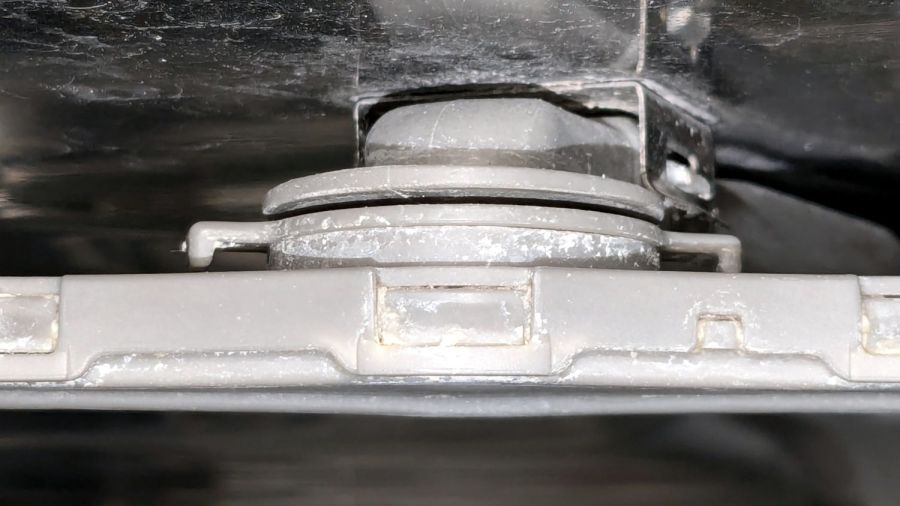
Samsung dishwasher top nozzle – assembled The whole assembly is readily available, although it seems any discrete part of the dishwasher costs about fifty bucks and this one wasn’t exactly broken.
It comes apart by rotating the lock ring (the one with right-angle ears sticking out on either side) 1/8 turn in the other direction from whichever way you think it should rotate. Hold the spray bar, shove the ears, and the spray arm will drop off:
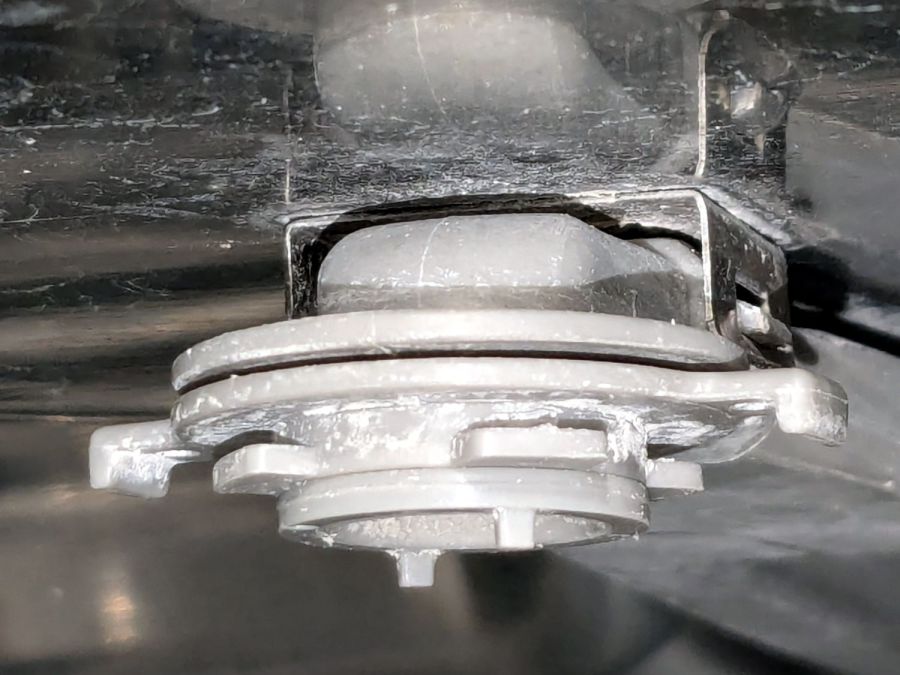
Samsung dishwasher top nozzle – unlocked The inside of the spray bar shows the locking details:
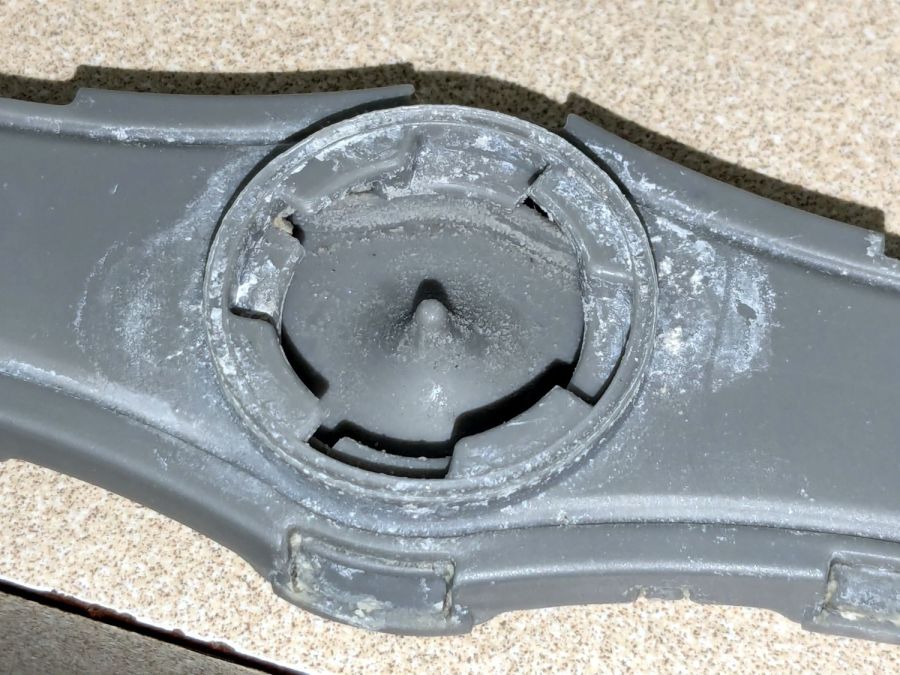
Samsung dishwasher top nozzle – sprayer Now, here’s the tricky part.
The small ring under the locking ring, the one with two square nubbins pointing downward, snaps onto the pipe carrying the water. There’s a shallow notch around the pipe, the inside of the ring has a shallow lip, and the ring holds the whole affair onto the pipe.
Contrary to what I thought, the two nubbins do not latch onto anything. Apparently, they hold the ring in the proper position relative to the arm’s interior and that’s it.
The only way to reassemble the arm is to snap the small ring into place, with the lock ring above it, then install the arm and turn the lock ring 1/8 turn the other way. You (well, I) cannot snap the assembled arm into place, because the nubbins don’t provide enough oomph to seat the small ring on the pipe.
Unless I write that down, I will never remember it …
Protip: Needle nose tweezers are invaluable for picking crud out of the nozzles. Iterate on picking and flushing with water until nothing more comes out, then expect to repeat the process several times as more crud emerges from the depths of the plumbing.
Although it is apparently possible to disassemble the spray arm by unlatching all the snaps along the edge, I’d reserve that for a moment when lives depended on unclogging the nozzles.
-
Subscribe
Subscribed
Already have a WordPress.com account? Log in now.
 The Smell of Molten Projects in the Morning