-
HT GPS + Audio: Revised Schematic
This is a tweak to the previous design, based on some road testing.
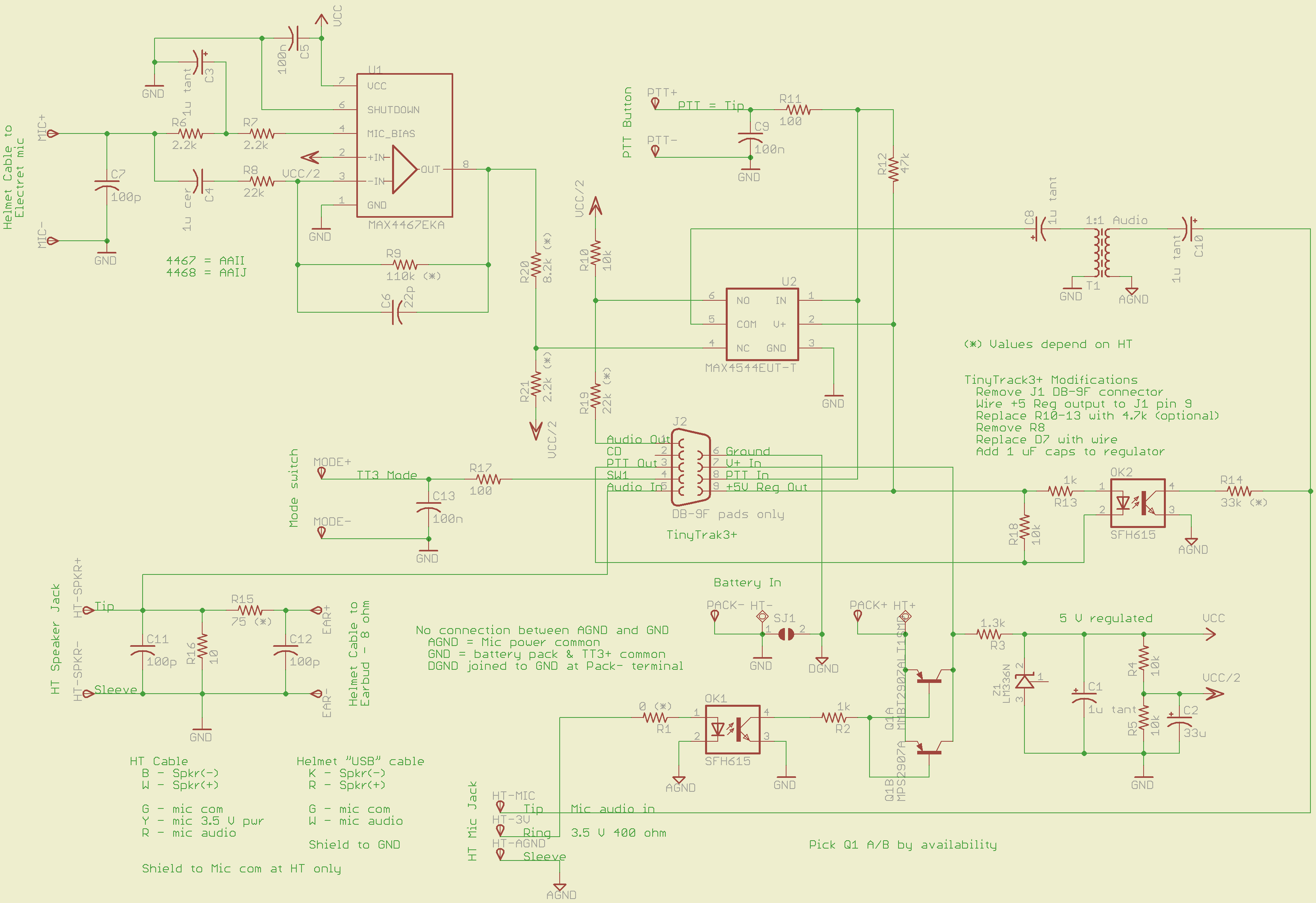
An attenuator on the output of the MAX4467 voice amp allows gains below unity. Right now, the MAX4467 has Av=5 and the attenuator cuts it back by about 1/5, so the overall gain is about unity. I have a bunch of surplus electret mic capsules and some have come through really hot; this allows backing the gain way down with the mic amp set to Av=1.
That requires stiffening the Vcc/2 supply by swapping in a 33 µF cap for the original 1 µF unit. If you don’t do that, the amp turns into a oscillator: the attenuator jerks the Vcc/2 supply around, which feeds back to the non-inverting input of the MAX4467. In principle, the gain should be less than unity, but I wouldn’t bet on it.
The MOSFET relay sometimes didn’t quite turn on from the piddly 4 mA available through the ICOM IC-Z1A’s mic power supply; it was vaguely temperature dependent. I returned to an ordinary optocoupler with a CTR of about 100% driving a 2N2907 PNP transistor, as in the first-pass design that you never saw.
The two 2N2907 devices allow either a through-hole TO-92 or SMD SOT-3 package, depending on what you have and the power dissipation you need. In my situation, the SMD version suffices, with less than 100 mV of VCE saturation.
Let me know if you need the Eagle PCB files or PCB layouts.
Clicky for a bigger image…
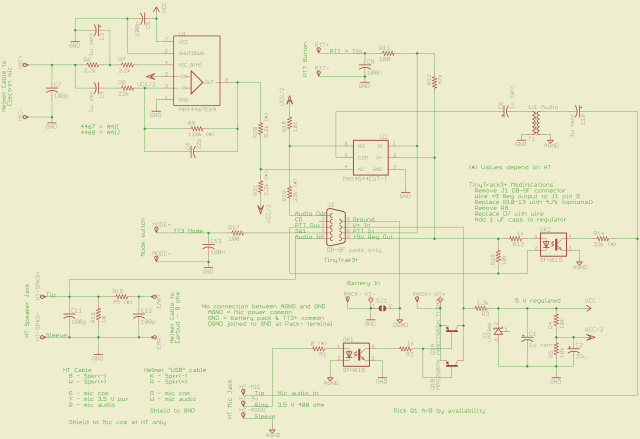
GPS + Voice HT Interface schematic – revised 15 July 2010 [Update: I’m not convinced the Vcc/2 supply is stiff enough. I ripped out the attenuator and cut the amp gain to 1.0. If I get some really hot capsules, I’ll think it over a bit more.]
-
Subscribe
Subscribed
Already have a WordPress.com account? Log in now.
 The Smell of Molten Projects in the Morning