-
Kindle Fire Security: Burn Them. Burn Them All.
My Kindle Fire automagically updates itself whenever Amazon decides it should. Sometimes an update produces a notice that an app (why don’t we call them “programs” these days?) needs more permissions, but the process generally goes unremarked.
This one wasn’t subtle at all:
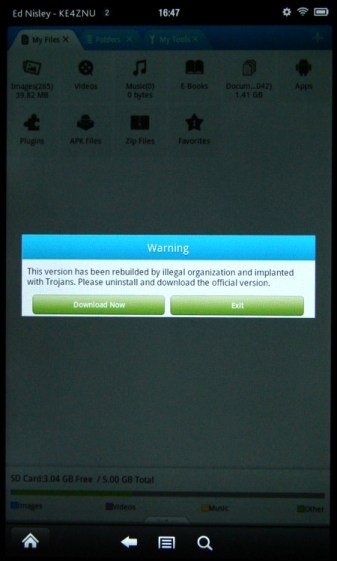
Kindle Fire – File Expert Trojan warning I had just fired up
File Expert, which immediately dimmed the screen and presented a dialog box with only two unpalatable choices. Here’s a closeup: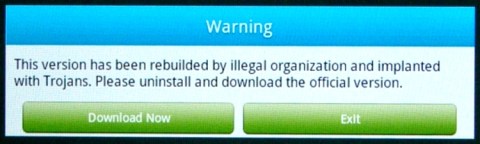
Kindle Fire – File Expert Trojan warning – detail Well, what would you do?
Needless to say, I didn’t press the
Download Nowbutton; it probably wouldn’t have worked anyway, because I turned off theAllow Installation of Applications from Unknown Sourcesoption a long time ago. PressingExitbails out of theprogramapp and returns to the Home screen.Some questions immediately spring to mind:
- If the app has been compromised, exactly how did it regain control and complain about the situation?
- If this is truly a compromised app, why wouldn’t the Trojan just download malware without asking?
- How did this pass the ahem QC and auditing that allegedly justifies having a sole-source Amazon App Store? After all, I can load random crap from the Interweb onto a PC all by myself.
- How does one validate the origin of those random security questions that regularly appear on various computer screens? Why wouldn’t malware just pop up a random dialog box asking for the password, any password, and gleefully use whatever you type?
This appears to be a false positive, as explained there. I assume that any malware worth its salt would also kill off any built-in integrity checking, but what do I know? It’s gone missing from the storefront, probably cast forth into the outer darkness away from the light of Kindle Fires…
-
Subscribe
Subscribed
Have a WordPress.com account? Log in now.

