-
Floor Lamp Remote Control Holder
The remote control for the floor lamp across the Reading Room will never again wander away into the clutter:

Floor lamp remote holder – in use The magnet in its back snuggles against a steel disk embedded in the holder:

Floor lamp remote holder – installed A magnetic field visualization sheet revealed the magnet:

Floor lamp remote holder – magnet field visualization Extract the remote’s profiles with a contour gauge:

Floor lamp remote holder – pin contour gauge Trace the outlines and lay smooth curves around them with Inkscape:

Remote profiles – Inkscape curves They needed a slight lengthening to account for the gauge pin diameter & deflection, but this isn’t a precision project.
Do the same with a scan of the front face, import the curves into OpenSCAD, extrude them, create a solid model of the remote from their mutual intersection, then add a cylinder to punch the depression for the steel plate:
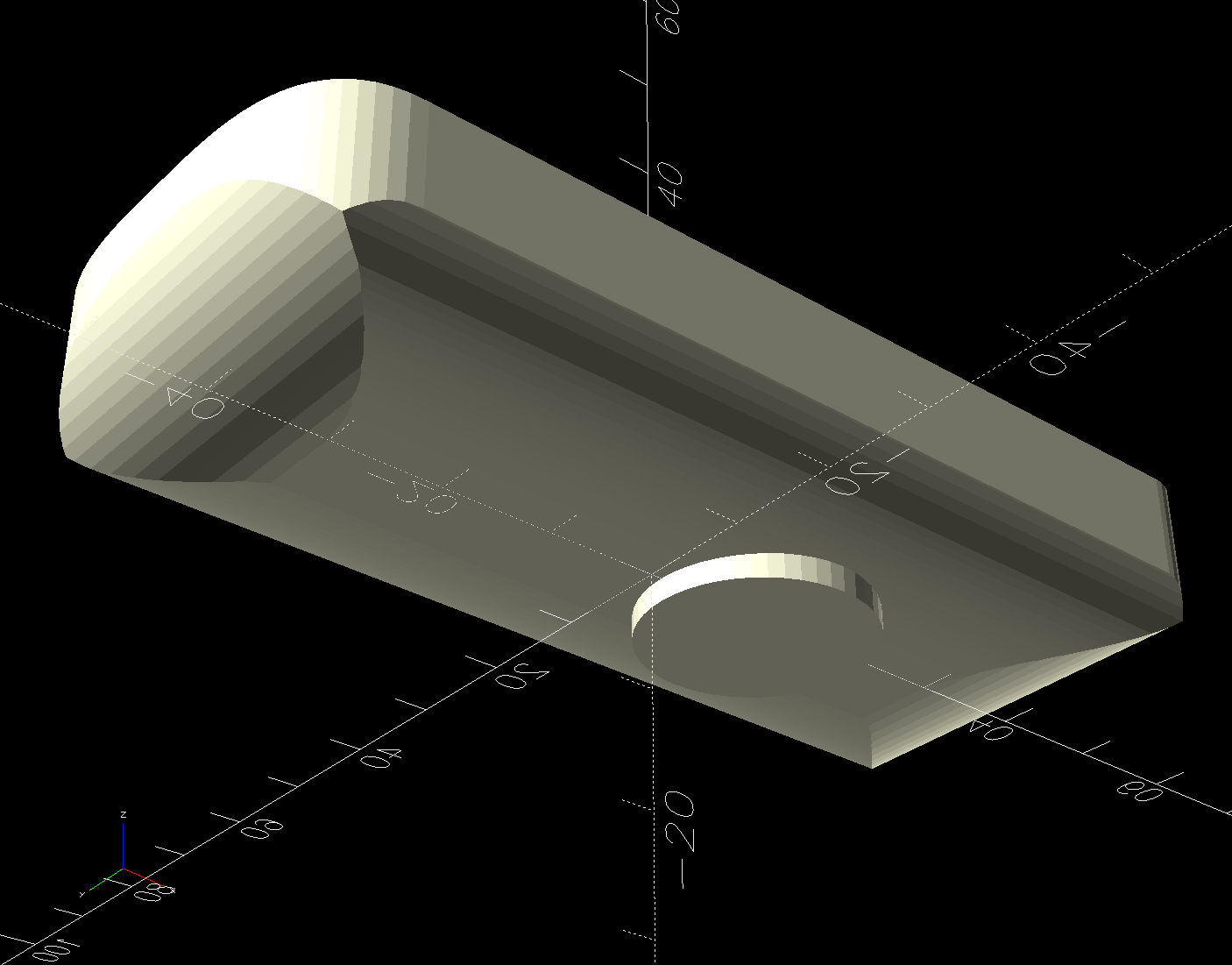
Floor Lamp Remote Holder – solid model – bottom The chonky model corners stick out too far compared to the stylin’ curves on the real remote, but I made the holder shorter than the remote specifically to avoid fussing with such details.
Subtract the remote from a nicely rounded cuboid and knock out a cylinder for the pipe it’ll mount on to produce the holder:

Floor Lamp Remote Holder – solid model – Show view I briefly considered a circumferential clamp around the pipe before coming to my senses and making the pipe diameter 2 mm larger to accommodate a strip of double-sided foam tape.
The magnet gets a ferocious grip on the plate and I defined the result to be All Good™.
The OpenSCAD source code and SVG paths as a GitHub Gist:
LoadingSorry, something went wrong. Reload?Sorry, we cannot display this file.Sorry, this file is invalid so it cannot be displayed.This file contains hidden or bidirectional Unicode text that may be interpreted or compiled differently than what appears below. To review, open the file in an editor that reveals hidden Unicode characters. Learn more about bidirectional Unicode characters// Floor Lamp Remote Holder // Ed Nisley – KE4ZNU // 2025-03-29 include <BOSL2/std.scad> Layout = "Holder"; // [Show,Build,Remote,Holder] BaseAngle = 30; // [0:50] /* [Hidden] */ RemoteOA = [92.0,40.0,14.5]; PoleOD = 16.0; // lamp pole MagnetOD = 20.0; // steel plate under magnet MagnetOffset = [11.0,0,-2.0]; TapeThick = 1.2; HolderOA = [60.0,35.0,PoleOD/3 + 4.0 + RemoteOA.z/2]; HolderRadius = 5.0; Gap = 10.0; //———- // Define shapes module RemoteBody() { union() { intersection() { fwd(RemoteOA.y/2) up(RemoteOA.z/2) linear_extrude(h=RemoteOA.z,center=true) import("Floor Lamp Remote – outlines.svg",layer="Top Outline"); zrot(90) xrot(90) linear_extrude(h=RemoteOA.x,center=true) import("Floor Lamp Remote – outlines.svg",layer="End Outline"); xrot(90) linear_extrude(h=RemoteOA.y,center=true) import("Floor Lamp Remote – outlines.svg",layer="Side Outline"); } translate(MagnetOffset) cylinder(d=MagnetOD,h=RemoteOA.z,$fn=4*3*4); } } module Holder() { difference() { cuboid(HolderOA,anchor=BOTTOM,rounding=HolderRadius,except=TOP); down((PoleOD + 2*TapeThick)*(1/2 – 1/3)) yrot(90) cylinder(d=PoleOD + 2*TapeThick,h=2*HolderOA.x,center=true); up(HolderOA.z – RemoteOA.z/2) RemoteBody(); } } //———- // Build things if (Layout == "Remote") RemoteBody(); if (Layout == "Holder") Holder(); if (Layout == "Show") { color("White") Holder(); color("Gray",0.75) up(HolderOA.z – RemoteOA.z/2 + Gap) RemoteBody(); color("Green",0.5) down((PoleOD + 2*TapeThick)*(1/2 – 1/3)) yrot(90) cylinder(d=PoleOD + 2*TapeThick,h=2*HolderOA.x,center=true); } if (Layout == "Build") { Holder(); }
-
Subscribe
Subscribed
Have a WordPress.com account? Log in now.


