-
Random LED Dots: Startup Lamp Test
I should mention the lamp test in case it comes in useful later on…
	digitalWrite(PIN_HEARTBEAT,LOW);	// turn off while panel blinks

	analogWrite(PIN_DIMMING,LEDS_ON);	// enable LED array

	for (byte i=0; i<NUMROWS; i++) {
		for (byte j=0; j<NUMCOLS; j++) {
			LEDs[i].ColR = LEDs[i].ColG = LEDs[i].ColB = 0x80 >> j;
			for (byte k=0; k<NUMROWS; k++) {
				UpdateLEDs(k);
				delay(25);
				if (GeigerTicked) {
					GeigerTicked = false;
					TogglePin(PIN_HEARTBEAT);
				}
			}
		LEDs[i].ColR = LEDs[i].ColG = LEDs[i].ColB = 0;
		}
	}
	UpdateLEDs(NUMROWS-1);			// clear the last LED
Updating / multiplexing all the rows inside the inner loop with a 25 ms pause produces distinct flashes and demonstrates that each LED operates separately from all the others:
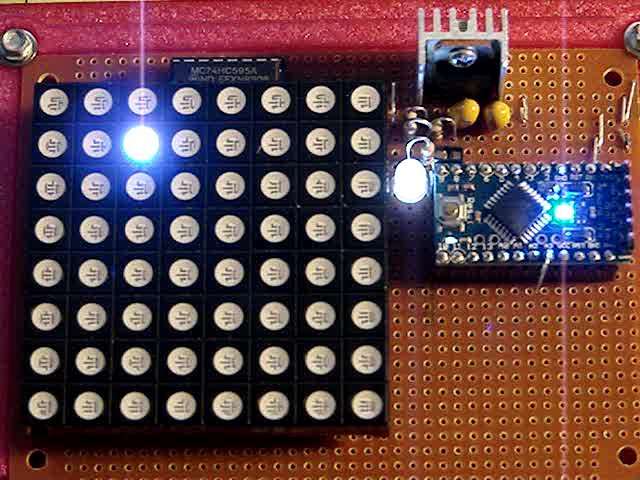
Lamp Test The lamp test ends with all the LEDs turned off, but having the array gradually fill with light looked odd.
After some tinkering, I added the
GeigerTickedconditional to handshake with the Geiger pulse interrupt handler, thus producing a nice random time at the end of the loop. Feed that mostly random time into the hash function, use the hash as the random number seed, then set all the LEDs usingrandom(2)function calls:randomSeed(jenkins_one_at_a_time_hash((char *)GeigerTime,4)); for (byte Row=0; Row<NUMROWS; Row++) { for (byte Col=0; Col<NUMCOLS; Col++) { // Col runs backwards, but we don't care LEDs[Row].ColR |= random(2) << Col; LEDs[Row].ColG |= random(2) << Col; LEDs[Row].ColB |= random(2) << Col; } UpdateLEDs(Row); } GeigerTicks = 0; // reset counter GeigerTicked = false; // resume captureWhich produced a more-or-less random fill that looked better:
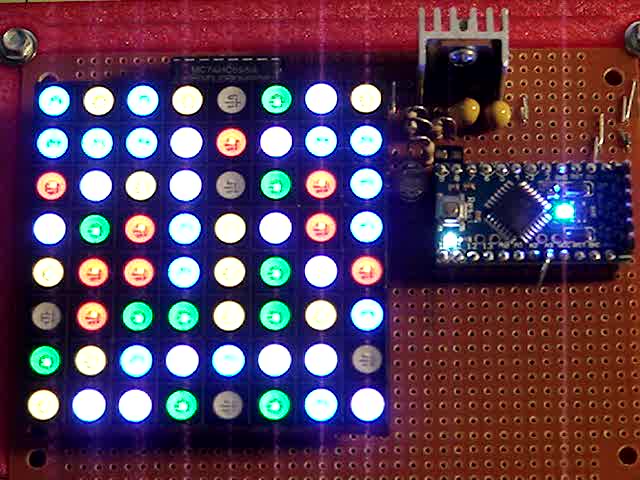
Random Preload – bright Underexposed to reduce the burnout (after a few Geiger events):
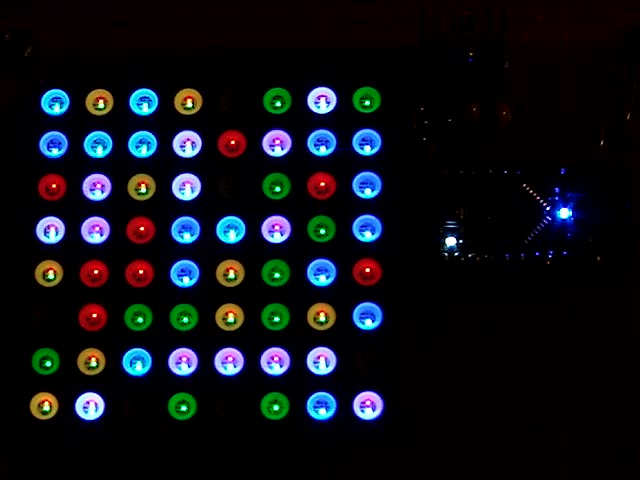
Random Preload – dim There should be about eight of each color and, hey, it’s close enough.
After the preload, it ticks along like it should…
-
Subscribe
Subscribed
Have a WordPress.com account? Log in now.

