-
Lenovo Q150: Opening the Case For an SSD
A pre-Christmas sale brought a cheap SSD that rendered my oath not to install one in the Lenovo Q150 inoperative, so I had to figure out how to open the case. Removing the visible screws didn’t release the cover, but some exploratory prying eventually popped the internal snap latches. Knowing the latch & screw locations will simplify harvesting the SSD when that time comes…
Front (with USB & SPDIF jacks):
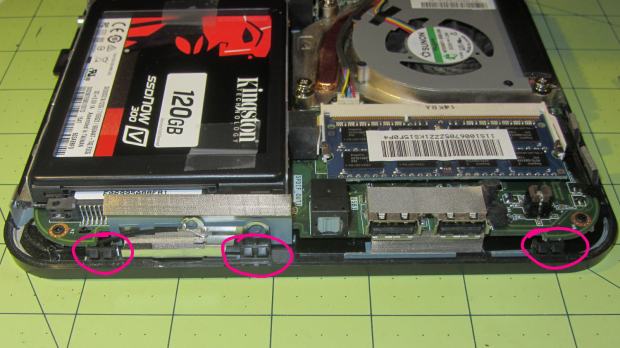
Lenovo Q150 – case latches – front Rear (with all the other jacks):
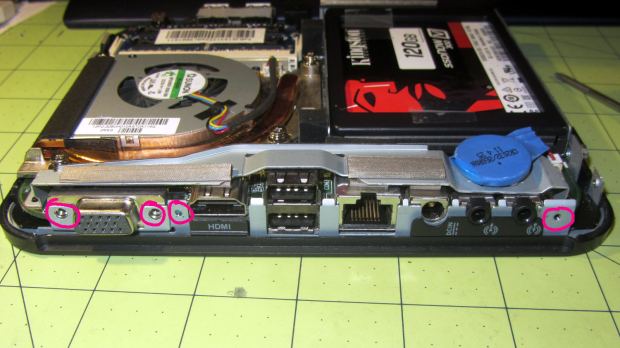
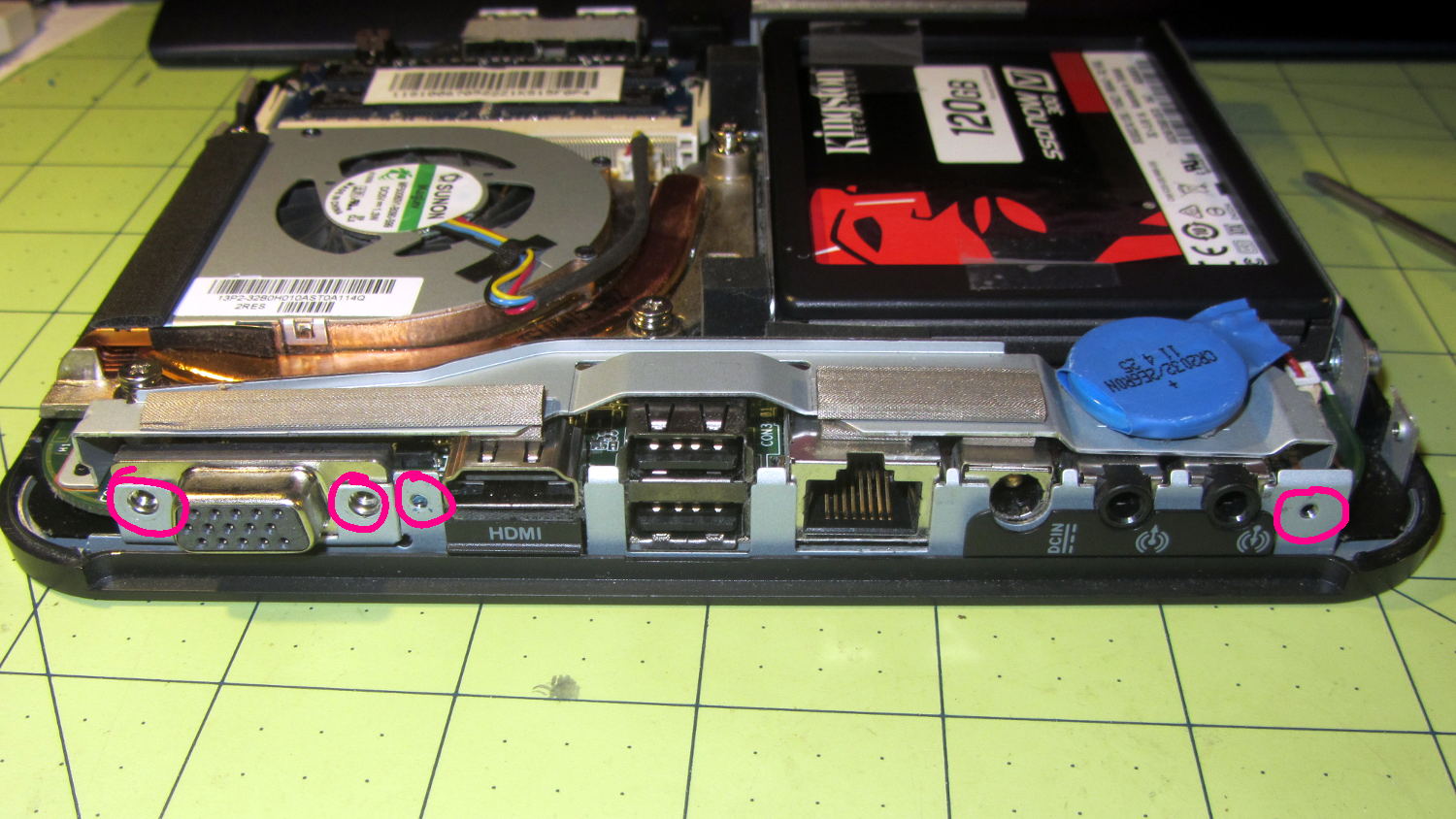
Lenovo Q150 – case screws – rear Top (with the heatsink outlet):
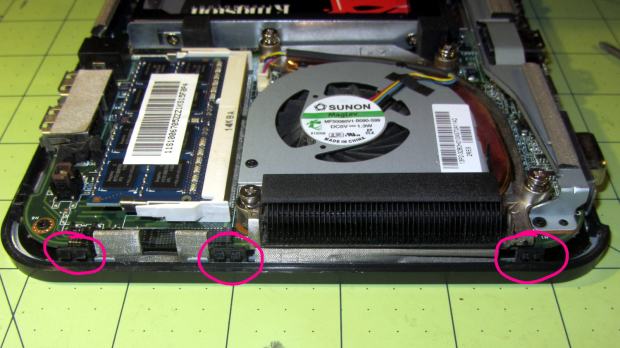
Lenovo Q150 – case latches – top Bottom (with the mounting boss):
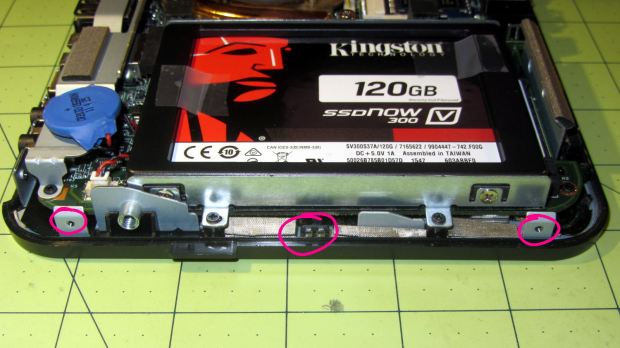
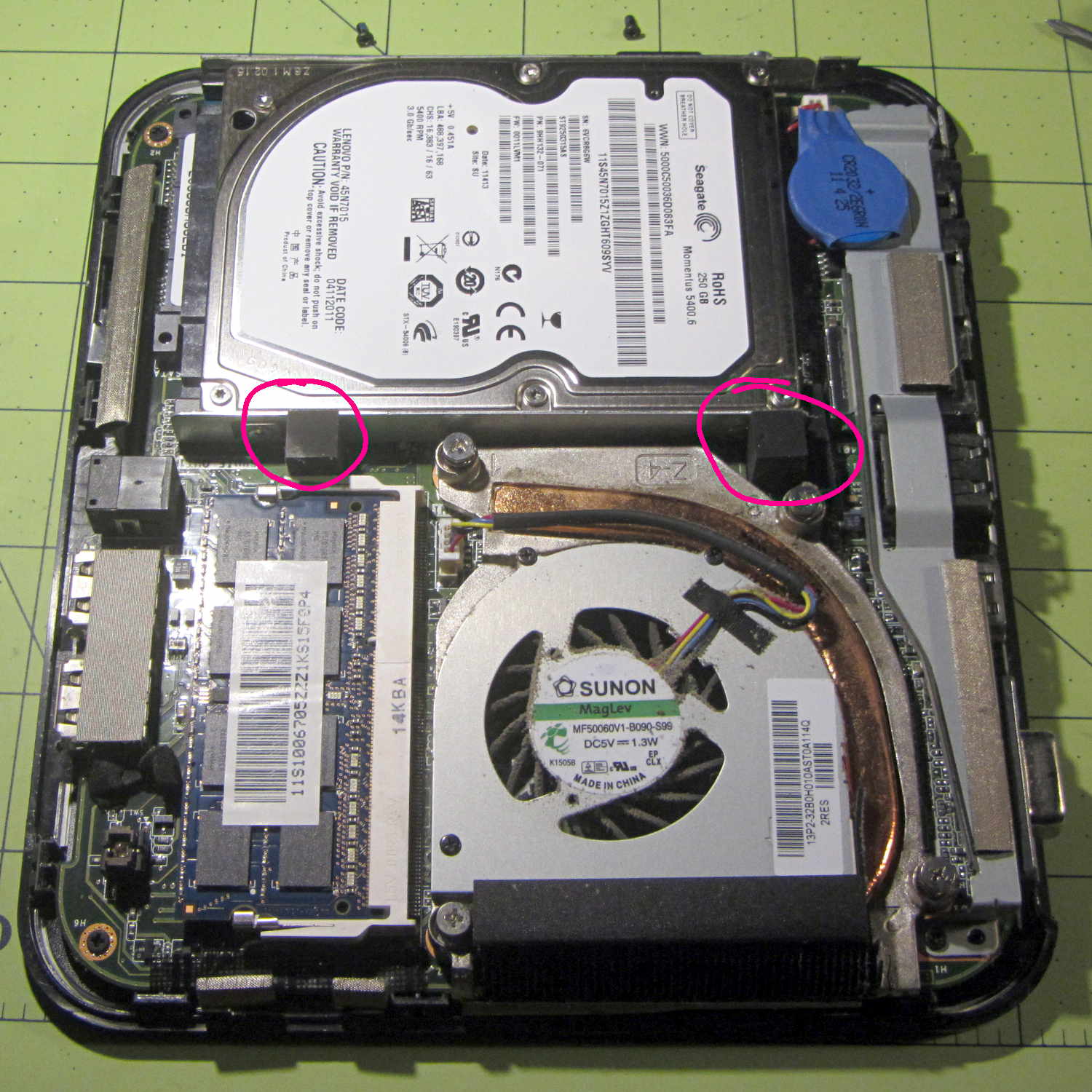
Lenovo Q150 – case latch screws – bottom With the cover off, the inside looks like this:
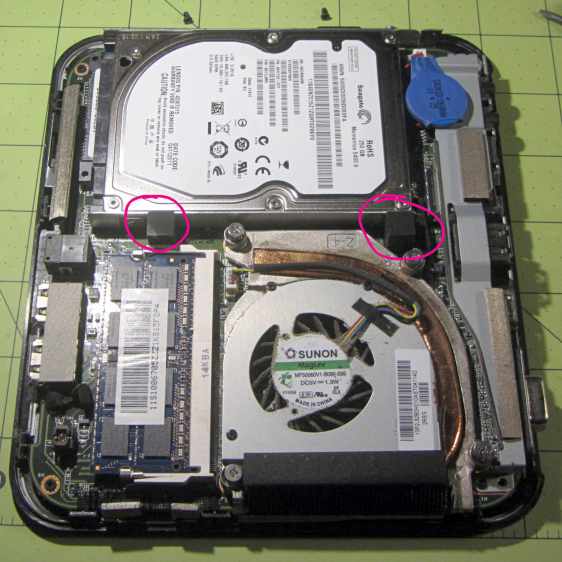
Lenovo Q150 – interior overview The two rubber blocks glued to the hard drive bracket (carrier / sled / whatever) conceal the screws holding that side to the chassis. However, removing the blocks and the screws didn’t release the bracket, because it had what looked like a black adhesive layer below the screw flanges:
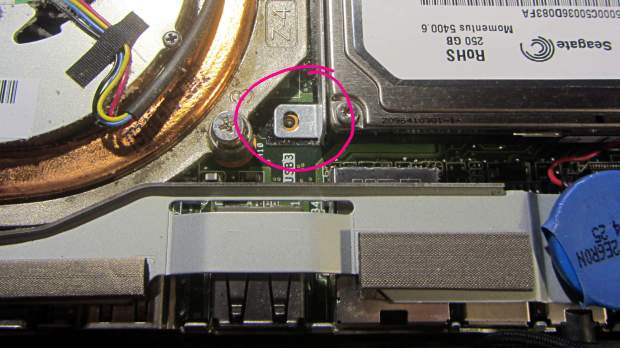
Lenovo Q150 – hidden drive bracket screw Gentle prying from the edge of the bracket eventually released it, showing that the black plastic was just an insulating layer. Below that, two thin foam strips had firmly affixed themselves to the PCB, despite not having any adhesive on that side:
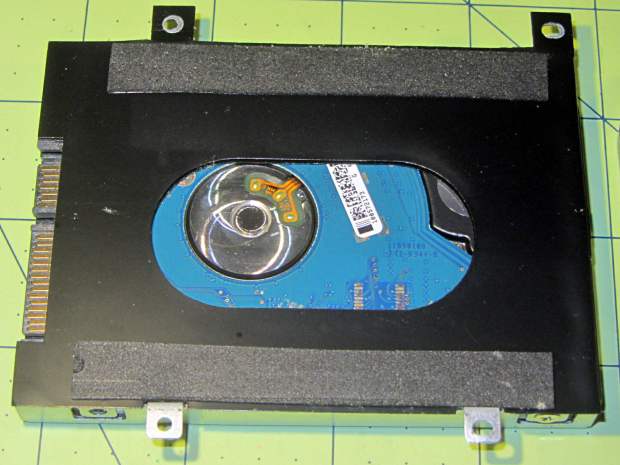
Lenovo Q150 – drive bracket – foam strips With the bracket on the bench, installing the SSD went exactly as you’d expect and reinstalling the cover was, quite literally, a snap.





-
Subscribe
Subscribed
Have a WordPress.com account? Log in now.

