-
Handlebar Grip Sleeve
Mary’s zero-mph crash loosened the starboard handlebar plug enough to let it eventually decamp for parts unknown. Its replacement, a somewhat fancier aluminum plug with an expanding cone retainer using an actual M3 nut, worked fine for the last year, but Mary recently noticed the socket head screw had worked loose.
In the interim, I’d moved the Bafang thumb control from its original position on the crossbar to just above the rear shifter:
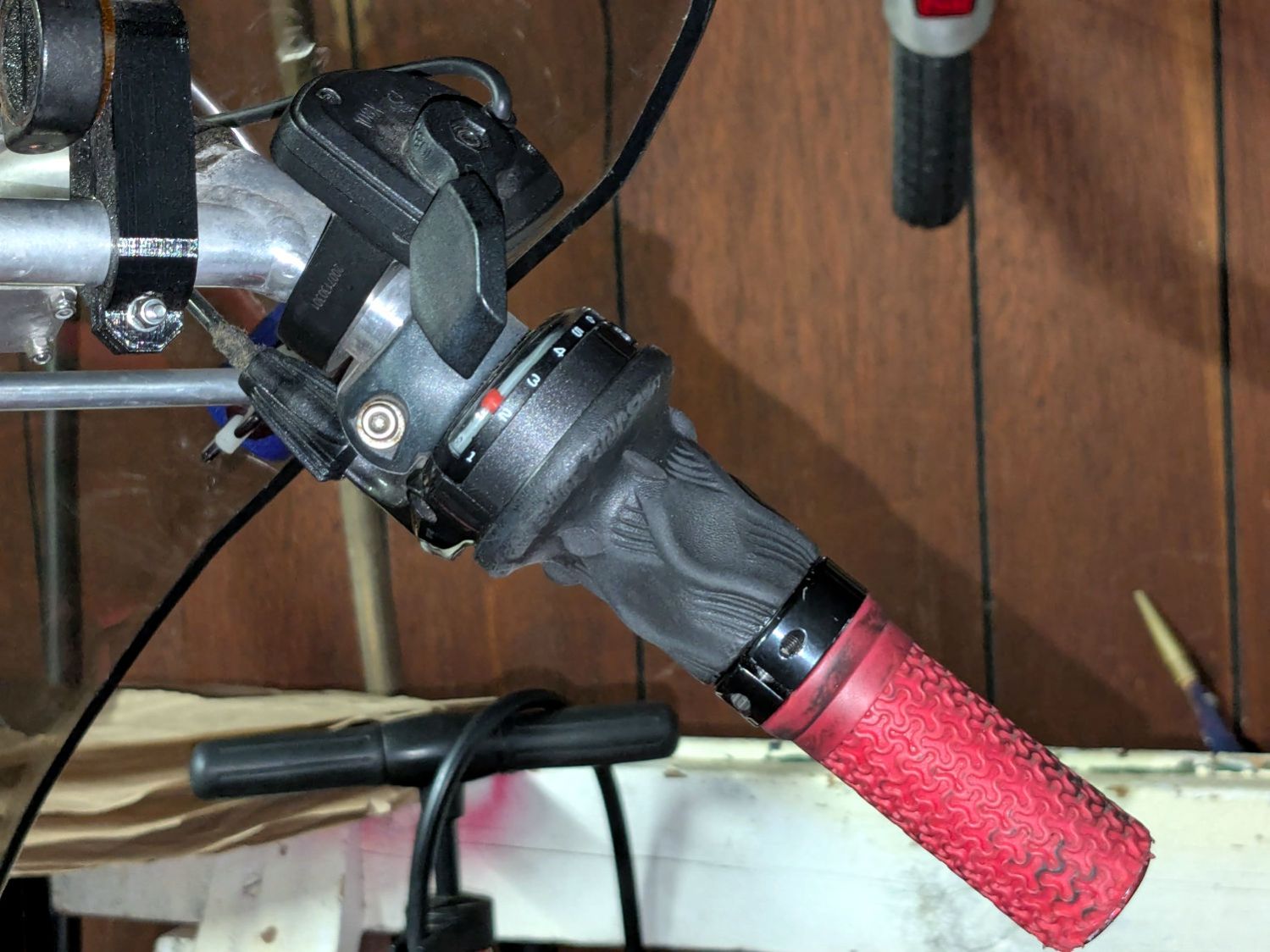
Tour Easy – right handlebar control stack Which moved the clamp on the shortened grip off the end of the handlebar tube, so I flipped the grip around, tightened the clamp, and installed the plug.
Unfortunately, the grip ID is 4 mm larger than the tube ID, which meant the plug’s cone retainer was struggling to hold on in there. Perhaps the plastic cone has relaxed bit, but I figured giving it more traction would be a Good Idea™ before I declared victory:
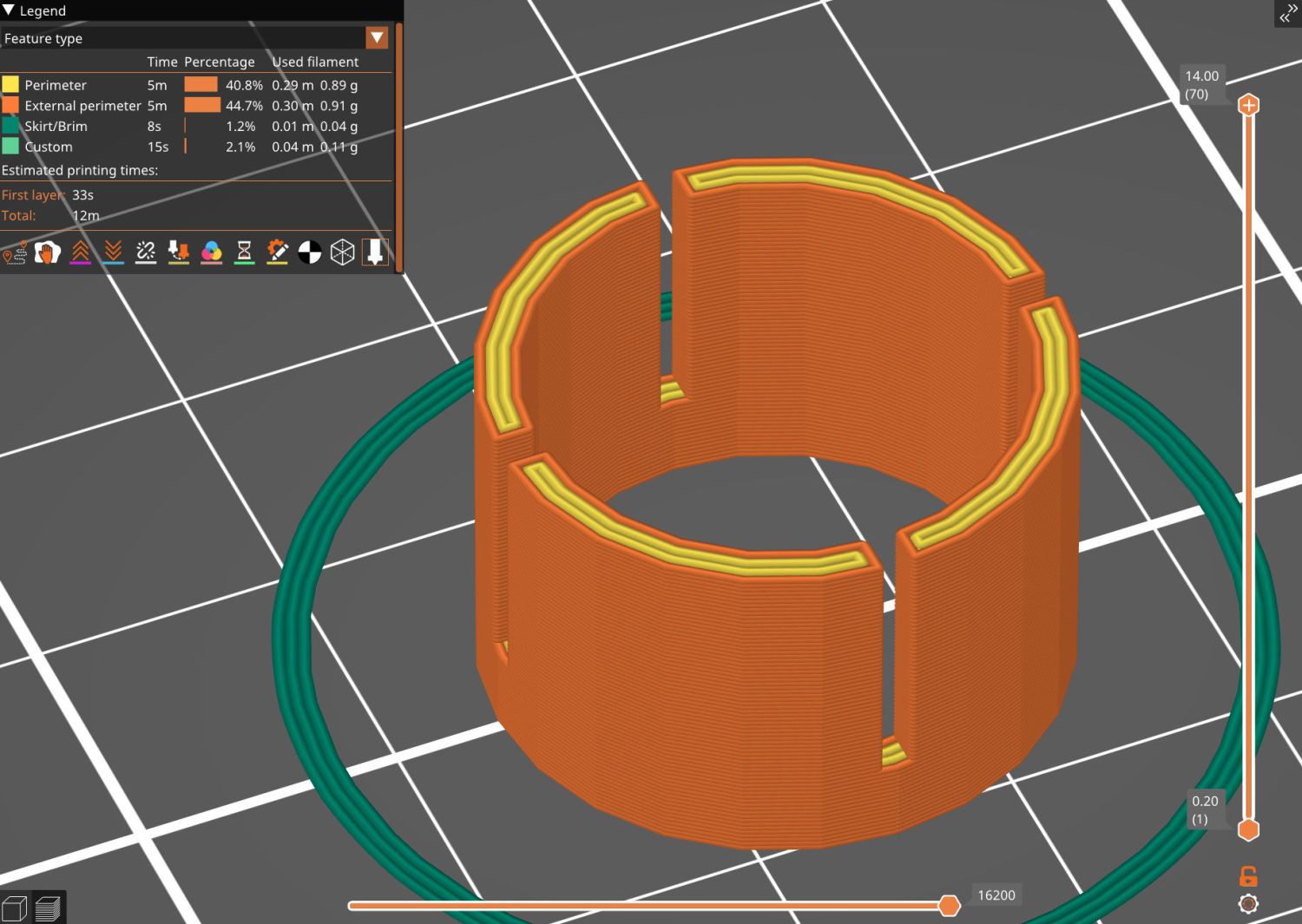
Handlebar Grip Sleeve – PrusaSlicer It’s a little plastic sleeve with slots to let it expand against the inside of the grip:
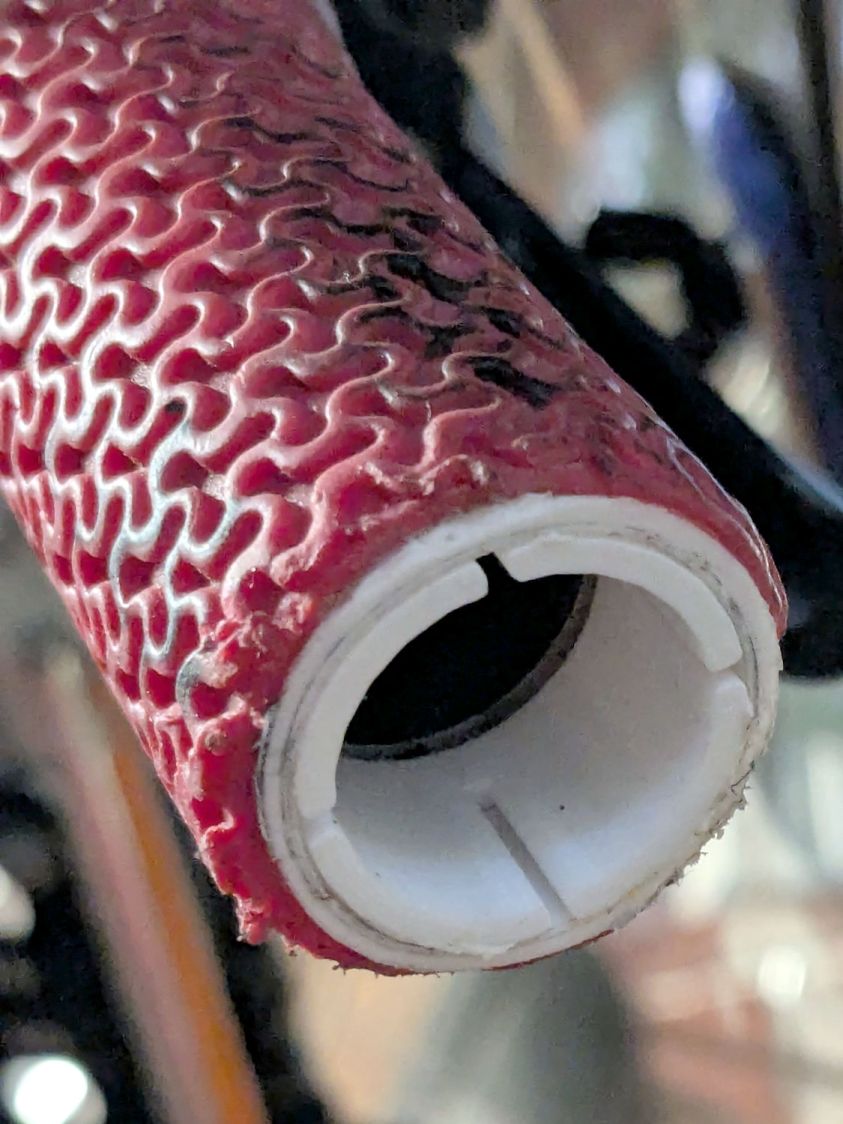
Handlebar grip sleeve – installed Yes, it’s sticking out slightly; you can see the corresponding gap up inside next to the tube.
A wrap of double-sided sticky tape glues it in place as the retainer presses it against the grip ID and a dot of low-strength Loctite should keep the screw from loosening again.
The OpenSCAD source code:
// Handlebar grip sleeve
// Ed Nisley - KE4ZNU
// 2025-10-25

include <BOSL2/std.scad>

/* [Hidden] */

ID = 0;
OD = 1;
LENGTH = 2;

HoleWindage = 0.2;
Protrusion = 0.1;
NumSides = 3*2*4;

$fn=NumSides;

Sleeve = [18.5,22.0,14.0];
Kerf = 1.0;

  difference() {
    tube(Sleeve[LENGTH],id=Sleeve[ID],od=Sleeve[OD],anchor=BOTTOM);
    for (a=[0,90])
      zrot(a)
        up(Sleeve[LENGTH]/4)
          cuboid([2*Sleeve[OD],Kerf,Sleeve[LENGTH]],anchor=BOTTOM);
  }
That was easy …
-
Subscribe
Subscribed
Have a WordPress.com account? Log in now.

