-
Copying Action Camera Video: Now With UUIDs
Having tired of manually decoding UDEV’s essentially random device names produced for the various USB action cameras and card readers, I put the device UUIDs in
/etc/fstaband let the device names fall where they may:UUID=B40C6DD40C6D9262 /mnt/video ntfs noauto,uid=ed 0 0 UUID=0FC4-01AB /mnt/Fly6 vfat noauto,nodiratime,uid=ed 0 0 UUID=0000-0001 /mnt/M20 vfat noauto,nodiratime,uid=ed 0 0 LABEL=AS30V /mnt/AS30V exfat noauto,nodiratime,uid=ed 0 0
You get those by plugging everything in, running
blkid, and sorting out the results.The 64 GB MicroSD card from the Sony AS30V camera uses Microsoft’s proprietary
exfatfile system, which apparently doesn’t associate a UUID/GUID with the entire device, so you must use a partition label. The Official SD Card Formatter doesn’t (let you) set one, so:exfatlabel /dev/sdd1 AS30V
It turns out you can include spaces in the partition label, but there’s no way to escape them (that I know of) in
/etc/fstab, so being succinct counts for more than being explanatory.One could name the partition in the Windows device properties pane, which would make sense if one knew it was necessary while the Token Windows Laptop was booted with the card in place.
I think this is easier then trying to persuade UDEV to create known device names based on the USB hardware characteristics, because those will depend on which USB card / device / reader I use. I can force the UUIDs to be whatever I want, because they’re just bits in the disk image.
With all that in place, you plug in All. The. Gadgets. and run the script (as seen below). The general idea is to verify the bulk video drive mounted OK, attempt to mount each memory card and fire off a corresponding
rsynccopy, wait until they’re all done, tidy the target filenames, then delete all the source files to get ready for the next ride.Funneling all three copies to a single USB hard drive probably isn’t the smartest thing, but the overall write ticks along at 18 MB/s, which is Good Enough for my simple needs. If the drive thrashes itself to death, I won’t do it again; I expect it won’t fail until well outside the 1 year limited warranty.
If any of the
rsynccopies fail, then nothing gets deleted. I’m a little queasy about automagically deleting files, but it’s really just video with very little value. Should something horrible happen, I’d do the copies by hand, taking great care to not screw up.After all, how many pictures like this do we need?
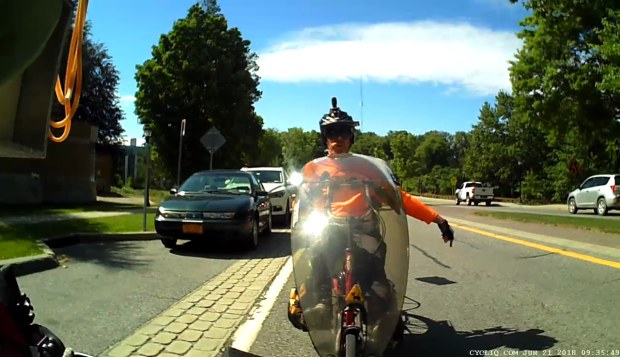
Ed signalling on Raymond The Bash script as a GitHub Gist:
This file contains hidden or bidirectional Unicode text that may be interpreted or compiled differently than what appears below. To review, open the file in an editor that reveals hidden Unicode characters. Learn more about bidirectional Unicode charactersUUID=B40C6DD40C6D9262 /mnt/video ntfs noauto,uid=ed 0 0 UUID=0FC4-01AB /mnt/Fly6 vfat noauto,nodiratime,uid=ed 0 0 UUID=0000-0001 /mnt/M20 vfat noauto,nodiratime,uid=ed 0 0 LABEL=AS30V /mnt/AS30V exfat noauto,nodiratime,uid=ed 0 0 This file contains hidden or bidirectional Unicode text that may be interpreted or compiled differently than what appears below. To review, open the file in an editor that reveals hidden Unicode characters. Learn more about bidirectional Unicode characters#!/bin/bash # This uses too many bashisms for dash thisdate=$(date –rfc-3339=date) echo Date is $thisdate date # MicroSD / readers / USB drive defined in fstab # … with UUID or PARTID as appropriate echo Mounting bulk video drive sudo mount /mnt/video if [ $? -ne 0 ]; then echo '** Cannot mount video storage drive' exit fi # Show starting space available df -h /mnt/video #– Sony AS30V printf "\n— AS30V\n" as30v=/mnt/AS30V sudo mount $as30v if [ $? -eq 0 ]; then echo " start AS30V transfer on $as30v" mkdir /mnt/video/AS30V/$thisdate rsync -ahu –progress –exclude "*THM" $as30v/MP_ROOT/100ANV01/ /mnt/video/AS30V/$thisdate & pid1=$! echo " PID is $pid1" else echo " skipping" as30v= fi #– Cycliq Fly6 printf "\n— Fly6\n" fly6=/mnt/Fly6 sudo mount $fly6 if [ $? -eq 0 ]; then echo " start Fly6 transfer on $fly6" rsync -ahu –progress $fly6 /mnt/video & pid2=$! echo " PID is $pid2" else echo " skipping" fly6= fi #– SJCAM M20 printf "\n— M20\n" m20=/mnt/M20 sudo mount $m20 if [ $? -eq 0 ]; then echo " start M20 transfer on $m20" mkdir /mnt/video/M20/$thisdate # See if any still images exist to avoid error messages n=$( ls $m20/DCIM/Photo/* 2> /dev/null | wc -l ) if [ $n -gt 0 ] ; then echo " copy M20 photos first" rsync -ahu –progress $m20/DCIM/Photo/ /mnt/video/M20/$thisdate fi rsync -ahu –progress $m20/DCIM/Movie/ /mnt/video/M20/$thisdate & pid3=$! echo " PID is $pid3" else echo " skipping" m20= fi printf "\n—– Waiting for all rsync terminations\n" rc=0 for p in $pid1 $pid2 $pid3 ; do wait -n rc=$(( rc+$? )) echo RC so far: $rc done date if [ $rc -eq 0 ] ; then echo '—– Final cleanups' echo Fix capitalized extensions find /mnt/video -name \*AVI -print0 | xargs -0 rename -v -f 's/AVI/avi/' find /mnt/video -name \*MP4 -print0 | xargs -0 rename -v -f 's/MP4/mp4/' if [ "$as30v" ]; then echo Remove files on $as30v rm $as30v/MP_ROOT/100ANV01/* sudo umount $as30v fi if [ "$fly6" ]; then echo Remove files on $fly6 rm -rf $fly6/DCIM/* sudo umount $fly6 fi if [ "$m20" ]; then echo Remove files on $m20 rm $m20/DCIM/Movie/* $m20/DCIM/Photo/* sudo umount $m20 fi echo '—– Space remaining on video drive' df -h /mnt/video sudo umount /mnt/video echo Done! else echo Whoopsie! Total RC: $rc fi
-
Subscribe
Subscribed
Have a WordPress.com account? Log in now.

