-
Xiaomi Dafang Hacks: Hostname for OSD and Filename
The
config/hostname.conffile (found under/system/sdcard/when the camera is running) file defines the camera’s name:Cam4That file overrides the contents of the usual
etc/hostname.conffile, somewhat to my surprise, which remains the defaultIngenic-uc1_1.The
bin/hostnameutility returns the hostname:[root@Cam4 ~]# which hostname /bin/hostname [root@Cam4 ~]# hostname Cam4You can automagically get the hostname in the on-screen display by modifying the
OSDformatting variable inconfig/osd.conf:OSD="$(/bin/hostname) %Y-%m-%d %H:%M:%S"Which works because the main OSD script sources the config file to set the variable:
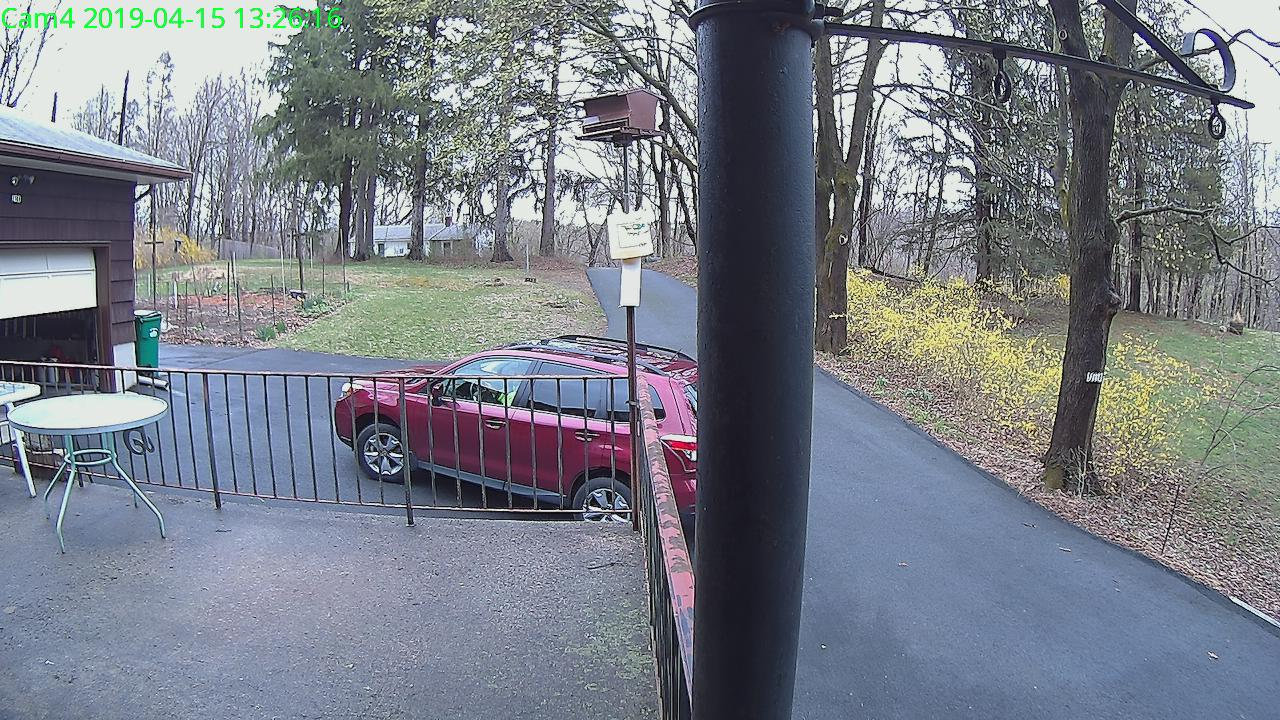
Xiaomi Dafang – 15-04-2019_13.26.18 It’s also helpful (at least for my purposes) to add the hostname to the image filenames. A one-line tweak in the
scripts/detectionOn.shscript does the trick:snapshot_filename=$(/bin/hostname)_$(date "$snapshot_pattern")Which produces names along these lines:
-rwxr-xr-x 1 ed root 246K Apr 23 2019 Cam4_2019-04-23_17.51.02.jpg*Having source code makes simple changes like this … simple!

-
Subscribe
Subscribed
Have a WordPress.com account? Log in now.

